Week 3 - Solving second order ODEs
Objective: To solve second order ODEs and to create animation of simple pendulum:
Solution:
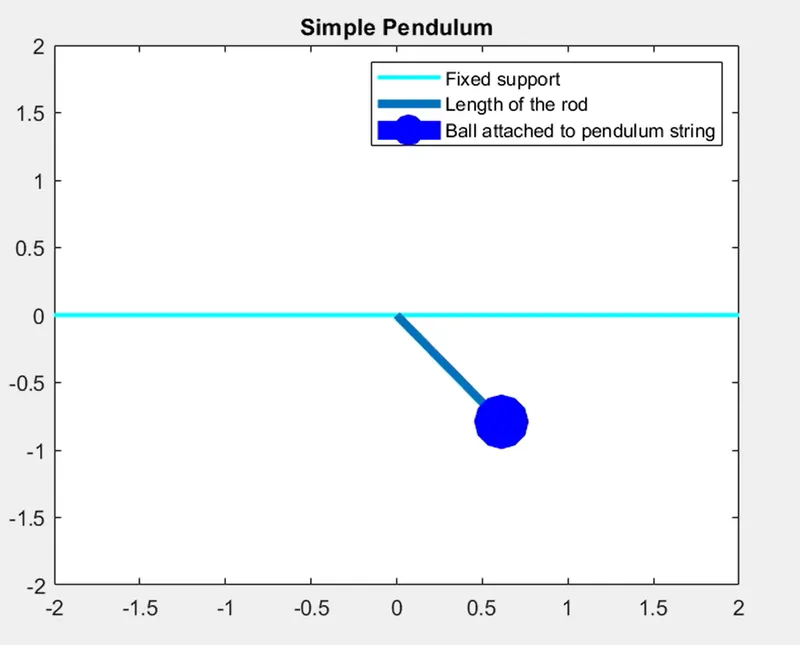
Pendulum system can be described as that of a system which is comprised of an fixed support, from which a string will be hanging to attach an object at the bottom part of the string. The system will swings back and forth under the external influence of gravity and the string.
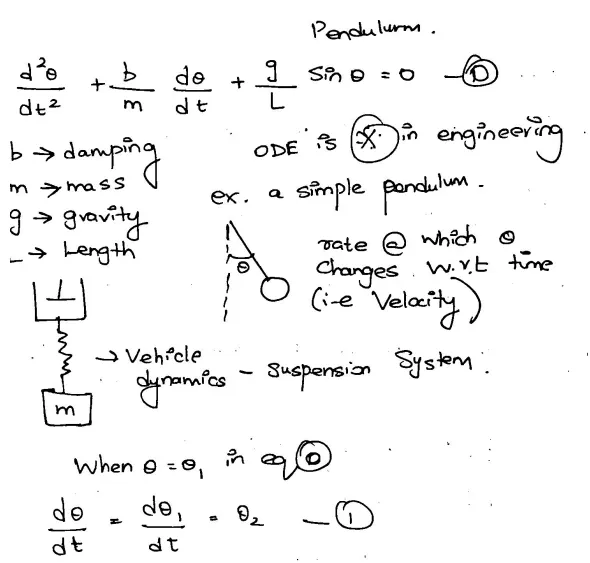
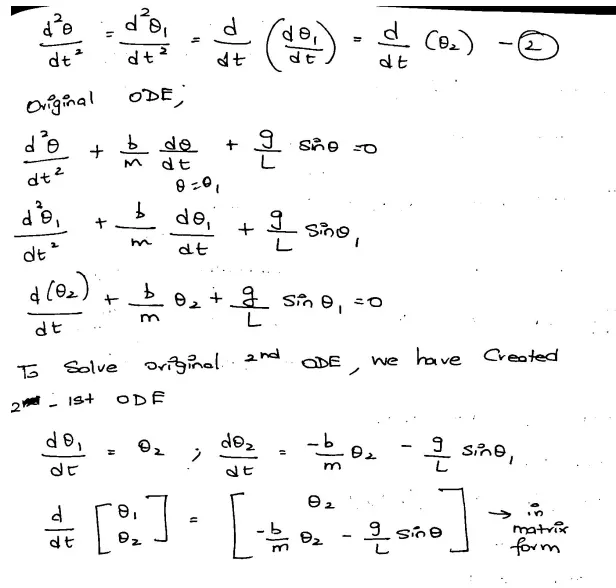
Steps of Procedure followed:
Program 1: To understand the working mechanism of the links L1 and L2 of the 2R robotic arm and to verify the formula defining the kinematics of robotic arm
Code Description:
Inputs given:
- g = 9.81m/s2 = gravity
- L =1m = length of the pendulum
- m = 1Kg = mass of the ball
- b= 0.05 = damping coefficient
Coordinates description:
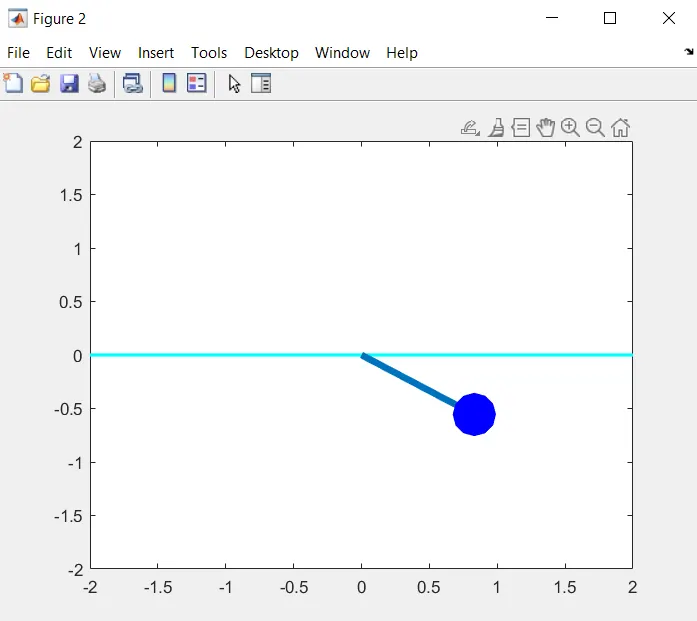
From the representation of the pendulum and from the geometry of the figure, we can represent the x_0, y_0, x_1, y_1 as follows:
- x_0 and y_0 is the starting point.
- x_1 and y_1 is the end point or the psoiton of the ball with respect to the time.
Function used to solve the Second Order ODE with Euler's method:
%Second order ODE with Euler's Method
function [dtheta_dt]=ode_func(t,theta,b,g,l,m)
theta1=theta(1);
theta2=theta(2);
dtheta1_dt=theta2;
%If we add a viscous damping term, we end up with below equation
dtheta2_dt=-(b/m)*theta2-(g/l)*sin(theta1);
dtheta_dt=[dtheta1_dt;dtheta2_dt];
end
The above equation provides the position of the ball with respect to the time.
clear all
close all
clc

%Solving second order ODEs

%defining inputs
l=1;
m=1;
b=0.05;
g=9.81;

%Initial Condition
theta_0=[0;3];

%Time points
t_span=linspace(0,20,500)

%Solve ODE
[t,results]=ode45(@(t,theta)ode_func(t,theta,b,g,l,m),t_span,theta_0);
%Plotting
figure(1)
plot(t,results(:,1));
hold on;
plot(t,results(:,2));
legend('Displacement','Velocity')
title('Pendulum Motion Graph')
xlabel('time')
ylabel('Amplitude')
ct=1;

%defining the for function for animation and multiple values of t
for i=1:length(t)
    %Coordinates
       x_0=0;
       y_0=0;
       x_1=l*sin(results(i,1));
       y_1=-l*cos(results(i,1));
       %Plotting the pendulum with given Initial conditions
       figure(2)
       plot([-2 2],[0 0],'linewidth',2,'color','c')
       line([x_0 x_1],[y_0 y_1],'linewidth',4);
       axis([-2 2 -2 2]) %the limits of the plot
       hold on
       plot(x_1,y_1,'Marker','o','Linewidth',20,'Color','b');
       hold off
       pause(0.03);
       %To create a movie
       M(ct)=getframe(gcf);
       ct=ct+1;
end

movie(M)
videofile=VideoWriter('Pendulum_animation.avi','Uncompressed AVI')
%To open, write and close the movie file
open(videofile)
writeVideo(videofile,M)
close(videofile)
Graphical Representation figure output:
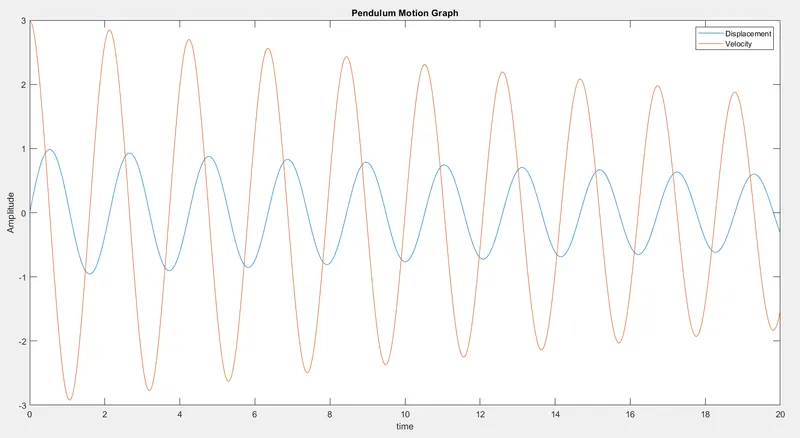
Interpretation from graph:
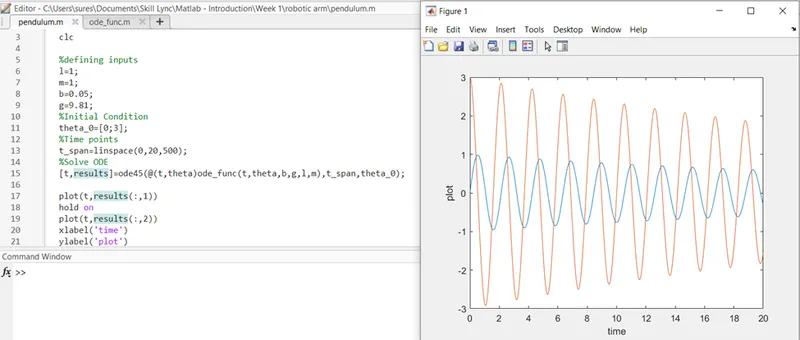
For small oscillations the simple pendulum will have a behavior that is linear in nature and the equation defining the motion can be characterized by a linear equation (no squared terms or sine or cosine terms), but this is not the same for larger oscillations and the motion becomes very non-linear with a sine term in the equation of motion.
Animation AVI File:
 %To create a movie
       M(ct)=getframe(gcf);
       ct=ct+1;
end

movie(M)
videofile=VideoWriter('Pendulum_animation.avi','Uncompressed AVI')
%To open, write and close the movie file
open(videofile)
writeVideo(videofile,M)
close(videofile)
The above part of the MATLAB code provides the AVI file for the input and coordinate variables given to define the pendulum position with respect to time.
VideoWriter command is a MATLAB function used to create a movie and to observe the animation.
Google Drive link to animation AVI file:
https://drive.google.com/file/d/1mtrvR5cxz2aQHH5v67B3vuzOw7KTPlXy/view?usp=sharing
Error while executing the program:
Error Produced: Error with respect to the command execution of plot (t.result)
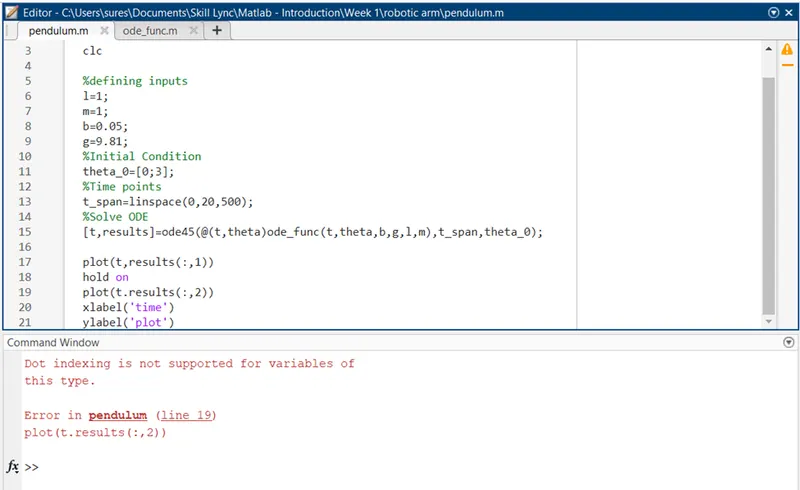
Rectification: Changed the sentence by correcting the dot to comma : (t,result)
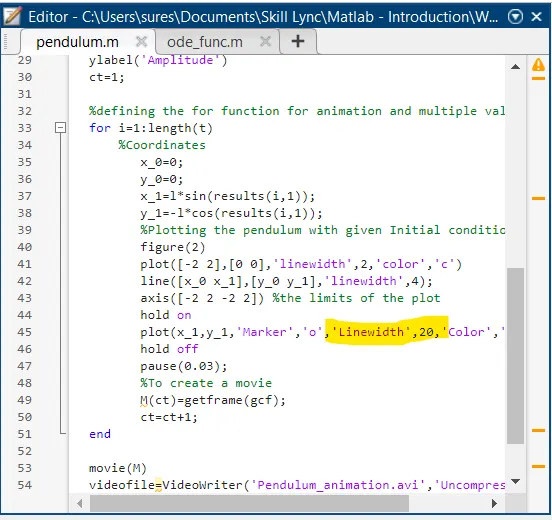
Error 2: Sphere plot command error due to the value '20'
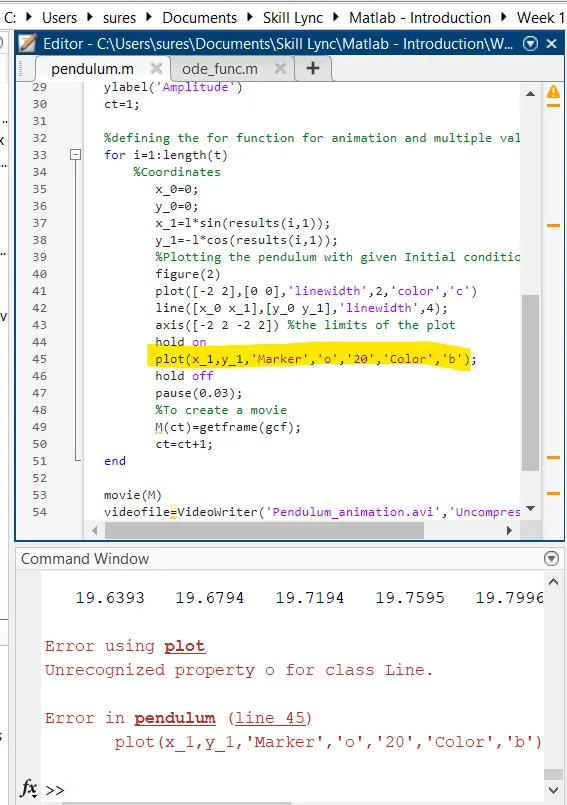
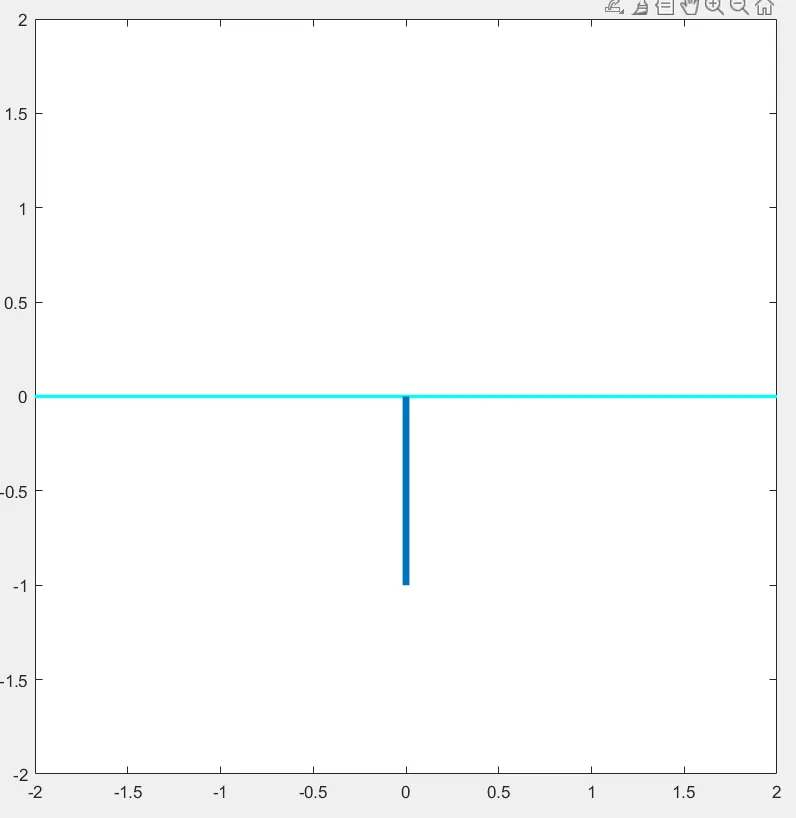
Rectification: Gave Linewidth and 20 value to represent the sphere defining the motion of the pendulum.
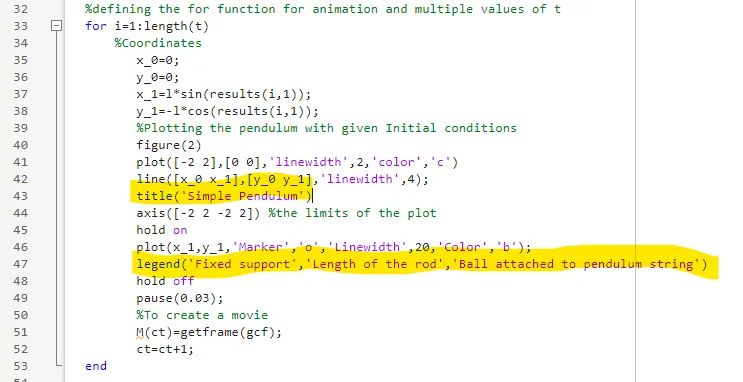
Pendulum animation with title and proper labels:
Google Drive Link:
https://drive.google.com/file/d/1wm0uIIgjAvJ6yA0UZuDqgBOHOJvHyBhR/view?usp=sharing
Image of pendulum attached to the string: