Week 3 - Solving second order ODEs
Objective :
- solve the second order ODE using Matlab
- to create an animation of pendulam
Theory :
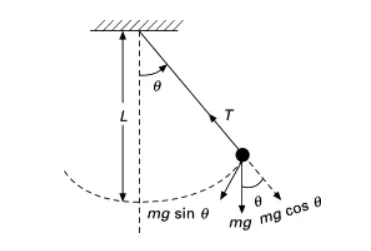
- The equation of Second Order ODE is
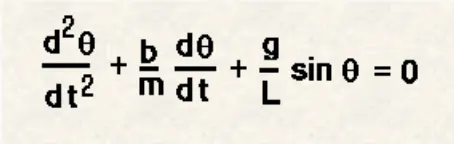
- to solve the equation we need to reduce the order of the equation into lower order
let Θ1 = Θ1
so, d(Θ)/dt = d(Θ1)/dt = Θ2
After solving the equation We got,
d(Θ2)/dt = b(Θ2)/m - g sin(Θ1)/ L
Quation :
Here, g = gravity in m/s2,
L = length of pendulam which is 1 m,
m = mass of the ball which is 1kg,
b = damping co-efficient which is 0.05
angular displacement = 0, angular velocity = 3 rad/sec, at time t=0
Matlab Program :
- Main Program
clear all
close all
clc

b=0.05;
g=9.81;
l=1;
m=1;


%initial condition
theta_0 = [0,3];


%time points
t_span = linspace(0,20,500);

%slove ode
[t,results] = ode45(@(t,theta)ode_func(t,theta,b,g,l,m),t_span,theta_0);


figure(1)
plot(t,results(:,1))
hold on
plot(t,results(:,2))
ylabel('Velocity')
xlabel('Time')
legend('Dispacement','Angular Velocity')- ODE Function Programe
function [dtheta_dt] = ode_func(t,theta,b,g,l,m)

theta1 = theta(1)
theta2 = theta(2)
dtheta1_dt = theta2;
dtheta2_dt = -(b/m)*theta2 - (g/l)*sin(theta1);
dtheta_dt = [dtheta1_dt; dtheta2_dt];
end
- Animation Of Simple Pendulam
%animation
A = results(:,1);
B = results(:,2);
ct=1;
for i= 1:length(A)
    C = A(i);
    D = B(i);

    %initial co-ordinates
    x0=0;
    y0=0;

    x1 =1-l*sin(C);
    y1 =1-l*cos(C);

    %plotting
    figure(2)
    plot([0 2],[1 1],'linewidth',10,'Color','g')
    hold on
    plot([1 x1],[1 y1],[x1 x1],[y1 y1],'o','markersize',15,'MarkerFaceColor','b','LineWidth',2)

    %axis setting
    axis([0 2 -0.1 2])

    M(ct)= getframe(gcf);
    ct=ct+1;
    hold off

end

movie(M)
videofile = VideoWriter('pendulam_animation.avi','Uncompressed AVI');
open(videofile)
writeVideo(videofile,M)
close(videofile)
Step-Wise Explanation :
- First start with the Close all , clear all , clc commads,
- Provide the values of Damping Co-efficient(b),Length of pendulum(l) , Mass (m) and gravity (g),
- Provide the initial condition and time points
- Now create 'ode_func' program using fiunction command in new script, ode func program explain in theory,
- solve ode using ode45 commads
- now plot the diagram where x-axis is time and y-axis is velocity,
- now we make animation using for command,
- here, to make equation simple , we call A = results(:,1) & B = results(:,2),
- after complete the for-end commad we use movie commads to create a movie of pendulum motion.
Errors & Solution :
- did a typing mistake in ode function programme. i type 'thrta' isnsted of 'theta'.
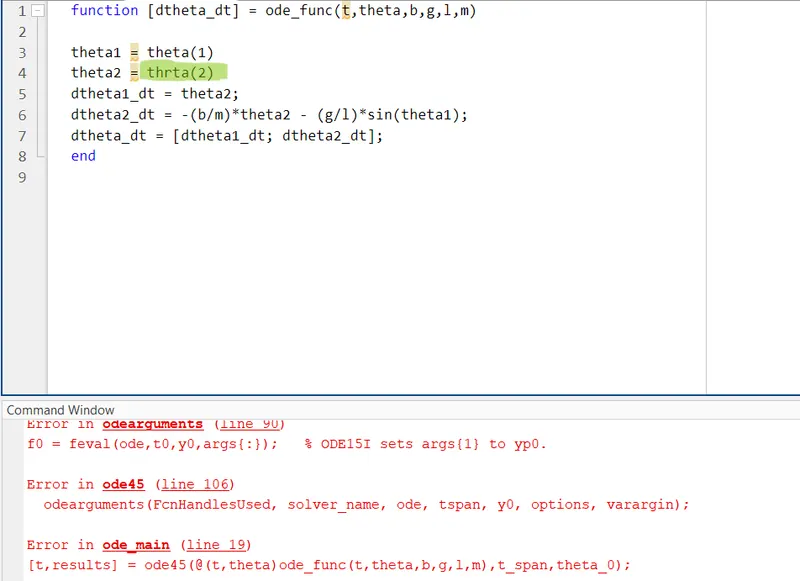
- Check the whole programme to identifie the mistake.
- While plotting the fixed link of the pendulum forgot the hold on command,
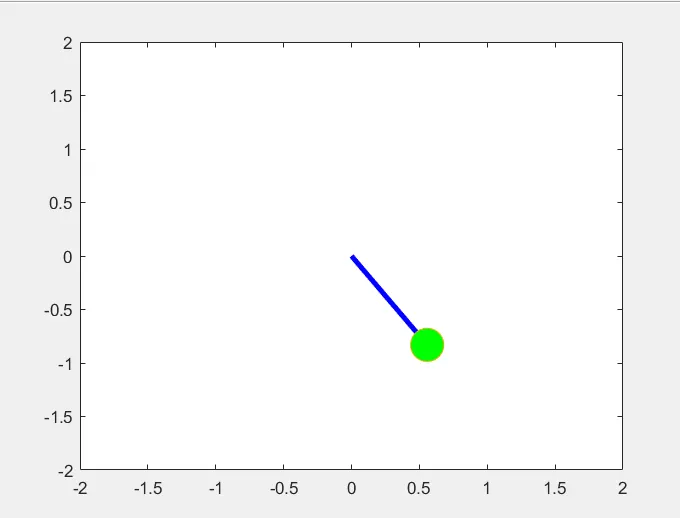
- put the hold on command to fix the problem.
Output :
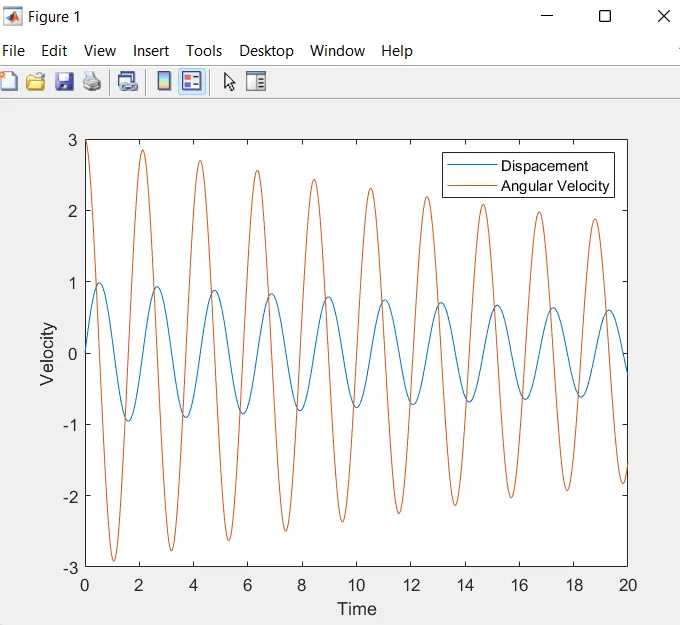
- This is the diagram of ode main programme
- Youtube link of the animation : https://youtu.be/9B6QO4GUJH8