Challenge

Week 3-Meshing of Hood Challenge

AIM:  In this challenge, follow the below mentioned quality criteria, mesh the given component and assign thickness.

GIVEN:

S. No.             Quality Criteria                                                                        Value

1                     Target/Average Length                                                                  5

2                     Aspect Ratio                                                                                  5

3                     Skewness                                                                                       45

4                     Warpage                                                                                         15

5                     Taper                                                                                             0.5

6                     Minimum Length                                                                           2

7                     Maximum Length                                                                          8

8                     Minimum Quad Angle                                                                   45                

9                     Maximum Quad Angle                                                                  135                                

10                   Minimum Tria Angle                                                                     20

11                   Maximum Tria Angle                                                                    120

12                   Tria Percentage                                                                              10

OBJECTIVE: The objective of this challenge is to perform the geometric cleanup and extract the mid surface of the component of given hood model and then mesh this components following the given Quality Criteria using hypermesh software.

PROCEDURE:

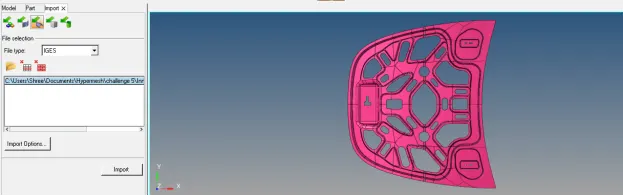
  1. <!-- [if !supportLists]--><!--[endif]-->Firstly import the model in hypermesh software and open it following the given steps: Go to Import geometry and select the file type as ‘iges’. Then choose the file and click on import option. The model gets open in the software.                                                                                     
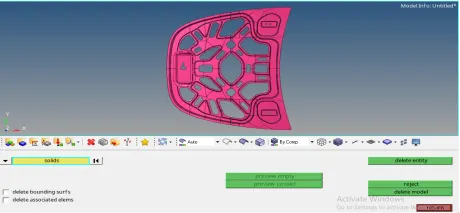
  2. <!--[endif]-->After opening the model, check the model, if any solids present in it. If any solids present in the component, then we have to delete them. For that go to Delete>solids and select the component and click on delete. In this component, there are no solids present. So we proceed for geometry cleanup.                                                                                               
  3. <!-- [if !supportLists]-->Now to perform geometry cleanup, go to the Geometry> autocleanup option and select the model and press middle mouse button. Autocleanup option automatically clear geometrical errors present in the model.                                                                                                                                                                                                                                  
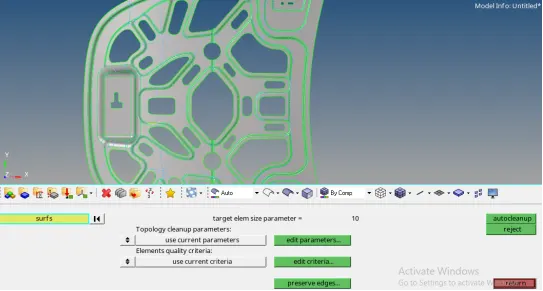
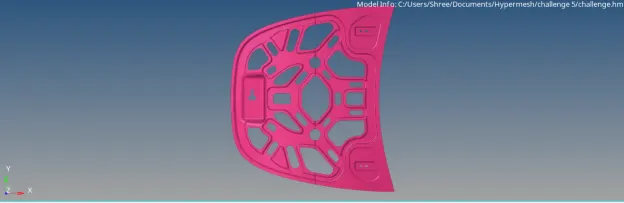
  4. After geometry cleanup, we proceed for midsurface extraction. For that go to Geometry>midsurface option. Choose the auto midsurface option and select all the surfaces. Then click on extract option.                                                                                                                                                                                                                                                              
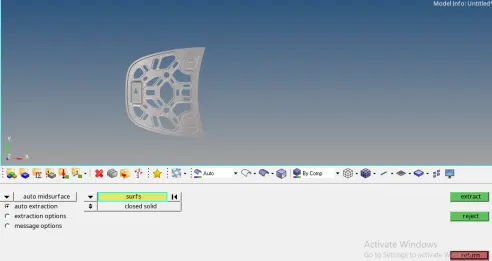
    Midsurface gets created as follows:                                                                                           
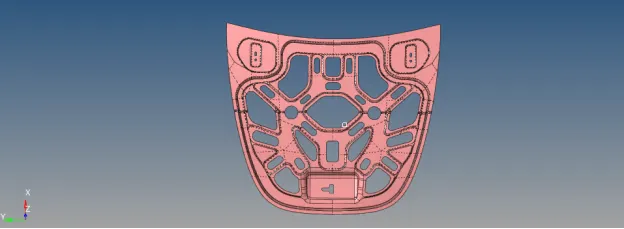
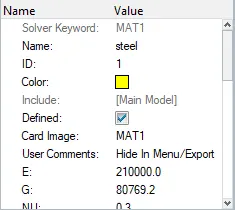
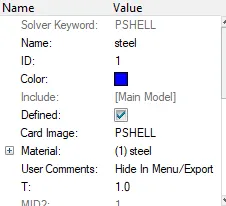
  5. <!-- [if !supportLists]-->Then assign the material and properties to the midsurface of the component. Also assign thickness to it.                                                                                                                              
  6. Now create washer splits around all the holes.

  7. <!-- [if !supportLists]-->Now proceed for meshing the component. Here meshing will be done by following the steps given below: Go to 2D> automesh option and enter the given element size as 5 units. Then choose the mesh type as ‘mixed’ and select all the surfaces one by one. Then execute the meshing by clicking on mesh option.                                                                                
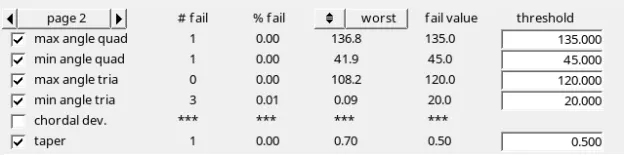
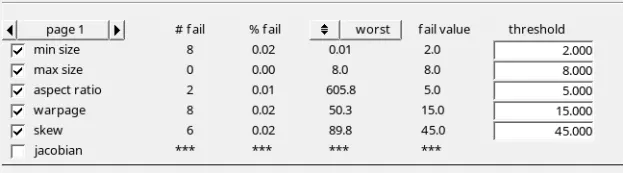
  8. After mesh is generated on the component , assign the given quality criteria by going to the 2D>quality index>QI settings and enter the given quality criteria and apply.                                                                                                                                                                                                                                                                                                                           
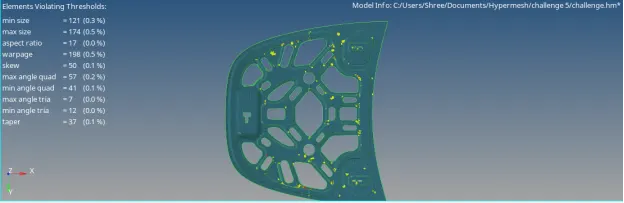
    Model without cleanup:  
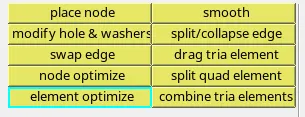
  9. <!-- [if !supportLists]-->Then refine the mesh by using cleanup tools option present in the quality index section.                                                                                                                                                      
  10. <!-- [if !supportLists]-->Make sure that there are less rotating quads and opposite trias present in the model. Reduce trias near to free edge or holes or on the fillets. OFF elements must be zero after giving quality criteria.                                                                                                                                                                                                                                                                             
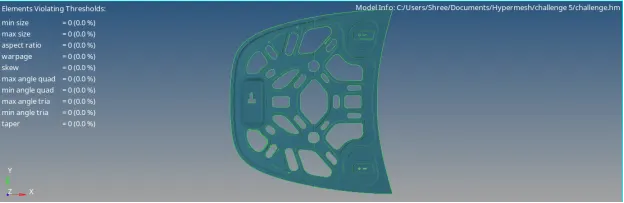
  11. <!-- [if !supportLists]-->After that, smooth option is used to get good quality mesh flow.                                                                                                                                                                                          

    Final model image:      

    LEARNING OUTCOMES:

    1) Performing this challenge enables to use different tools in the software.

    2) Learn geometry cleanup technique.

    3) Learn to extract the midsurface by auto midsurface technique.

    4) Knowing how to use different tools to get good quality mesh.

    CONCLUSION: After performing proper geometrical cleanup and extraction of midsurface for the component, the given hood model is meshed according to the given quality criteria.

Your portfolio, next

Ship work like this
in your own course.

Talk to a career counsellor

Free 20-minute call. We'll map the right course to where you want to work.

By submitting you agree to our Terms and Privacy Policy.