Week - 3 Drop test Challenge
objective:-
Cell phone drop test is to be conducted by creating all the necessary input keywords:-
1 Material creation
2 Section creation
3 Assigning material & section to their respective parts
4 Definding boundary conditions & specifying initial velocity to the cell phone.
5 Creating the contact definition between the cell phone & rigid plate.
6 Model termination to be assigned
7 Binary_D3plot & ASCII_opction define
8 plotting the result
-This drop test of transit equipment (cell phones) follows military standerd (MIL-STD-810G) (516.6) procedure IV
*Procedure:-
-First of all the find the length of the cell phone.
-cell phone length=150.4 mm
-Distance between a node on the phone and the nearrest node on rigid plate =20.44 mm
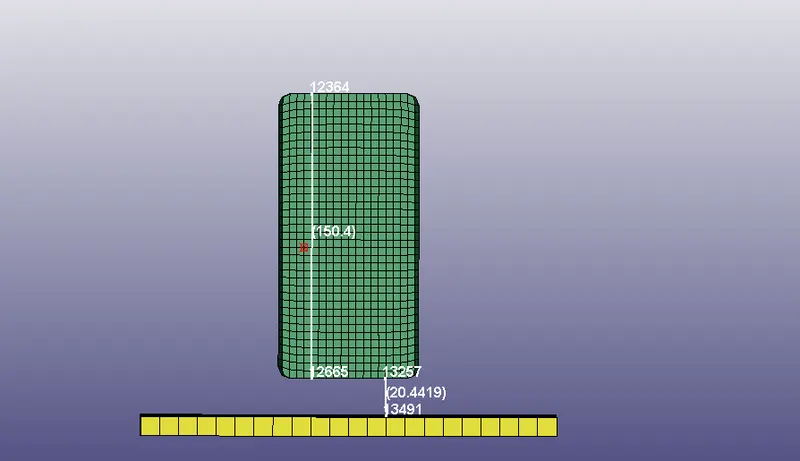
-We use the unit system is:- Kg,mm,ms,KN,Gpa
1) Material keyword creation:-
-There are two types of model are available in this model:-
i) shell (rigid plate)
ii) solid (cell phone)
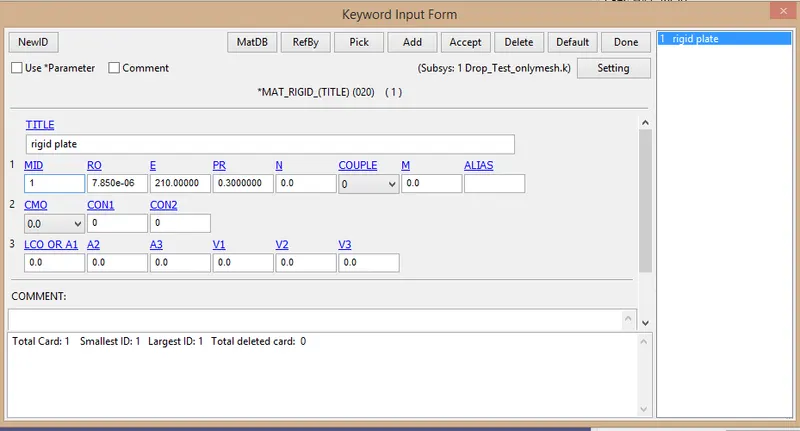
-The surface of rigid plate is made from the steel , usually these surfaces will be taken as concrete.
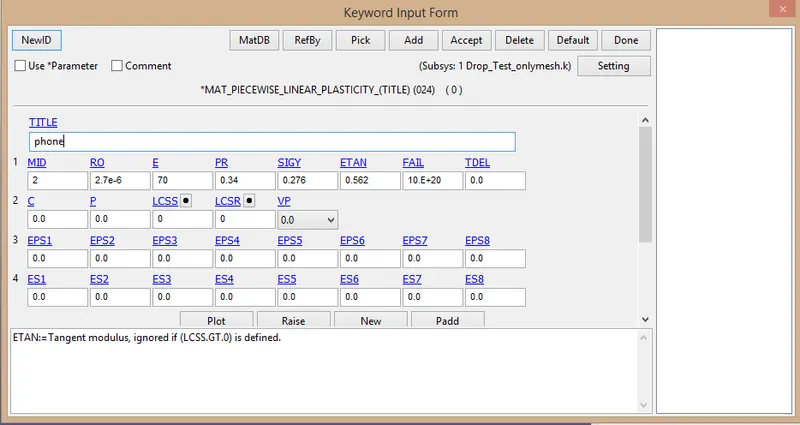
-Cell phone body is taken as aluminium, Usually the cell phone frames as made of aluminium alloys & plastic.
-For define material we use to this way:-
Model and part >keyword manager>all>MAT
-Choose MAT_20- Rigid assign for the shell (rigid plate)
-Choose MAT_24-piecewise_linear_plasticity assign for the solid(phone)
2) Section creation:-
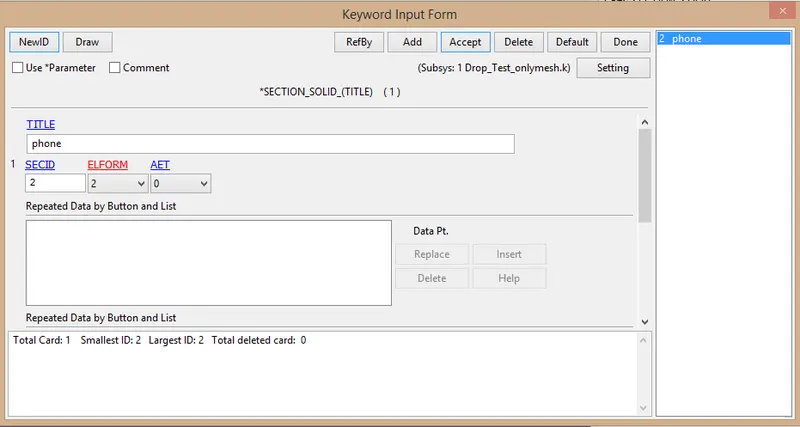
-Session shell is taken for the rigid plate and session solid for the phone.
-For that we go to Model & part>keyword manager>all>section
-Session solid for the cell phone:-
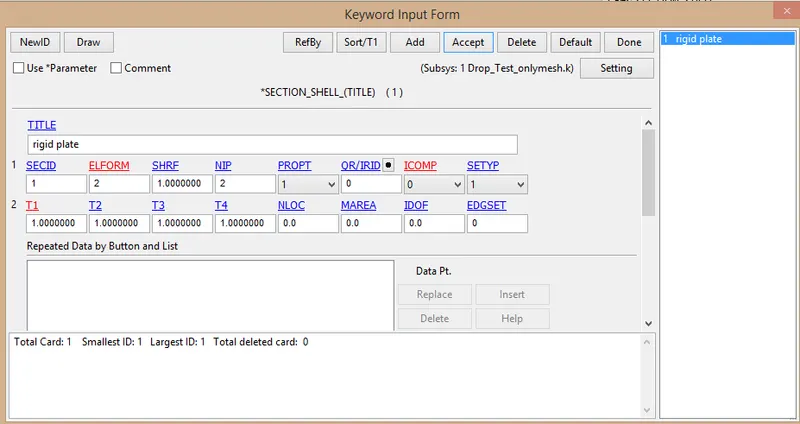
-Section_shell for the rigid plate:-
3) Part and keyword assign:-
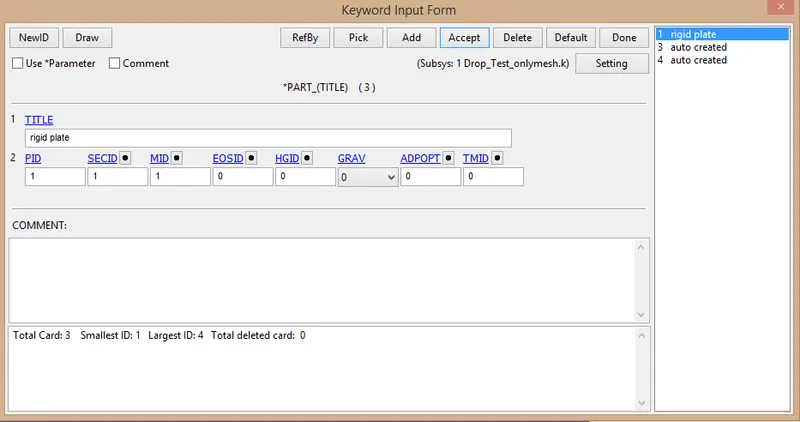
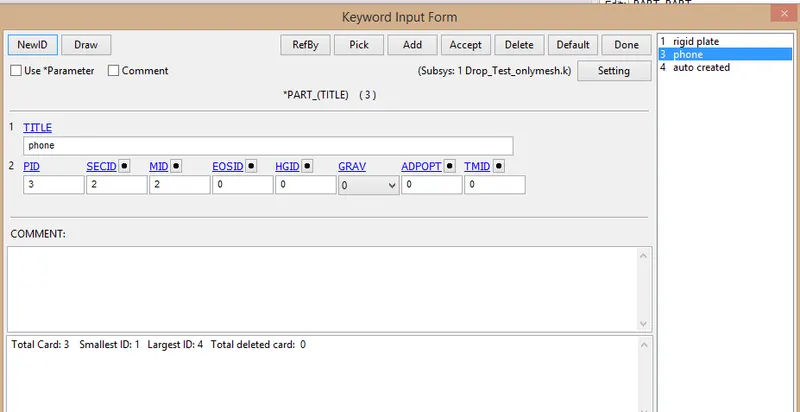
-After the creation of material & session , next step is create the part.
-Here there are two part are produce.
4)Boundary condition:-
-A boundary_spc keyword has been created to fix the rigid plate edged from moving during the impact.
-For that go to the model and part>create entity>boundary>spc
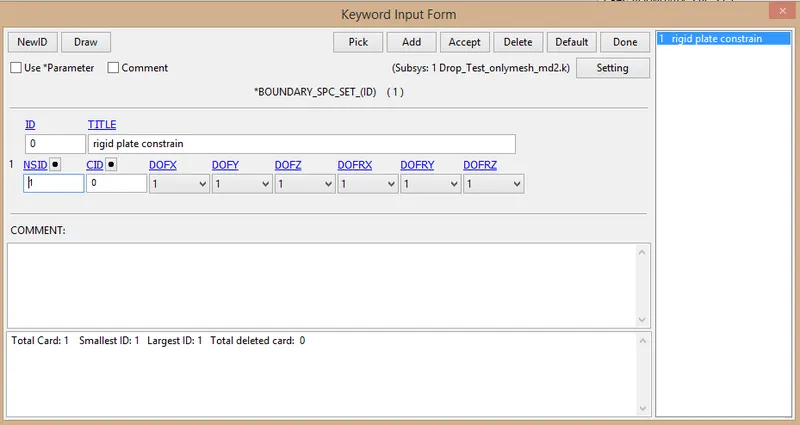
-After that select the area using the pick area opction & after that click on apply button.
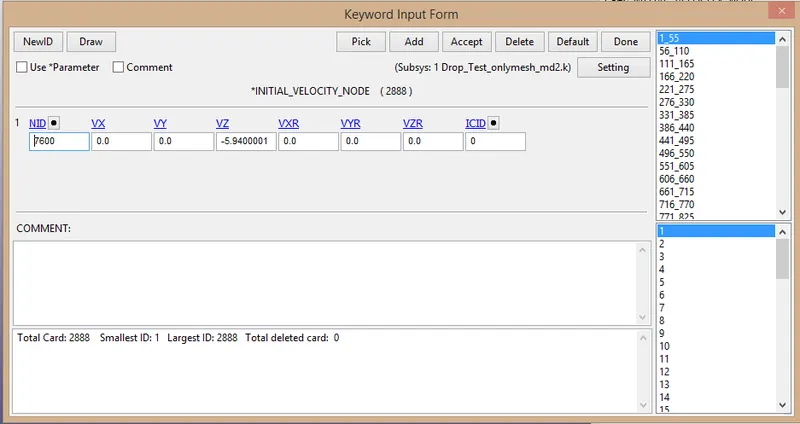
5)Initial velocity:-
The initial velocity is provide for the phone.
-velocity is calculate using this formula:-
`v=√(2×g×h)`
here, v=veloc
g=Gravitational force
h=height of cell phone form the rigid plate
`v=√(2×9.81×10^(-3)×20.178)`
`V=0.629 mm/ms`
this value is very small then it is difficult to make the impact simulation within some ms of time, so we assume the phone is dropped from a height of 180 cm=1800 mm.
`v=√(2×9.81×10^(-3)×1800)`
`V=5.94 mm/ms`
-this velocity is provide towards the negative z-axis.
6) Contact creation:-
We create the contact between the phone & rigid plate.
-For that we go to Model and part>keyword manager>all> contact
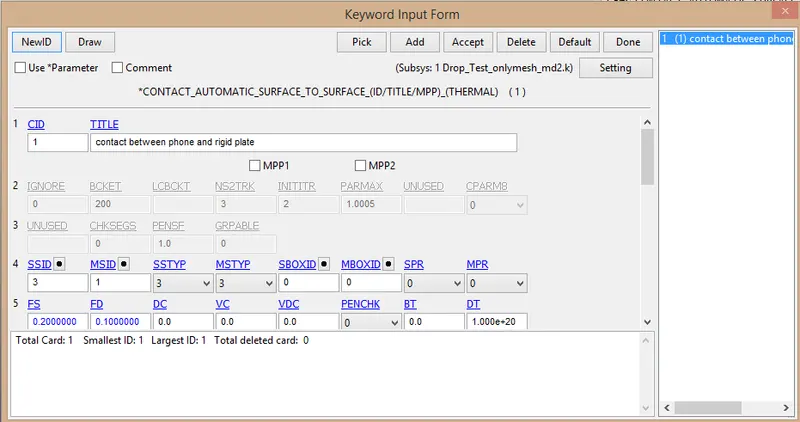
-In the contact we choose the opction is Automatic_surface_to_surface.
-Here we use phone is a taken slave and rigid plate is taken a master.
*Control creation:-
-For the control cration we choose this path:-
Model and part>keyword manager>all>control
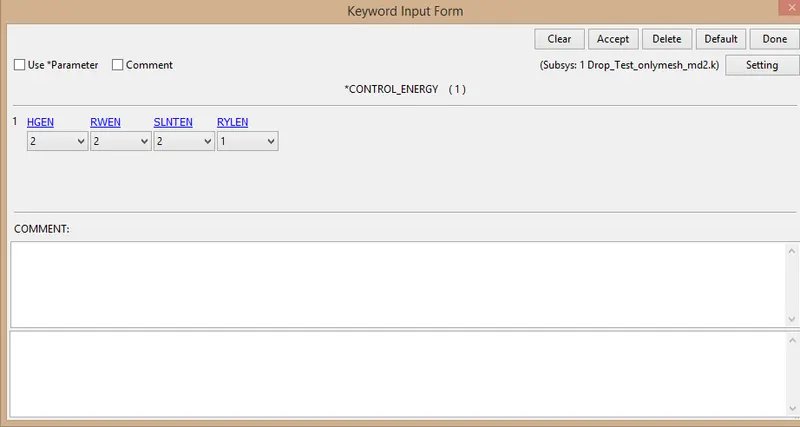
-Control_termination keyword is crated for the end time provide. we provide end time is 5 ms.
7)Database creation:-
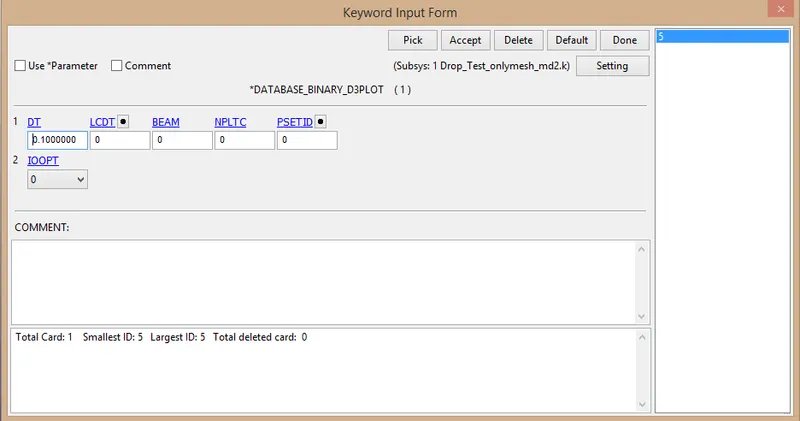
*BINARY_D3PLOT:-
In this keyword the frequency with which the animation is to be crated will be given and is set to 0.1 ms.
*ASCII_OPCTION KEYWORD:-
-in this keyword
1) ELOUT-element data
2)GLSTAT-Global data
3)MATSUM-Material energies
4)SLEOUT-Sliding interface energies.


-the same animation frequency has been applied for these keyword too.
-Model check:-
After assigning all the keyword check the model using the model checker and make sure that the file is error file.
After that save the file as a".k" format.
-Run the file in the solver. if it's end as a normal termination then model is correct.
8) post-processing:-
-Animation of vonmises stress:-
-For that go to this way:-
post>Fringe component>stress>von mises stress
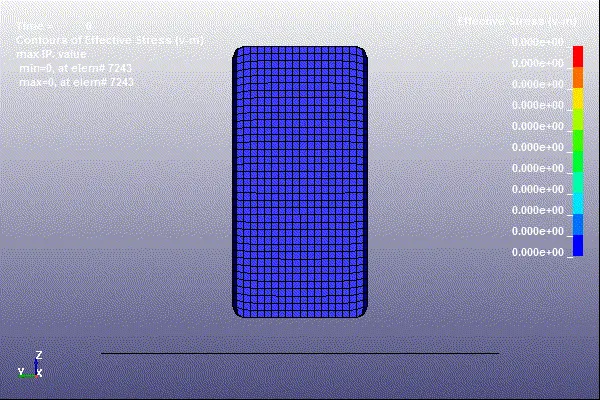
*The final frame of the vonmises sress:-
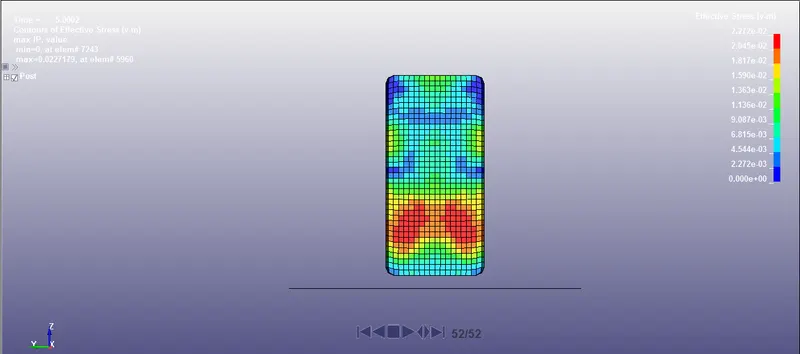
-The Vonmises stress at final frame is 2.272e-2 Gpa
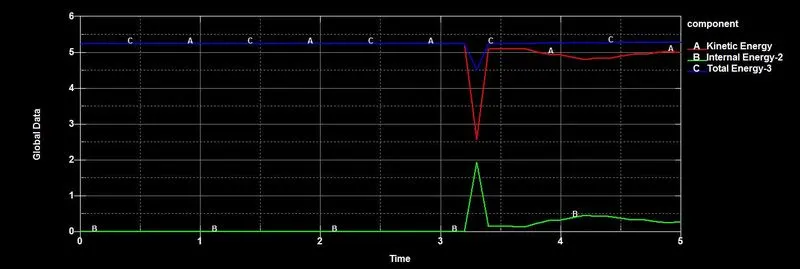
*The plot of SLEOUT data vs time:-
-ASCII>sleout>load>select master energy & slave energy>prd
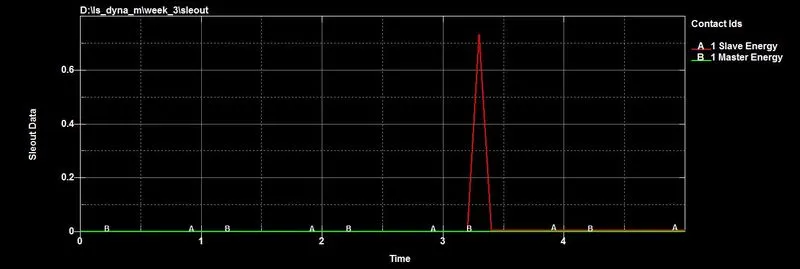
-Master energy is zero for all simulation, but slave energy are vary rapidly change for short time, This value is 0.734 j and that is same as that of sliding energy.
*Conclusion:-
-All the keywords has been created right from scratch & model checked.
-The purpose of this model is understand overall idea about basic keywords use of LSDYNA and running the simulation.