Week - 3 Drop test Challenge
Aim: To set up a deck successfully in LS-PP for drop testing in LS-Dyna and run it.
Procedure:
Import the .k file in Lspp as shown in the figure below:
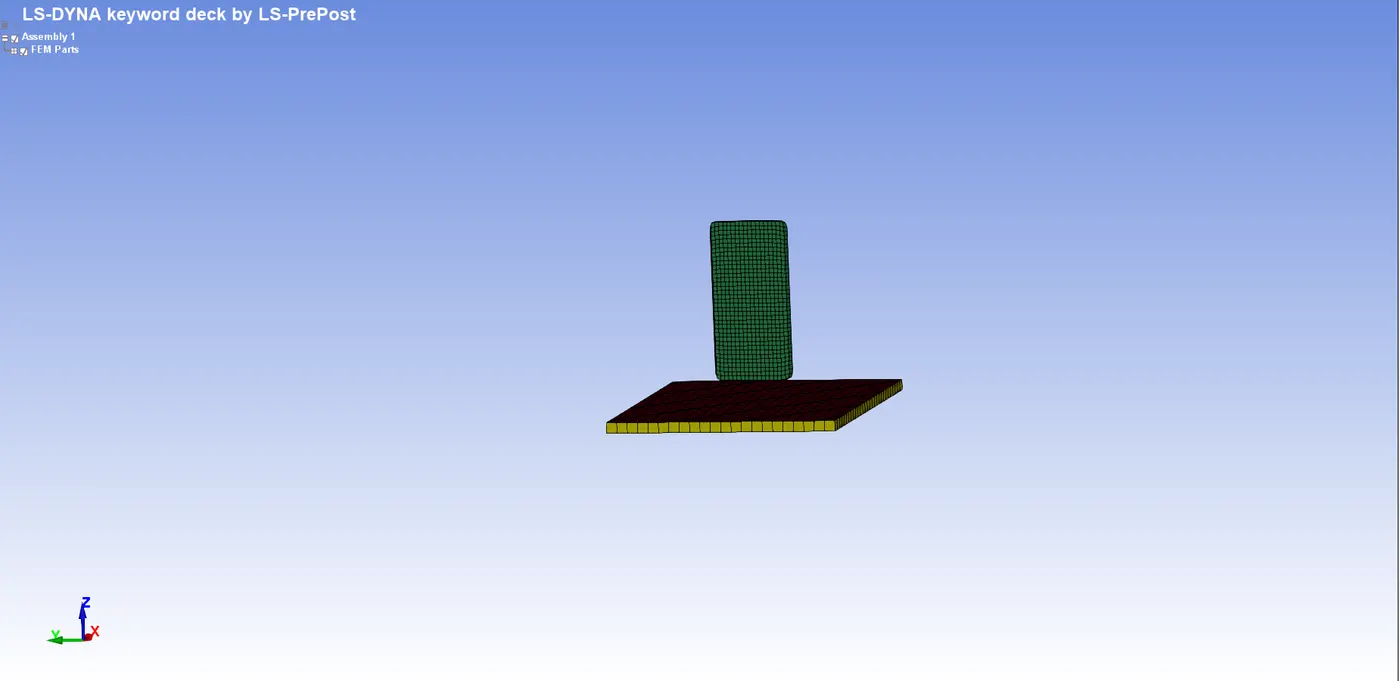
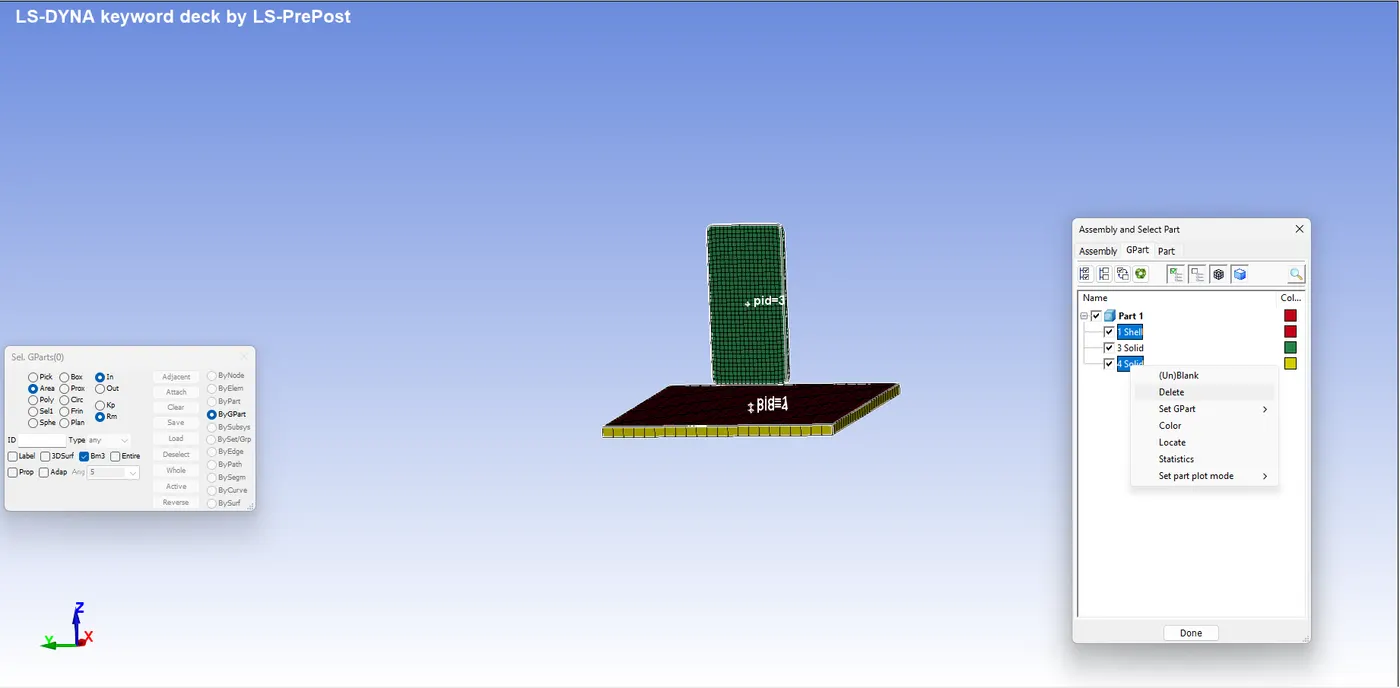
Delete the unnecessary components from the file. To see all the parts we can press f2 from the keyboard and navigate as shown in the figure:
Create a rigid wall, go to the entity creation and click on rigid wall>cre>planar>select node & orientation as shown in the figure:
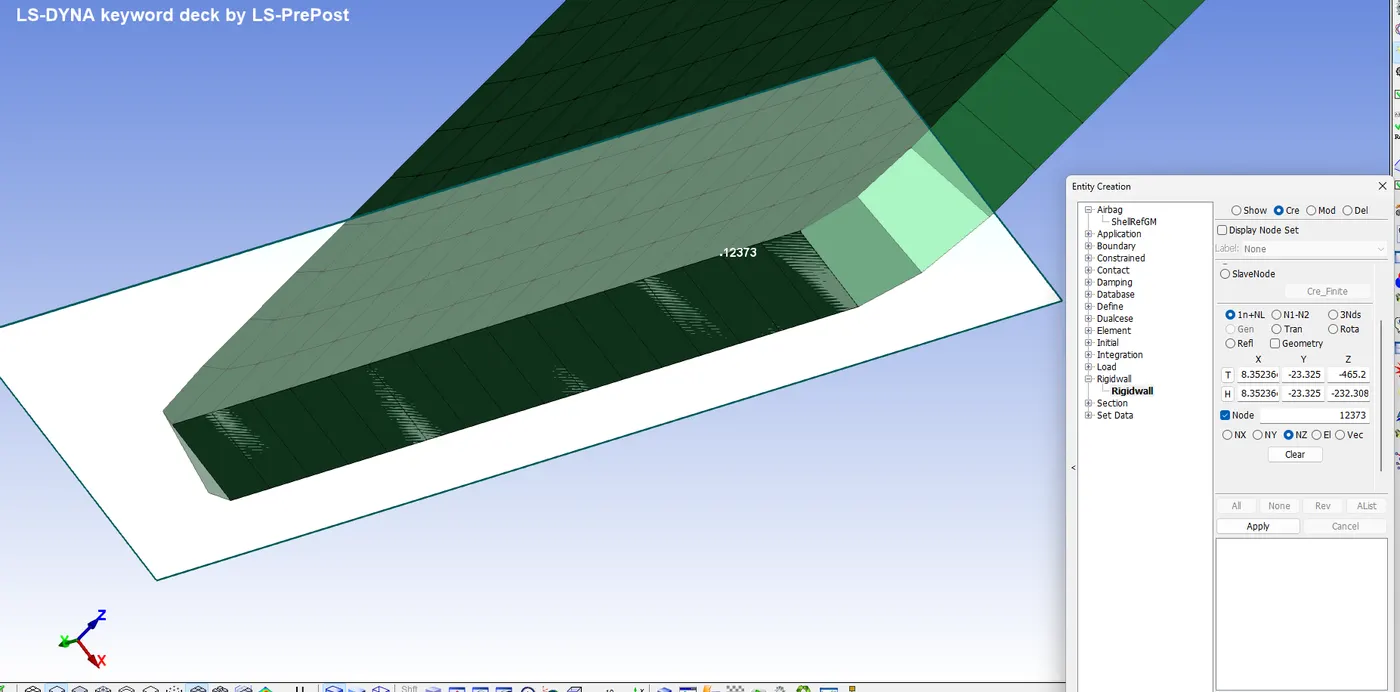
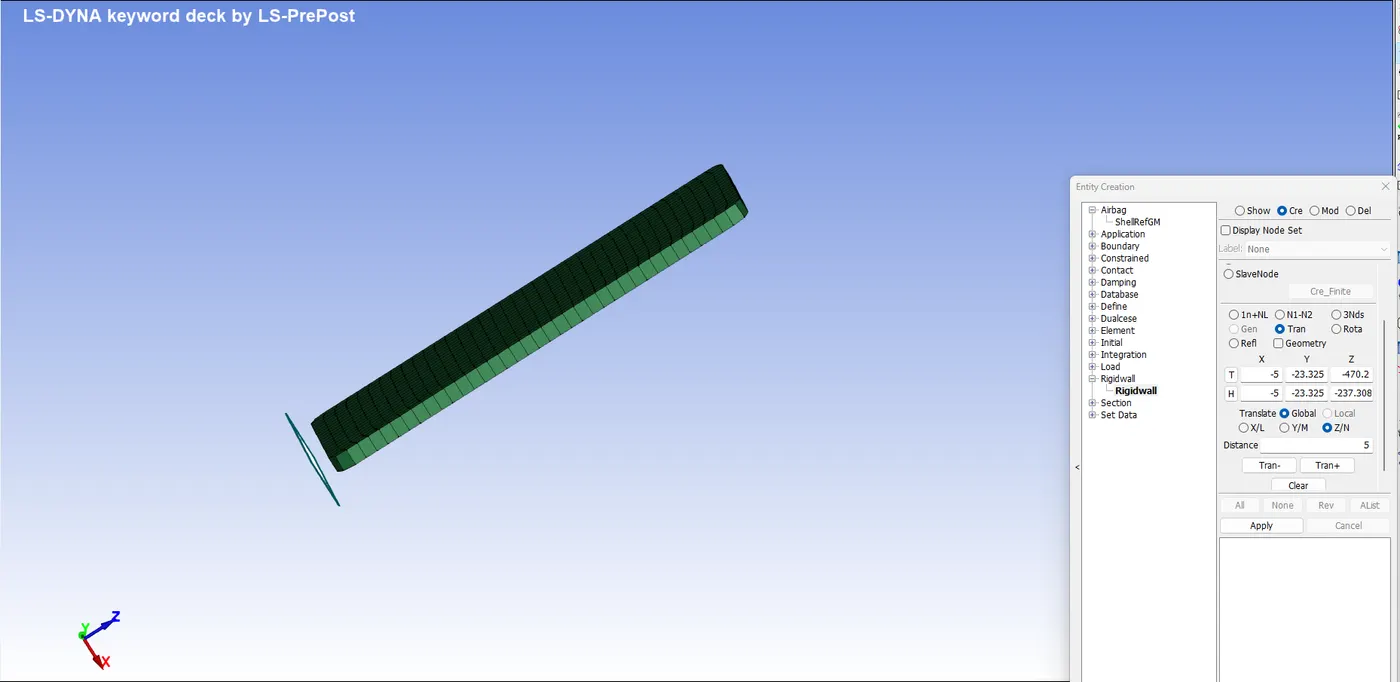
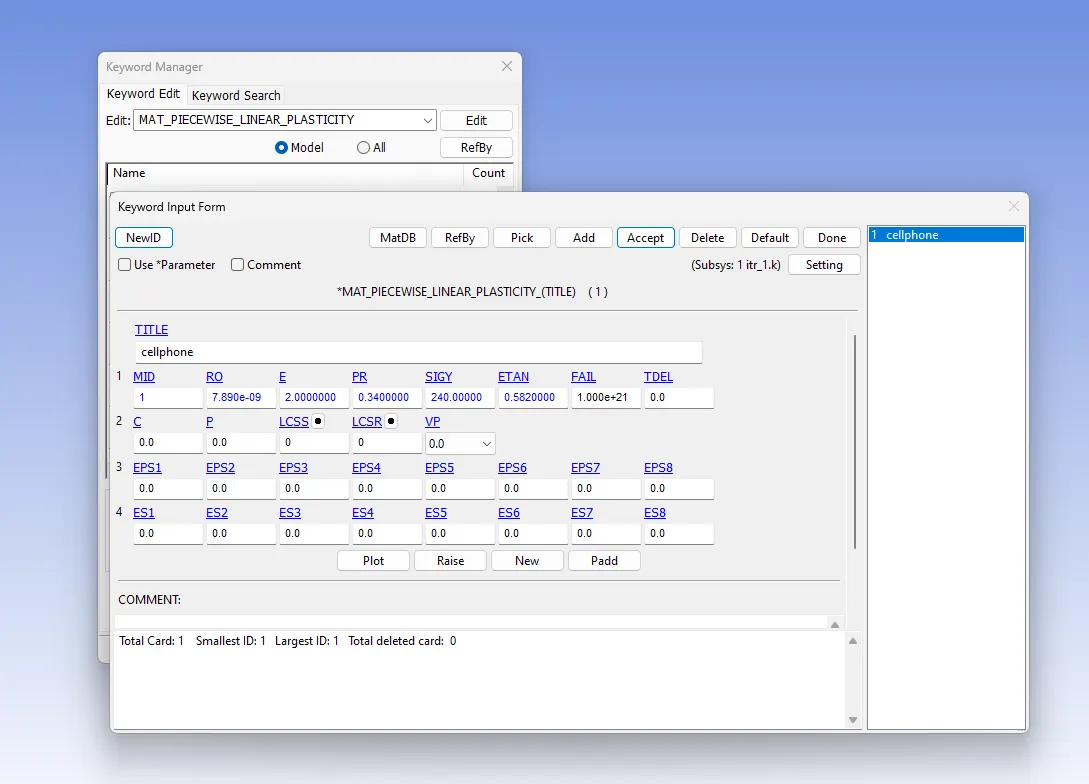
4. Create Material card as shown: (MAT24 is chosen)
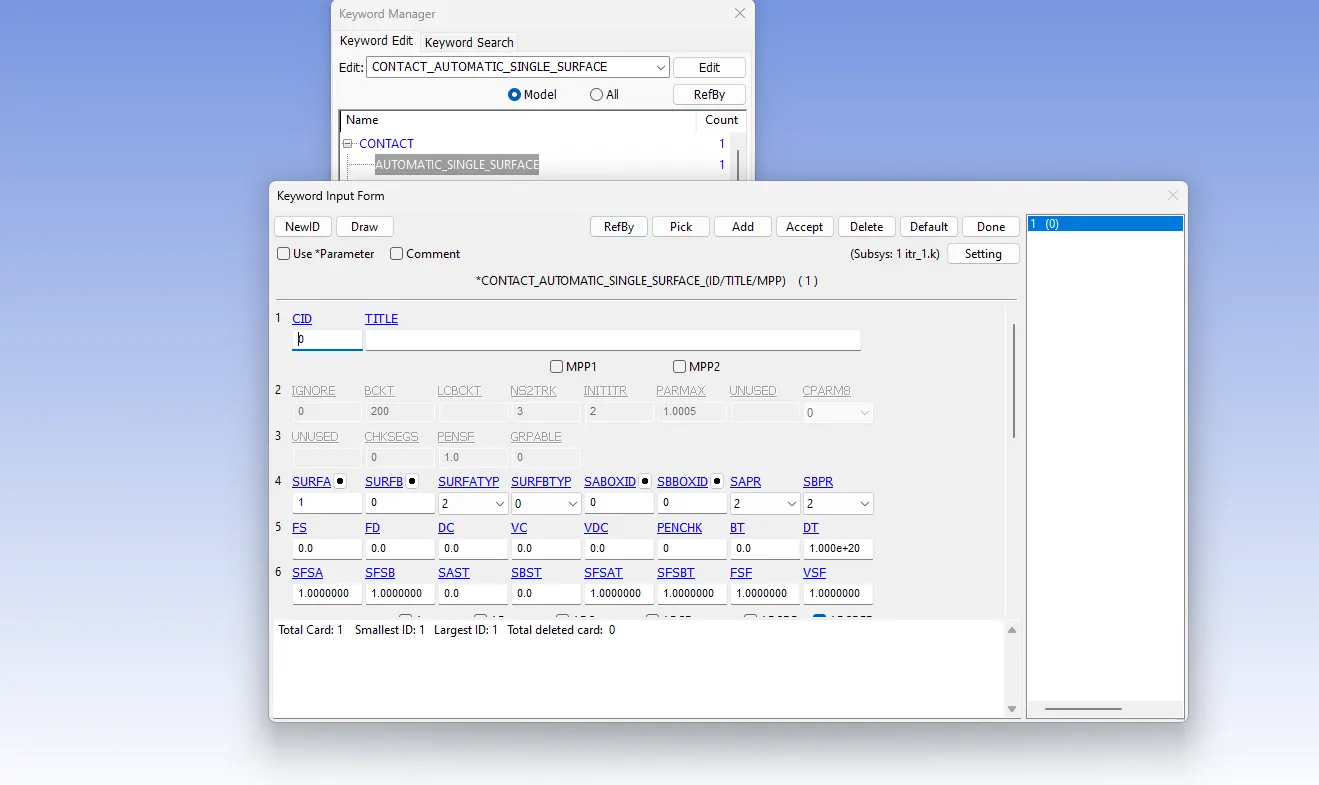
5. Since the contact can be of the cell phone with the rigid wall the deformation can be large and the elements can self-interact, so Contact_Automatic_Single_Surface is chosen as the preferred contact, which is a sliding contact. To create a contact card:
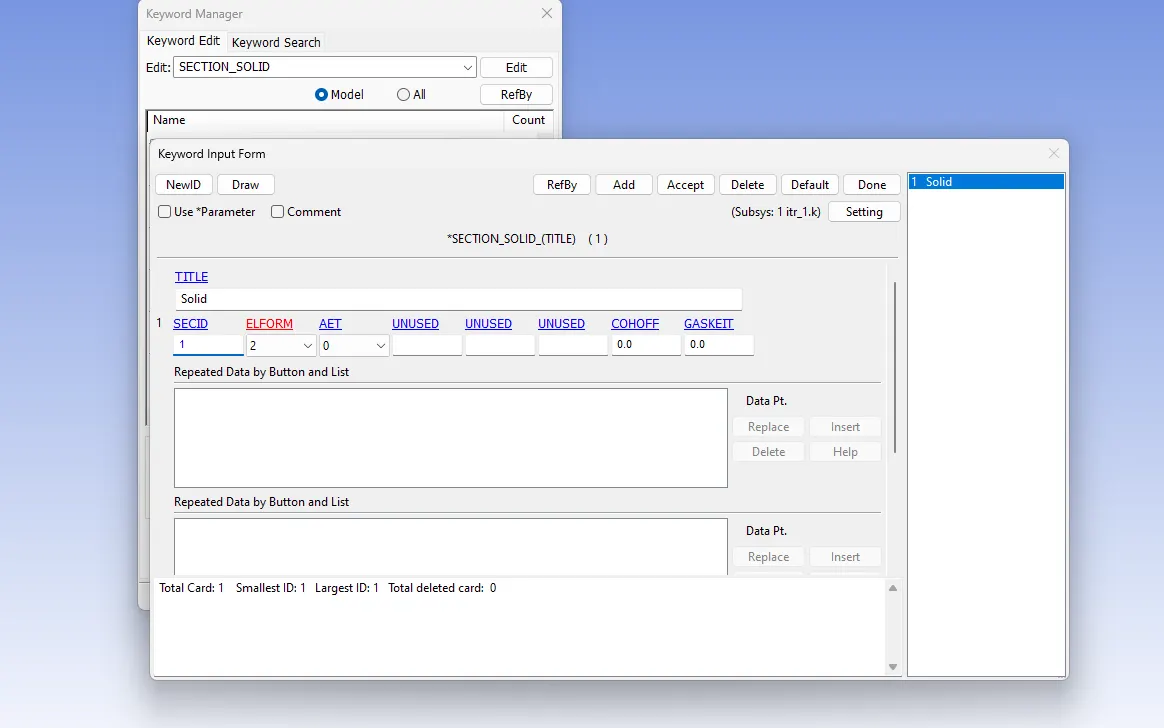
6. Create a section as per the elements used in the simulation, here solid elements are used so we create a solid section as shown: eleform 2 has been chosen because it is a simple model and the run time wouldn’t be affected by a large extend by choosing a full integration scheme.
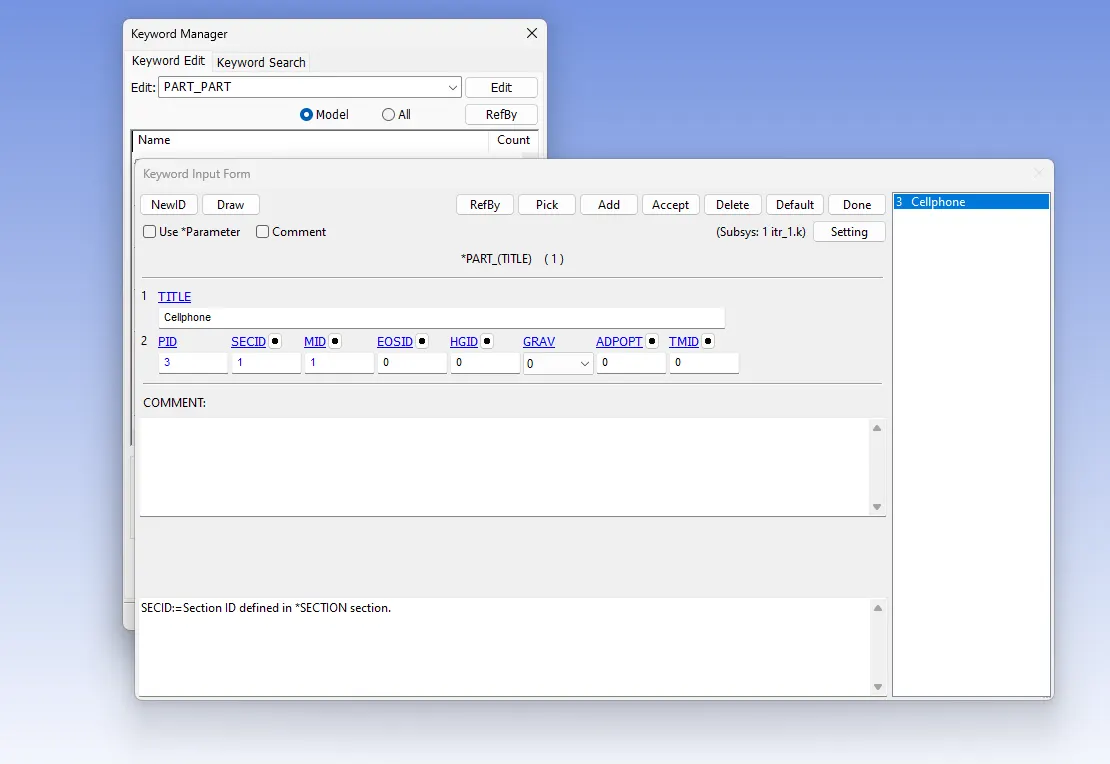
7. Assign the section and material to the part as shown:
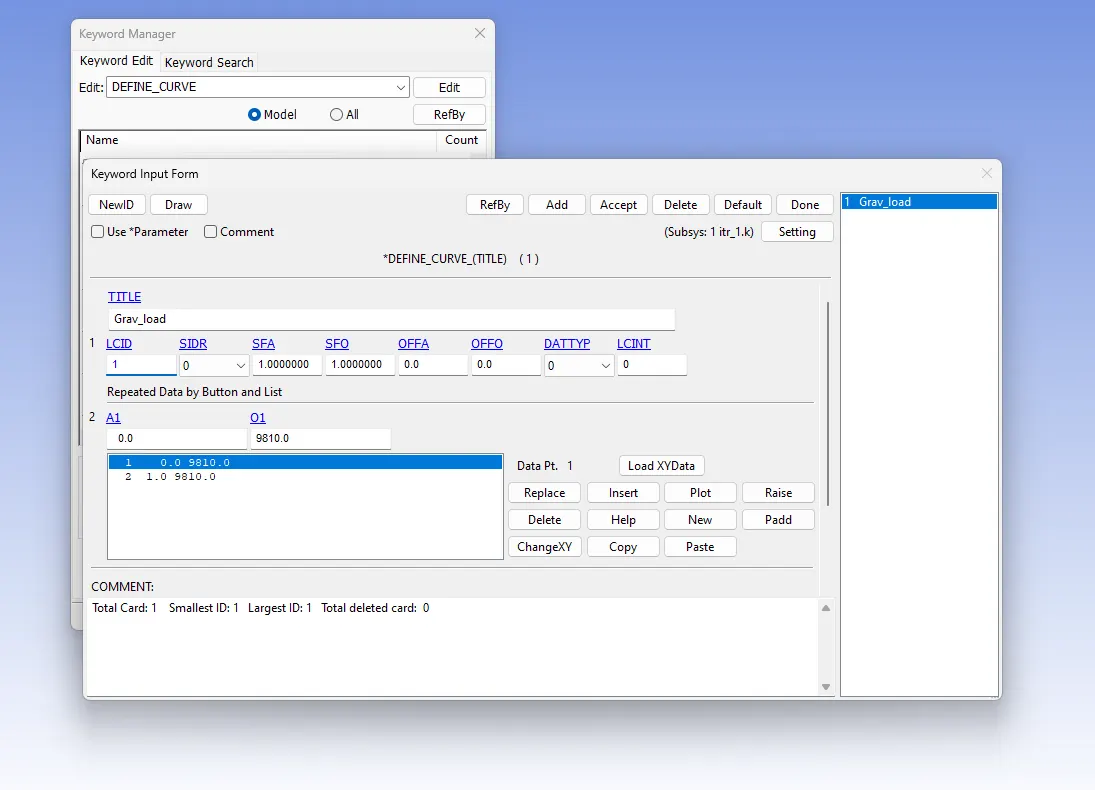
8. To define gravity we first create a curve for the gravitational acceleration as shown:
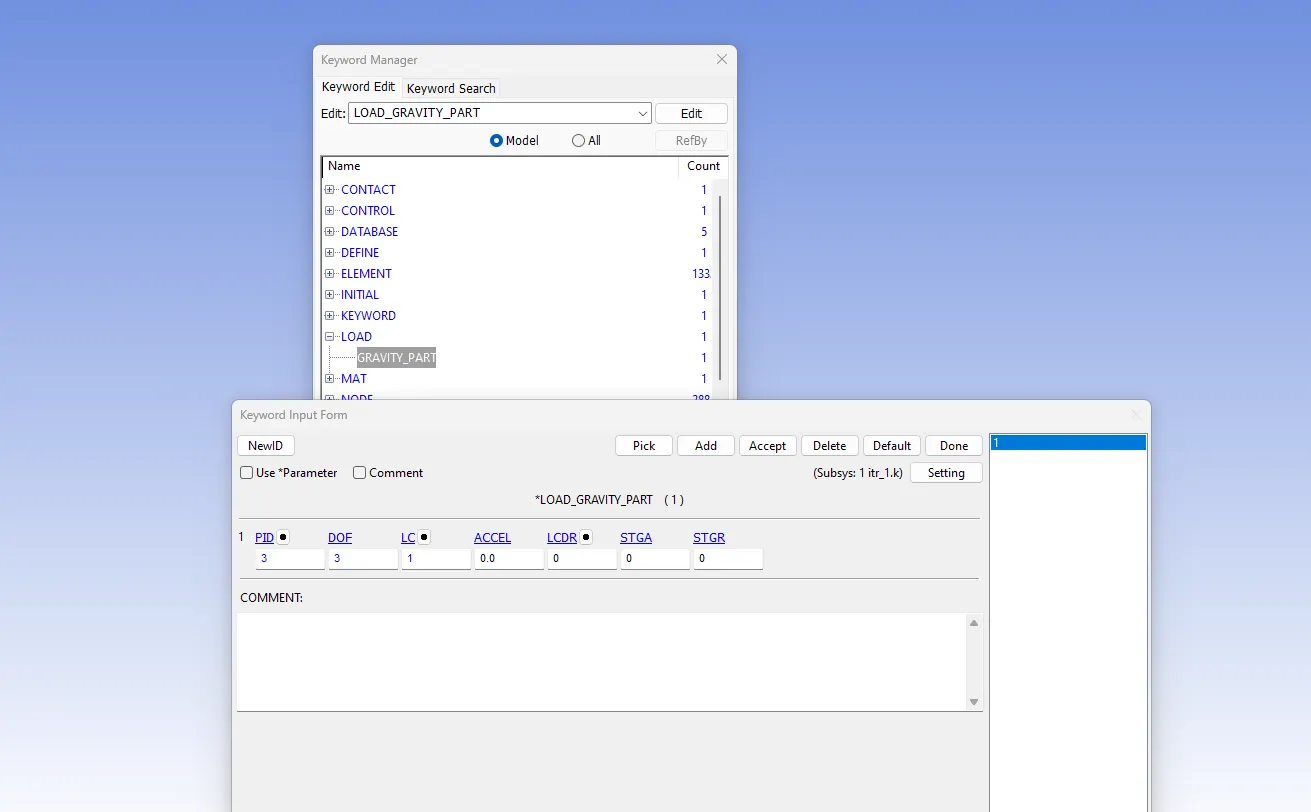
Now we create the gravity card:
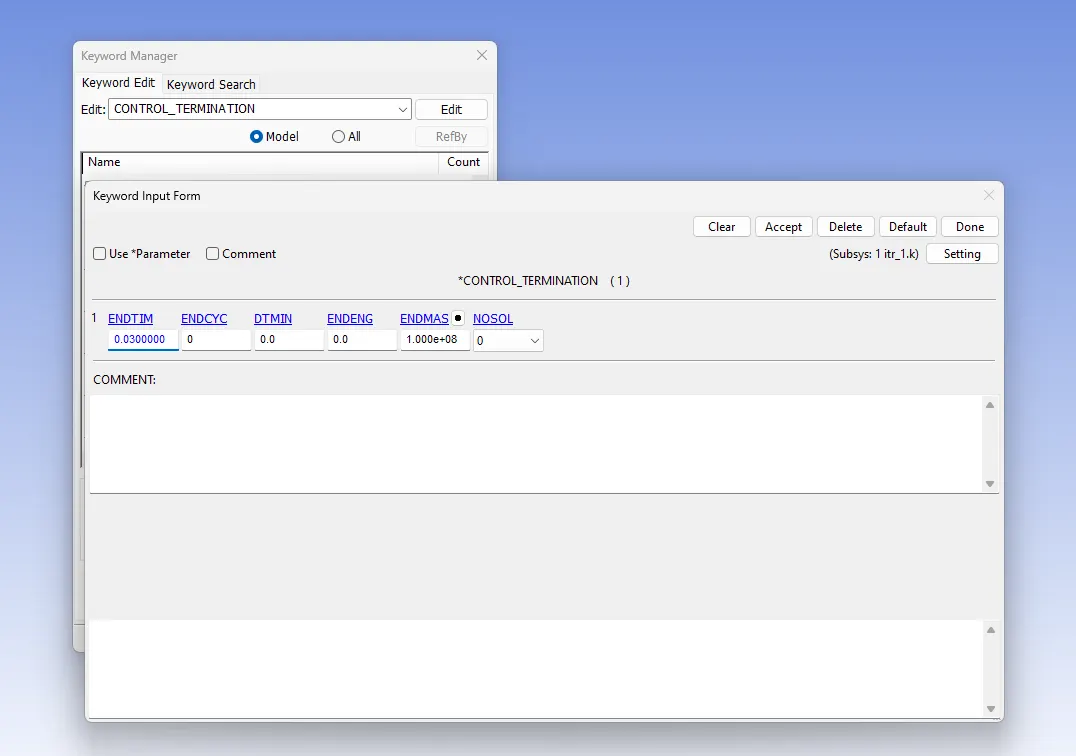
Create a control_termination card to define the run time of the simulation as shown:
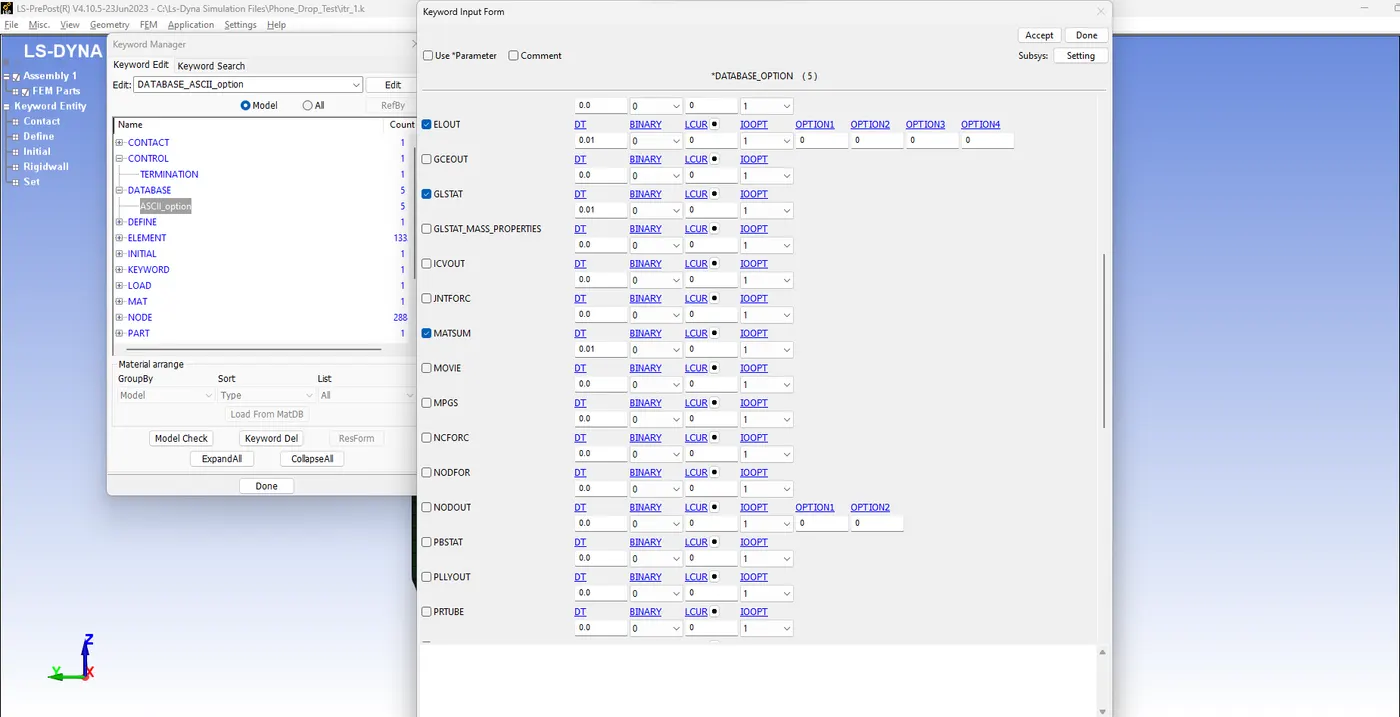
To request the output we define the ASCII option card and select the desired outputs as shown:
The simulation has been successfully run and the animation is as shown in the figure:
<iframe src="//www.youtube.com/embed/aoCB07PVCs0" allowfullscreen="allowfullscreen"></iframe>
Result:
The deck for the drop test has been successfully set up and the simulation has been run.