Week - 3 Drop test Challenge
Aim:
To perform drop test for the given cellphone model which hits the rigid plate.
Procedure:
- Lsprepost –Assign inputs to the keyword manager
- LsRun – Solve the given problem
- Post Processing – Plot the Stress, Strain, Velocity, Acceleration, Kinetic Energy, potential Energy, Total Energy values.
Let us see one by one in detail:
Unit system I adopted – kg/mm/ms.
Lsprepost –Assign inputs to the keyword manager
In which keyword manager includes,
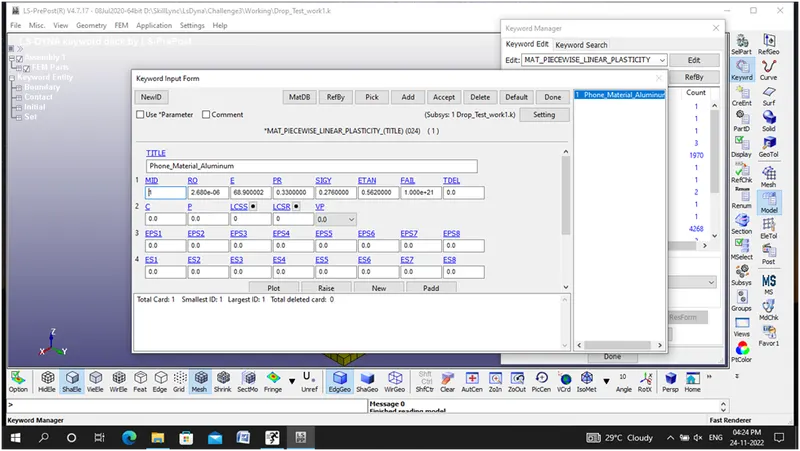
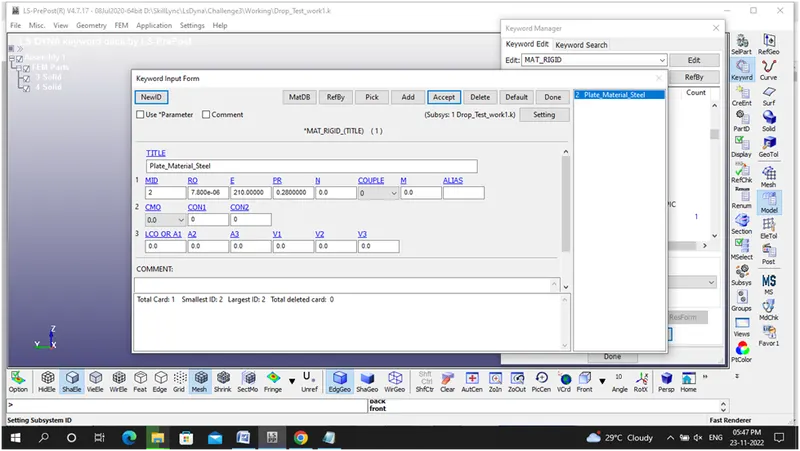
1.MAT- Assign Material Property to given part
Phone- Aluminum (Piecewise linear plasticity)
Plate- Steel (Rigid)
2.SECTION- Assign both the phone and plate as solid section
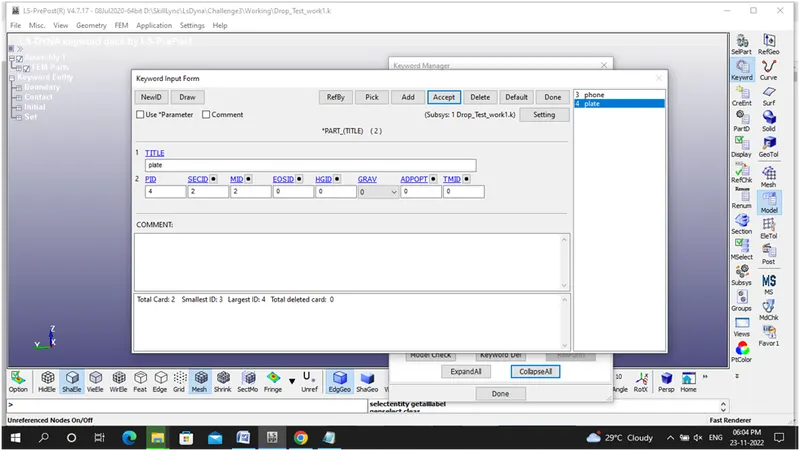
3.PART- Assign MAT and SECTION to the part
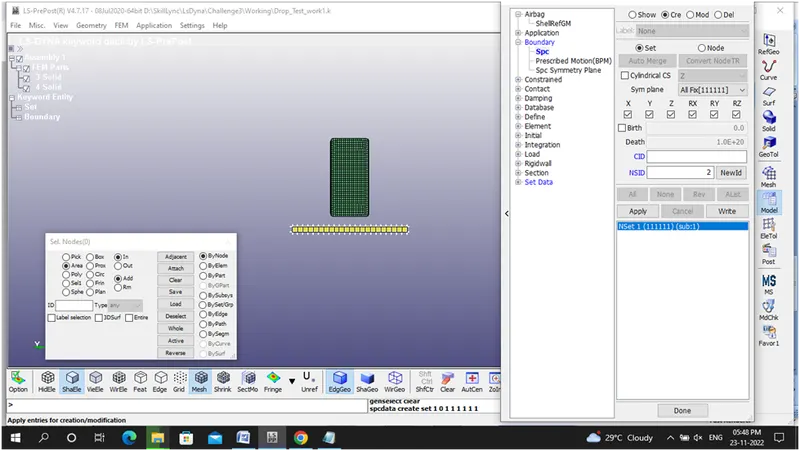
4.BOUNDARY –Arrest the plate in all 6 DOFs
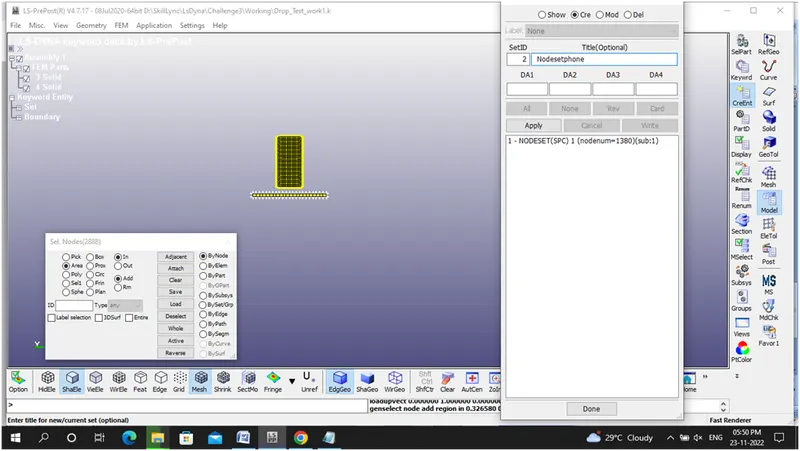
5.INITIAL- Velocity to be assigned to the phone based on Equations of Motion Rule
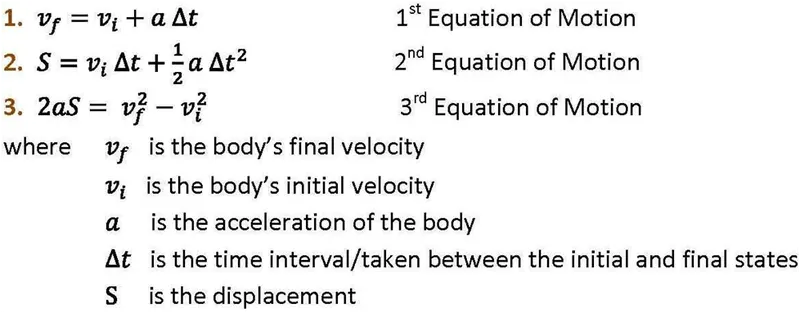
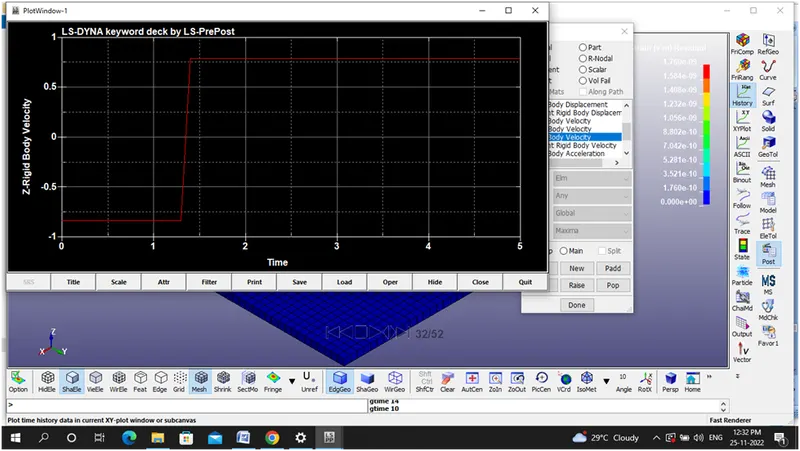
By applying the above relation and substitute the values we observed that velocity will be 0.623 mm/ms. Since our condition is that phone to be bounce back so that I have assigned velocity as -15 mm/ms.
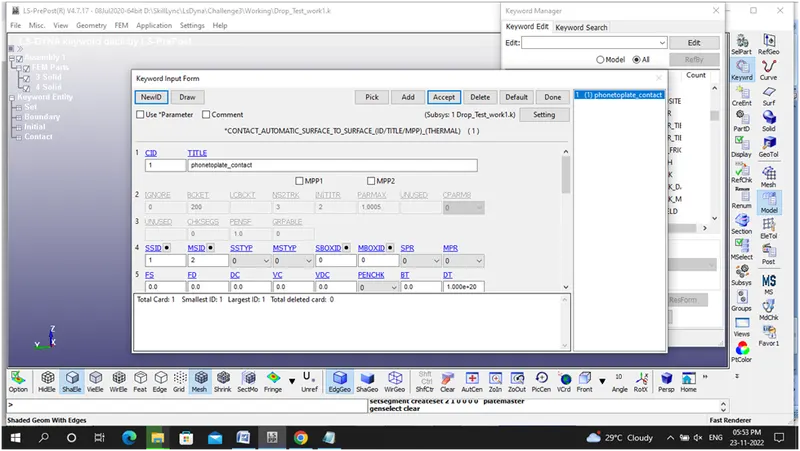
6.CONTACT – Assigned Automatic Surface to Surface contact
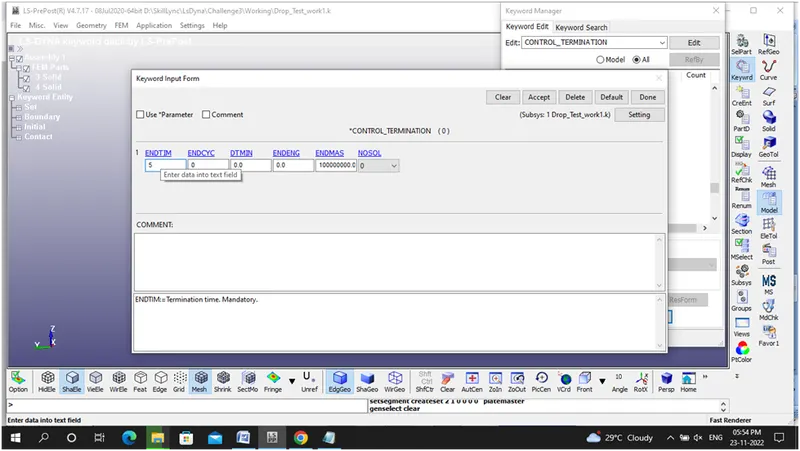
7.CONTROL – Termination -5ms- To terminate the model
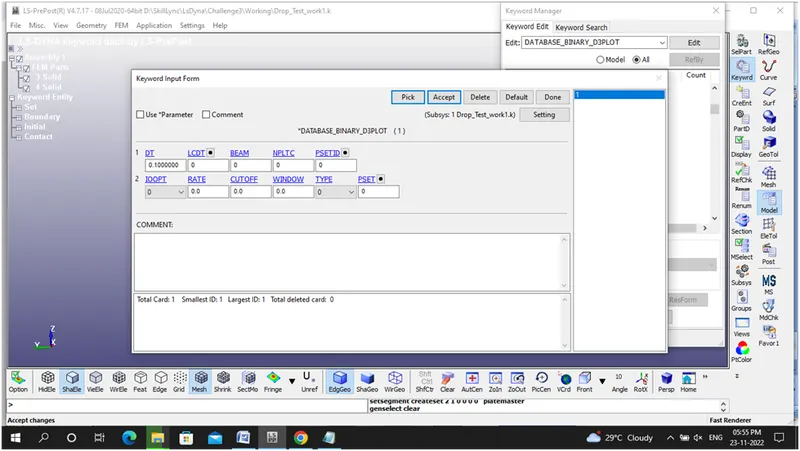
8.DATABSE – D3PLOT- To generate stress and strain value.
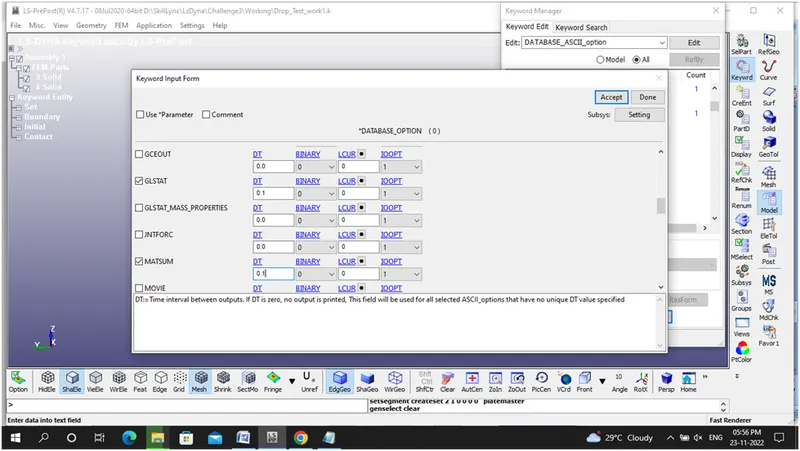
ASCII OPTION – MATSUM – To find the Part energies.
GLSTAT- To find the Global statistics and energies (recommended). See *CONTROL_ENERGY.
- LsRun – Solve the given problem
- Post Processing – Plot the Stress, Strain, Velocity, Acceleration, Kinetic Energy, potential Energy, Total Energy values.
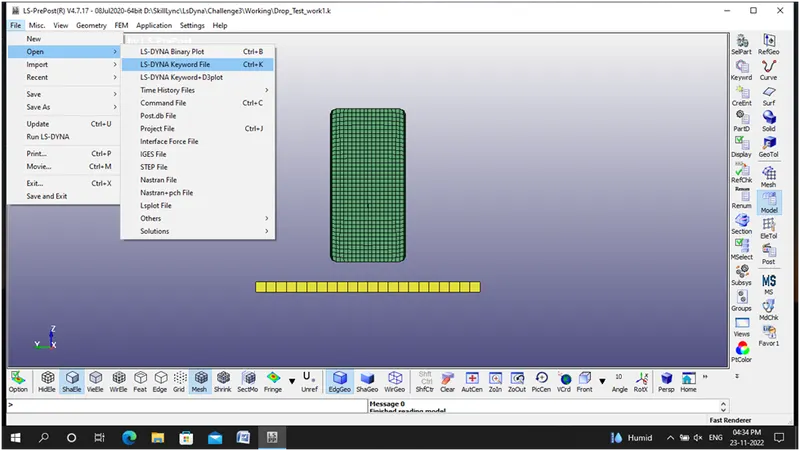
Below figure represents the process of drop test,
Step 1: Import the given .k file in Ls prepost module
Step 2: Define material for phone in keyword manager as Piecewise linear plasticity
Step 3: Define material for Plate in keyword manager as Rigid material
Step 4: Assigning section as solid
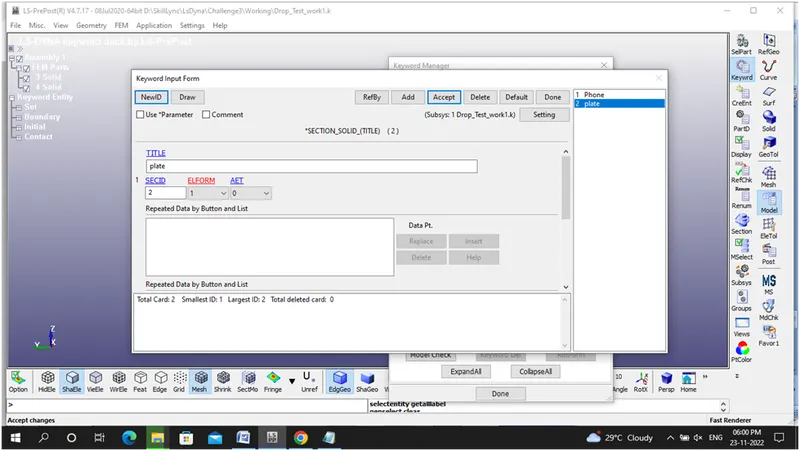
Step 5: Assigning section and material to the part
Step 6: Assigning Boundary condition to plate .
Step 7: Assigning velocity to the phone
Step 8: Contact – Automatic Surface to Surface -phone to plate contact
Step 9: Control Termination -5ms
Step 10: Database -D3Plot
Step 11:ASCII Option-GLSTAT AND MATSUM
Step 12: Required inputs assigned to the .k file
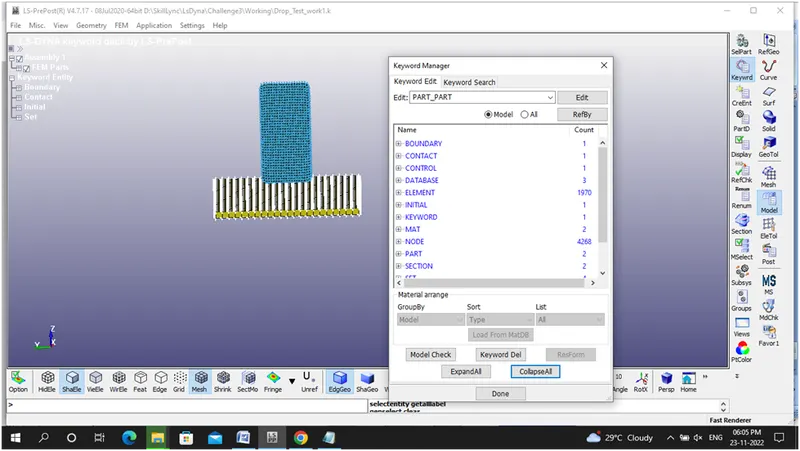
Step 13 : Model check done
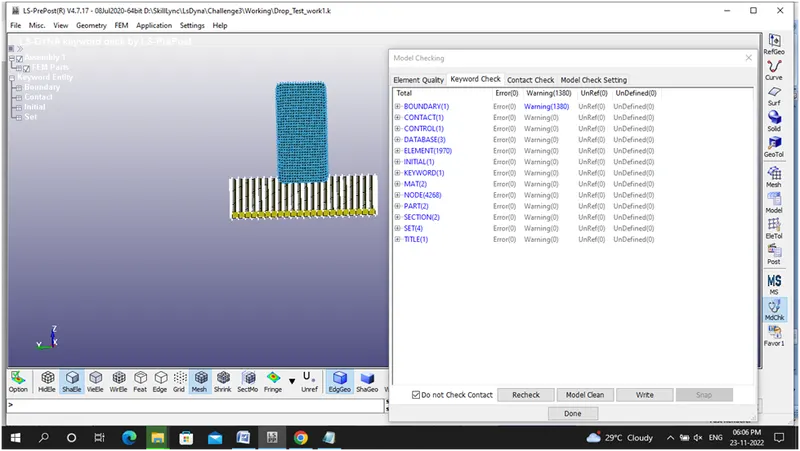
Step 14: Run the .k file in LsRun module.
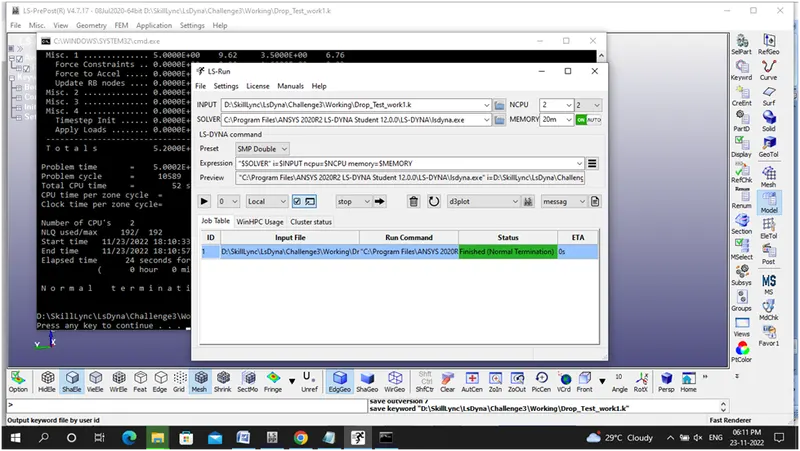
Step 15: Open the D3Plot file (Output File)
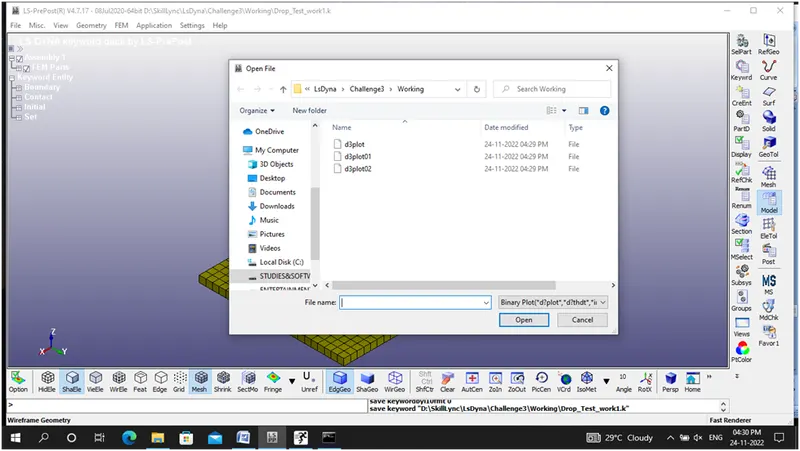
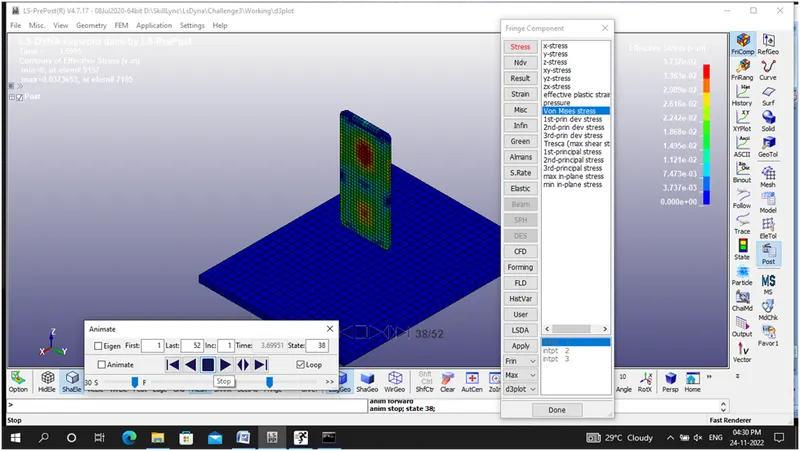
Step 16: von mises stress plots
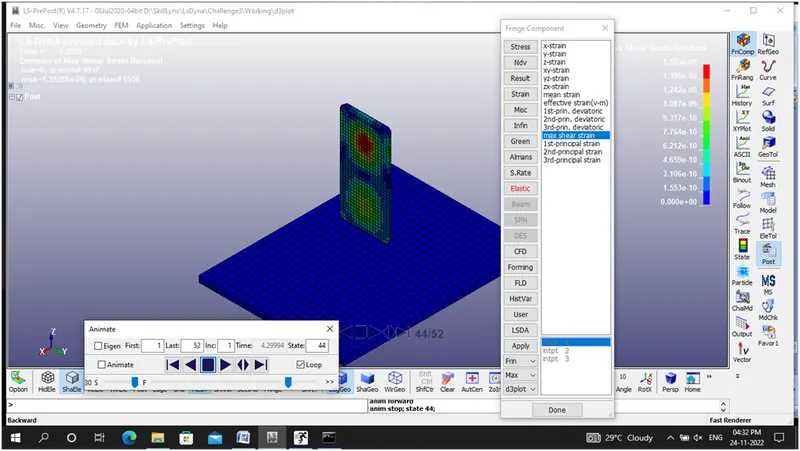
Step 17: Maximum Shear strain plots
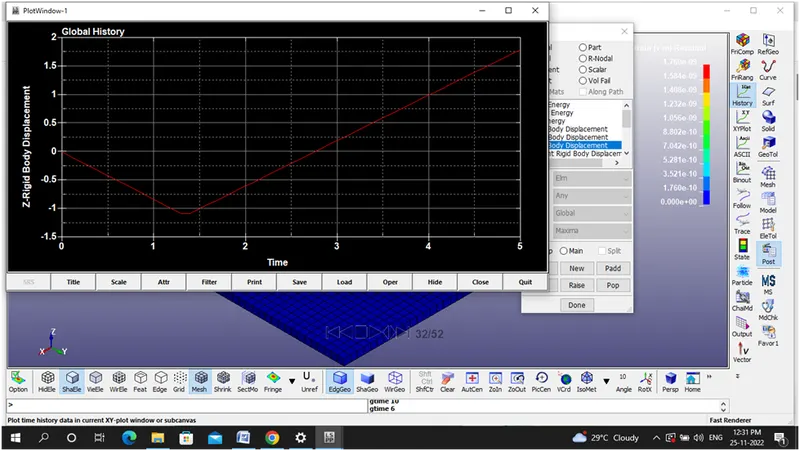
Step 19: Though phone travels in z direction I considered the results in z direction only.
Z-Body displacement graph
Step 20: Z-body velocity graph
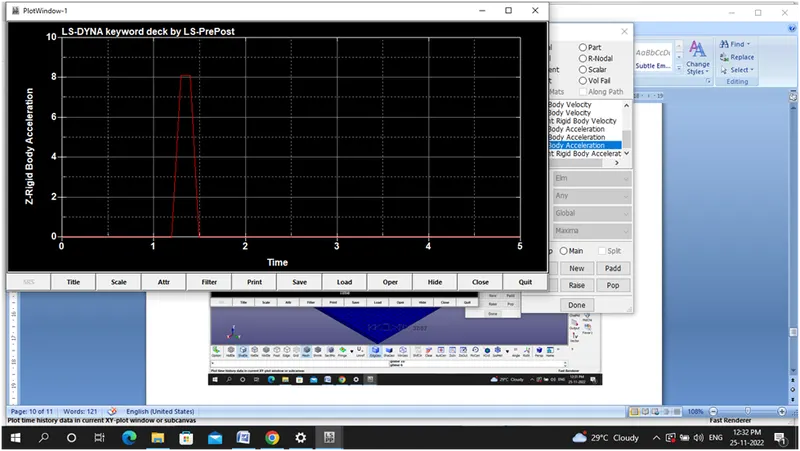
Step 21: Z-body Acceleration graph
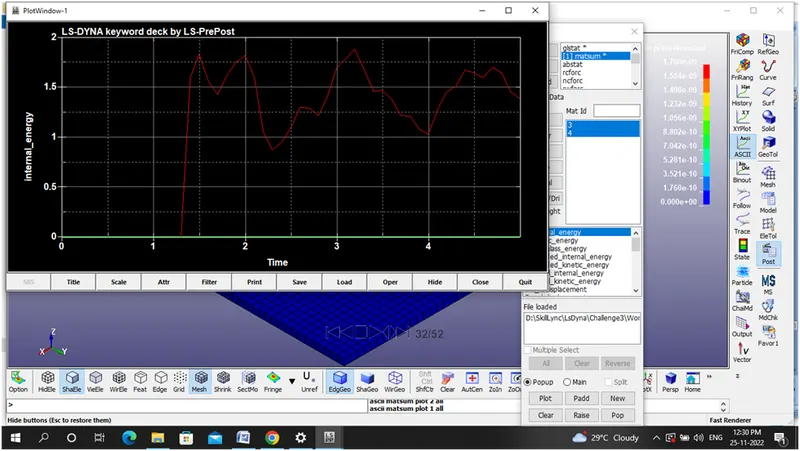
Step22: Internal energy graph
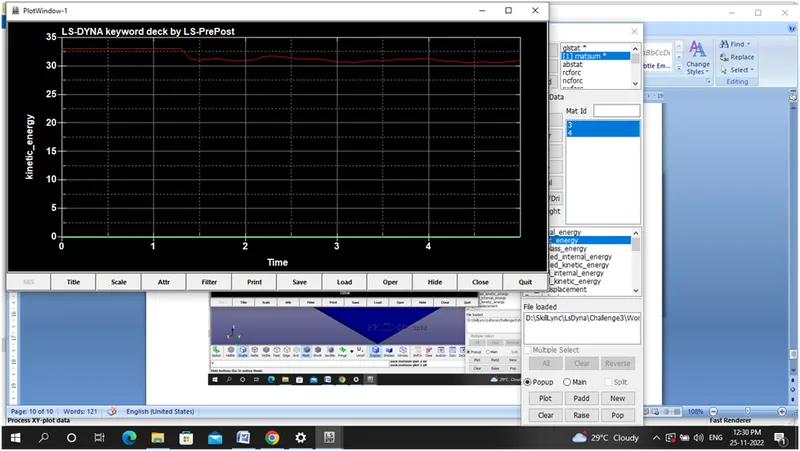
Step 23: Kinetic energy graph
Conclusion:
Hence the drop test for the mobile phone executed successfully and I have learnt about how to assign inputs to the Ls Prepost manager , Run the .k files in LsRun manager and finally interpret how to generate output results.