Week 3 - 2D meshing for sheet metal
S.No: 1
AIM:
To clean up the geometry discontinuties with the help of TOPO module in ANSA preprocessor Tool.
PROCEDURE:
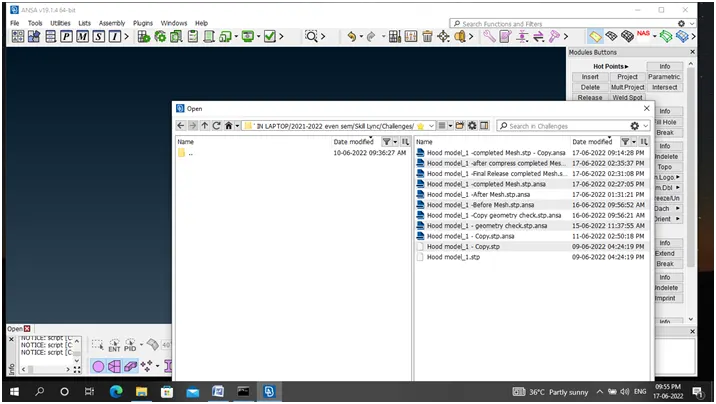
STEP 1: File- Open – Given Hood Model
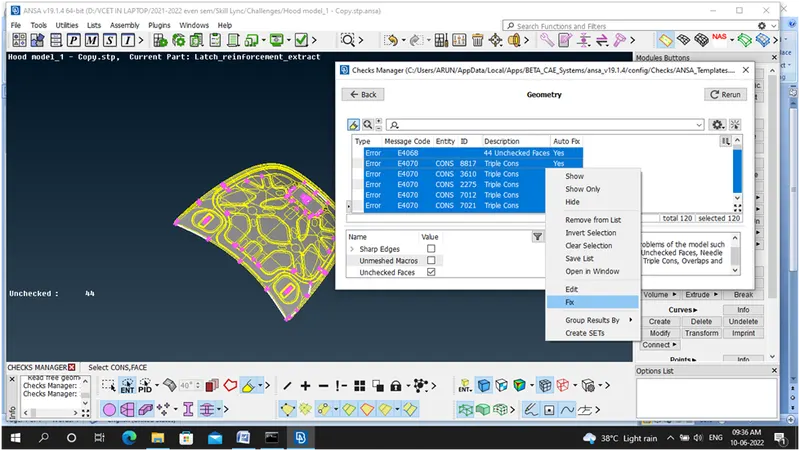
STEP 2: Check– Geometry-120 ERRORS
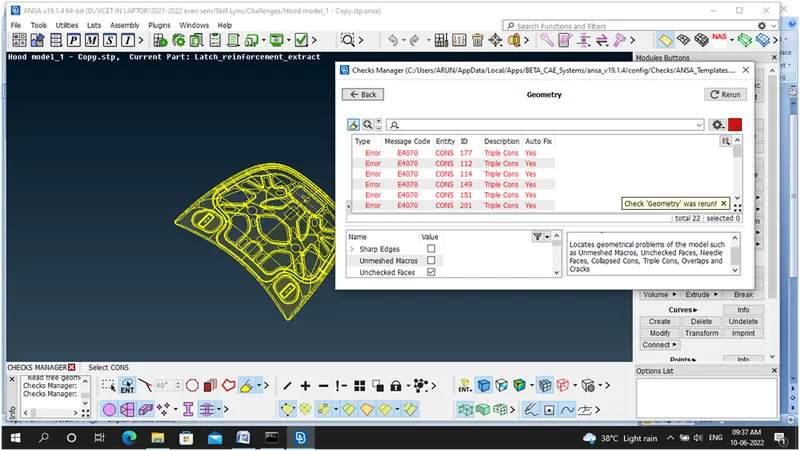
STEP 3: Autofix the Errors Reduced to 22
STEP 4:
- Errors which are not removed by auto fix mode reduced by manual method with the help of TOPO Module
- All the 22 Triple cons and single cons Errors Rectified
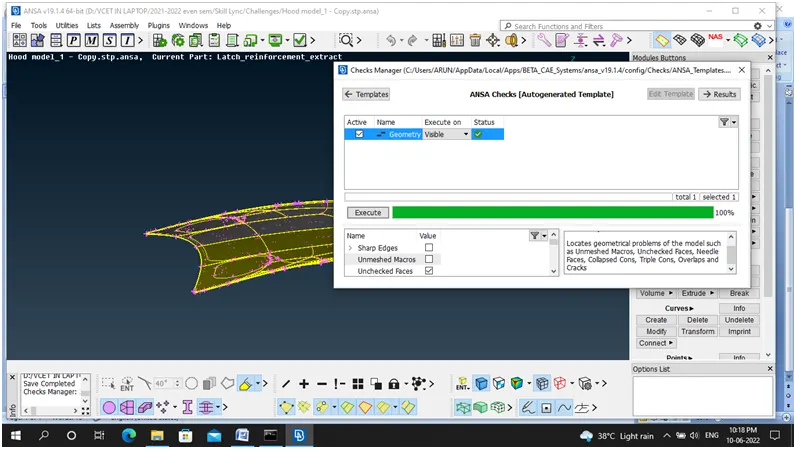
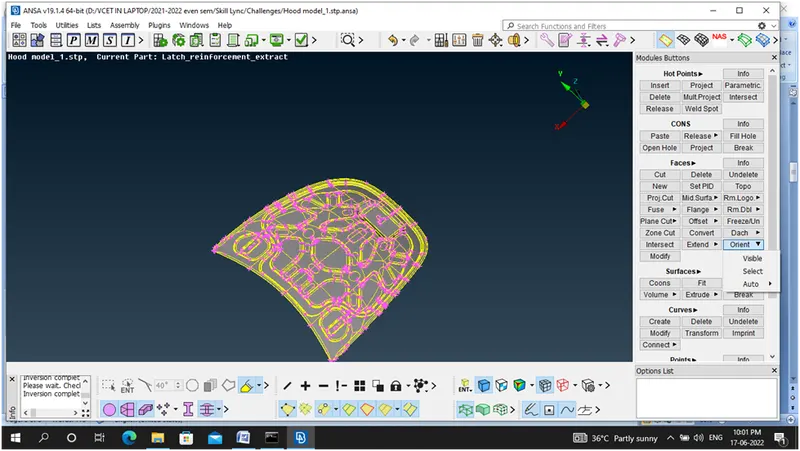
- Faces – Orient – Select : Make visible side as Grey Colur
LEARNING OUTCOMES:
- Hot points - Insert and Delete and its importance have studied.
- Cons – Release operation will release the triple, double cons to single cons.
- Faces- Cut, New, Delete have studied.
- Faces – TOPO operation will used to stick the two surfaces
- Faces – Orient operation used to orient the model to any one colour ie., Grey (+Ve) where as Yellow(-Ve).
- Auxiliaries- Face operation used to change the resolution of the given model especially in Circular or fillet areas.
CONCLUSION:
Learned about how to cleaning up the geometry discontinuties with the help of TOPO module in ANSA preprocessor Tool.
S.No:2
AIM:
To generate Mid surface for the given Hood model and mesh with good mesh flow, No Off elements, Thickness Assignment.
PROCEDURE:
STEP 5:
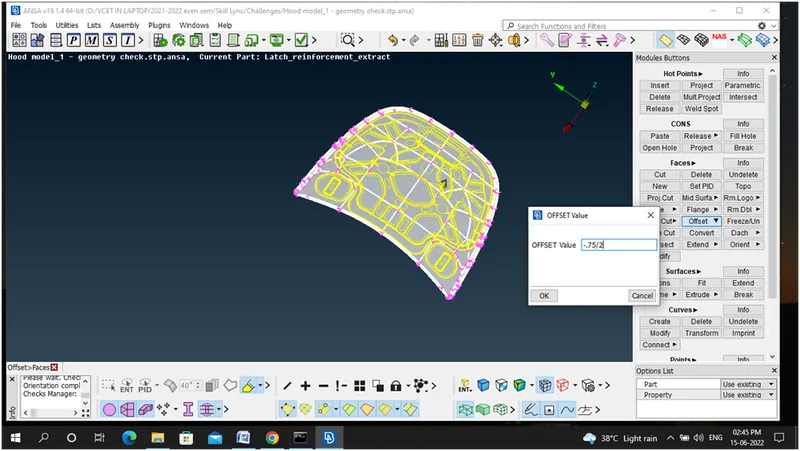
- Faces – Offset- (-0.75/2)
- Mid Surface Generated – Manual Method
STEP 6:
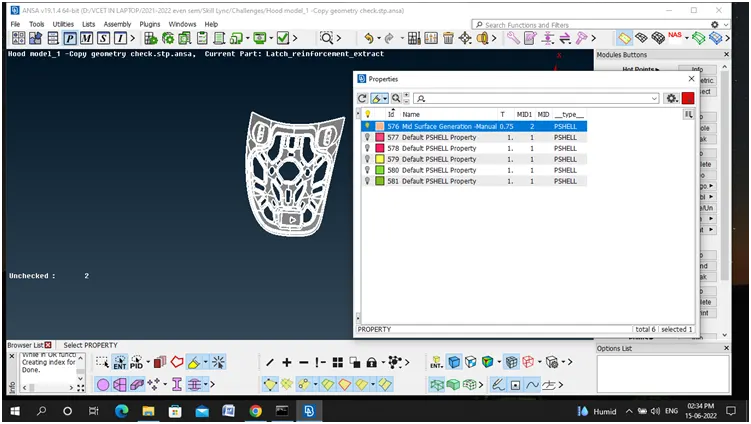
- Set PID for Mid Surface Generated
STEP 7:
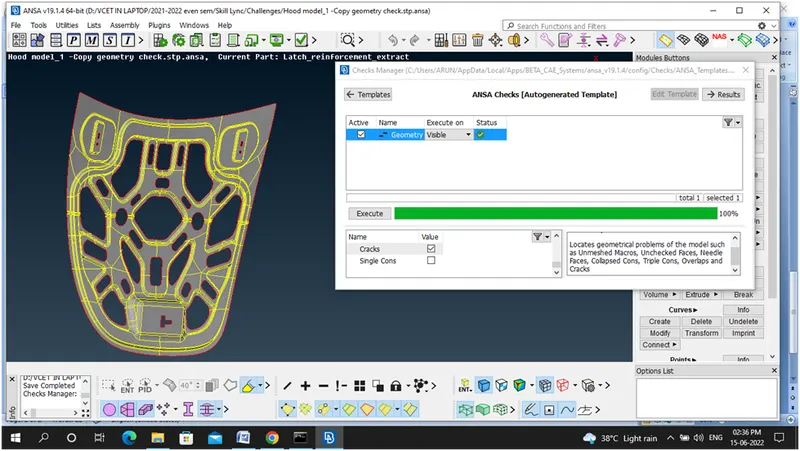
- Geometry Check after Mid Surface Generated
STEP 8:
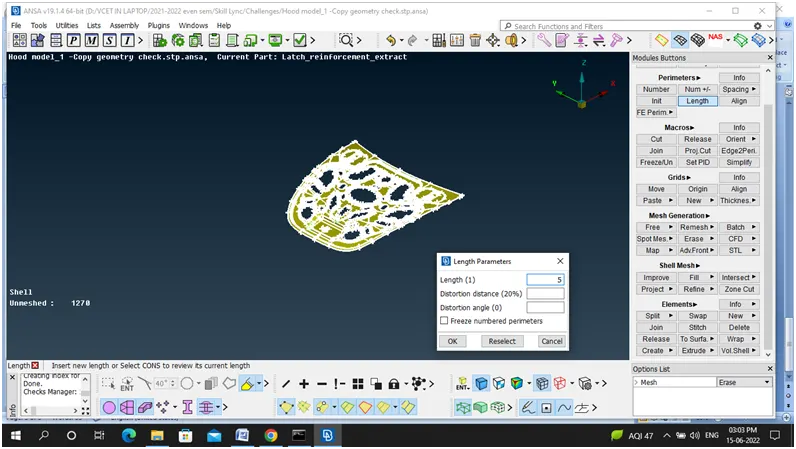
- Mesh-Perimeters- Length -5MM
STEP 9:
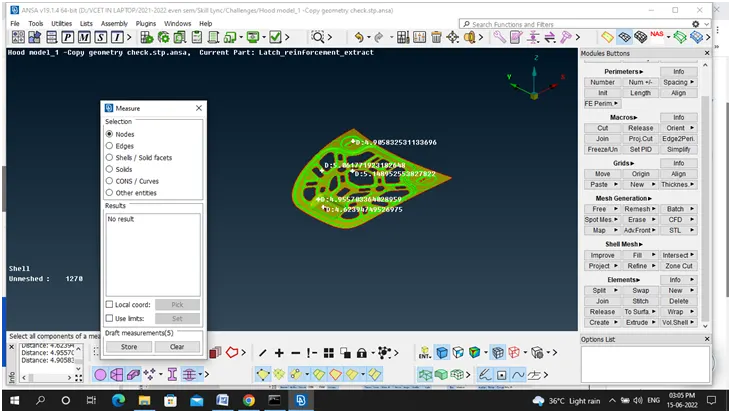
- Utilities - Measure- measure the length between the element
STEP 10:
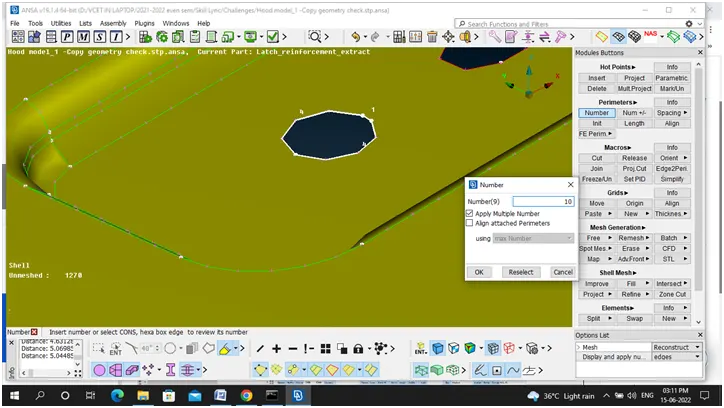
- Perimeters – Numbers option
- Ensure whether all the holes and entities have even number of nodes.
STEP 11:
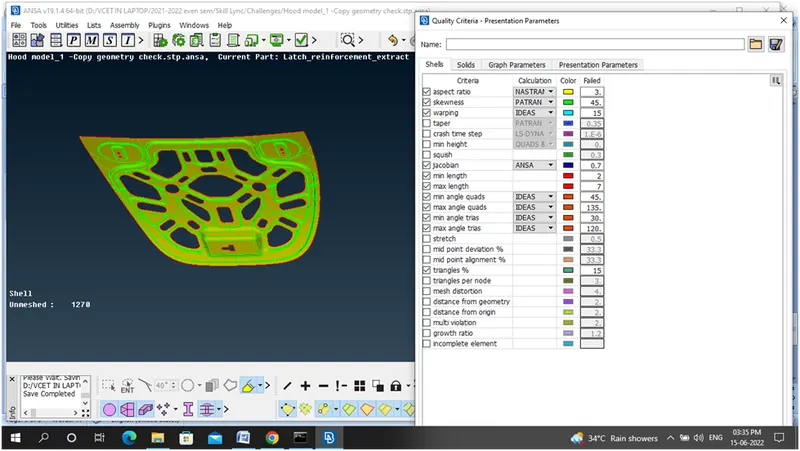
- Q11- Quality Criteria – Enter the Given Quality criteria.
STEP 12:
- Set necessary Mesh Parametres
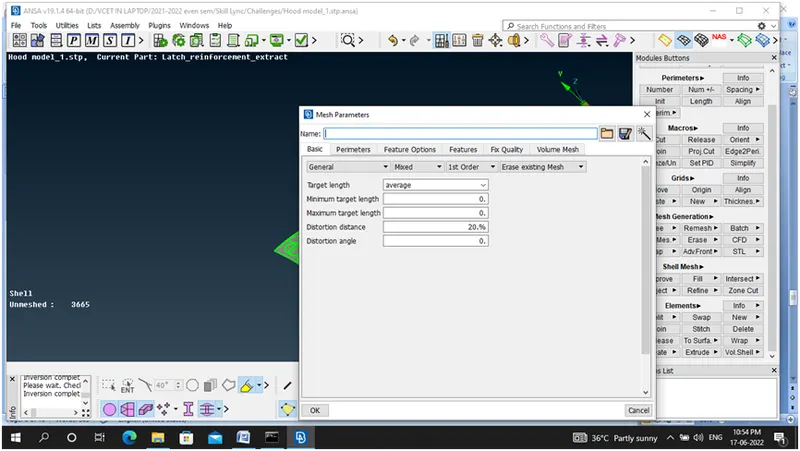
STEP 13:
- Make all the Total Offs to Zero leads to met good quality criteria with the help of Mesh generation, shell mesh and elements tab.
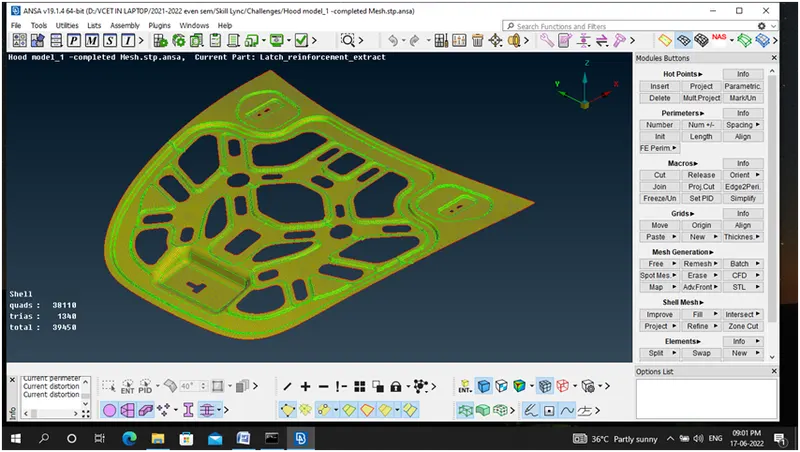
STEP 14:
- Draw shell as solid
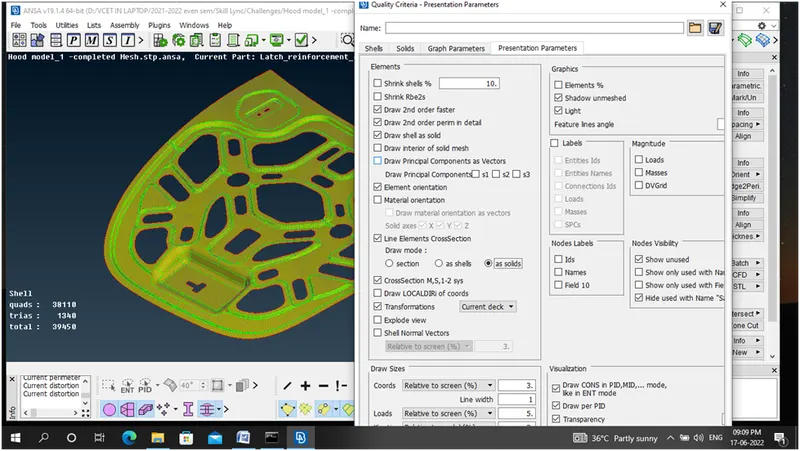
- Final Hood Model with good mesh flow, No offs, No Rotating quads, opposite trias, and trias nearer to edge, faces or holes.
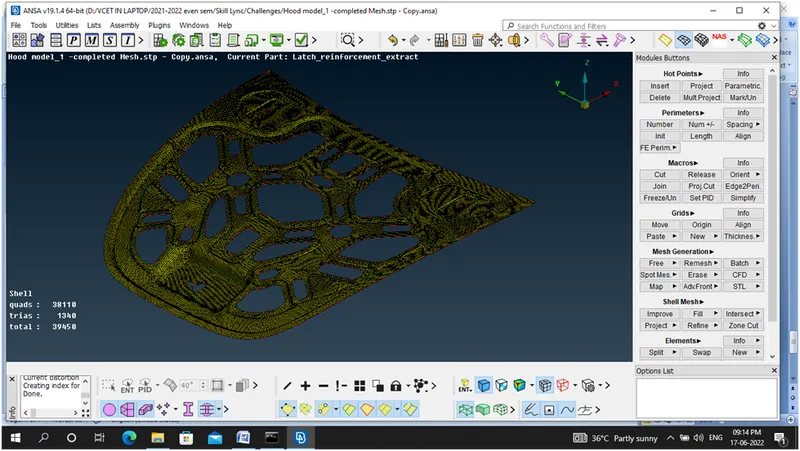
-
LEARNING OUTCOMES:
- Faces – Offset operation used to offset the face especially used for Manual Mid Generation Method.
- Faces- Mid Surface operation used to generate the AUTOMID surface.
- Faces – Set PID operation will used to set new PID for the surface generated.
- Comparison Between Manual mid and Auto Mid
- Eventhough Manual Mid is time consuming it is the best practice for Good Mid Generation because Fillet areas have also be covered exactly where as in AutoMid operation will not done exactly but which will be more efficient and less time consuming for Closed Volume Components and also components have similar thickness.
- In my Challenge I adopted Manual Mid generation method.
- Perimetres- Number operation have learned
- Mesh Generation- Best operation is used to generate the mesh
- Mesh Generation – Erase operation is used to erase the already generated mesh
- Shell mesh – Reconstruct, Reshape, Smooth operation have learned.
- Elements – Split, Swap, Join operation have learned.
Errors like,
- Opposite Trias,
- Trias near the edge, holes, fillets
- Rotating quads
have cleared with help of three basic operations like
- Elements – Split & Swap Operation
- Grids – Paste operation
CONCLUSION:
Learned about how to generate Mid surface for the given Hood model and mesh with good mesh flow, No Off elements, Thickness Assignment.