Week - 3 Drop test Challenge
AIM- To Create a complete simulation file to perform a drop test from given basic .k file consiting of only nodes and elements. Essential Keywords should be added to create a basic solver deck to simulate a drop test.
PROCEDURE-
- We will load componenet in LS-Pre Post after opening.
- The given file consists of three different parts the bottom plate of shall elements, the mobile phone of solid elements and the bottom plate as solid elements.
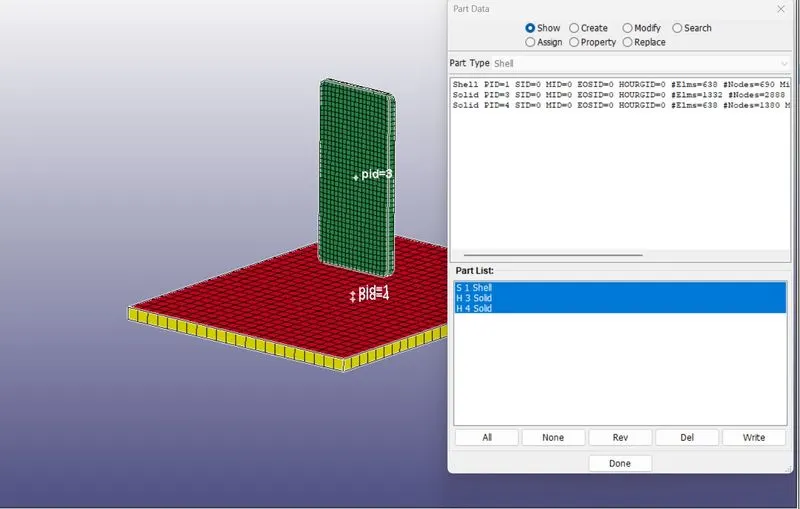
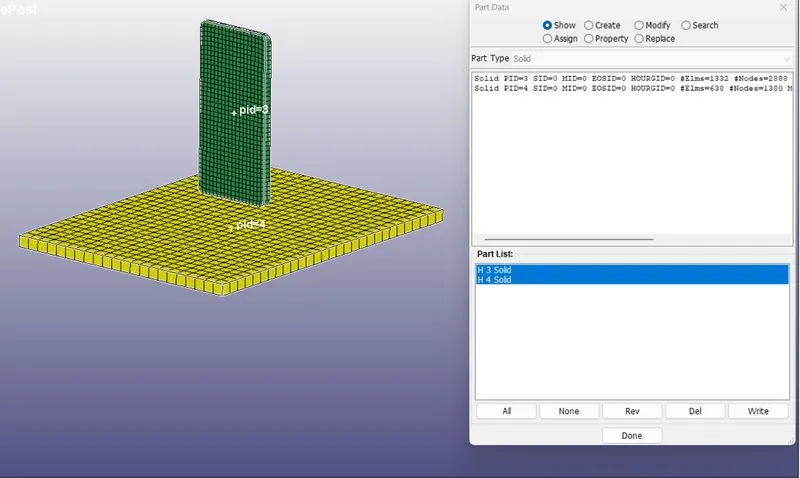
- For this analysis, we have consider mobile phone and bottom plate with solid elements formulation and deleted the extra part 'bottom plate' which was modelled with shell.
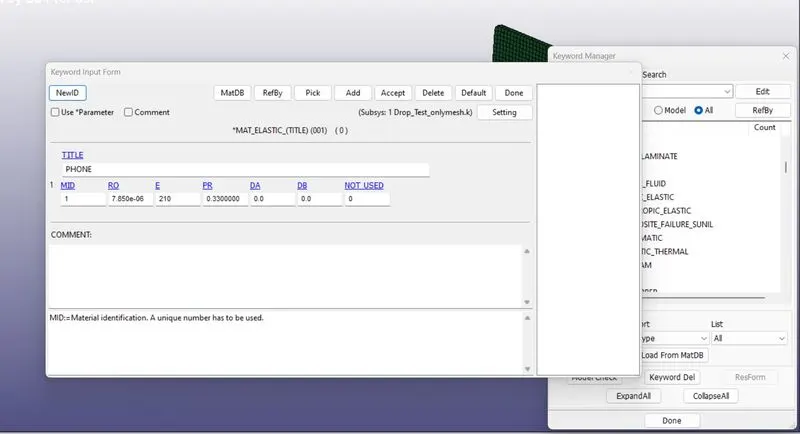
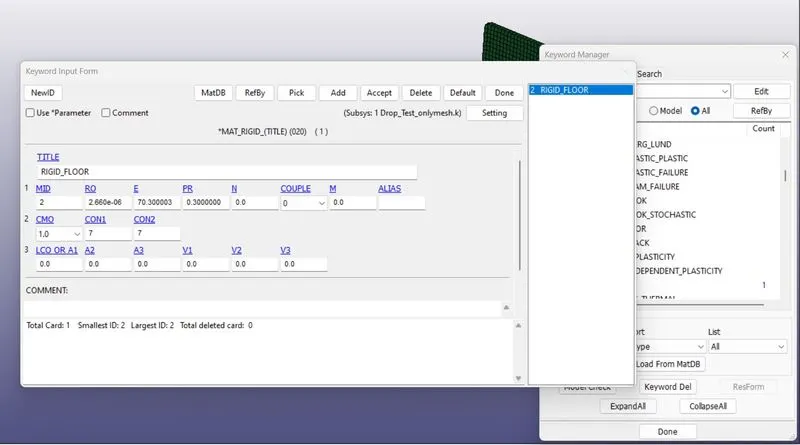
- Now, define the material for both these parts. Selecting 020-MAT_RIGID material to define for the bottom plate. Select 001-ELASTIC material card for defining the mobile phone.
- Define material properties like mass, density, Young's Modulus,Poission's Ratio and other required quantities for both the material cards.
- To access material section we can go to model and part in FEM option then selecting keyword manager then ALL then MAT.
- Now Similarly we will define section card under section keyword click on shell as the floor componenet is shell element. Measure the thickness of the solid floor component.
- Cell Phone has a solid element so select solid under section.
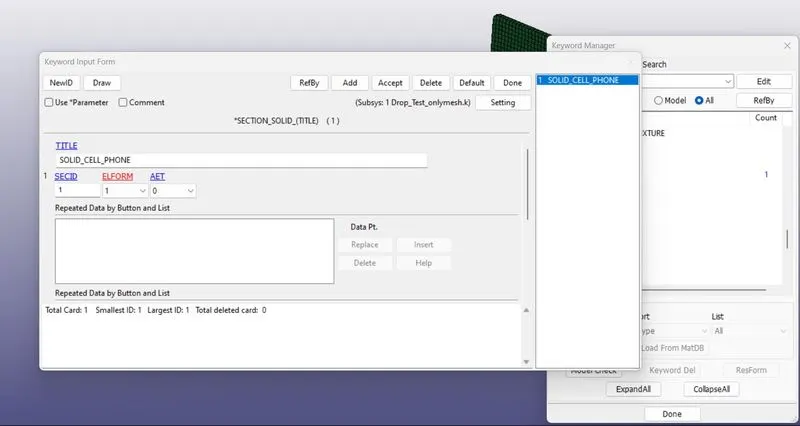
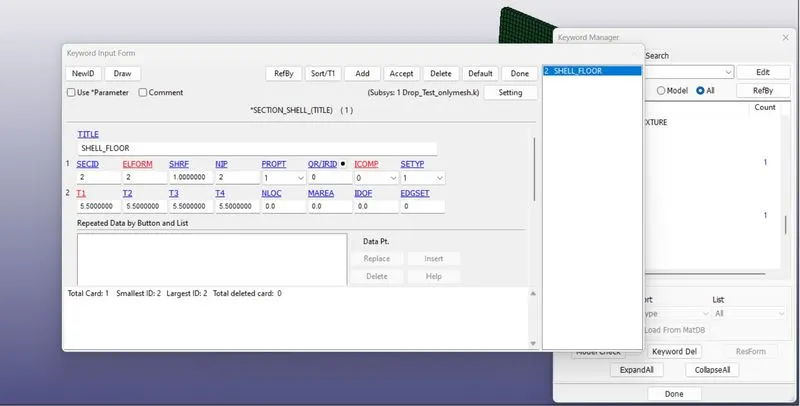
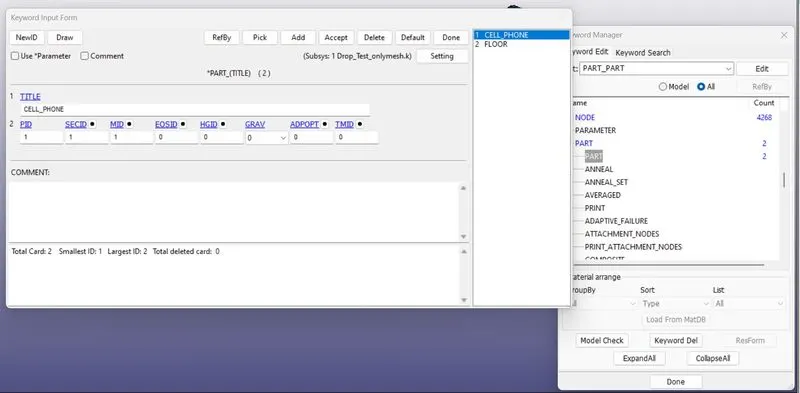
- Now, we will assign the material and section to respective component.
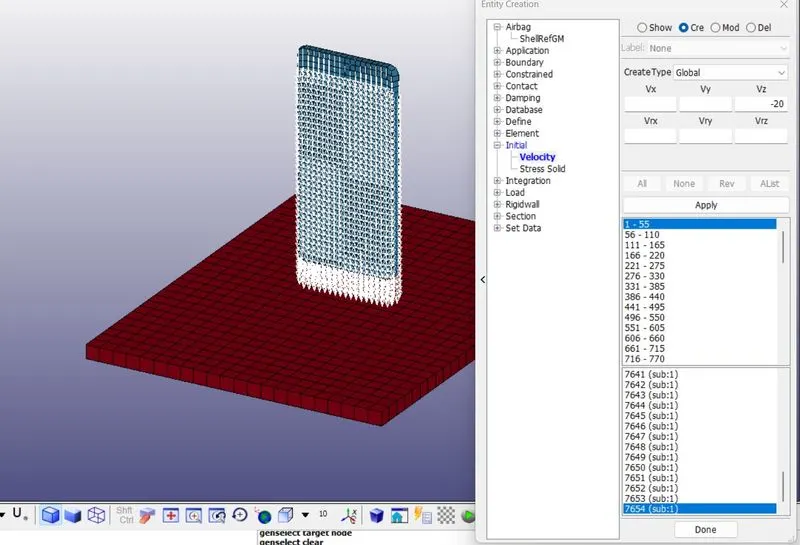
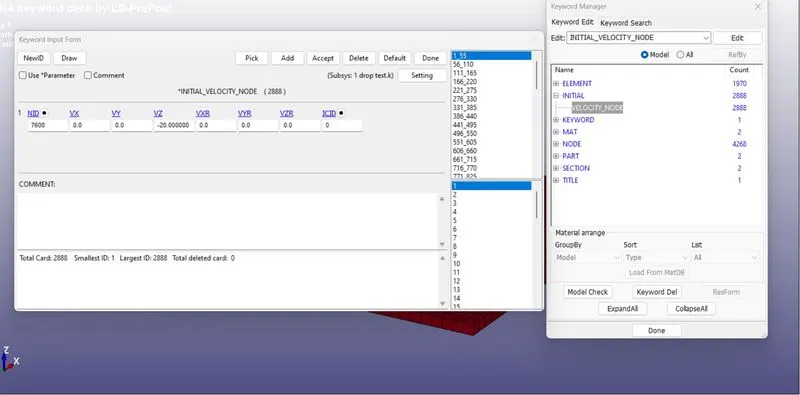
- We will assigning velocity to cell phone here the scenario here is the droping cell phone on the floor. So the cell phone have velocity so that it drop down and hit the floor. So velocity is applied to the cell phone using Initial then Velocity.
- As the cell phone has large number of nodes, it is preferred to create a nodeset for cellphone to apply velocity exact in all the nodes of the cell phone. For that go to CREATE then ENTITY then CREATE then SET DATA then SET NODE, name the node set as velocity, The initial velocity of the cell phone is considered as 20 mm/ms in Z direction.
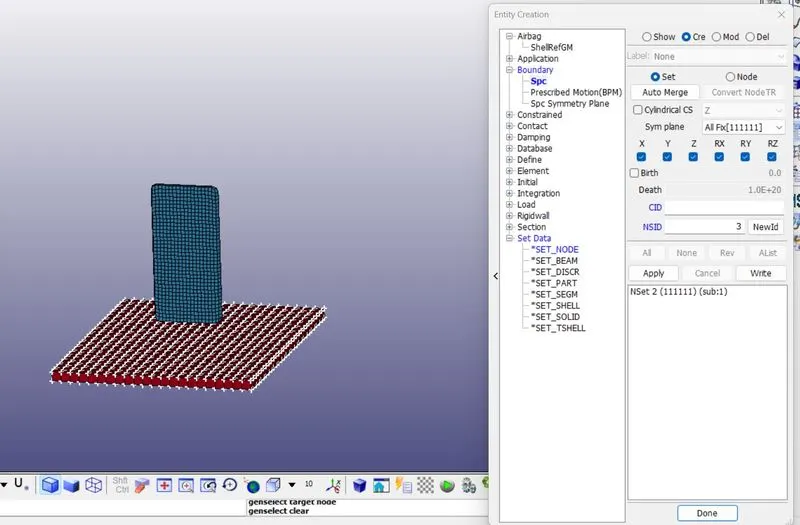
- Fixing floor's all DOF as it is not moving.
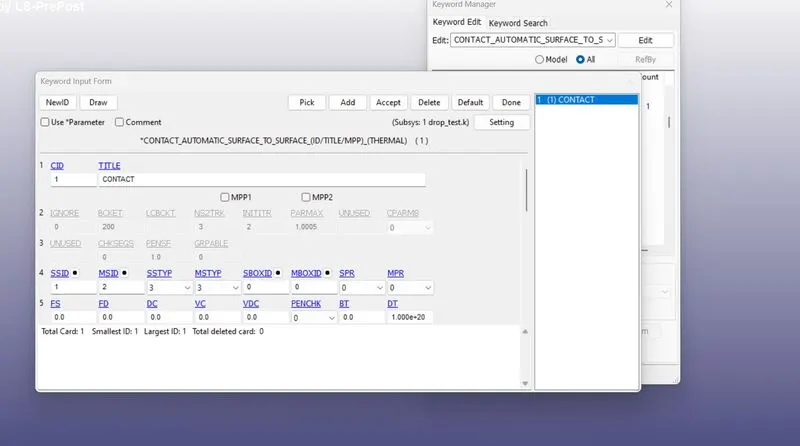
- We will assign contact actually cell phone made contact with floor only while hitting the floor so that AUTOMATIC SURFACE TO SURFACE CONTACT is used to define contact between cell phone and floor.
- Here the master segment is floor and the slave segment is cellphone to select using PART ID, MSTYP=3 and SSTYP=3 is selected.
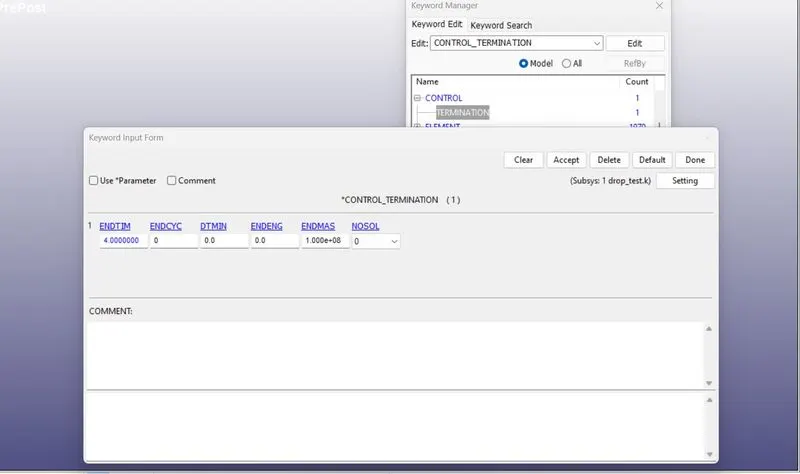
- After assigning contact we will assign termination time for the problem which is defined by CONTROL_TERMINATION card. The distance between the mobile phone and the bottom plate is calculated and the approximate time taken to hit bottom plate is calculated and the approximate time taken to hit the bottom plate and some addition time after the impact is calculated. This cumulative time 4ms is defined as termination time in the card.
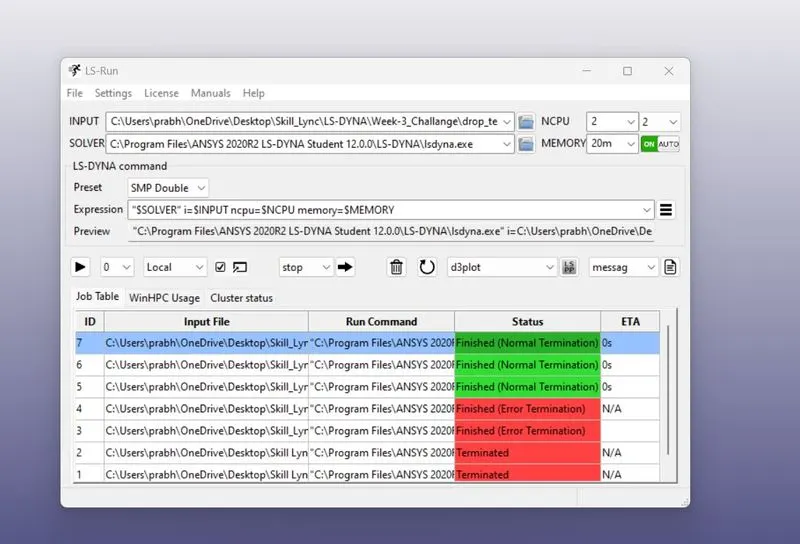
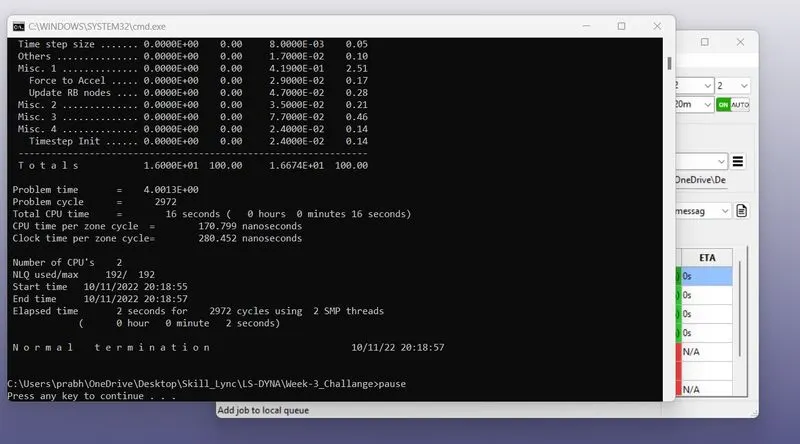
- After fulfilling all the details we will save the file again in .k format and proceed with LS-RUN
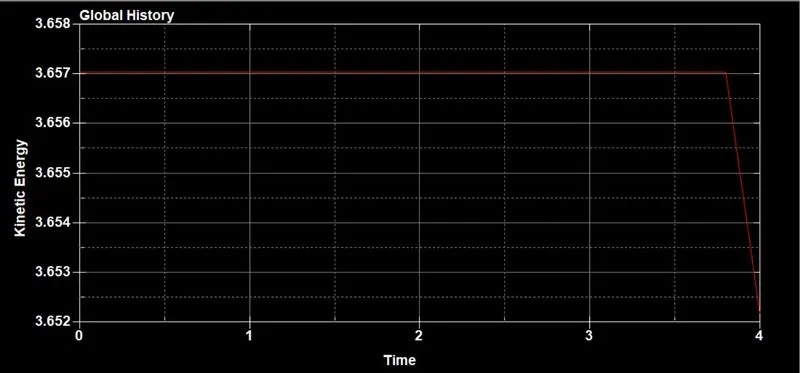
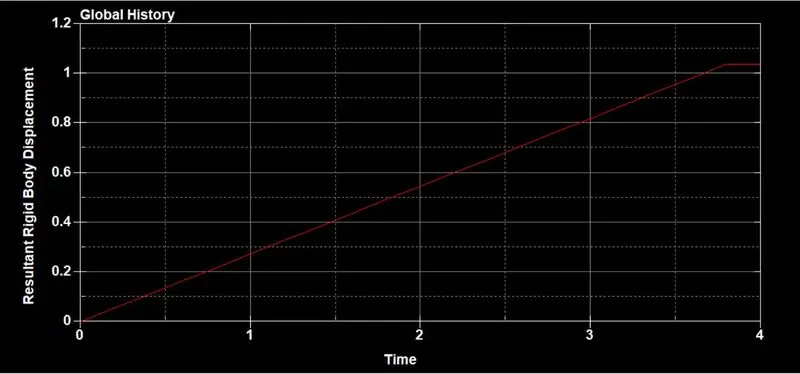
- Below graph shows kinetic energy of the mobile phone drop down as it hits the bottom plate and at the same time internal energy is gained by the mobile phone due to impact.
CONCLUSION-
The complete simulation file (Keyword file) has been generated from the given primary file. Solver deck has been created to perform the mobile phone drop test with post-processing data.