Week - 3 Drop test Challenge
Aim: To conduct drop test simulation on a cell phone using the Ls-Dyna software, create the input deck file and post processing the results.
Objective: Cell phone model is taken into consideration to check the impact test when the phone drops from a distance to the ground. The drop test is conducted to identify the weak point in the design of the cell phone.
Procedure:
- Open the given keyword file in the Ls-Prepost. The file is in the “.k” format.
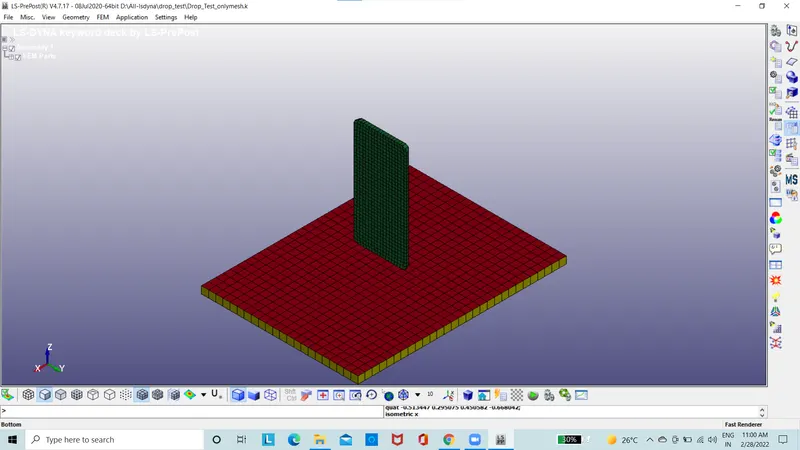
Figure 1: The Model
- The model is having three parts of which shell elements are not required.
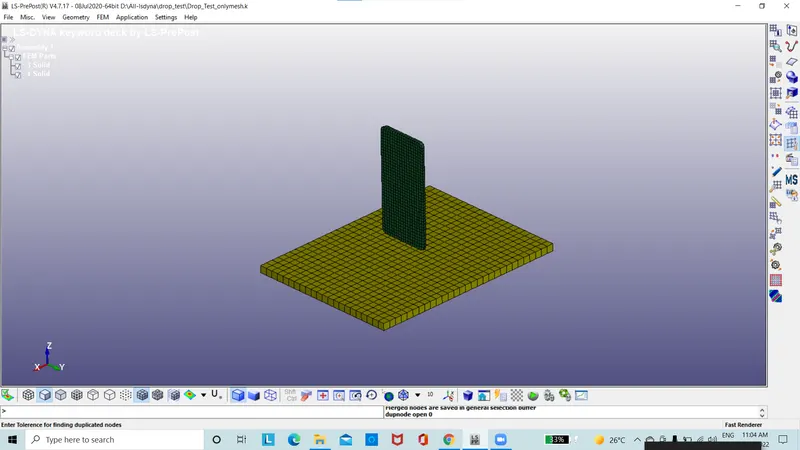
Figure 2: The model with no shell element
- The duplicate elements and nodes are deleted.
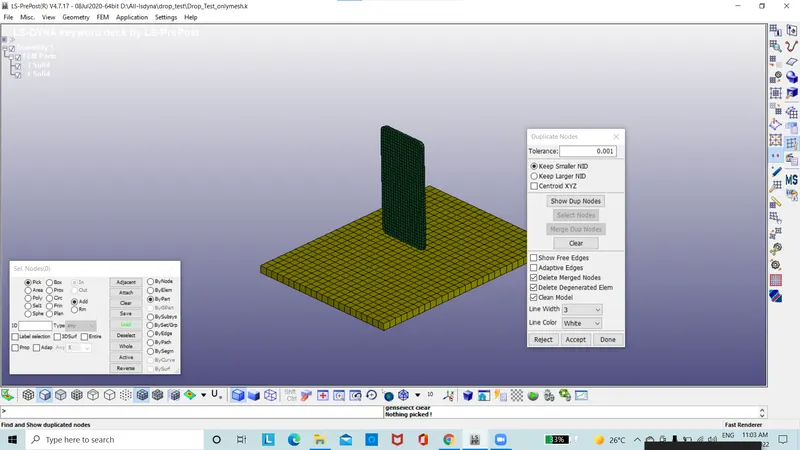
Figure 3: The model with no duplicate elements
- The dimension used for this project is gm-mm-ms.
- According to the distance between the floor and phone is measured and is 20mm.
- The initial velocity is taken as 15mm/ms.
- Time taken for the phone to make contact with ground is 1.333ms. Need to take termination time to be 2ms.
- The boundary condition of floor is fixed. The spc set is created.
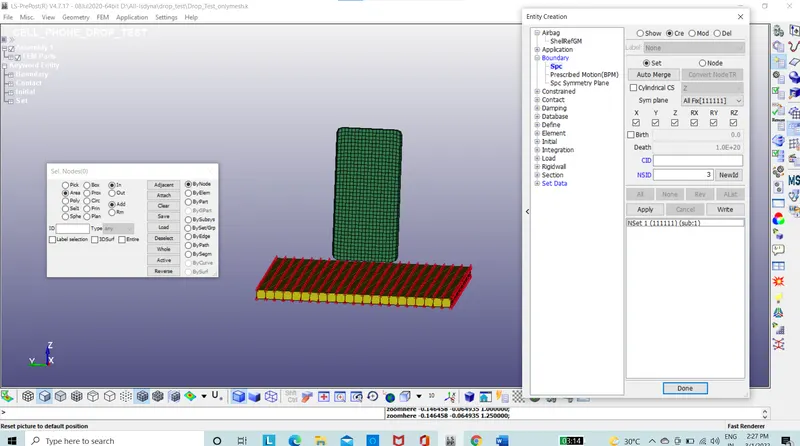
Figure 4: The node set created for SPC
- The fixed boundary condition is assigned by the using the boundary option in the keyword manager with NSID is selected.
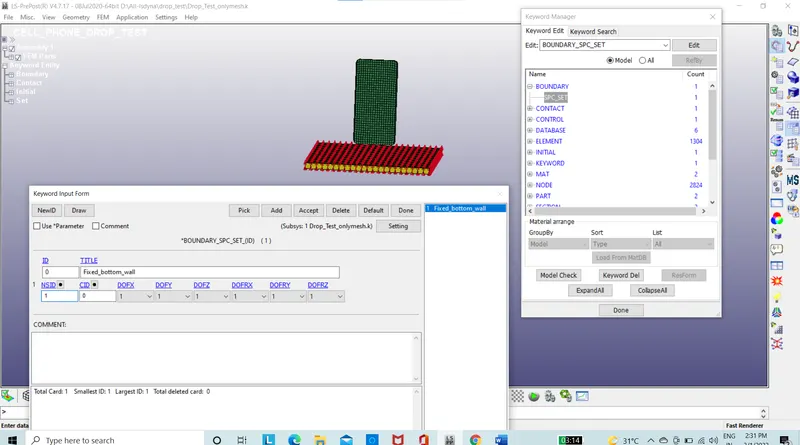
Figure 5: Boundary condition is assigned
- Section is assigned to the parts by using the solid section with 1 ELFORM.
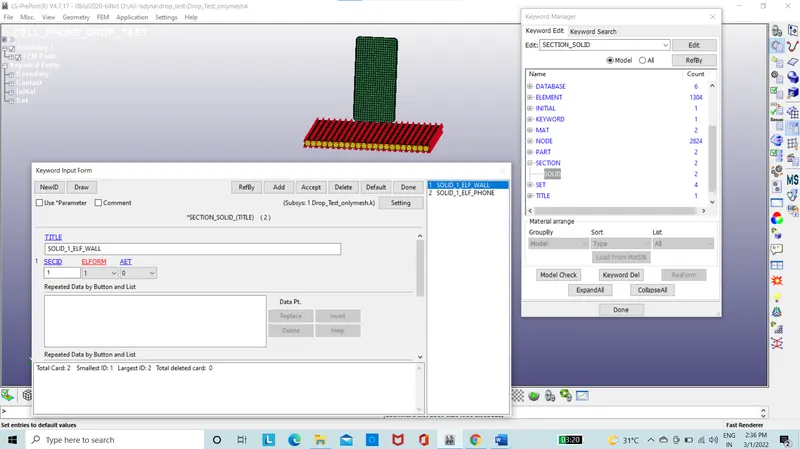
Figure 6: Model with section.
- The material property is created used for phone using the card 024 piecewise Linear plasticity.
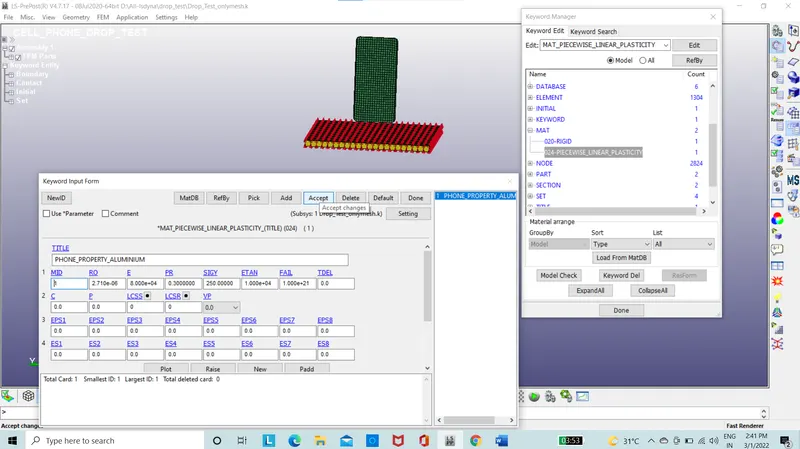
Figure 7: Material property of cell phone
- The material property is created used for floor using the card 020 Rigid.
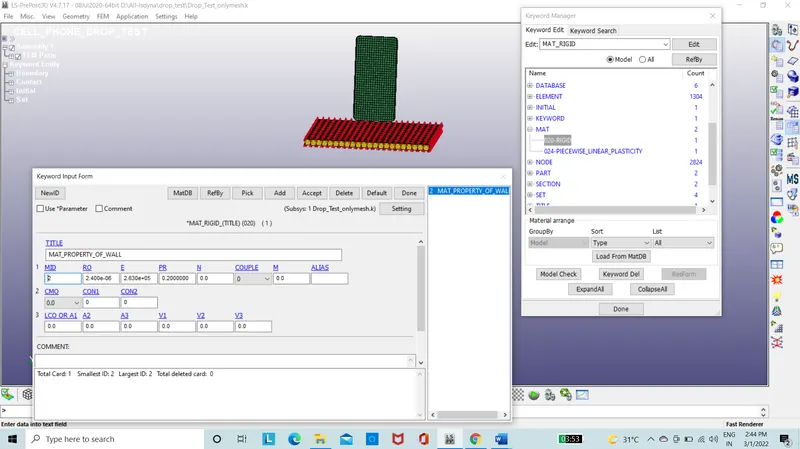
Figure 8: Material property of floor
- The section and material property is assigned to the parts.
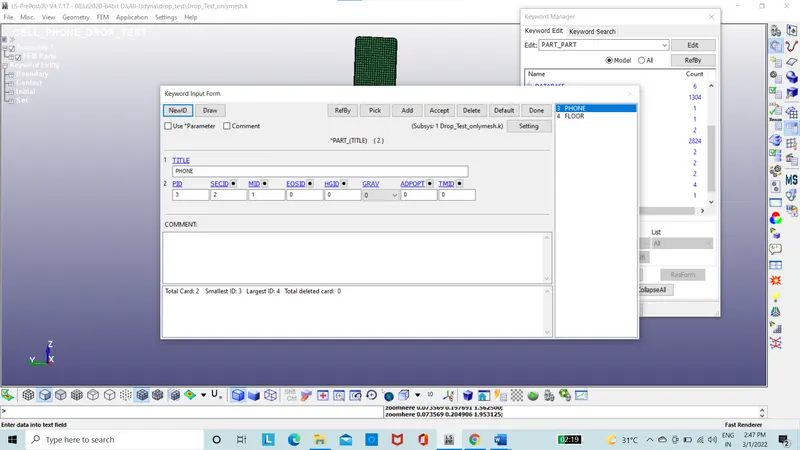
Figure 9: The model with section and matrial ID
- The initial velocity is assigned to the phone using the velocity option at -15mm/ms at Z direction.
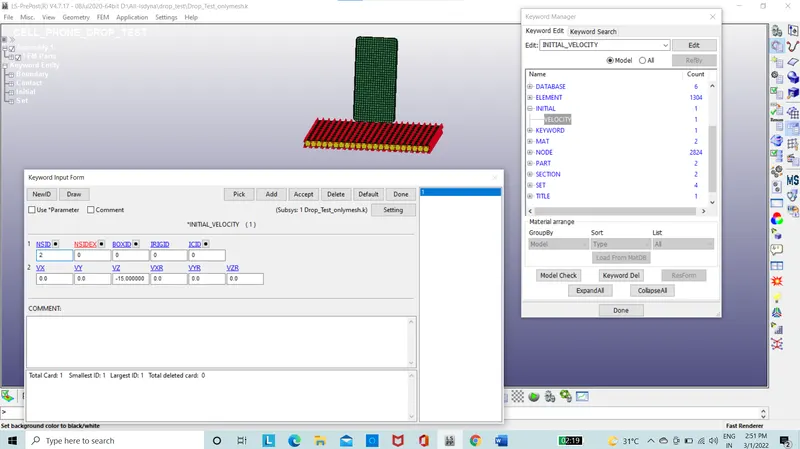
Figure10: The model with initial velocity
- The set part is created to be assigned to contact in the entity creation.
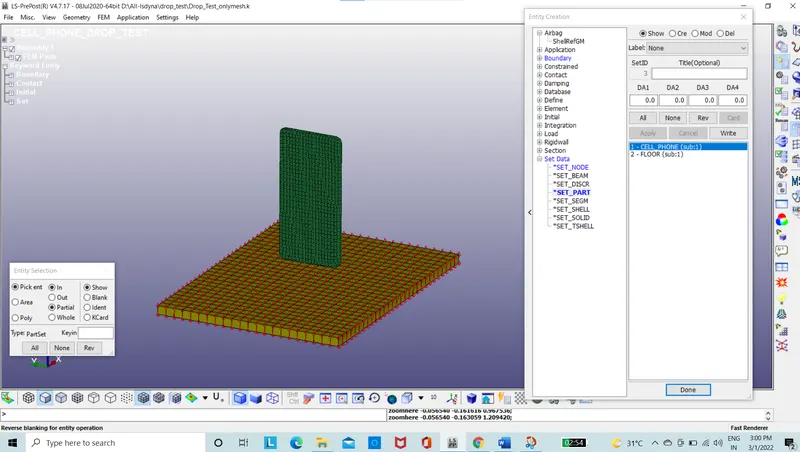
Figure 11: The set of Parts are created
- Contact is created between the phone and the floor using the automatic surface-to-surface contact option in the keyword manager.
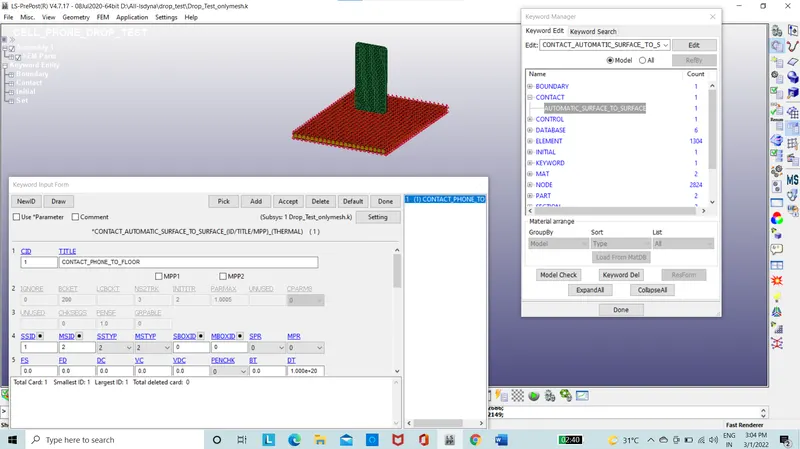
Figure 12: Model with automatic surface-to-surface contact
- Control option is used for the termination time which is about 1.333ms, a termination time of 2ms.
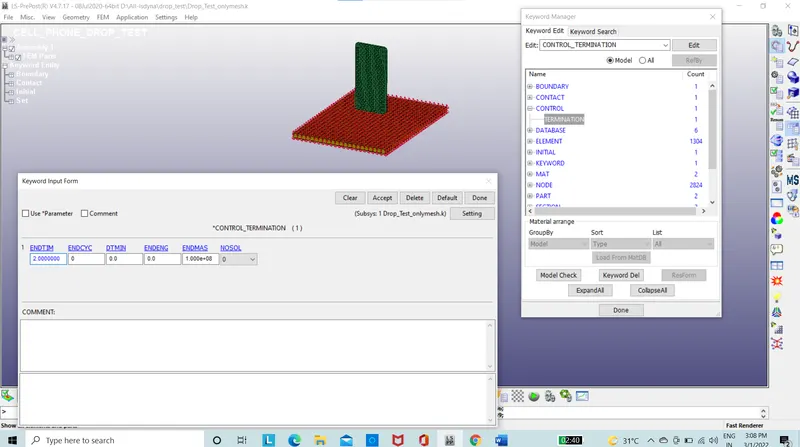
Figure 13: Model with termination control card
- Database option is used to extract the output required as ASII file.
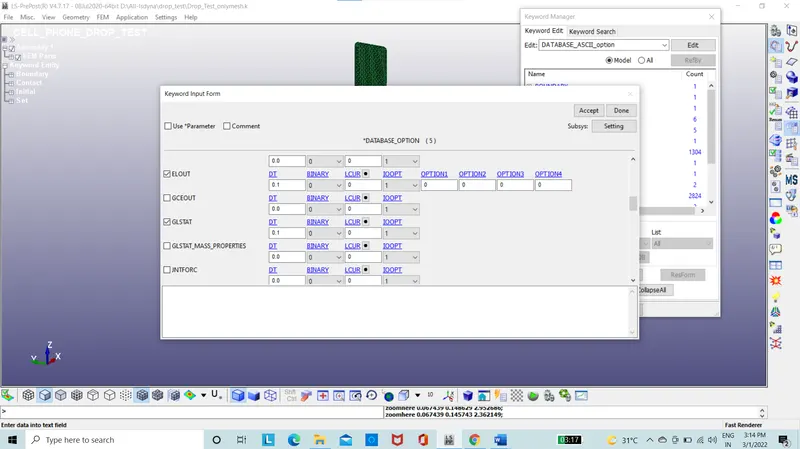
Figure 14: Model with Database for ASII file
- Database option is used to extract the output required as binary file.
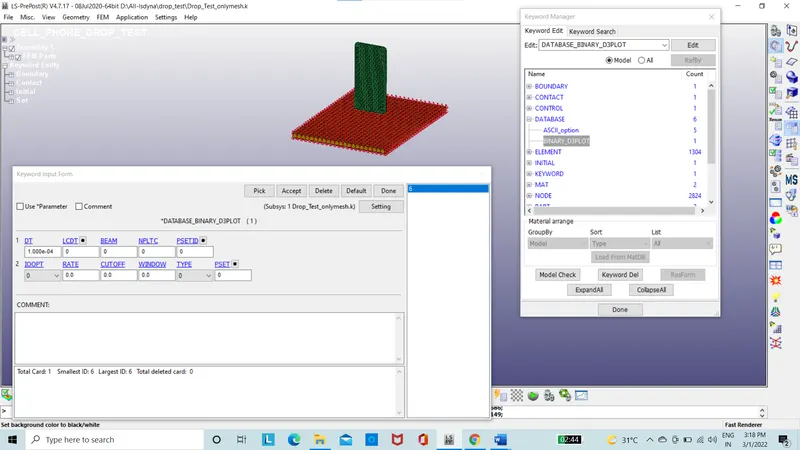
Figure 15:Model with Database for D3plot file
- The file is checked using the model checker.
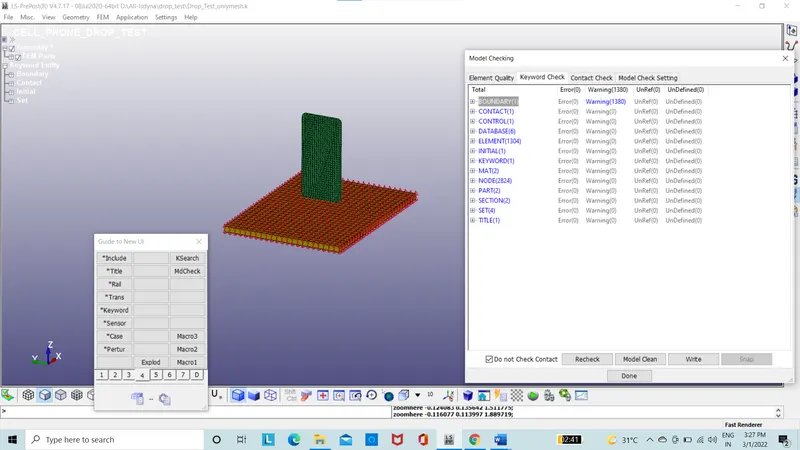
Figure 16:The model checker
- The file is saved in the save option as keyword file.
- The file is run in Ls-Run.
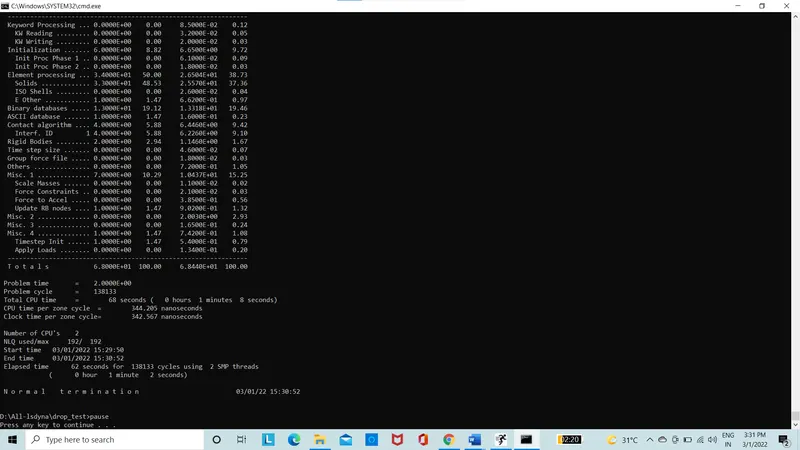
Figure 17: The command file
- The file has run with normal termination.
- The file D3 plot is opened in the Ls-prepost for the post processing.
- The results are taken to account.
- The results of von misses stress is taken.
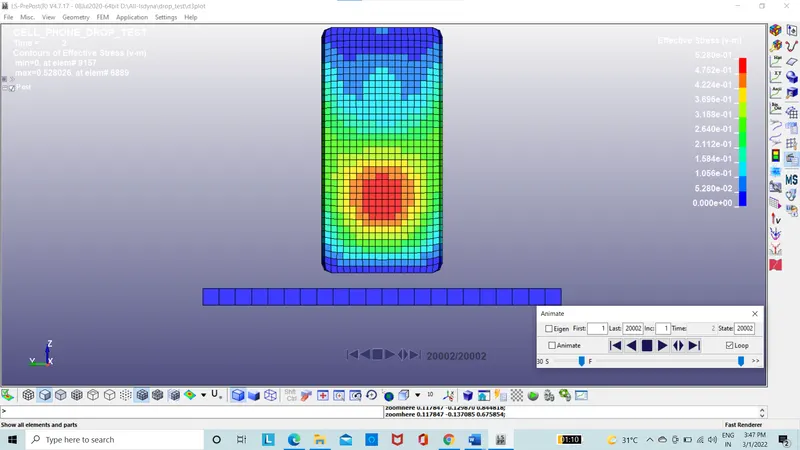
Figure 18: The von misses stress
- The stress produced is about 0.528 Mpa.
- The energy plot is also taken.
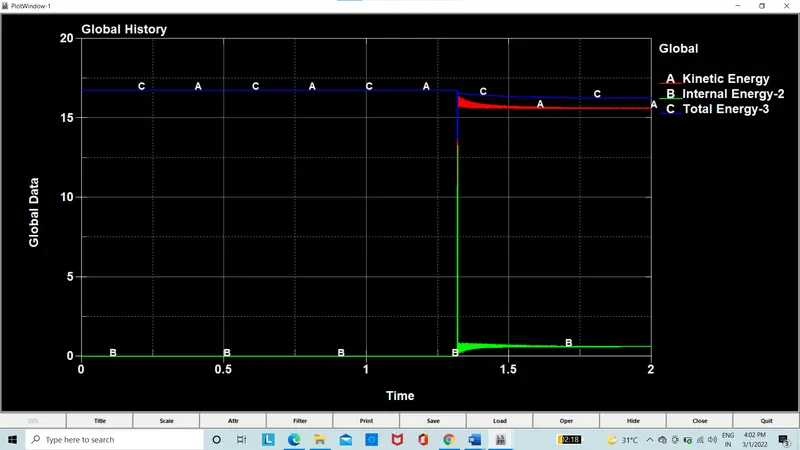
Figure 19: The total Energy
The total energy of the system is given in plot.
Conclusion:
The simulation of drop test of cell phone is done since the time taken is more and the stress produced is low we need to check again regarding the results produced.