Week - 3 Drop test Challenge
Aim: To see the impact of phone hitting the floor (Drop Test).
Unit system used: g mm ms
Floor Material: Rigid
Phone Material: Piecewise Linear Plasticity
Given: .k file was given, which include phone and floor. Phone has a solid elements and floor has shell elements.
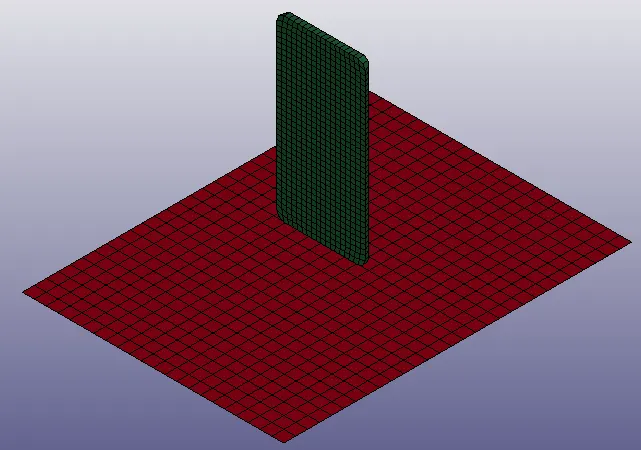
Procedure:
1. First .k file is imported, (open - LsDyna keyword file).
2. Now, in the keyword manager part material and section need to be assigned. For that material and section first need to be created.
3. Rigid is selected for the floor and piecewise linear plastic is for the phone. Similarly, solid section is assigned to phone and shell to floor with thickness 1.
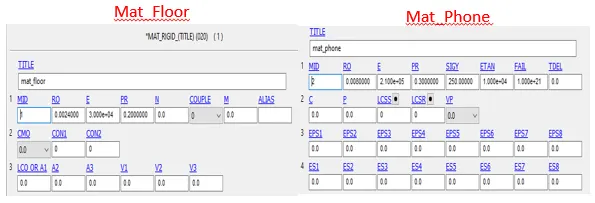
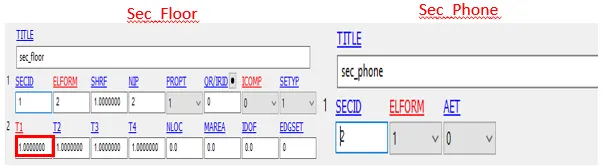
4. Now, two node sets are created. One for fix node (floor) and other one for velocity node.
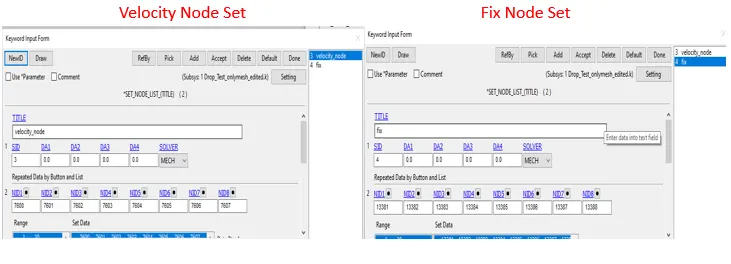
5. Now boundary condition is given in which floor is fixed in all degree of freedom.

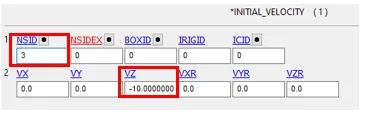
6.And velocity nodes are assigned the velocity of -10mm/ms.
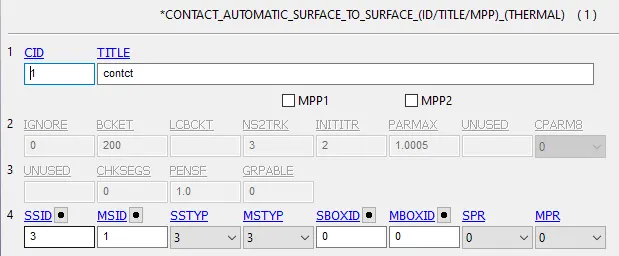
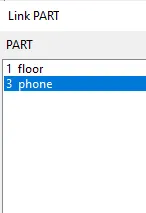
7. Now contact between both the parts is need to be given, otherwise both the parts will intersect ech other. Floor is given master id and phone is given slave because non deformable part is given master id. Segment set for both slave and master is set to 3( Part ID).
8. After that we need to set the complete simulation time i.e. Terminatioin time, which here is 20ms.

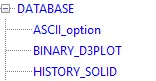
9. Finally, from the database card output parameters are selected like : D3plot , Elout , Glstst , Matsum. Results are calculated at every 0.1 ms.

Simulation Completion Time:
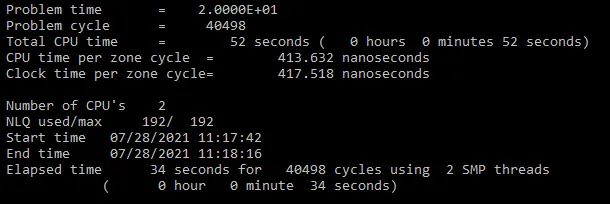
Results:
At the time of contact maximum stress of 310 MPa is induced in the phone.
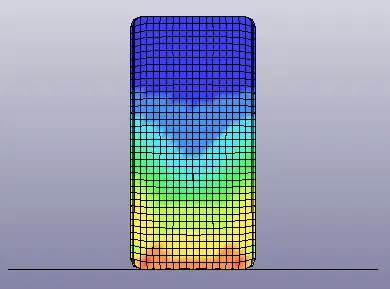
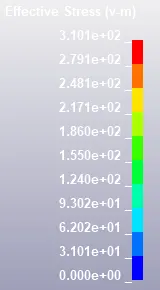
Using elout , matsum, total energy stress in z- direction is also observed.
Element 6055 is selected using History Solid.
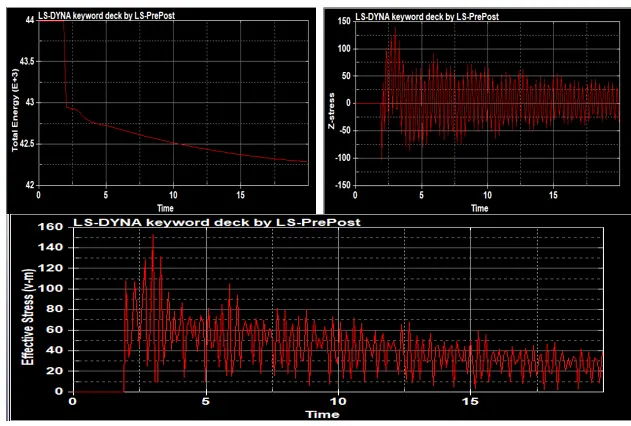
As we can see at the time of contact stress is high and with respect to time it keeps on decreasing.
Learning Outcomes:
1.Here I learn, how to create setup for the problem like assigning material, section, boundary conditions
,output file, termination time.
- Here I learn about the importance of units, how units can impact the result.
- I learn about managing the .k file in notepad++.
- I learn about the post processing of results, how to get different results like material energy, effective stress.
- Learn, how to generate a animation for different time steps.
Animation: attached in zip.