Week 3 Challenge : CFD meshing on Turbocharger
AIM: To perform the Volumetric Meshing of Turbocharger
Procedure:
- Firstly we check for geometry error such as double con, edges etc (if found then clear it out by using faces, fill holes etc options)
- Then we use the tab of HOT POINT, to use the Parametric option
- Then we use the Multi Project.
- Then we use the tab of FACES on it we use the feature of cut to create the symmetricity
- Then create a required PID such as below:
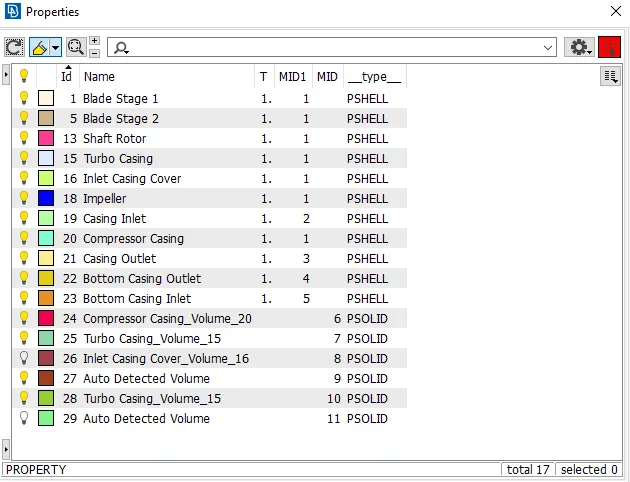
- After it, we switch the tab to MESH, in it we use the tab of PERIMETER, in it we use the LENGTH tab (perimeter & macros) for deciding the mesh length.
- Then we adjust the mesh parameter and quality criteria as given in question
-
Then we check the geometry
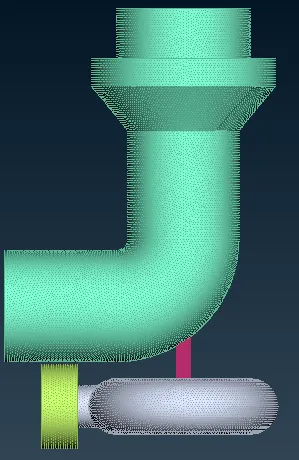
Then finally we use the SPOT MESH, to generate the MESH as follows (the 2nd image is of wireframe type): -

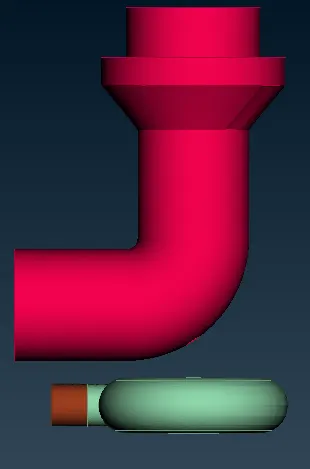
- Then we perform the volumetric meshing as follow:
-
Learning Outcomes:
- Got to know about how to proceed and generate the Mesh in a directional way.
- Got to know about the concept of nodes and different forms of meshes.
- Got to know the concept of various tools such as parametrical option, the concept of projection, and cut feature too.
Result & Conclusion:
- For Shell Total Triads: 905488.
- Fully generated TRIA mesh and as per required target length.
- For Volume Total Tetras : 477910