Week-3 Challenge: ADVISOR Tool
AIM
1) For the EV_defaults_in file if cargo mass is 500 kg with all other default conditions, can the vehicle travel for 45 km with an FTP drive cycle and Conclude your observations.
2) Changing the battery capacity and repeating the simulation.
3) Perform gradeability test with the PRIUS_Jpn_defaults_in file and Compare your results in a table and conclude.
# THEORY
ADVISOR Tool For Simulating
ADVISOR, NREL’s ADvanced VehIcle SimulatOR, is a set of model, data, and script text files for use with Matlab and Simulink. It is designed for rapid analysis of the performance and fuel economy of conventional, electric, and hybrid vehicles. ADVISOR also provides a backbone for the detailed simulation and analysis of user-defined drivetrain components, a starting point of verified vehicle data and algorithms from which to take full advantage of the modeling flexibility of Simulink and the analytic power of MATLAB.
We may benefit from using ADVISOR if we want to:
- estimate the fuel economy of vehicles that have not yet been built
- learn about how conventional, hybrid or electric vehicles use (and lose) energy throughout their drivetrains
- compare relative tailpipe emissions produced on several cycles
- evaluate an energy management strategy for our hybrid vehicle’s fuel converter
- optimize the gear ratios in our transmission to minimize fuel use or maximize performance, etc.
The models in ADVISOR are:
- mostly empirical, relying on drivetrain component input/output relationships measured in the laboratory, and
- quasi-static, using data collected in steady-state (for example, constant torque and speed) tests and correcting them for transient effects such as the rotational inertia of drivetrain components.
ADVISOR was preliminarily written and used in November 1994. Since then, it has been modified as necessary to help manage the US DOE Hybrid Vehicle Propulsion System subcontracts. Only in January 1998 was a concerted development effort was undertaken to clean up and document ADVISOR.
Since then, over 4500 individuals have downloaded one or more versions of ADVISOR, including all of the OEMs and major suppliers. About 2/3 of the users are from industry and 1/3 from universities. A shortlist of major ADVISOR users includes:
- DaimlerChrysler
- Ford Motor Company
- General Motors Corp.
- Delphi Automotive Systems
- Visteon and hundreds of others
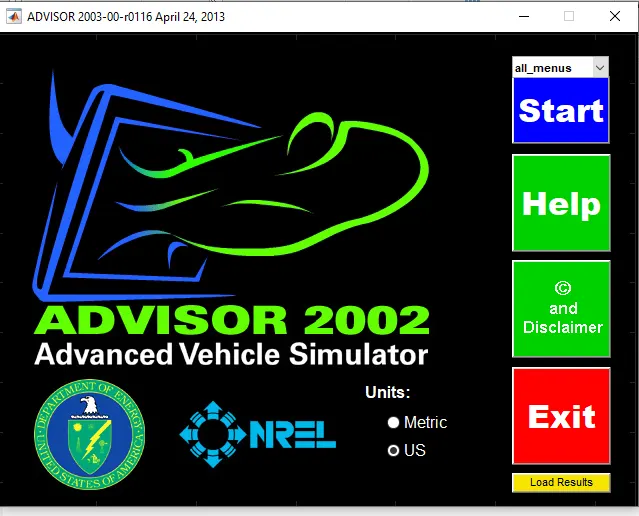
fig:-advisor tool.
# SECTION A
1) For EV_defaults in the file if cargo mass is 500 kg with all other default conditions, can the vehicle travel for 45 km with the FTP drive cycle?
*Electric Vehicle
An electric vehicle (EV), also called electrics is a vehicle that uses one or more electric motors or traction motors for propulsion. An electric vehicle may be powered through a collector system by electricity from off-vehicle sources or may be self-contained with a battery, solar panels, and fuel cells. or an electric generator to convert fuel to electricity.
FTP Drive Cycle
The FTP-75 (Federal Test Procedure) has been used for emission certification and fuel economy testing of light-duty vehicles in the United States. The test is often referred to as simply FTP (this should not be confused with the FTP test for heavy-duty engines).
The FTP-75 and the FTP-72 are two variants of the EPA Urban Dynamometer Driving Schedule (UDDS).
The FTP-75 cycle is derived from the FTP-72 by adding a third phase of 505 s, identical to the first phase of FTP-72 but with a hot start.
The third phase starts after the engine is stopped for 10 minutes
Thus, the entire FTP-75 cycle consists of the following segments:
- Cold start transient phase (ambient temperature 20-30°C), 0-505 s.
- Stabilized phase, 506-1372s.
- Hot soak (min 540 5. max 660 s).
- Hot start transient phase. O-505's
Given data:-
Vehicle type= EV_defaults_in
Cargo mass=500 kg
Drive cycle=FTP drive cycle
* Steps
Step 1: Open the advisor tool and click start to open the vehicle input in the advisor simulator
Step 2: Search for the 'EV_Defaults_in' file from the load file and click the file to open.
Step 3: In the advisor tool, the simulation consists of every parameter of vehicle modeling, like mass, vehicle type, energy storage, motor, transmission, wheel/axle, etc.
Step 4: Now change some parameters which are present in "EV_defaults_in" the file, like cargo mass to 500 kg
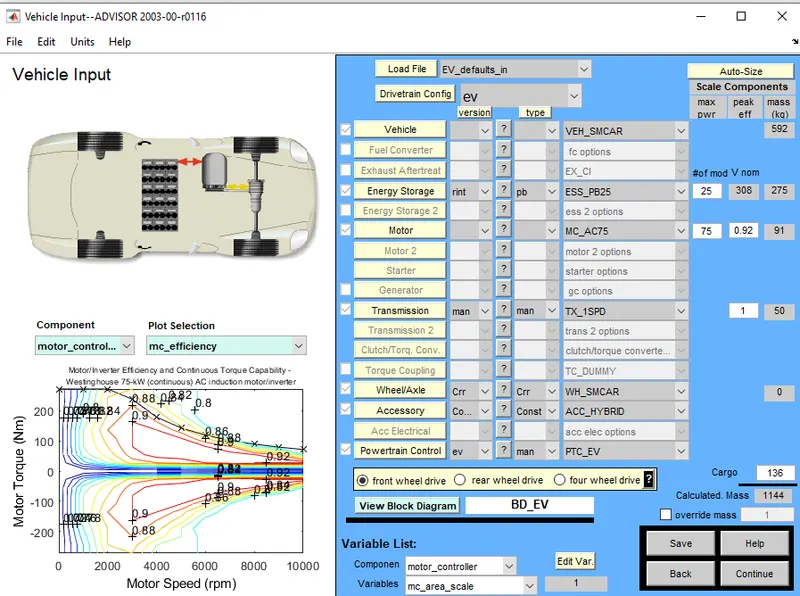
fig:-EV_defaults_in
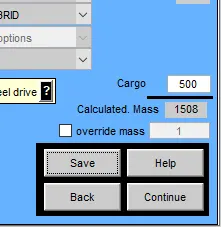
fig:-Cargo mass=500
Step 5: Then click continue to open the simulation parameters, the simulation parameter consists of different drive cycles and creates an individual own drive cycle by giving different data to the Simulink parameter. Acceleration test. Gradeability test, parametric study, etc.
Step 6: Now, search for the ‘CYC FTD' file from the drive cycle list in the advisor tool. Then click the file which is the CYC FTP drive cycle.
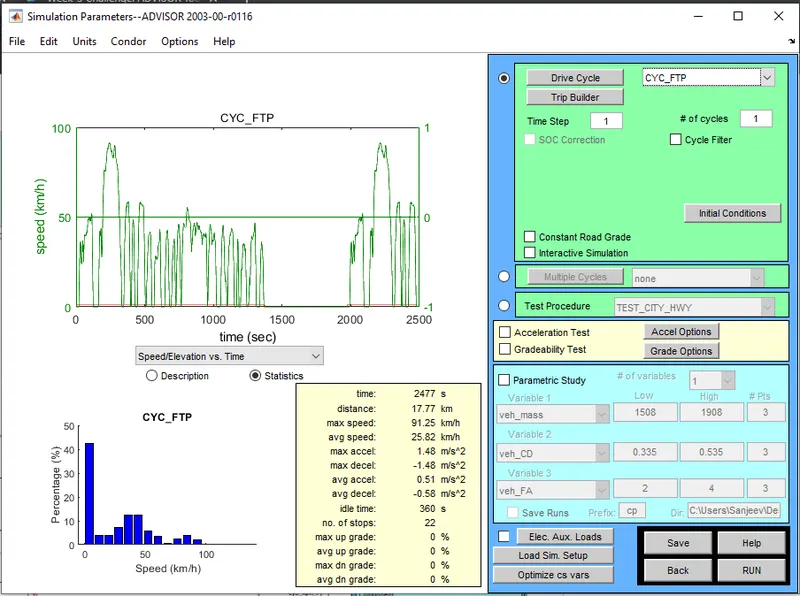
fig:-drive cycle=CYC_FTP
Step 7: Then run to see the result.
Step 8:
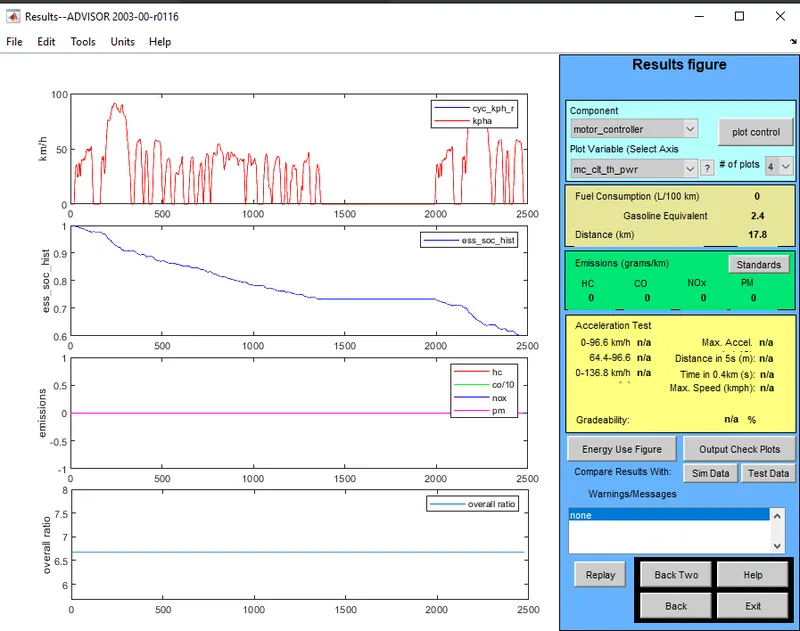
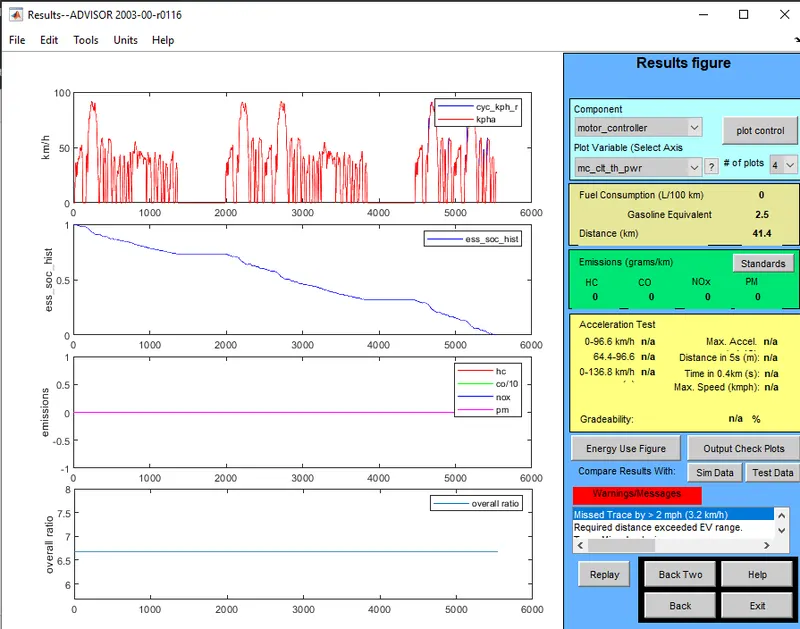
- For several Drive Cycle is equal to 1 and vehicle travelled Distance is 17.8 km
-
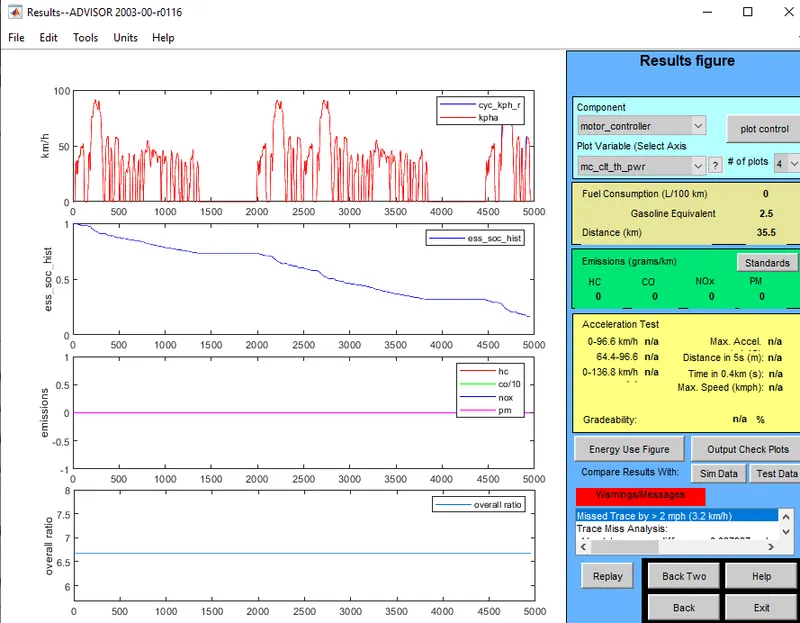
For several Drive Cycle is equal to 2 and vehicle travelled Distance is 35.5 km
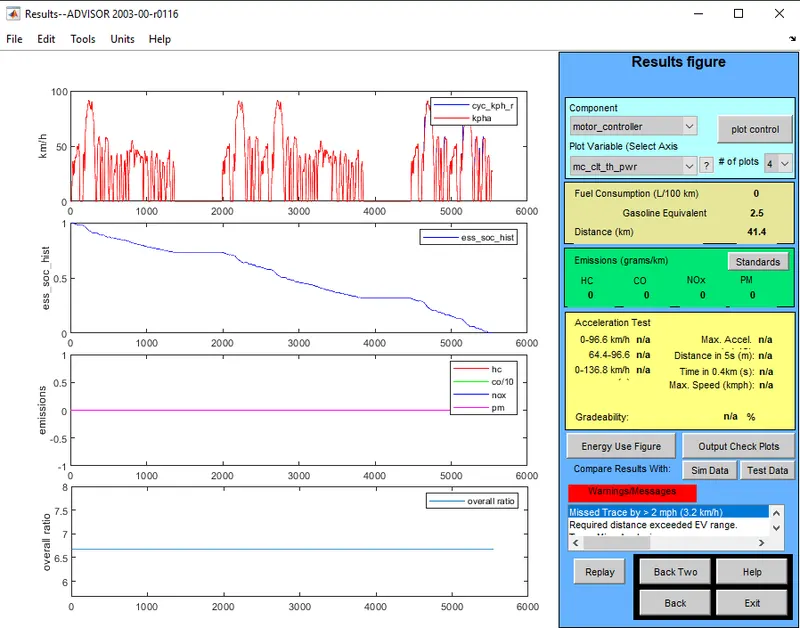
- For several Drive Cycle is equal to 3 and vehicle travelled Distance is 41.4 km
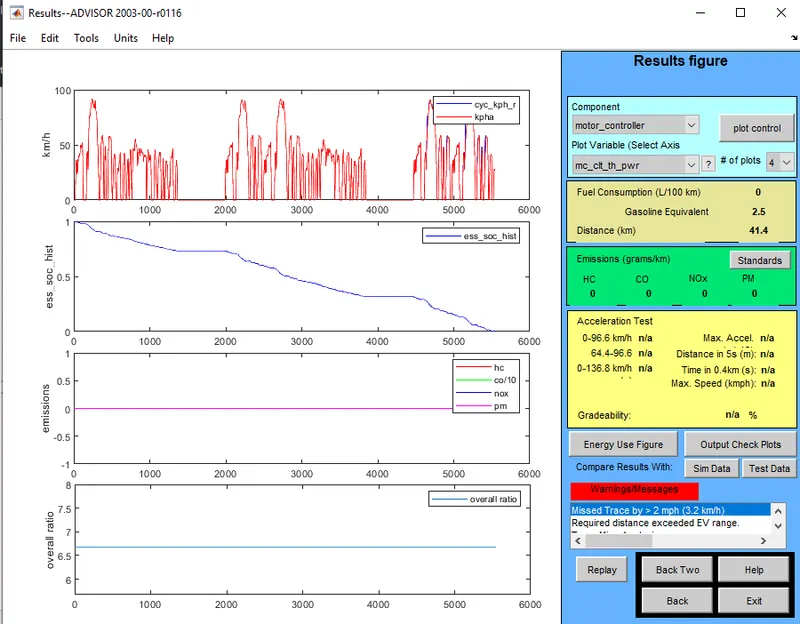
- For several Drive Cycle is equal to 4 and vehicle travelled Distance is 41.4 km.
- For several Drive Cycle is equal to 6 and vehicle travelled Distance is 41.4 km
* Observation
- The vehicle cannot travel for 45 km with an FTP drive cycle. Because in increases of cargo mass to 500 kg, the vehicle can only travel up to 41.4 km.
- If the initial default condition is now with cargo mass at 136 kg. The vehicle can go up to 48.2 km.
- So a boost in load begins to a decline of load to travel the higher distance.
2) For the EV_defaults in the file, if cargo mass is 500 kg with all other default conditions, try changing the battery capacity and repeat the simulation.
* Steps
Step 1: Open the advisor tool and click start to open the vehicle input in the advisor simulator.
Step 2: Search for the 'EV_Defaults_in' file from the load file and click the file to open.
Step 3: In the advisor tool, the simulation consists of every parameter of vehicle modelling, like mass, vehicle type, energy storage, motor, transmission, wheel/axle, etc.
Step 4: Now change some parameters which present in "EV_defaults_in" the file, like cargo mass to 500 kg
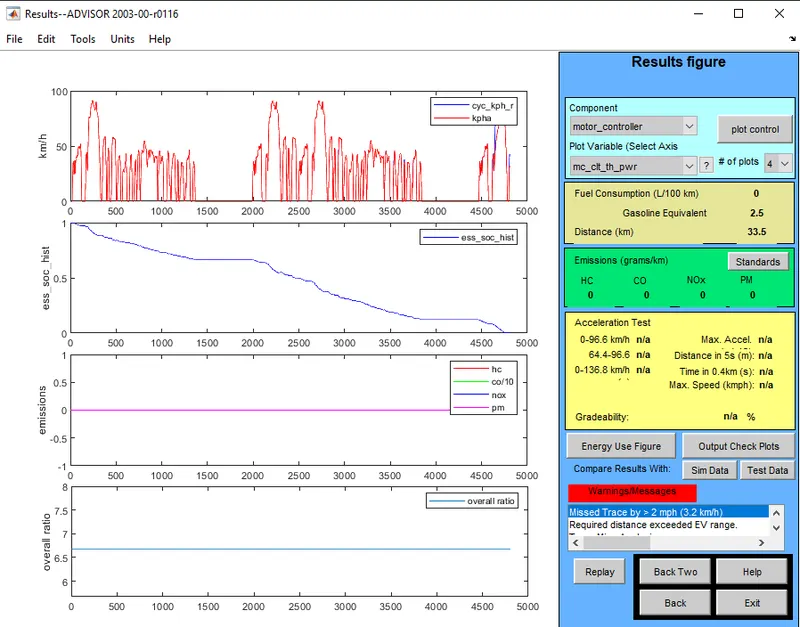
Step 5: If the battery Capacity is below 25 Modules: which is 20 M0dules
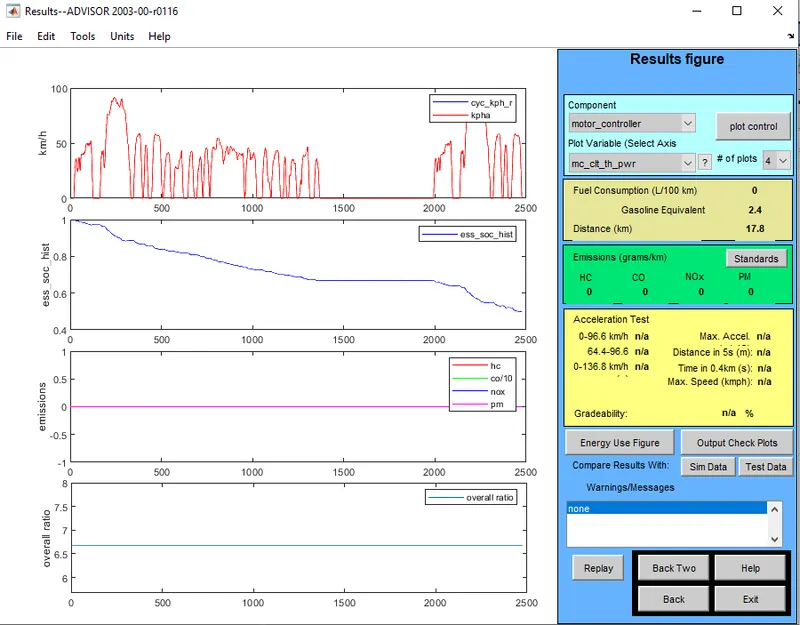
- For several Drive Cycle is equal to 1 and vehicle travelled Distance is 17.8 km.
-
For several Drive Cycle is equal to 3 and the vehicle travelled Distance is 33.5 km
Step 6 : If the battery Capacity is above 25 Modules: which is 35 M0dules.
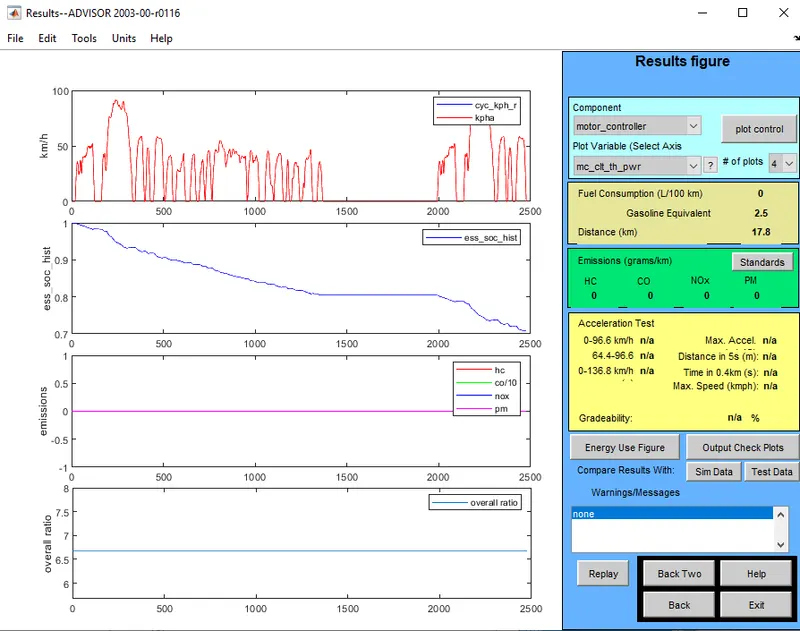
- For several Drive Cycle is equal to 1 and vehicle travelled Distance is 17.8 km
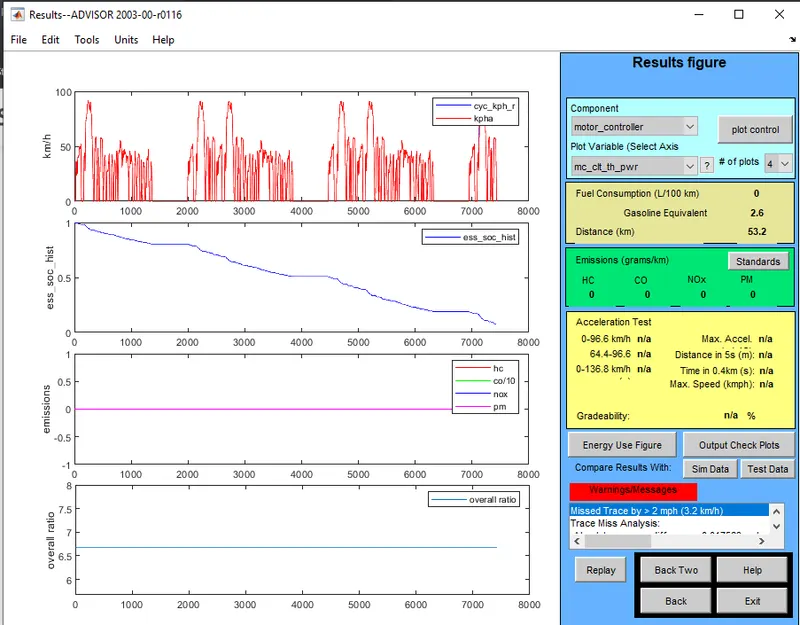
Fig : Battery capacity with 35 Modules and 3 cycle
- For Several Drive Cycle is equal to 3 and the vehicle travelled Distance is 53.2 km
* Observation
- Whenever the battery capacity is less than 25 modules, the vehicle goes less distance travelled.
- Whenever the battery capacity is more than 25 modules, the vehicle takes more distance travelled
- Because the battery capacity is power or Energy storage that the vehicle is dependent on to Travel a certain distance.
- If energy is more the distance travelled by vehicle is more, and if the energy is less the distance travelled by vehicle is less.
# SECTION C
3) Perform gradeability test with PRIUS_Jpn_defaults_in file and Compare your results in a table and conclude
Toyota Prius :
The Toyota Prius is a parallel hybrid; this means it has a gasoline engine and electric motor that are separate from one another. Further, each can run on its own. Toyota designed the Prius so that it would utilize electric power (which it stores in the battery) instead of gasoline power whenever possible.
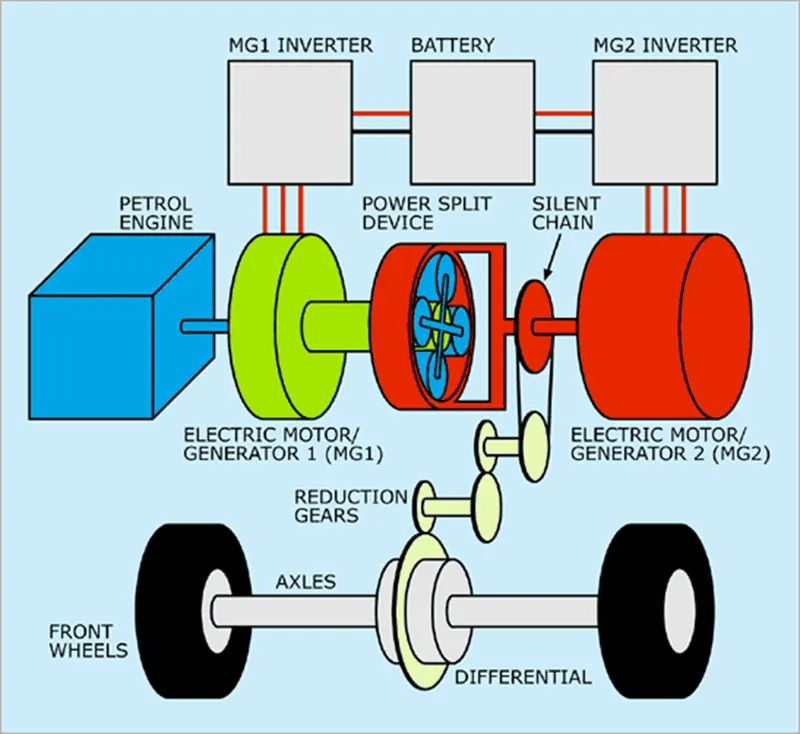
Fig : PRIUS_Jpn_defaults_in
* Steps
Step 1: Open the advisor tool and click start to open the vehicle input in the advisor simulator
Step 2: Search for the 'PRIUS_Jpn_defaults_in' file from the load file and click the file to open.
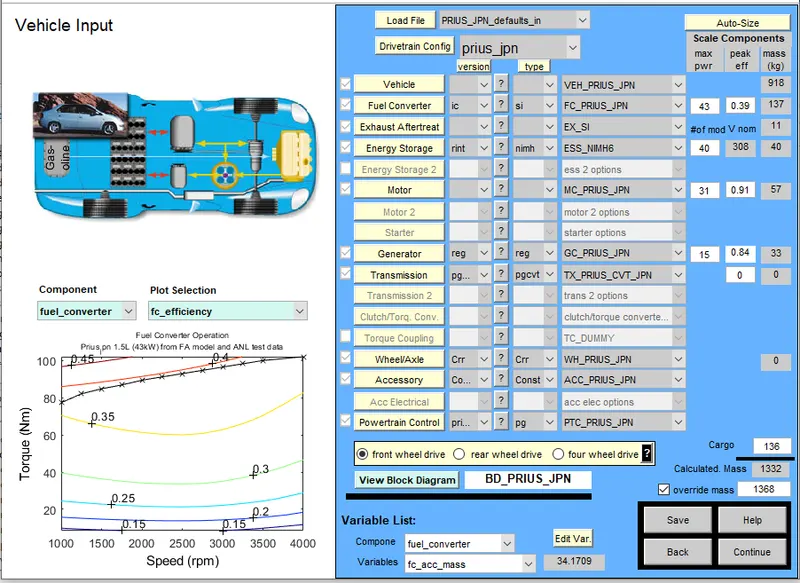
Fig : PRIUS_Jpn_defaults_in
Step 3: In the advisor tool, the simulation consists of every parameter of vehicle modelling, like mass, vehicle type, energy storage, motor, transmission, wheel/axle, etc.
Step 4: Then click continue to open the simulation parameters, the simulation parameter consists of different drive cycles and to create an individual own drive cycle by giving different data to the Simulink parameter. Acceleration test. Gradeability test, parametric study, etc.
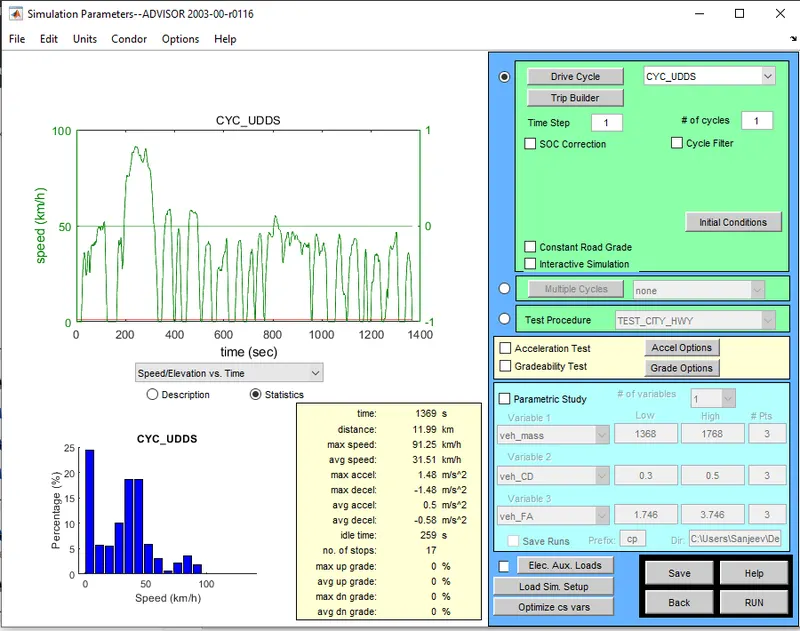
Fig: PRIUS_Jpn_defaults_in with CYC_UDDS
Step 5: Now Perform the Gradeability Test
-
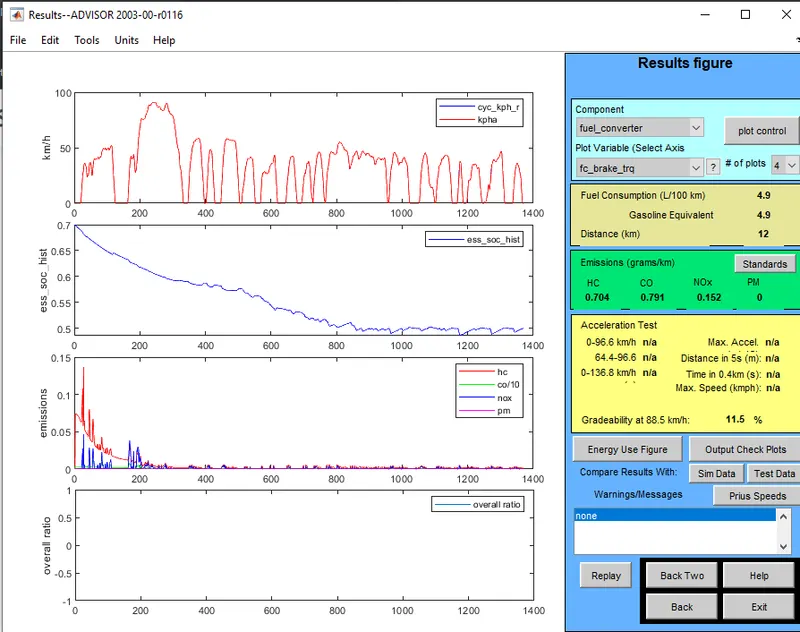
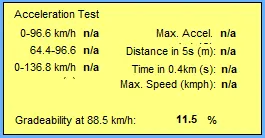
For Speed=55mph=88.55Kmph and Time=20 seconds. Other all paramerte set as default.
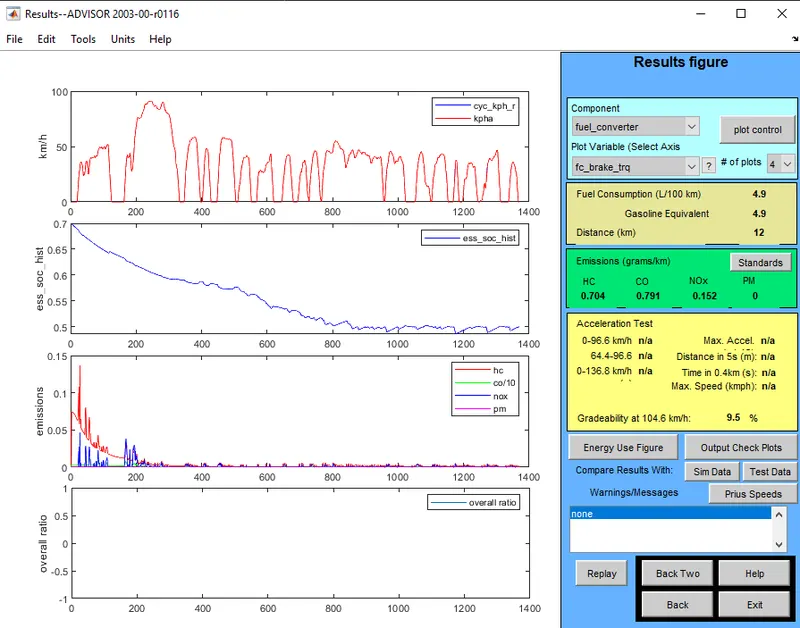
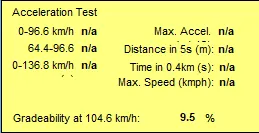
- Speed=65mph=88.55Kmph and Time=20 seconds. Other all paramerte set as default
-
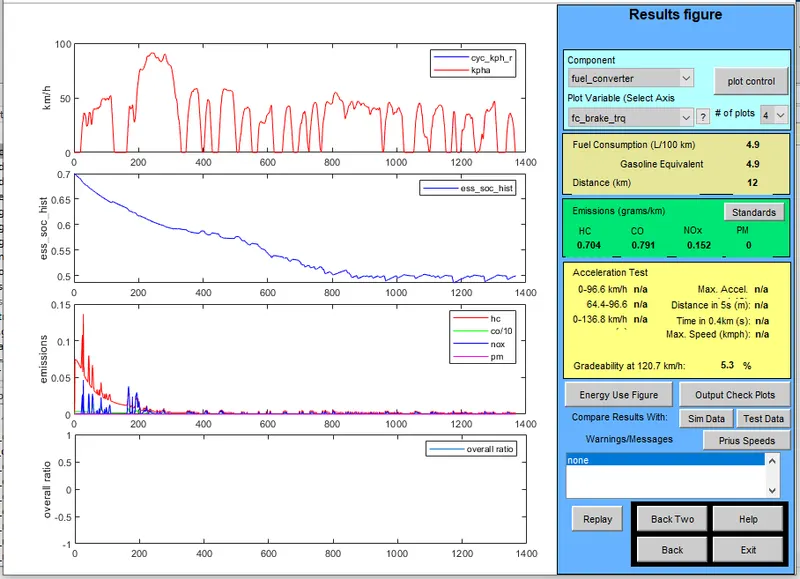
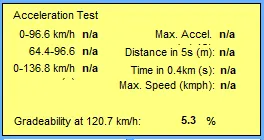
Speed=75mph=120.7Kmph and Time=20 seconds. Other all paramerte set as default.
-
Speed=75mph=120.7Kmph and Time=20 seconds. Other all paramerte set as default.
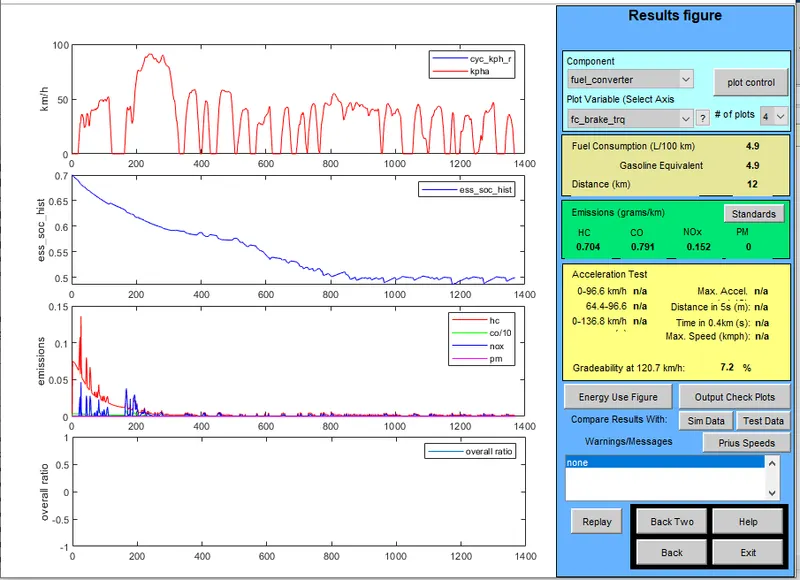
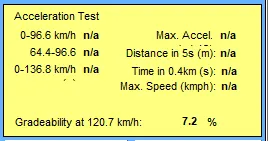
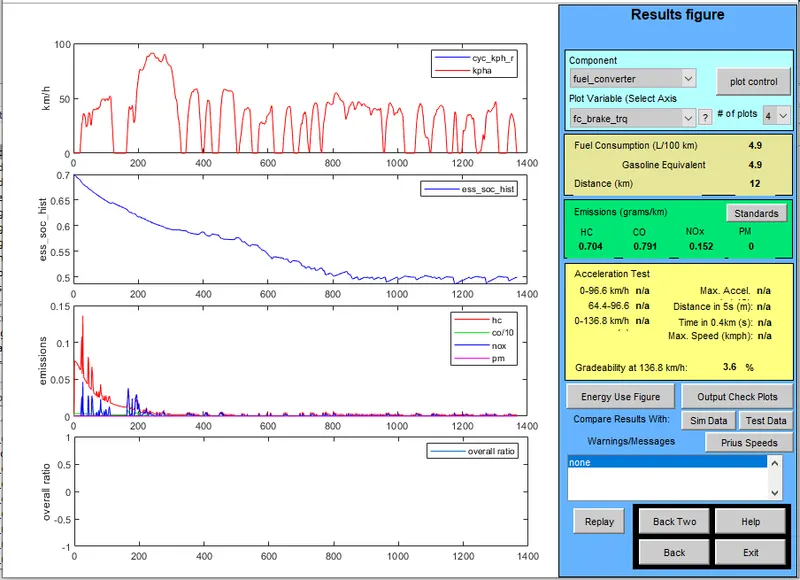
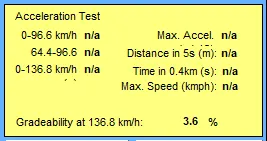
- Speed=85mph=136.8Kmph and Time=20 seconds. Other all paramerte set as default
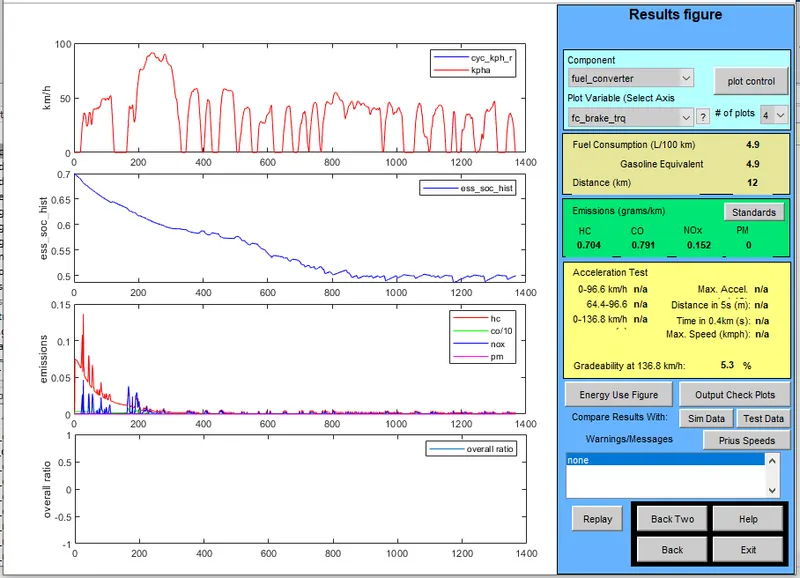
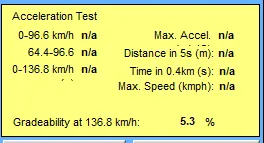
- Speed=75mph=120.7Kmph and Time=10 seconds. Other all paramerte set as default.
- Speed=85mph=136.8Kmph and Time=20 seconds. Other all paramerte set as default
* Observation
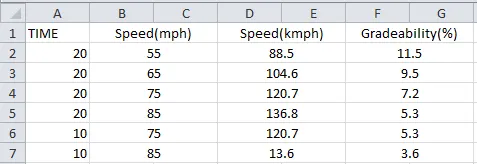
- If speed is less, the gradeability percentage is more.
- If speed is more, the gradeability percentage is less.
- So speed and gradeability percentage are inversely proportional to each other
- From the above table ,its clear that when the vehicle speed increases there is a decrease in gradeability for both 10s and 20s duration