Week-3 Challenge: ADVISOR Tool
AIM: Use the ADVISOR tool and simulate the following
1. For the EV_defaults_in file, if cargo mass is 500 kg with all other default conditions, can the vehicle travel for 45 km with an FTP drive cycle? Conclude your observations.
2. In the above case, try changing the battery capacity and repeat the simulation.
3. Perform gradeability test with PRIUS_Jpn_defaults_in file. Compare your results in the table and conclude.
Solution:
Step1: Download the advisor tool from Google and open the folder in MATLAB and select ADVISOR.M file & RUN it.
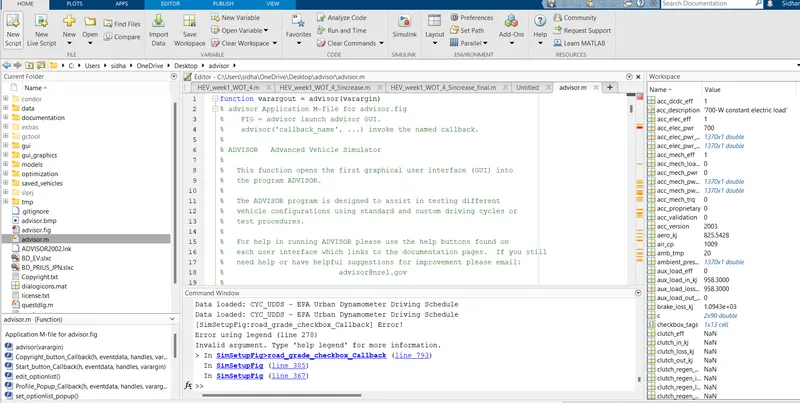
ADVISOR SIMULATOR will open in a new window. Click on Start. In the new ADISOR window, Click on Units & Change it to Metric.
OBJECTIVE 1.
For the EV_defaults_in file, if cargo mass is 500 kg with all other default conditions, can the vehicle travel for 45 km with an FTP drive cycle? Conclude your observations.
Solution:
In the Vehicle Input window, Load File: EV_defaults_in & add the Cargo Mass as 500 Kg
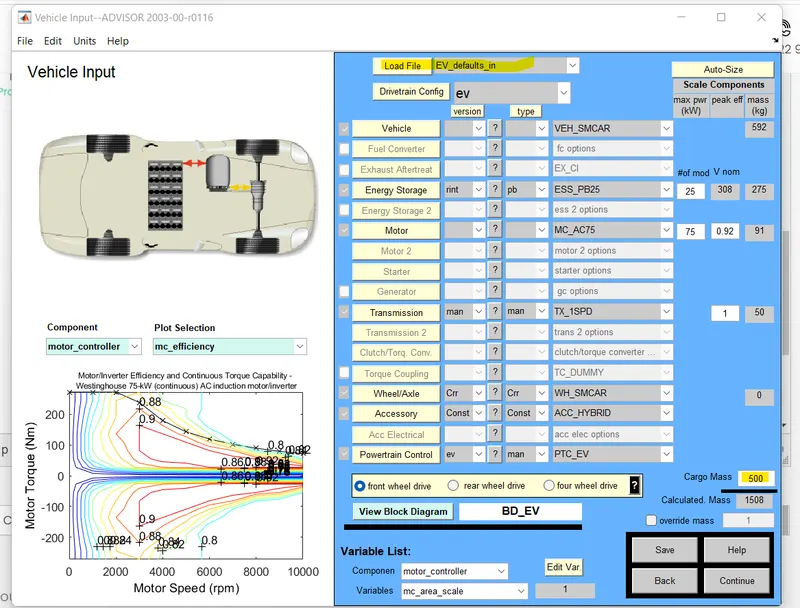
After selecting the EV_defaults_in, click on continue will open new window with Simulation or Drive Cycle Parameters.
Choose Drive Cycle: CYC FTP
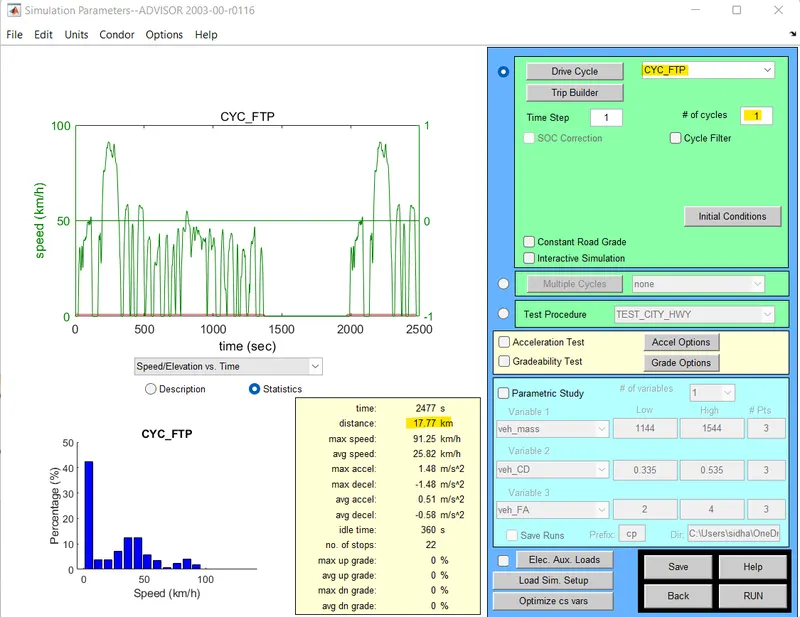
Here we can see that the distance covered in One cycle is 17.77 km. To achieve 45 km as in the objective, we change the No of cycles to 3.
Click on RUN at the bottom of the window.
A new window with RESULTS will appear.
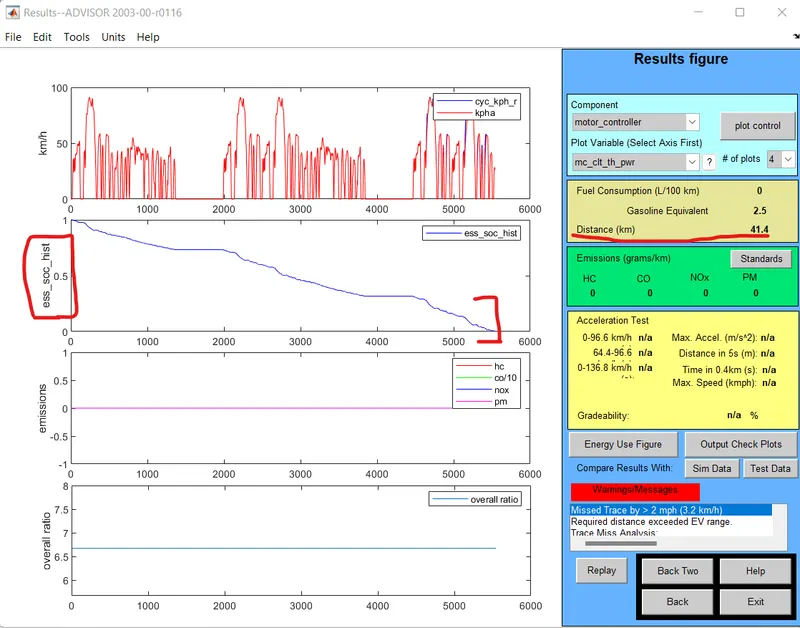
Here we see that the Distance covered is 41.4 km, SOC graph shows battery is discharged completely at 41.4 km.
So for the EV_defaults_in file if cargo mass is 500 kg with all other default parameters, the vehicle can not travel 45 km with the FTP drive cycle.
OBJECTIVE 2.
In the above case, try changing the battery capacity and repeat the simulation.
The default battery for the vehicle simulation, EV_defaults_in is ESS_PB25
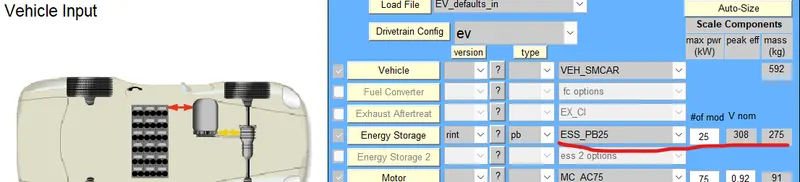
“#of mod V nom” describes the battery capacity, so we will change the module number of batteries from the first box and we will see that changes in voltage and weight of the battery.
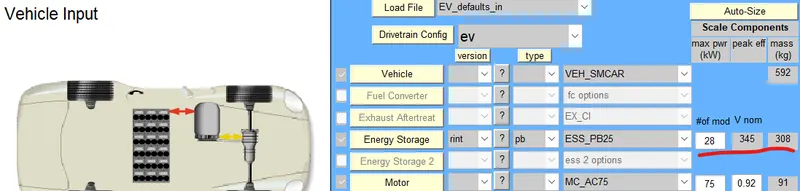
All other parameters remain the same. The variables Cargo Mass is still 500 kg and number of drive cyle is 3. The number of mod is changed to 28 as trial to vary the battery capacity.
RUN the simulation.
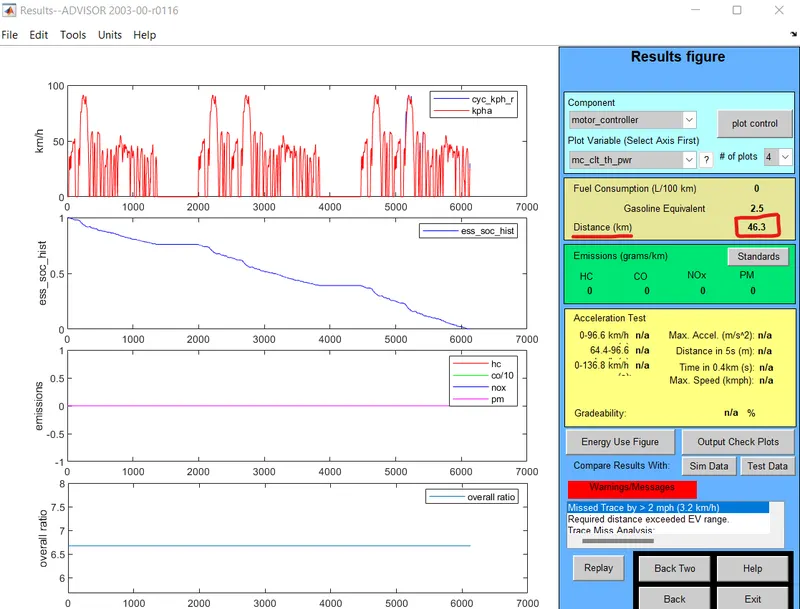
From the RESULTS, we can see that by changing the battery capacity, the vehicle is now able to travel a distance of 46.3 km, exceeding the targetted 45 km.
To cover 45km distance a 28 module 345-volt battery is required.
OBJECTIVE 3.
Perform gradeability test with PRIUS_Jpn_defaults_in file. Compare your results in a table and conclude.
Solution:
Change the Model in the Vehicle Input window to PRIUS_Jpn_defaults_in
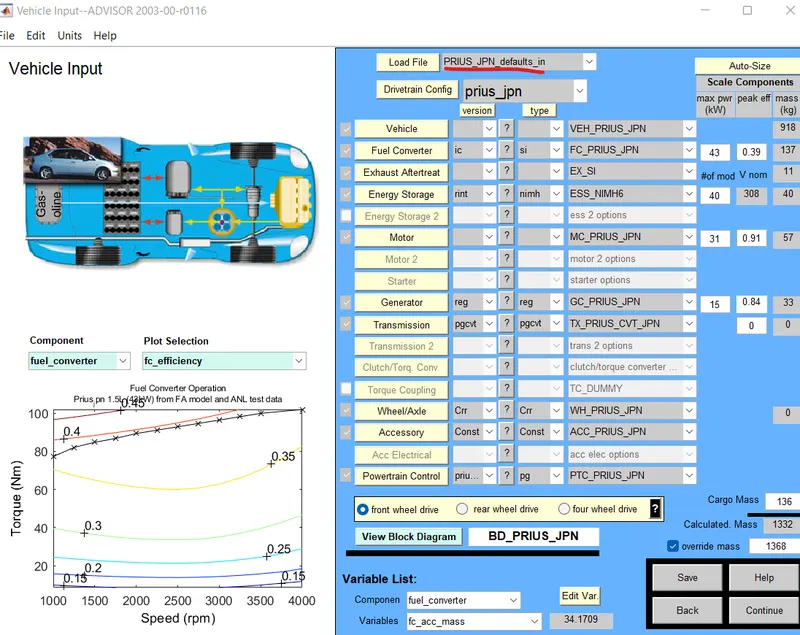
Click continue and click on Gradeability Test on the Simlation Parameters window.
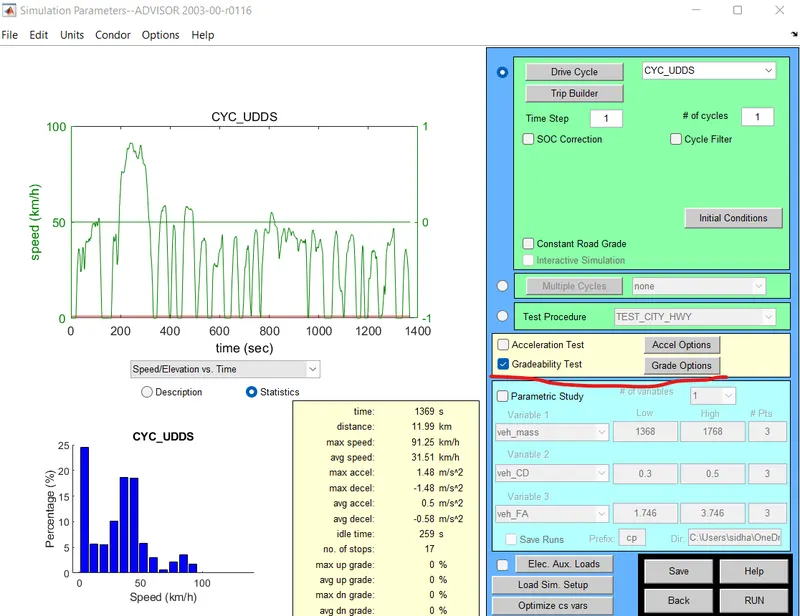
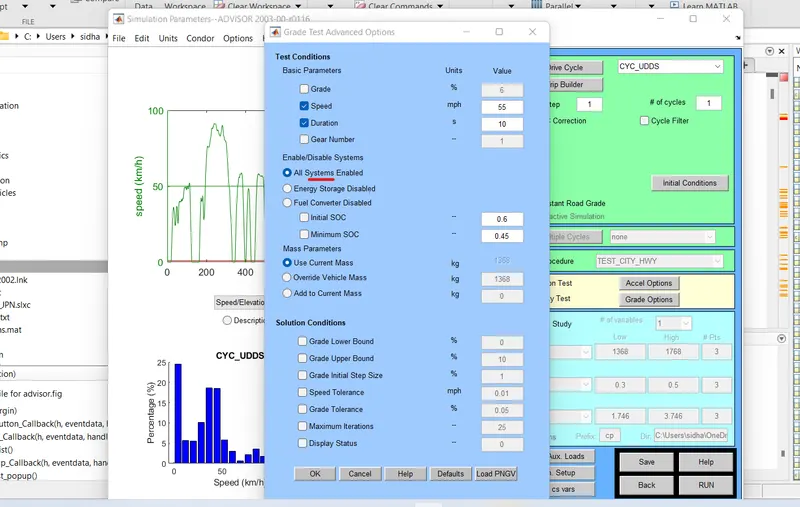
Click the Grade Options and in the new dialogue box;
- we can change speed or duration with respect to our simulation.
- So, for this simulation, we change speed one time and duration another time.
- Click on All system enabled.
- Also, click on constant road grade by unchecking Grade option.
- Click Ok and run the simulation and a Result window will open showing different results depend upon input datas - different speeds & durations.
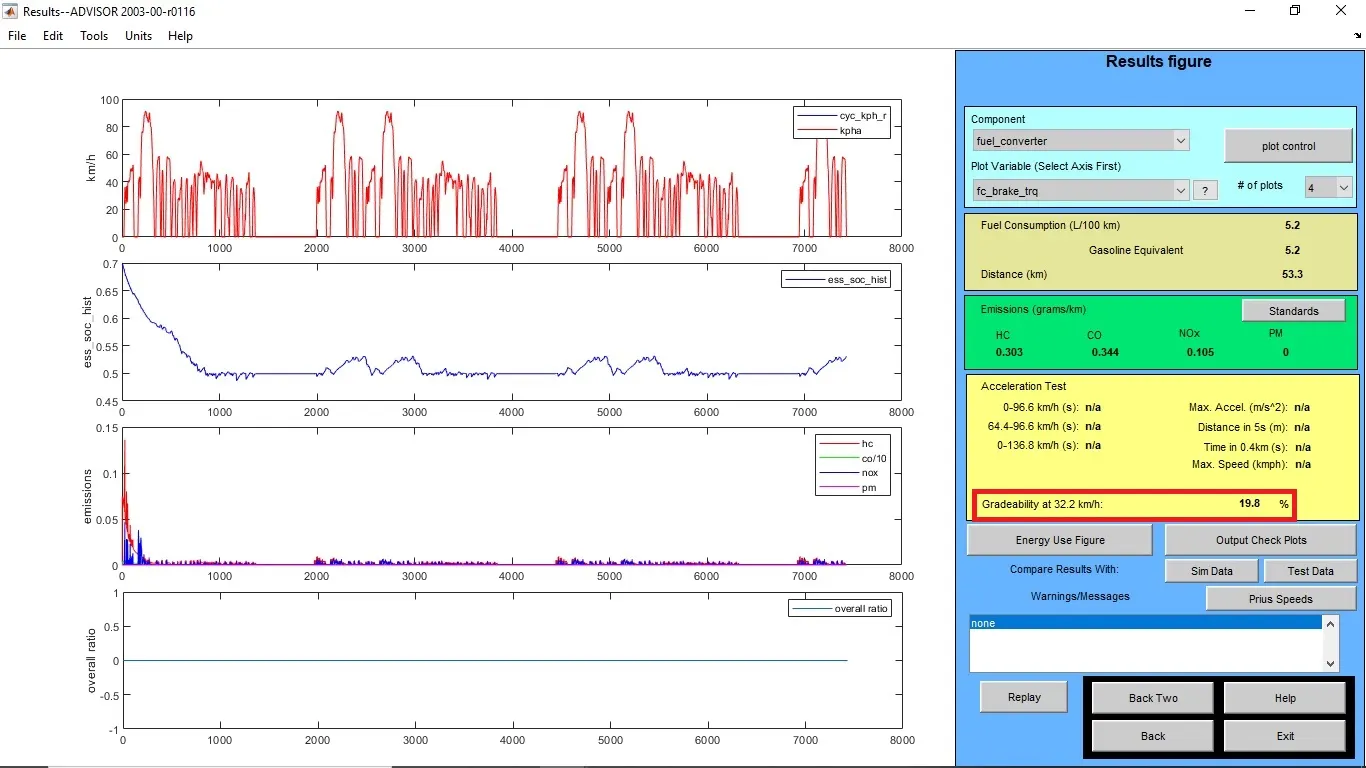
Results for the duration - 10sec
i) Speed - 20 miles/h or 32.2 kmph
Gradeability = 19.8%
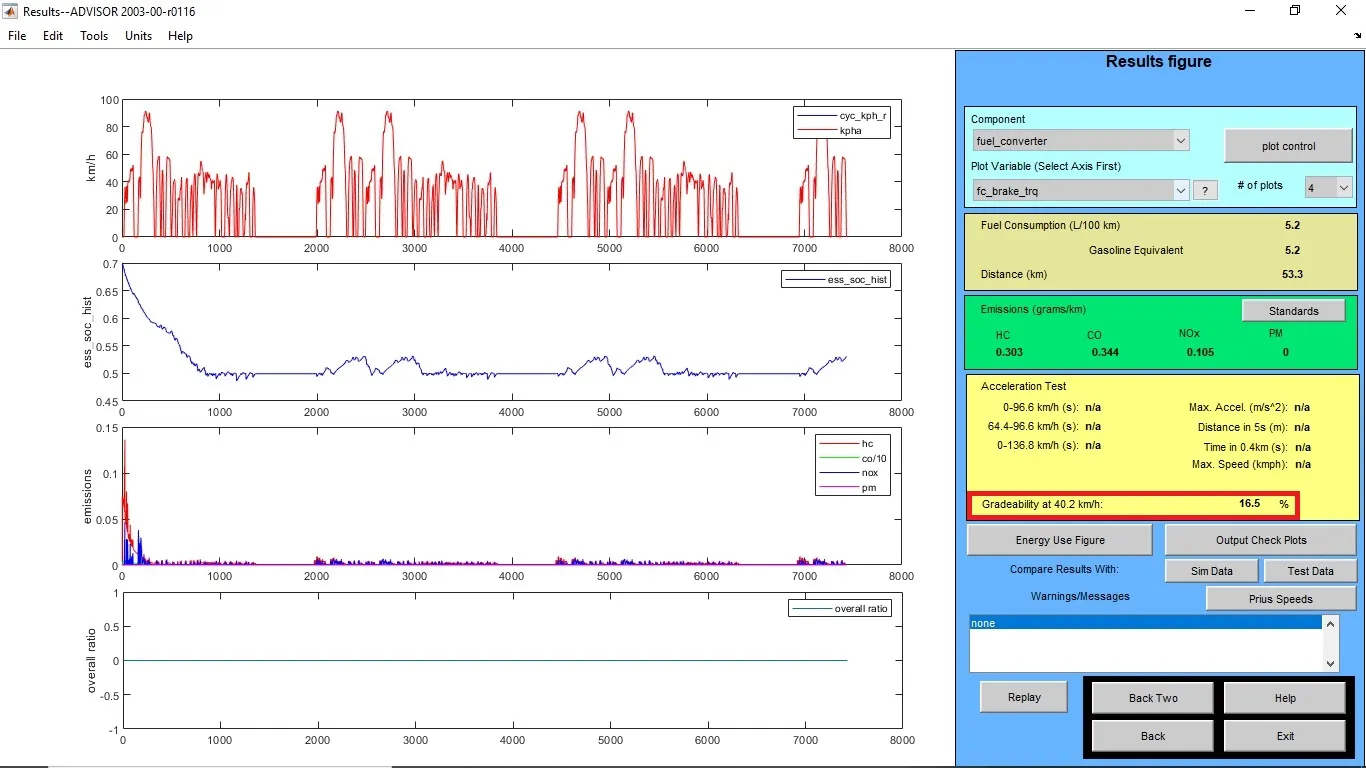
ii) Speed - 25 miles/h or 40.2 kmph
Gradeability = 16.5%
iii) Speed - 30 miles/h or 48.3 kmph
Gradeability = 14.7%
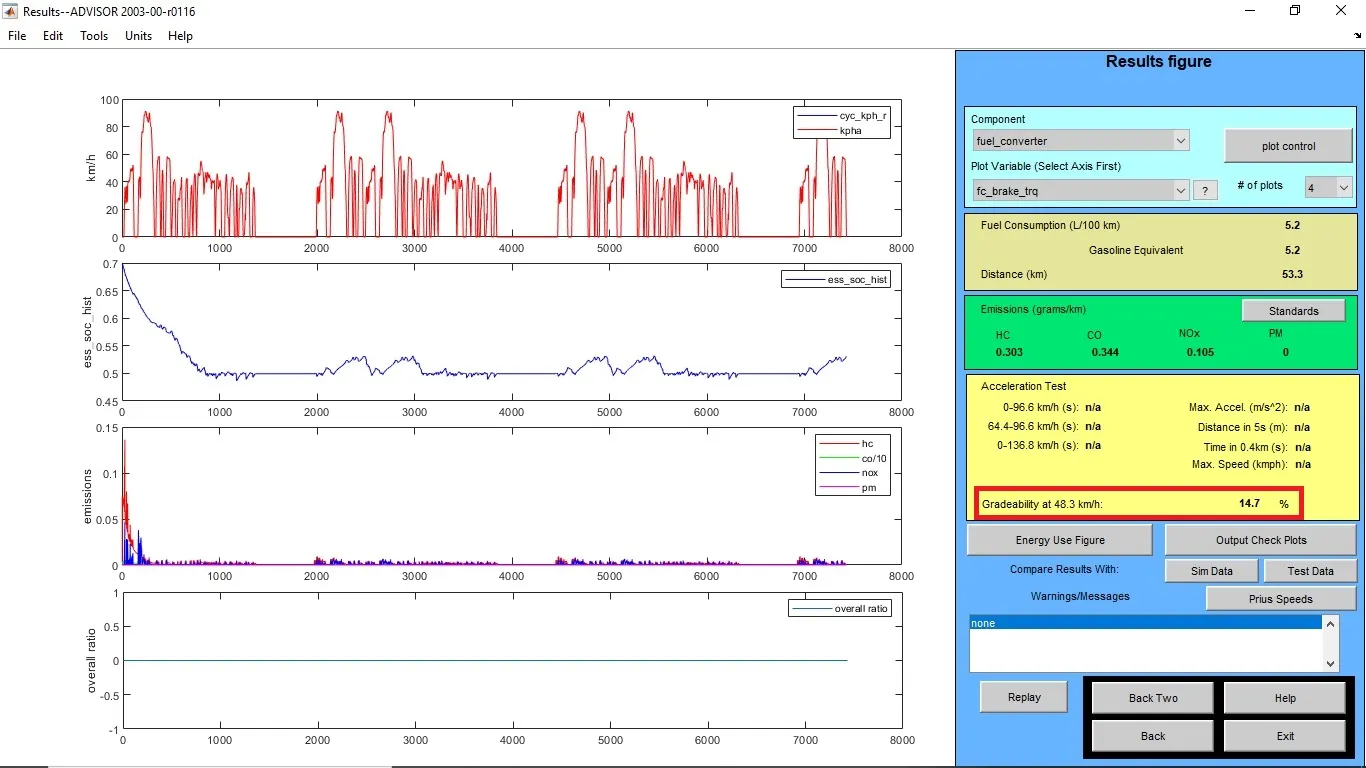
For duration - 10sec
| S.No | Vehicle Speed mph | Vehicle Speed kmph | Gradeability % |
| 1 | 20 | 32.2 | 19.80% |
| 2 | 25 | 40.2 | 16.50% |
| 3 | 30 | 48.3 | 14.70% |
Results for the duration - 20sec
i) Speed - 20 miles/h or 32.2 kmph
Gradeability = 22.9%
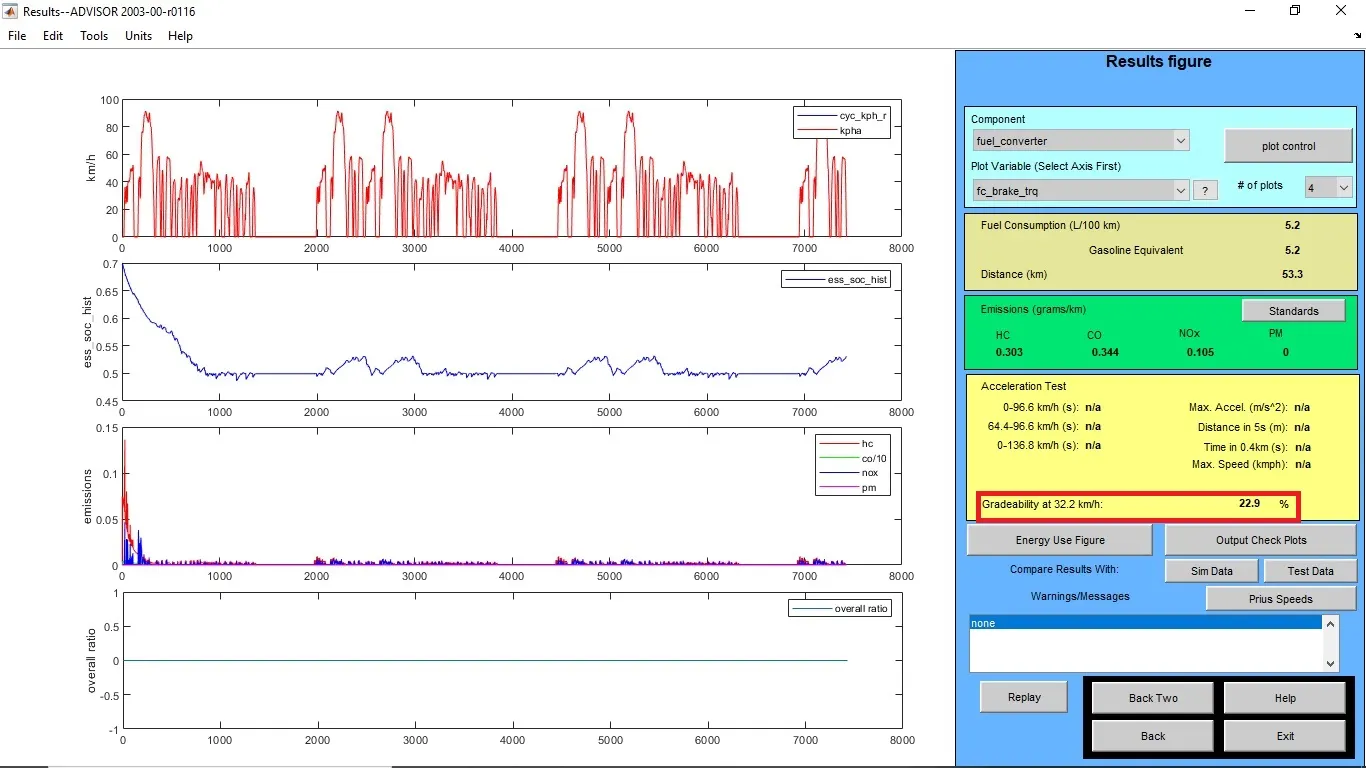
ii) Speed - 25 miles/h or 40.2 kmph
Gradeability = 19.7%
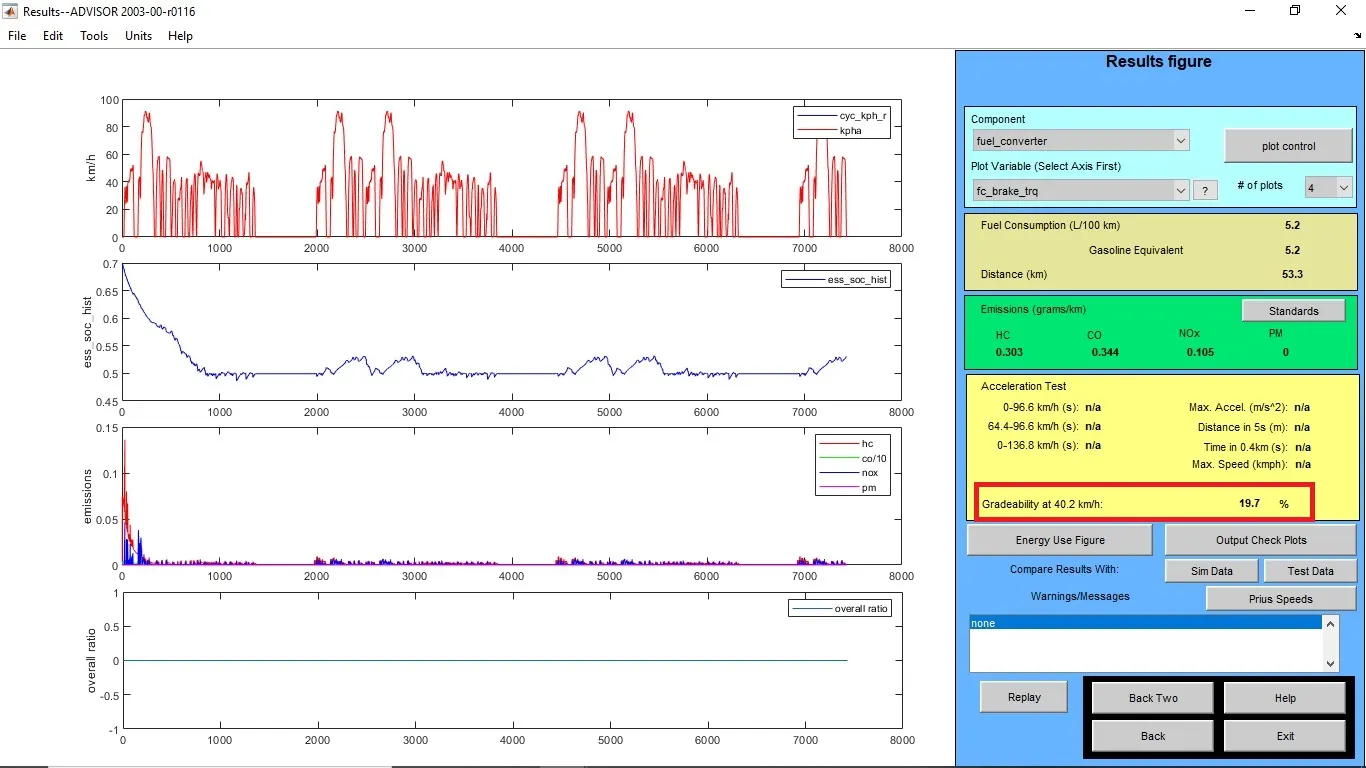
iii) Speed - 30 miles/h or 48.3 kmph
Gradeability = 17.7%
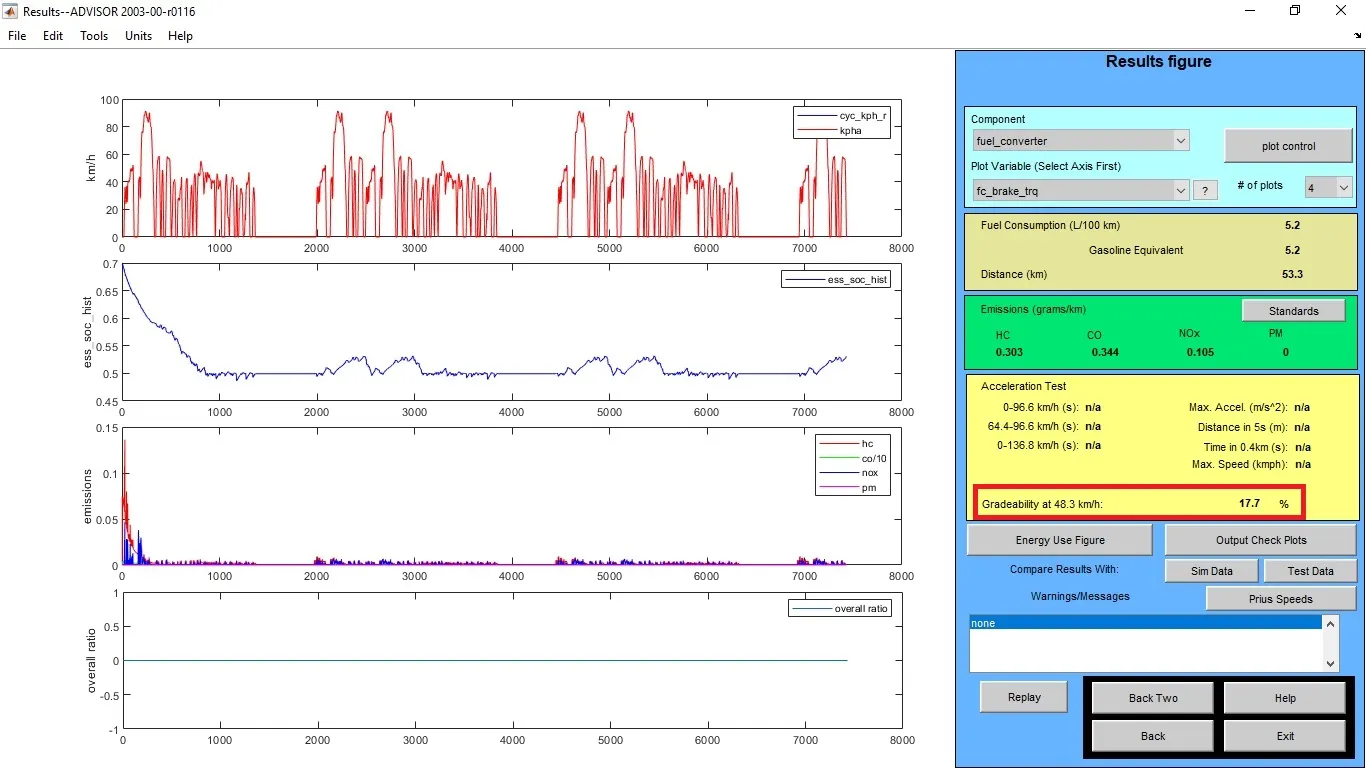
For Duration - 20sec
| S.No | Vehicle Speed mph | Vehicle Speed kmph | Gradeability % |
| 1 | 20 | 32.2 | 22.90% |
| 2 | 25 | 40.2 | 19.70% |
| 3 | 30 | 48.3 | 17.70% |
From the above tables, it's visible that when vehicle speed increases there is a decrease in gradeability.