Week-3 Challenge: ADVISOR Tool
EV LIVE BATCH:-21
1. For EV_defaults_in file, if cargo mass is 500 kg with all other default conditions, can the vehicle travel for 45 km with FTP drive cycle? Conclude your observations.
Ans:- According to the question, we have to open the ADVISOR tool.
so in order open the advisor tool, we have to follow the following steps:-
- In order to get the Advisor model of Advisor file, we have to download That Advisor file from the following link:-
https://sourceforge.net/projects/adv-vehicle-sim/
- Go to MATLAB main window & set the correct location or correct directory path for the ADVISOR folder as follows:

- then write 'advisor' in the command window of MATLAB & press enter.

- then set the Unit as 'Metric' & start the advisor.
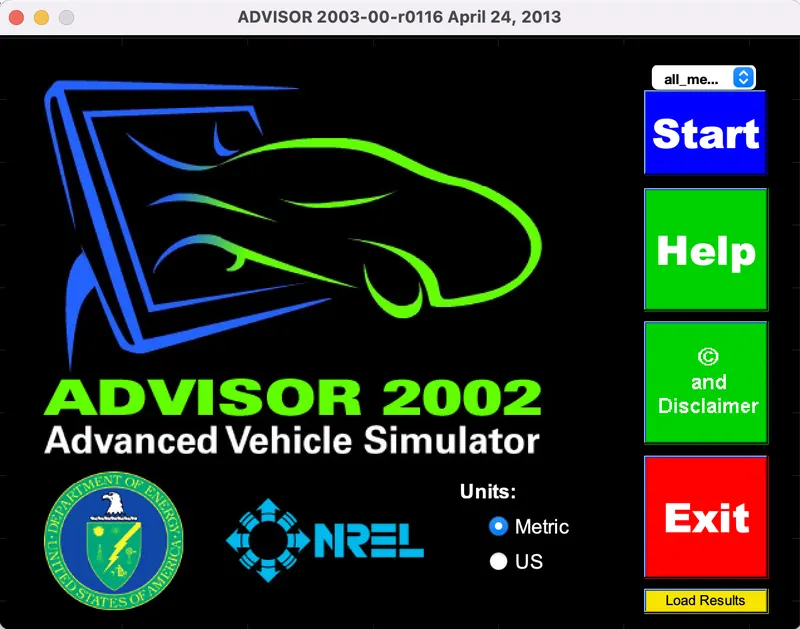
- Acutually there are 3 windows of advisor such as:
- Vehicle Input Window
- Simulation Parameter Window
- Results Window
- When we click on the Start option then we can see the Vehicle Input Window as folllows:-
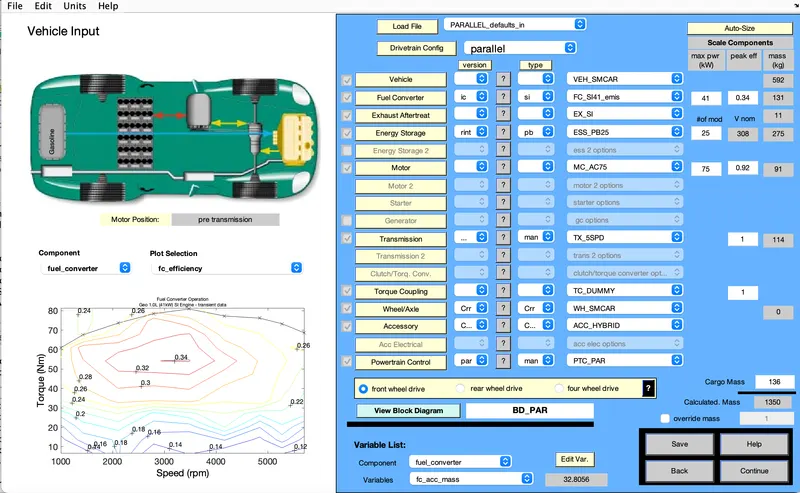
- We can see that, the default loaded file is 'PARALLEL_defaults_in' & default Cargo mass is 136.
- so change the Load file from PARALLEL_defaults_in to EV_defaults_in & change the Cargo mass to from 136kg to 500 kg.
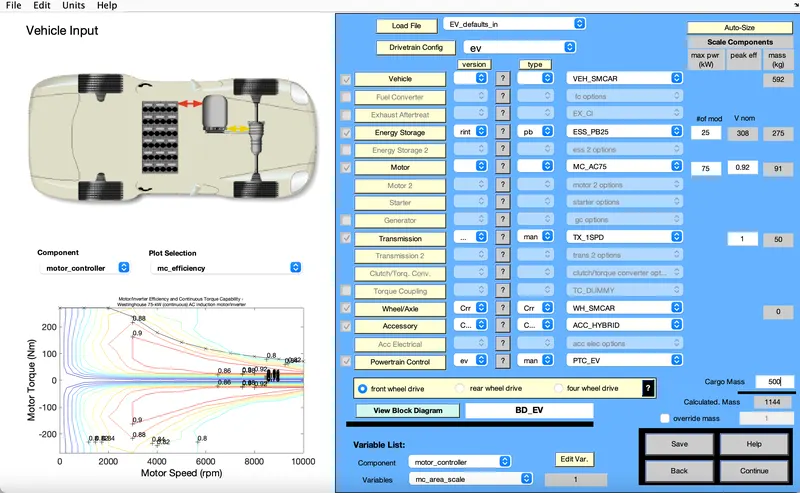
- Then click on Continue.
- Now a new window will pop up which is called as Simulation Parameter Window.
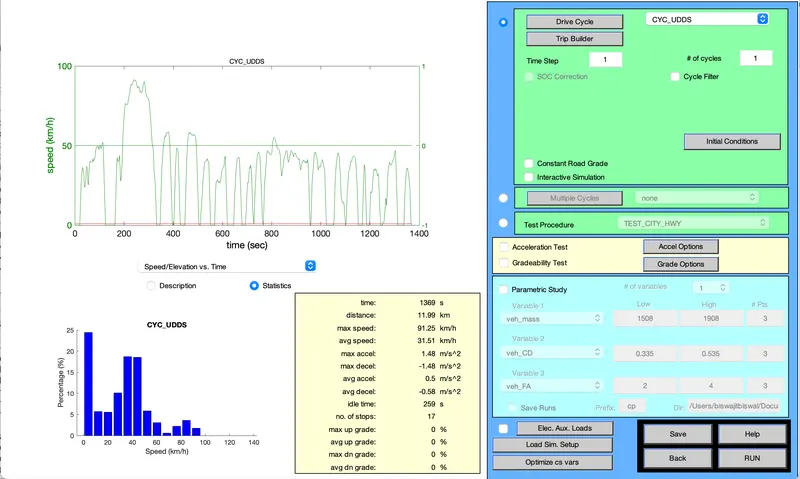
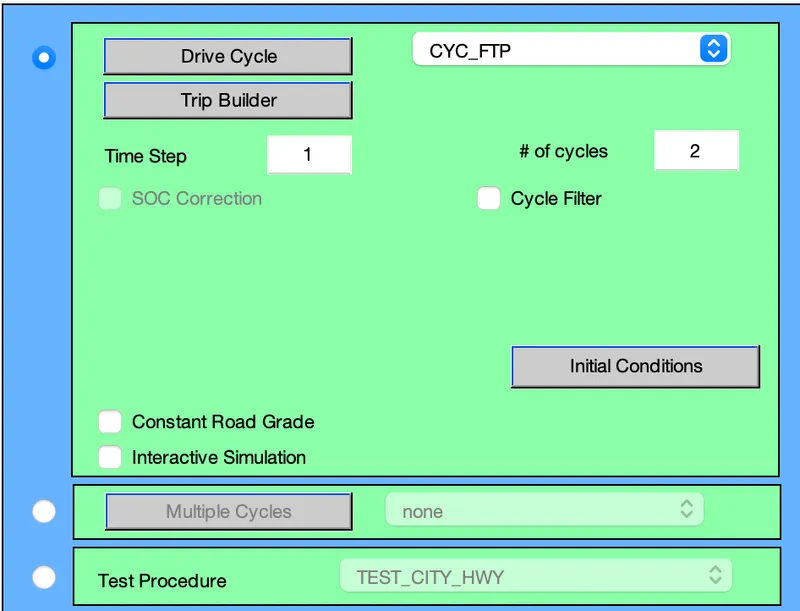
- Now change the Drive cycle from CYC_UDDS (default) to CYC_FTP by using the drop down menu.
- we can change the No. of drive cycle used for simulation by changing the values of '# of cycles'.
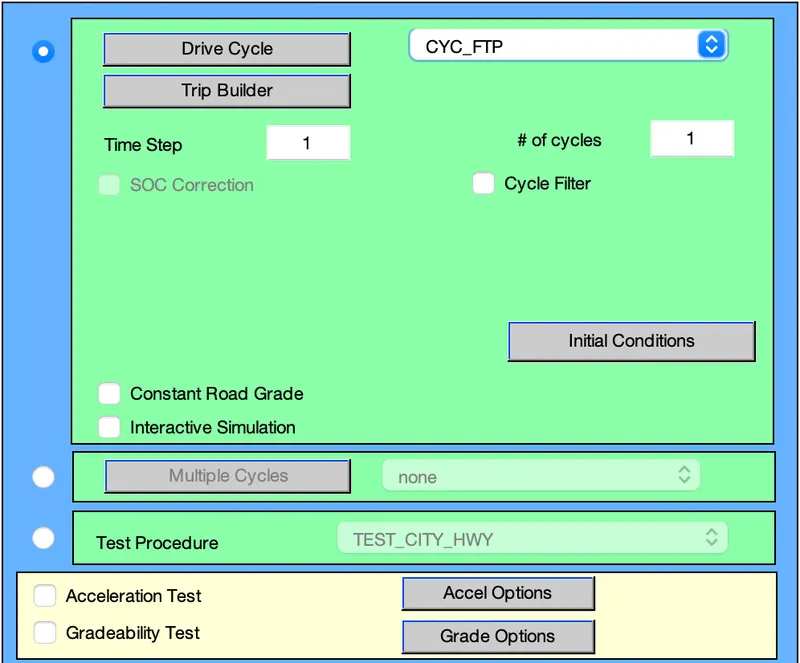
- Here we have taken 1 Drive cycle of CYC_FTP & then click on RUN.
- then a Results Window will pop up which will show results.
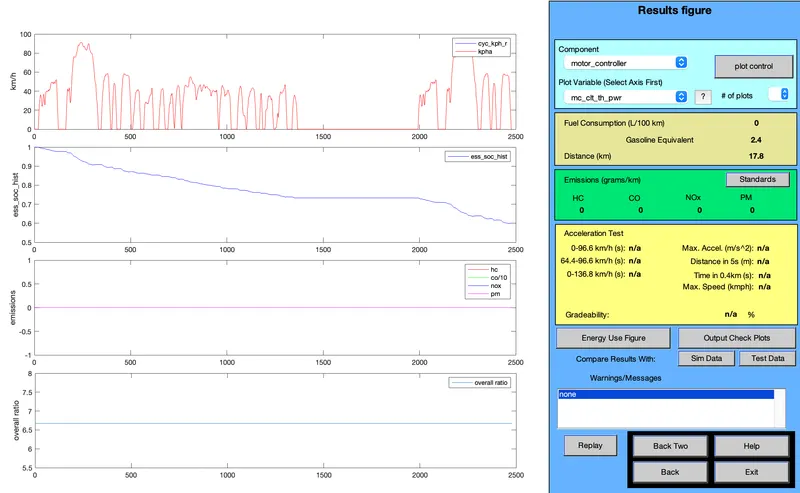
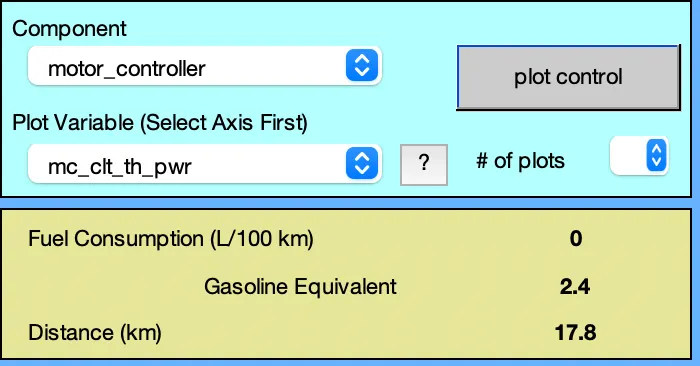
- Here we can see that the Vehicle covers 17.8 km distance by using 40% of SOC (means that after simulation SOC of battery pack is approximately 60%)
- Now click on Back option & again we will directed to Simulation Parameter Window.
- Then change the no. of drive cycle as 2 then click on RUN
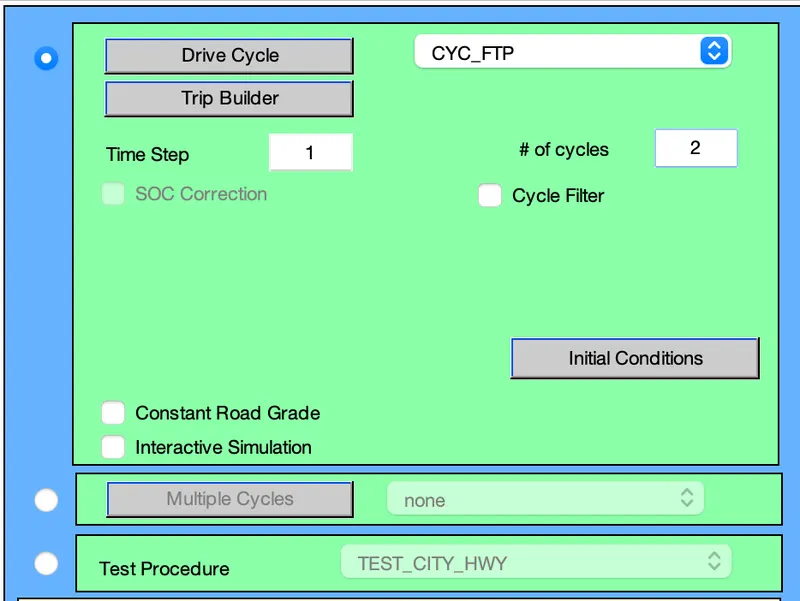
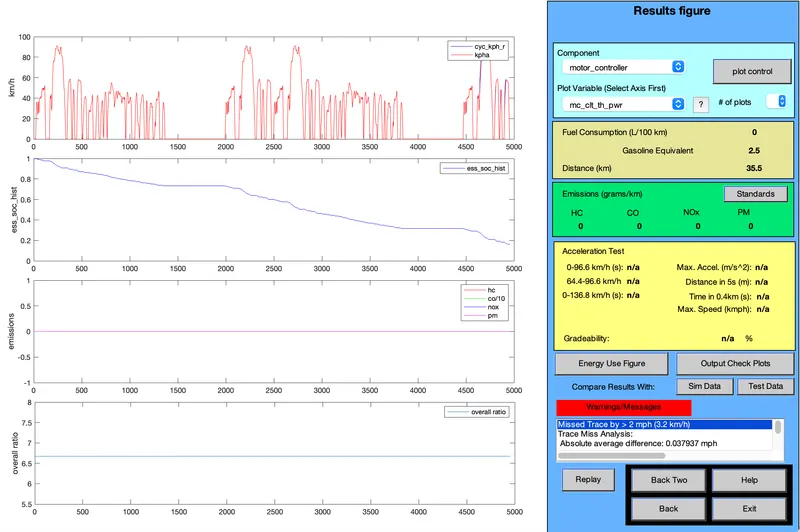
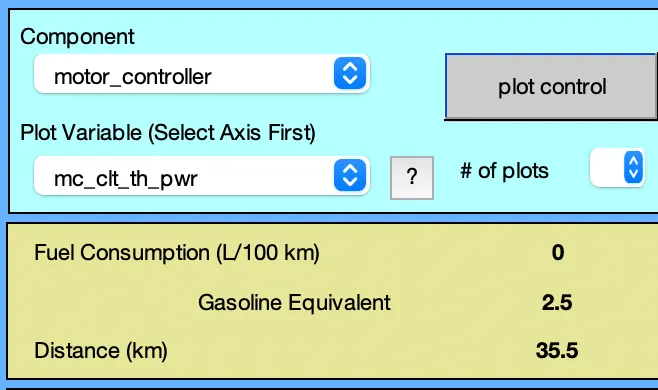
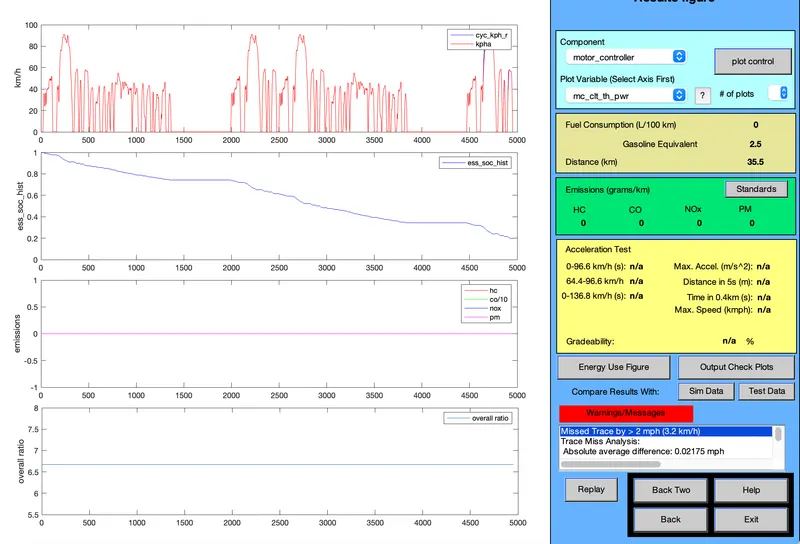
- We can see that the Vehicle covers 35.5 km distance by consuming almost 82% SOC (after simulataion SOC will be 18%)
- Then click on Back option & then it will redirect to Simulation Parameter Window.
- then change the no. of drive cycle as 3 then click on RUN
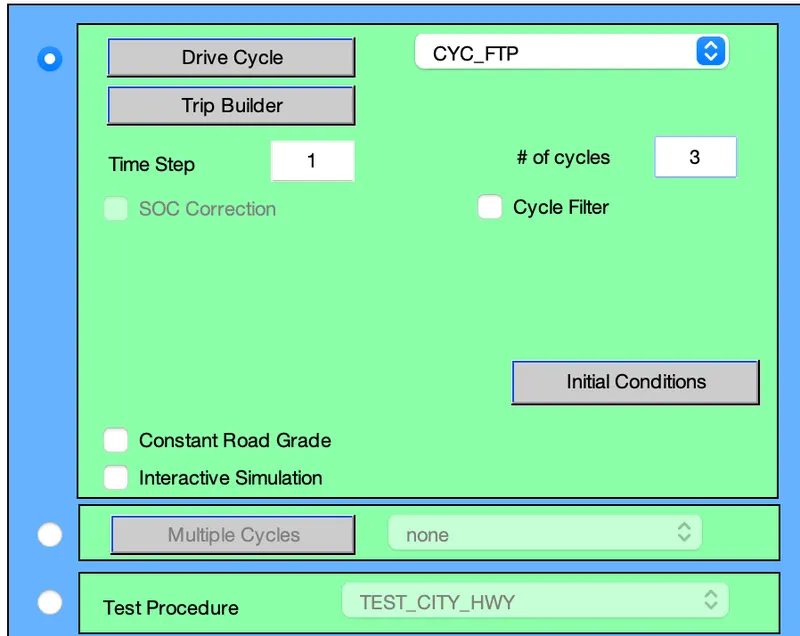
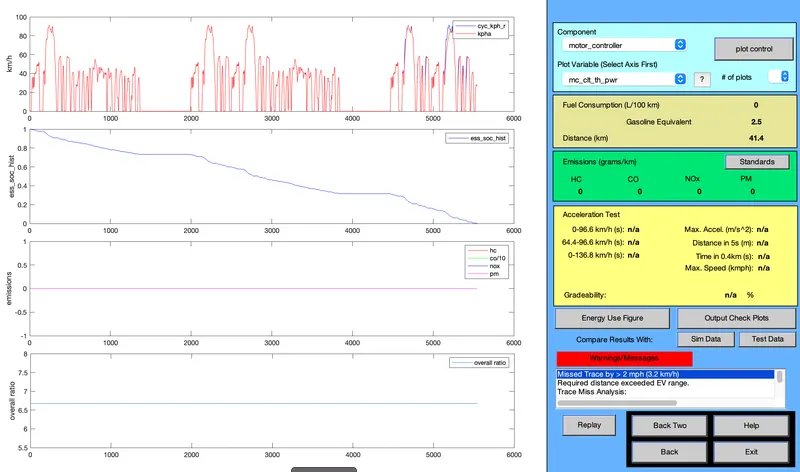
- Here we can see that, Vehicle covers 41.4 km distance by consuming 100% SOC (means the SOC of the battery pack after simulation is 0%)
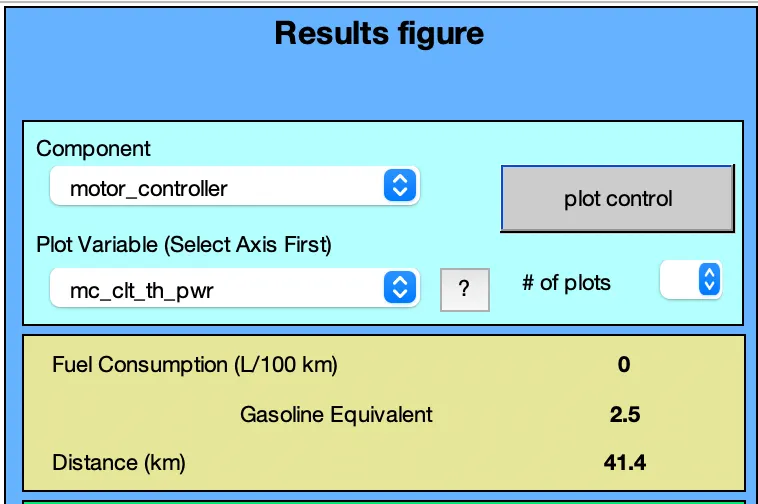
Table of results:-
| No of Drive Cycle | Distance covered | SOC of Battery pack after Simulation |
| 1 | 17.8 km | 60 % |
| 2 | 35.5 km | 18 % |
| 3 | 41.4 km | 0 % |
Conclusion:-
- The minimum distance covered by the vehicle is 17.8 km by consuming the almost 40% of SOC when we had used 1 drive cycle.
- the maximum distance covered by the vehicle is 41.4 km by consuming 100% SOC when we had used 3 sets of CYC_FTP Drive cycles.
- We can simply say that, For EV_defaults_in file, if cargo mass is 500 kg with all other default conditions, the vehicle cann't travel 45 km by using CYC_FTP drive cycle due to insufficient SOC (State of Charge)
2. In the above case, try changing the battery capacity and repeat the simulation.
Ans:- According to the question, we have to change the battery capacity & repeat the simulation. which means that we have to kept the Load file as EV_defaults_in & Cargo mass as 500 kg as follows:
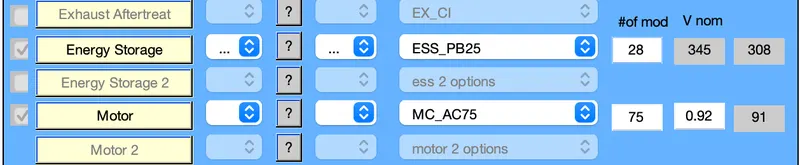
- Then we can change the Battery capacity by change the no of Modules used in the battery pack.
- we can change the no. of Modules used in Battery pack by changing 1st box of ' #of mod V nom '

- as we have seen from the previous results that when we had used 1 CYC_FTP drive cycle then the vehicle covers upto maximum 17.8 km which is very less than 45 km.
- so here we will take the No of modules used in battery pack as 26,7,28,29,30 etc & incraese the no. of drive cycles as 2,3,4 etc. to see when the vehicle is able to cover 45 km to overcome 45 km.
Observation:-
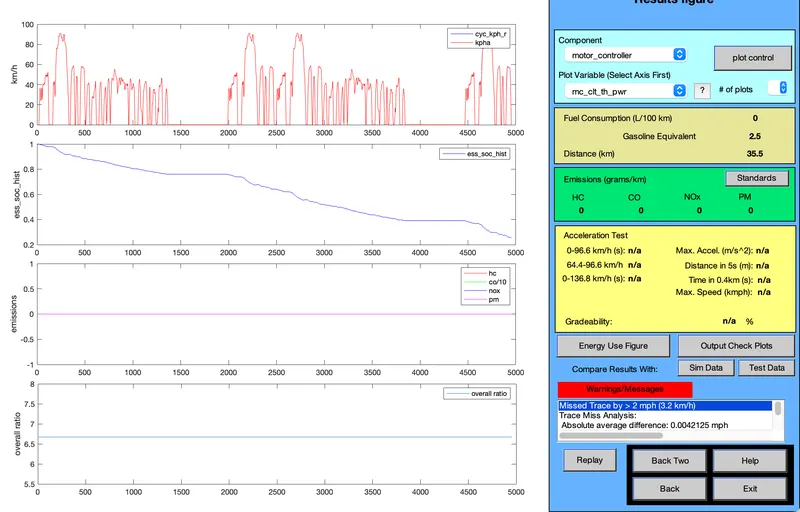
(i) Energy storage system as 26 modules & 2 drive cycles:

(ii) Energy Storage system with 28 modules & 2 drive cycles:-
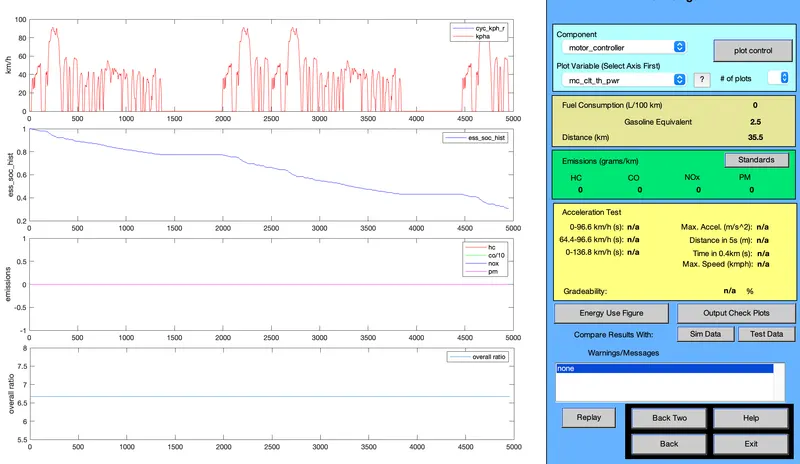
(iii) Energy storage system with 30 Modules & 2 drive cycles:-

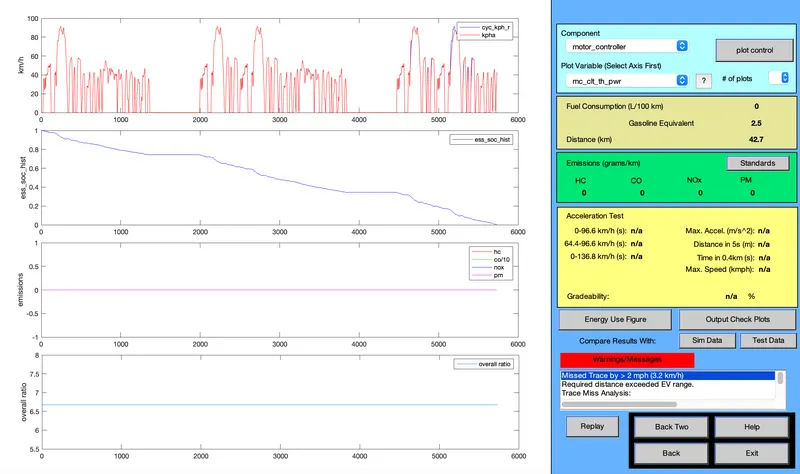
(iv) Energy storage system with 26 modules & 3 drive cycles:-
(v) Energy storage system with 28 Modules & 3 Drive cycles:-
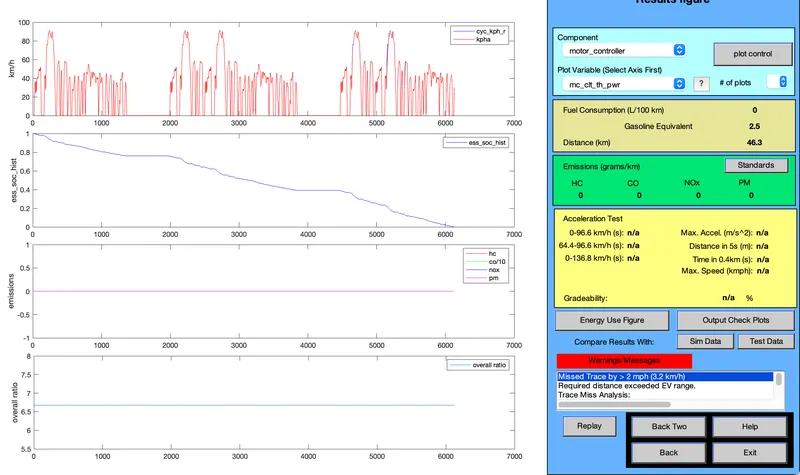
Table of Observation:-
| No.of Modules | No.of Drive Cycle | Voltage (Volt) | Distance (km) | Weight of Battery pack (kg) |
| 26 | 2 | 321 | 35.5 | 286 |
| 28 | 2 |
345 |
35.5 | 308 |
| 30 | 2 | 370 | 35.5 | 330 |
| 26 | 3 | 321 | 42.7 | 286 |
| 28 | 3 | 345 | 46.3 | 308 |
Conclusion:-
- Here we can see that the EV_defaults_in vehicle can overcome 45km by using 28 no.of modules in the battery pack & using 3 CYC_FTP drive cycles.
- so we can increase the range of Electric Vehicle by increasing the battery capacity & no.of drive cycles.
- By using 28 Modules & 3 drive cycles, the vehicle travels upto 46.3 km
3. Perform gradeability test with PRIUS_Jpn_defaults_in file
Compare your results in table and conclude.
Ans:- According to the question, we have to check Gradeability test with 'PRIUS_Jpn_defaults_in' load file.
Steps:-
- Change the Load file from PARALLEL_defaults_in to PRIUS_Jpn_defaults_in
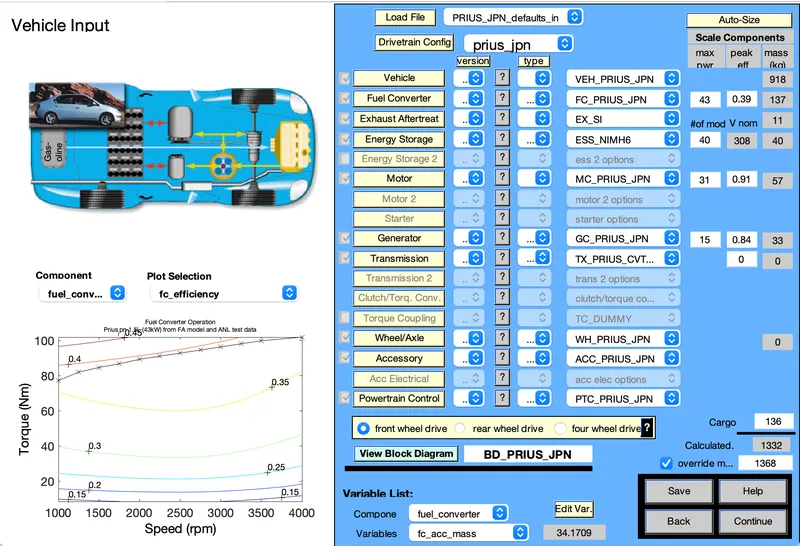
- Then click on Continue option.
- then Simulation Parameter Window will pop up.
- Now click on Gradeability test & click on Grade option then a new dialog box will opwn as follows:-
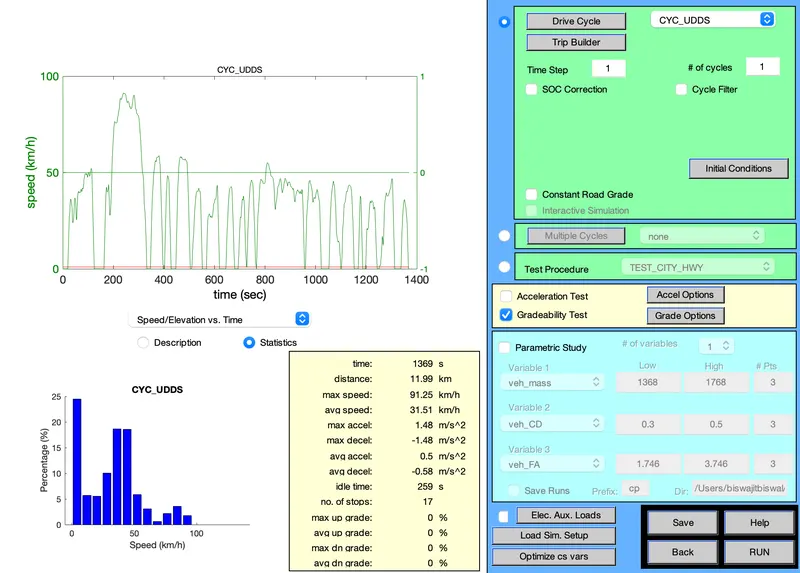

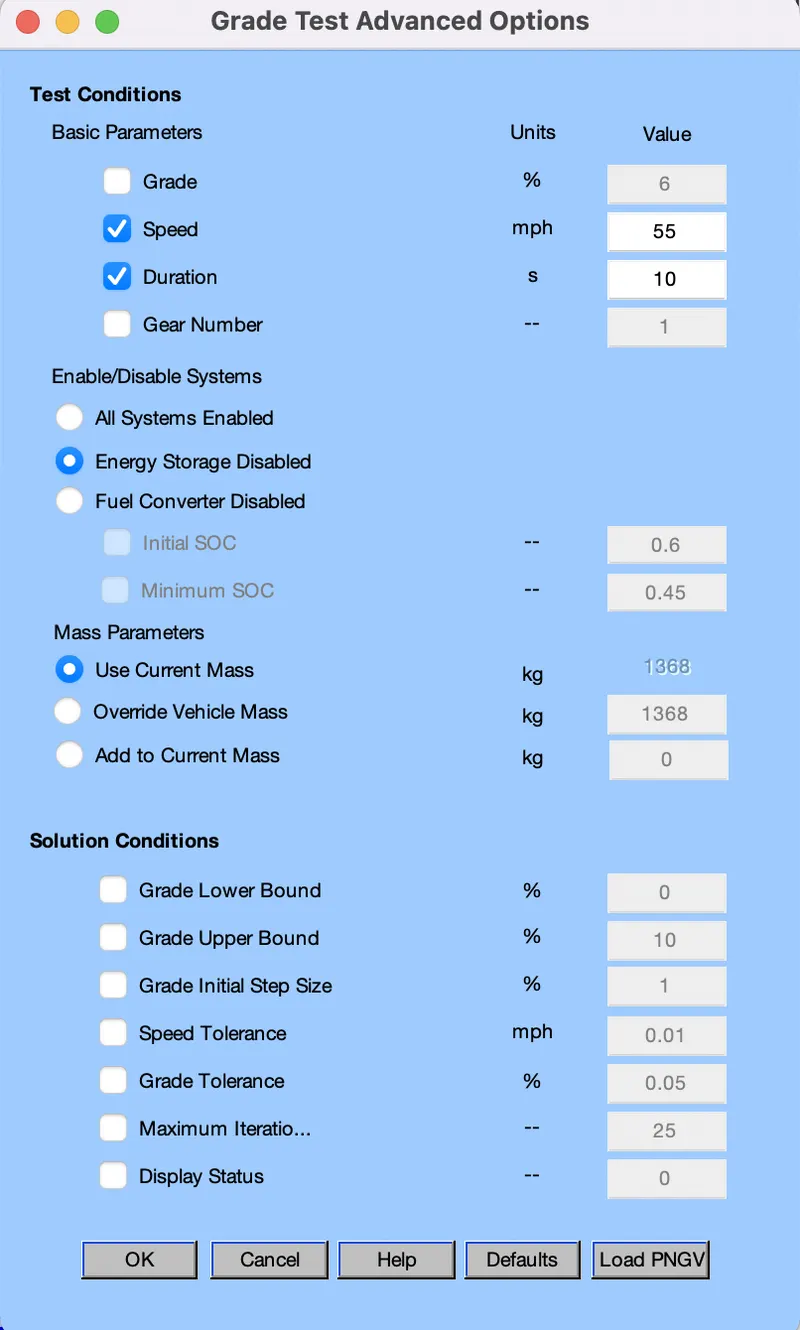
- In order to perform Gradeability test, we have to change the time duration & speed at different time.
- Now select "All system Enabled"
- then click on ok
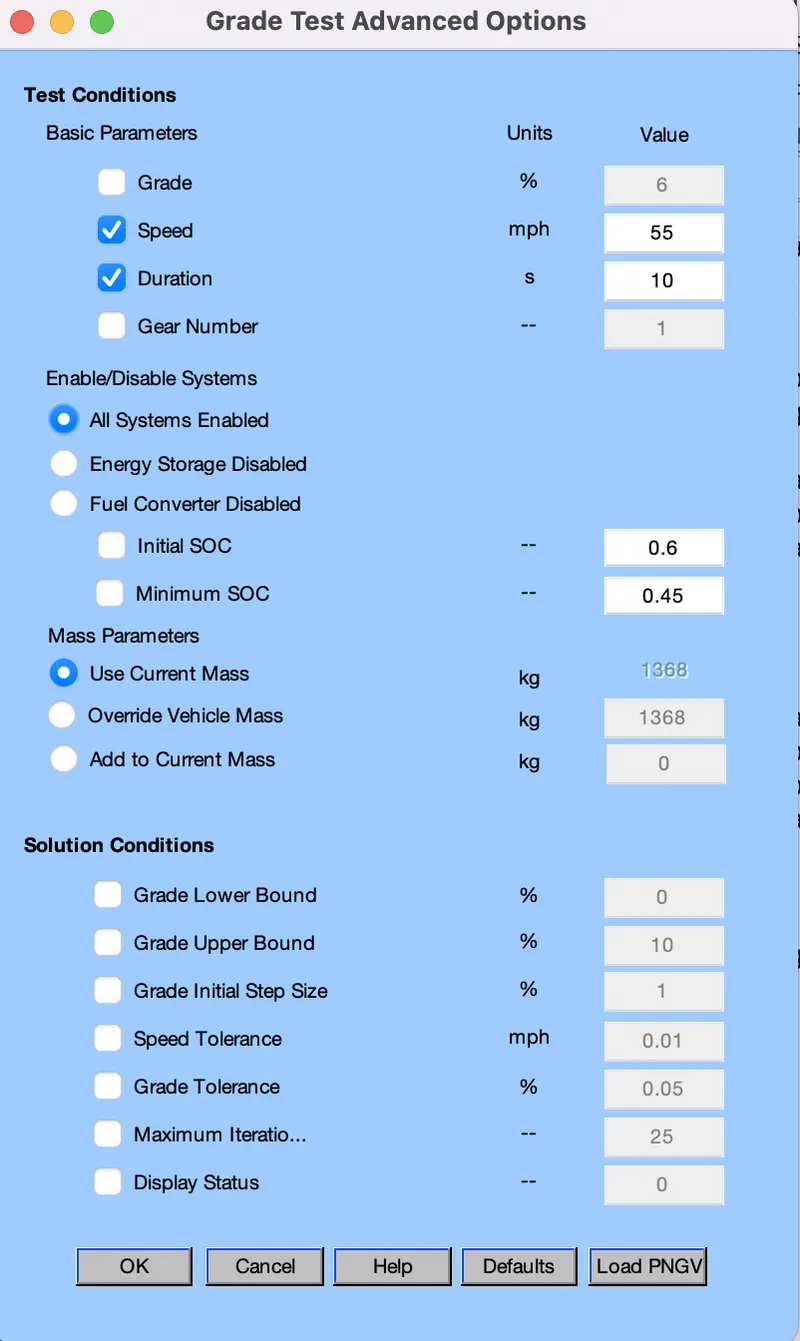
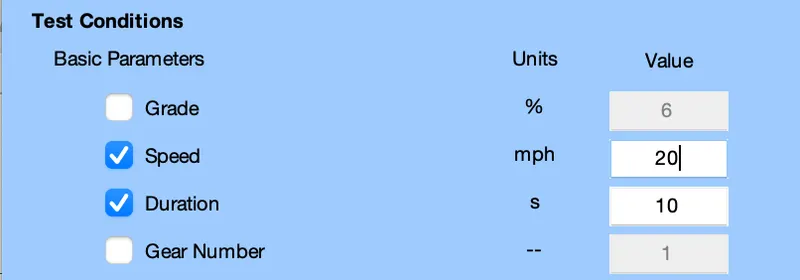
- Here we have taken the Time duration as 10sec & we have to change the s[eed of the vehicle during 10sec time duration.
- Here unit of time duration & speed have taken as sec & mph (miles per hour) respectively.
(A) Time duration is 10sec:-
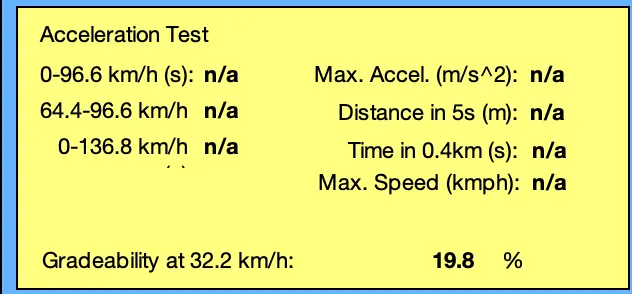
(i) Speed of vehicle is 20 miles per Hour or 32.2 kmph:-
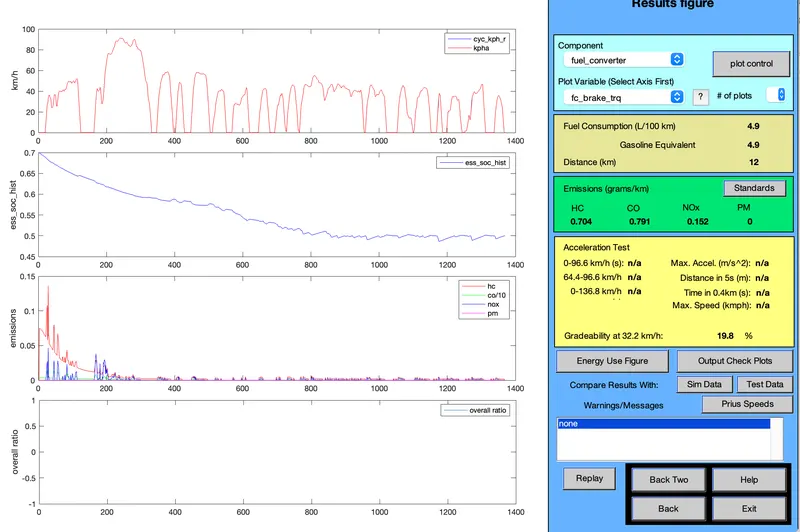
- Here the Gradeability of vehicle at 32.2 kmph is 19.8%
(ii) Speed is 25 miles per hour or 40.23 kmph:-
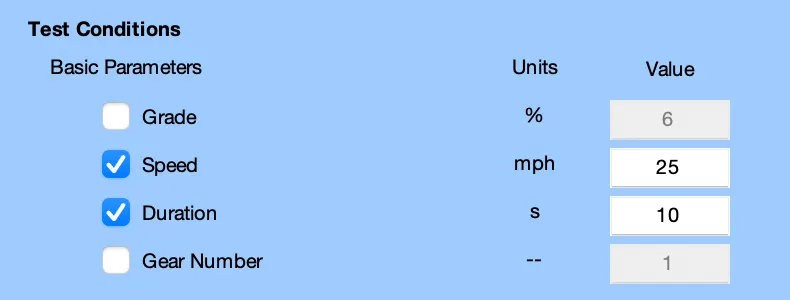
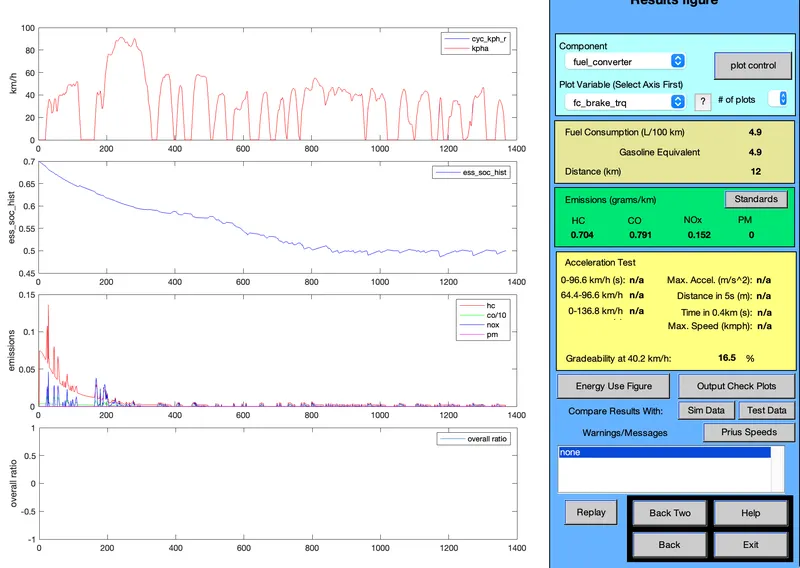
- here the Gradeability of vehicle at 40.2 kmph is 16.5%
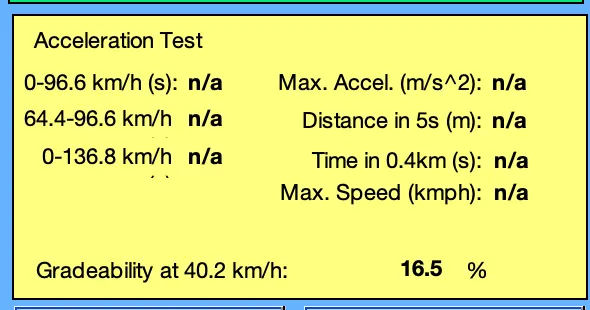
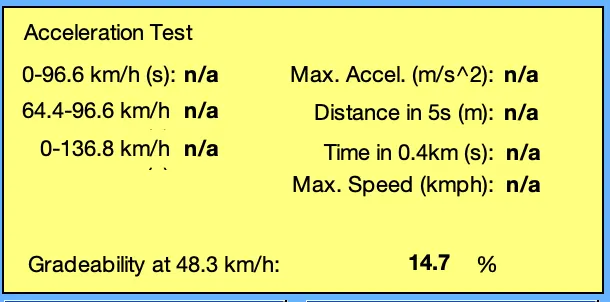
(iii) Speed is 30 mph or 48.3 kmph:-
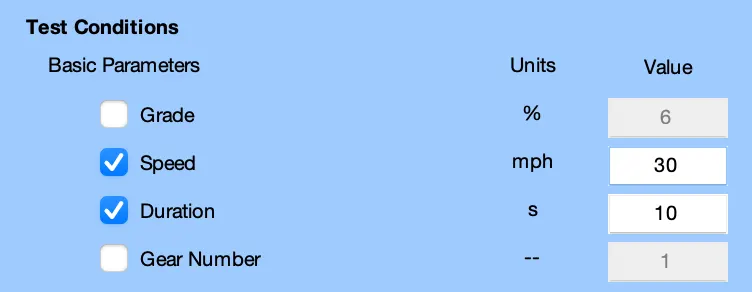
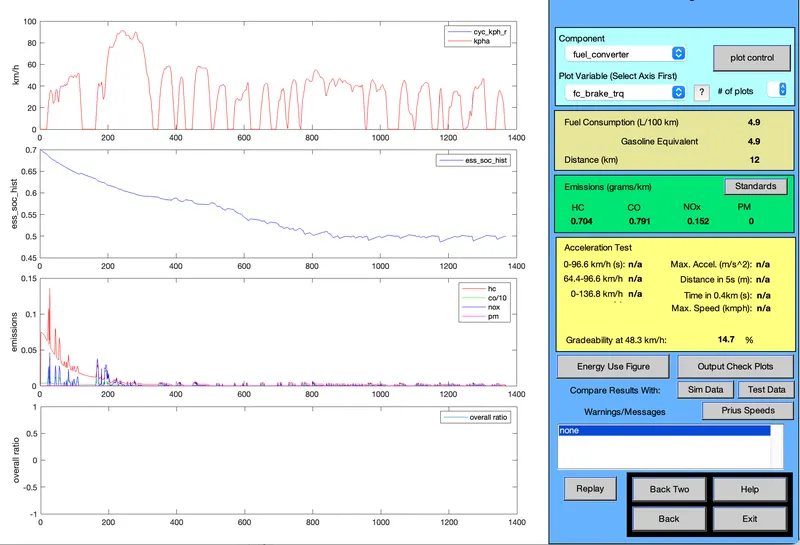
- Here Gradeability of vehicle at 48.3 kmph is 14.7%
(iv) Speed is 35 mph or 56.3 kmph:-
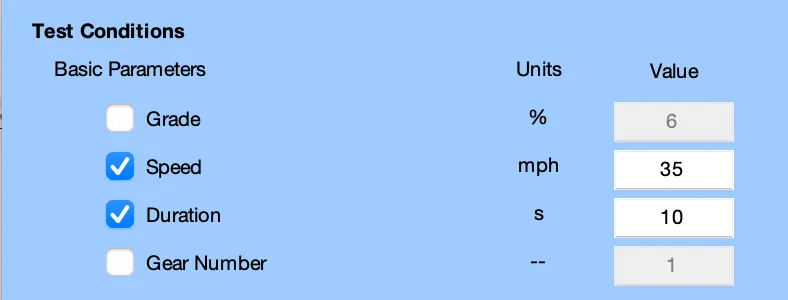
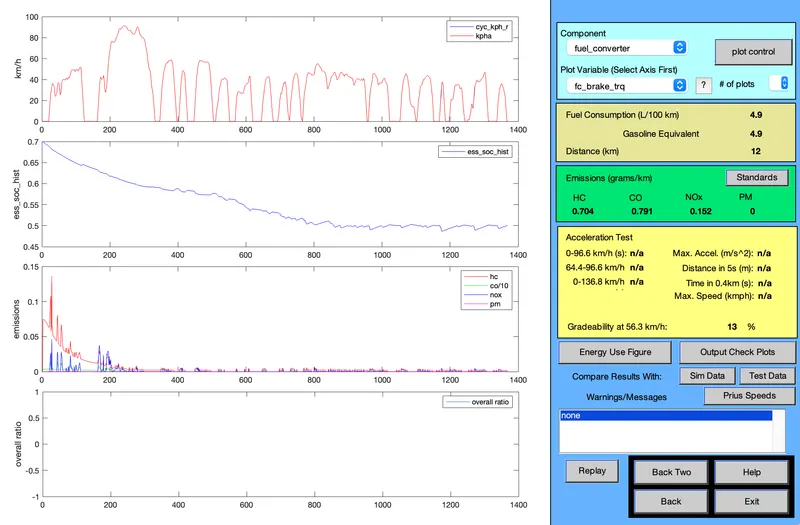
- Here Gradeability of vehicle at 56.3 kmph is 13%
(v) Speed is 40 mph or 64.4 kmph:-
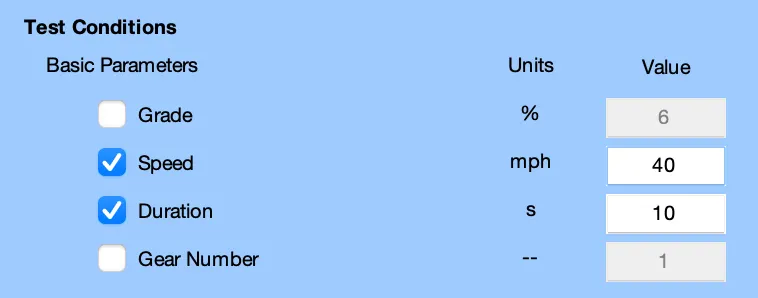
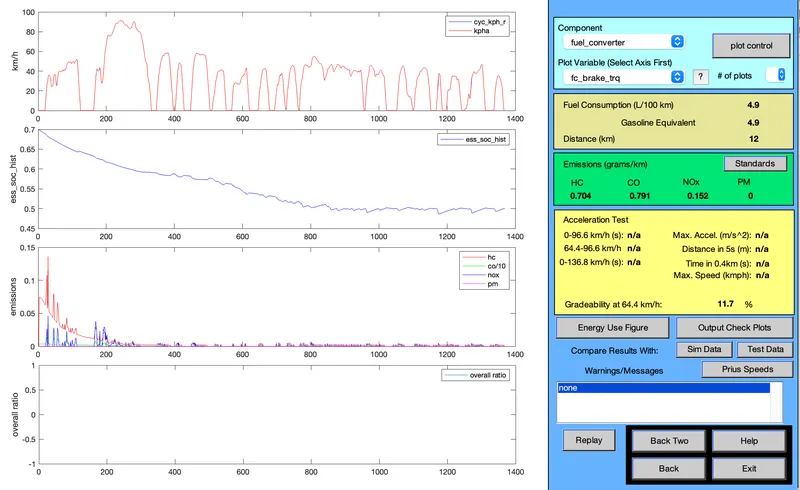
- Here Gradeability of vehicle at 64.4 kmph is 11.7%
(B) Time duration is 20sec:-
(i) Speed of Vehicle is 20 mph or 32.2 kmph:-
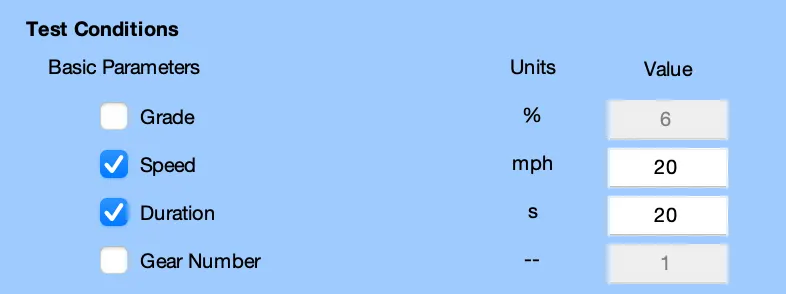
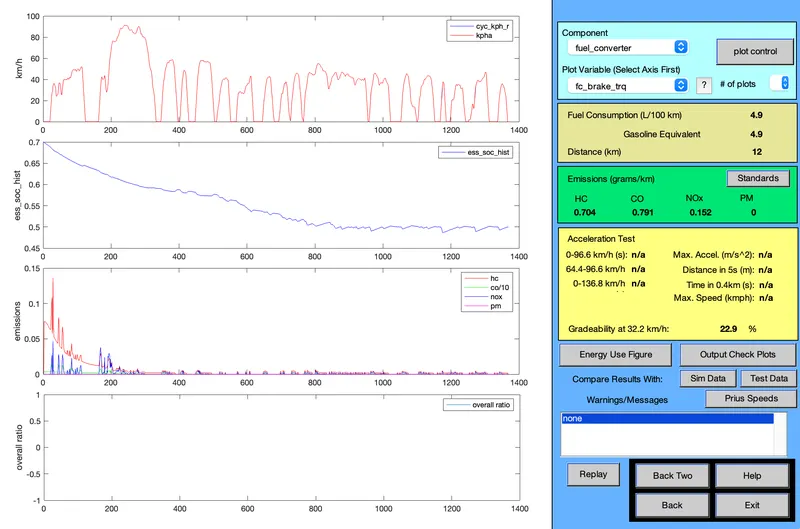
- Here Gradeability of vehicle at 32.2 lmph is 22.9%
(ii) Speed of vehicle is 25 mph or 40.2 kmph:-
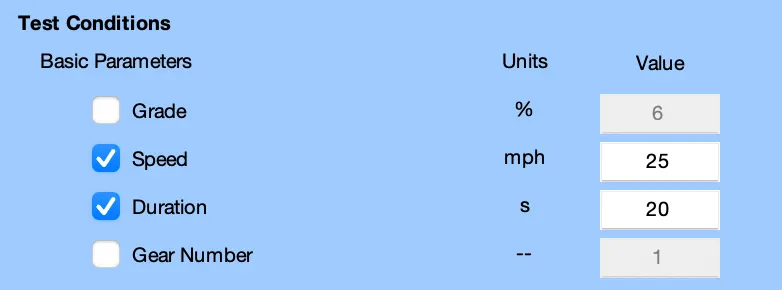
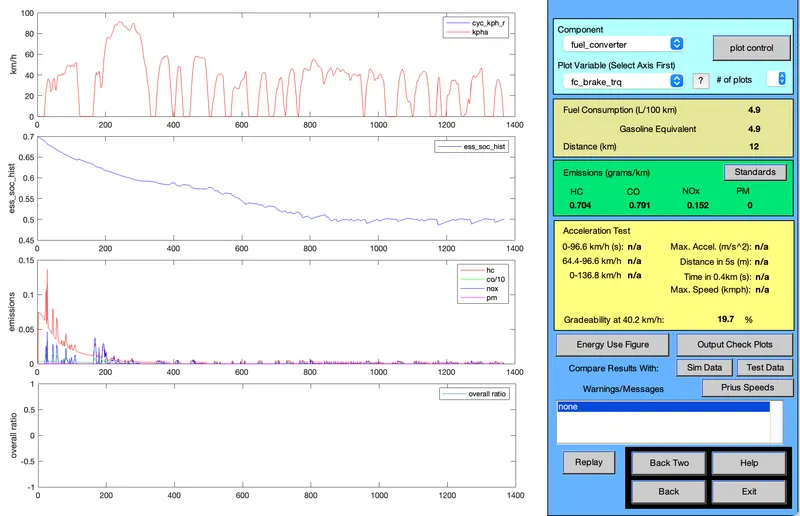
- Here Gradeability of vehicle at 40.2 kmph is 19.7%
(iii) Speed of vehicle is 30 mph or 48.3 kmph:-

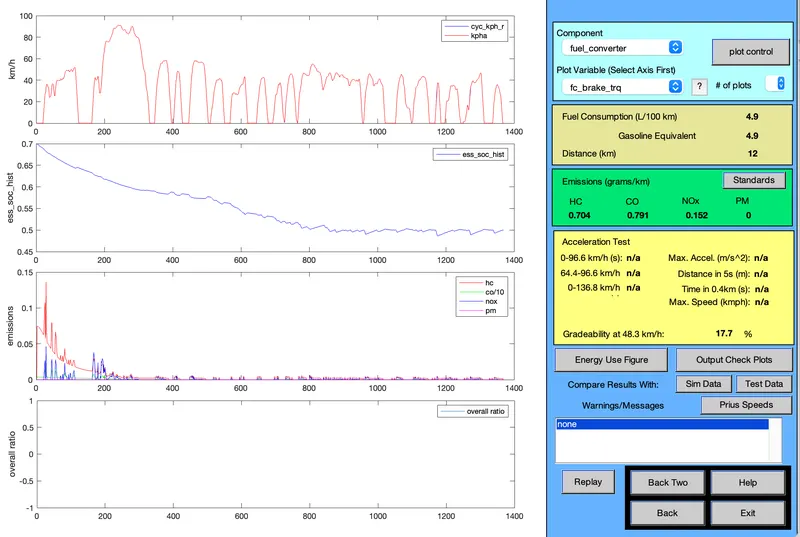
- Here gRadeability of vehicle at 48.3 kmph is 17.7%
(iv) Speed of vehicle is 35 mph or 56.3 kmph:-
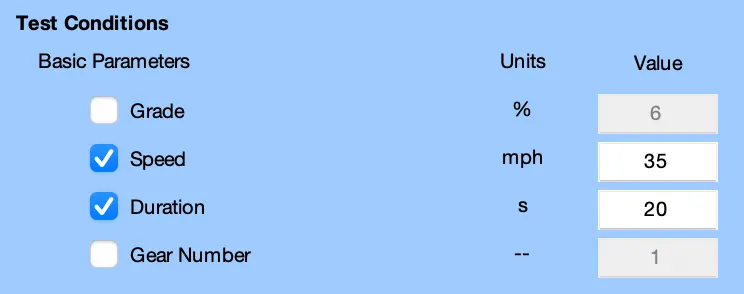
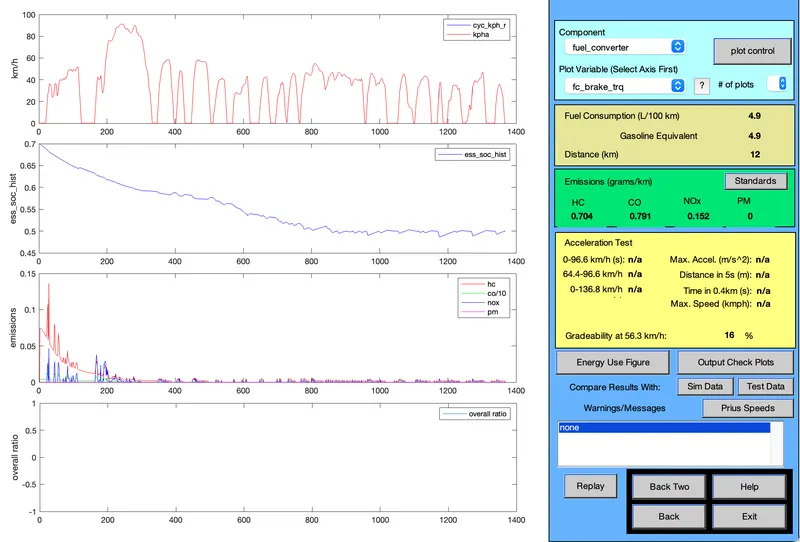
- Here Gradeability of vehicle at 56.3 kmph is 16%
(v) Speed of vehicle is 40 mph or 64.4 kmph:-
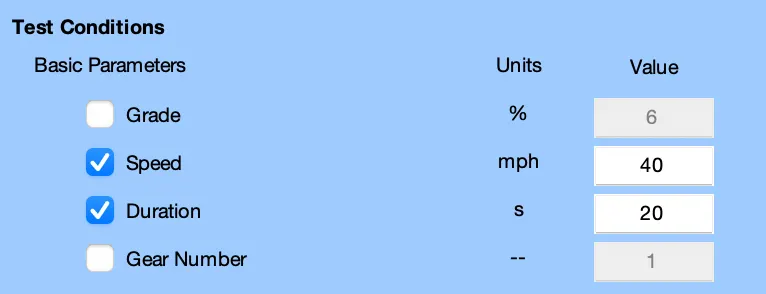
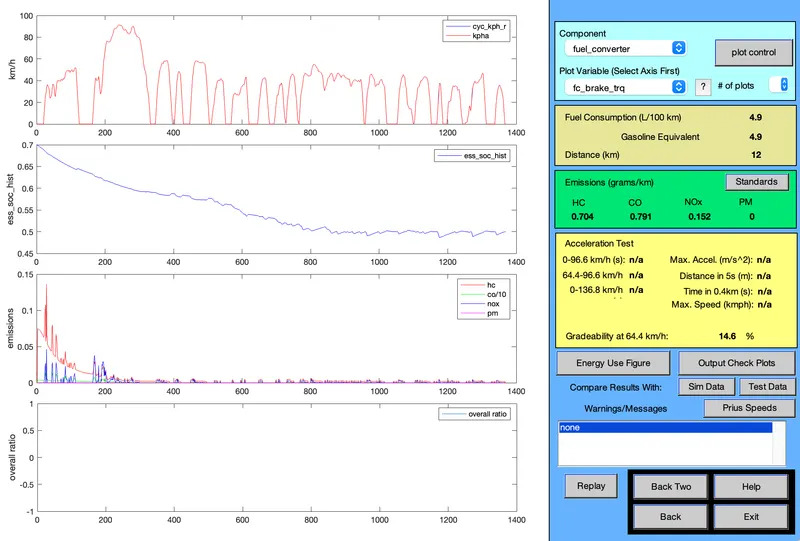
- Here Gradeability of vehicle at 64.4 kmph is 14.6%
Observation Table:-
- For Time duration of 10sec:-
|
Speed of Vehicle (kmph) |
Time Duration (sec) | Gradeability (%) |
| 32.2 | 10 | 19.8 |
| 40.2 | 10 | 16.5 |
| 48.3 | 10 | 14.7 |
| 56.3 | 10 | 13 |
| 64.4 | 10 | 11.7 |
- For Time duration of 20sec:-
|
Speed of Vehicle (kmph) |
Time Duration (sec) | Gradeability (%) |
| 32.2 | 20 | 22.9 |
| 40.2 | 20 | 19.7 |
| 48.3 | 20 | 17.7 |
| 56.3 | 20 | 16 |
| 64.4 | 20 | 14.6 |
Conclusion:-
- Here we have taken speed of vehicle as 32.2 kmph, 40.2 kmph, 48.3 kmph, 56.3 kmph & 64.4 kmph for two different time duration of 10sec & 20sec
- Then we can see from above tables that at constant Time period, when Speed of vehicle increases then the Gradeability of vehicle decreases & vice-versa
- we also observed that, at constant speed when time duration increases then the Gradeability of vehicle increases & vice-versa
- Practically, maximum gradeability of a vehicle can be 45%.
- We have sucessfully perfomed the Gradeability test for PRIUS_Jpn_defaults_in Loded vehicle.