Week-3 Challenge: ADVISOR Tool
Aim:
To simulate the following details using Advisor tool:
1: For EV_defaults_in file, if cargo mass is 500 kg with all other default conditions, can the vehicle travel for 45 km with FTP drive cycle.
2. Try changing the battery capacity and repeat the simulation.
3. Perform gradeability test with PRIUS_Jpn_defaults_in file. Compare the results.
Introduction:
ADVISOR, NREL (National Renewable Energy Laboratory) ADvanced VehIcle SimulatOR, is a set of model, data, and script text files for use with MATLAB and Simulink. It is designed for rapid analysis of the performance and fuel economy of conventional, electric, and hybrid vehicles. ADVISOR also provides a backbone for the detailed simulation and analysis of user defined drivetrain components, a starting point of verified vehicle data and algorithms from which to take full advantage of the modelling flexibility of Simulink and analytic power of MATLAB.
Advisor tool have 3 window.
1. Vehicle Input window.
2. Simulation Parameter window.
3. Results window.
* The default Window appear while openning the advisor tool:
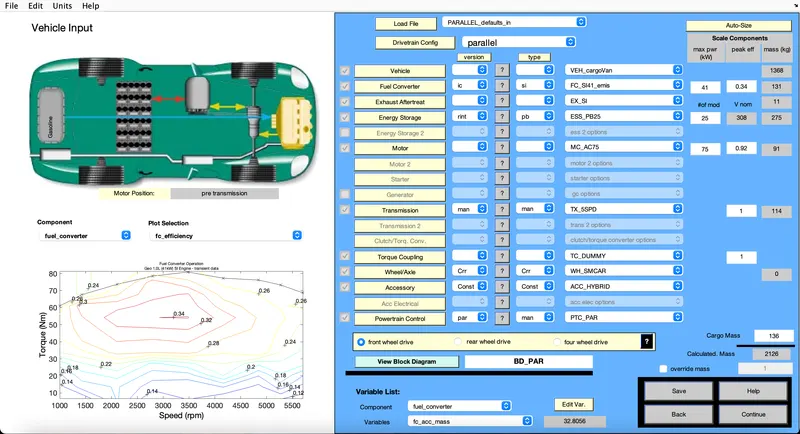
1. For EV_defaults_in file, if cargo mass is 500 kg with all other default conditions, can the vehicle travel for 45 km with FTP drive cycle.
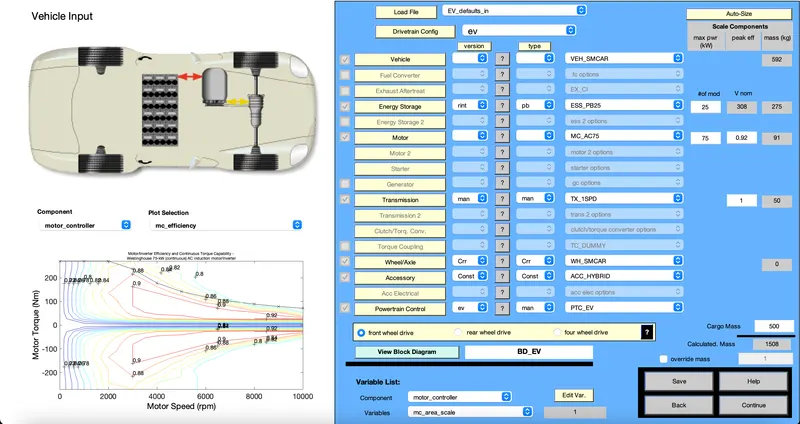
* First load the advisor and change the parameter from Parallel_default_in to EV_defaults_in.
* Change the cargo mass to 500kg, by changing the parameter we can see the change in total mass.
* Click on the continue.
Frrom the default change the drive cycle parameter to CYC_FTP form the drop down down menu.
Select the cycle time to run.
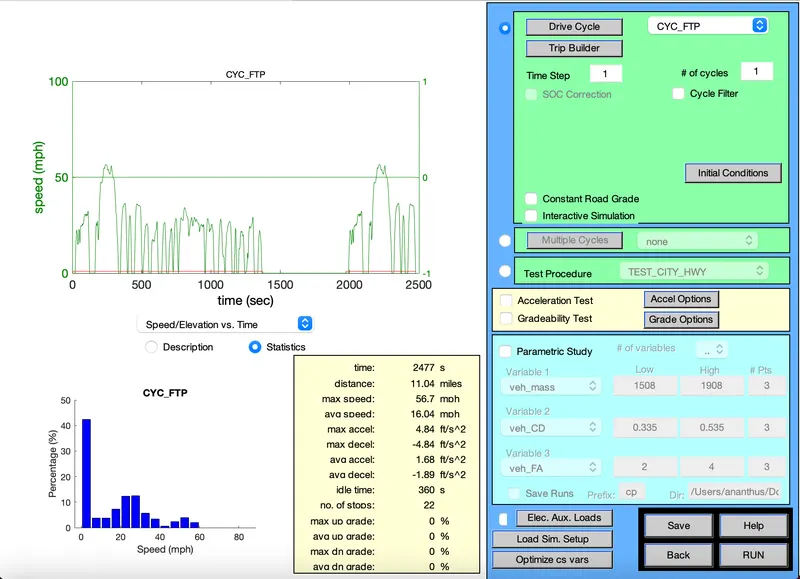
Then Run the Simulation for one or more drive cycle.(Drive cycle:1).
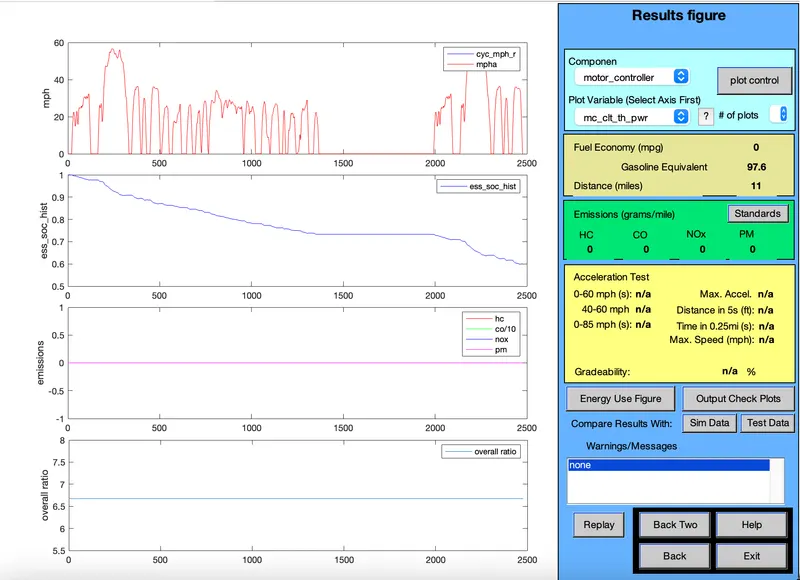
The distance travelled by the vehicle in first drive cycle is 11(miles) its of 17.7kmph and the soc is of 40%.
*Inserting the drive cycle:2
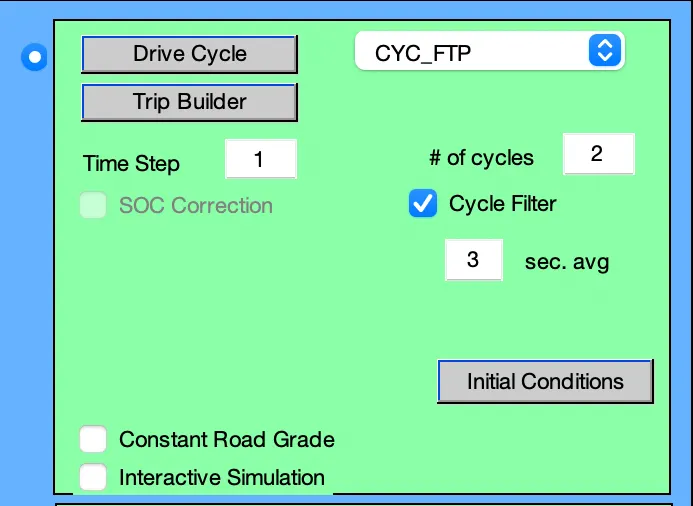
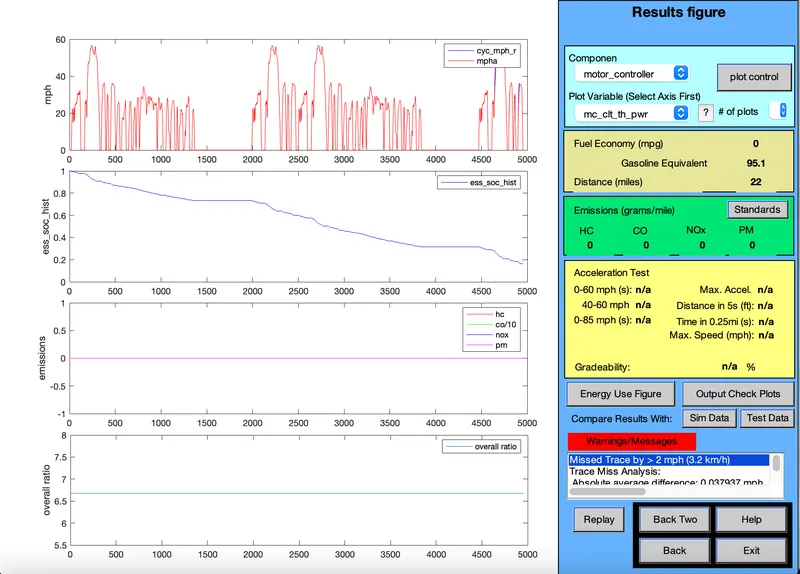
The distance travelled by the vehicle in first drive cycle is 22(miles) its of 35.4kmph and the soc is of 80%.
*Increasing the drive cycle:3.
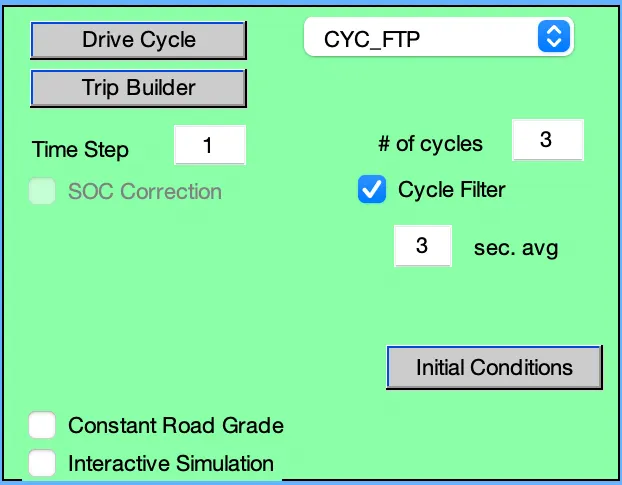
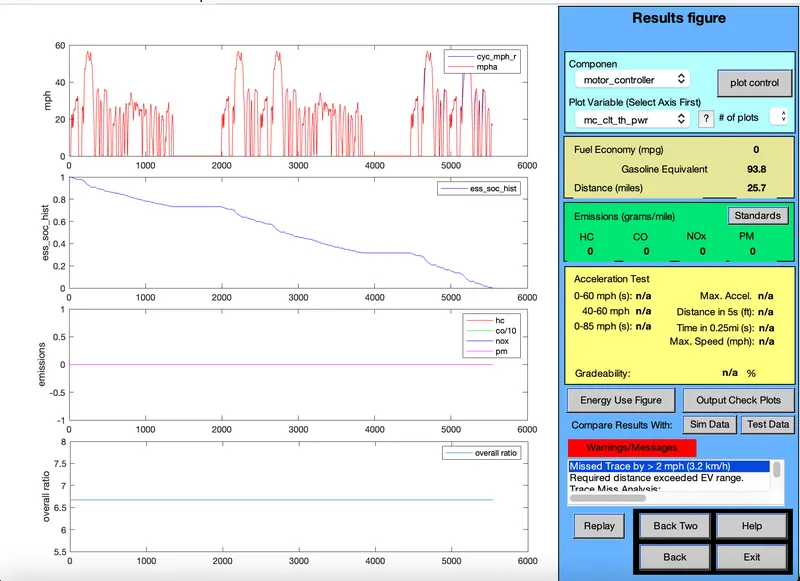
The distance travelled by the vehicle in first drive cycle is 25.7(miles) its of 43.3kmph and the soc is of 100%.
Result:
The minimum distance travel by car is 17.7 km with drive cycle 1 which concusmes only 40% of battery.The maximum distance travel by car is 43.3km which consumes 100% of battery in 3 Drive cycles.Therefore EV_default cannot travel distance of 45 km due to insufficient SOC.
2. Try changing the battery capacity and repeat the simulation.
In the vehicle input Window changing the capacity of the battery of the vehicle. From # of mod v nom, Which discribe the battery number of module and we can simulate By changing the no:module.
From the default we can change the parameter of # of mod v nom. Continue for two drive cycle.
1.Battery capacity 26 and Drive cycle 2.

Result.
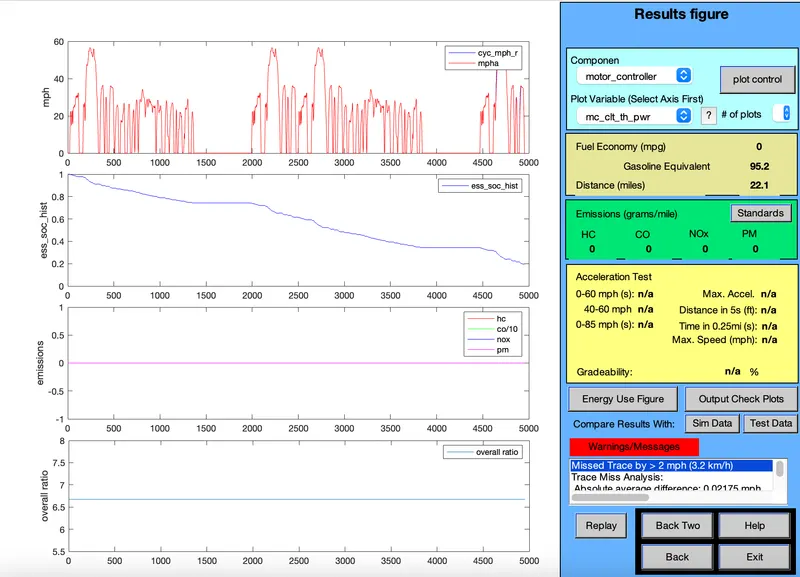
2.Battery capacity 27 and Drive cycle 2.

Result.
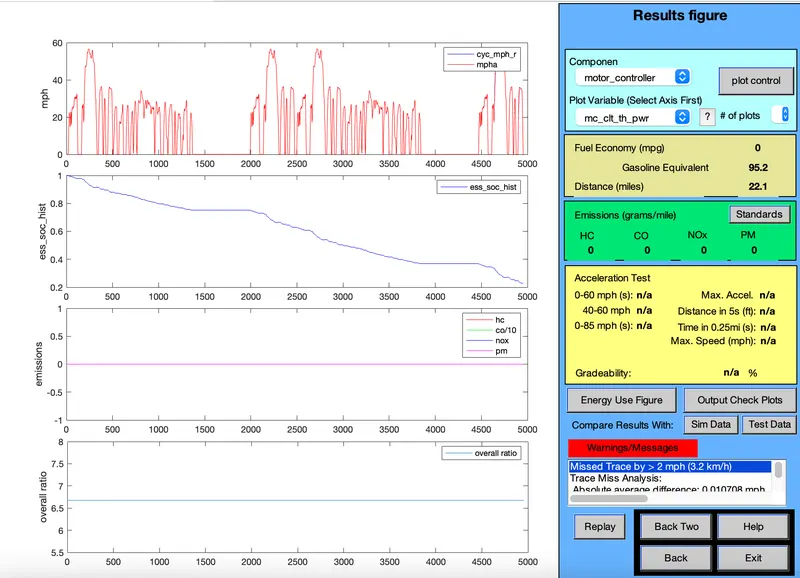
3.Battery capacity 28 and Drive cycle 2.

Result.
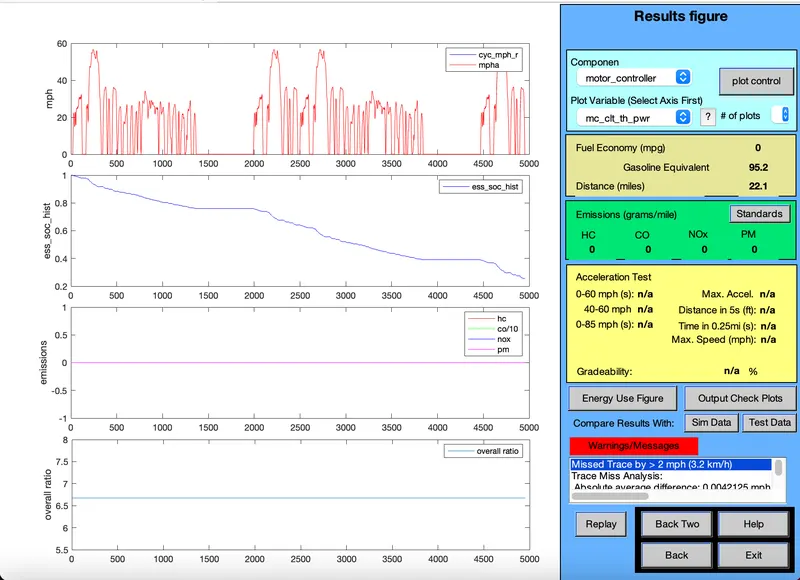
*Changing the drive cycle 3
1.Battery capacity 26 and Drive cycle 3.

Result.
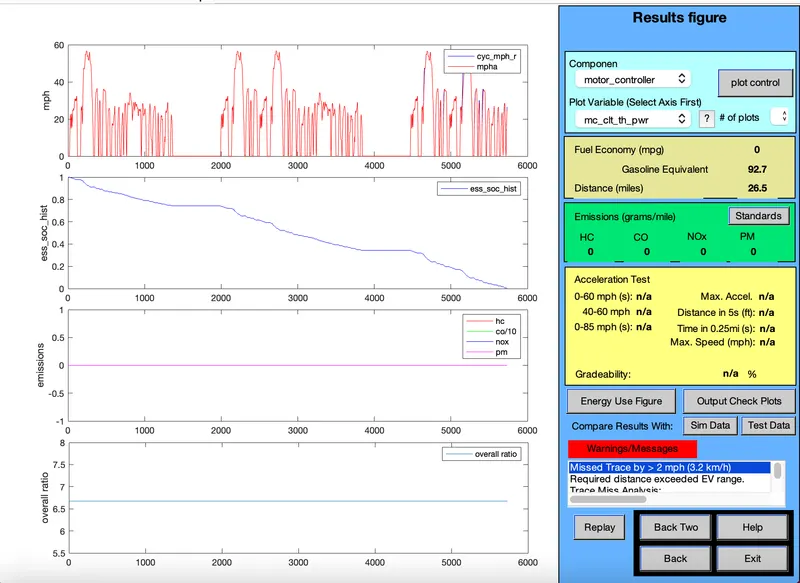
2.Battery capacity 27 and Drive cycle 3.

Result
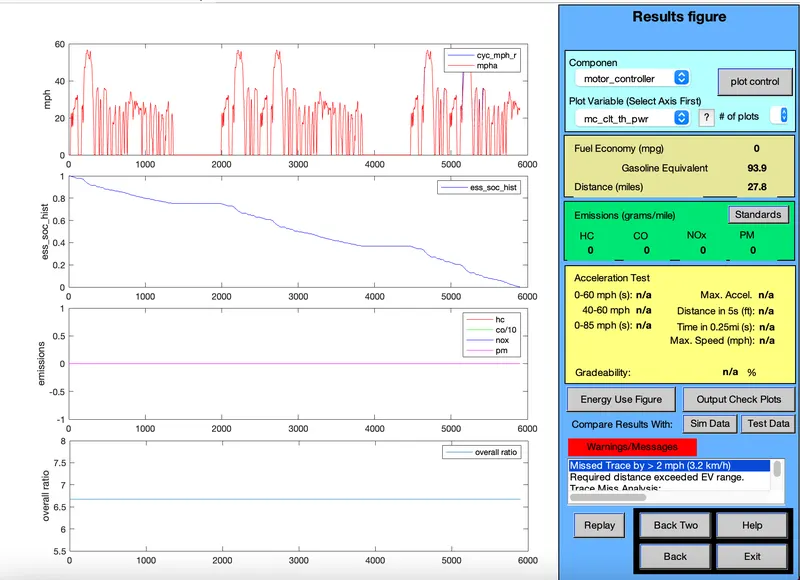
3.Battery capacity 28 and Drive cycle 3.

Result.
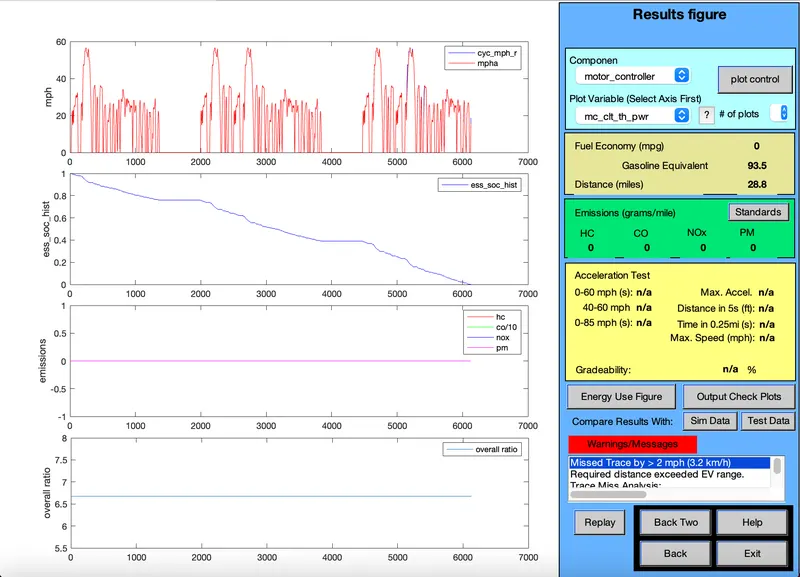
In the drive cycle 2.
Module capacity voltage Miles Battery weight
26 321 22.1 286
27 333 22.1 297
28 345 22.1 308
In the drive cycle 3.
Module capacity voltage Miles Battery weight
26 321 26.5 286
27 333 27.8 297
28 345 28.8 308
Result:
From the above simulation we have understand that,
While changing the battery module in the first drive cycle 2 ,there is no any change in the miles travel.
While changing the battery module in the second drive cycle 3, traveling distance changes by the vehicle.
For 45km distance it take 28module ,345V battery is required.
3. Perform gradeability test with PRIUS_Jpn_defaults_in file. Compare the results.
First load the advisor and change the parameter from "Parallel_default_in" to "PRIUS_Jpn" default model. Continue to the "next" window.
Simulation Parameter window will open.
Select the gradeability test and click on the grade Option box.
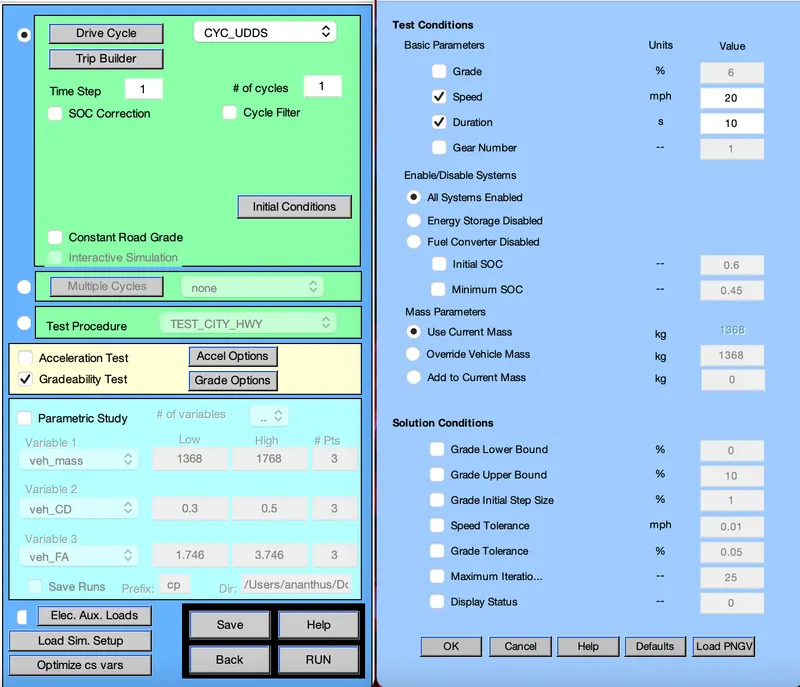
Here we can change the speed, duration with respect to simulation that what we are goning to to. Here based on the simulation i have change the speed(20 mph- 32.18kmph) duration as 10sec.
Click on All system enabled. Click Ok and run the simulation.
* Result for 10sec.
i) Speed - 20mph
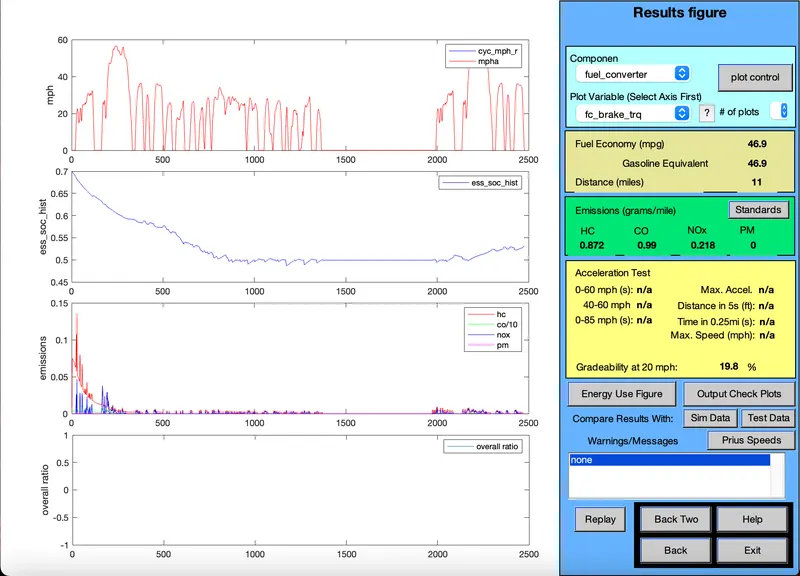
GRADIABILITY=19.8%
ii)Speed - 25mph:
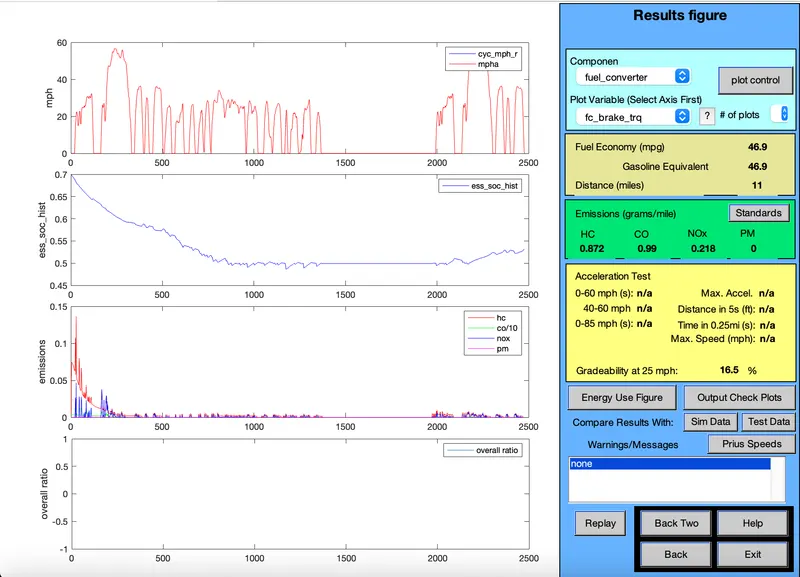
GRADIABILITY=16.5%
iii)Speed - 30mph:
: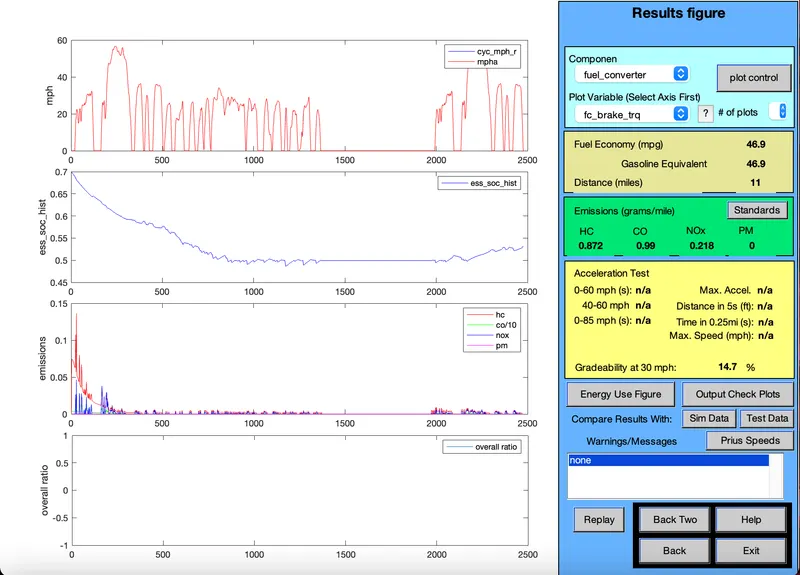
GRADIABILITY=14.7%
iv)Speed - 35mph:
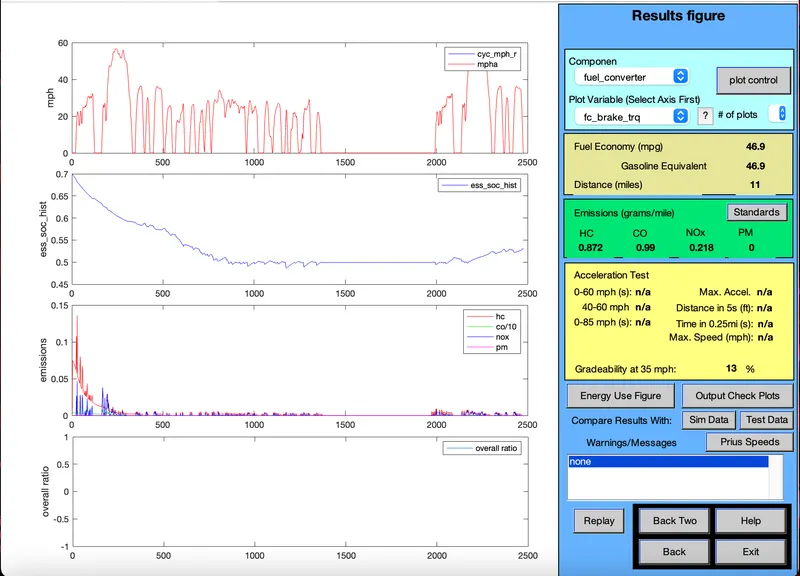
GRADIABILITY=13%
v)Speed - 40mph:
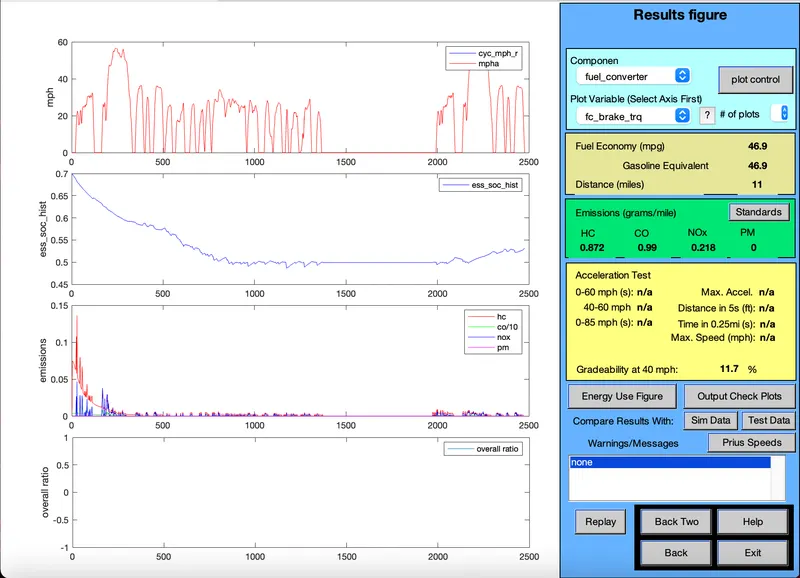
GRADIABILITY=11.7%
Speed (mph) Gradiability speed(kmph)
| 20 | 19.8% | |
| 25 | 16.5% | |
| 30 | 14.7% | |
| 35 | 13% | |
| 40 | 11.7% |
* Result for 20sec.
i) Speed - 20mph:
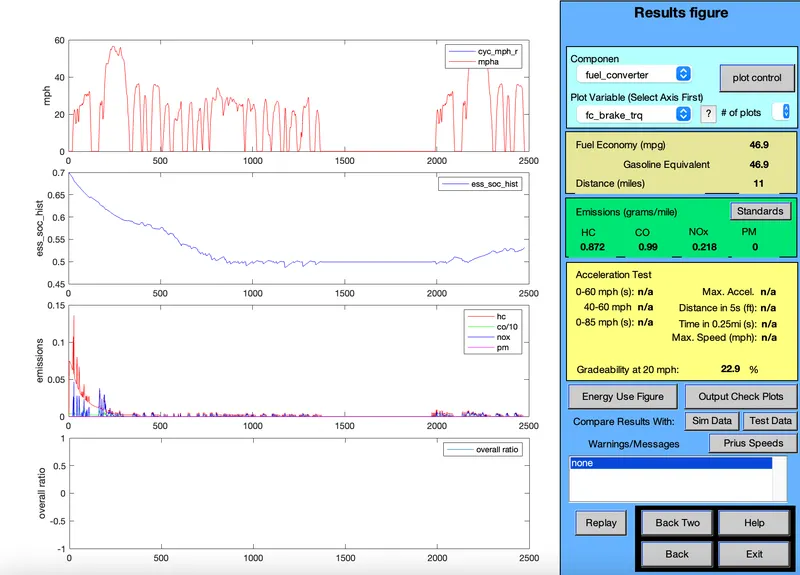
GRADIABILITY=22.9%
ii)Speed - 25mph:
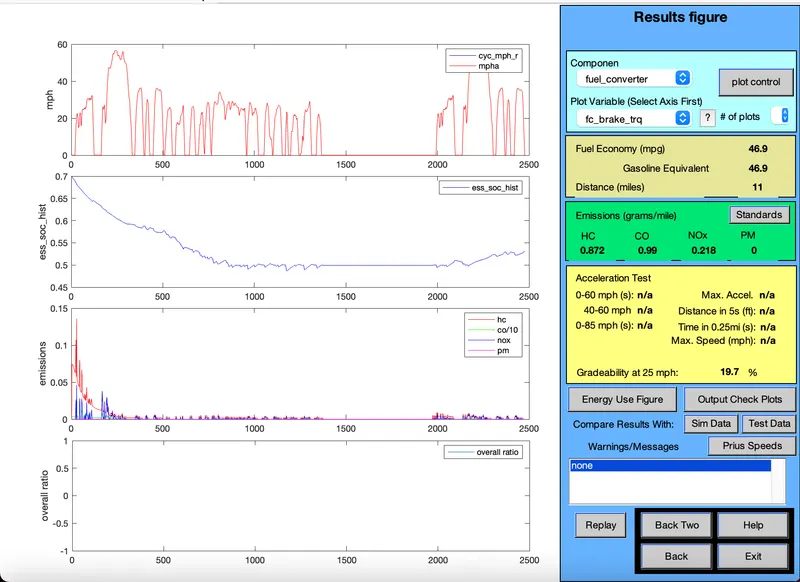
GRADIABILITY=19.7%
iii)Speed - 30mph:
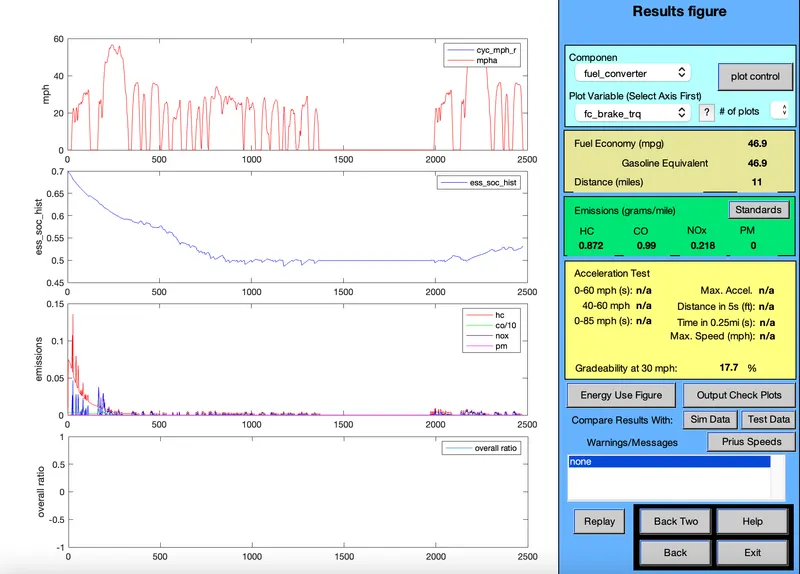
GRADIABILITY=17.7%
iv)Speed - 35mph:
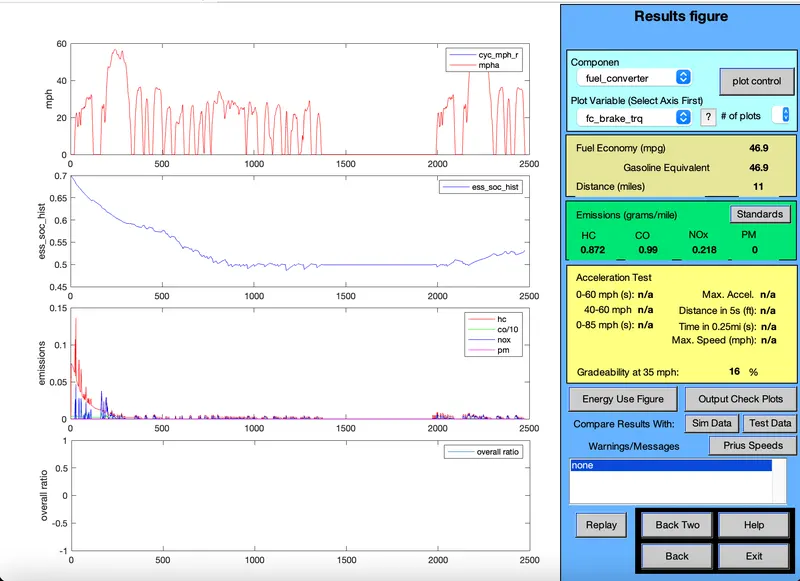
GRADIABILITY=16%
v)Speed - 40mph:
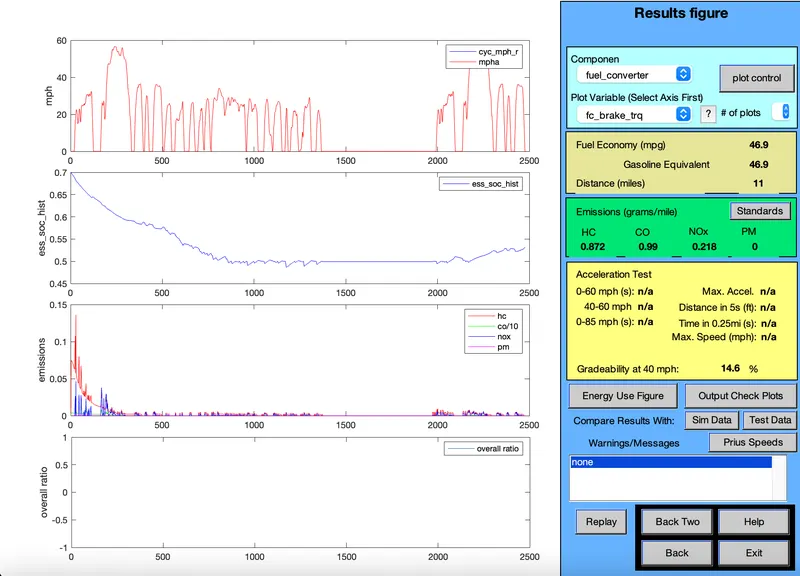
GRADIABILITY=14.6%
Speed (mph) Gradiability speed(kmph)
| 20 | 22.9% | |
| 25 | 19.7% | |
| 30 | 17.7% | |
| 35 | 16% | |
| 40 | 14.6% |
From the above test for "10 sec" and "20 sec" it's clear that increase in the speed vehicle decrease in the gradiability.
It's can conclude that the increase in the speed of vehicle can decrease the gradiability.