Week-3 Challenge: ADVISOR Tool
1. For EV_defaults_in file, if cargo mass is 500 kg with all other default conditions, can the vehicle travel for 45 km with FTP drive cycle? Conclude your observations.
SOLUTION:
Using advisor tool,
Procedure:
1. Set the folder location same as ADVISOR tool.
2. Type the command as advisor in the command Window.
3. Set the units as required and click on START.
4. In the drop down list choose the EV_defaults and then change the mass of cargo as 500kg, keep all other conditions the same and click on Continue.
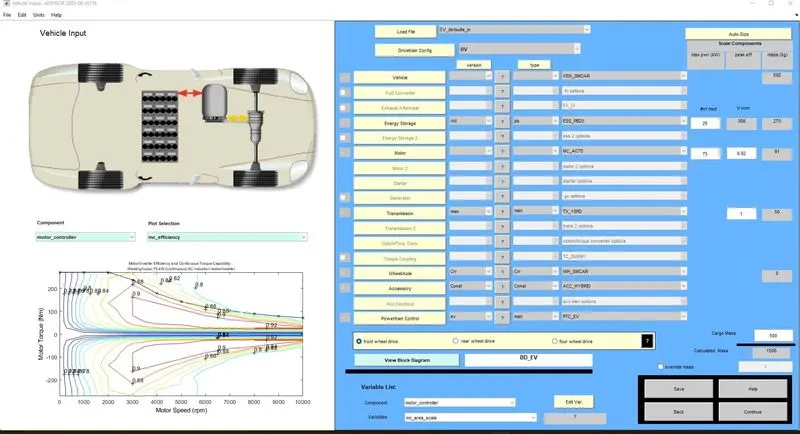
5. In the next page, select the drive cycle as FTP drive cycle and then add the number of cycles = 1 and repeat the steps with increasing number of cycles until the desired results are obtained.
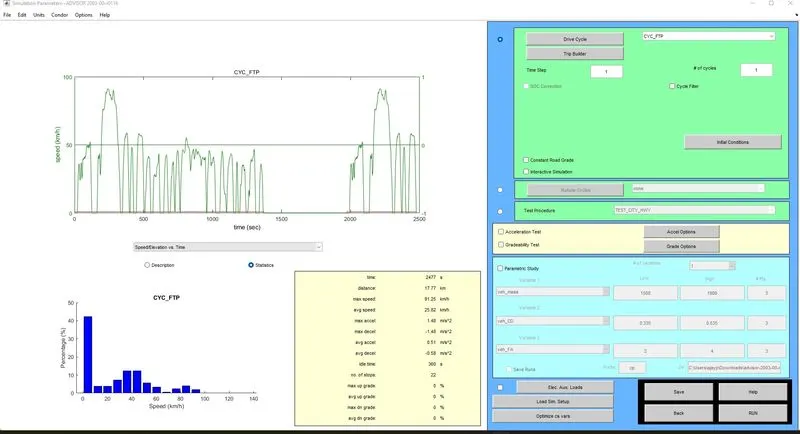
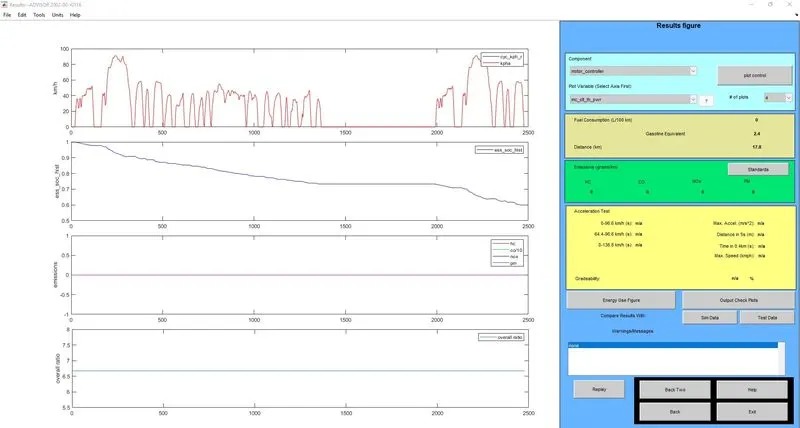
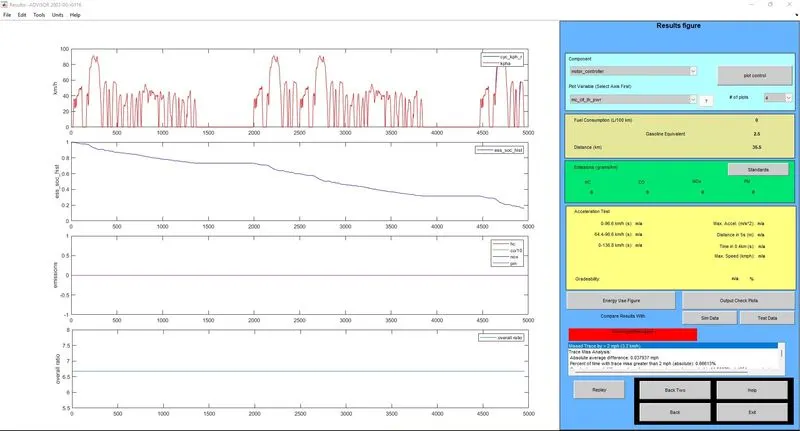
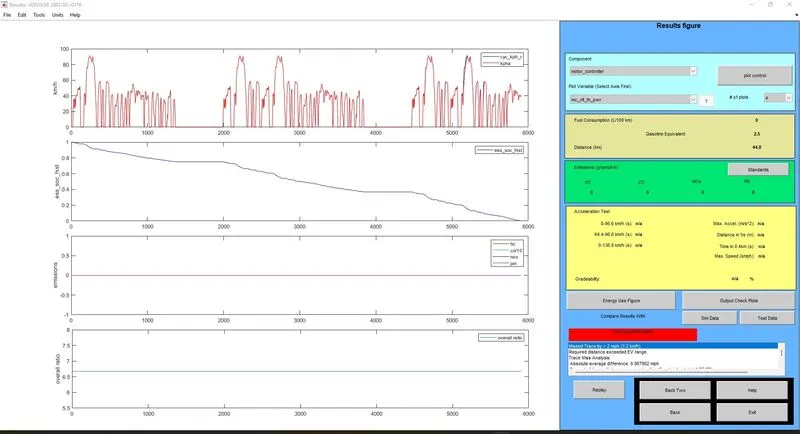
RESULTS OBTAINED FOR GIVEN EV DEFAULTS FILE WITH MASS 500KG AND 1 DRIVE CYCLE
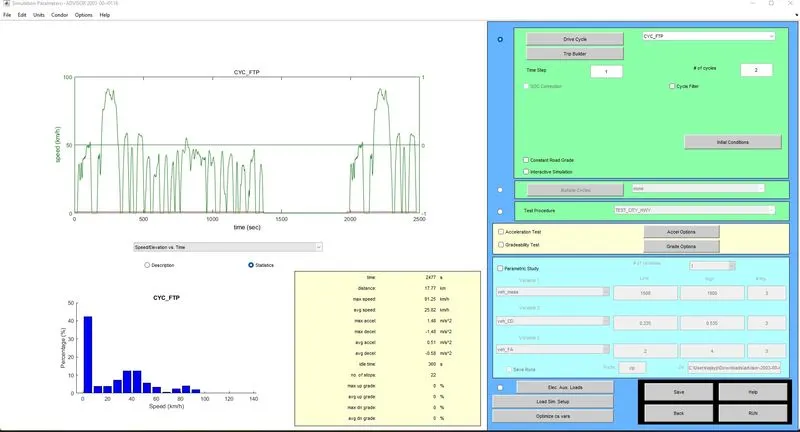
NOW CHANGING THE INPUT DRIVE CYCLE TO 2 CYCLES,
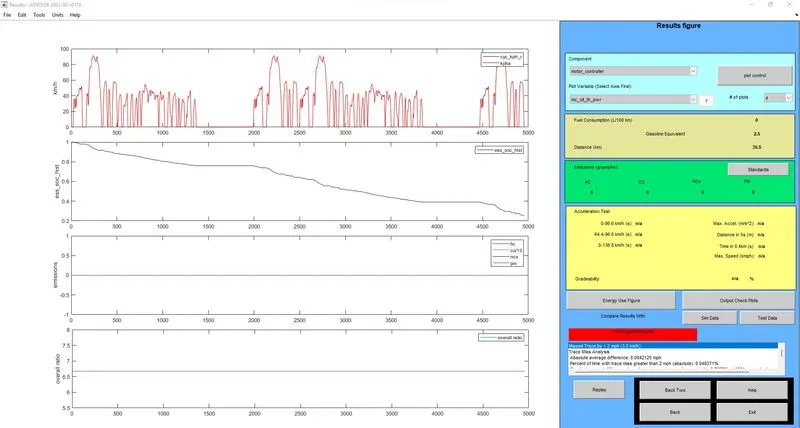
RESULTS OBTAINED AFTER COMPLETING 2 CYCLES,
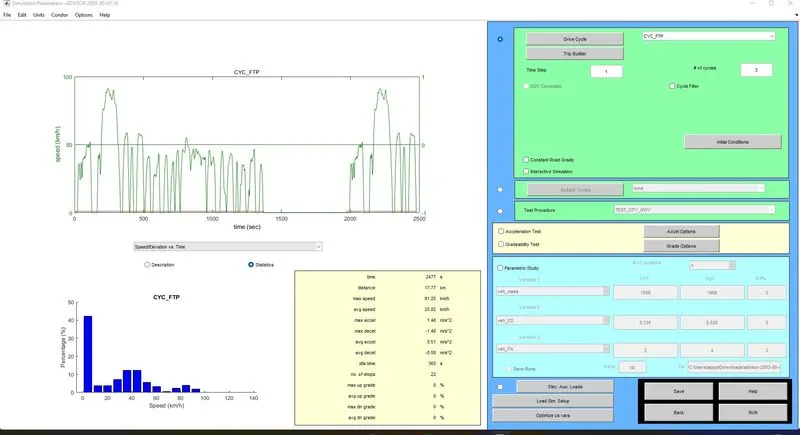
NOW, THE NUMBER OF CYCLES IS INCREASED TO 3,
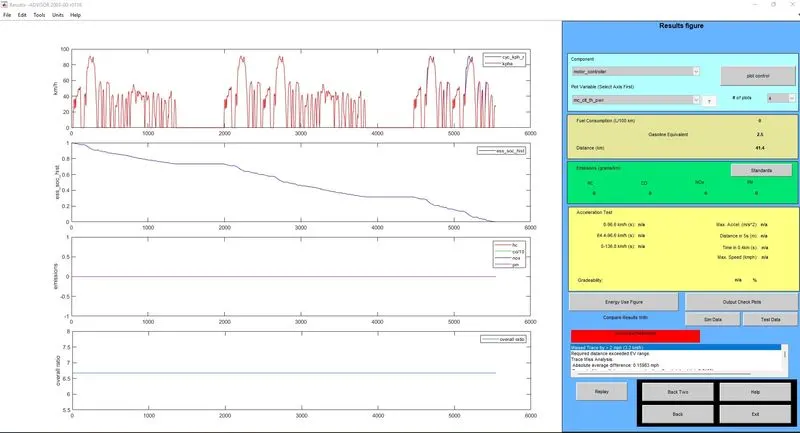
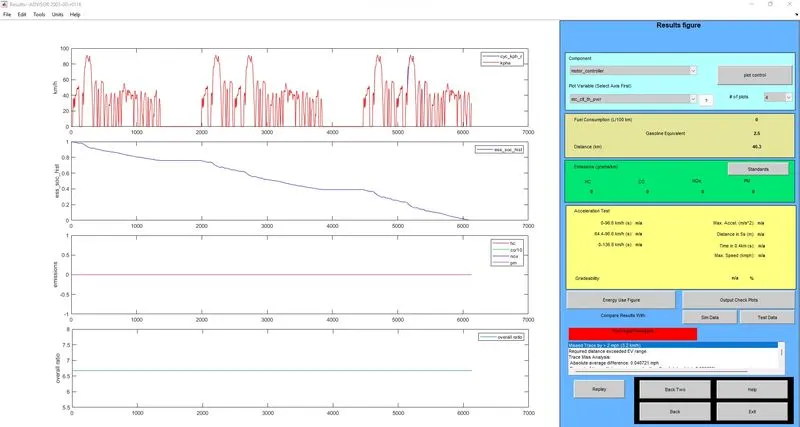
RESULTS OBTAINED AFTER COMPLETING 3 CYCLES,
CONCLUSION:
From the above results obtained, we can find that after 1 cycle, the distance covered is 17.8kms. After 2 cycles, the distance covered is found to be 35.5kms. Finally at the end of 3 cycles, the distance covered is found to be 41.4kms and the SOC reaches 0(ZERO). Hence, for the given vehicle conditions the vehicle can travel only a maximum distance of 41.4kms.
2. In the above case, try changing the battery capacity and repeat the simulation.
SOLUTION:
In the same model, now changing the battery capacity from 23 mod to 28 mod, except 25 mod which was used in the previous case, also the drive cycles are set to 2 and 3 for each capacity of the battery and the results are obtained as shown below.
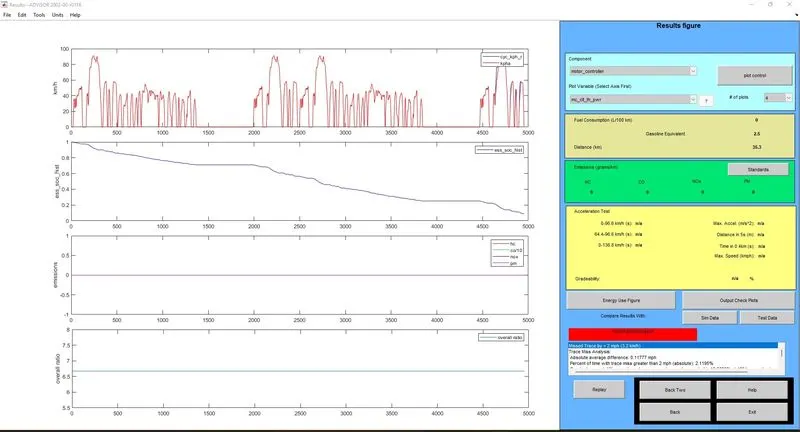
CASE 1: BATTERY CAPACITY = 23 MOD & NUMBER OF CYCLES = 2
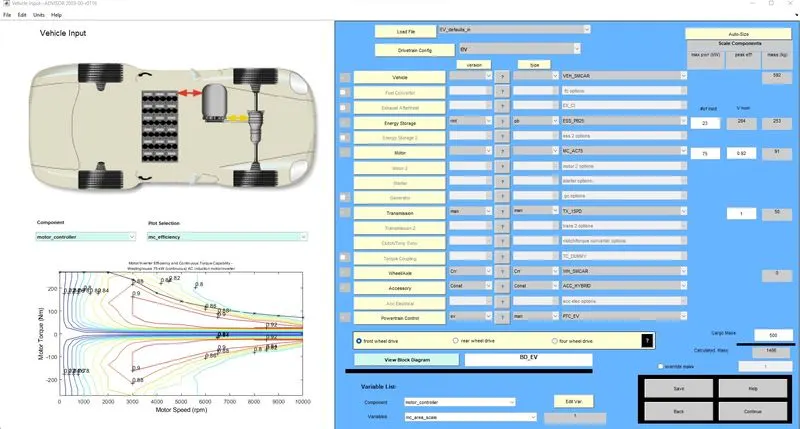
As per our requirement, the vehicle setup similar to previous model with an exception of Energy storage that has been changed to mod 23 and continue is pressed.
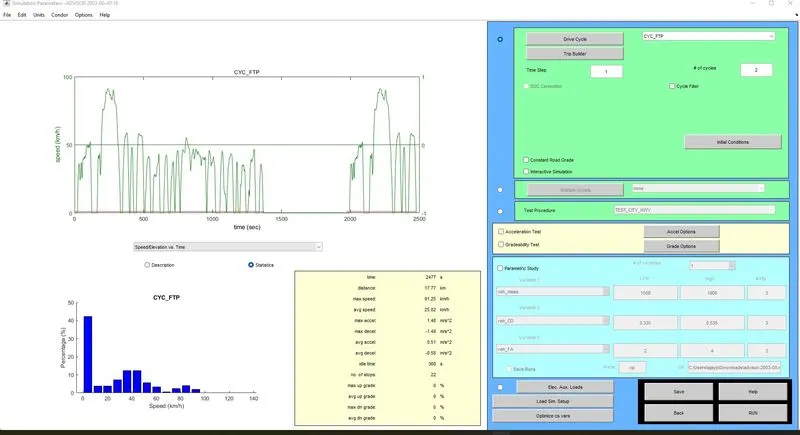
In the next page, drive cycle is set similar to the previous case as shown.
RESULT:
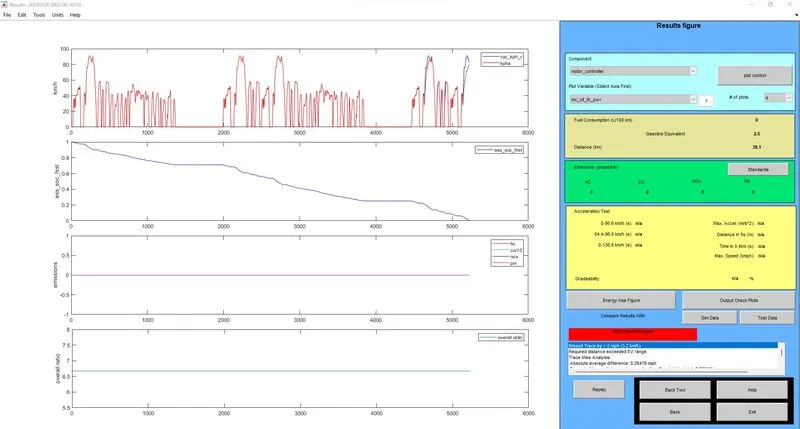
CASE 2: BATTERY CAPACITY = 23 MOD & NUMBER OF CYCLES = 3
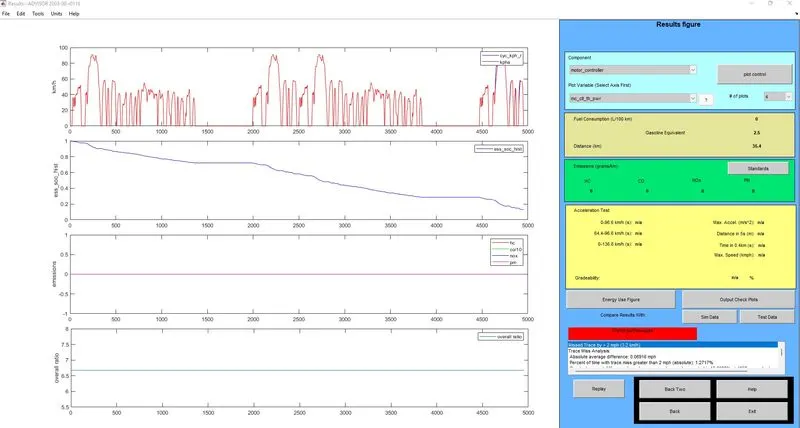
CASE 3: BATTERY CAPACITY = 24 MOD & NUMBER OF CYCLES = 2
CASE 4: BATTERY CAPACITY = 24 MOD & NUMBER OF CYCLES = 3
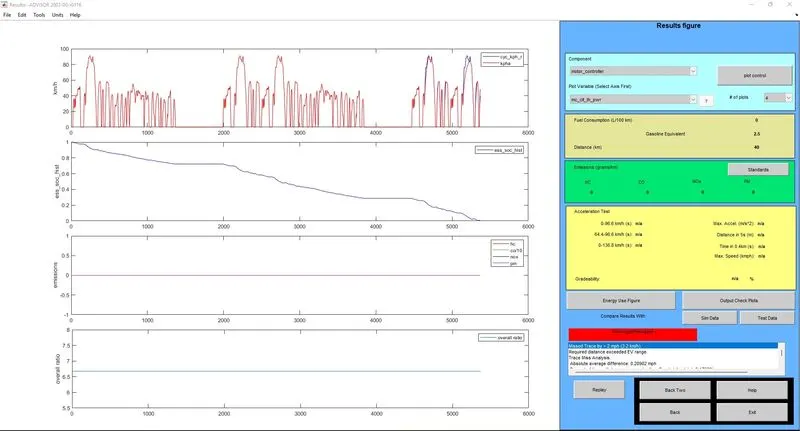
CASE 5: BATTERY CAPACITY = 26 MOD & NUMBER OF CYCLES = 2
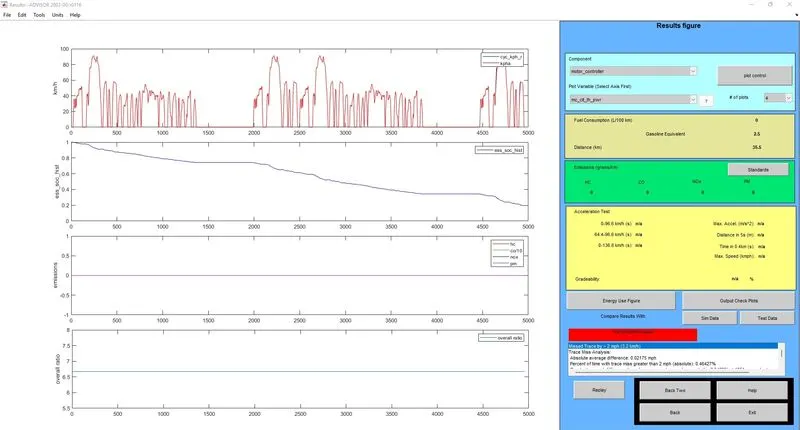
CASE 6: BATTERY CAPACITY = 26 MOD & NUMBER OF CYCLES = 3
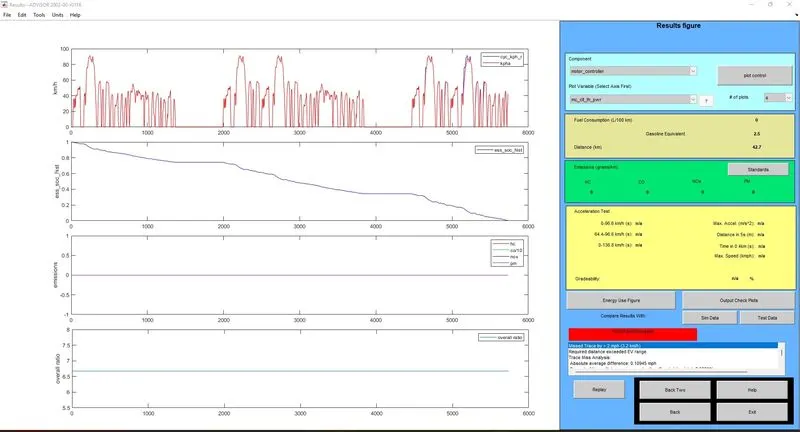
CASE 7: BATTERY CAPACITY = 27 MOD & NUMBER OF CYCLES = 2
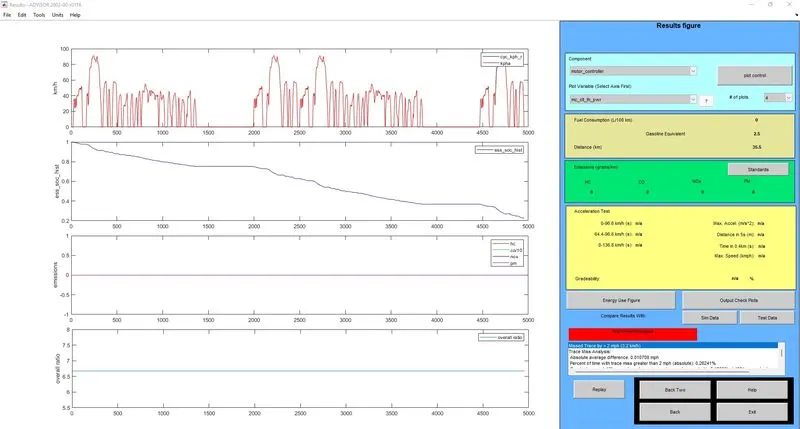
CASE 8: BATTERY CAPACITY = 27 MOD & NUMBER OF CYCLES = 3
CASE 9: BATTERY CAPACITY = 28 MOD & NUMBER OF CYCLES = 2
CASE 10: BATTERY CAPACITY = 28 MOD & NUMBER OF CYCLES = 3
PROCEDURE:
1. As per our requirement, the vehicle setup similar to previous model with an exception of Energy storage that has been changed to mod 23 and continue is pressed.
2. In the next page, drive cycle is set similar to the previous case as shown.
3. The results can be viewed once we run the simulation.
CONCLUSION:
| ENERGY STORAGE | DRIVE CYCLE | VOLTAGE | DISTANCE COVERED IN km | BATTERY WEIGHT in kg |
| 23 | 2 | 284 | 35.3 | 253 |
| 23 | 3 | 284 | 38.1 | 253 |
| 24 | 2 | 296 | 35.4 | 264 |
| 24 | 3 | 296 | 40 | 264 |
| 26 | 2 | 321 | 35.5 | 286 |
| 26 | 3 | 321 | 42.7 | 286 |
| 27 | 2 | 333 | 35.5 | 297 |
| 27 | 3 | 333 | 44.8 | 297 |
|
28 |
2 | 345 | 35.5 | 308 |
|
28 |
3 | 345 | 46.3 | 308 |
From the table, we can find that for 2 cycles there is only minimum distance increase for various batteries used and when the same is taken for 3 cycles, we can find that there is increase in distance covered is by 5%. And as for our scenario, we need a battery with 345V for the vehicle to travel 45kms.
3. Perform gradeability test with PRIUS_Jpn_defaults_in file
Compare your results in table and conclude.
SOLUTION:
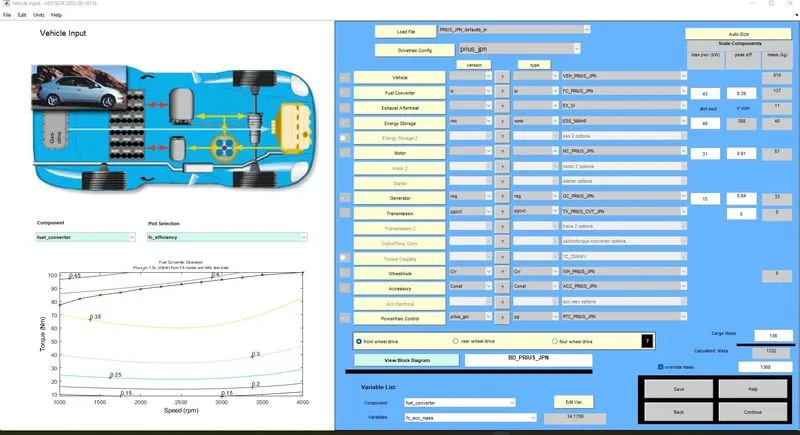
STEP 1: LOADING THE PRIUS JPN DEFAULTS FILE IN THE ADVISOR TOOL
STEP 2: DRIVE CYCLE
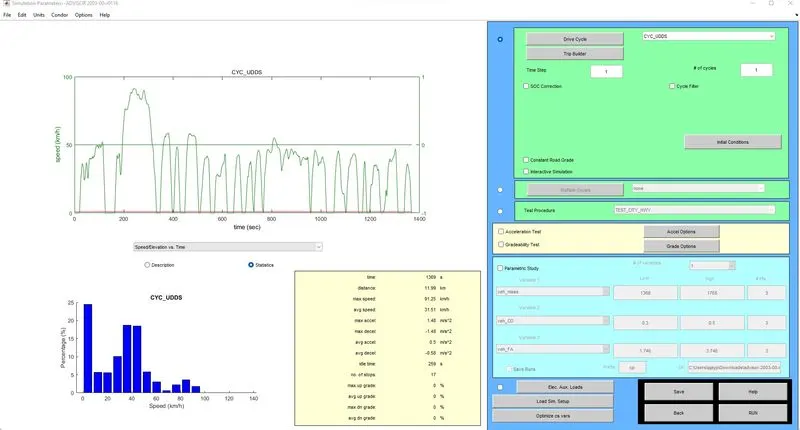
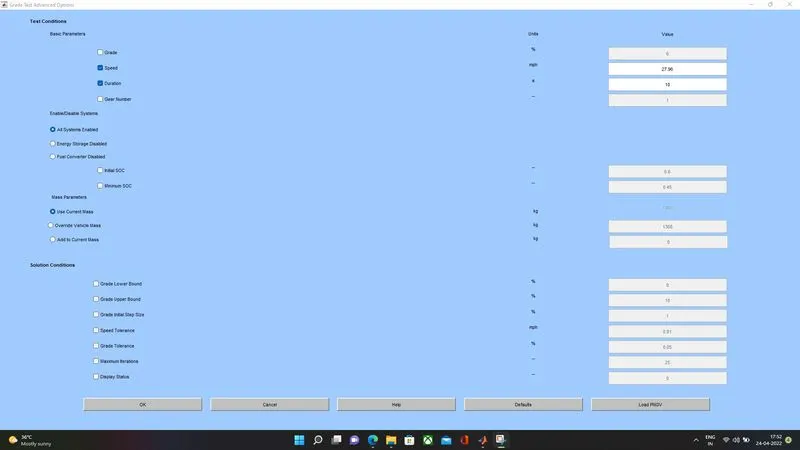
STEP 3: Select the gradeability test check box and then click the Grade options box. In the window that appears, give the speed and duration required, also click the All Systems Enabled Checkbox
SAMPLE INPUT: DURATION - 10SEC & SPEED = 27.96mph(45kmph)
REQUIRED RESULTS:
1.RESULTS FOR SPEED 20KMPH FOR 10 SEC DURATION:
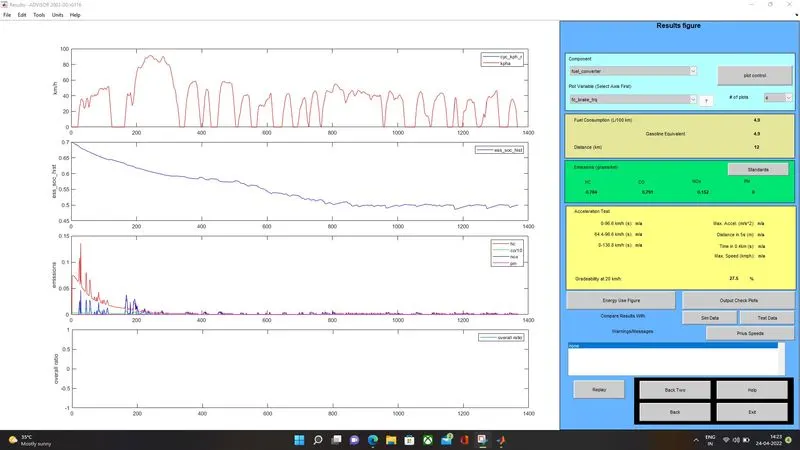
After running the cycle, get back to the previous window and change the speed as per requirement accordingly to get the desired results of gradeability. The results are as follows
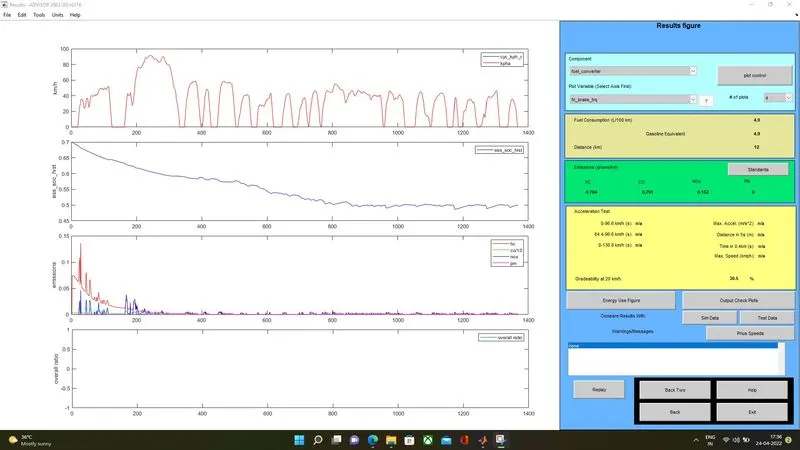
2.RESULTS FOR SPEED 20KMPH FOR 20 SEC DURATION:
3.RESULTS FOR SPEED 25KMPH FOR 10 SEC DURATION:
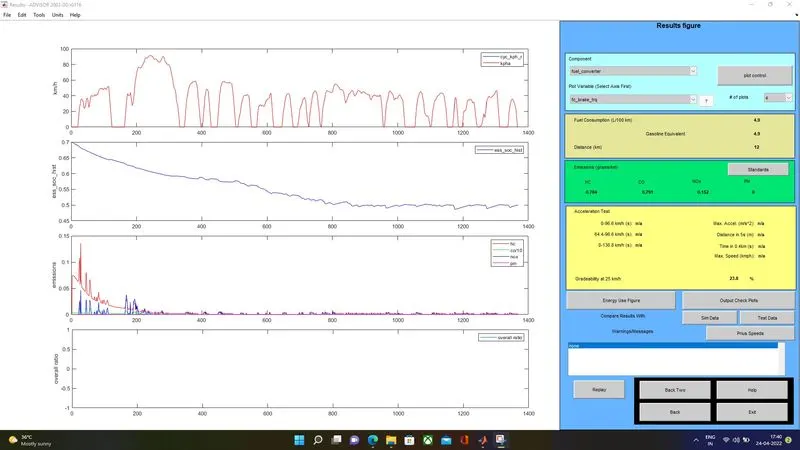
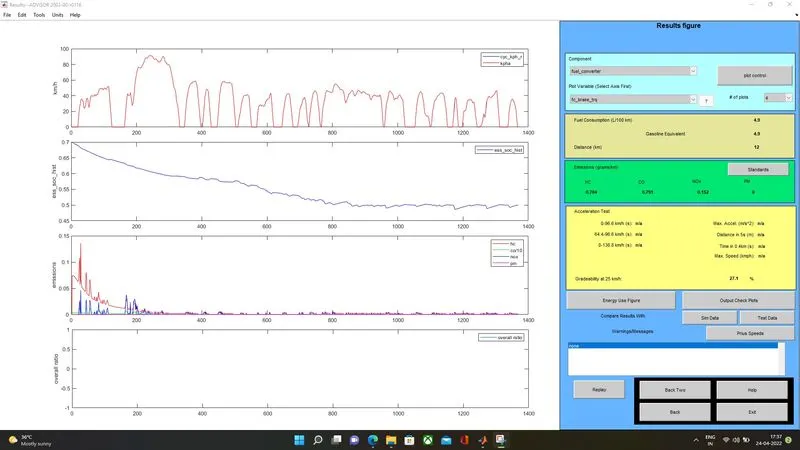
4.RESULTS FOR SPEED 25KMPH FOR 20 SEC DURATION:
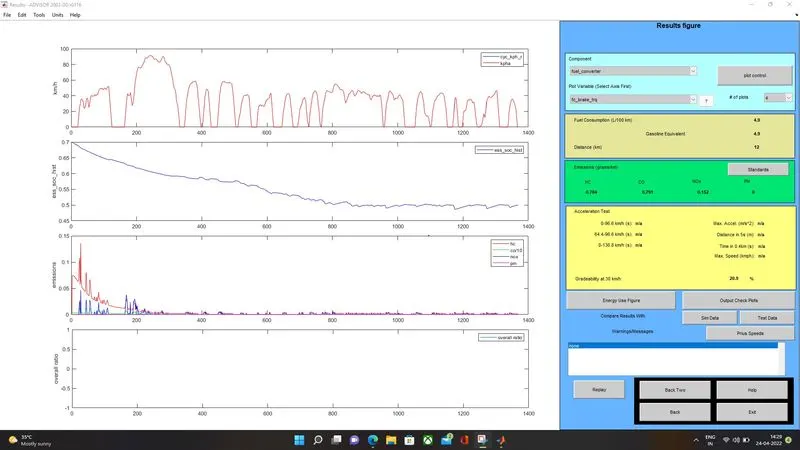
5.RESULTS FOR SPEED 30KMPH FOR 10 SEC DURATION:
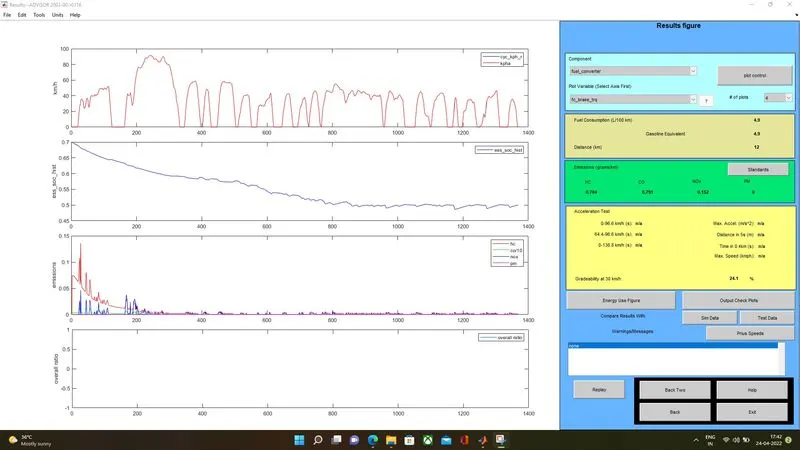
6.RESULTS FOR SPEED 30KMPH FOR 20 SEC DURATION:
7.RESULTS FOR SPEED 35KMPH FOR 10 SEC DURATION:
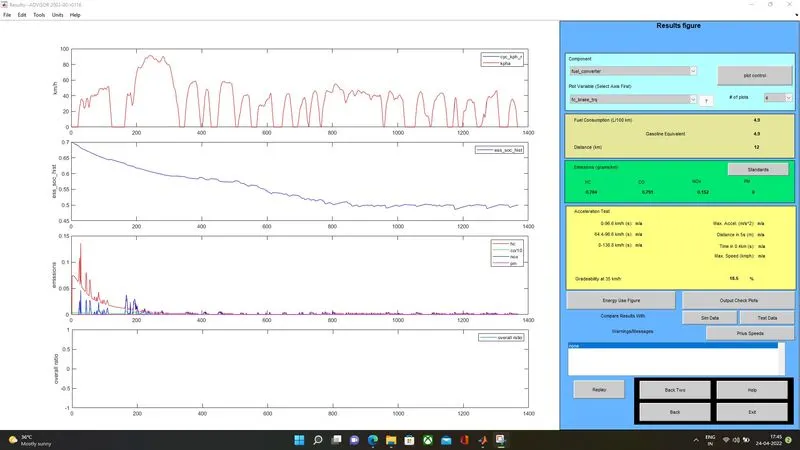
8.RESULTS FOR SPEED 35KMPH FOR 20 SEC DURATION:
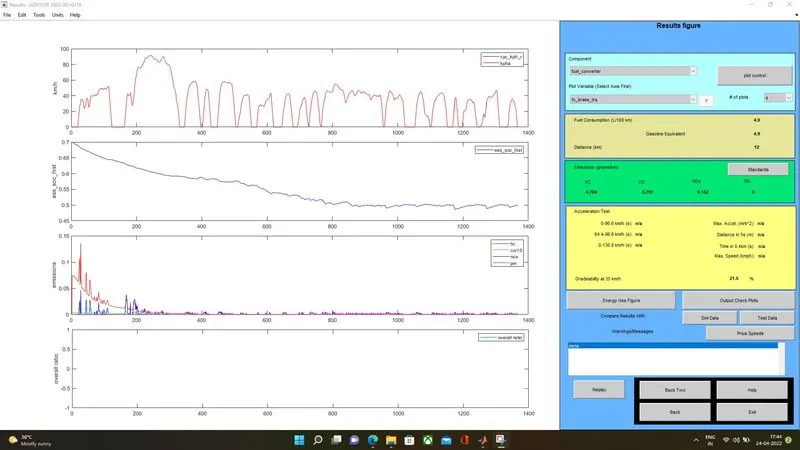
9.RESULTS FOR SPEED 40KMPH FOR 10 SEC DURATION:
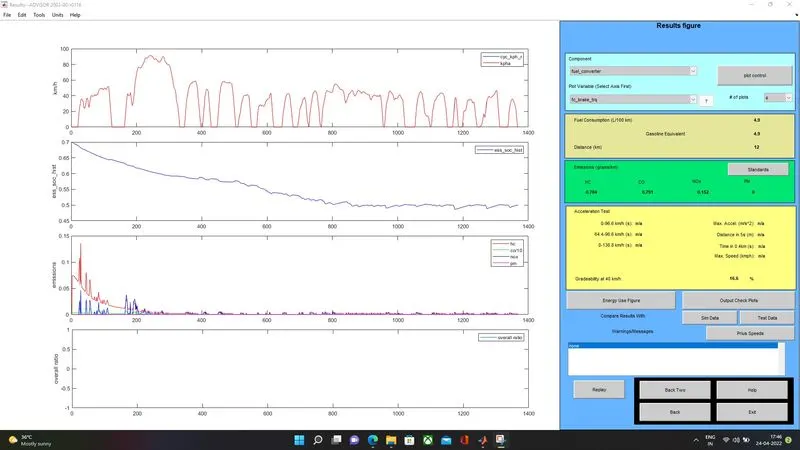
10.RESULTS FOR SPEED 40KMPH FOR 20 SEC DURATION:
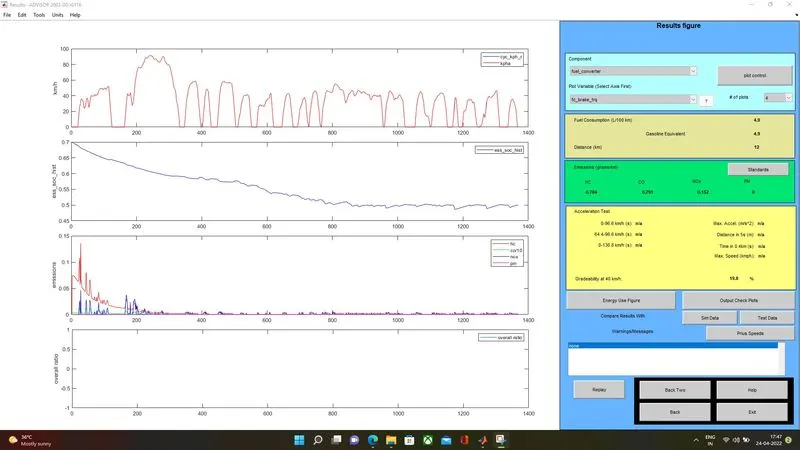
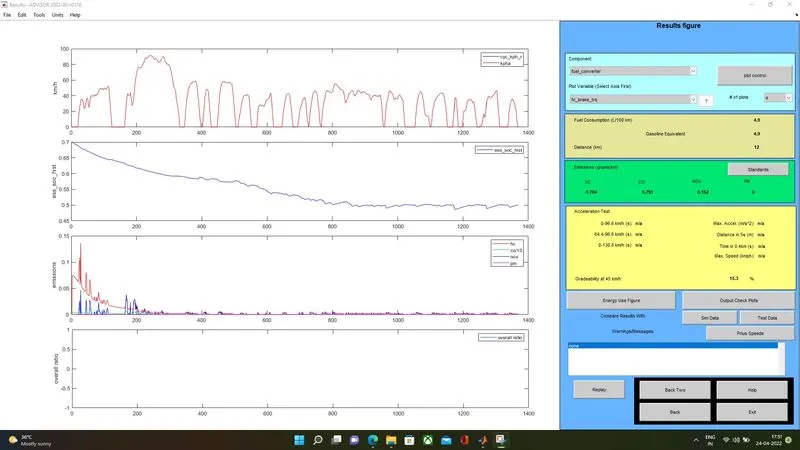
11.RESULTS FOR SPEED 45KMPH FOR 10 SEC DURATION:
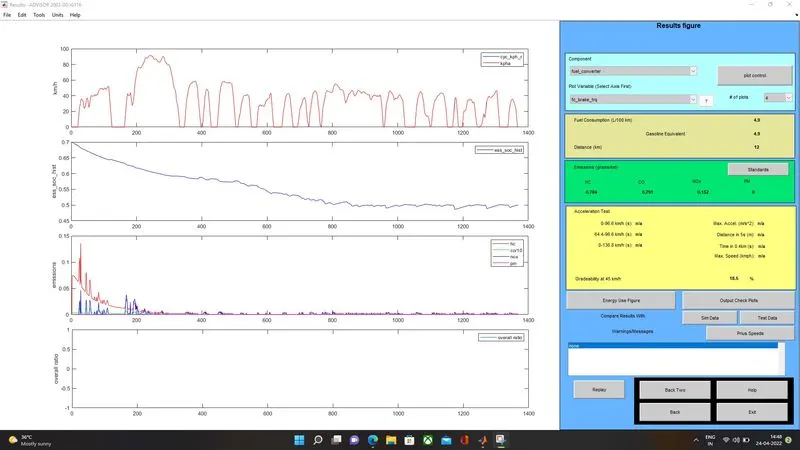
12.RESULTS FOR SPEED 45KMPH FOR 20 SEC DURATION:
After running the cycle, get back to the previous window and change the speed as per requirement accordingly to get the desired results of gradeability.
RESULTS AS PER SPEED SET FROM 20 TO 45KMPH WITH DURATION SET TO 10 SECONDS:
| CASE | TIME | SPEED in kmph | GRADEABILITY in % |
| 1 | 10 SEC | 20 | 27.5 |
| 2 | 10 SEC |
25 |
23.8 |
| 3 | 10 SEC | 30 | 20.9 |
| 4 | 10 SEC | 35 | 18.5 |
| 5 | 10 SEC | 40 | 16.6 |
| 6 | 10 SEC | 45 | 15.3 |
RESULTS AS PER SPEED SET FROM 20 TO 45KMPH WITH DURATION SET TO 20 SECONDS:
Repeating the steps for the duration of 20 seconds, we get the following gradeability results,
| CASE | TIME | SPEED in kmph | GRADEABILITY in % |
| 1 | 20 SEC | 20 | 30.5 |
| 2 | 20 SEC | 25 | 27.1 |
| 3 | 20 SEC | 30 | 24.1 |
| 4 | 20 SEC | 35 | 21.5 |
| 5 | 20 SEC | 40 | 19.8 |
| 6 | 20 SEC | 45 | 18.5 |
CONCLUSION:
From the above tables, we can find that the gradeability% decreases with increase in speed.