Week-3 Challenge: ADVISOR Tool
ADVISOR: It stands for Advanced Vehicle Simulator. It is a MATLAB/Simulink based simulation program for rapid analysis of the program for rapid analysis of the performance and fuel economy of light and heavy-duty vehicles with conventional (gasoline/diesel), hybrid-electric, full-electric, and fuel cell powertrains. ADVISOR has been developed at the National Renewable Energy Laboratory to allow system-level analysis and trade-off studies of advanced vehicles. Because of ADVISOR's fast execution speed and the open programming environment of MATLAB/Simulink, the simulator is ideally suited for doing parametric studies to map out the design space of potentialhigh fuel economy vehicles (3X) consistent with the goals of the Partnership for New Generation of Vehicles (PNGV). Five separate vehicle configurations have been modeled including 3 lightweight vehicles (parallel, series, and vehicle weights (parallel and conventional drivetrains).
1.For EV_defaults_in file, if cargo mass is 500 kg with all other default conditions, can the vehicle travel for 45 km with FTP drive cycle? Conclude your observations.
Solution:
- Open ADVISOR tool in MATLAB. Below picture shows the opening page with a parallel vehicle input.
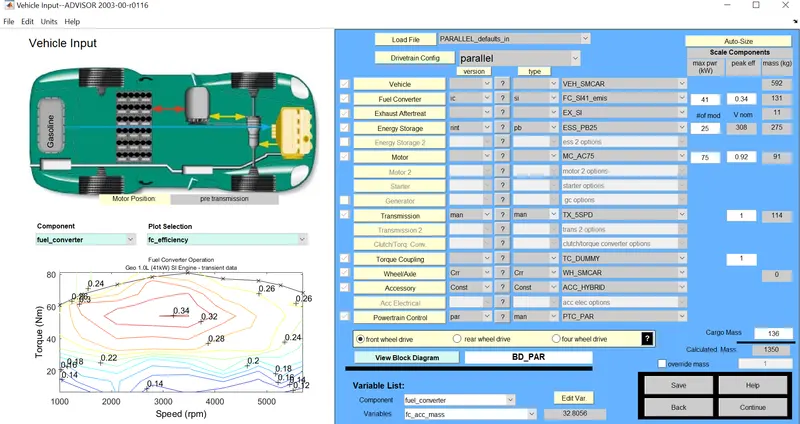
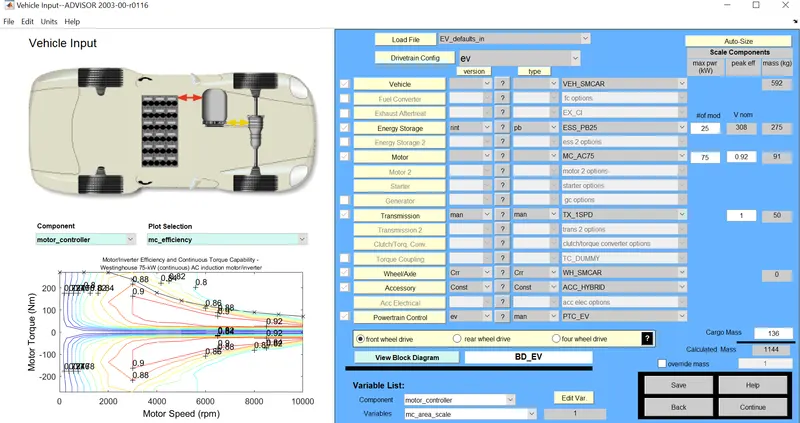
- EV_default_in file is loaded as the vehicle input.
- Cargo mass is changed to 500kg.
- Click on continue keeping all other parameters as default.
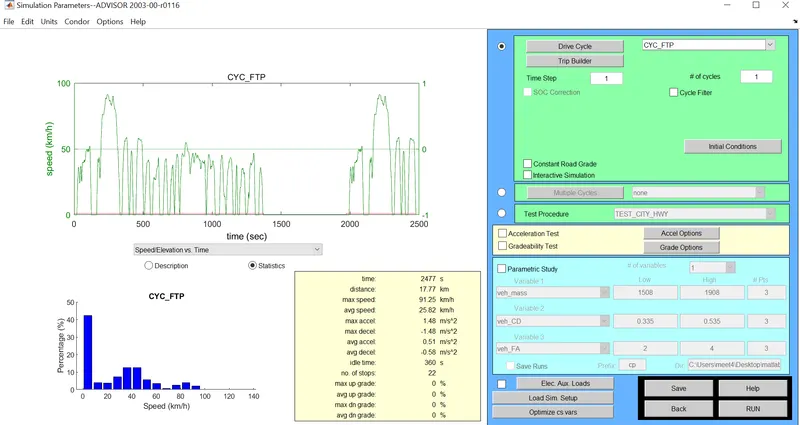
- Select the drive cycle type as CYC_FTP.
- # no: of cycles is kept as 1 and click on run option.
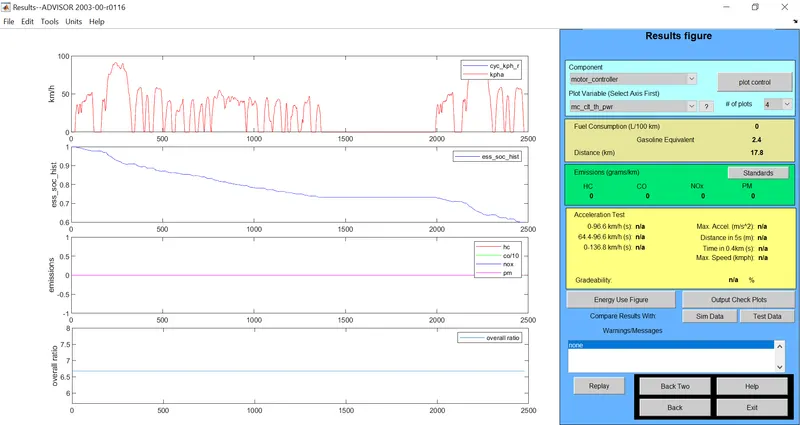
RESULT: Distance travelled is 17.8 km.
- For 2 drive cycles
RESULT: Distance travelled is 35.5 km
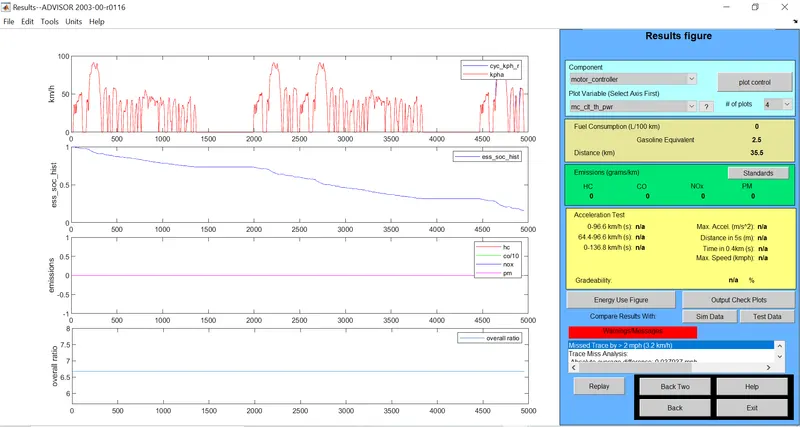
CONCLUSION:
From the result figures obtained for 1 driving cycle at a speed of 55mph the vehicle has consumed more than haf of its SOC (about 60%) which is clear from the ess_soc_hist plot shown which is only for a minimum distance of 17.5km. And on increasing the number of cycle to 2, the distance travelled changes to 35.5km and has a warning message because of its low SOC. Thus it is not possible to run beyond 35.5 km and thus it can be concluded that EV_default cannot travel for 45km with FTP drive cycle.
2. In the above case, try changing the battery capacity and repeat the simulation.
- EV_default is loaded as vehicle input.
- Cargo mass is set to 500kg.
- #of mod changes the battery capacity and Vnom is its nominal voltage.
- Number of battery module by default is 25 so it is varied to 26 and click continue.
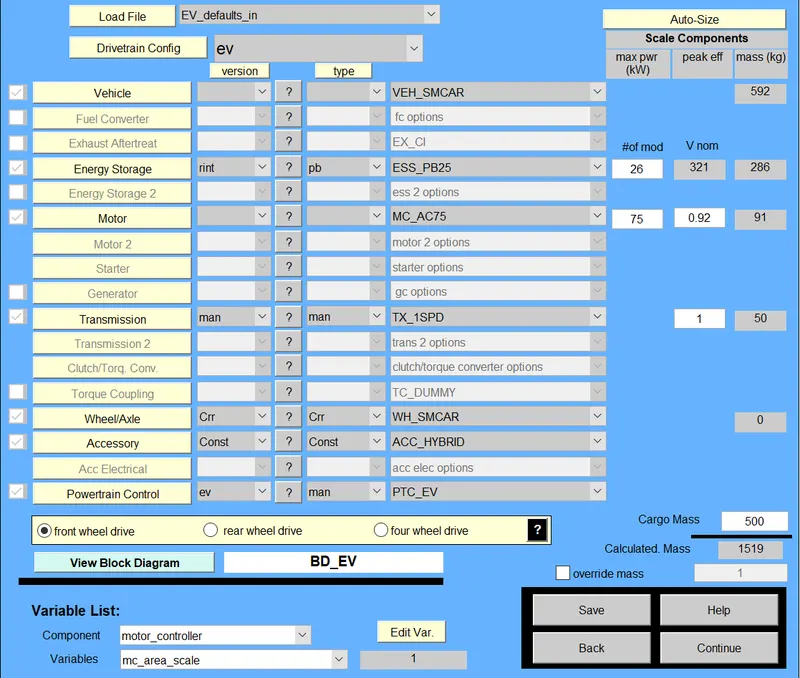
- Simulation window will appear were drive cycle is set to CYC_FTP.
- Set the number of driving cycle as 1 and vary it for each set of battery module.
- Click on run .
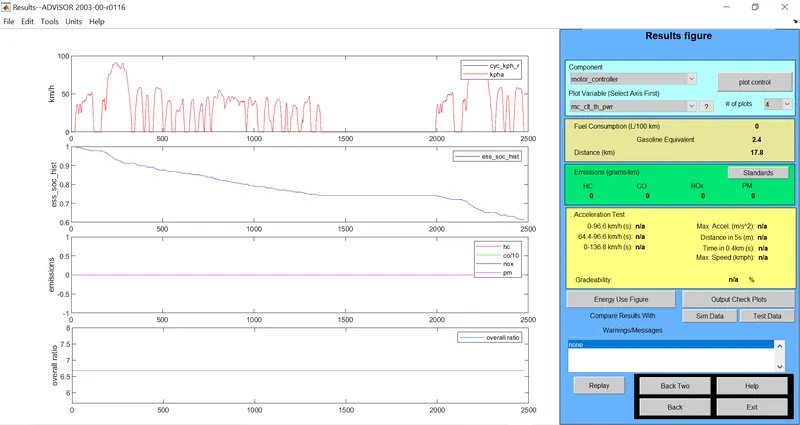
#of mod=26, # of cycles=1
RESULT: Distance travelled = 17.8km which is less than 45km
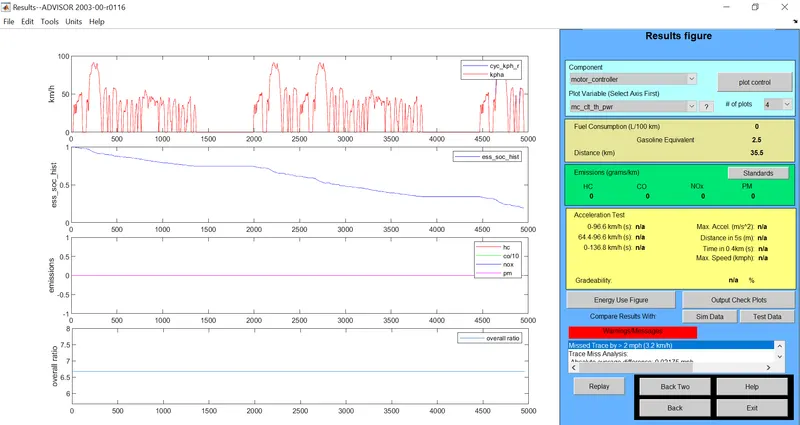
#of mod=26, # of cycles=2
RESULT: Distance travelled = 35.5km which is less than 45km
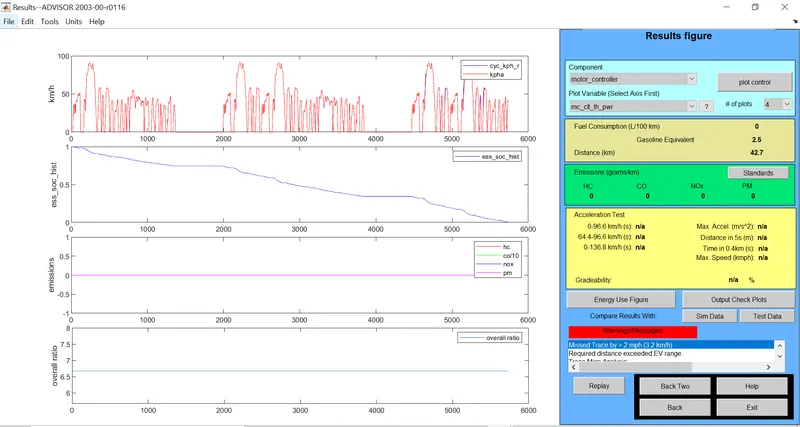
#of mod=26, # of cycles=3
RESULT: Distance travelled = 42.7km which is less than 45km
- Now the battery module is changed to 27
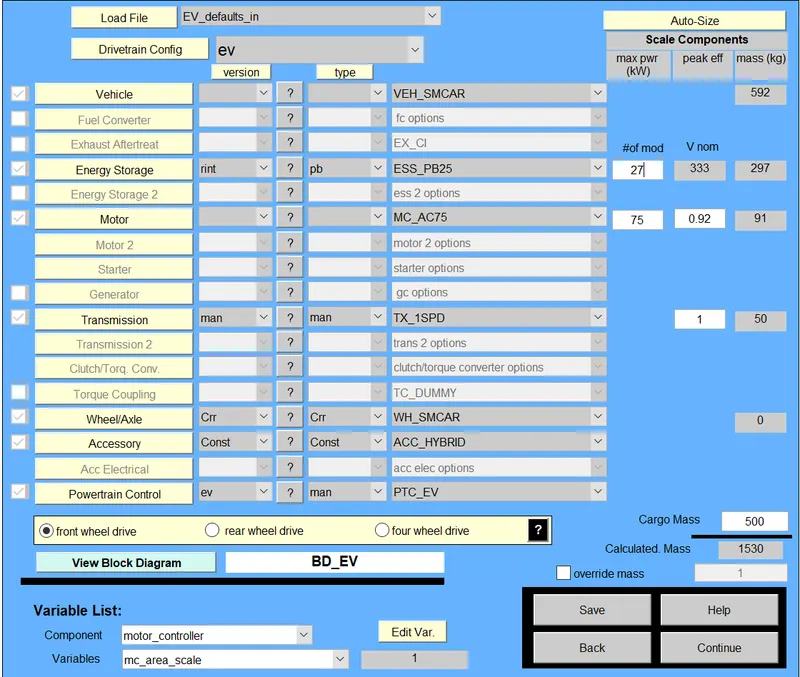
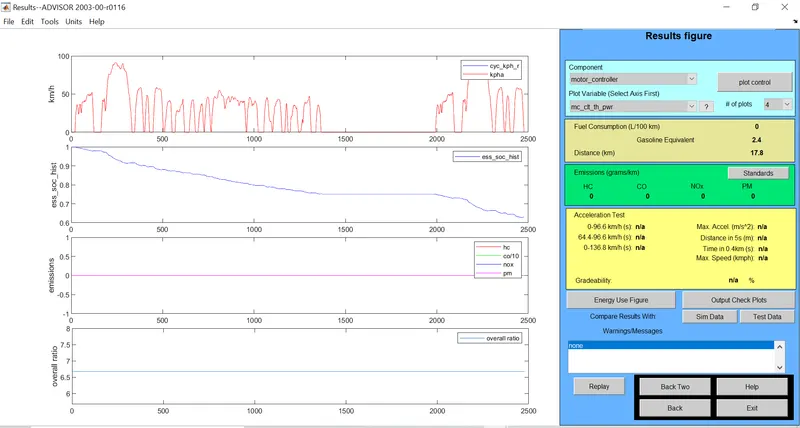
#of mod=27, # of cycles=1
RESULT: Distance travelled = 17.8km which is less than 45km
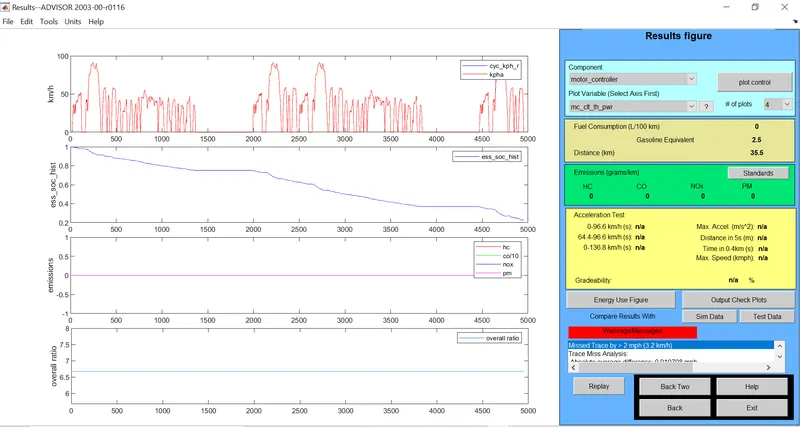
#of mod=27, # of cycles=2
RESULT: Distance travelled = 35.5km which is less than 45km
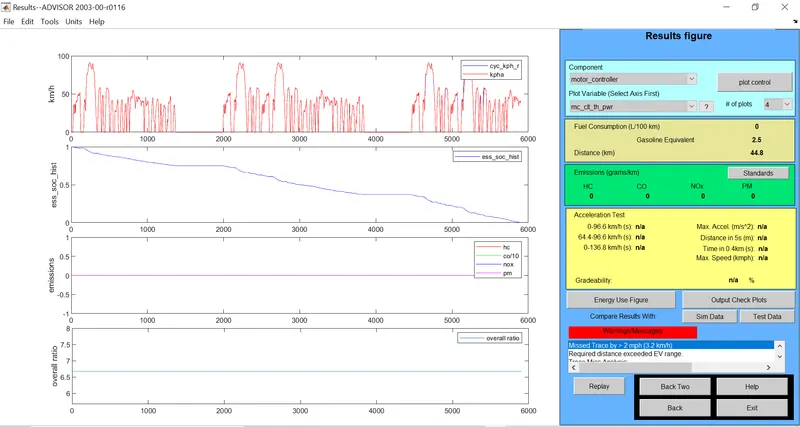
#of mod=27, # of cycles=3
RESULT: Distance travelled = 44.8km which is slightly less than 45km
- Now battery module number is changed to 28
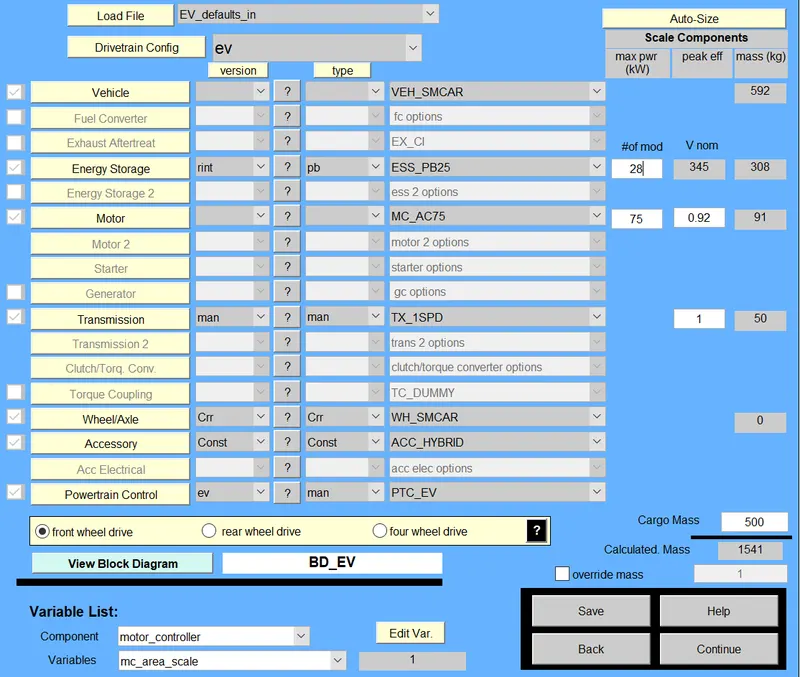
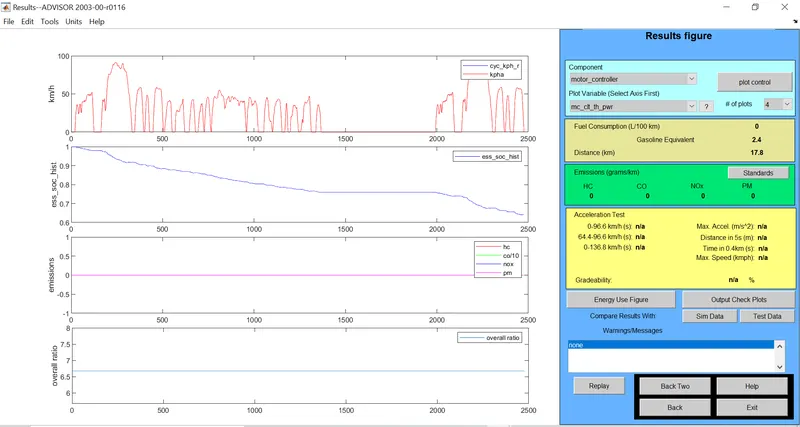
#of mod=28, # of cycles=1
RESULT: Distance travelled = 17.8km which is less than 45km
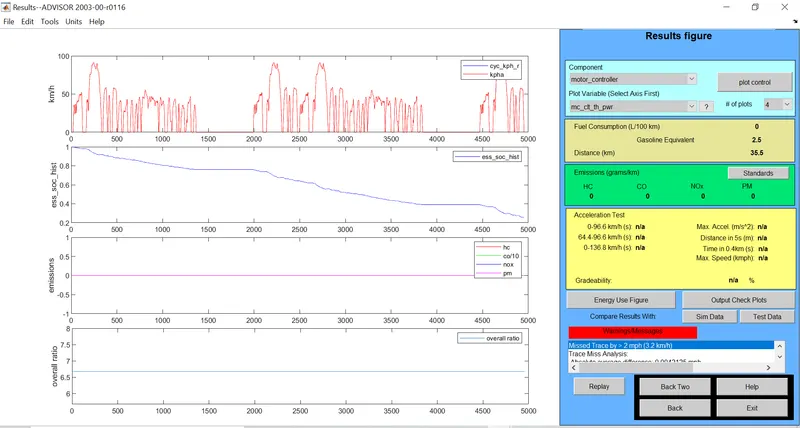
#of mod=28, # of cycles=2
RESULT: Distance travelled = 35.5km which is less than 45km
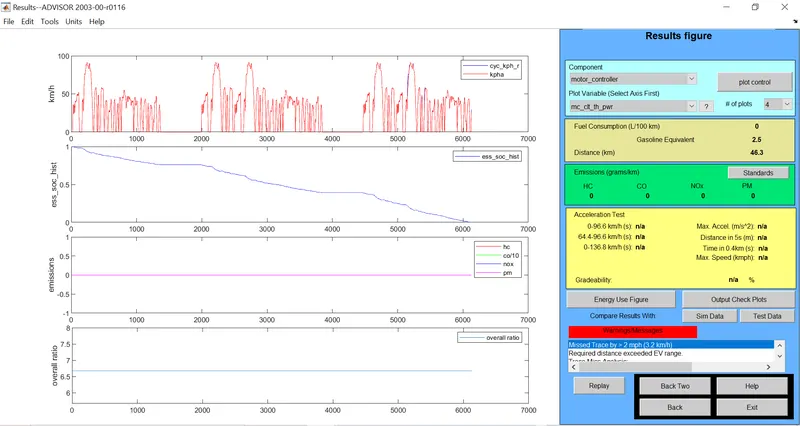
#of mod=28, # of cycles=3
RESULT: Distance travelled = 46.3km which is greater than 45km.
CONCLUSION:
For an EV_default_in with cargo mass 500kg and FTP drive cycle it require 28 battery module with 3 driving cycle to travel a distance of 45km. A change in distance travelled is only obtained by applying a 3 drive cycle.
3. Perform gradeability test with PRIUS_Jpn_defaults_in file. Compare your results in table and conclude.
Solution:
- Open ADVISOR tool, load vehicle input as PRIUS_Jpn_default model file.
- Let the default values remain same and continue to the next page.
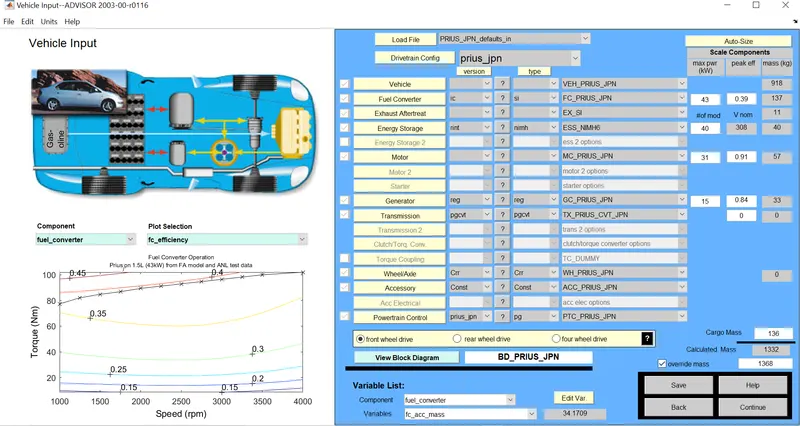
- After clicking on continue button the simulation parameter window will open.
- Drive cycle type is selected as CYC_FTP.
- # of cycles is availabe to change the number of cycles.
- Select constant road grade option.
- Select the Graeability Test option and go for the grade option.
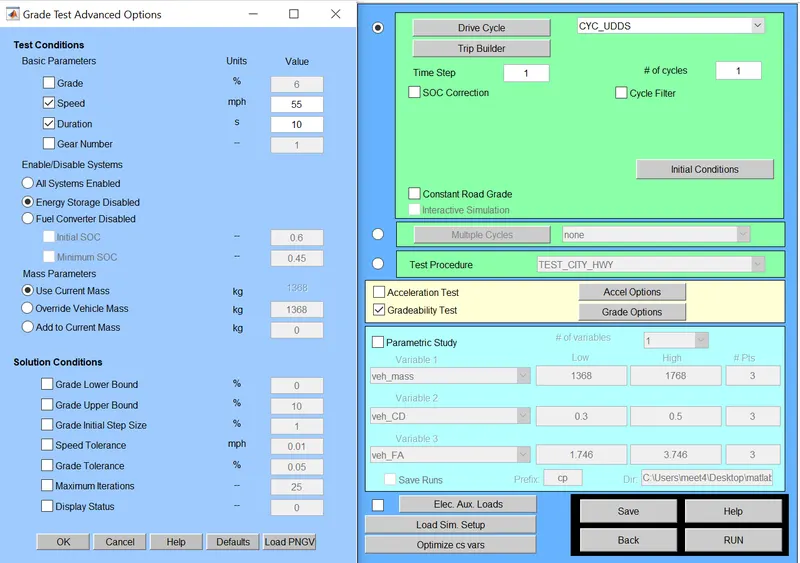

- By clicking on grade options a new dailogue box called Grade Test Advanced Options will open.
- Here under test conditions the speed and duration for simulation of vehicle can be set and varied for further comparison purpose.
- Comparison can be done by selecting a particular duration and then changing the speed to observe the changes in gradeablity. Again repeating the same procedure for different duration.
- Select all systems enabled.
- Here I have set the number of drive cycle as 3
- Finally click OK and run the simulation.
- Result window will appear with the necessary plots.
Case A1: Duration =10s, Speed = 50mph
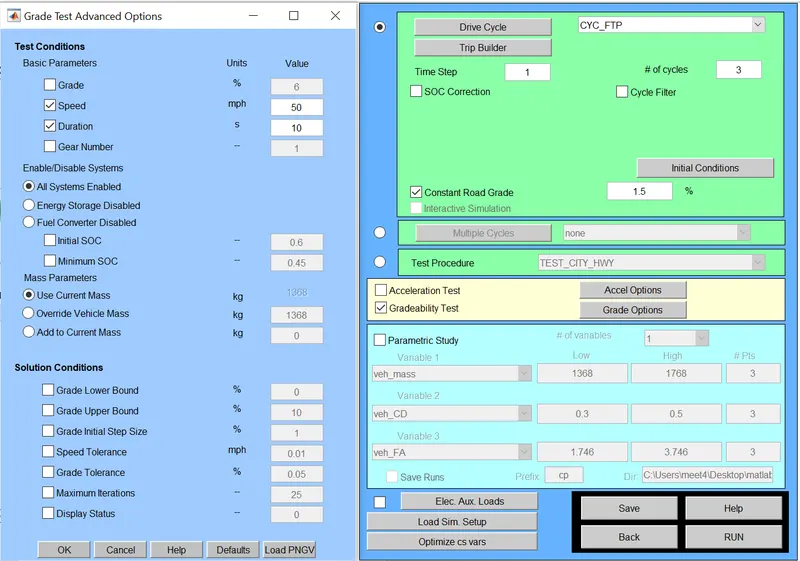
Result: Gradeability = 9.7%
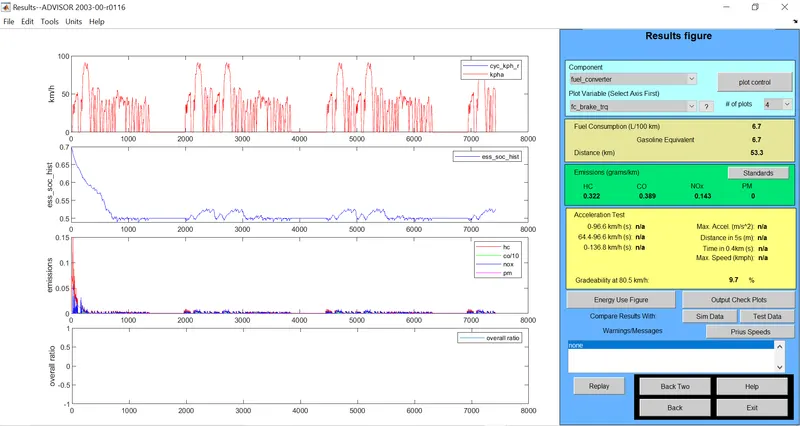
Case A2: Duration =10s, Speed = 45mph
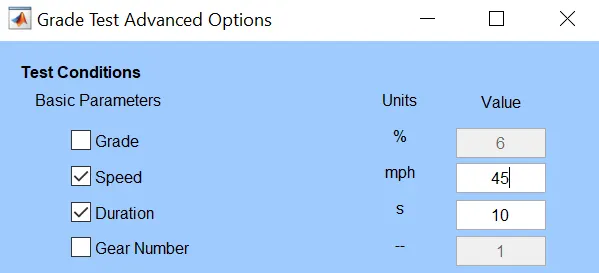
Result: Gradeability = 10.7%
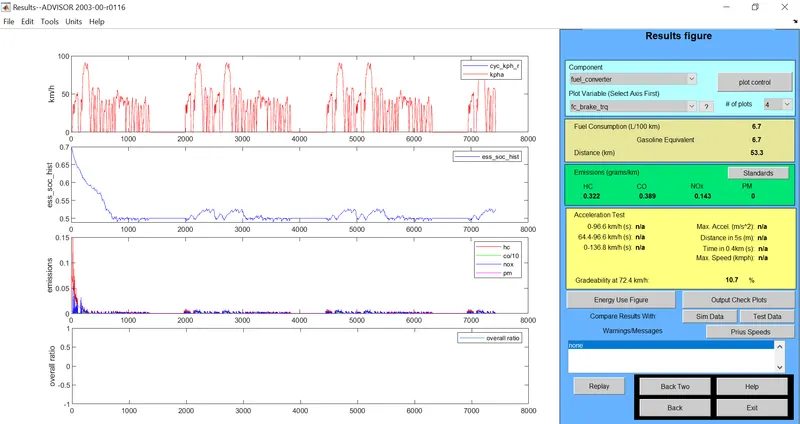
Case A3: Duration =10s, Speed = 40mph
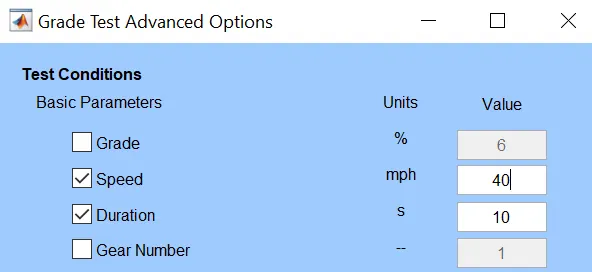
Result: Gradeability = 11.7%
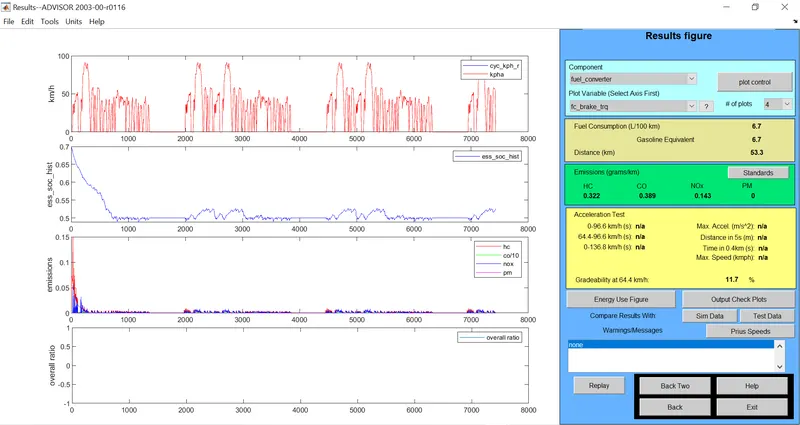
Case B1: Duration =20s, Speed = 50mph
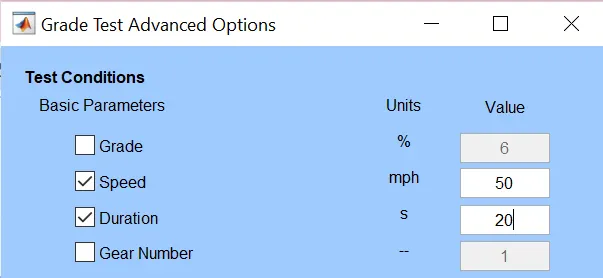
Result: Gradeability = 12.4%
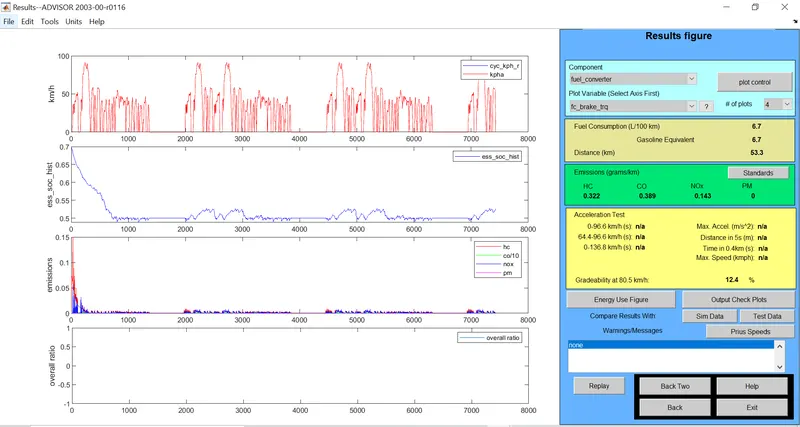
Case B2: Duration =20s, Speed = 45mph
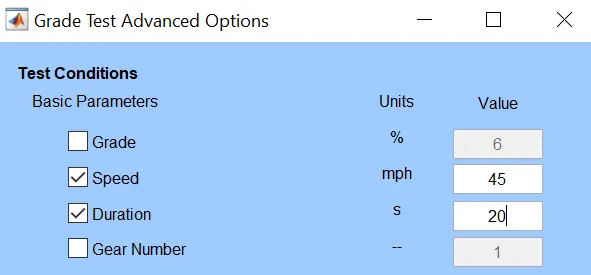
Result: Gradeability = 13.4%
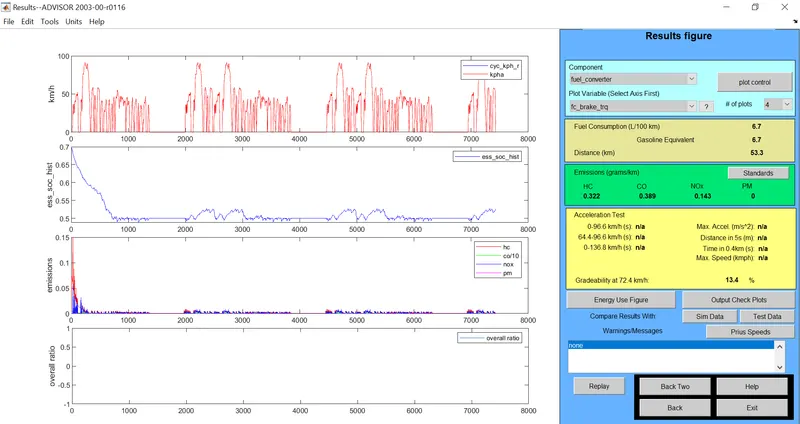
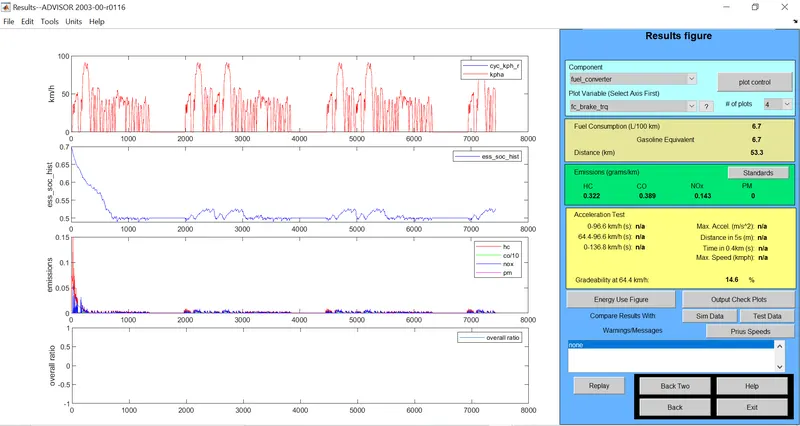
Case B3: Duration =20s, Speed = 40mph
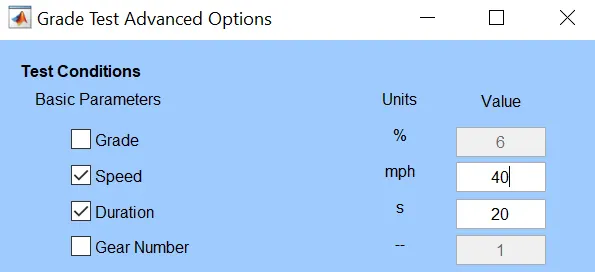
Result: Gradeability = 14.6%
Comparison:
| Sl.no: | Duiration T(sec) | No: of cycle | Speed (mph) | Distance (km) | Gradeability% |
| 1 | 10 | 3 | 50 | 53.3 | 9.7 |
| 2 | 10 | 3 | 45 | 53.3 | 10.7 |
| 3 | 10 | 3 | 40 | 53.3 | 11.7 |
| 4 | 20 | 3 | 50 | 53.3 | 12.4 |
| 5 | 20 | 3 | 45 | 53.3 | 13.4 |
| 6 | 20 | 3 | 40 | 53.3 | 14.6 |
Conclusion:
From the above table it can be concluded that when the speed of vehicle increases the gradeability decreases and as time duration increased gradeability increases.
REFERENCE:
*ADVISOR tool installation tutorial-google
*ADVISOR tool literature survey-wikipedia