Week-3 Challenge: ADVISOR Tool
1.
Select
Load
Select
Load File as 'EV_defaults_in'
Cargo mass as 500 kg
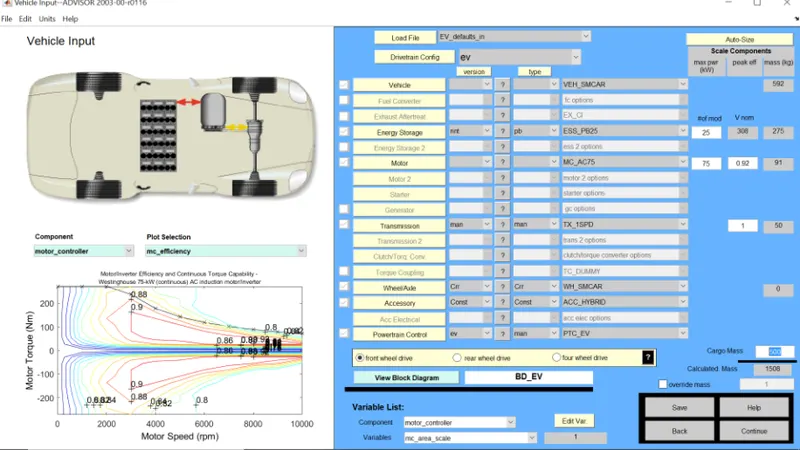
Vehicle input advisor window
Select continue
Then select
Drive cycle as 'CYC_FTP'
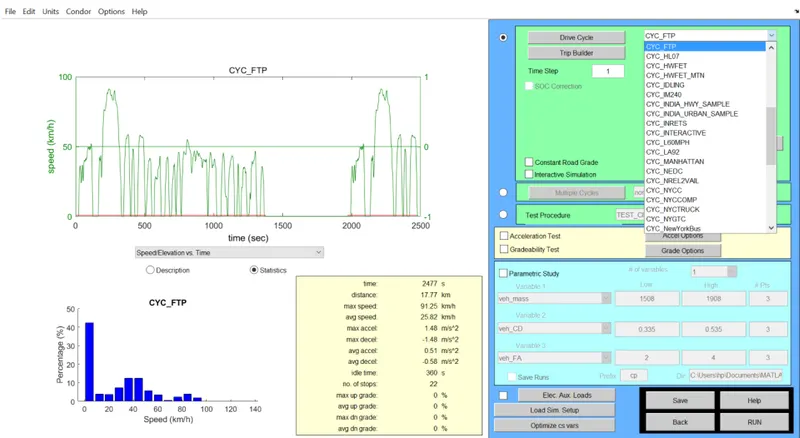
Simulation parameter ADVISOR Window
keep all parameters as default and select RUN
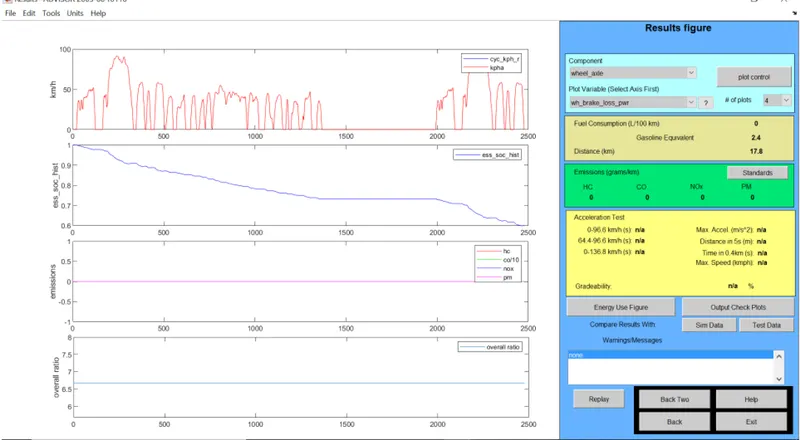
Result ADVISOR Window
Here the Distance is 17.8km. So on a single charge vehicle can not travel 45km. Also SOC reaching zero before 2500 sec.
2.
Changing the battery to 'ESS_PB65_Focus_EV'
Keeping other parameters same as in first case
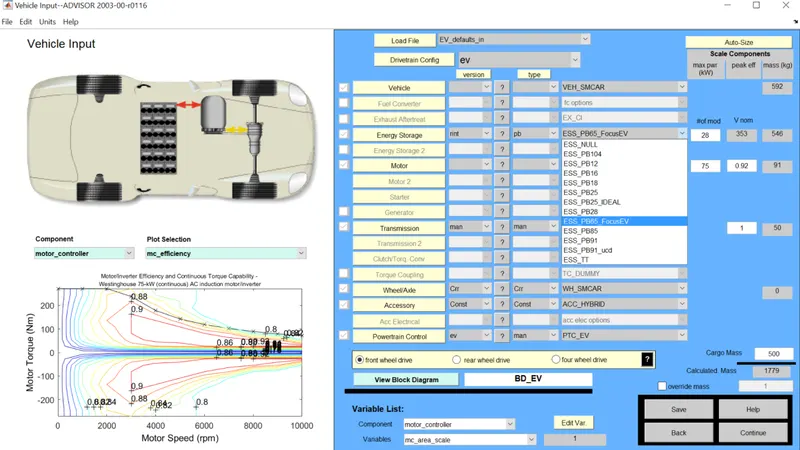
Vehicle ADVISOR Window
Use the same drive cycle as before and RUN
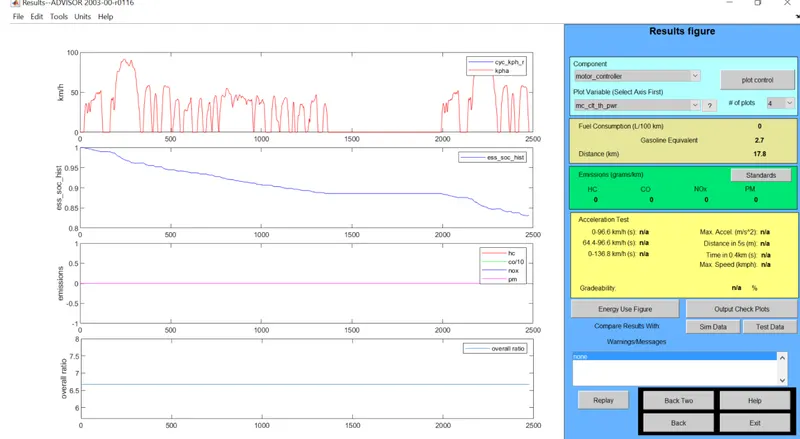
Results ADVISOR Window
Here in SOC plot we can see that charge is still remaining after 2500sec. In single drive cycle it covered 17.8km. We can use multiple drive cycles to find out the single charge travel distance. Change the value of # of cycles to 7.
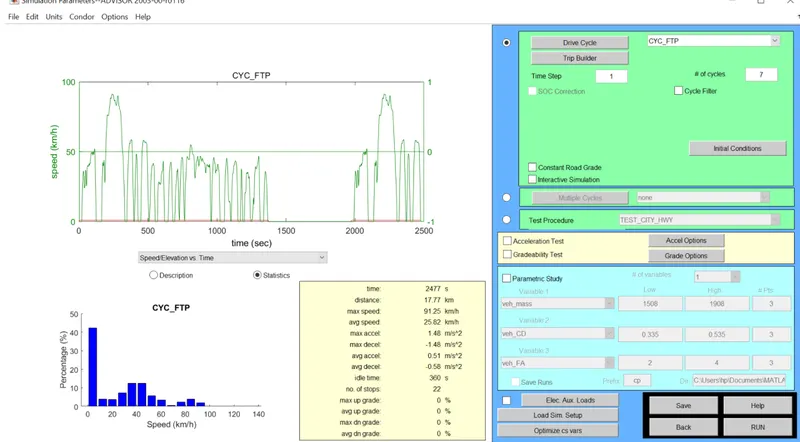
Simulation Parameter ADVISOR
Results
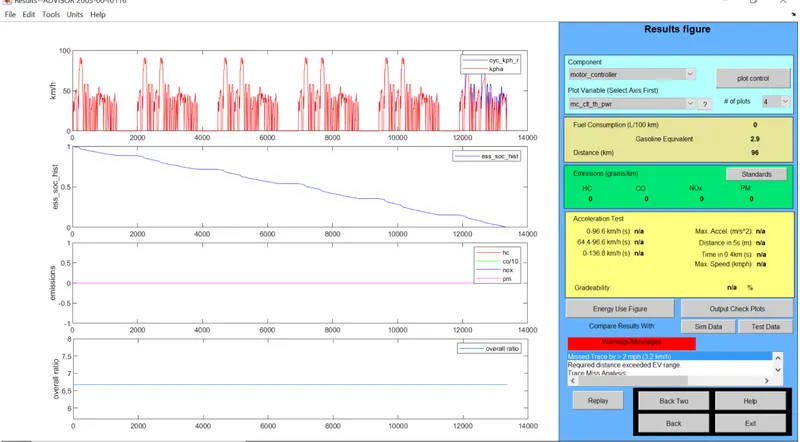
Results ADVISOR Window
From SOC plot its clear that the Charge is reaching zero by around 13000 sec. This setup will run 96km on a single charge.
3.
In vehicle Input Advisor Window select Load file as 'PRIUS_Jpn_defaults_in' and keep other parameter as default
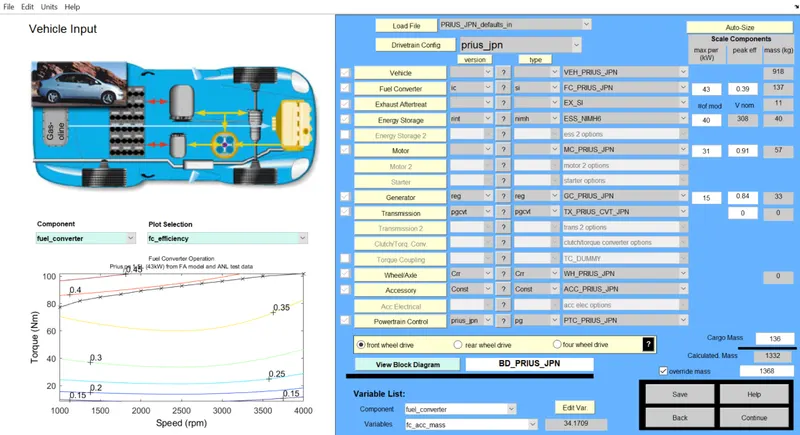
Vehicle Input ADVISOR Window
Select continue
In simulation parameter window select Gradability test check box.
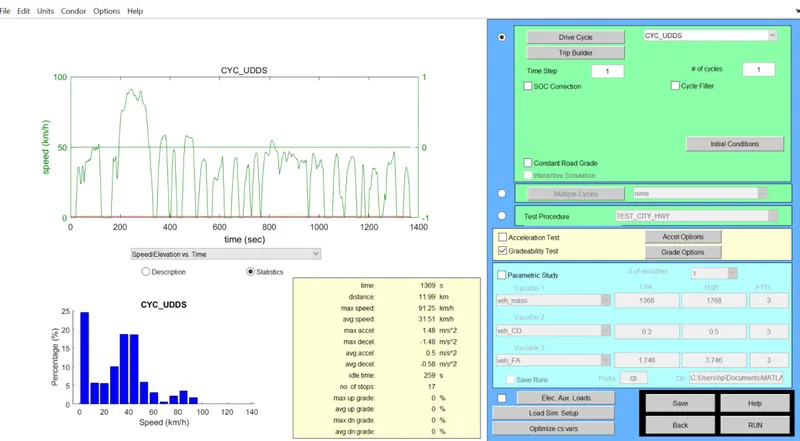
Simulation Parameter Window
Then select Gradability options
speed kept as 55mph
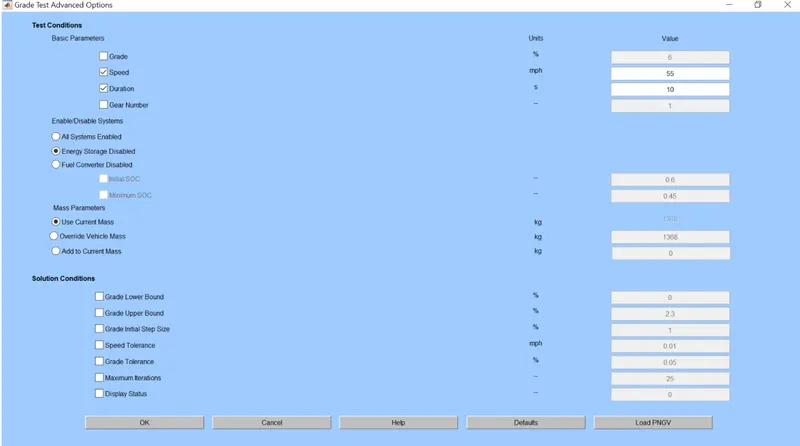
Grade Test Advance Options
Result is given below
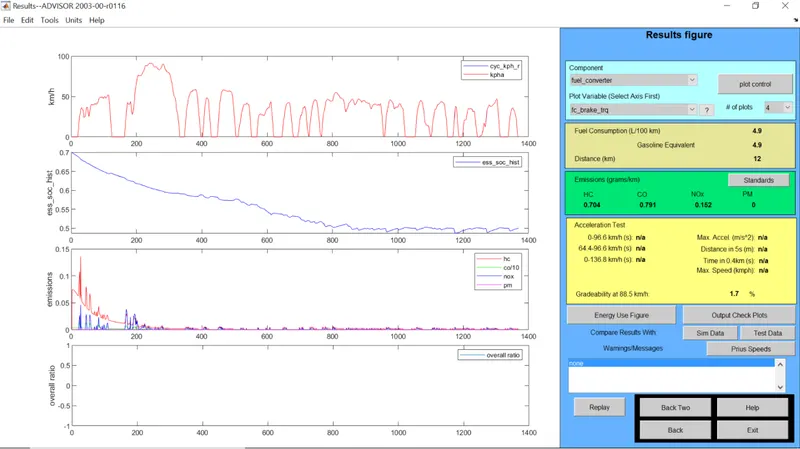
Result ADVISOR Window
Then gradability is changed to 1.7% then speed is changed to 45 mph.
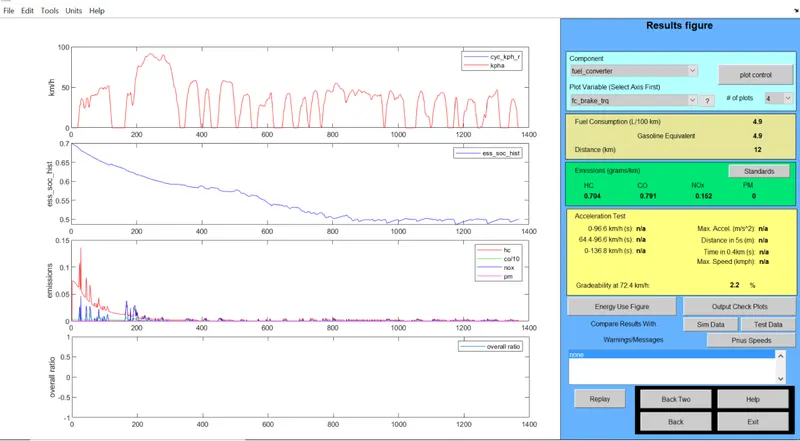
Result ADVISOR Window
Gradability increased again to 2.2% then speed reduced to 35 mph
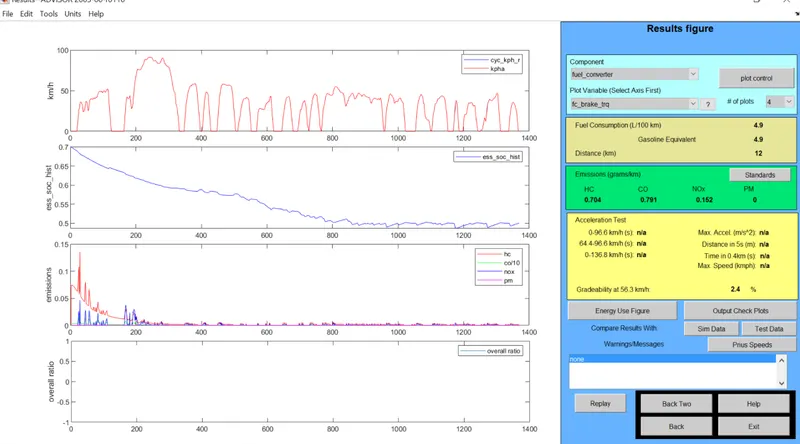
Result ADVISOR Window
Gradability increased to 2.4% Then speed reduced to 35 mph.
comparison
| Parameter | vehicle 1 | vehicle 2 | vehicle 3 |
| Grade (%) | 1.7 | 2.2 | 2.4 |
| Speed (mph) | 55 | 45 | 35 |