Week-3 Challenge: ADVISOR Tool
Use the ADVISOR tool and simulate the following
1. For the EV_defaults_in file, if cargo mass is 500 kg with all other default conditions, can the vehicle travel for 45 km with FTP drive cycle? Conclude your observations.
ANS)
advisor tool stands for 'advanced vehicle simulator which is used to model different types of vehicles such as some IC engine based and electric vehicles, hybrid vehicles, and fuel-based vehicles, this tool is very important in case of user-defined powertrain or vehicle dynamics and wants to see the following results before the implementation of the model.
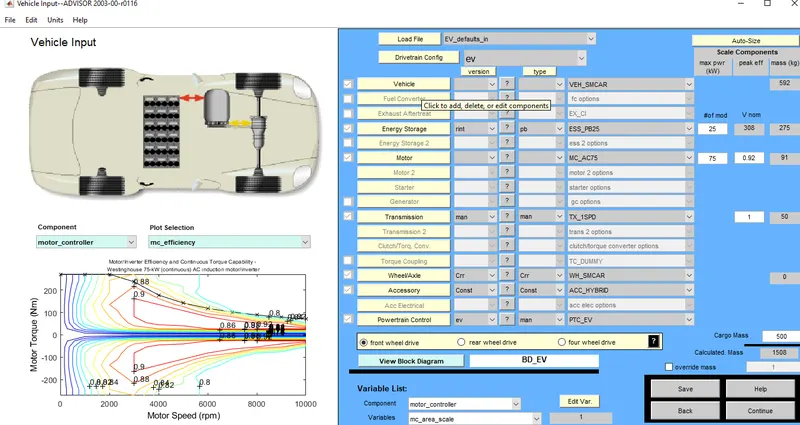
now, load the ADVISOR tool in Matlab command window and select units in the matric or US ,i select here US and then load EV_defaults_in file and change the cargo weight to 500kg and keeping all variables same and hit continue to load drive cycle page.
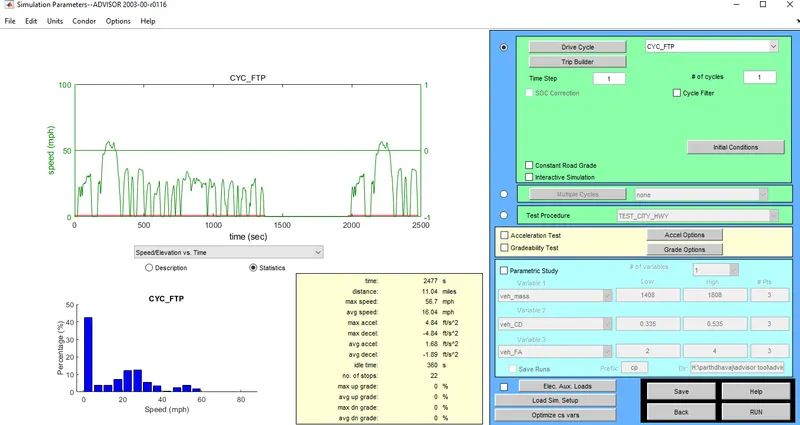
for our requirement, we need to use FTP based cycle select the following and hit the run button.it shows speed in mph because I select US unit.
as we can see an error occur as the EV ran out of battery for this type of drivr cycle.
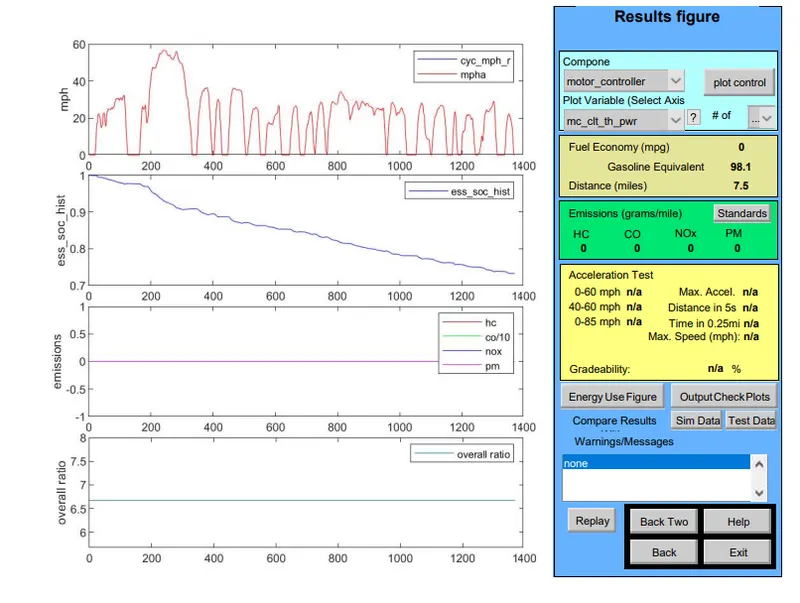
as we need total distance covered to be 27.96miles(45km) and this drive cycle can only complete 7.5miles so we need more than one drive cycle to complete more than 45 km. so we can use 3 drive cycles.
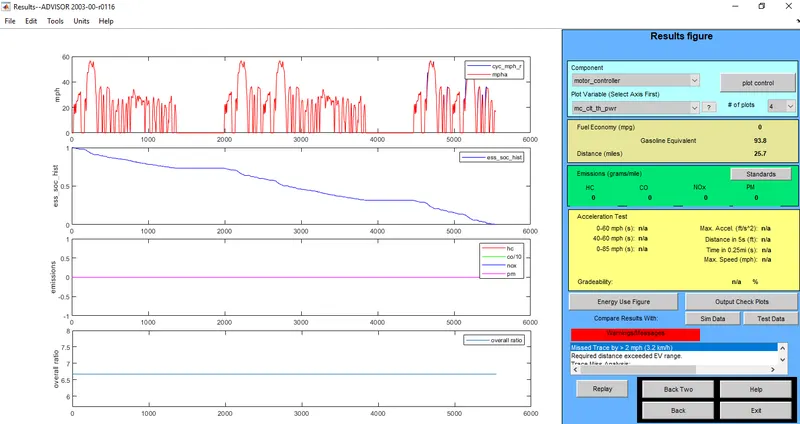
we can see warning sin pops up which eans that the distance is ore than the range of the current battery pack so the vehicle can not travel 27.96miles(45km) but will be shorted by 2.26miles.
2. In the above case, try changing the battery capacity and repeat the simulation.
ANS)
In the above case, try changing the battery capacity and repeat the simulation.
the current battery capacity is kept as 25 now we change 25 to 45.
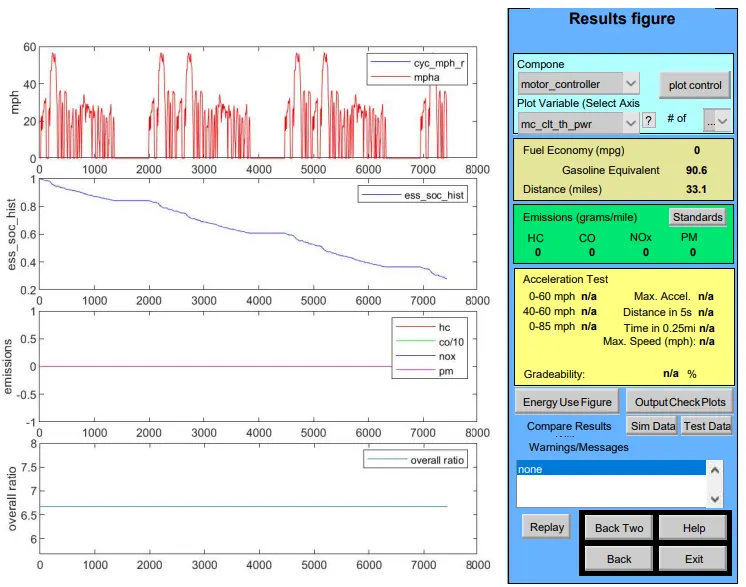
so we can see that range has been incerased to 33.1miles(53.3km) which is more than the required range.
3. Perform gradeability test with PRIUS_Jpn_defaults_in file
Compare your results in a table and conclude.
ANS)
in model advisor tool vehicle input window select PRIUS_JPN_default model.
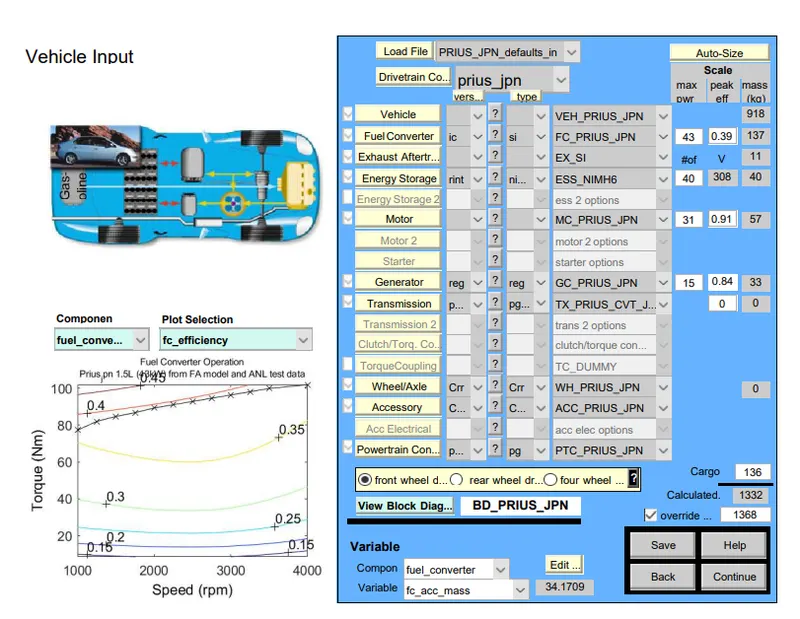
continue to the next window.
simulation parameter window will open.
Select the gradeability test and click on the grade option box, a new dialogue box will open.
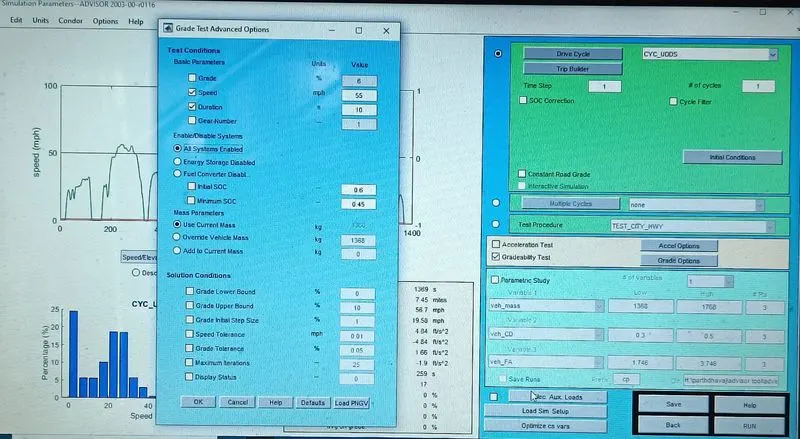
in the grade option, we can change speed or duration with respect to our simulation.
click on all system enabled.
and then click on OK and RUN button.
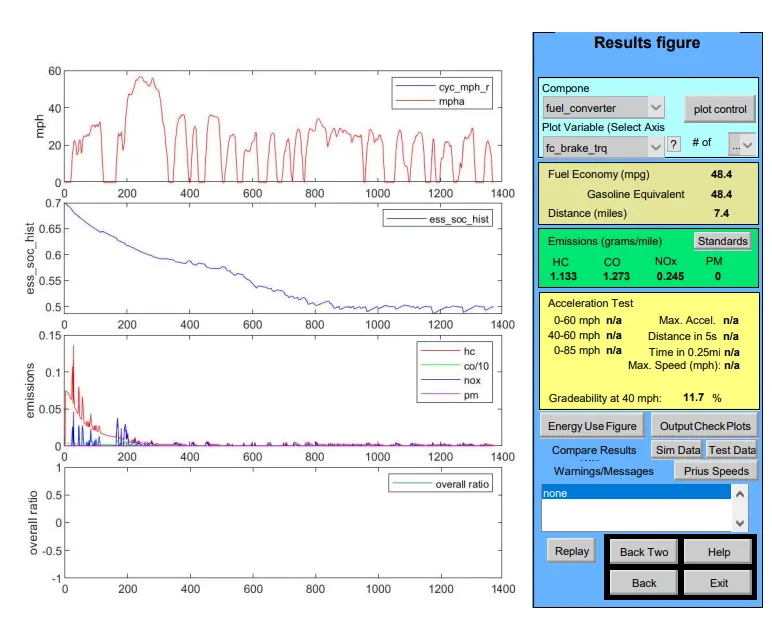
1)Result for the duration - 10sec
i)speed=40mph
gradeability=11.7%
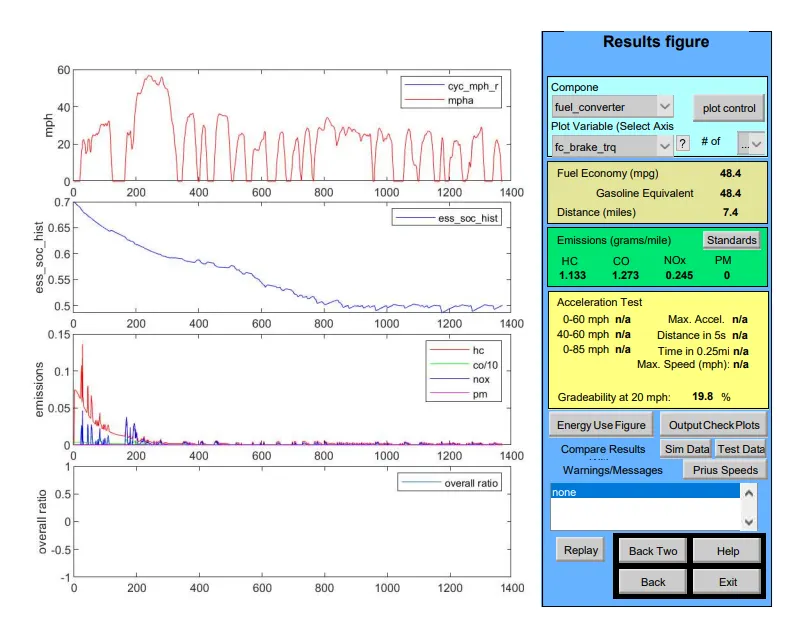
ii)speed=20mph
gradeability=19.8%
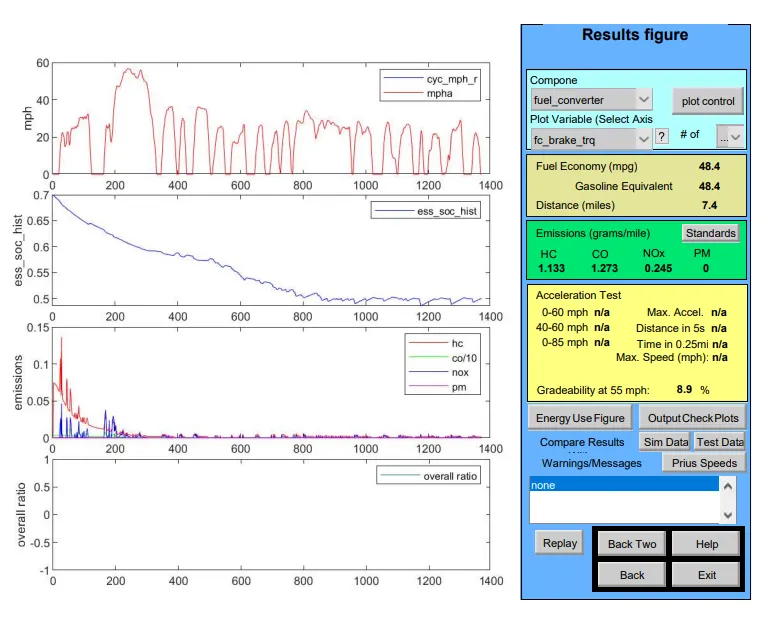
iii)speed=55mph
gradeability=8.9%
2)Result for the duration - 20sec
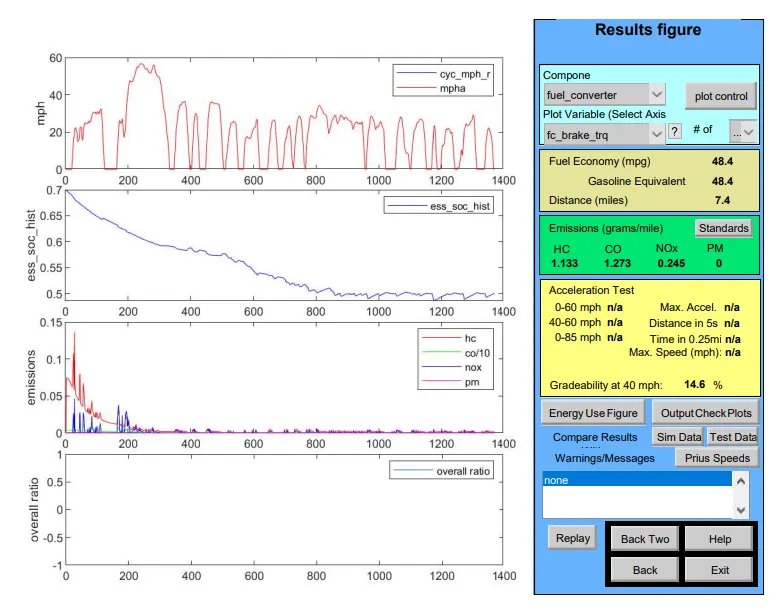
i)speed=40mph
gradeability=14.6%
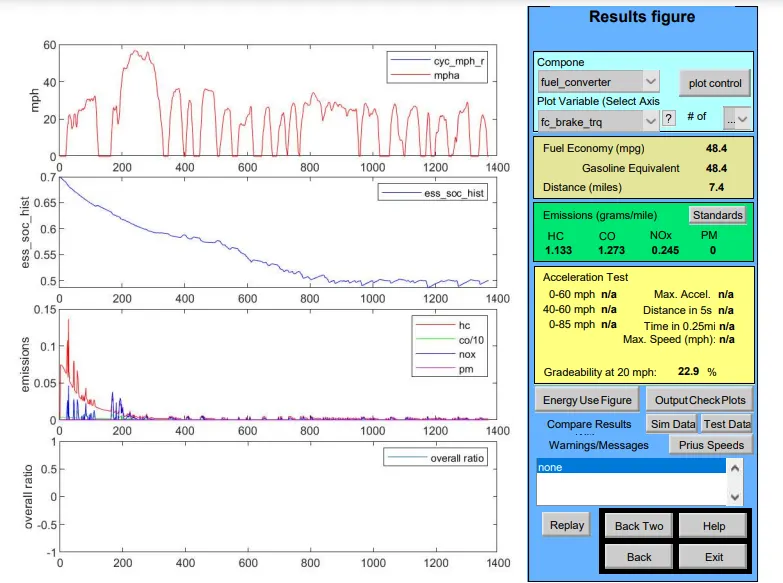
ii)speed=20mph
gradeability=22.9%
iii)speed=55mph
gradeability=11.5%
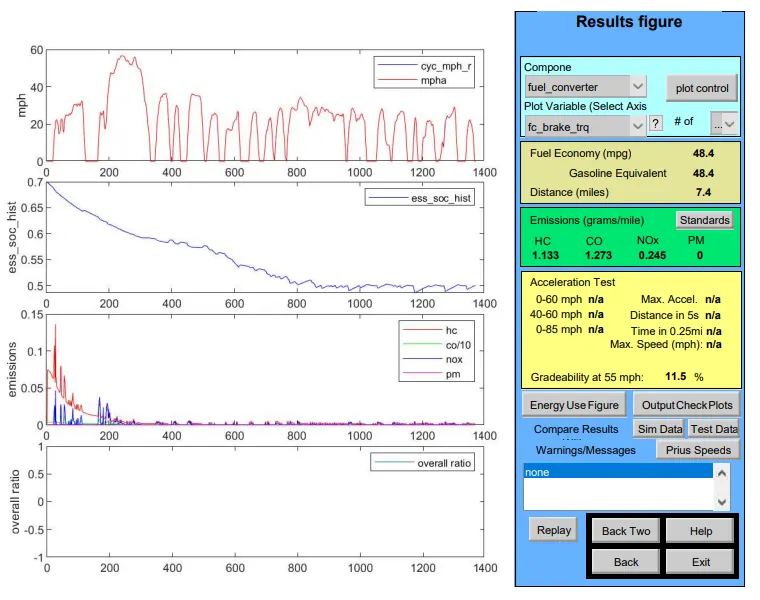
From the above, it can be seen that when vehicle speed increases there is a decrease in gradeability for both 10sec and 20sec duration.
so when vehicle speed increases there is a decrease in gradeability.