Week-3 Challenge: ADVISOR Tool
ADVISOR TOOL
Aim :
For EV_defaults_in file, simulate for the range of the Vehicle carrying the Payload of 500Kg.
Changing the Battery Capacity of the above Vehicle for the next Simulation.
To Perform the Gradeablity test for PRIUS_Jpn_defaults_in Vehicle.
INTRODUCTION –
ADVISOR tool developed in November 1994 by the national renewable energy laboratory(NREL), allows users to simulate and analyse conventional, advanced,
light and heavy vehicles including hybrid electric and fuel cell vehicles. The tool allows users to access the effect of changes in vehicle components such as –
motors, batteries, catalytic converters, climate control systems, and alternative fuels) and other modifications that might affect fuel economy, performance, or
emissions.
It is a set of models, data, script text files for use with MATLAB & Simulink.
ADVANTAGES OF USING ADVISOR –
Estimate fuel economy of vehicles that have not been built yet.
Learn about how conventional, hybrid or electric vehicles use & lose energy throughout the drivetrains.
Compare relative tailpipe emissions produced on a number of cycles.
Valuate an energy management strategy for your hybrid vehicle fuel converter.
Optimize the gear ratios in your transmission to minimize fuel use or maximise performance, etc.
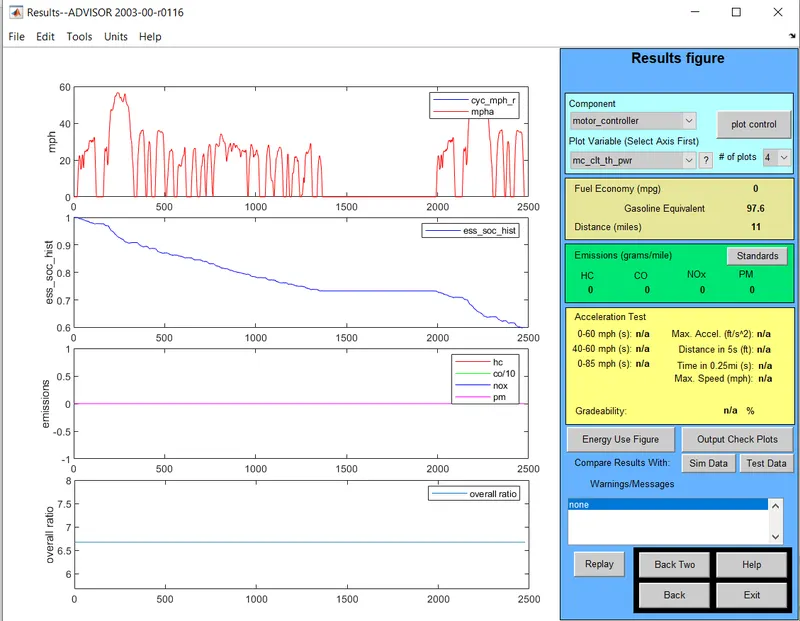
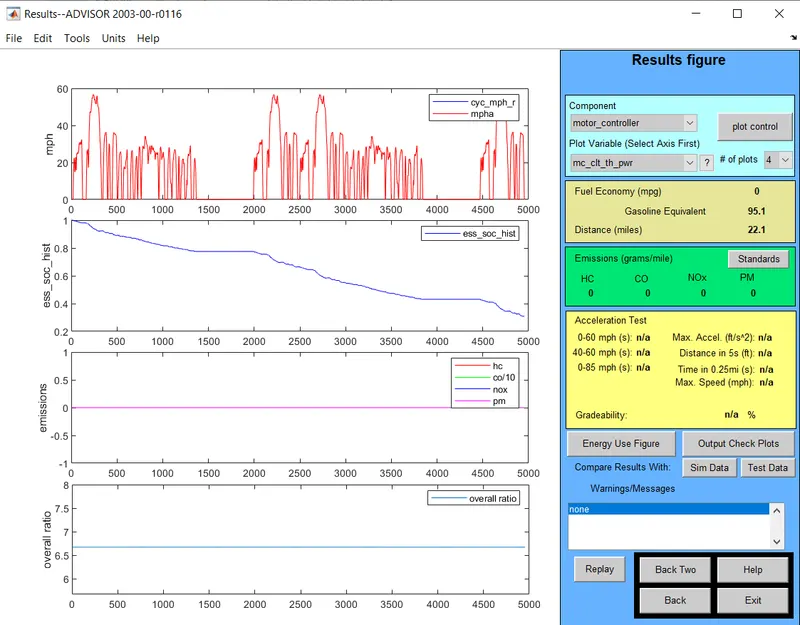
1) Use EV_defaults_in_file, if cargo mass is 500 kg with all other default conditions, find the vehicle can travel for 45 with FTP drive cycle? & conclude
the observations.
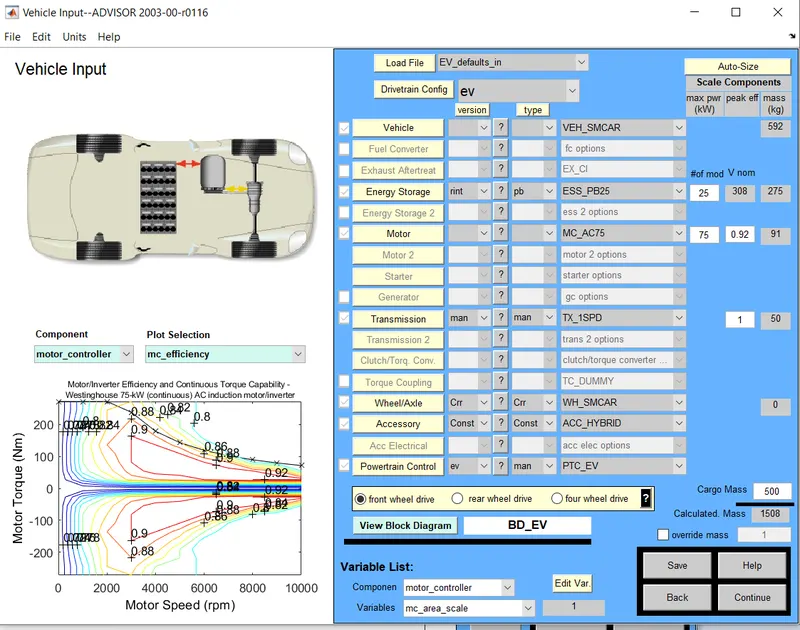
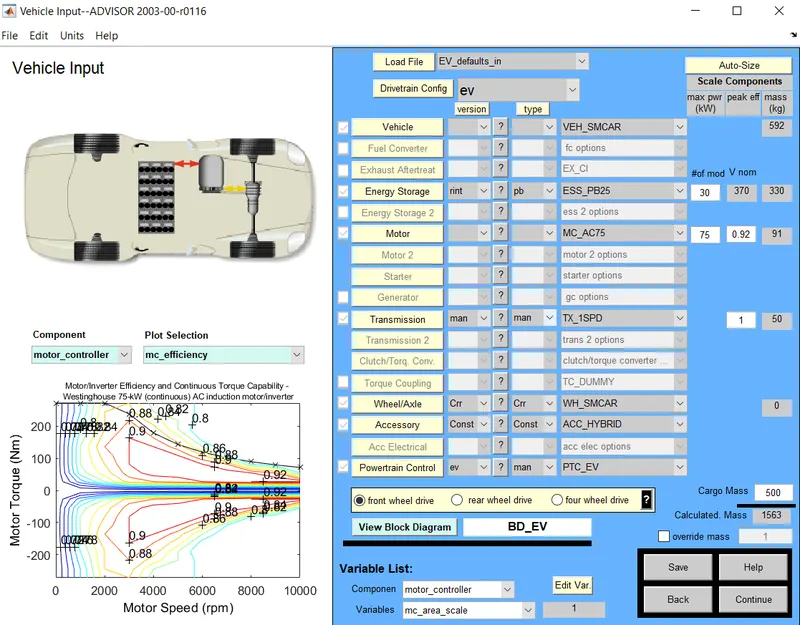
First we have to load EV_defualts_in file from drop down menu and change the parallel_default_in from vehicle input window.
Now changing the cargo mass to 500kg we will see change in total mass of the vehicle.
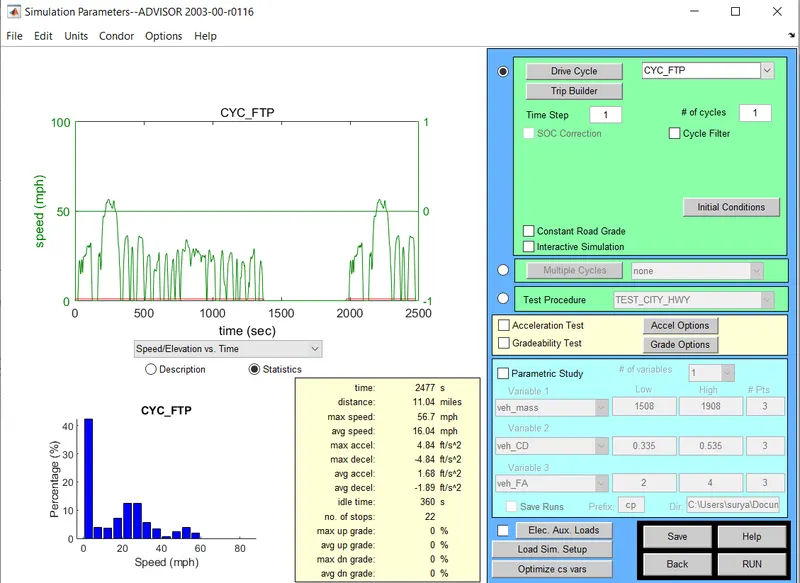
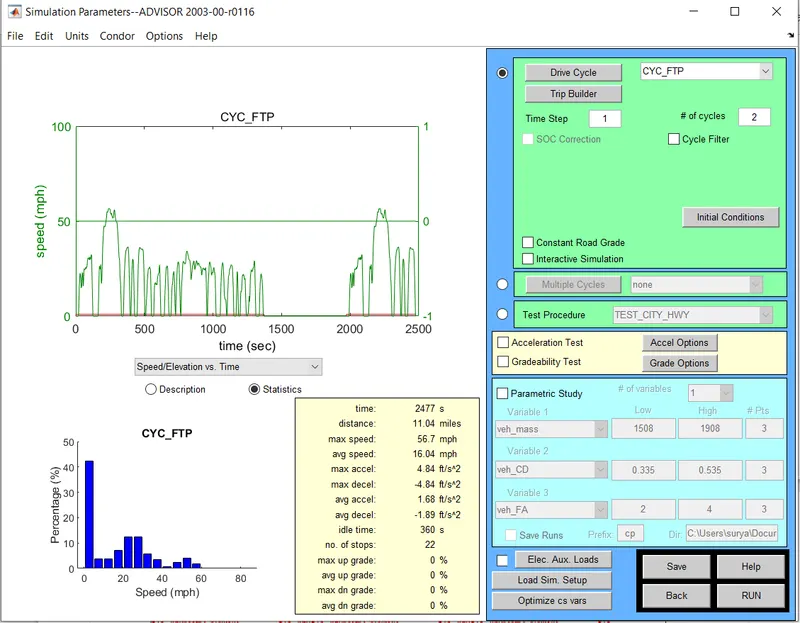
Now click on continue button after that a new window simulation parameter will pop up
In simulation parameter window change the drive cycle to CYC_FTP by selecting the drop down menu.
Below that we will see # of cycles from here we can set our drive cycle.
After pressing the RUN button, the simulation will start and it will show results in new window
To Change the Battery Capacity for Ev_defaults_in in the above Simulation and check for the Range.
The number of Battery Modules is increased from default 25 to 30 to check for the Range.
Increase in the Number of Battery Modules has resulted in the increase of Nominal Voltage from 308V to 370V.
This also resulted in the increase the overall weight of the Vehicle !
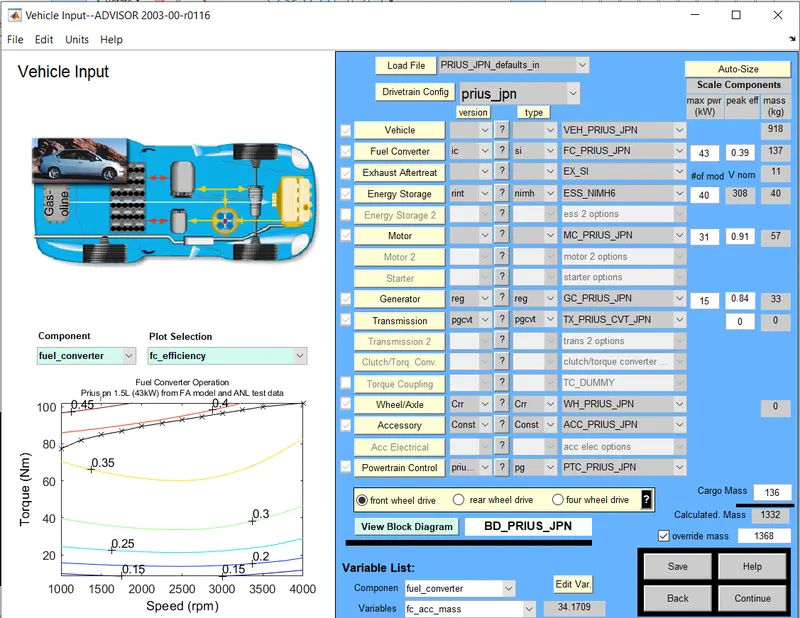
 PRIUS_Jpn_defaults_in
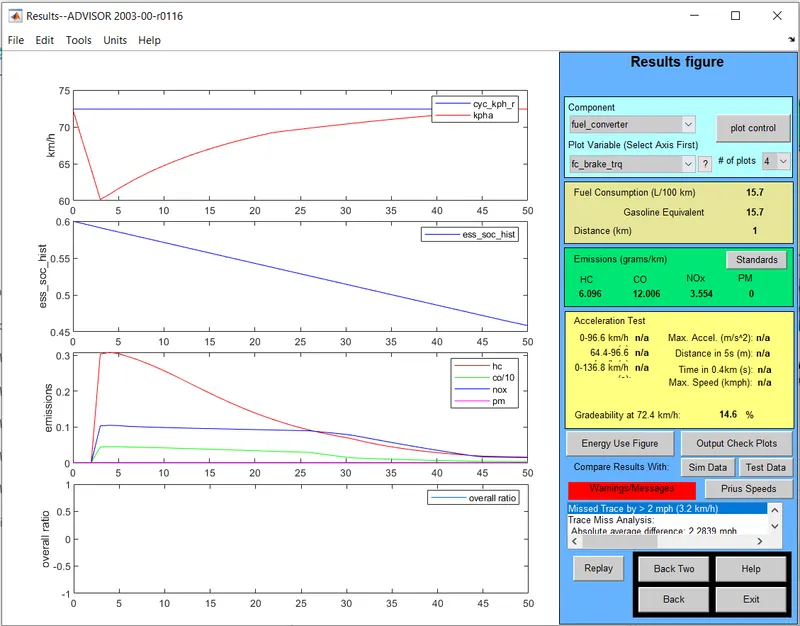
To Perform the Gradeablity test for PRIUS_Jpn_defaults_in Vehicle.
Drive Cycle
Gradeablity Test can be performed in 2 Methods
Gradeablity @ some defined Speed, Grade Test Option available for this.
Gradeablity with constant Grade under any of the Drive Cycle.
Change the Grade Parameters as required in Grade Options.
Case 1
@ 10 mph for 50 Seconds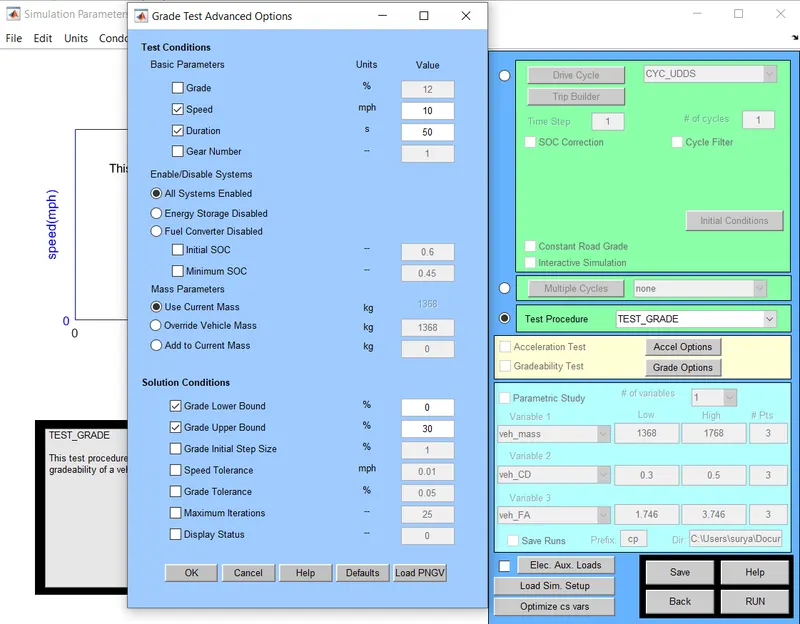
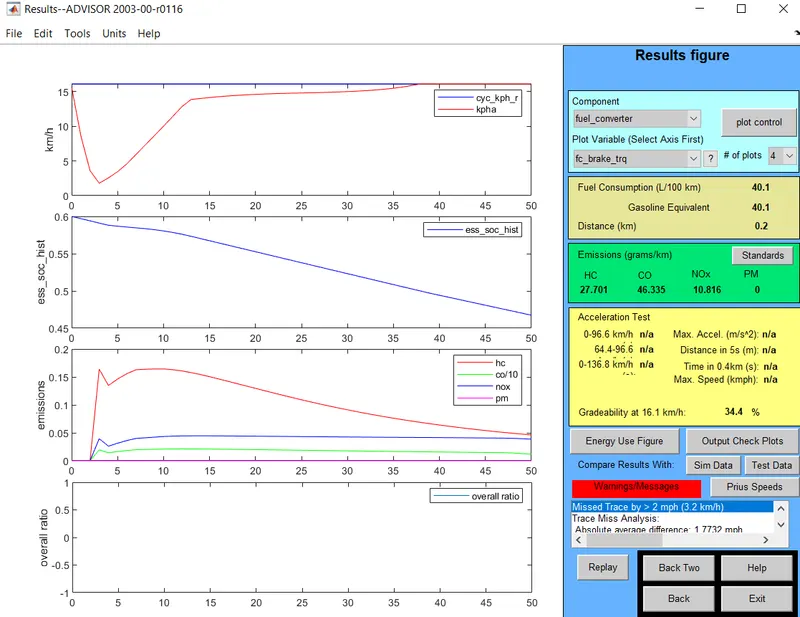
Case 2
@ 25 mph for 50 Second
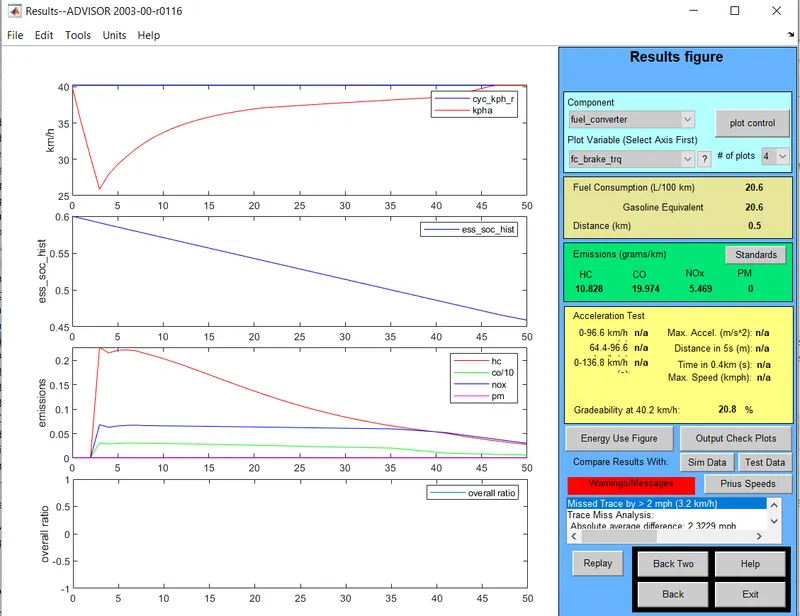
Case 3
@ 35 mph for 50 Second
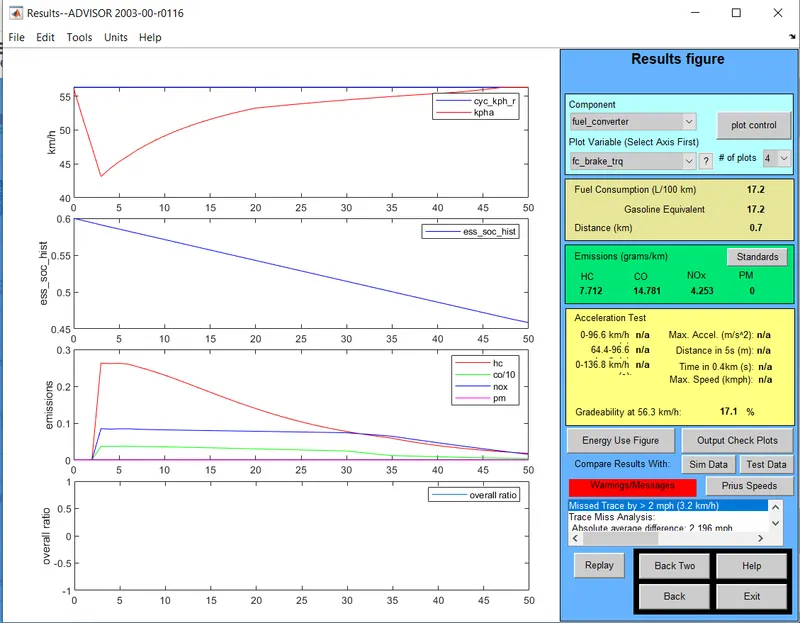
Case 4
@ 45 mph for 50 Second