Week-3 Challenge: ADVISOR Tool
1) Observations are as follows -
- Opening the ADVISOR tool window and changing the load file to EV_default_in file we get input window which is shown below , with default parameters .
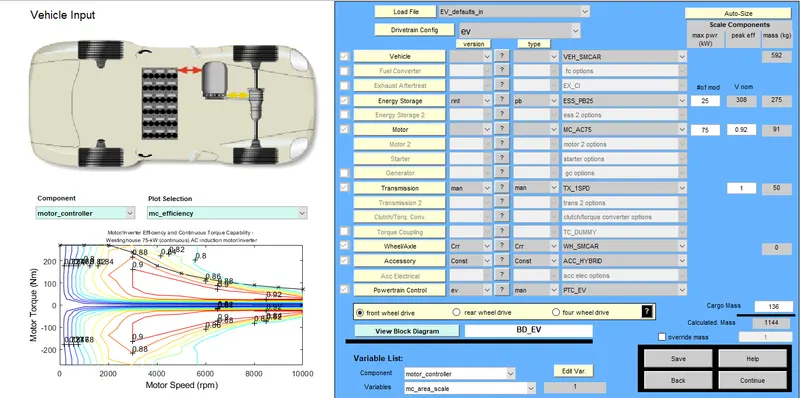
- Here cargo weight has been mentioned 136 kg by default . Cargo weight is the actual weight of the items or objects which is added to curb weight of vehicle .
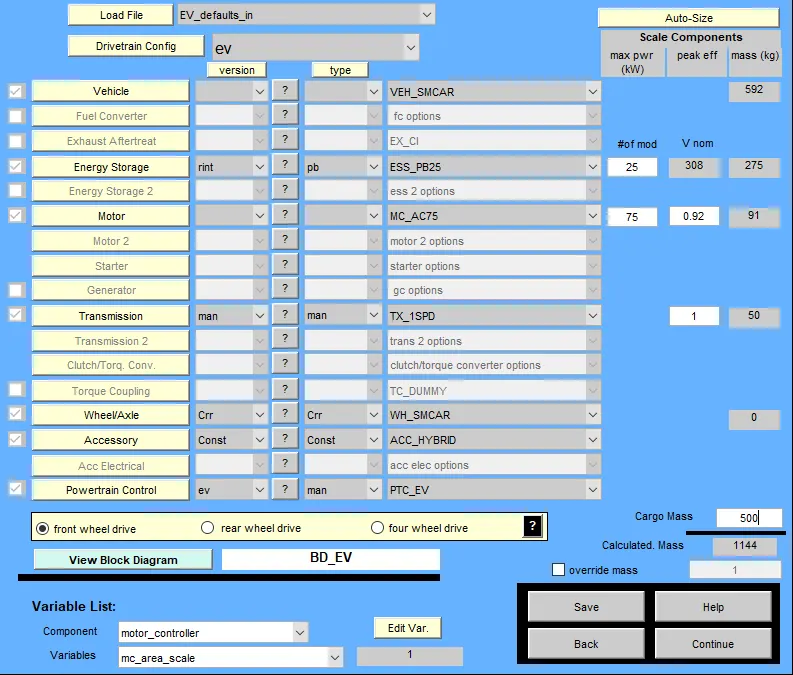
- Now changing the value of cargo weight from default value to 500 kg keeping other parameters unchanged Then clicking on continue button on the down right corner of the window and selecting the FTP drive cycle , We get window open like this ,
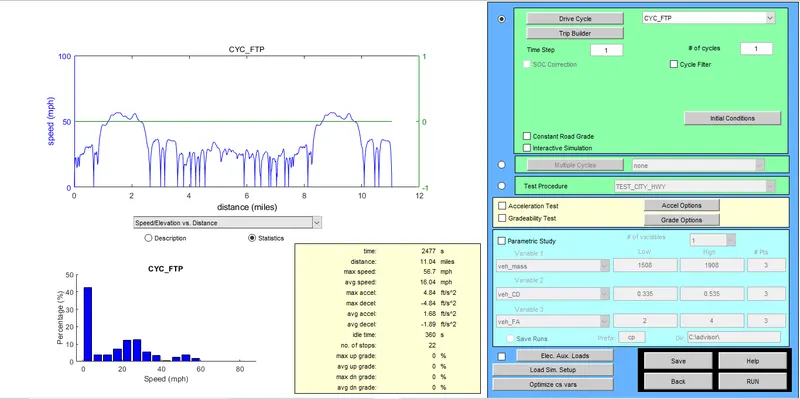
- By selecting FTP (Federal Test Procedure) drive cycle , it is observed that car can only cover distance of 11.04 miles which is equal to 17.7 km .
- Now clicking on Run button , all the results will be shown in other window .
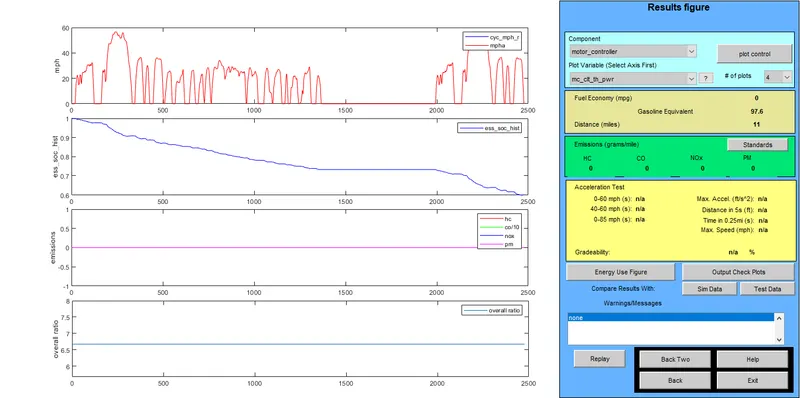
- In the figure above , it is clear that vehicle can run upto 17.7 km in one drive cycle .
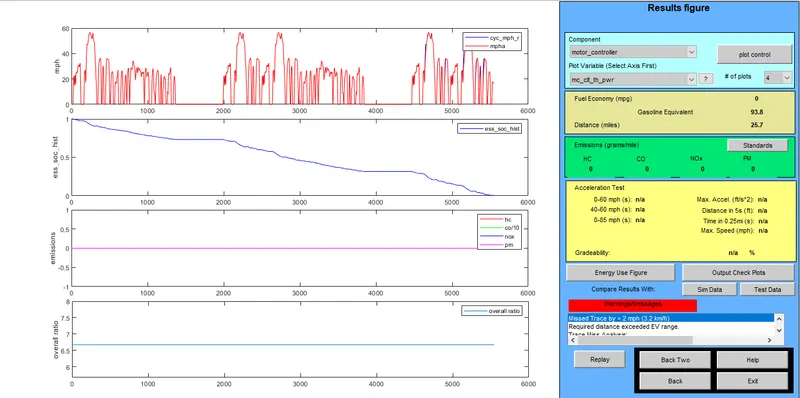
- To cover the distance of 45 km , 4 no(s) of FTP drive cycle is required which covers the distance 41.4 km (25.7 miles as shown in figure) . The figure is pasted below ,
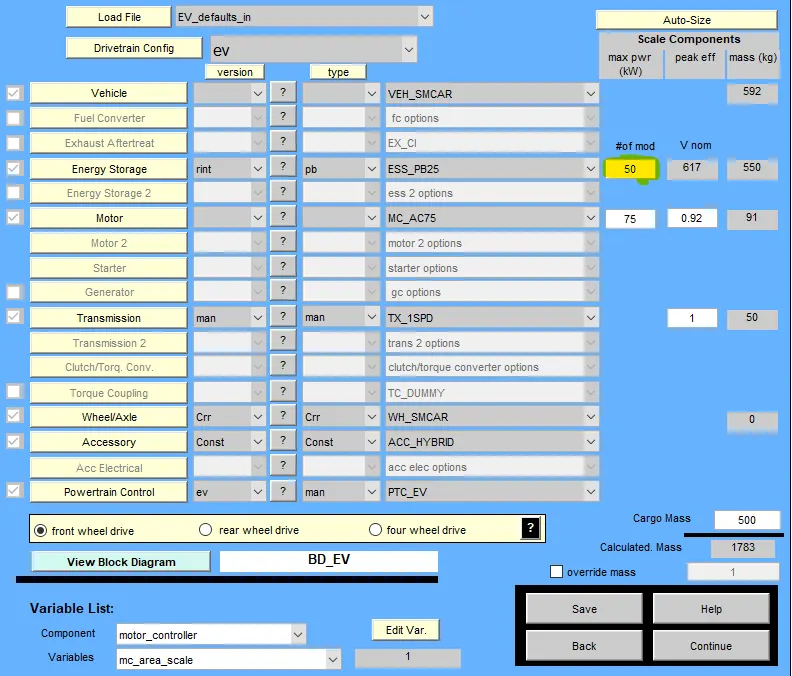
2) The parameter battery capacity is 25 kW by default . Now doubling the battery power that is 50 kW and cargo weight remain 500 kg, we get the following results shown below ,
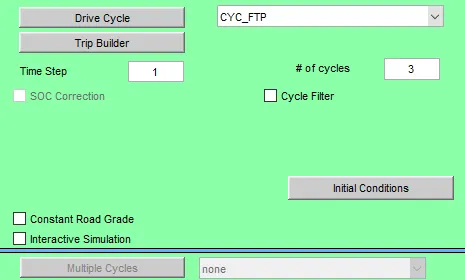
- Now taking FTP drinving cycle and the number of cycles be 3 .
- By clicking on the run button we get the following result ,
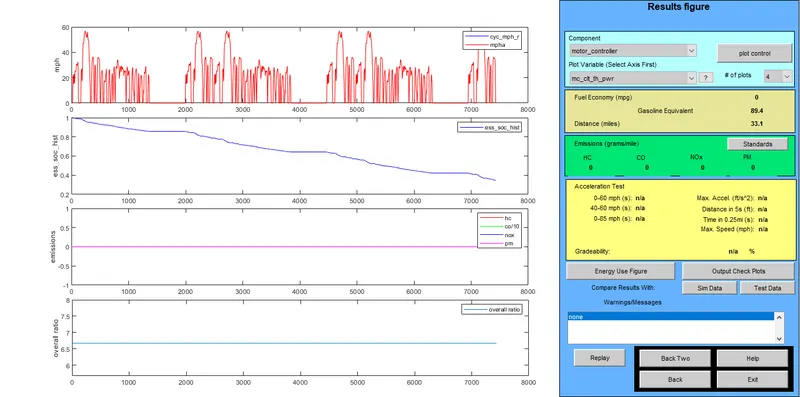
- From the above figure it is clear that by doubling the battery capacity the distance cover by the vehicle increases . Now the car covers the distance of 33.1 mile which is 53.2 km in 3 nos of driving cycle . And also observed that no warnings are shown .
3) GRADEABILITY TEST OF PRIUS -
Here the in load file option the PRIUS_default_In is selected and keeping all the parameters unchanged .
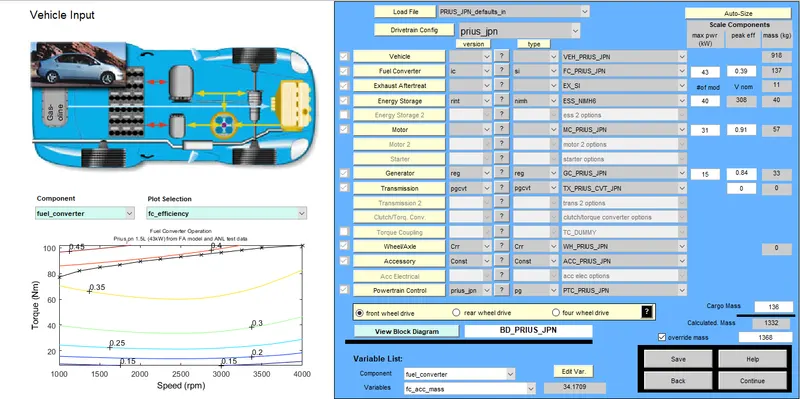
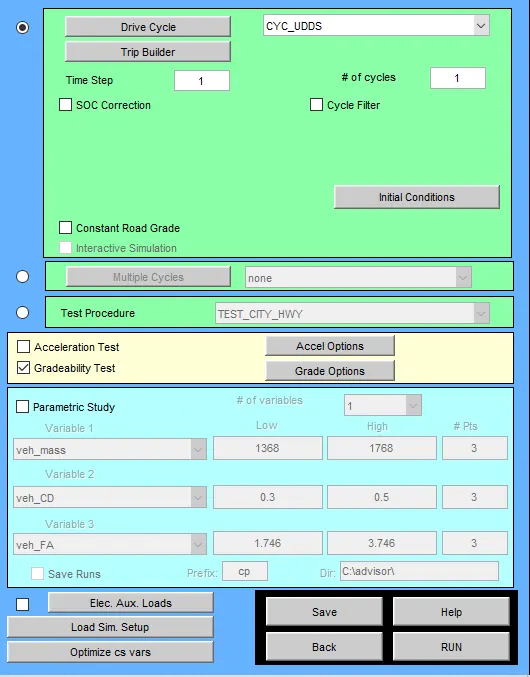
- Next on clicking continue button new window open as shown below . Here drive cycle is set default i.e UDDS (Urban Dynamometer Driving Schedule) cycle . Selecting Gradeability test . By clicking on grade option we can change the parameters like speed , time duration and etc . The figures is show below ,
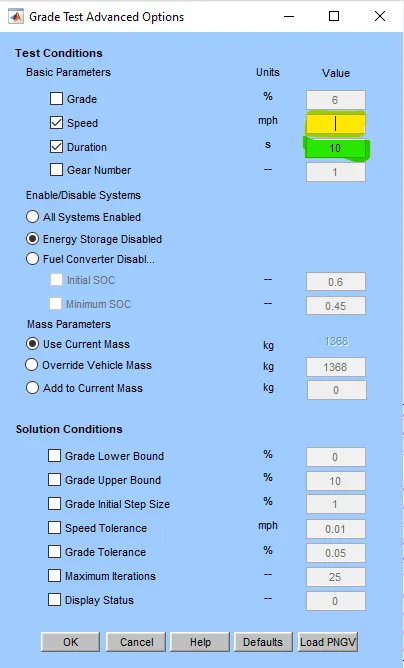
- In above figure of grade option , we will change the value of speed starting with 10 to 60 mph and keeping the time duration 10s constant for all values of speed . We will get the following results . In the results the speed will be shown in Kmph unit .
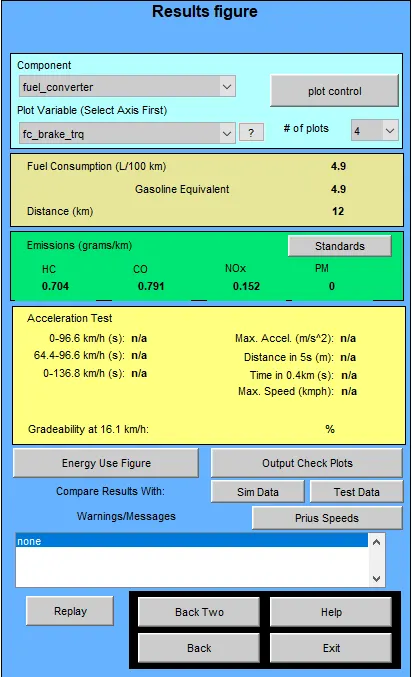
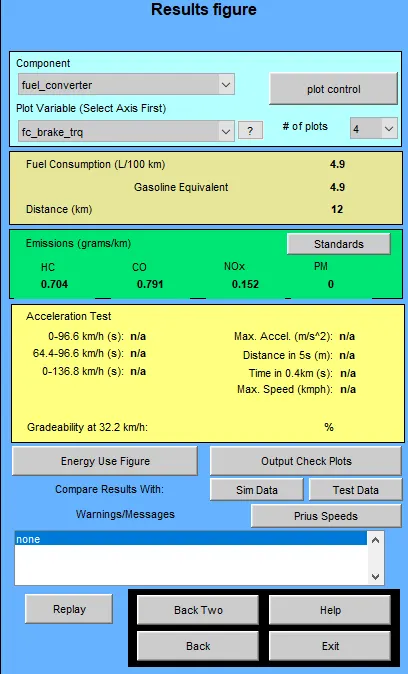
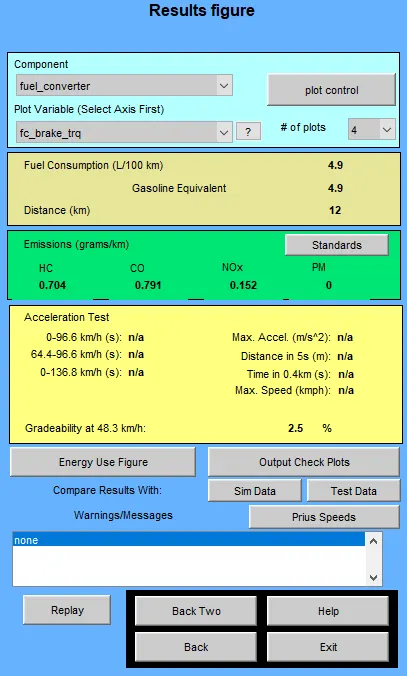
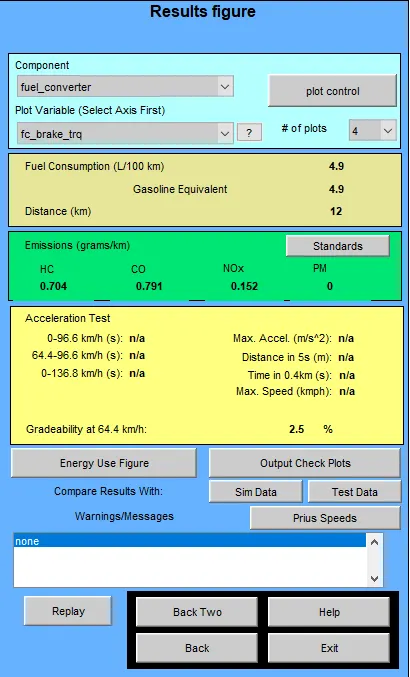
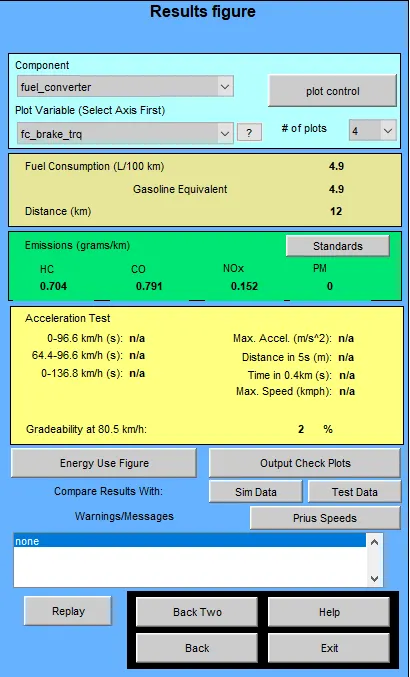
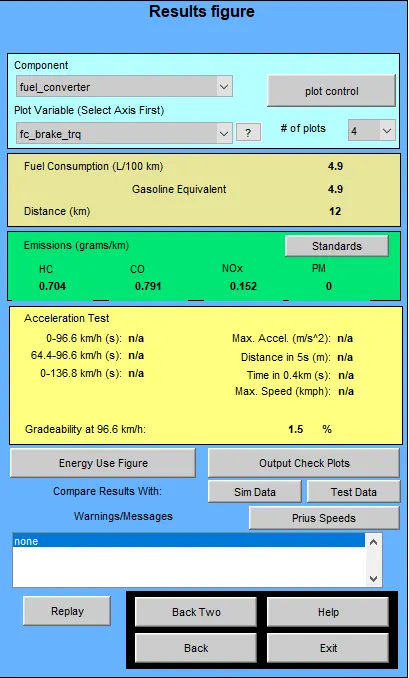
- Comparing all the results ,
| Speed (mph) | Speed (kmph) | Duration (in Sec) | Gradeability (in Percentage) |
| 10 | 16.1 | 10 | 0 |
| 20 | 32.2 | 10 | 0 |
| 30 | 48.3 | 10 | 2.5 |
| 40 | 64.4 | 10 | 2.5 |
| 50 | 80.5 | 10 | 2 |
| 60 | 96.6 | 10 | 1.5 |
As it is observe that when the speed increases the gradeability decreases .