Week-3 Challenge: ADVISOR Tool
1) For EV default in file ,if cargo mass is 500 Kg with all other default condition, can the vehicle travel for 45Km with FTP drive cycle ?
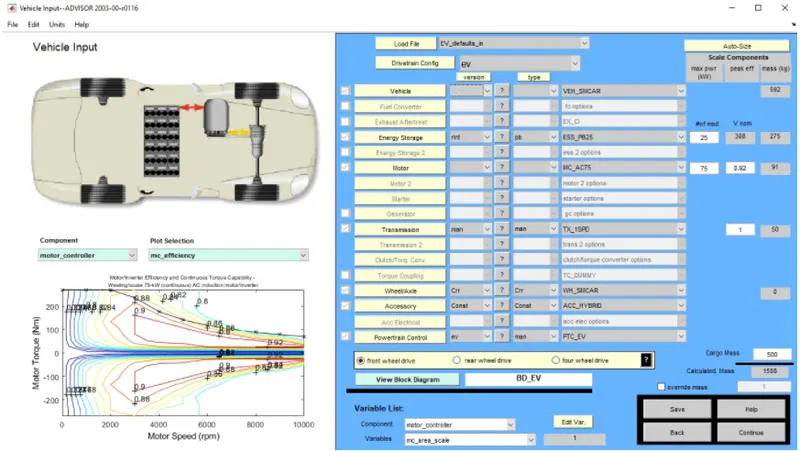
Load the Advisor tool in matlab command window and select metric system and load EV default in file and change the cargo weight to 500 Kg and keeping the remaining variable same and hit continue to load drive cycle page.
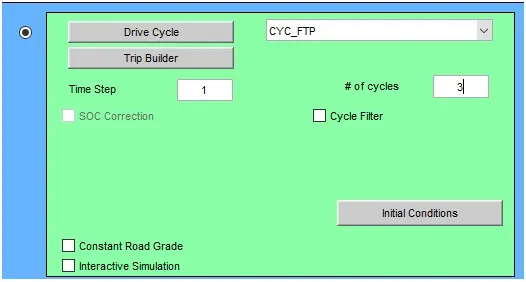
We need to use FTP based cycle select the following and hit run.
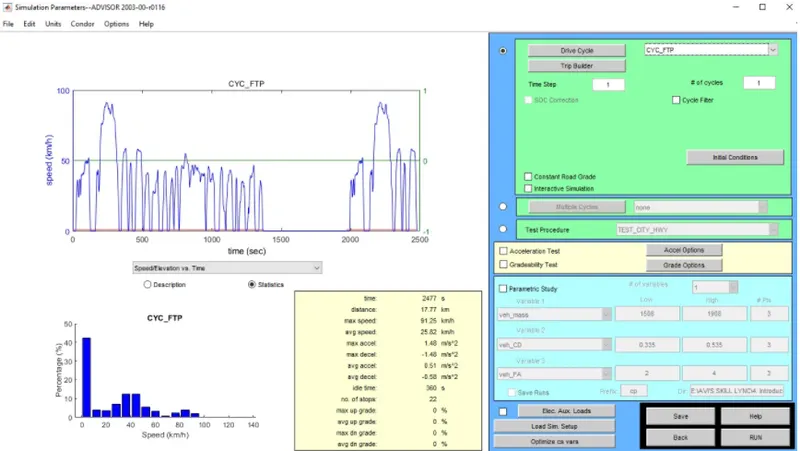
After pressing the run button the simulation start to run and result are shown below:-
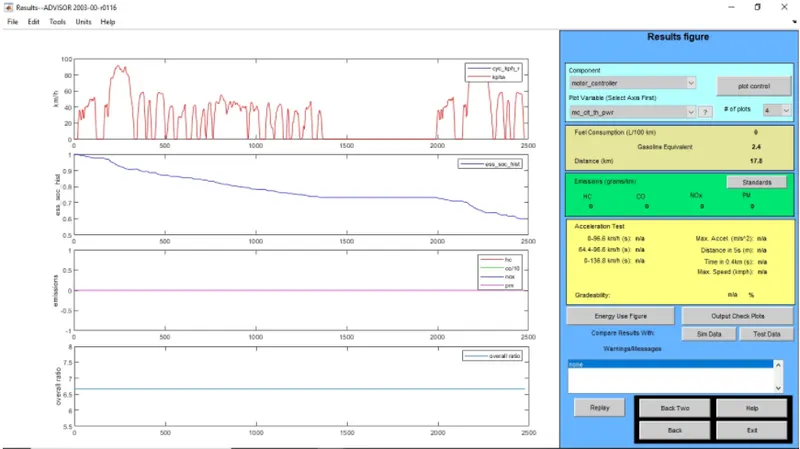
In the result of simulation, we see distance travel by vehicle in 1 drive cycle is about 17.8Km almost 40% SOC.Now to change drive cycle 2 what effect on result we will see?
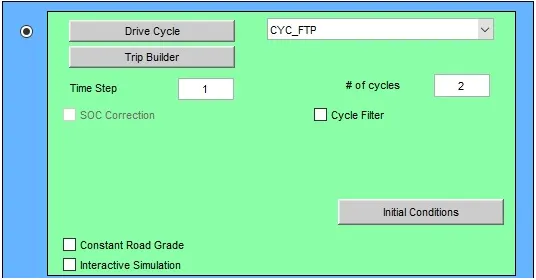
Result with 2 drive cycle.
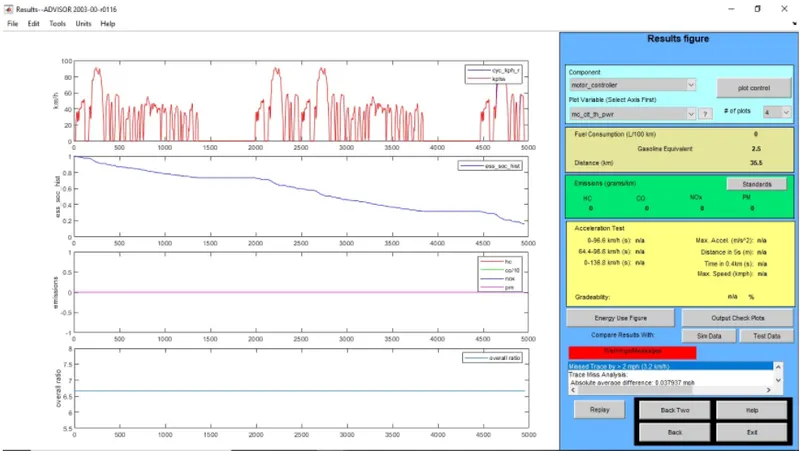
The distance travel by vehicle in 2 drive cycle is 35.5 Km and used about 81% SOC. Now increasing the drive cycle in 3 and see the result.
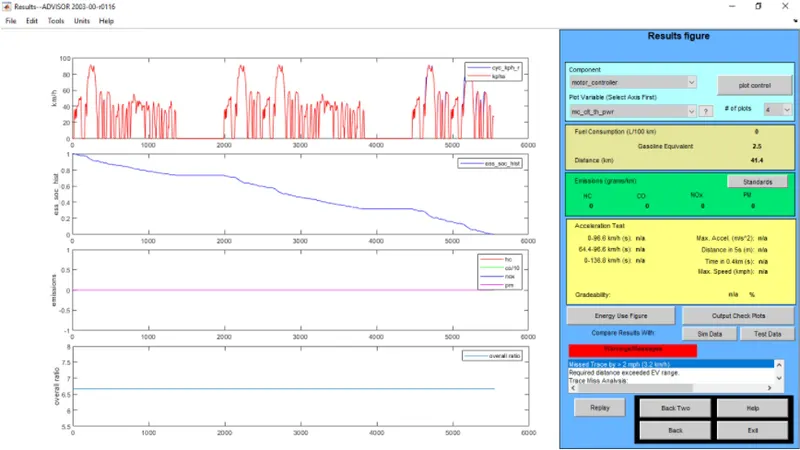
The distance travel by vehicle in 3 drive cycle is 41.4 Km and used by 100% SOC. The minimum distance travel by vehicle in 1 drive cycle is 17.8 Km and maximum distance travel by vehicle in 3 drive cycle is 41.4 Km and consume 100% battery
2) By changing the battery capacity run above simulation :-
In vehicle input window we will change the battery capacity form energy storage which will open 1st "#of mod von num" describe the battery capacity so we change the number of module of battery from the first box and we will change in weight and voltage.
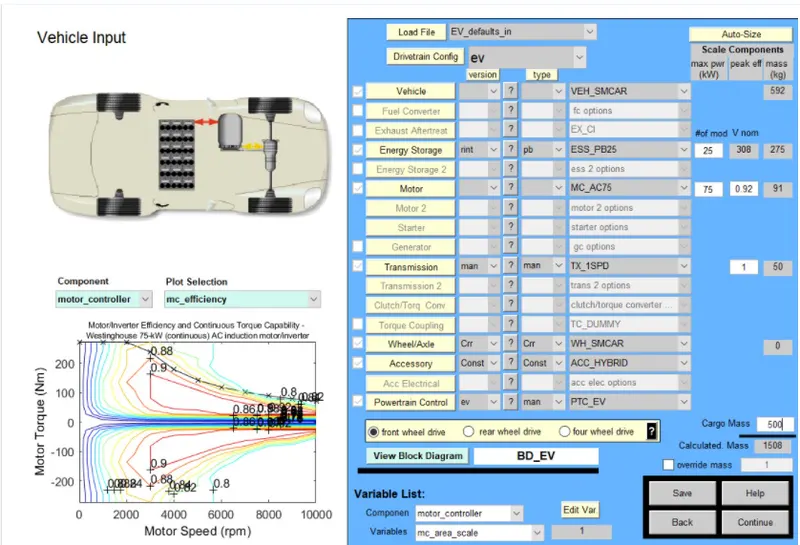
Energy storage system with 26 module and 2 drive cycle :-

Result :-
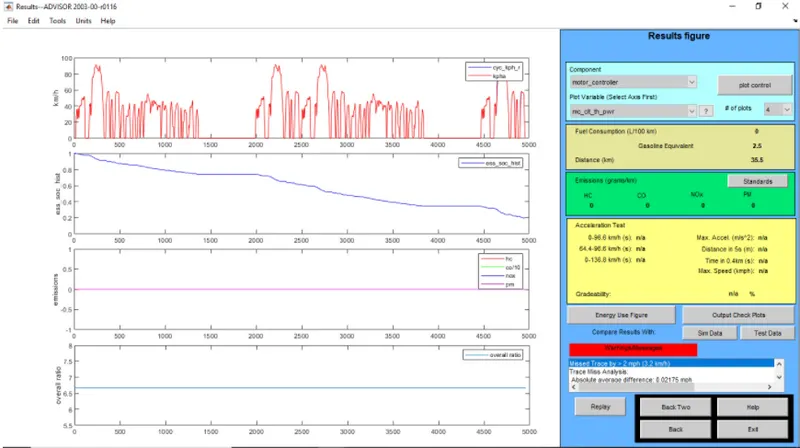
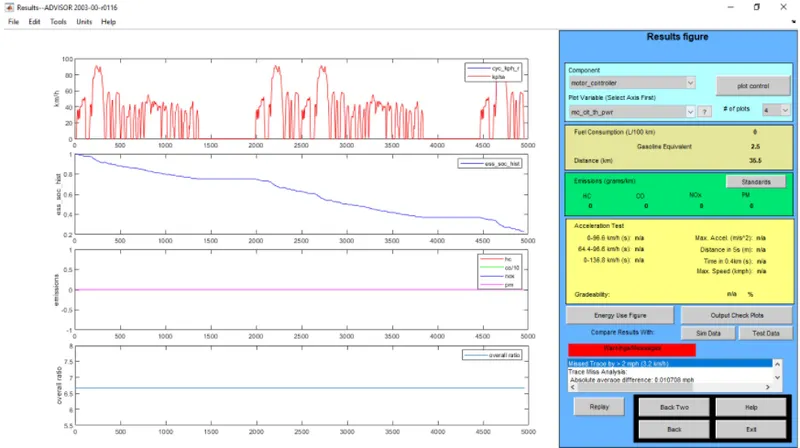
Energy storage system with 27 module and 2 drive cycle:-
 Result :-
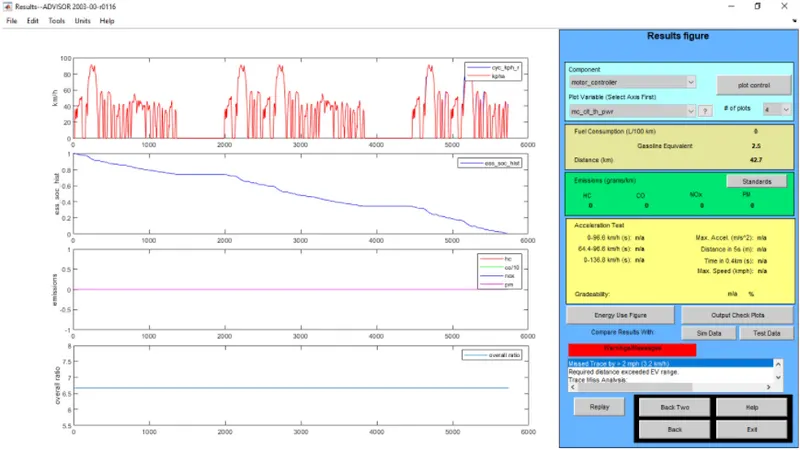
Energy storage system with 26 module and 3 drive cycle :-

Result :-
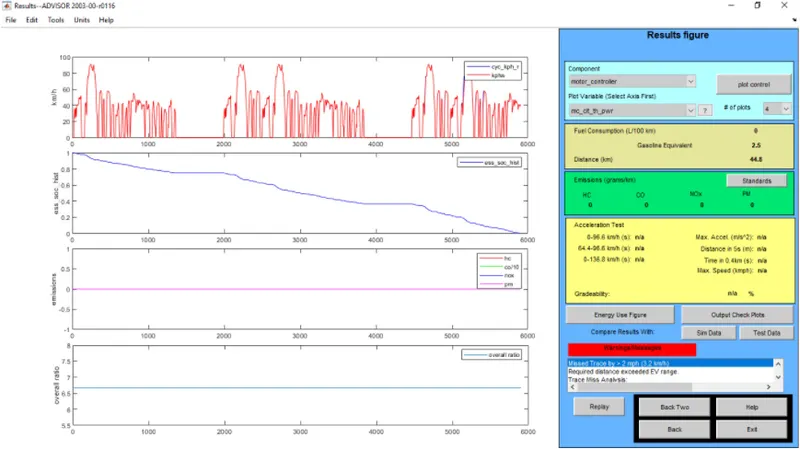
Energy system with27 module and 3 drive cycle :-

Result :-
Drive cycle 2
- module 26 :- Voltage =321 , Distance = 35.5 Km , battery weight = 286
- module 27 :- Voltage =333 , Distance = 35.5 Km , battery weight = 297
Drive cycle 3
- module 26 :- Voltage =321 , Distance = 42.7 Km , battery weight = 286
- module 26 :- Voltage =321 , Distance = 44.8 Km , battery weight = 297
While changing the module in drive cycle 2 we get constant distance. In case of drive cycle 3 by changing the module we get different distance.
3) Perform the gradeability test :-
- In advisor tool vehicle input window select PRIUS_jpn_default model.
- Continue next window
- Simulation parameter window will open
- Select gradeability test and click on the grade option box.
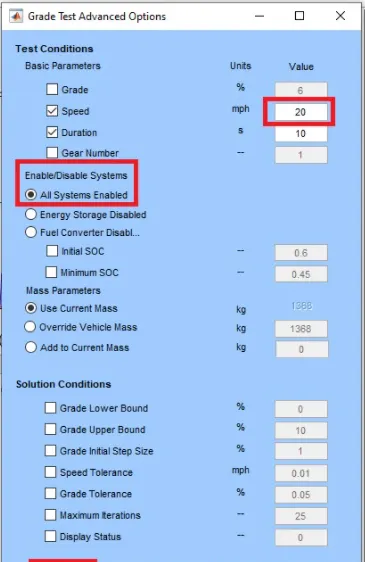
- In grade option box we can change speed and duration.
- Click on all system enabled and also constant grade road.
- Click ok and run simulation and result window will open and show result.
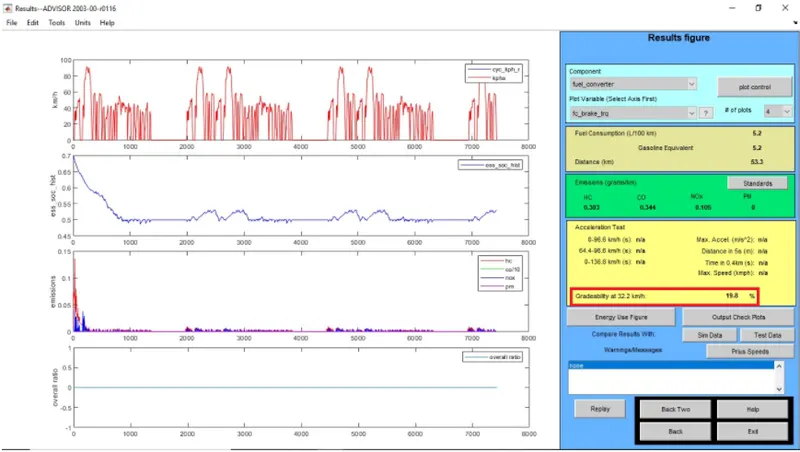
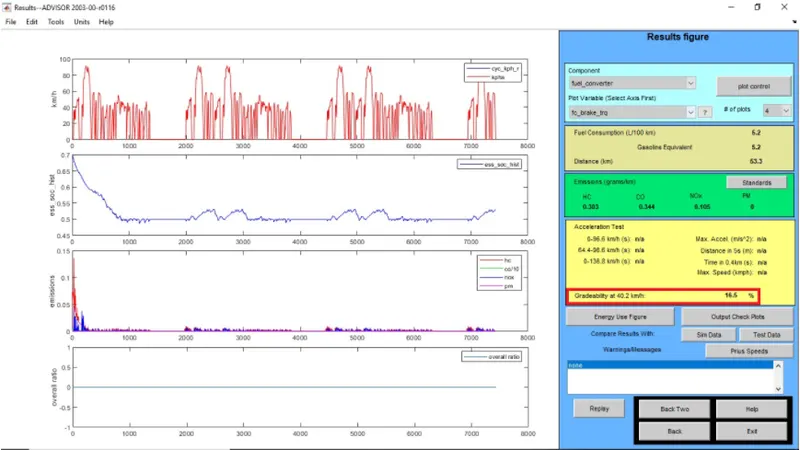
Result :- For 10 sec
1) Speed = 32 Kmph , Gradeability = 19.8%
2) Speed = 40Kmph , Gradeability= 16.5%
3) Speed = 48.3Kmph , Gradeability = 14.7%
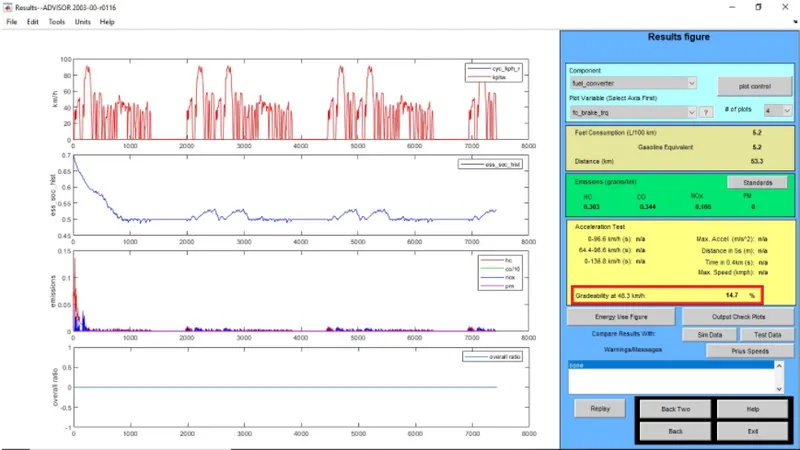
From above case we understood that, the vehicle speed increase then gradeability decrease