Week-3 Challenge: ADVISOR Tool
Objective:
- Conduct simulation of 'EV_defaults_in' file and check whether the model can travel 45km of distance with cargo 500kg and other parameters set to default.
- Conduct simulation of 'EV_defaults_in' file and check whether the model can travel 45km of distance by varying the battery capcity.
- Perform gradeability test with 'PRIUS_Jpn_defaults_in' file and to compare results.
Description:
ADVISOR Tool:
In November of 1994, NREL's Centre for Transportation Technologies and Systems created a simulation model for advanced vehicles called ADVISOR (Advanced Vehicle Simulator). The model was created in support of the hybrid vehicle subcontracts with the auto industry for the Department of Energy. ADVISOR approximates the continuous behaviour of a vehicle as a series of discrete steps during each of which the components are assumed to be at steady state. That is, at each time step, the effects of changing current, voltage, torque, and RPM are neglected. This allows efficiency or power loss tables, which are generated by testing a drivetrain component at a fixed torque and RPM (and current and voltage, if applicable), to be used to relate the power demands of the components at each time step. A significant advantage of using a model that is in the Simulink/MATLAB environment is the flexibility and ease of changing the model, such as replacing one control strategy or regenerative braking algorithm with another.
Advantages:
- Real time values can be logged for the models.
- Energy usage and storage can be understood in better way.
- Easy to use and modify the parameter values.
Disadvantage:
- Takes time in building new models.
- Updates for the software were freezed from year 2003.
1.To run simulation on EV_defaults_in file with 500kg cargo.
Procedure:
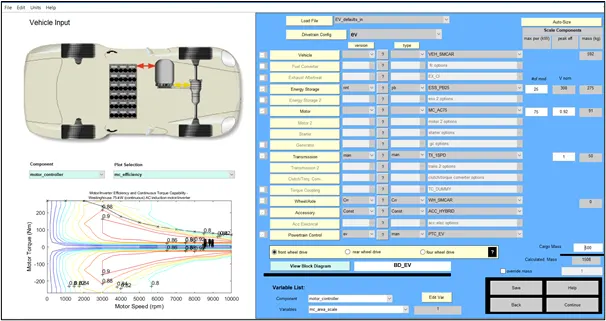
- Once the Advisor tool is opened in Load file tab EV_default_in fileis loaded and all corresponding data are kept default and then by clicking on continue button the second window will be popped up.
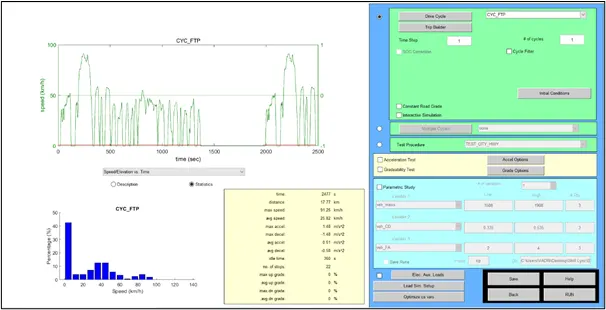
- In the second window 'CYC_FTP' driving cycle for one time is assigned to this model and all other parameters are kept as default and Run tab is clicked to start the simulation.
Output:
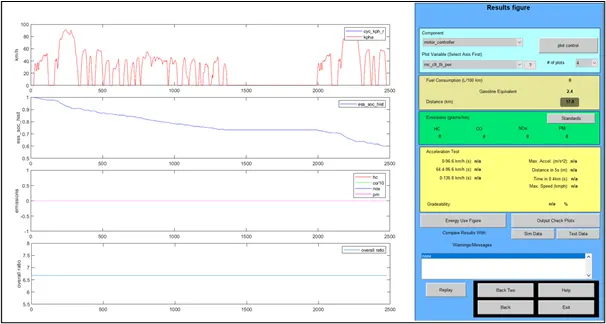
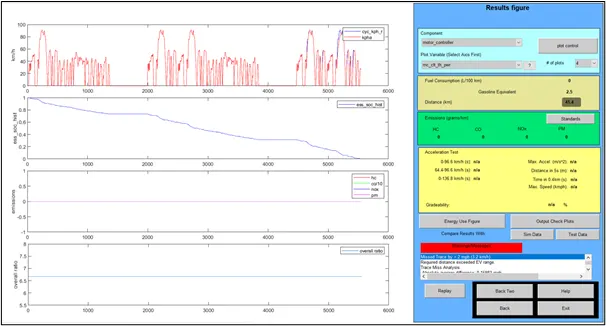
In the below snap we can see that this model with the default values can travel for a distance of 17.8km (highlighted in black colour) i.e., it cannot reach the required distance (45km).
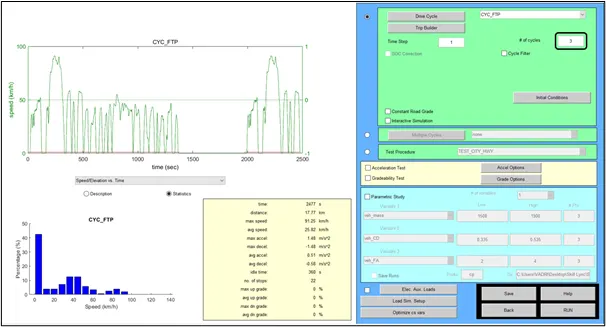
- To make this model to cover the 45km distance, the no. of cycles should be increased. But even after increasing no. of cycles to 3, distance of max 41.4km can travelled with all energy (battery) drained out i.e., SOC will be zero.
Output:
It is clear that with the default values distance of 45km cannot be covered.
2. To cover 45km of distance by increasing battery modules.
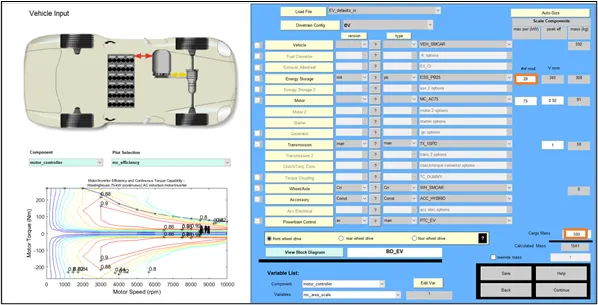
- For the same file (i.e., EV-defaults_in) with all the values set to default except, the number of battery modules are increased from 25 to 25kW (as shown in below figure) and then in next window the drive cycle parameters are defined.
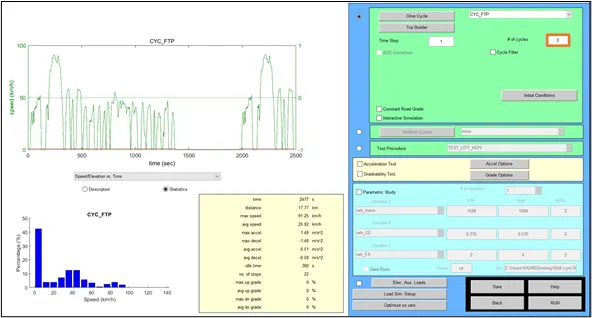
- In the second window, Drive cycle CYC_FTP is opted and the no. of cycle is set to 3 and then the simulation is started by clicking the RUN button.
Output:
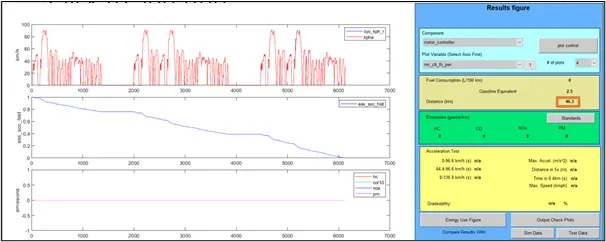
It can be observed that the distance of 46.3km is covered by using 28 modules of battery but the SOC will be zero before completing all three drive cycles.
3. Gradeability test with PRIUS Toyota model.
The Toyota is a full hybrid electric automobile manufactured by Toyota since 1997. Initially offered as a 4-door sedan, it has been produced only as a 5-door lift back since 2003.

First Generation PRIUS model.
Procedure for performing gradeability test on PRIUS on ADVISOR tool:
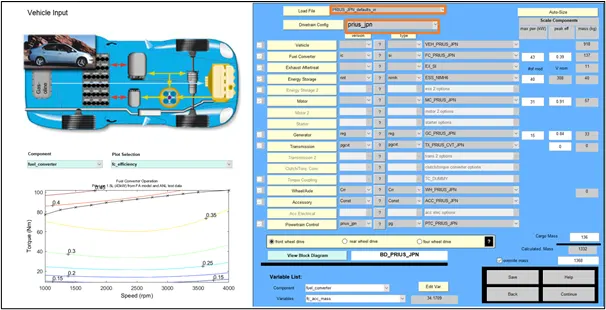
- After loading the Advisor tool, opt for PRIUS_Jpn_defaults_in under ‘load file’ and prius_jpn under drivetrain configuration tab and all other parameters are kept as default as shown in below snap.
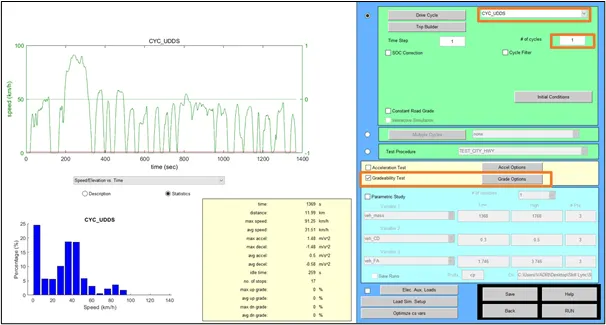
- After clicking on continue button the below window will be displayed. Where, the Drive cycle CYC_USSD for 1 number of cycles is opted and the Gradeability test check box is selected to perform the Gradeability test.
Grade option tab is clicked to provide values for different parameters as shown in below snap
Case 1:
- Speed = 5mph
- Duration = 10 seconds
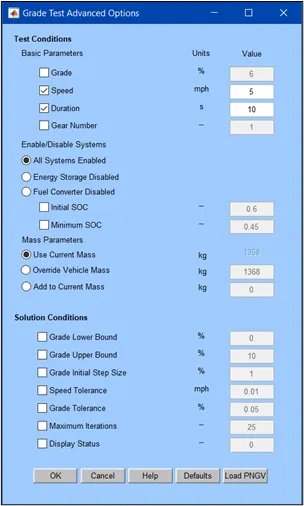
After providing the values OK button is pressed. Then from Run is selected from the second window by which simulation starts and output will be obtained.
Output:
Case 1:
- Speed = 5mph
- Duration = 10 seconds
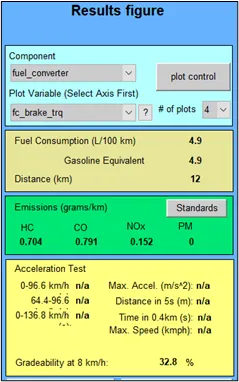
Now for the same model with all the parameters keeping same except the speed for gradeability test is varied and the values of gradeability (in %) are obtained.
Case 2:
- Speed = 25mph
- Duration = 10 seconds
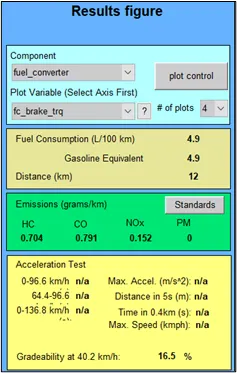
Case 3:
- Speed = 30mph
- Duration = 10 seconds
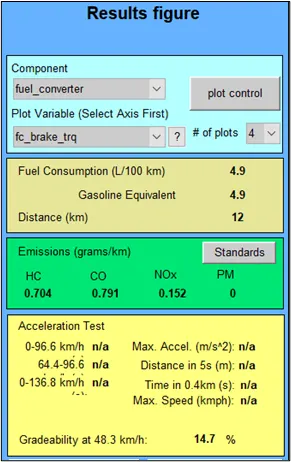
Case 4:
- Speed = 35mph
- Duration = 10 seconds
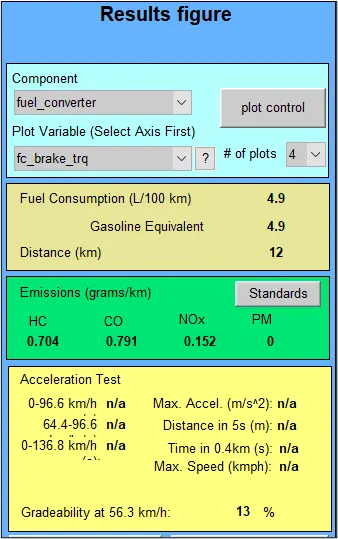
Case 5:
- Speed = 40mph
- Duration = 10 seconds
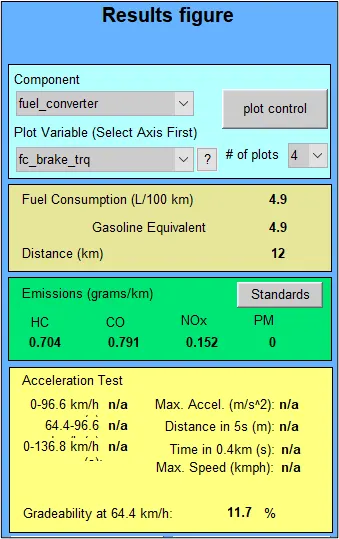
The below snap showa the table of Gradeability varying with speed for duration of 10seconds.
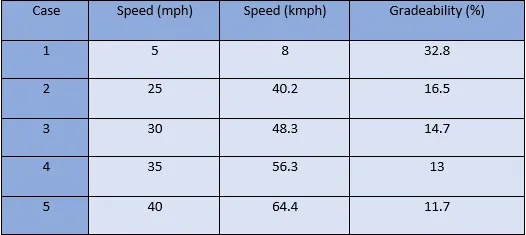
From the above table it is clear that with increase in speed of the vehicle the gradeability decreases.
Conclusion:
- Simulation test on 'EV_defaults_in' file was conducted for the given conditions and output was reported that using the default values the model cannot travel 45km of distance.
- For the above model with increase in battery capcity the distance of 45km can be covered but SOC will be zero.
- Gradebility test was performed on PRIUS model for different speed values and the corresponding gradeability was recorded.