ADVISOR Tool
Objective: To use advisor tool and simulate the following
- For EV_defaults_in file, if cargo mass is 500 kg with all other default conditions, can the vehicle travel for 45 km with FTP drive cycle.
- In the above case, try changing the battery capacity and repeat the simulation.
- Perform gradeability test with PRIUS_Jpn_defaults_in file. Compare your results in table and conclude.
Introduction:
-
ADVISOR, NREL’s ADvanced VehIcle SimulatOR, is a set of model, data, and script text files for use with Matlab and Simulink. It allows users to simulate and analyse conventional , advanced, lift and heavy vehicles, hybrid electric and fuel cell vehicles. This allows for the assesment of of changes of vehicle components like motors, engines, battries, Auxilary system and other elements that might affect fuel economy and various other parameters.
You may benefit from using ADVISOR if you want to:
- estimate the fuel economy of vehicles that have not yet been built
- learn about how conventional, hybrid, or electric vehicles use (and lose) energy throughout their drivetrains
- compare relative tailpipe emissions produced on a number of cycles
- evaluate an energy management strategy for your hybrid vehicle’s fuel converter
- optimize the gear ratios in your transmission to minimize fuel use or maximize performance, etc.
- Starting ADVISOR tool:
- Launch MATLAB and set the directory where the advisor files are located.
- Then, In the command window, Run the command 'advisor'.
- A new GUI window will open. Where you can select the units for program.
#1 - EV_defaults_in file, if cargo mass is 500 kg with all other default conditions, can the vehicle travel for 45 km with FTP?
- Load 'EV_defaults_in' from the drop-down menu. The window is shown below.
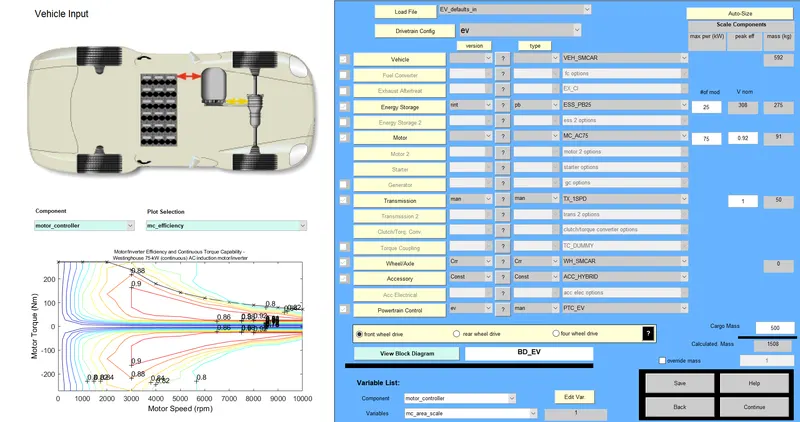
- Now changing the cargo mass to 500kg. Then, click on continue.
- This opens a new GUI window where the drive cycle can be selected.
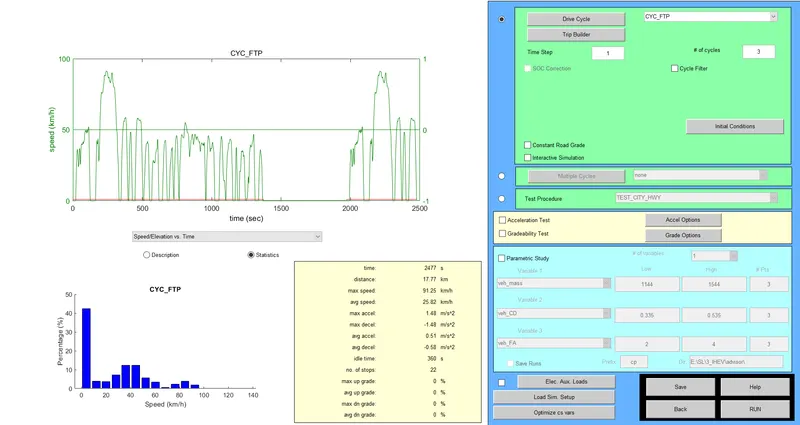
- In this window, the drive cycle is changed to 'CYC_FTP' form the drop down menu.
- Change the number of cycles to '3'. As each drive cycle is 17.7 km, 3 drive cycles gives 53.1km which contains our target of 45.
- Click the 'Run' button, to run the simulation.
- As the simulation is completed, Results window will be opened.
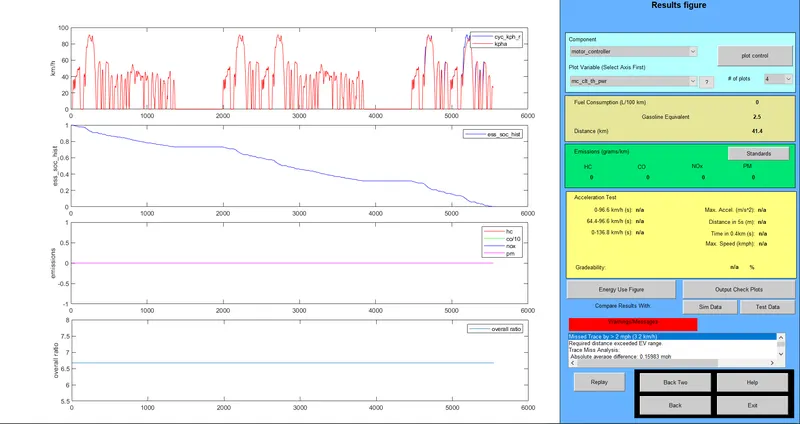
- From the reults, the vehicle ran for 41.4 km which is less than the required target.
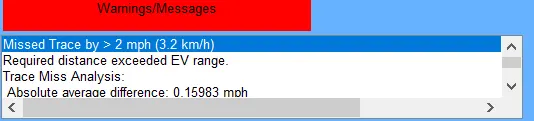
- In the errors window, There is warning that the 'Requried distance exceeded EV range'.
Conclusion:
From the results, The vehicle needs to be optimised to achieve the target range. this can be done by increasing battery capacity or reduce the mass of the vehicle.As the mass papameter is fixed, the battery capacity can be increased.
#2 Changing the battery capacity for the above simulation and run the simulation again:
- In the First window, the battery modules are changed from 25 to 30
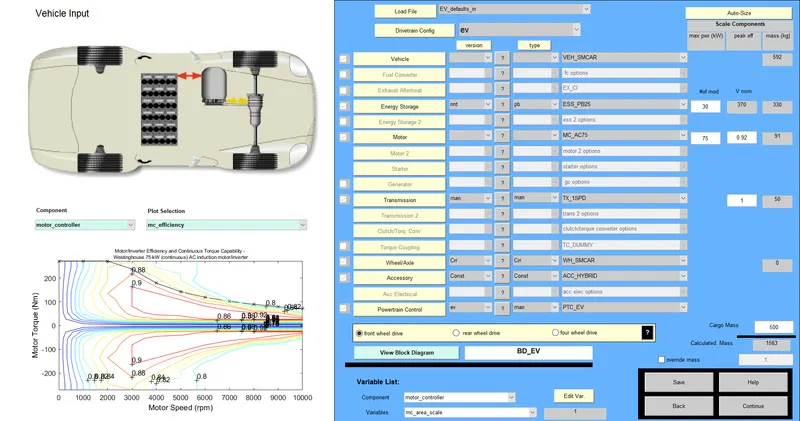
- As the capacity is incresed, the simulation is run again.
- The following window shows the results.
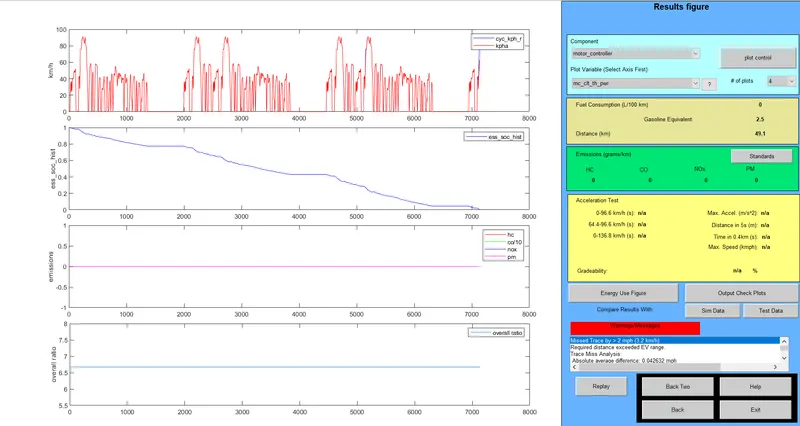
- Even though, there are errors and it says 'Requried distance exceeded EV range'. This error came up because the vehicle couldn't complete 3 cycles which is 53.1km. But, in the results the distance covered is 49.1km which is more than out target range.
Conclusion:
Form the simulation, it can be seen that the required range of 45 km is achieved, by changing the no of battery modules from 25 to 30.
#3 Perform gradeability test with PRIUS_Jpn_defaults_in file. Compare your results in table.
- In the first window select 'PRIUS_Jpn_defaults_in' from teh dropdown menu.
- In the next winddow check the Gradeability test and change the parameters.
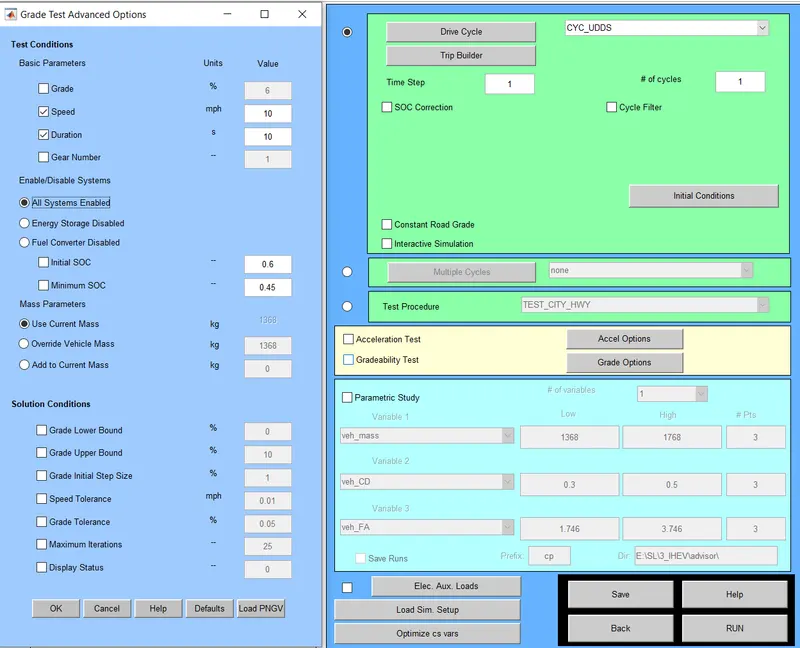
- Here the speed is changed in steps of 10mph.
Duration of 10 sec:
- speed - 10mph (16.1 kmph)
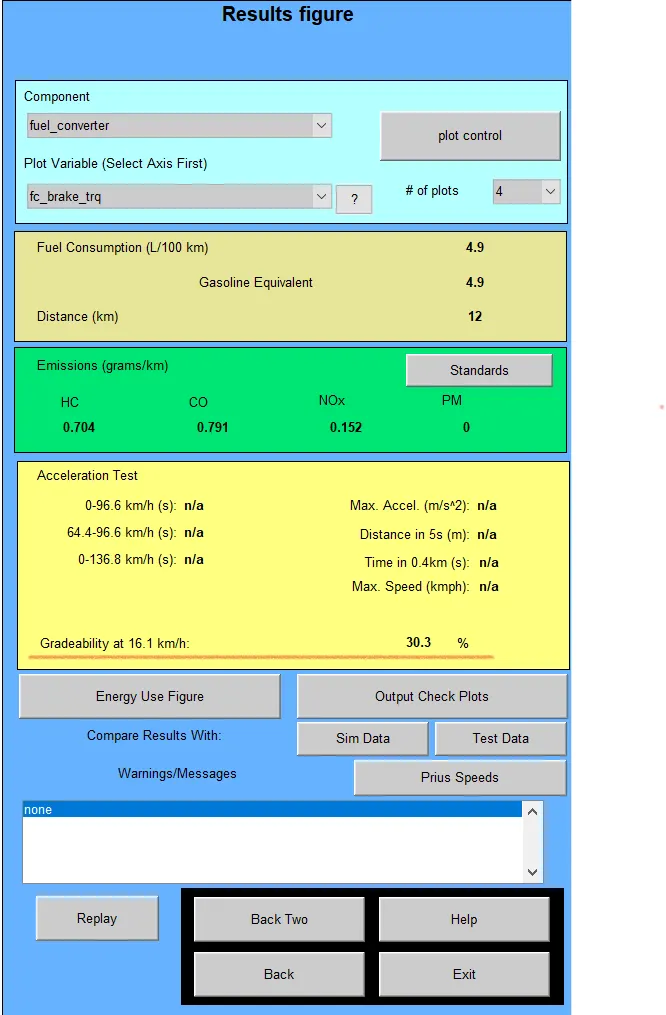 Achieved Gradeability is 30.3% (16.7 deg)
 - Speed - 20mph (32.2kmph)
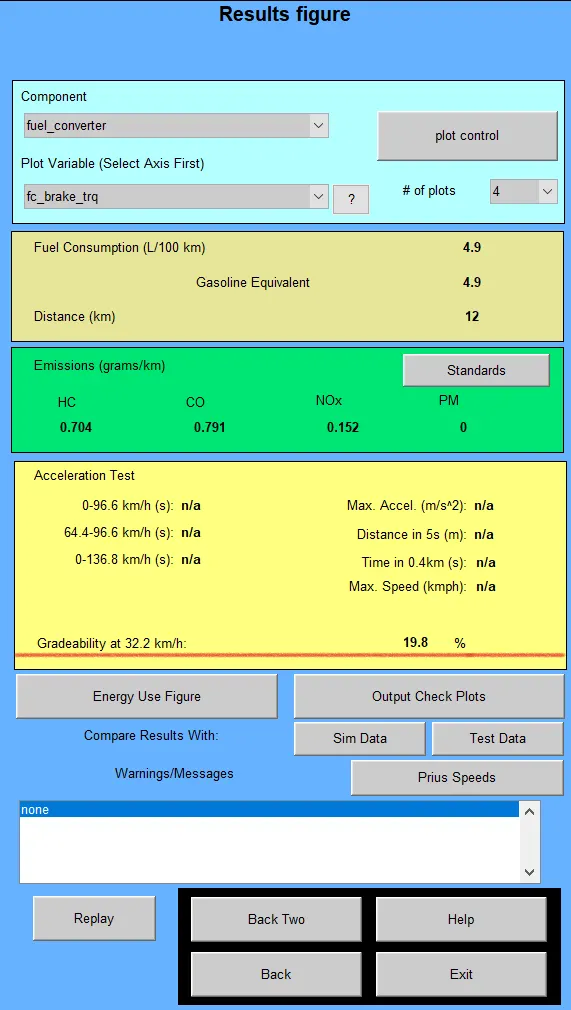 Achieved Gradeability is 19.8% (11 deg).
 - Speed - 30 mph (48.3kmph)
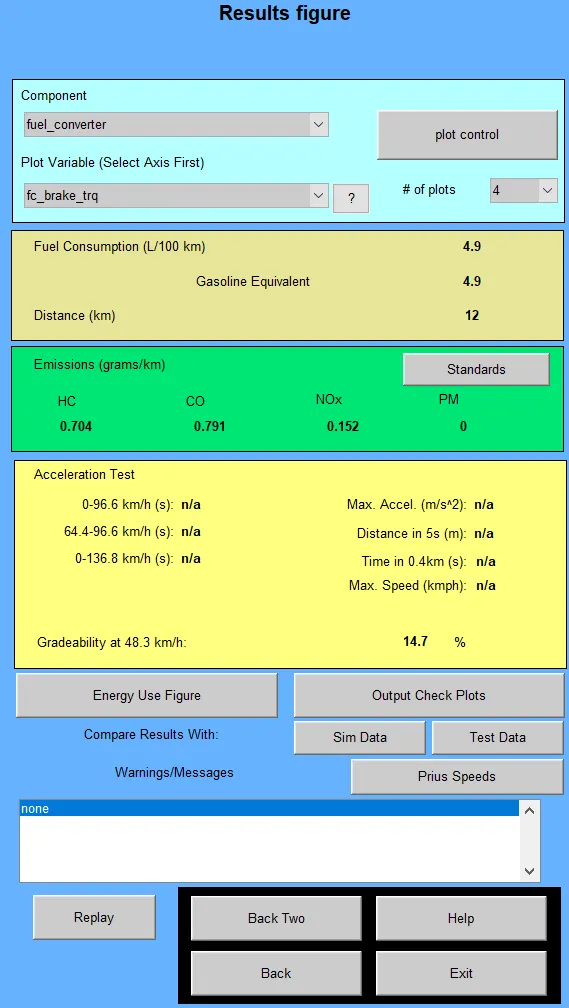 Achieved Gradeability is 14.7% (8.5 deg)
 - Speed - 40 mph (64.4kmph)
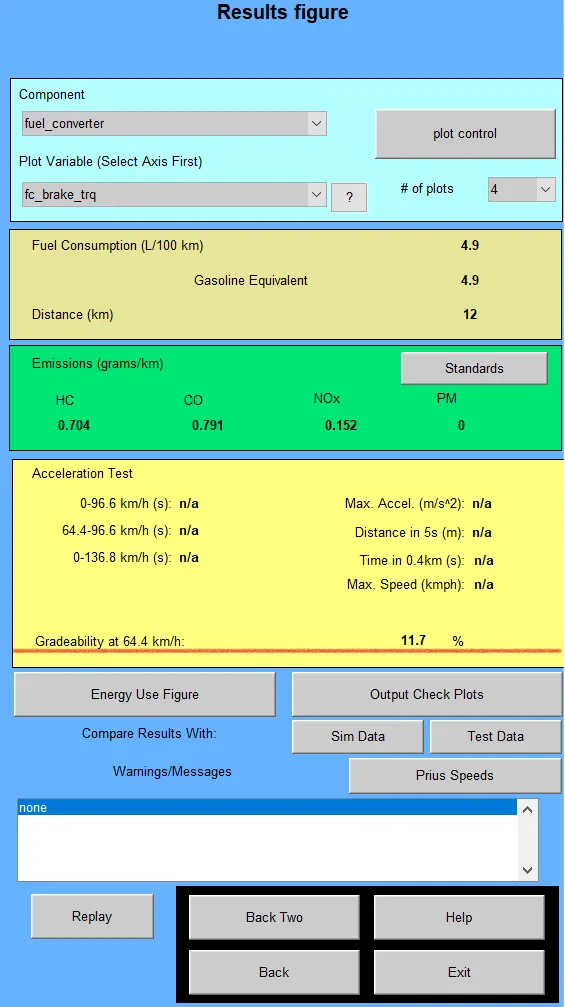 Achieved Gradeability is 11.7% (6 deg)
 - Speed - 50 mph (80.5kmph)
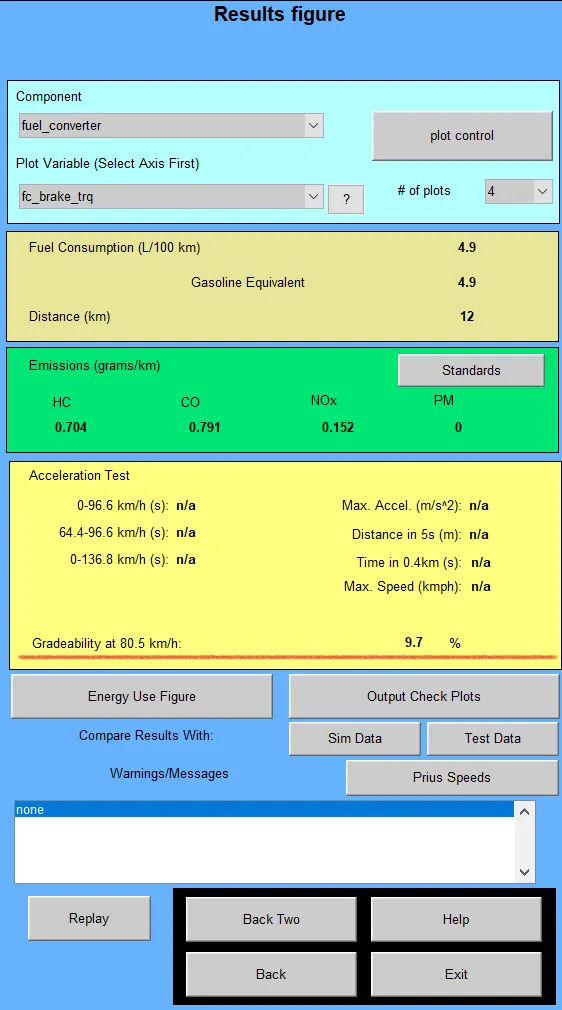 Achieved Gradeability is 9.7% (5.5 deg)
Duration of 20 sec:
- speed - 10mph (16.1 kmph)
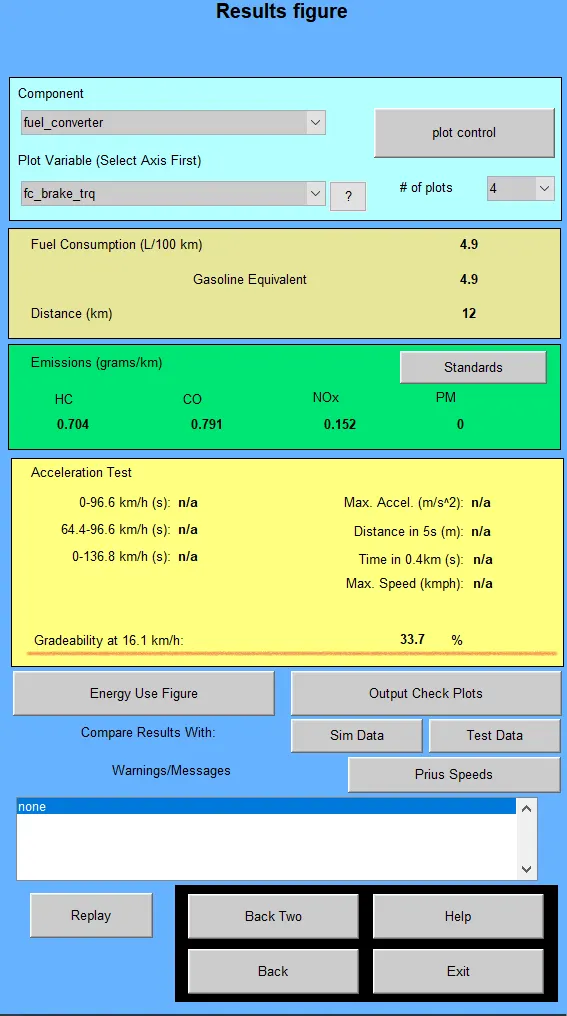 Achieved Gradeability is 33.7% (18.7 deg)
 - Speed - 20mph (32.2kmph)
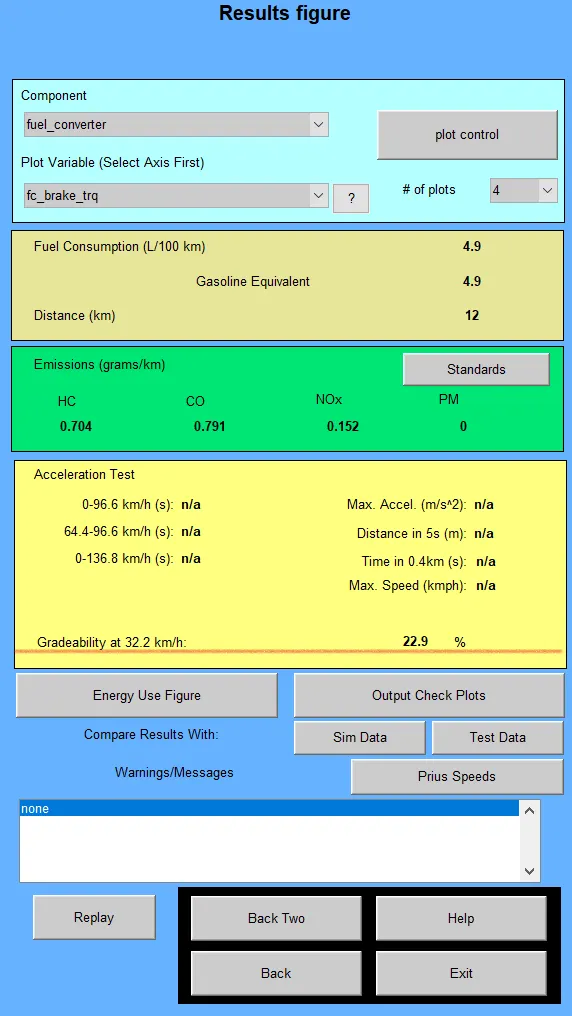 Achieved Gradeability is 22.9% (13 deg).
 - Speed - 30 mph (48.3kmph)
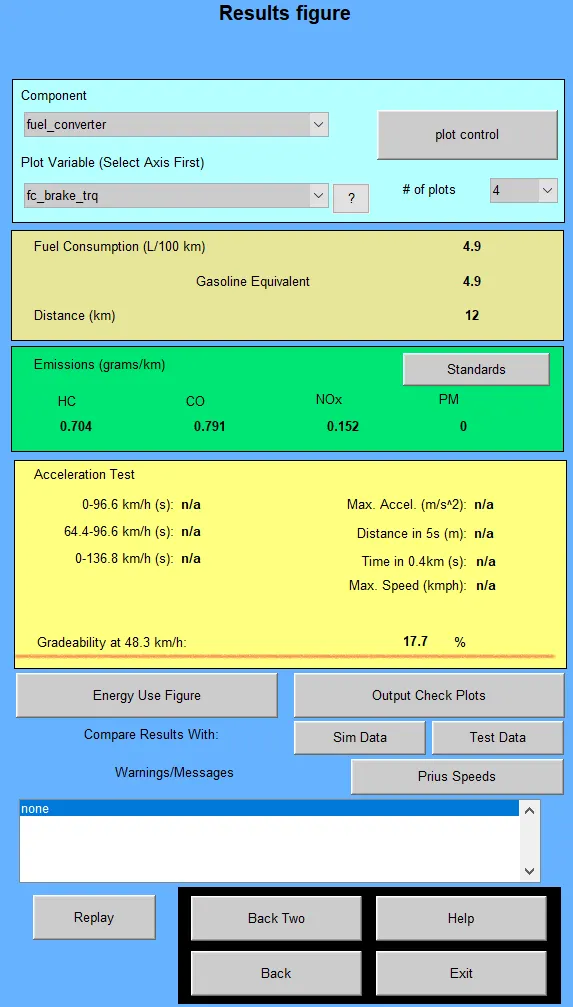 Achieved Gradeability is 17.7% (10 deg)
 - Speed - 40 mph (64.4kmph)
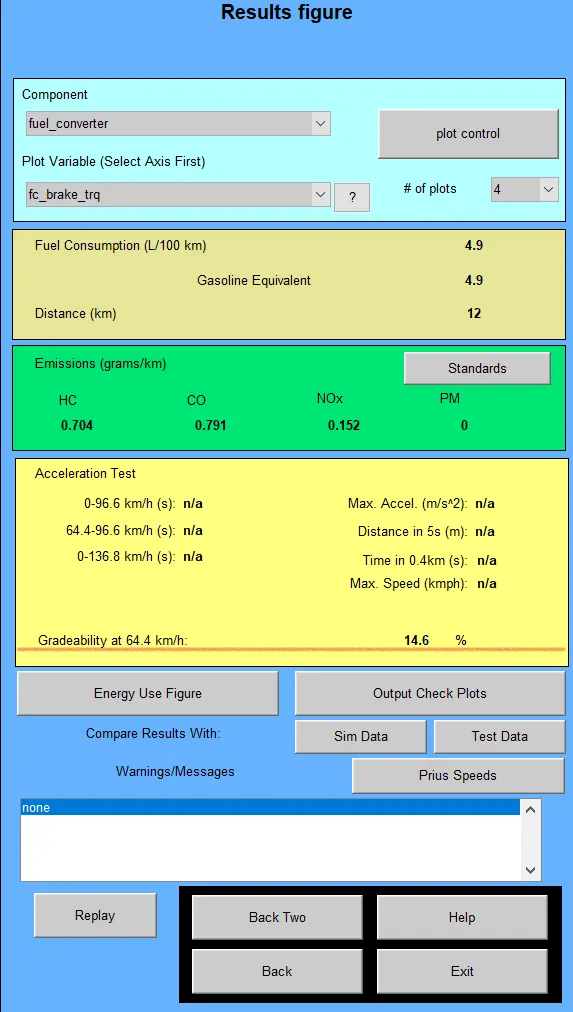 Achieved Gradeability is 14.6% (8.31 deg)
 - Speed - 50 mph (80.5kmph)
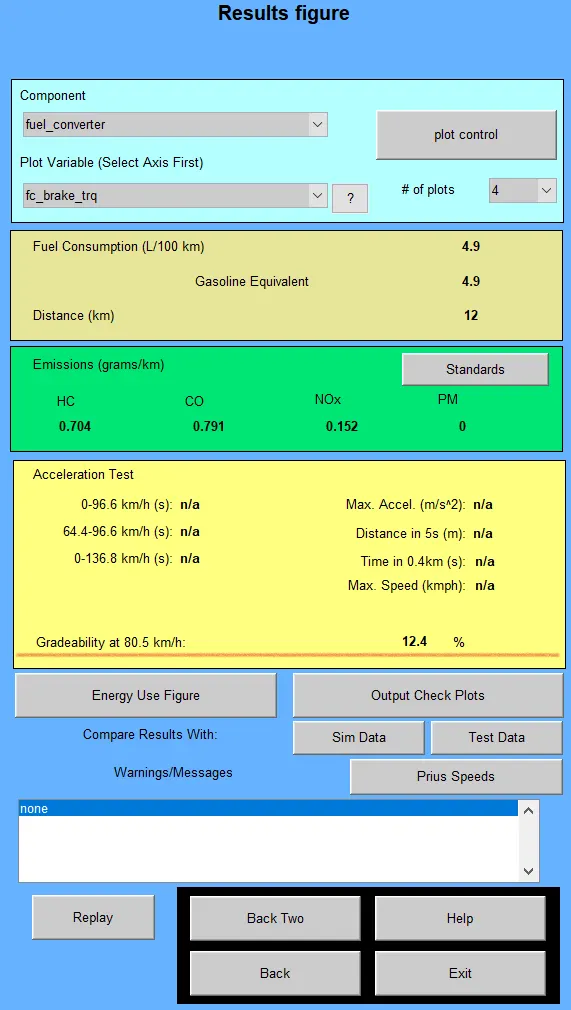 Achieved Gradeability is 12.4% (7 deg)
Comparision:
| Sl No | Speed(mph) | Speed(kmph) | Gradeability | |||
| Time of Simulation | ||||||
| 10 (Sec) | 20 (Sec) | |||||
| Percent (%) | deg | Percent(%) | deg | |||
| 1 | 10 | 16.1 | 30.3 | 16.7 | 33.7 | 18.7 |
| 2 | 20 | 32.2 | 19.8 | 11 | 22.9 | 13 |
| 3 | 30 | 48.3 | 14.7 | 8.5 | 17.7 | 10 |
| 4 | 40 | 64.4 | 11.7 | 6 | 14.6 | 8.31 |
| 5 | 50 | 80.5 | 9.7 | 5.5 | 12.4 | 7 |
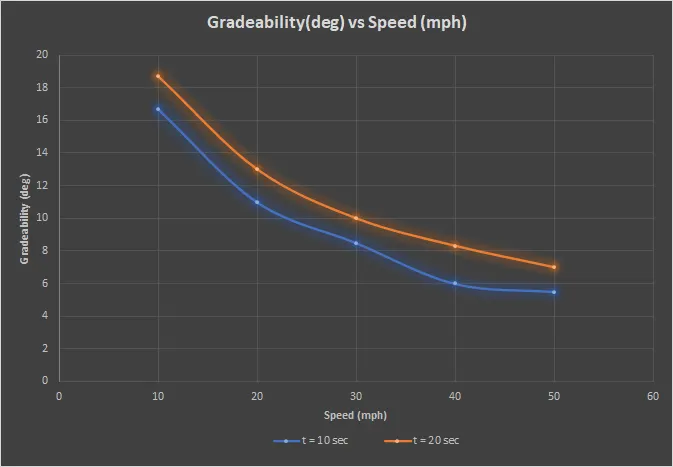
Plot:
Conclusion:
- As the speed of the vehicle increased, Gradeability decreased
- As the simulation time increased, Gradeability increased