Week-3 Challenge: ADVISOR Tool
ADVISOR Tool
AIM: Use ADVISOR tool and simulate the following
- For EV_defaults_in file, if cargo mass is 500 kg with all other default conditions, can the vehicle travel for 45 km with FTP drive cycle? Conclude your observations.
- In the above case, try changing the battery capacity and repeat the simulation.
- Perform gradeability test with PRIUS_Jpn_defaults_in file. Compare your results in table and conclude.
THEORY:
ADVISOR, NREL’s ADvanced VehIcle SimulatOR, is a set of model, data, and script text files for use with Matlab and Simulink. It is designed for rapid analysis of the performance and fuel economy of conventional, electric, and hybrid vehicles. ADVISOR also provides a backbone for the detailed simulation and analysis of user defined drivetrain components, a starting point of verified vehicle data and algorithms from which to take full advantage of the modeling flexibility of Simulink and analytic power of MATLAB.
Benefits from using ADVISOR are :
- estimate the fuel economy of vehicles that have not yet been built
- learn about how conventional, hybrid, or electric vehicles use (and lose) energy throughout their drivetrains
- compare relative tailpipe emissions produced on a number of cycles
- evaluate an energy management strategy for your hybrid vehicle’s fuel converter
- optimize the gear ratios in your transmission to minimize fuel use or maximize performance, etc.
SOLUTION:
1 .
First upload the EV default file. Then change its cargo mass to 500 keeping all the other parameters default.
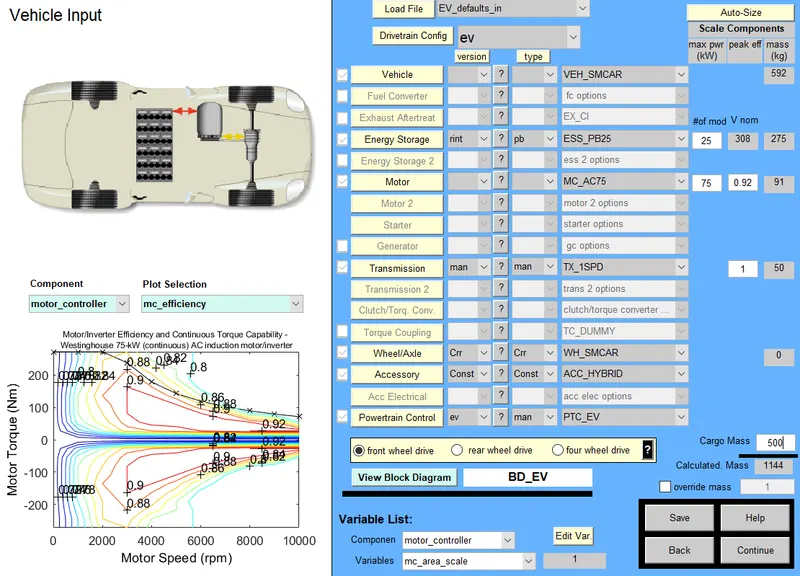
Now click continue which will lead you to the next page as shown below. In this, update the drive cycle to FTP and run the simulation.
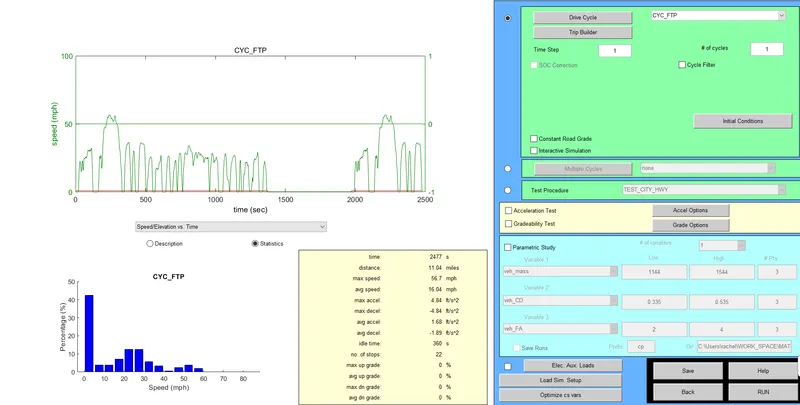
Our objective is to find whether the vehicle can reach 45km. When the simulation is run for 1 cycle, it reaches 11km.
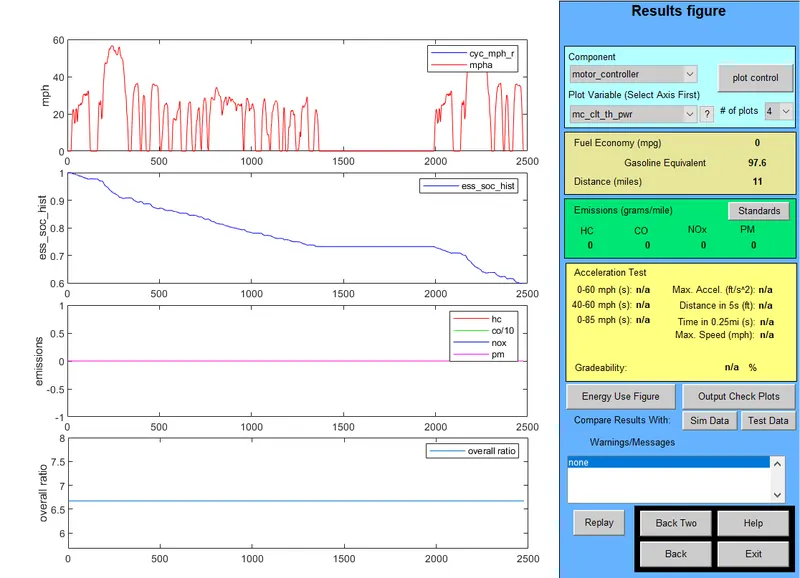
So now we increment its cycle by 3 and run the simulation.
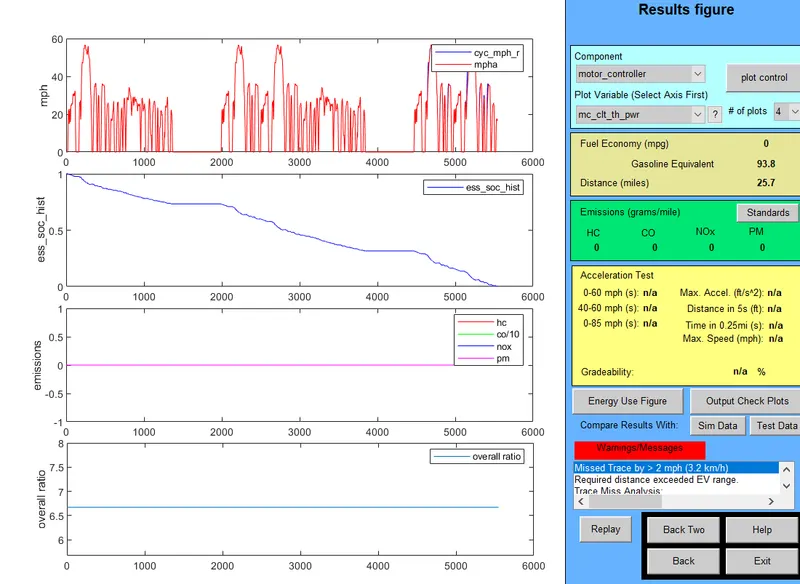
At the end of 4 cycles, it reaches upto 25.7 km. This means that the EV vehicle cannot reach 45 km.
2.
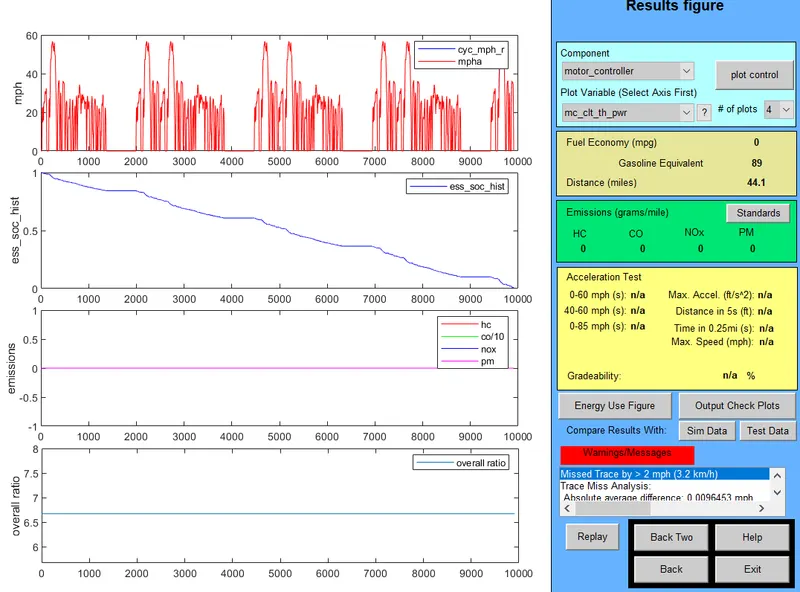
Now for the same case, we change its battery capacity from 25 to 45.
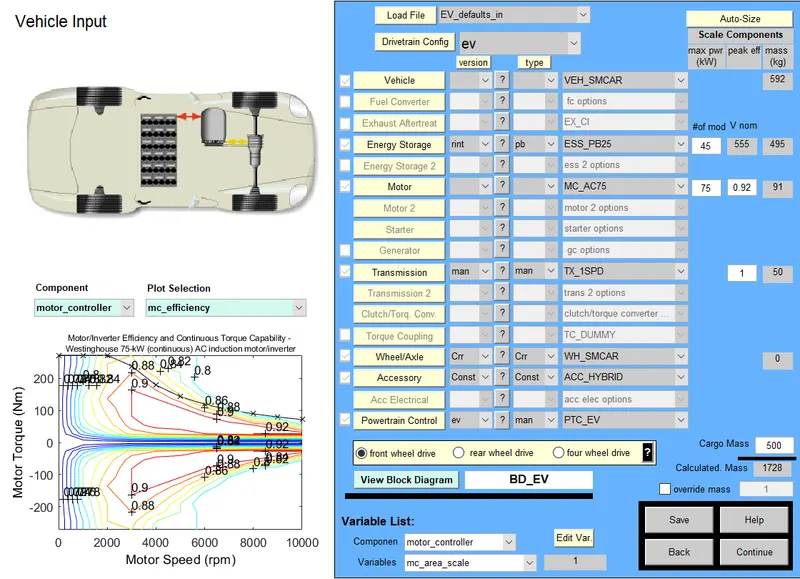
Now we run the simulation and now we can see that the distance has been increased to 44.1 km. This means that as we increase the battery capacity, the distance covered also increases
3.
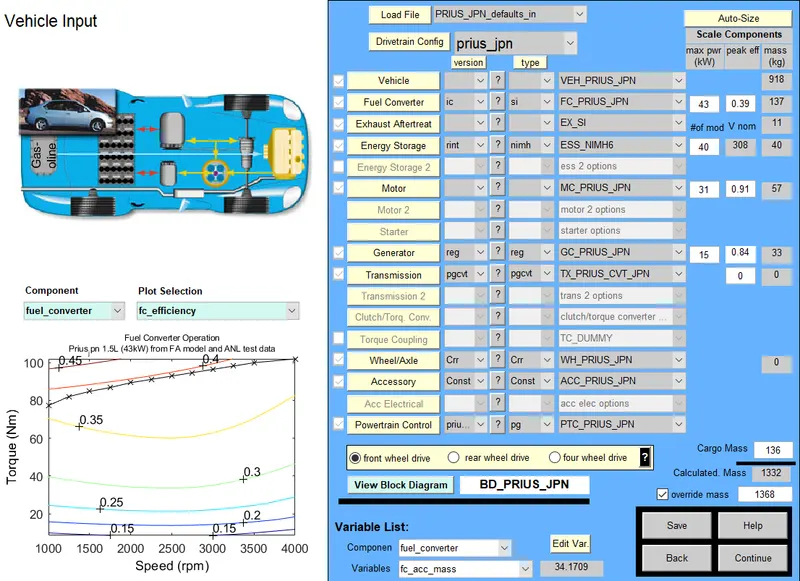
PRIUS_Jpn_defaults_in file is being selected and the gradeability checkbox is checked leaving all the other parameters default.
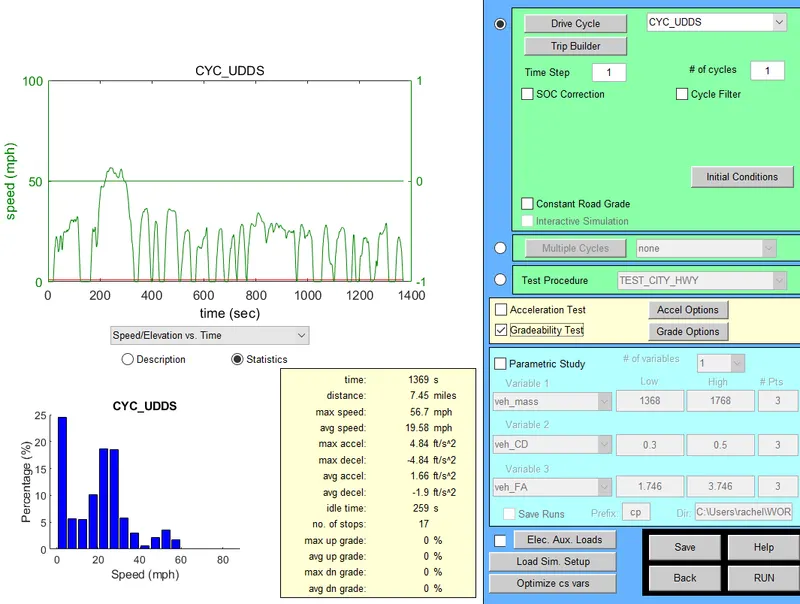
Then click run.
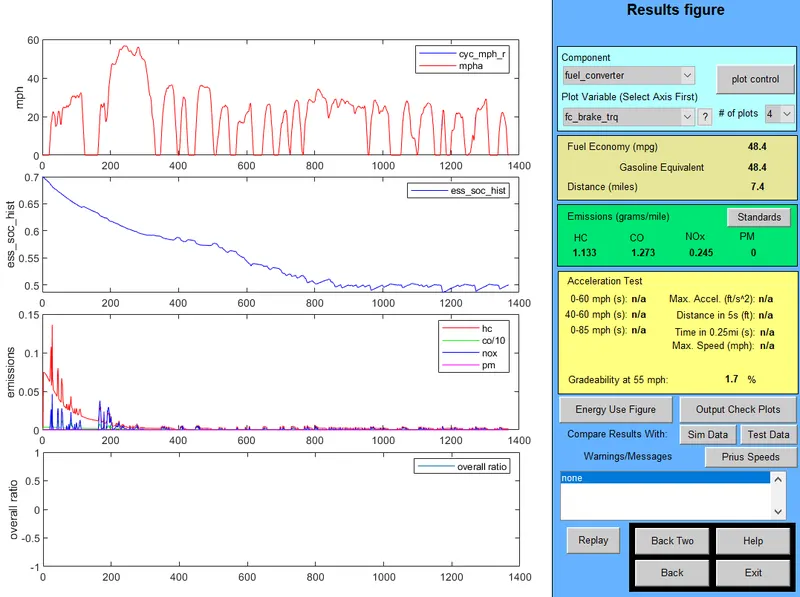
For a speed of 55, the distance covered is 7.4 km and the gradeability is 1.7%. The speed is varied and the corresponding gradeability values are compared and listed below.
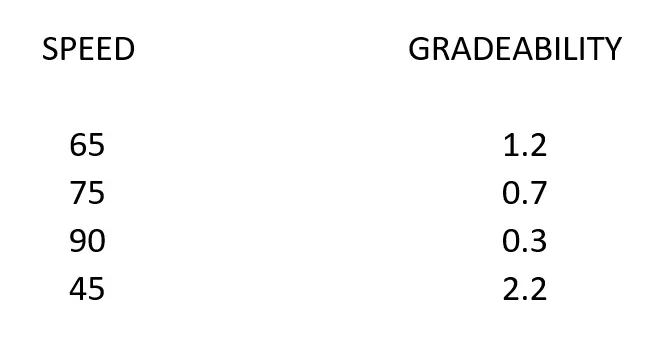
We can see that as the speed of vehicle increases, the gradeability decreases. Hence they are inversely proportional.