Week-3 Challenge: ADVISOR Tool
AIM:-To Use ADVISOR tool and simulate the following
- For EV_defaults_in file, if cargo mass is 500 kg with all other default conditions, can the vehicle travel for 45 km with FTP drive cycle? Conclude your observations.
- In the above case, try changing the battery capacity and repeat the simulation.
- Perform gradeability test with PRIUS_Jpn_defaults_in file
Compare your results in table and conclude.
ADVISOR:-
ADVISOR, NREL’s ADvanced VehIcle SimulatOR, is a set of model, data, and script text files for use with Matlab and Simulink. It is designed for rapid analysis of the performance and fuel economy of conventional, electric, and hybrid vehicles. ADVISOR also provides a backbone for the detailed simulation and analysis of user defined drivetrain components, a starting point of verified vehicle data and algorithms from which to take full advantage of the modeling flexibility of Simulink and analytic power of MATLAB.
You may benefit from using ADVISOR if you want to:
- estimate the fuel economy of vehicles that have not yet been built
- learn about how conventional, hybrid, or electric vehicles use (and lose) energy throughout their drivetrains
- compare relative tailpipe emissions produced on a number of cycles
- evaluate an energy management strategy for your hybrid vehicle’s fuel converter
- optimize the gear ratios in your transmission to minimize fuel use or maximize performance, etc.
Capabilities and intended uses
ADVISOR uses basic physics and measured component performance to model existing or future vehicles. Its real power lies in the prediction of the performance of vehicles that have not yet been built. It answers the question “what if we build a car with certain characteristics?” ADVISOR usually predicts fuel use, tailpipe emissions, acceleration performance, and gradeability.
In general, the user takes two steps:
- Define a vehicle using measured or estimated component and overall vehicle data.
- Prescribe a speed versus time trace, along with road grade, that the vehicle must follow.
ADVISOR then puts the vehicle through its paces, making sure it meets the cycle to the best of its ability and measuring (or offering the opportunity to measure) just about every torque, speed, voltage, current, and power passed from one component to another.
ADVISOR will allow the user to answer questions like:
- Was the vehicle able to follow the speed trace?
- How much fuel and/or electric energy were required in the attempt?
- How does the state-of-charge of the batteries fluctuate throughout a cycle?
- What were the peak powers delivered by the drivetrain components?
- What was the distribution of torques and speeds that the piston engine delivered?
- What was the average efficiency of the transmission?
By iteratively changing the vehicle definition and/or driving cycle, the user can go on to answer questions such as:
- At what road grade can the vehicle maintain 55 mph indefinitely?
- What’s the smallest engine I can put into this vehicle to accelerate from 0 to 60 mph in 12 s?
- What’s the final drive ratio that minimizes fuel use while keeping the 40 to 60 mph time below 3 s?
- What is the fuel economy sensitivity to mass, aerodynamic drag, or other vehicle or component variations?
ADVISOR’s GUI and other script files answer many of these questions automatically, while others require some custom programming on the user’s part.
Because ADVISOR is modular, its component models can be relatively easily extended and improved. For example, an electrochemical model of a battery, complete with diffusion, polarization, and thermal effects, can easily be put into a vehicle to cooperate with a motor model that uses a measured efficiency map. Of course, developing new, detailed models of drivetrain components (or anything else, for that matter) requires an intimate familiarity with the environment, MATLAB/Simulink.
Study1:- For EV_defaults_in file, if cargo mass is 500 kg with all other default conditions, can the vehicle travel for 45 km with FTP drive cycle? Conclude your observations.
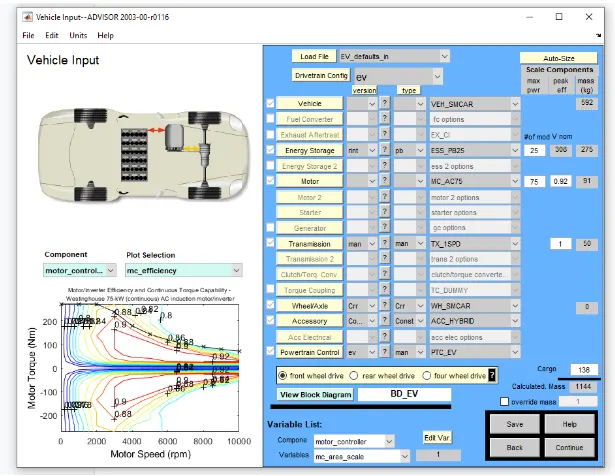
Load the ADVISOR TOOL from the matlab command window and select the metric system, and load EV-default-in file and change the cargo weight to 500 and keep the remaining variables same and hit continue to load the drive cycle page.
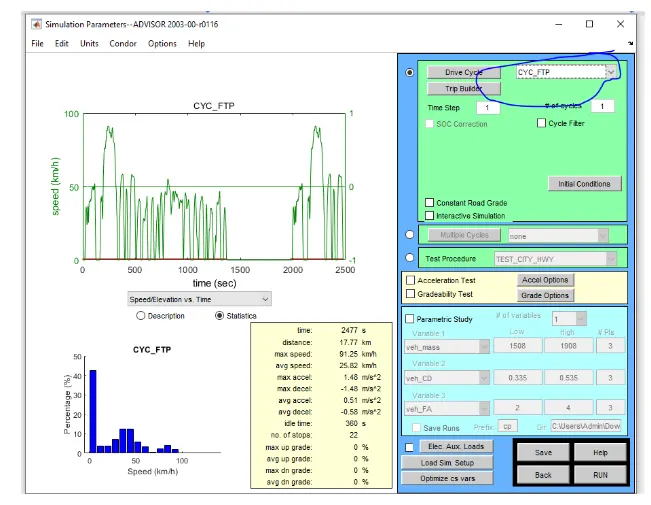
Now we can need to use FTP based cycle select the following and hit run
As we can see an error occur as the EV ran out of battery for this type of drive cycle
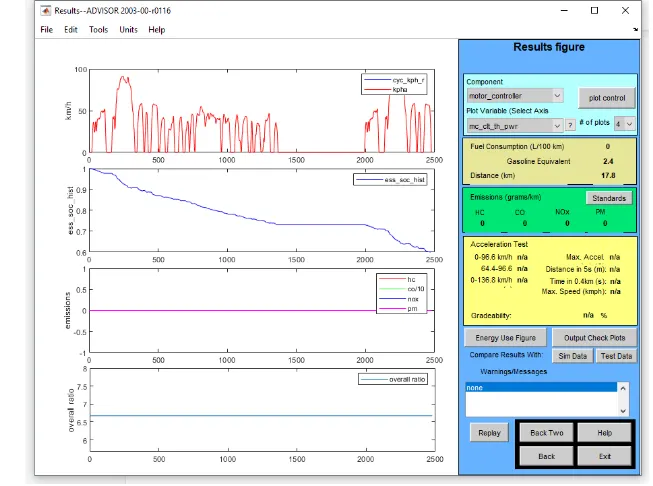
Now the required distance given is 45 km so that in the above figure the duty cycle is given 1 and the distance we got is 17.8km.
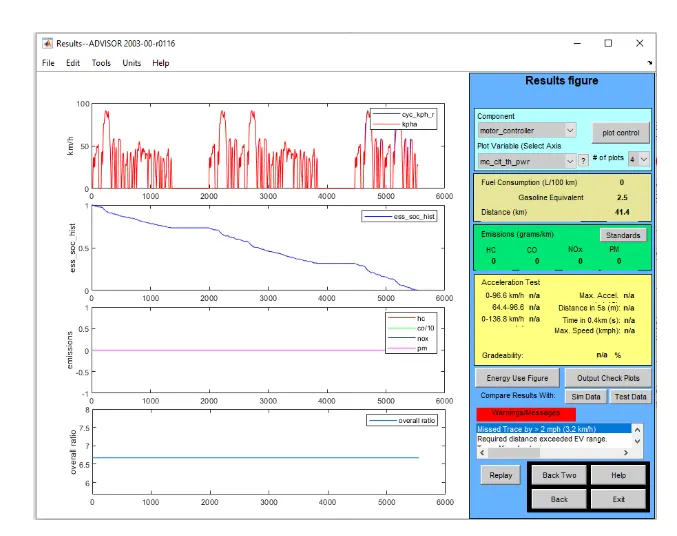
As we see a warning sign appears in red colour which means that the distance is more than the range of the current battery pack so the vehicle can not travel 45 km but will be short by 3.2 km
Study 2:- In the above case, try changing the battery capacity and repeat the simulation.
The current battery capacity is kept 25% and we need to increase the battery pack capacity. So we need to need the battery pack by 25 - 45
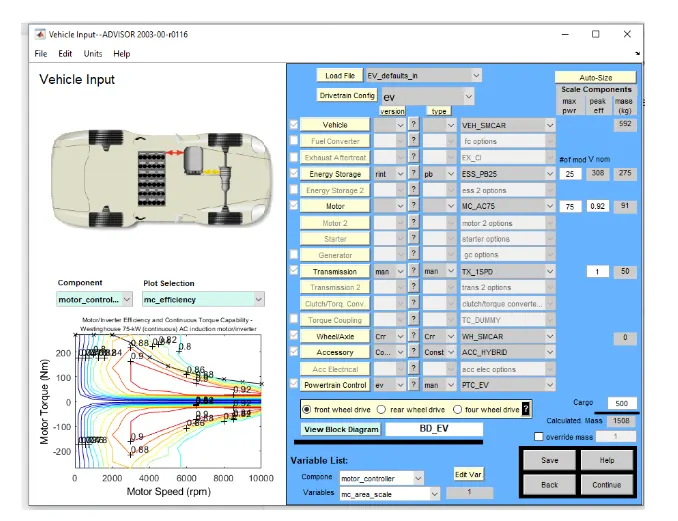
Now changing the value from 25 to 45.
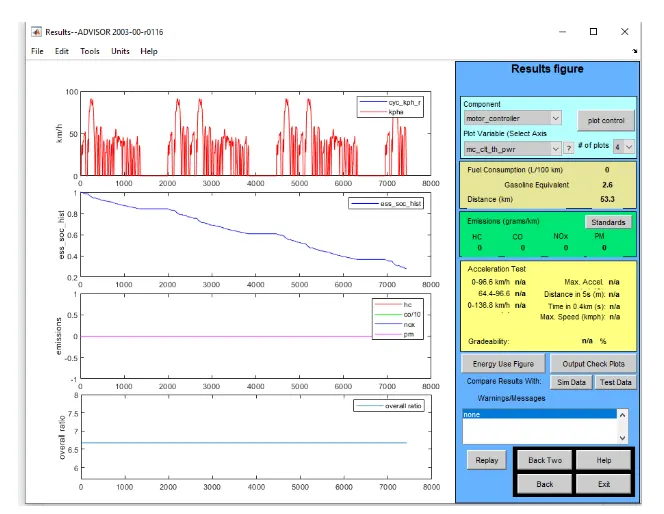
The above figure shows by increasing the battery capacity we can see that the range has been increased to 53.3 km which is more than the required range we need.
Study 3:- Perform gradeability test with PRIUS_Jpn_defaults_in file. Compare your results in table and conclude.
TO Perform a gradeability test with PRIUS_Jpn_defaults_in file.we need to determine the PRIUS_Jpn_defaults_in in the load file.
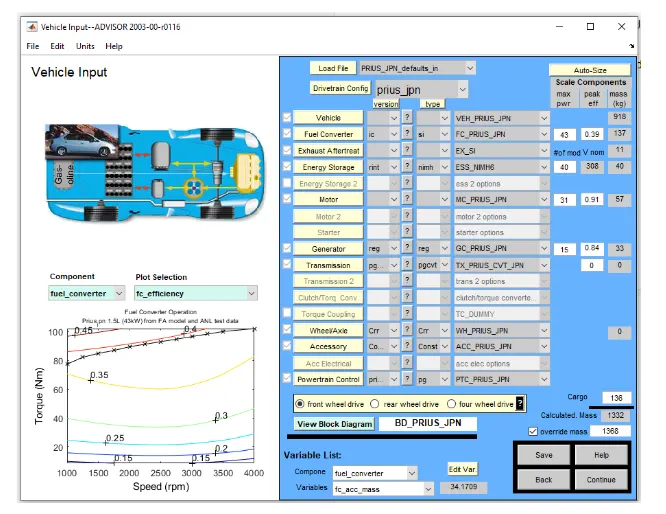
In the above figure press the continue button and the file.
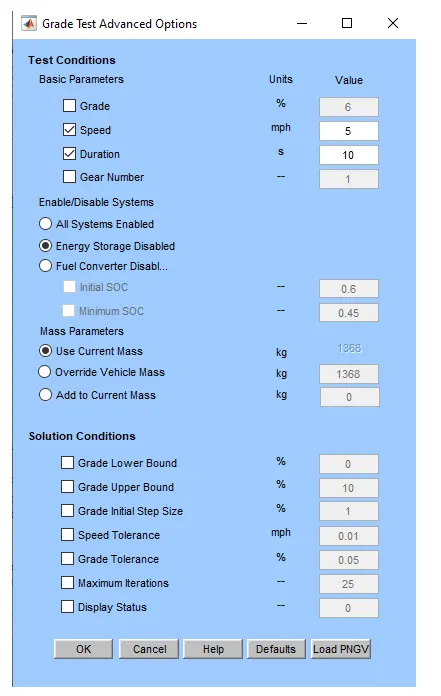
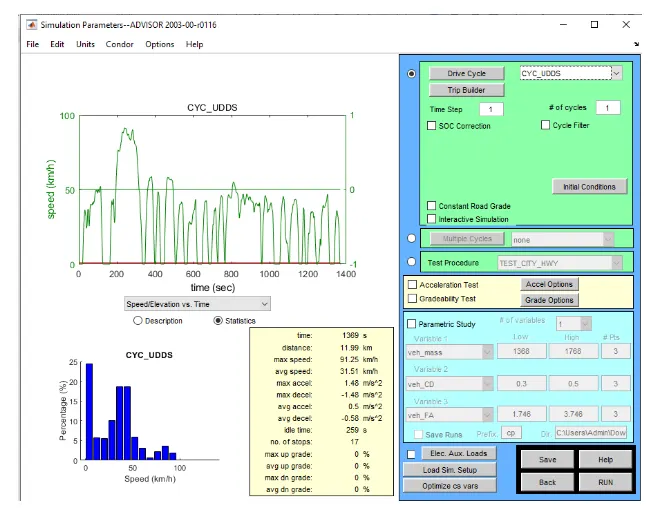
As to find the gradeability test we need to click on the gradeability button and can change the speed from 5 - 45. The below figure shows the speed from 5 and gradeability value is 8 km/h.
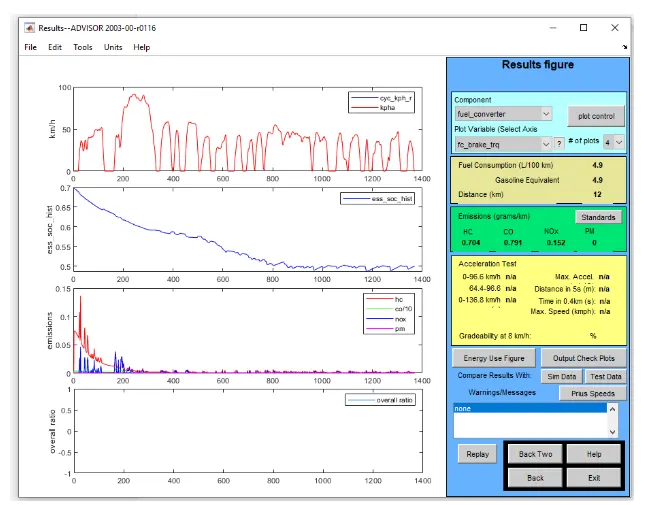
The below figure shows the speed of 45 and the gradebilty value is 72.4 km/h
SPEED (MPH) GRADEABILITY (KM/H)
5 8
10 16.1
15 24.1
20 32.2
25 40.2
30 48.3
35 56.3
40 64.4
45 72.4
Conclusion:-
From the above table it shows that the speed increases then the gradeability value also increases.