Week 3 - 2D meshing for Sheet metal
Answer:
Meshed Hood Model:
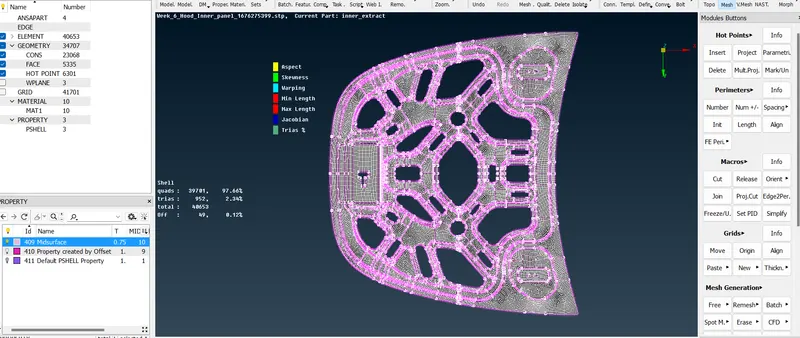
Procedure:
1.Open the ANSA 19 version software.
2.Click on file at the top left corner and click input to open the downloaded model in ANSA.
3.Now check for elements and click on execute to see any errors in the geometry.
4.To reduce or eliminate the error select all the error shown and use fix.
5.Now after successful inspection of model without any errors,Make the midsurface of the given component.
6.use skin offset if the geometry thickness is uniform.
7.After extraction of midsurface,do the necessary geometry cleanup by using following options
i.Cut.
ii.Topo.
iii.delete hotpoints.
iv.delete face.
v.Fill hole.
8.Later on Mesh the component part by part.
9.Since the Geometry is symmetrical one side of the component can be deducted from the original component.
10.Meshing is done using Mesh module options such as follows:
i.Mesh Generation:Best mesh.
ii.Shell elements:Reconstruct,smooth.
iii.macros:Cut,Join.
iv.Element:split,join,swap and delete.
11.After meshing the failed elements must be eliminated to the best ever possible.
12.Also trias must be managed.
13.After meshing one side of the part,This part can be reflected by using Transition option,Selecting the entire surface except unsymmetrical part and copying it to the other side to obtain the mesh on the other side.
14.In this way,Meshing can be done on the symmetrical component.
15.Assign thickness by clicking on Mesh parameters and presentaion parmeters :-Show as solid.
16.Then click on apply and then the mesh with assigned thickness is visible.
17.Finally, save the model with suitable name.