Week 3 - 2D meshing for Sheet metal
question:
answer:
AIM: for the given hood model,we have to take out mid surfaces for all the components in the model,mesh these midsurfaces with given quality criteria ,and assign the thickness.
GIVEN DATA:
Qality criteria-
the criteria of the component of the hood model is given below:
|
S.No |
Quality Criteria |
Value |
|
1 |
Target/Average length |
5 |
|
2 |
Minimum Length |
2 |
|
3 |
Maximum Length |
7 |
|
4 |
Aspect |
3 |
|
5 |
Warpage |
15 |
|
6 |
Skewness |
45 |
|
7 |
Jacobian |
0.7 |
|
8 |
Minimum Quad Angle |
45 |
|
9 |
Maximum Quad Angle |
135 |
|
10 |
Minimum Tria Angle |
30 |
|
11 |
Maximum Tria Angle |
120 |
|
10 |
Tria Percentage |
15 |
OBJECTIVES:
1. we have to check all the geometry error of the hood model and rectify them.
2.we have to check thickness of all the components in the model.
3. to extract the mid surface from the geometry.
4. to generate mesh with good flow in the given quality criteria.
PROCEDURE:
1.Solving geometrical error:
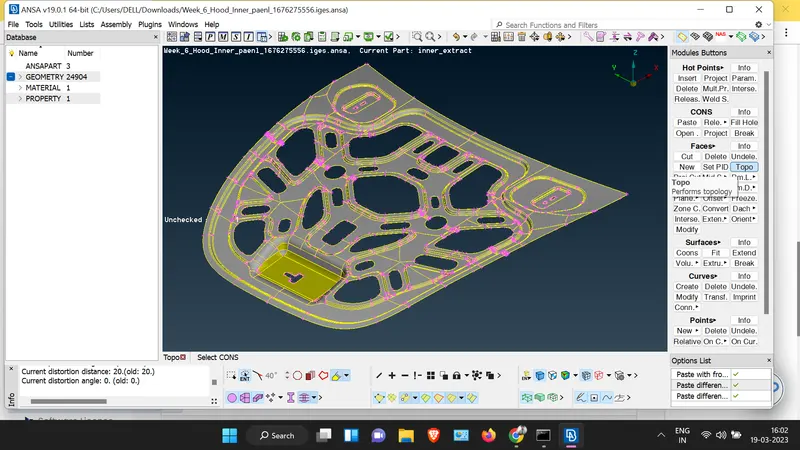
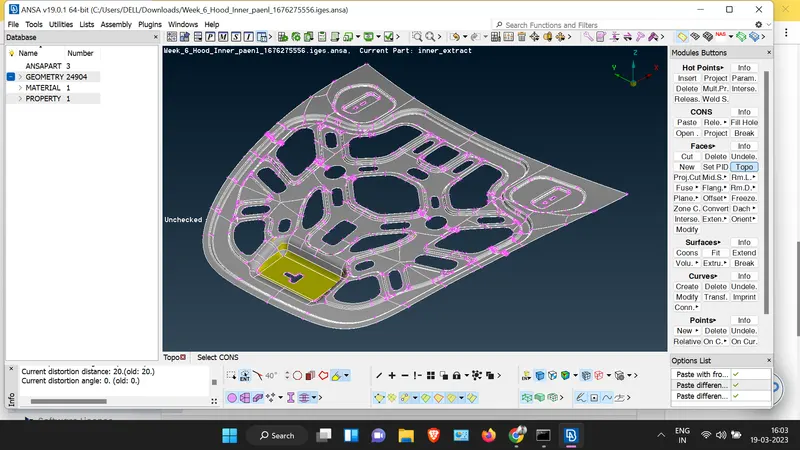
step 1: I go to topo key and select the whole model and perform topo.
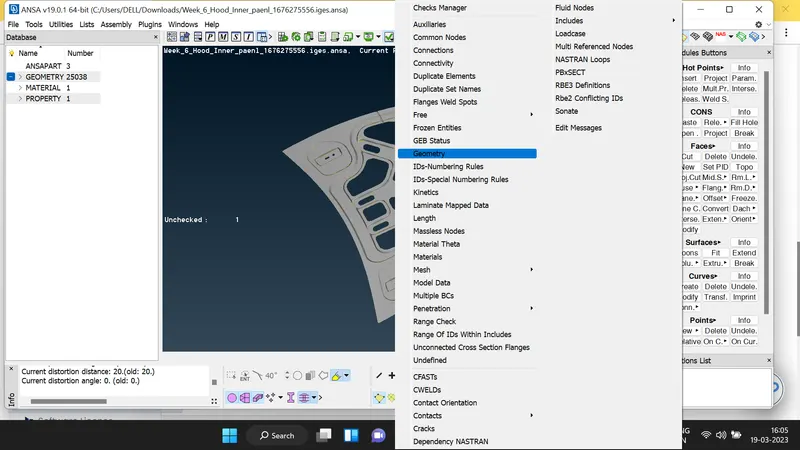
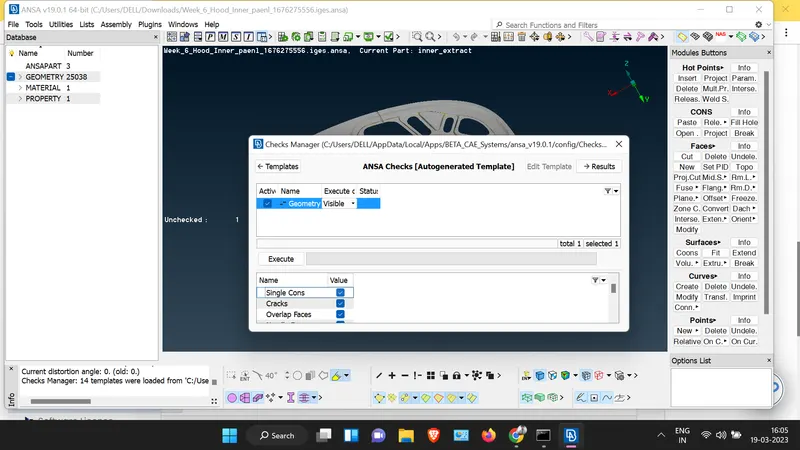
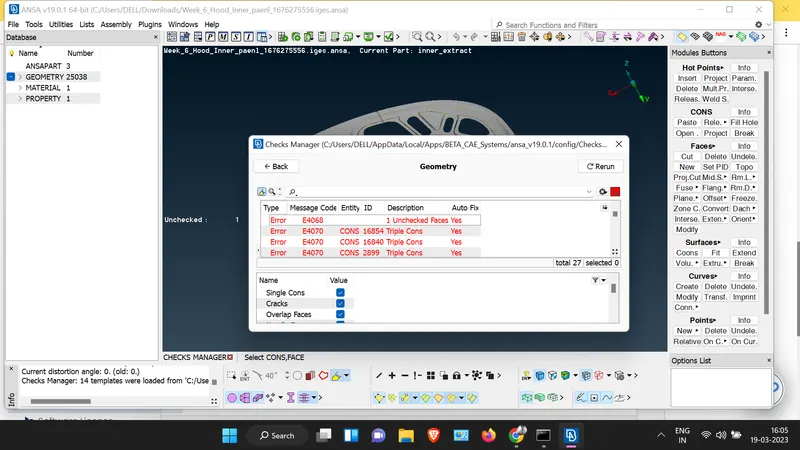
step 2: Go for the checks key to check geometrical error where i select all checks excepts micros and execute it.
step 3: when i check geometrical error i found 492 error in the model which include double cons,triple cons,unchecked surface,single cons,and craks.
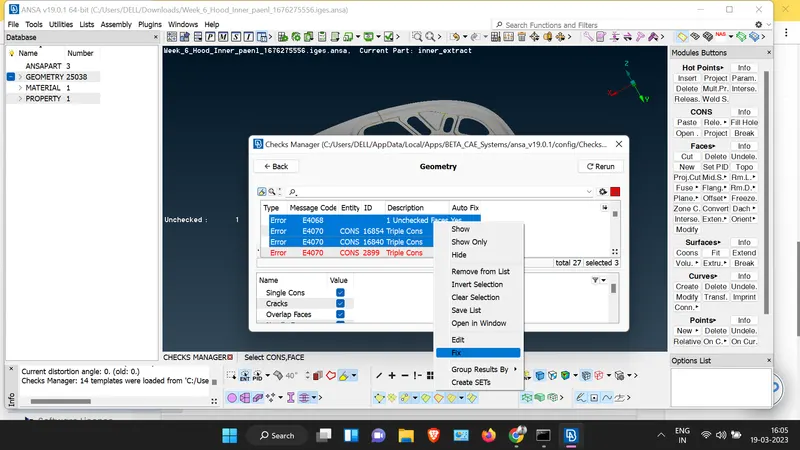
step 4: I select all the error and click left shift where i found auto fix key.
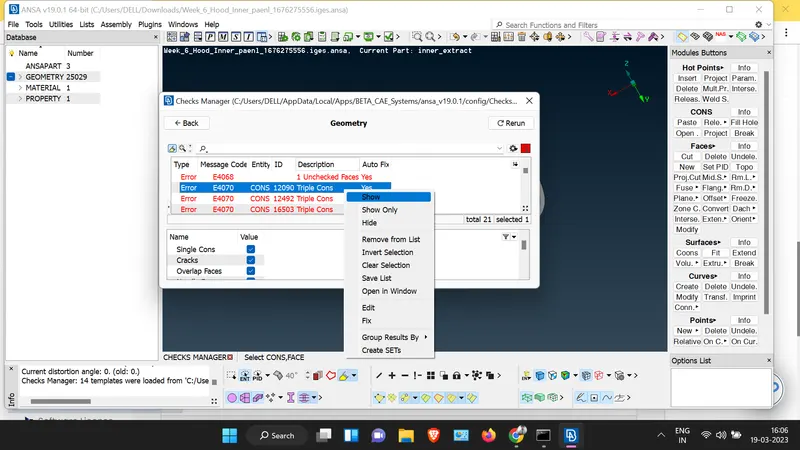
step 5:I select fix key after selecting all error and i got maximum number number of error are solved by this key.
step 6: rest of the error is solved by me by check all error manually by using topo i solve single cons and by using release i solve triple cons.
step 7:some surface have so many hot points,i clear it manually when i create surface where the surface shape is irregular and having gap in surface.
step 8: I create surface by using new key in face creation area and also delete some irregular faces.
2. extraction of mid surface:
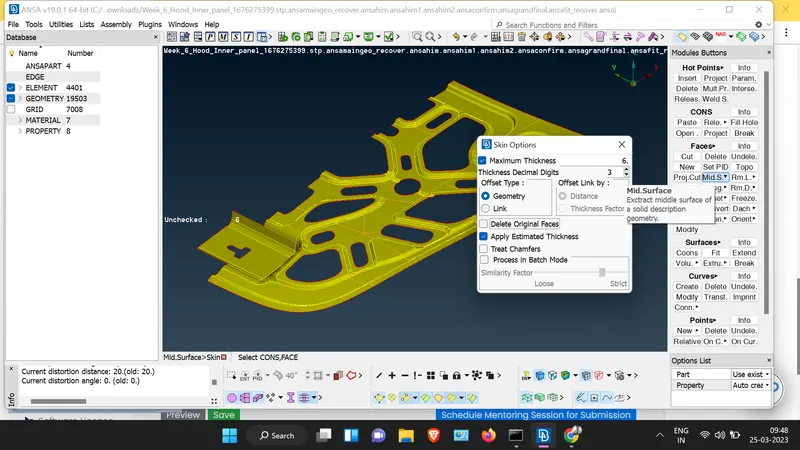
step 1:go in surface command and click on mid surface and select the skin command or use the offset command by selecting whole one side surface.
step 2: select the geometry in after selecting midsurface/skin then diselect the delete orignal faces command.
step 3: after few minutes your mid surface is extracted.
step 4: solve the geometrical error of the mid surface.
3. thickness assign and set PID:
step 1: Measure some area and store the thickness.
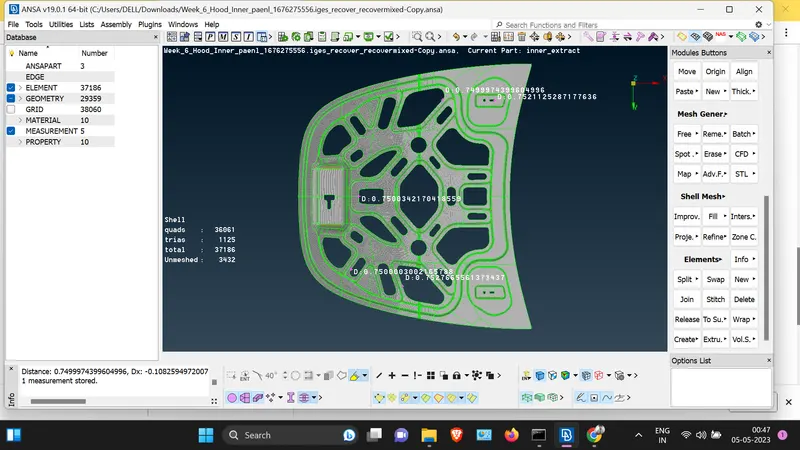
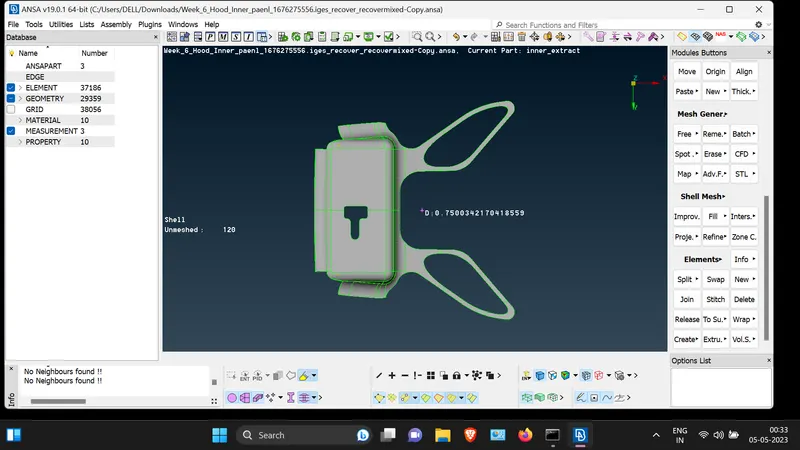
step 2: set the PID for hinge and latch.
Latch:
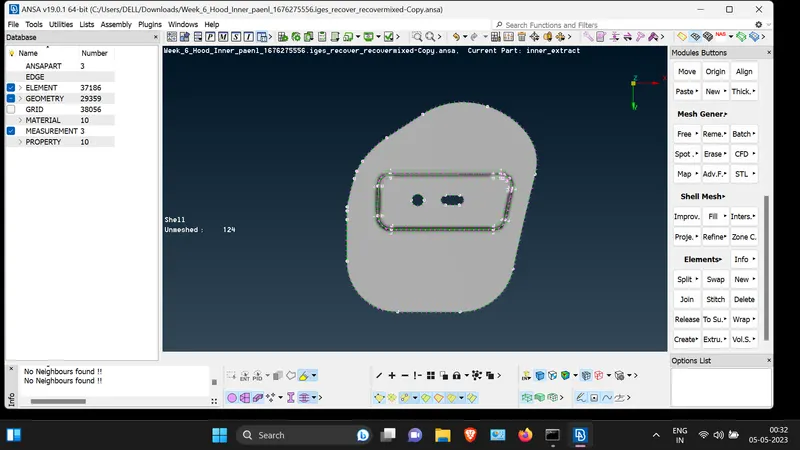
Hinge:
4. Meshing of mid surface:
step 1: meshing of mid surface of whole model is difficult so we delete the half surface and mesh it.
step2: By using mesh perameter,firstly we set the average target length,minimum length, maximum length value which is given in question data.
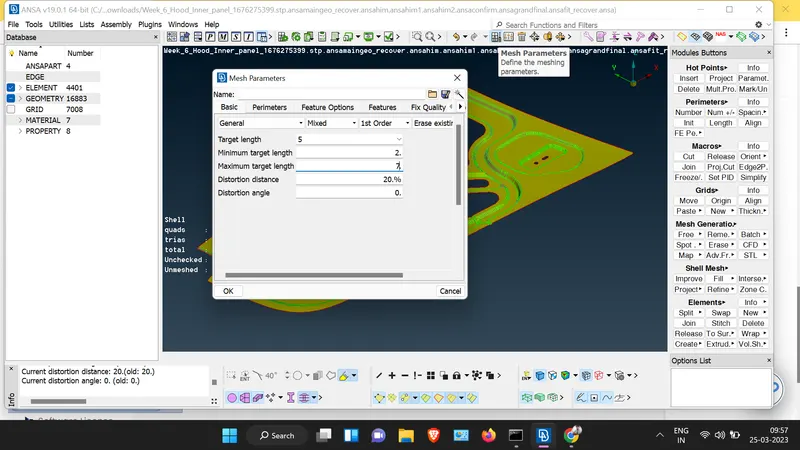
step 3:now checking the quality criteria from the command.
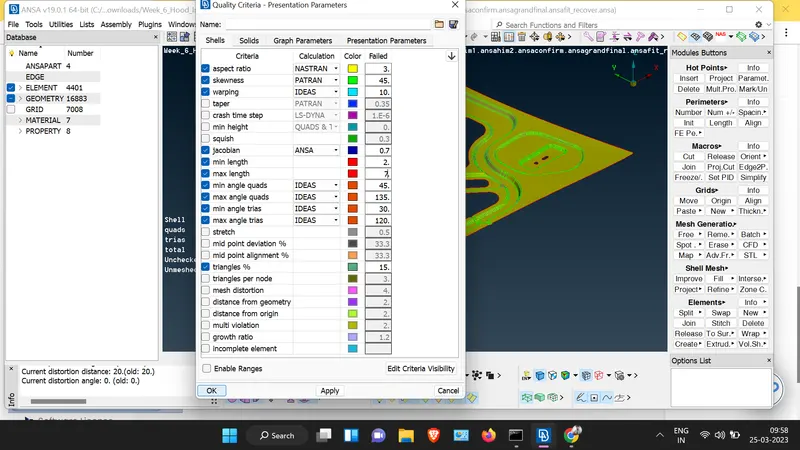
step 3: using length perimeter command,we set the length perimeter by selecting the faces as well as micros length.
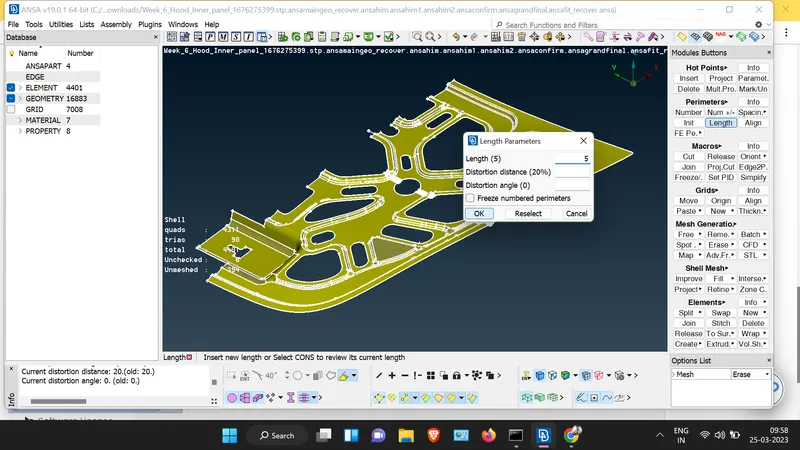
step 4: meshing the mid surface by using command like improve mesh/best mesh/reconstruct /reshape/project cut/cut.
Latch and mid-surface of latch after meshing:
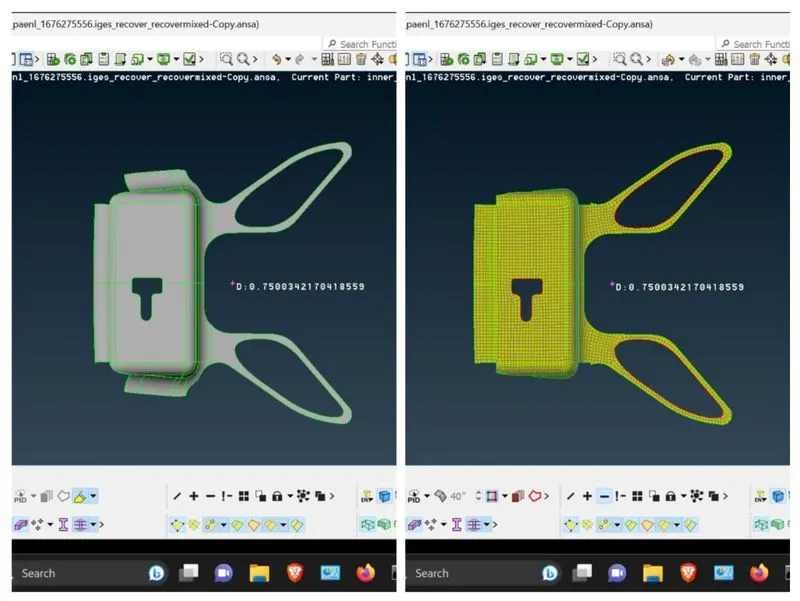
Hinge and mid-surface of hinge after meshing:
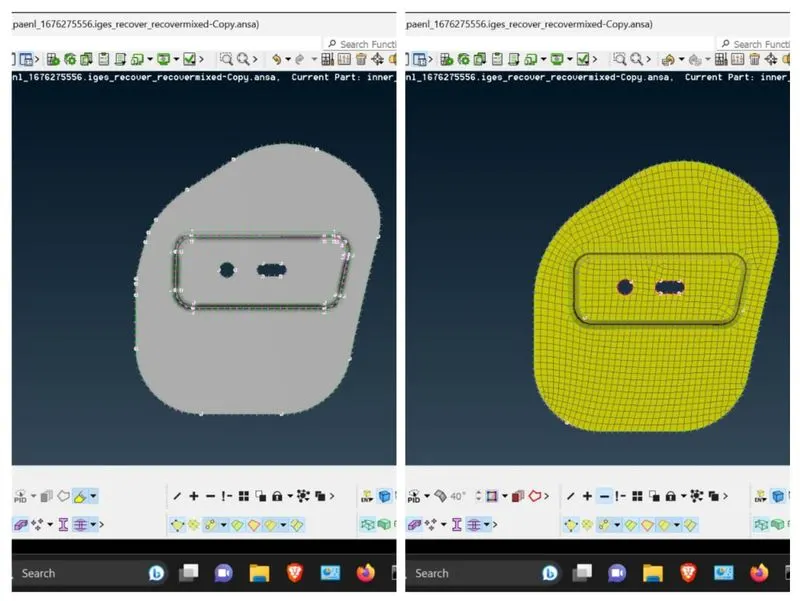
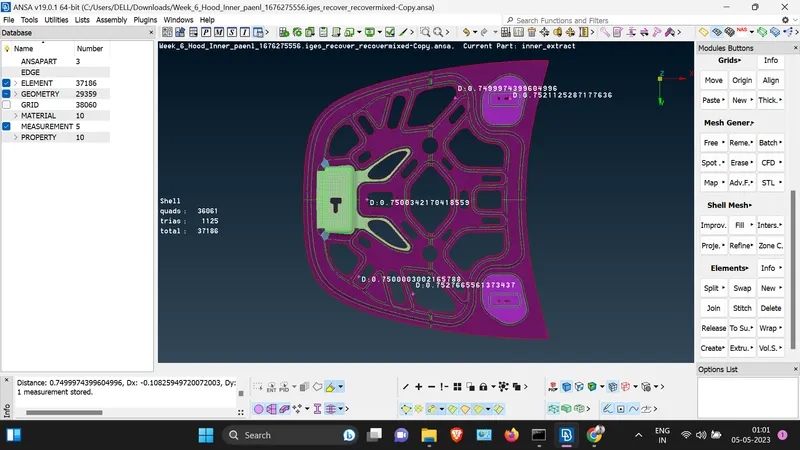
Meshed mid-surface:
5.Results:
The parts are meshed successfully.
6.Learning outcomes:
1. able to fix the geometrical error in the model.
2.able to creat the mid-surface of the model.
3.able to mesh according to quality conditions.
7.Conclusion:
2D mesh is created for the given hood component of a car according to the given element quality criteria using ANSA.