Week 3 - 2D meshing for Sheet metal
Aim- For the given Hood model, Take the mid surface for all the components after checking the geometrical errors and mesh the mid surface with the given element Quality criteria.
GIVEN QUALITY CRITERIA:
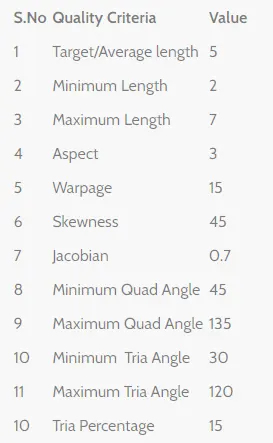
PROCEDURE:
Open the given hood model. stp file. Go to File < Open
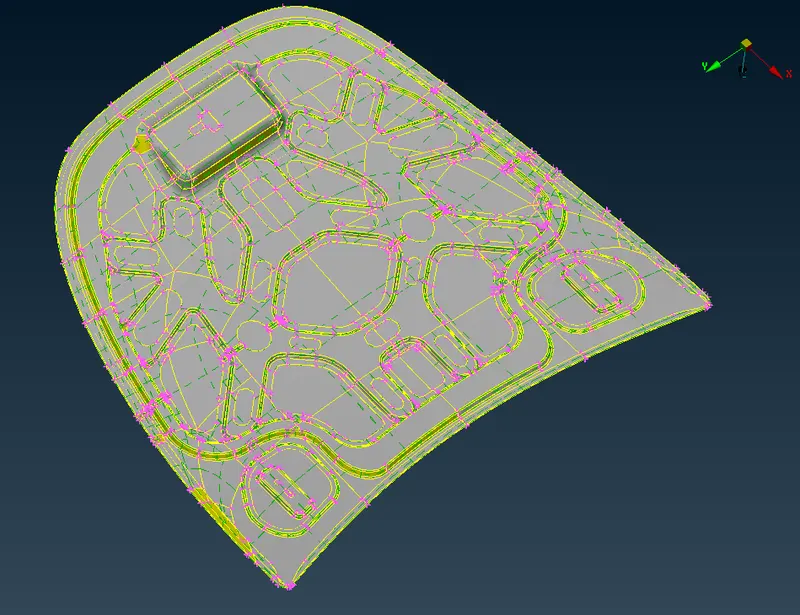
Procedure-
1 check the orientation and use topo for connectivity
2.Checking the geometrical errors.
3.Clearing the geometry errors.
4 measure thickness-
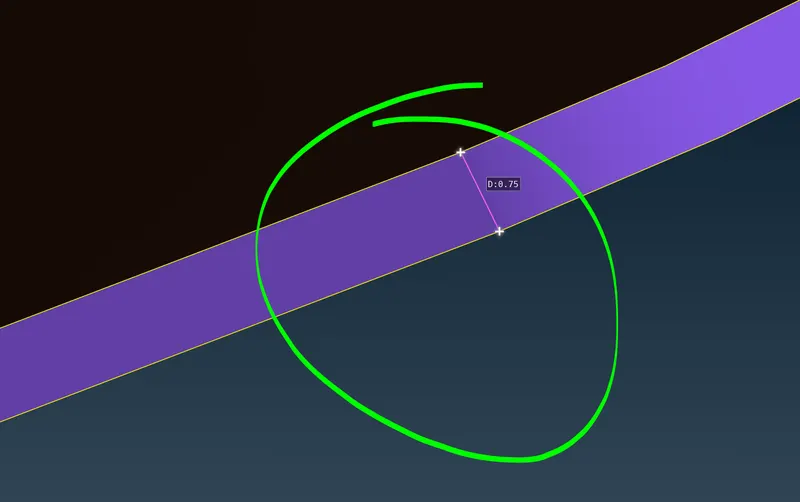
5) as we can see the mode is symmetrical except one section what we can do is create seperate PID for symmetrical and non symmetrical part and delete half section odf the symmetrical part
6) creating mid surface using offset option using feature select we can select the whole surface of the part
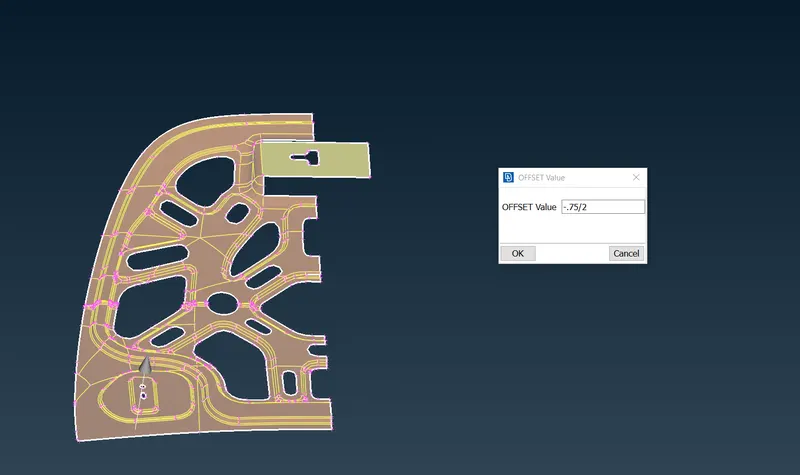
7) giving quality criteria
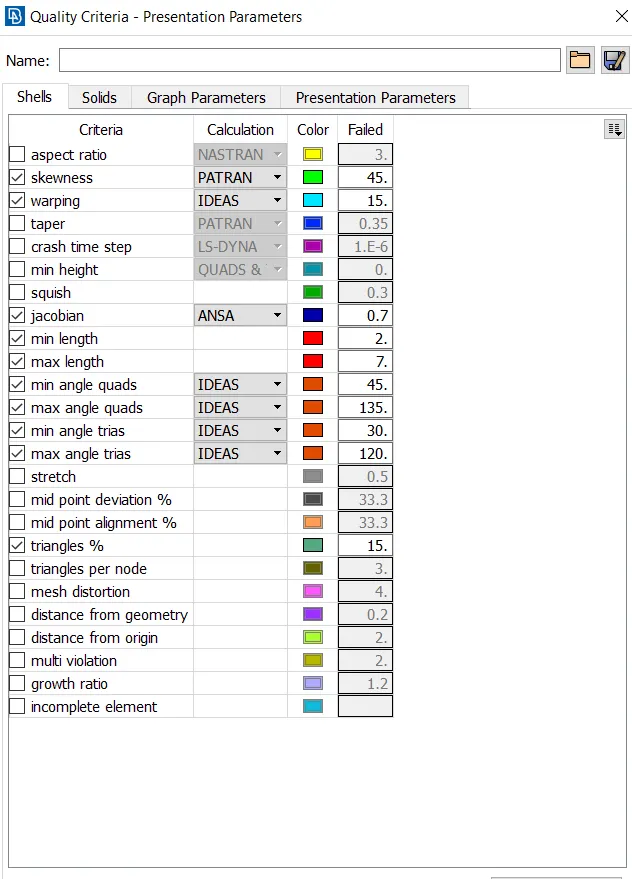
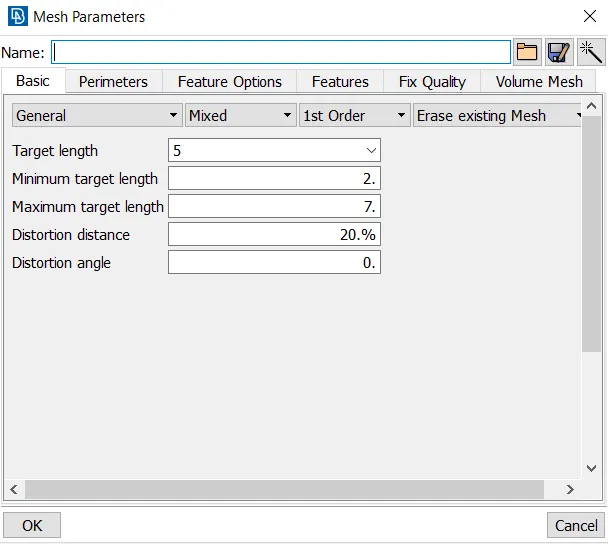
we can save mesh quality criteria externally and load when ever required
8) meshing now we can start meshing some good practices of meshing we need to keep in mind are-
a)we can divide the mis surf into patches using cut option
b)we also may need to supress previous cuts or coons to fulfill quality criteria using join we can supress them
c)we also need to avoid tria elements especially near holes
d) smooth mesh flow is a must
after meshing we need to use symmetry option -
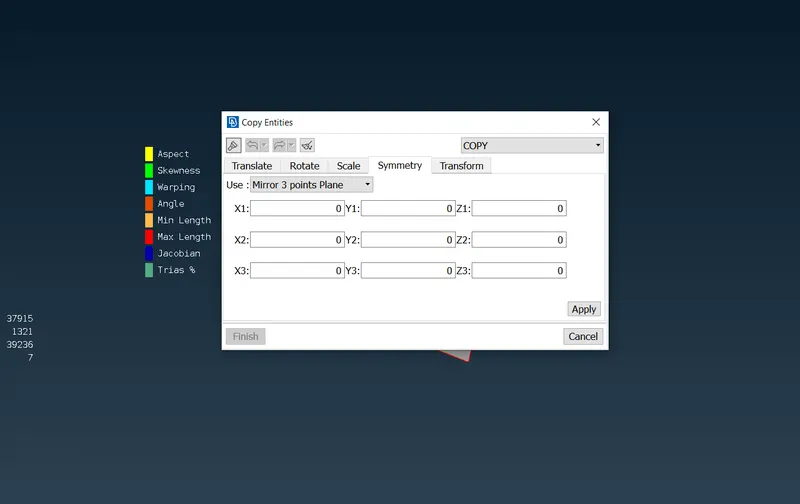
after meshing we can provide thickness in the pid manager-
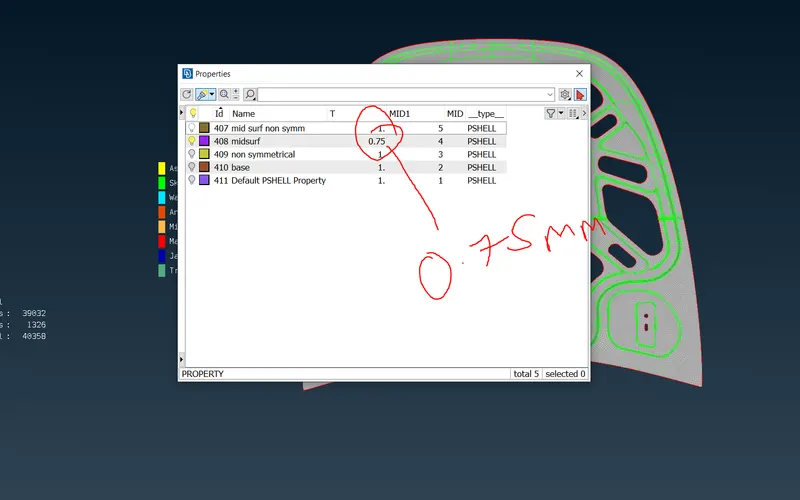
Result-
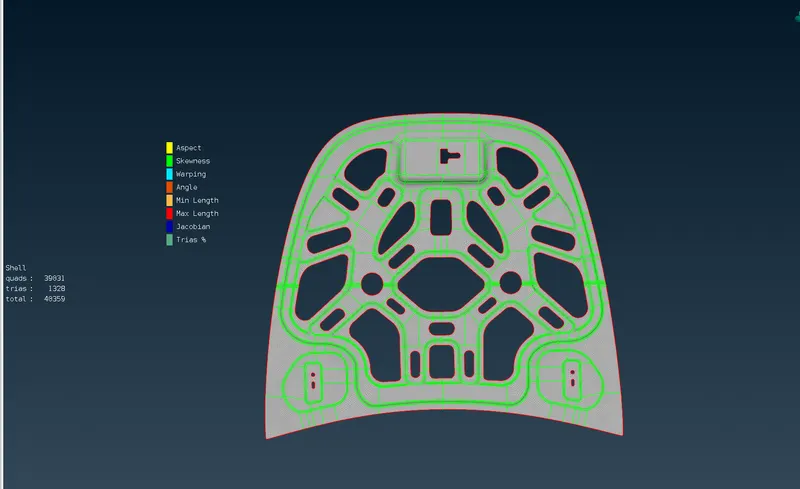
The given car hood component was meshed as per required quality criteria, after carried out topology clean-up and generated mid-surfaces for each of its components and assigned thickness.
no. of elements = 40358
no of tria = 1326 or 0.3%