Week 3 - 2D meshing for Sheet metal
AIM :
For the given Hood model, Take the mid surface for all the components after checking the geometrical errors and mesh the mid surface with the given element Quality criteria. (Refer the table Below for the Quality criteria)
GIVEN:
|
S.No |
Quality Criteria |
Value |
|
1 |
Target/Average length |
5 |
|
2 |
Minimum Length |
2 |
|
3 |
Maximum Length |
7 |
|
4 |
Aspect |
3 |
|
5 |
Warpage |
15 |
|
6 |
Skewness |
45 |
|
7 |
Jacobian |
0.7 |
|
8 |
Minimum Quad Angle |
45 |
|
9 |
Maximum Quad Angle |
135 |
|
10 |
Minimum Tria Angle |
30 |
|
11 |
Maximum Tria Angle |
120 |
|
10 |
Tria Percentage |
15 |
OBJECTIVE:
Import the given car hood model into the ANSA software
Check for geometrical errors and fix them to extract a proper mid surface.
Mesh the given model with the given quality criteria
Check and clear the failed elements (off elements) in the FE model.
To ensure the corresponding thickness of each surface is assigned to the FE model.
GIVEN CAR PANEL:
- Import Model
Open the given file (Hood_model1.stp) in ANSA, the given hood model
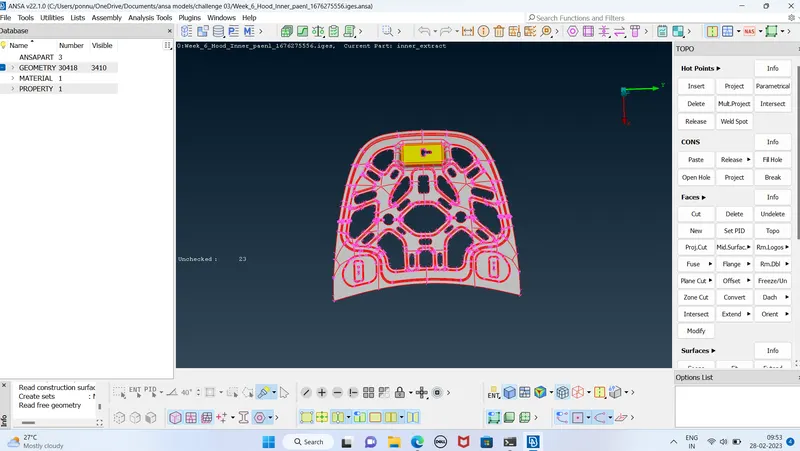
- Geometry Clean-up:
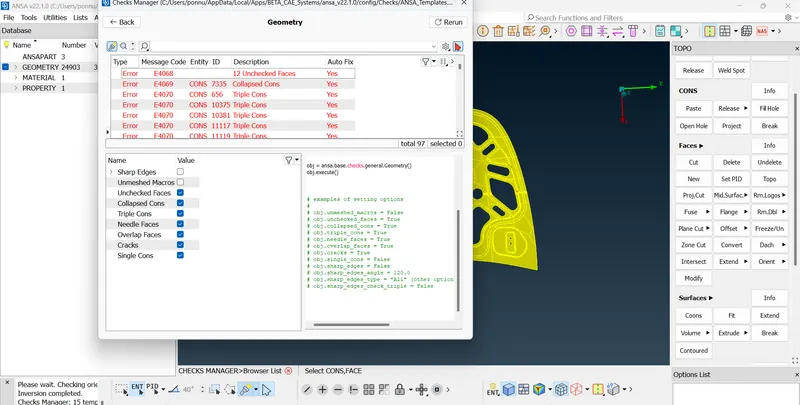
The components are checked for geometry clean-up using Checks > Geometry and clean up the errors using auto fix and use topo tools like new face, delete and topo, etc. to achieve 100%.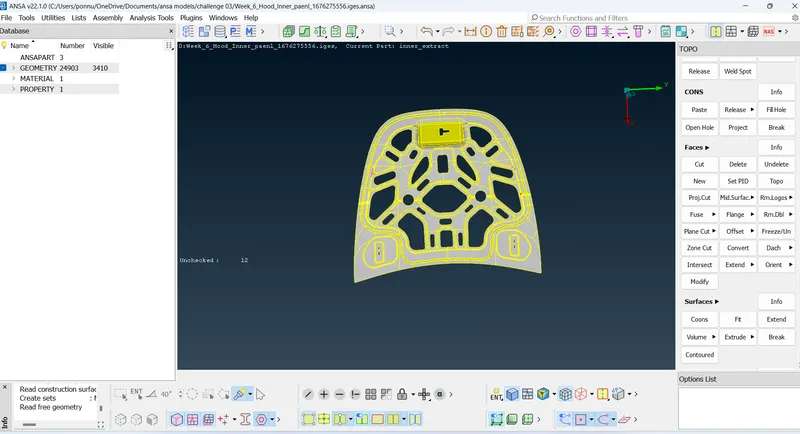
- After executing,all the needle cuts, unstiched , sharp edges errors will be highlighted. We can get a look at each error by just right click show only. This will show only the prolematic cons on the graphics area.Later this, select all the erros at once and right click on it -->fix.This will auto fix the present geometrical errors on the geometry.
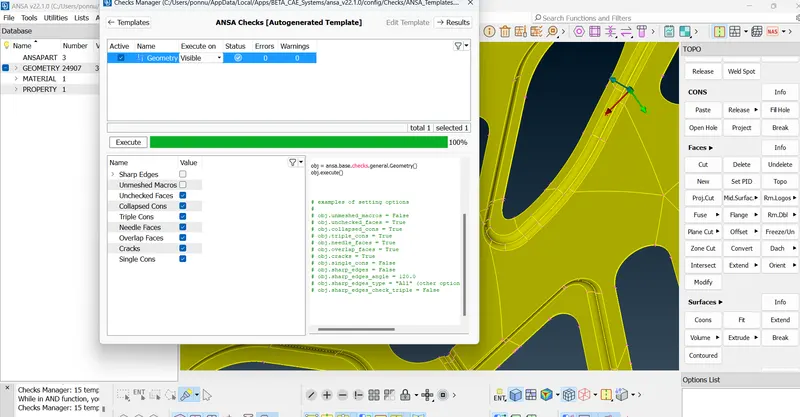
THEN GIVEN THE ORIENATION TO THE GIVEN HOOD PANEL AND THEN GO FOR MID SURFACE EXTRATION.
Mid – Surface Extraction:
- Manual mid surfaces are extracted by selecting the faces of each component by offset option by giving the distance half of the thickness.
- For symmetrical components, only part of the component is extracted.
- Mid Surface Geometry is again checked for errors.
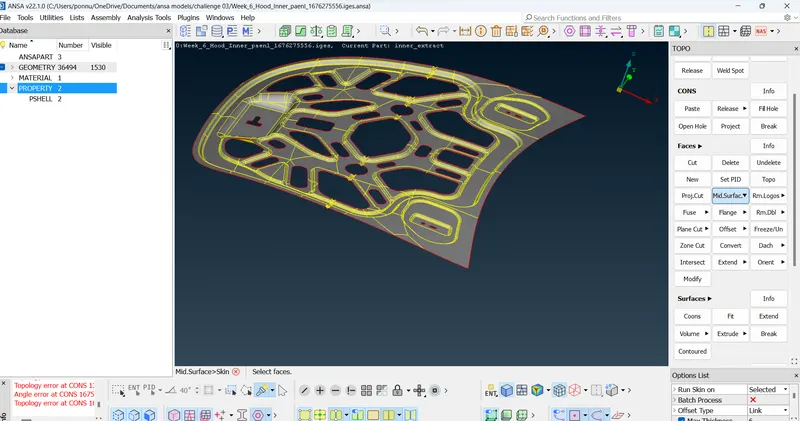
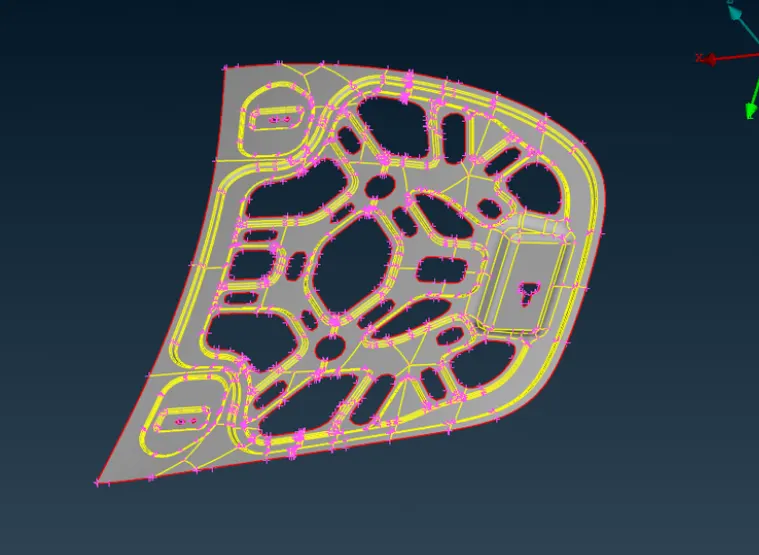
AFTER THE MID SURFACE EXTRATION IS DONE.
Go for given quality criteria and material parameters,for quality criteria short cut key is f11 .
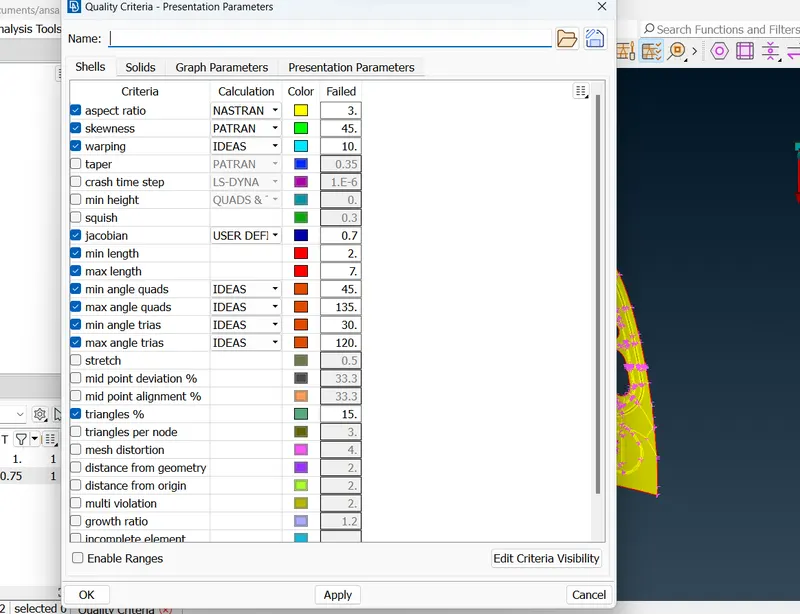
- Go to presentation parameter and turn ON the elements % .
- After the Mid surfacing and setting quality parameters, the meshing needs to be performed .
- For meshing a proper mesh parameters should be given .
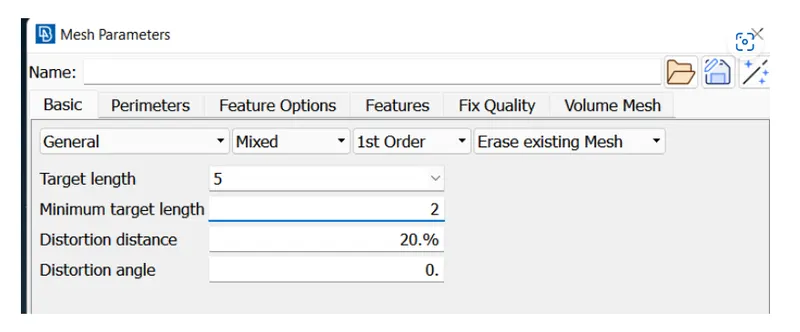
Perimeter and macros are set for 5mm using the length in the perimeter option of the mesh tab.Each Face(macro) of each component is meshed using the Best option in the Mesh Generation.
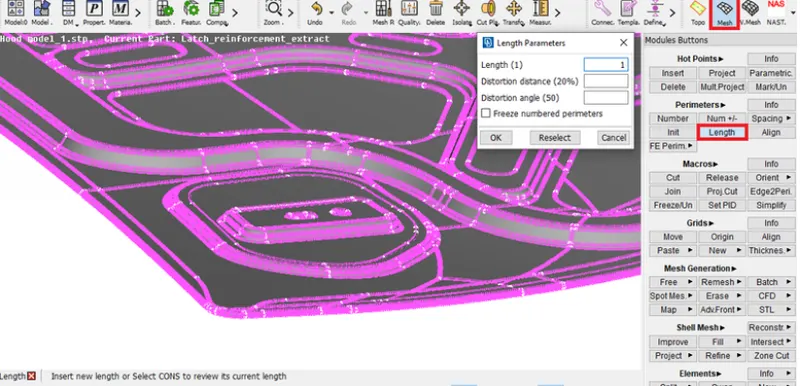
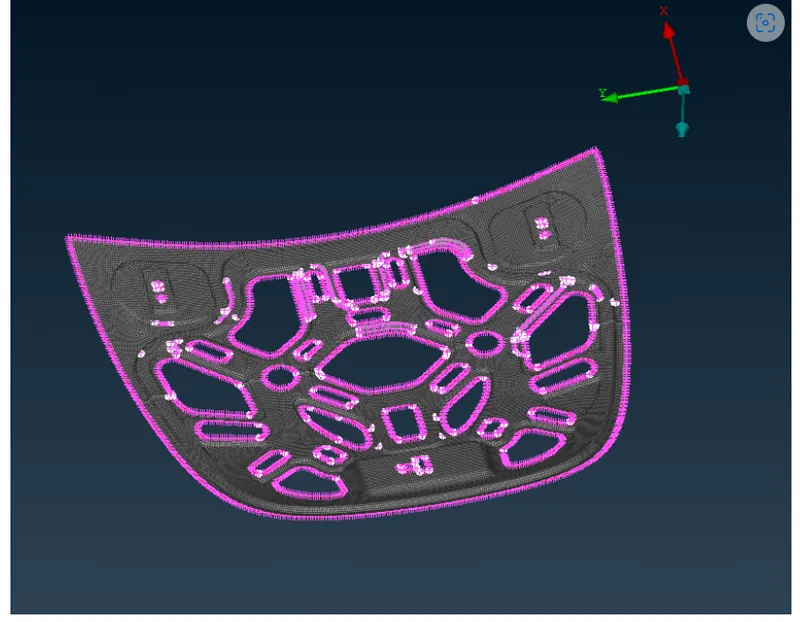
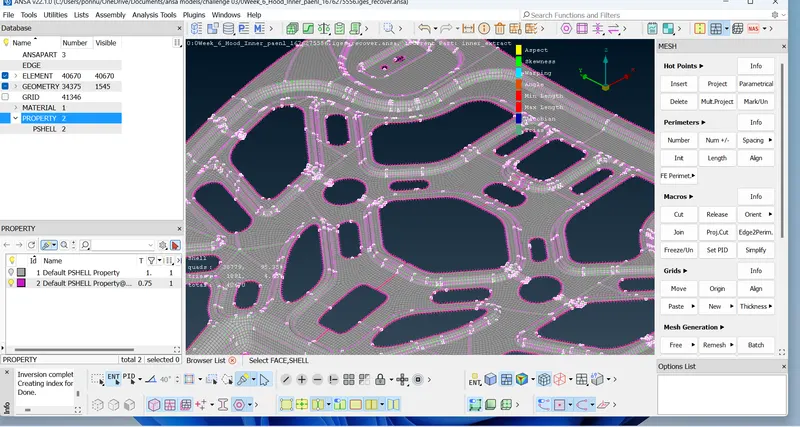
Cons and Hot points are altered according to fit the criteria, i.e., for hemming surface cons are joined to avoid failing minimum shell length using cut and join of macros tab.Each Face(macro) of each component is meshed using the Best option in the Mesh Generation.Mesh Quality is improved using reconstruct option in Shell mesh.Further failed elements and trias are removed using Split, Swap, Join (Elements Tab), Smooth (Shell mesh tab), Paste (Grids) and Num +/- (perimeter tab)The Symmetric surfaces are reflected using transform -> copy option (Symmetry -> Working plane).
outcomes of project:
1.Basics of ANSA Software tools and GUI.
2.To clean-up geometry of simple components.
3.To Extract Mid – Surface and assign property and thickness.
4.To mesh the component satisfying Quality Criteria with better mesh flow and less concentration of trias.
STEPS INVOLVING:
- For performing geometric clean up ,
geometry - execute - finding - fixing manualy/ auto fix
2.for Mid surfacing ,
Topo - faces - offset -select face-enter offset value/direction- ok
3.for mid surface extraction,
!Not - turn on PID - select the mid plane - enter
OR
Not - turn on PID - Select any thickness face - enter
4.for getting neighbouring elements
And - select - enter
5.for deleting hot points ,
hotpoint - insert/delete
6.for deleting un wanted lines ,
topo - faces - cut -select - right click
7.for making the design good,
topo - auxilleries - fine - enter
8.for removing triple cons ,
topo - CONS - release - enter
9. for joining two single cones,
faces -topo - select separate
10.for making mesh improved ,
classic mesh - shell mesh - smooth / reconstruct
11.for changing trias position
classic mesh - element - split
classic mesh - grids - paste
In order to solve this Min length error, One can toggle (suppress) the top and bottom double cons at the fillet region of a mid surface (Toggled cons will be represented as Orange colour lines). This is called ‘defeaturing’ the midsurface.
conclusion
The given Car Hood component is meshed successfully satisfying given Quality Criteria.
C:\Users\ponnu\OneDrive\Documents\ansa models\challenge 03