Week 3 - 2D meshing for sheet metal
Aim: To create a high-quality mesh model of a component, ensuring that it conforms to specific requirements, such as correct mid-surface, good mesh flow, no rotating quads, opposite triangles, and eliminated triangles near free edges, holes, or fillets, and with zero OFF elements after applying quality criteria.
Procedure:
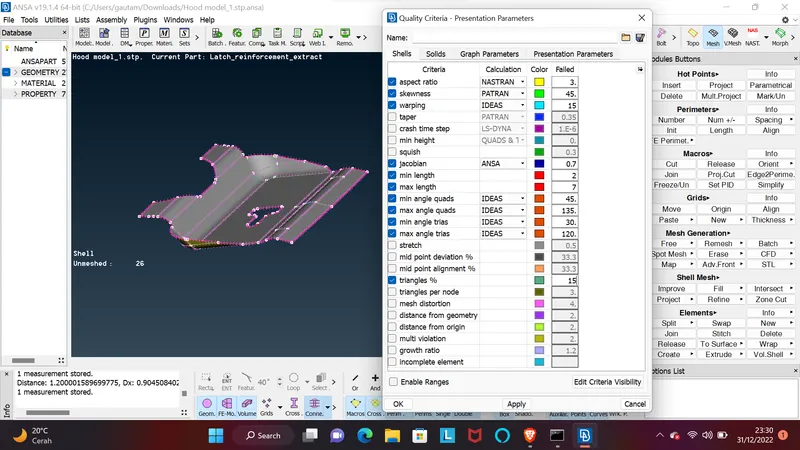
For the given Hood model, Take the mid surface for all the components after checking the geometrical errors and mesh the mid surface with the given element Quality criteria
|
.No |
Quality Criteria |
Value |
|
1 |
Target/Average length |
5 |
|
2 |
Minimum Length |
2 |
|
3 |
Maximum Length |
7 |
|
4 |
Aspect |
3 |
|
5 |
Warpage |
15 |
|
6 |
Skewness |
45 |
|
7 |
Jacobian |
0.7 |
|
8 |
Minimum Quad Angle |
45 |
|
9 |
Maximum Quad Angle |
135 |
|
10 |
Minimum Tria Angle |
30 |
|
11 |
Maximum Tria Angle |
120 |
|
10 |
Tria Percentage |
15 |
Start by importing the component into CAD software
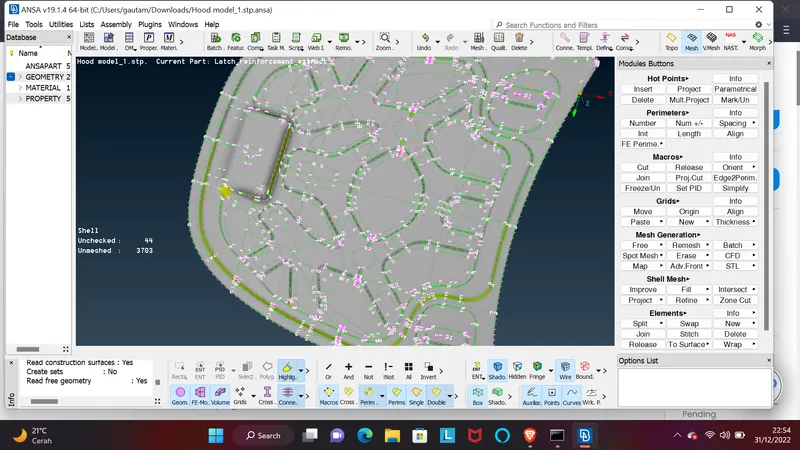
In Step 1, open the ANSA software and import CAD geometry design component.
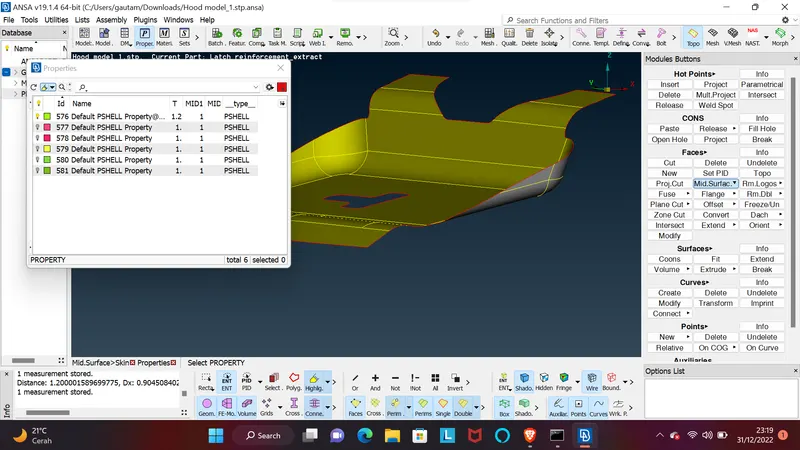
2- check the properties and quality critria list and it shows that there are five components available there.
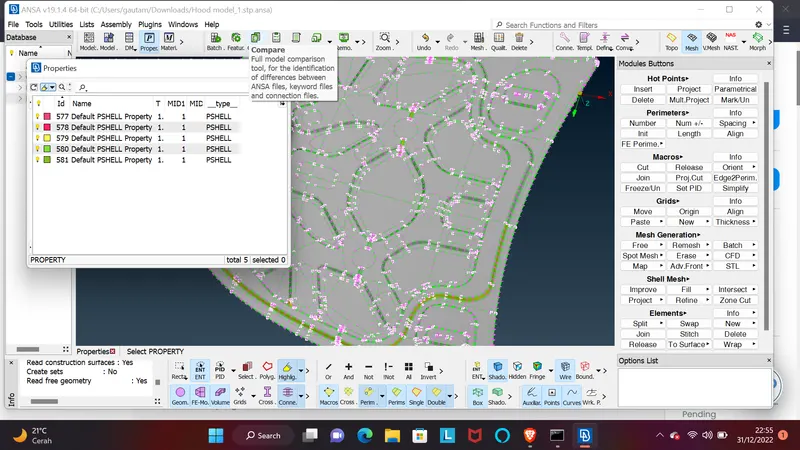
3-I take one component to start working on it I do mid surface creation and after doing the good mesh flow this things do each and every components works on all the other components one by one.
4- I Observe that the components appear unarranged and not properly aligned, with hot points and inconsistencies in the lines.
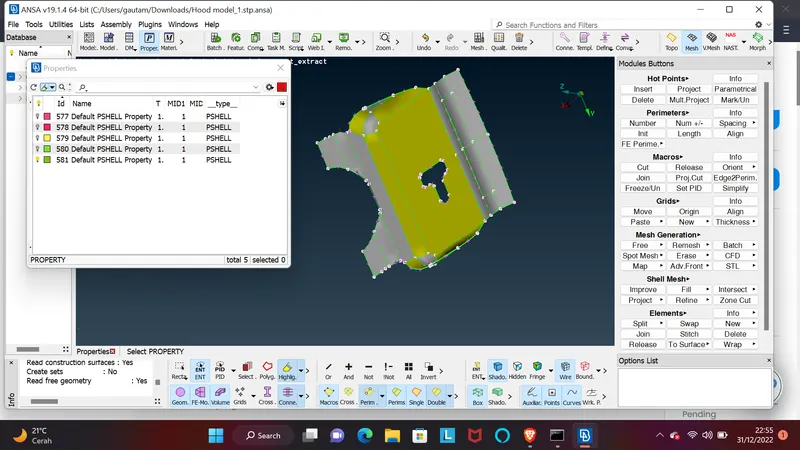
5- To rectify this, I begin by working on the inconsistencies (or "cons") resolution to improve the CAD geometry design.
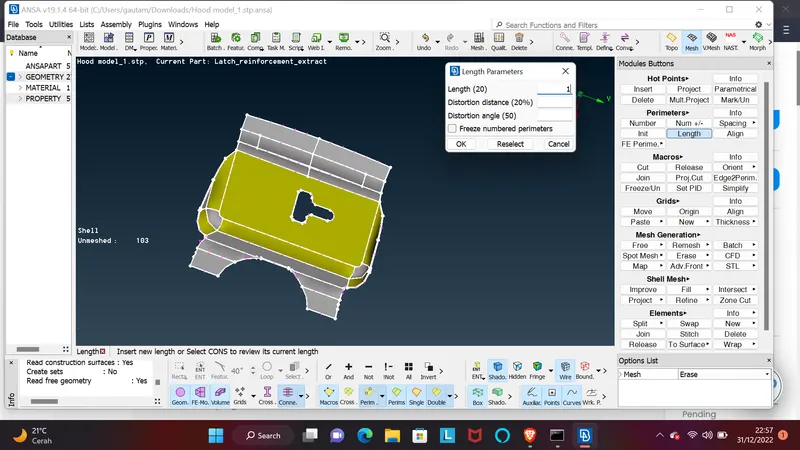
6- I apply the cons resolution using the modules button, setting the resolution parameter to 1, to make the flow and hot points and cons resolution proper.
7- After resolving the cons resolution, then proceed to remove any remaining curves are coming and delete any extra hot points or near double lines present, using the modules button and joining and cutting options.
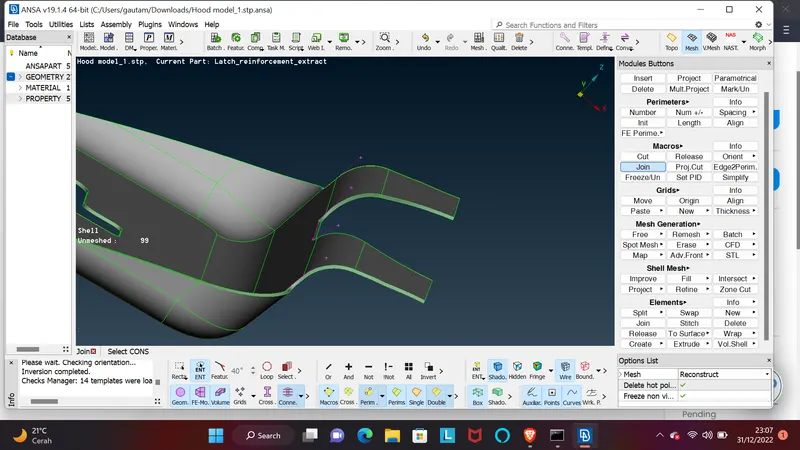
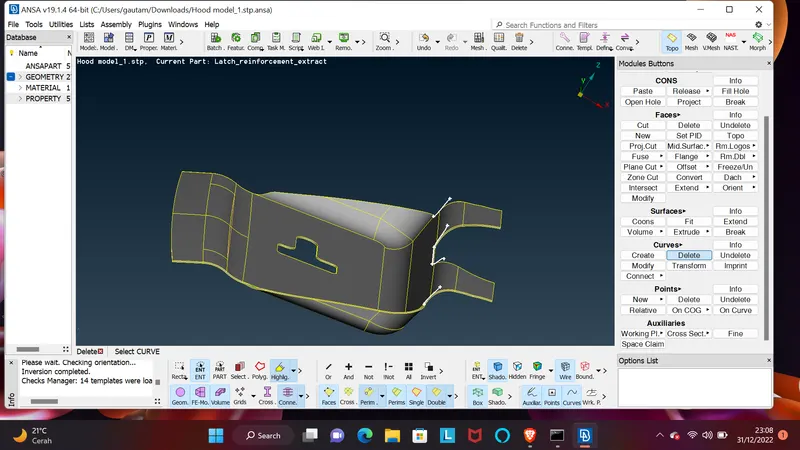
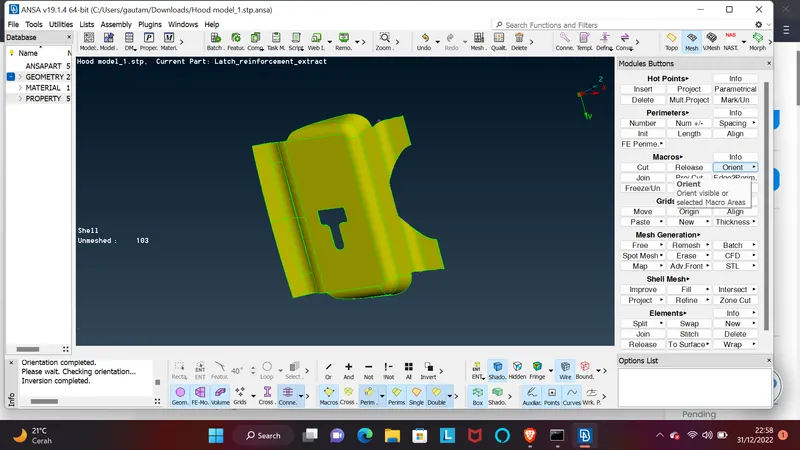
8- I use the orient function to align every surface in one particular direction, either green or yellow, for easy meshing flow.
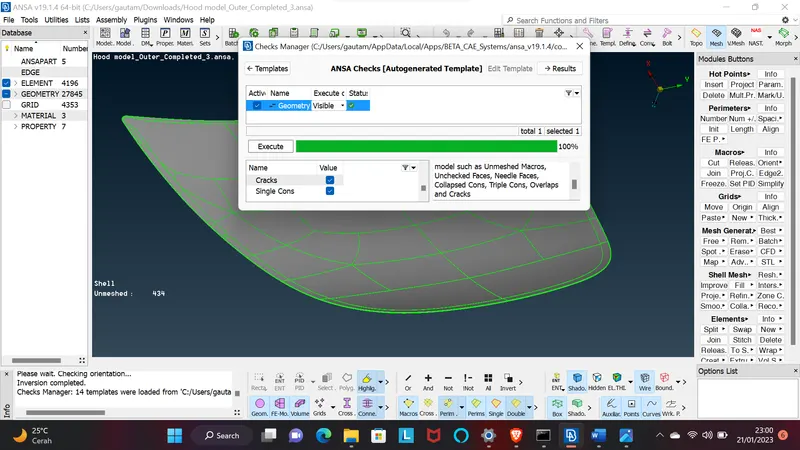
Step 9- Then I check the geometry of the CAD model to find out any errors on it.
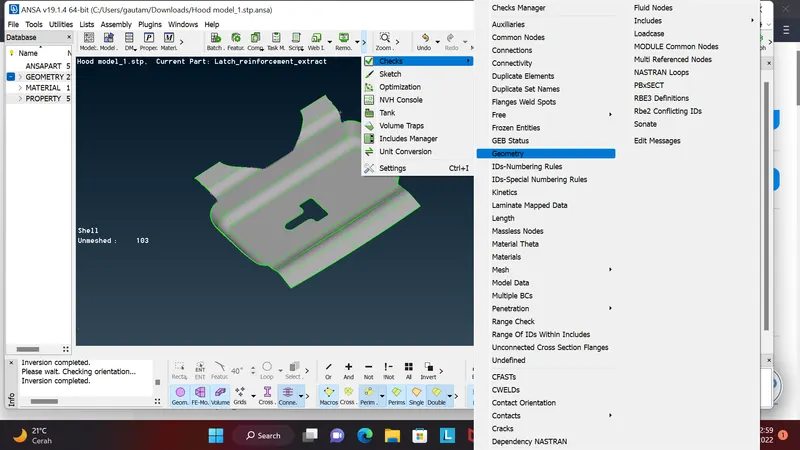
10- I fix errors that appear such as extra lines through the fix option, needle face errors, or triple cons and do manually using the cut and join options in the Topo module
11- Using the measurement option, i measure the component thickness to check if it is equal everywhere or if it varies, which will affect the creation of the mid-surface.
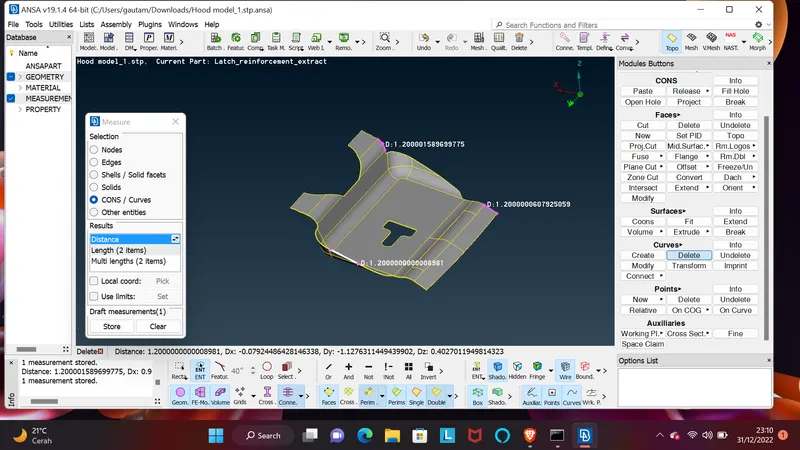
12- If the thickness is the same everywhere, I create the mid-surface and mesh it easily.
13- I choose the mid-surface option to create the mid-surface because component's thickness is equal everywhere and it creates automatically and accurately in less time.
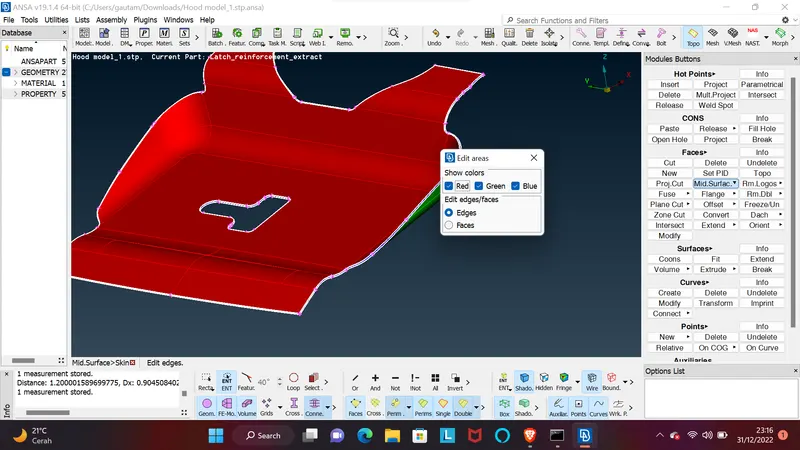
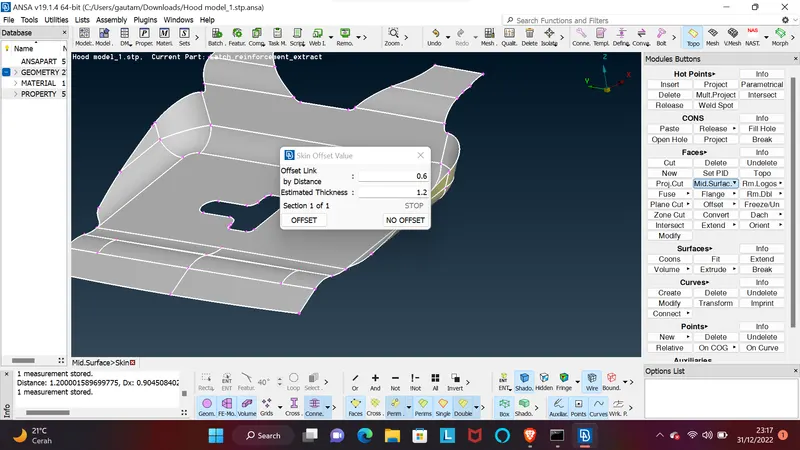
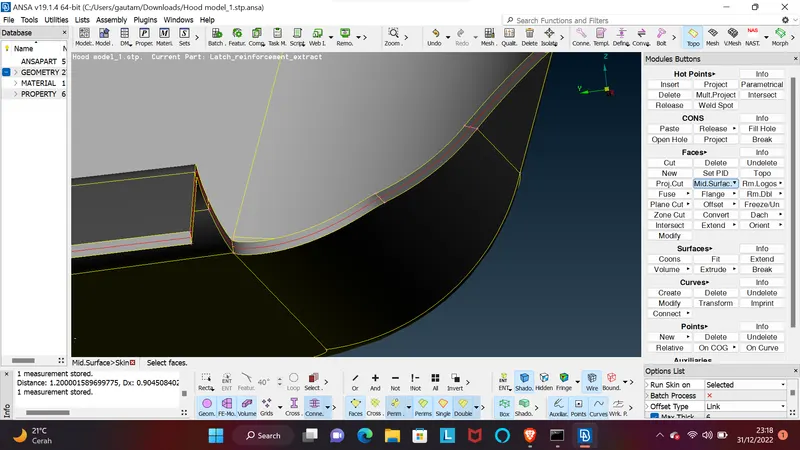
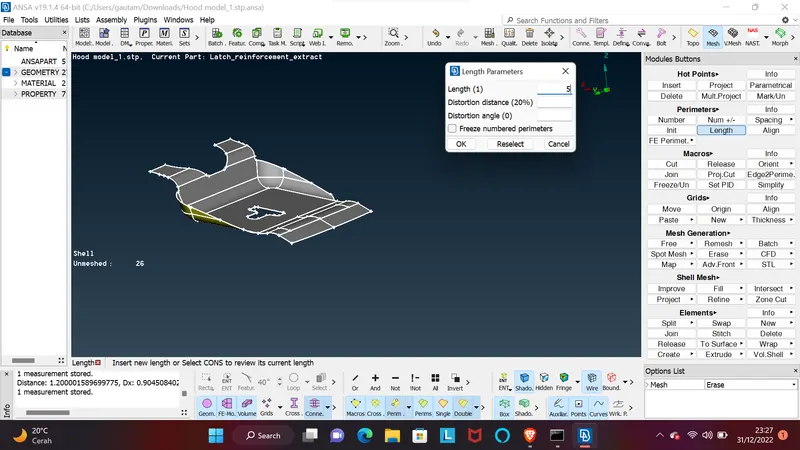
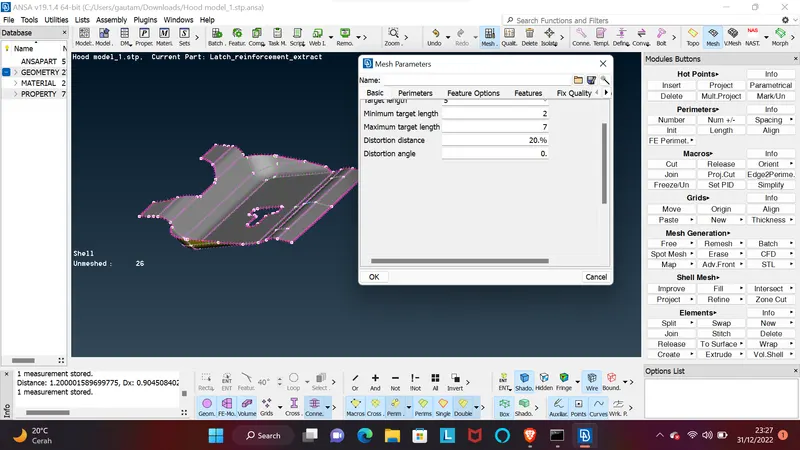
14- provide a target element size, mesh parameter, and quality criteria for the components.
15- I check for any double lines or hot points near each other and fix it using the cut and join option present in the topo module.
16- avoid sharp edges or corners for better mesh flow and fix them.
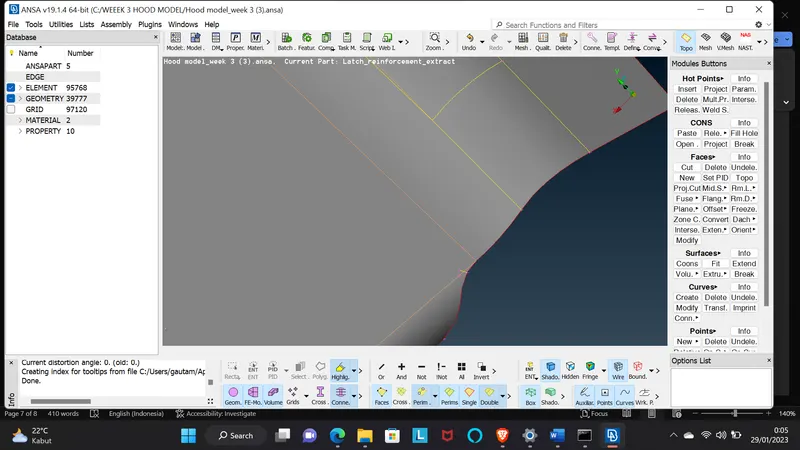
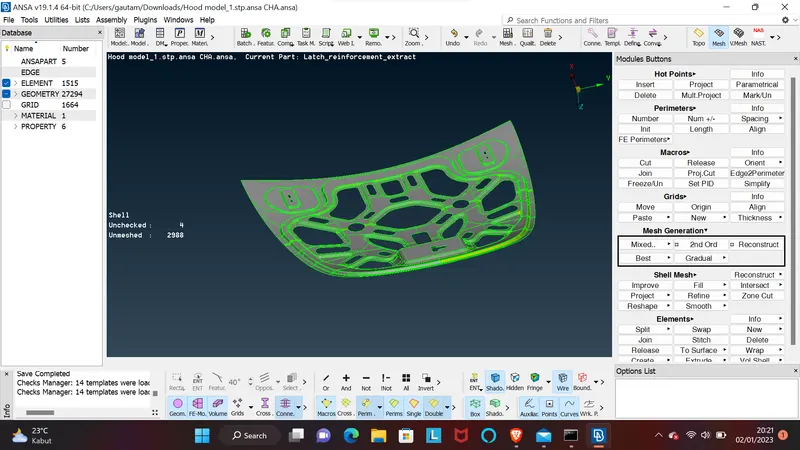
17- I go for mesh option for meshing the mid surface component after providing all the necessary details and try to achieve a better mesh flow and smoothness.
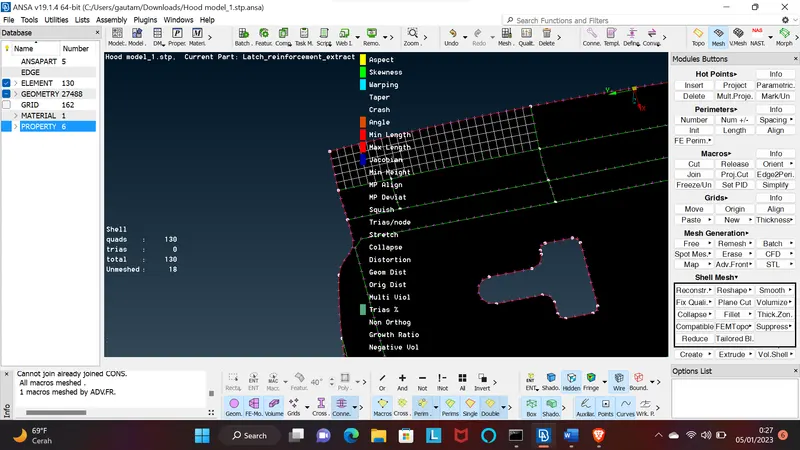
18- I check the mesh quality to ensure that it meets the desired criteria and make any necessary adjustments.Top of Form
19- During the meshing process, some errors and off elements occur, such as maximum or minimum element length triangles touching each other. To resolve this issue Adjust the mesh density or refine it in areas where errors or off elements are present.
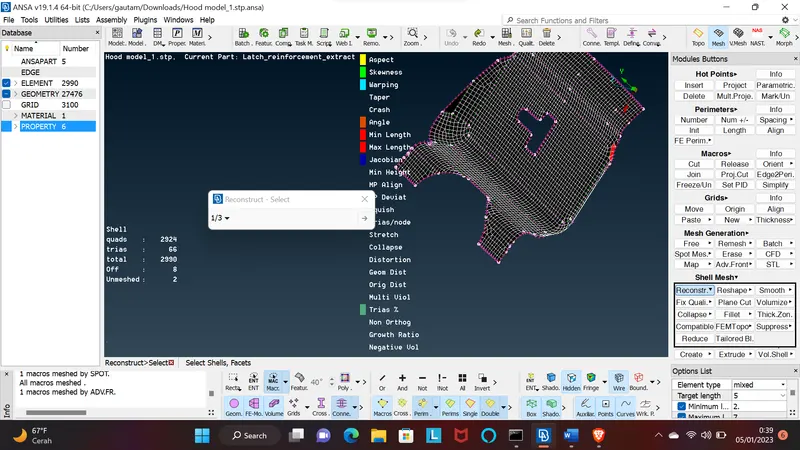
for resolves this all errors I can use smooth or reconstruct option for trias i use split and paste option to move the trias backward forward swap it and correct it…
some were specially in edge area the elements get fails and create disturbance elements where I do some smooth option after that moving trias and quad elements in right place …
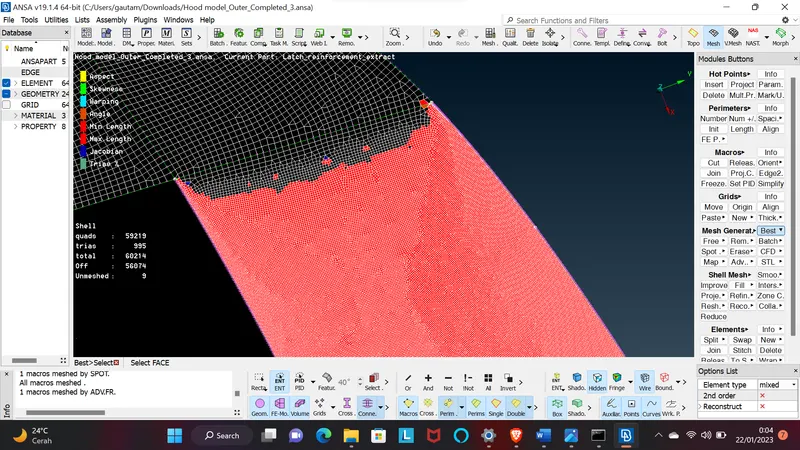
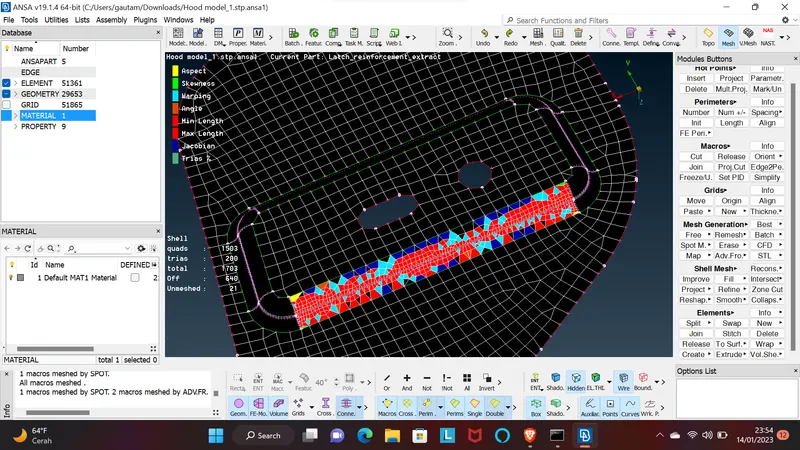
So many trais are present then I take one by one trais and make it in proper way according to requrements given I do split option for two opposite trais and make it correct and same direction trias I just swap it.
For somewhere max/min elements length are not going through the smooth and trais moving option then I do transform option and move the trias node in given parameter and correct it
In the latch component there are many general lines and extra hot points are present there are no need of it I need to take care of it by the help of module options somewhere is using cut and somewhere join option are use it and extra hot points need to delete it.
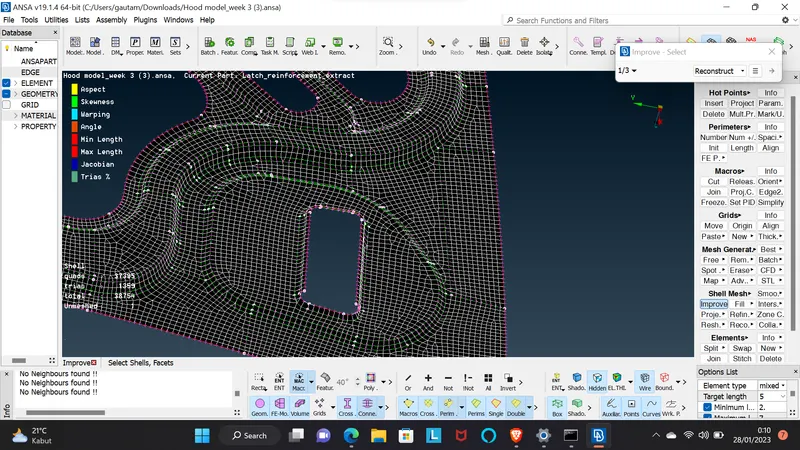
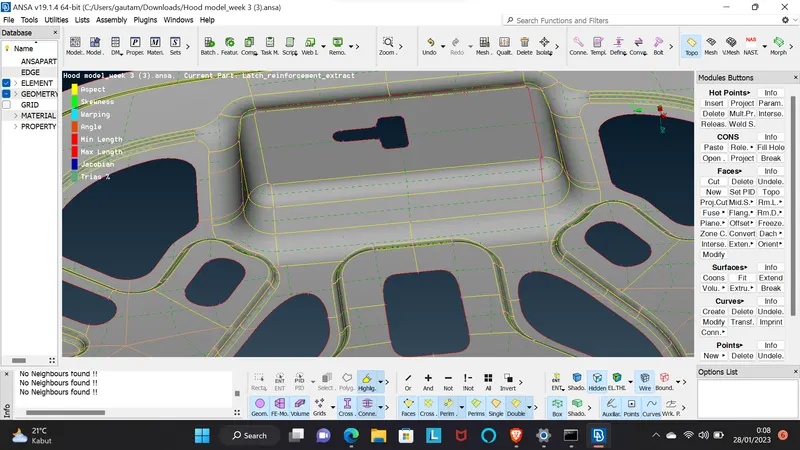
In that challenge there are some symmetry component are available it that component work be carefully because of hemming region and fillet areas are present in it
In the symmetry component I work to do half portion and after completing that I do mirroring by the help of transform option automatically create left half part of it .and some useless extra line present in it surface i toggle that extra general line and also in fillet region doing same things and trying to do give good result in challenge..
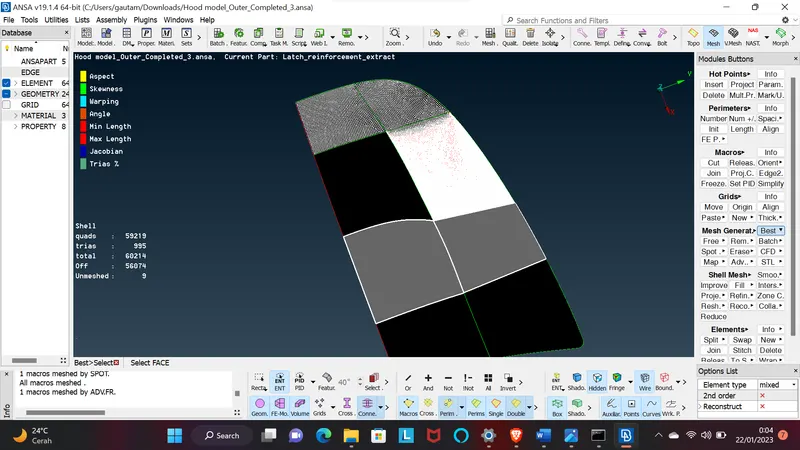
All the Same things I do part by part of the all components and many more things I do that present it and I am trying to do give best result on it
Learning Outcomes:
- Understanding the importance of topology Cleanup and surface smoothing in creating a high-quality mesh model.
- Knowledge of techniques for eliminating rotating quads and opposite triangles, and for eliminating triangles near free edges, holes, or fillets.
- Understanding the importance of applying quality criteria to ensure zero OFF elements.
- Knowledge of how to enable thickness and draw the shell as solid CAD software.
Conclusion:
By following the steps outlined in the procedure, it is possible to create a high-quality mesh model of a component that meets specific requirements, such as a correct mid-surface, good mesh flow, no rotating quads, opposite triangles, and eliminated triangles near free edges, holes, or fillets, and with zero OFF elements after applying quality criteria.