Week 3 - 2D meshing for sheet metal
ANSA JULY BATCH 1
Aim: Perform the topology geometric cleanup and generate the mesh on the component according to the given Quality criteria in the ANSA GUI.
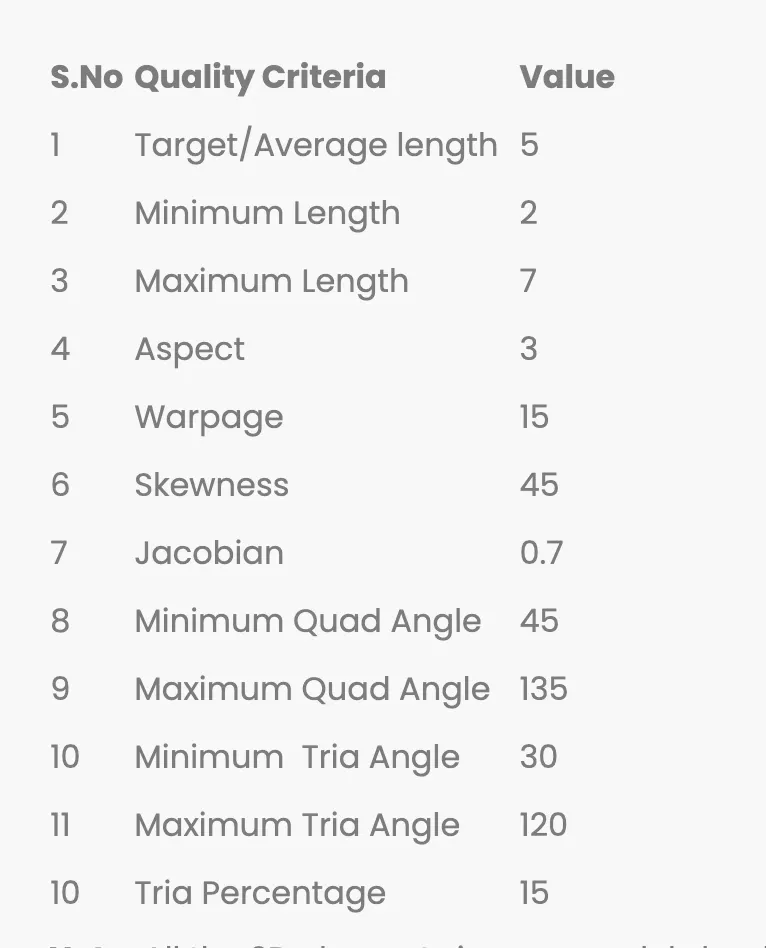
Objective: All the 2D elements in your model should clear the above mention Quality criteria.
Procedure:
1. First step import the model.
2. Then use orient command.
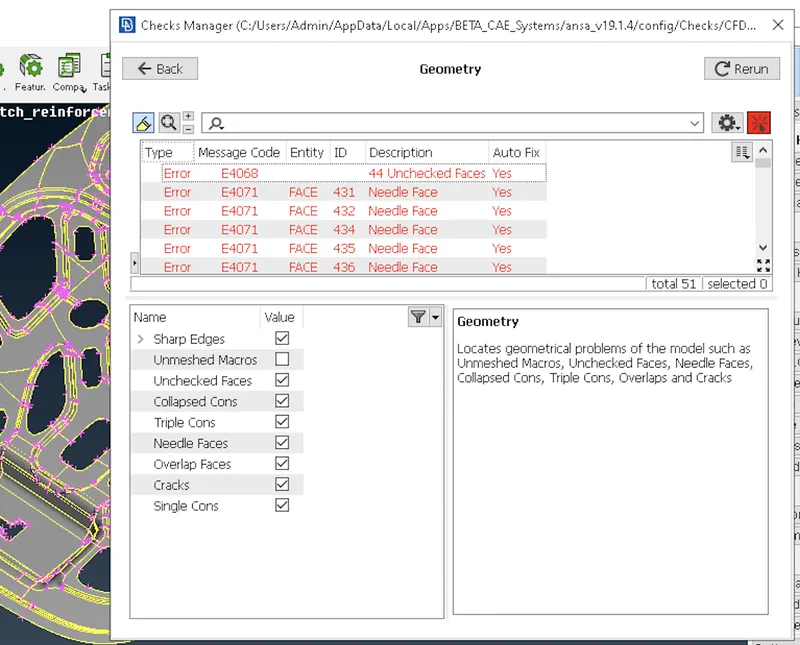
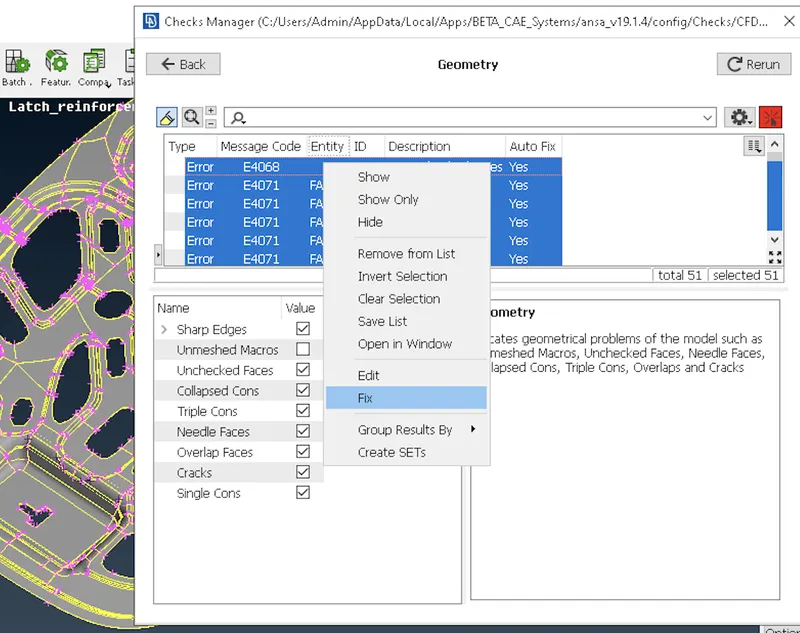
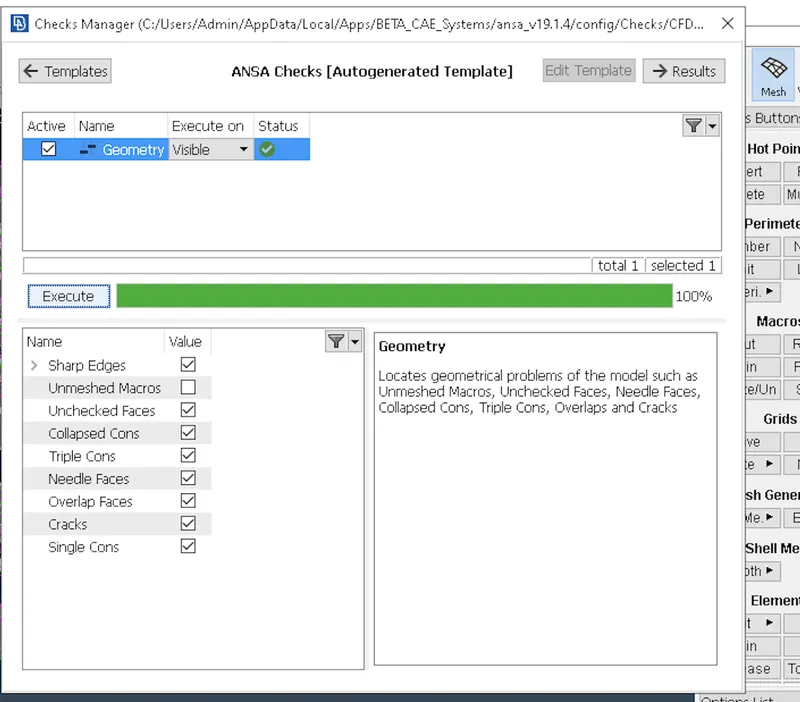
3. After that geometric cleanup of the Hood and fix the error occurs during geometric cleanup.
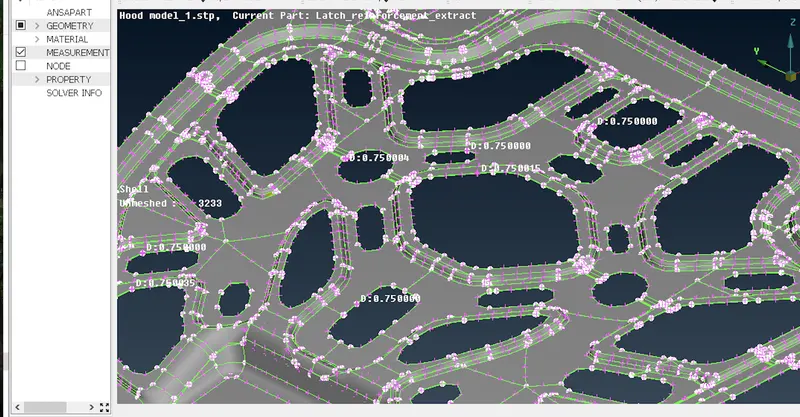
4. Take the measurement.
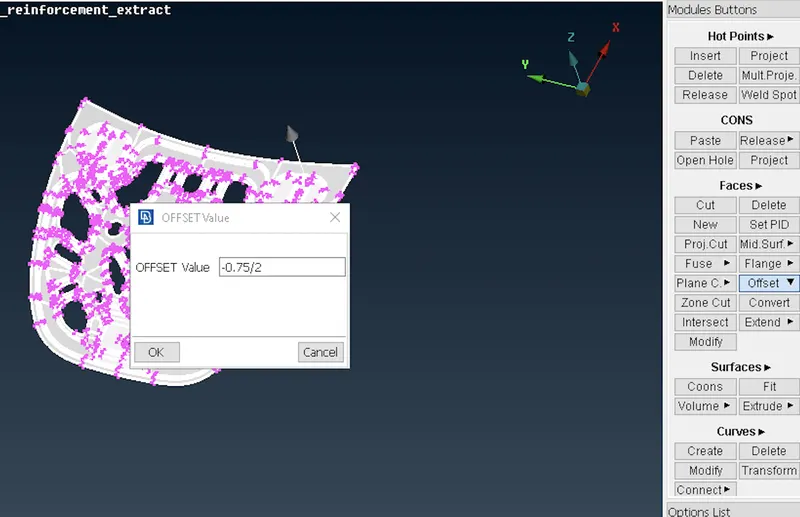
5. Use offset command to extract the mid surface.
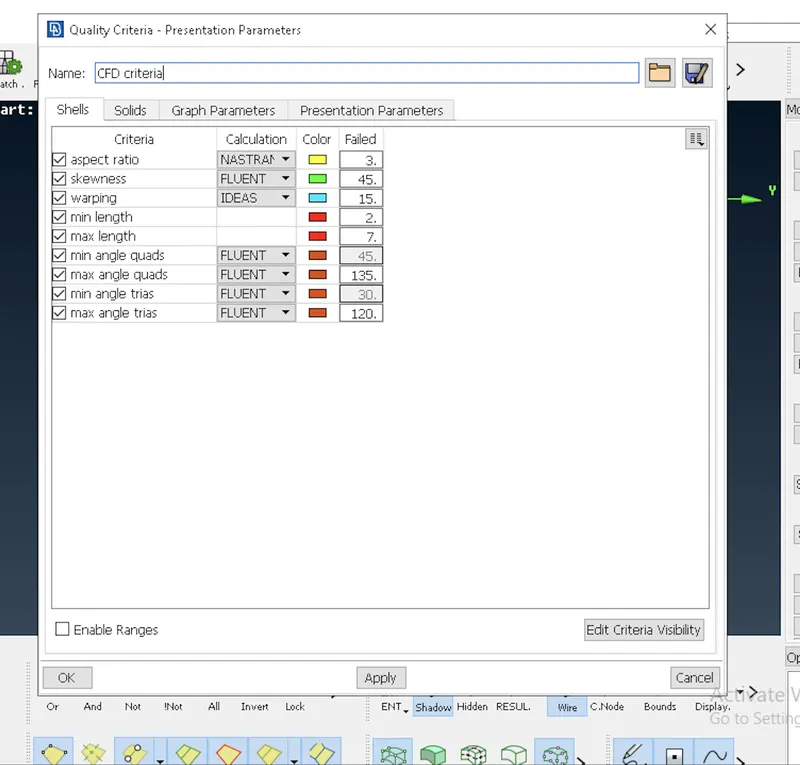
6. After that set the Quality criteria.
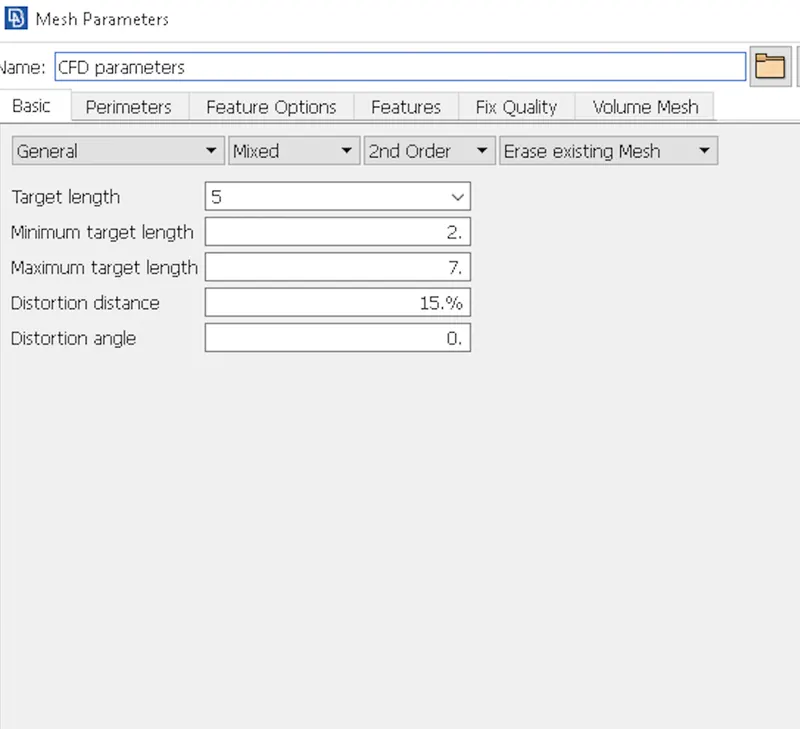
7. Also mention the mesh perimeter values.
8. Generate mesh for particular model.
9. To avoids trias in meshing use command like Split,Swap,Num+/-,Reconstruction and Smooth option respectively.
Explanation:
1. Step one import the model
for that select the file option>click on open>select the model>then click ok.
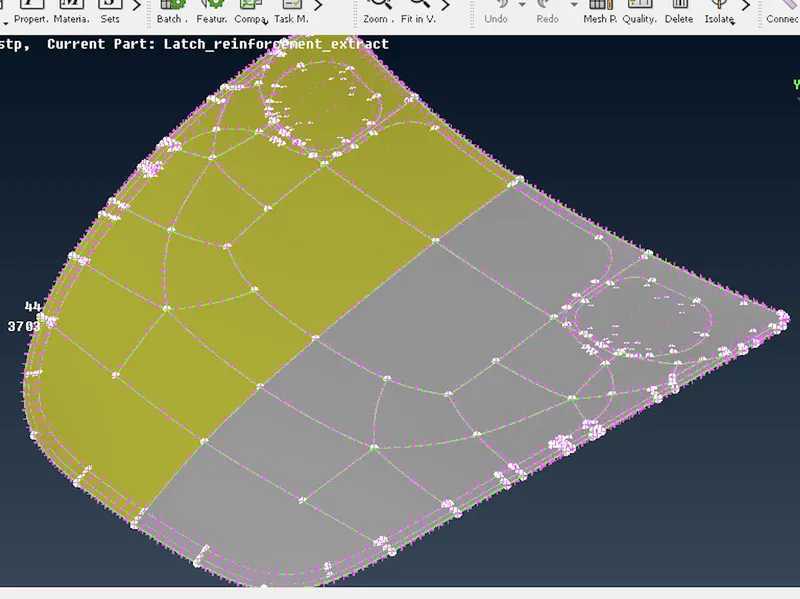
2. Then go for orient option.
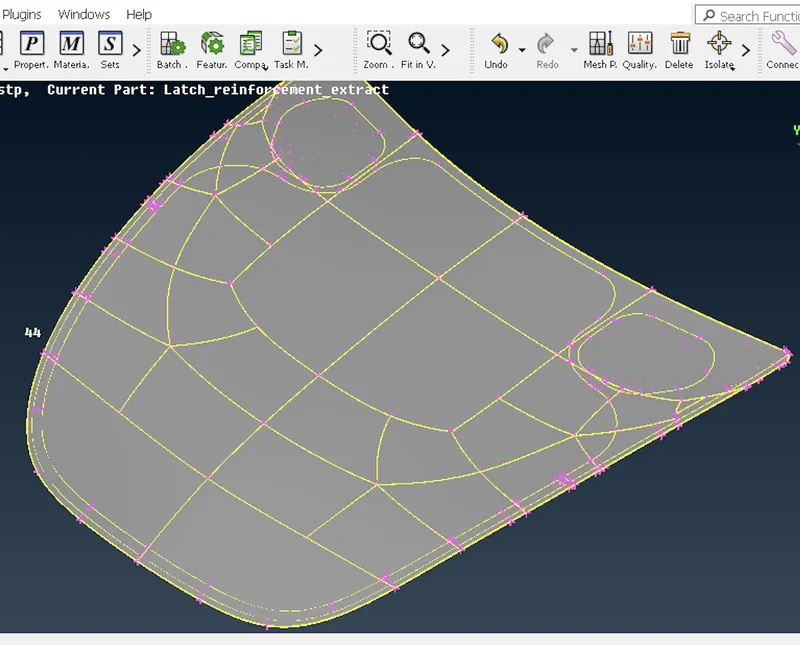
3. After that go for geometric checkup.
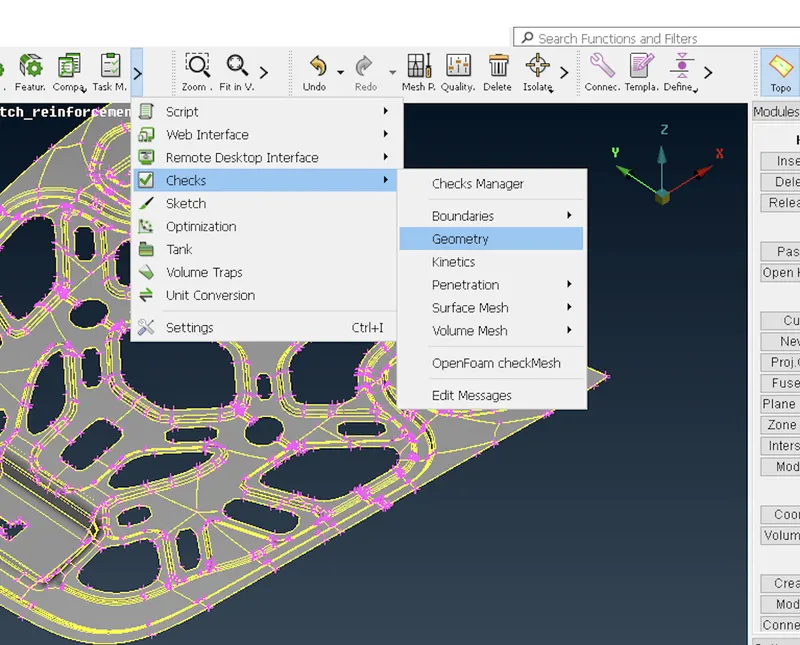
4. Identify the Model Measurement.
i) Then next step is to check the type of geometry whether the given model is a plastic or sheet metal.
ii) We have to take measuremet at multiple location to identify whether component is plastic or sheet metal.
iii) If the thickness is same throughtout the geometry then it is sheet metal.
5. Extracting the mid surface for that use offset command.
Faces>click on offset
before extracting the mid surface makure select the feature option then select the whole component and give middle mouse click.
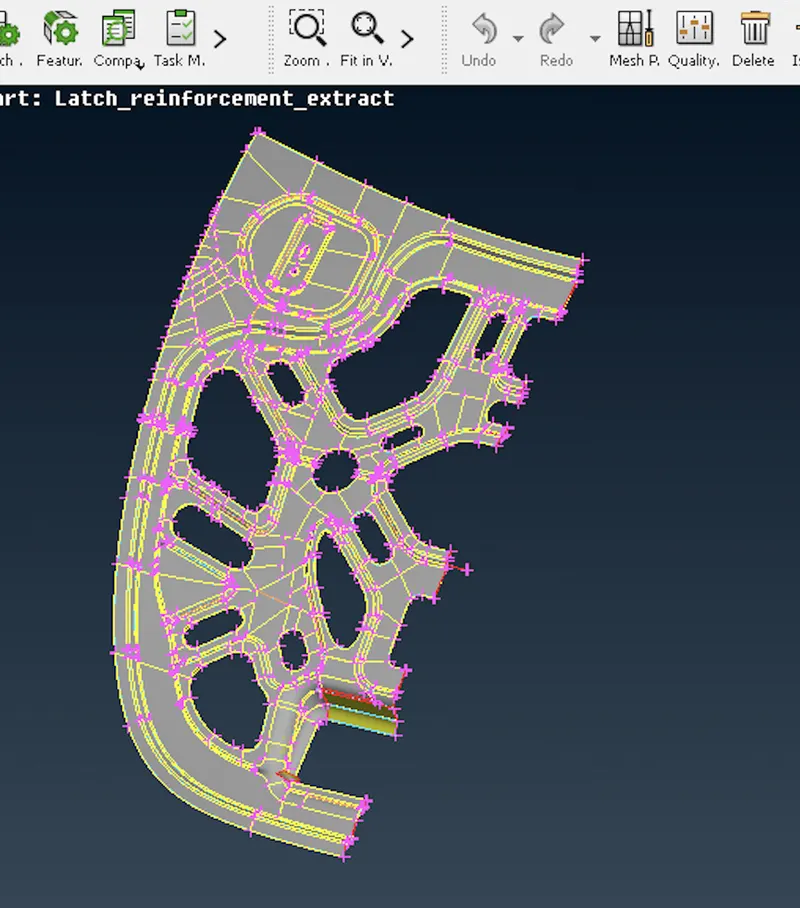
6. As we know the model is symmmetric we have to delete the half side using delete option.
7. Set the Quality criteria.
for that go to utilities>click on Quality >set the parameter>apply>click on ok.
8. Mesh parameter.
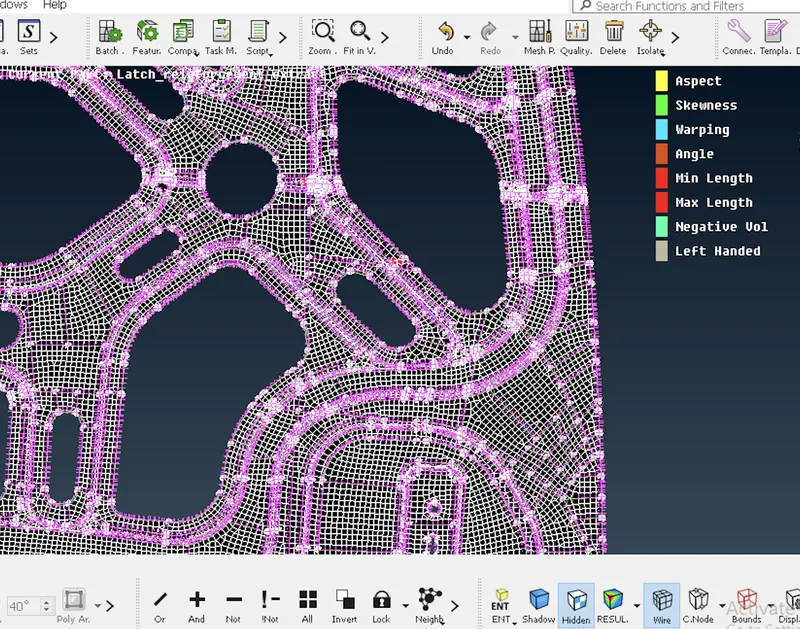
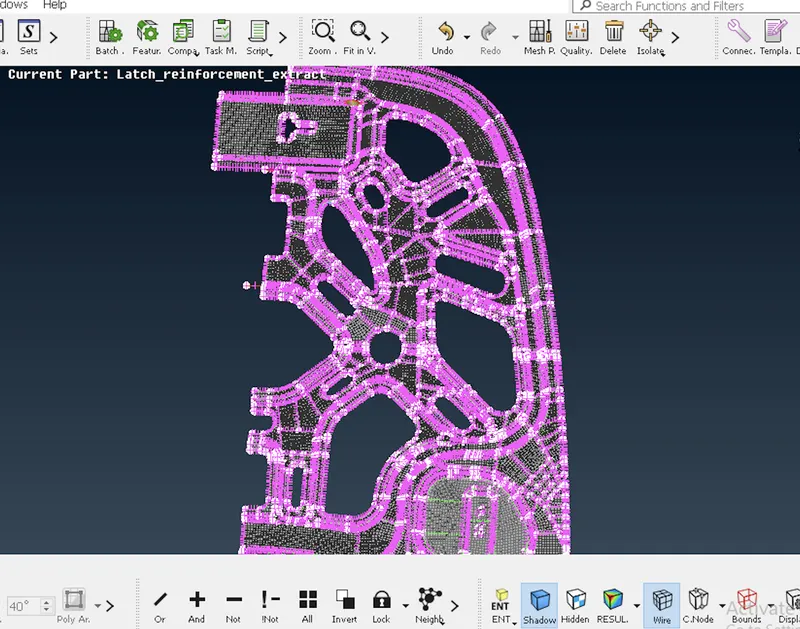
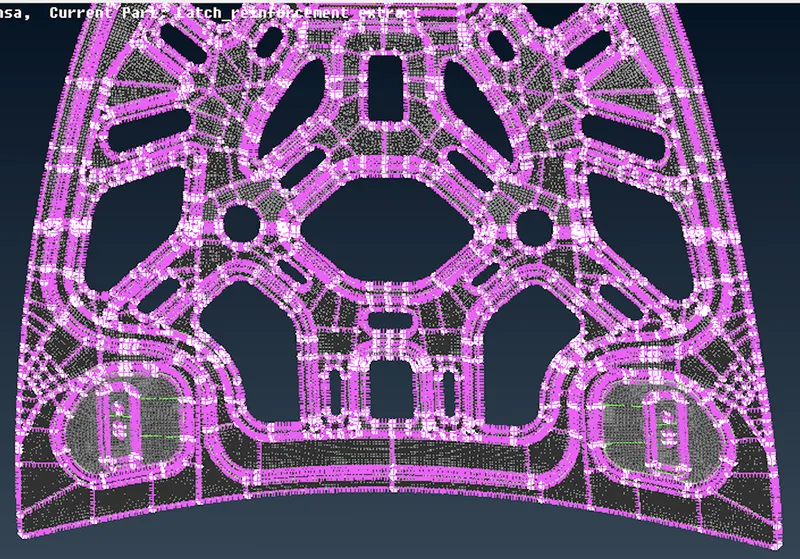
9. Generate Mesh.
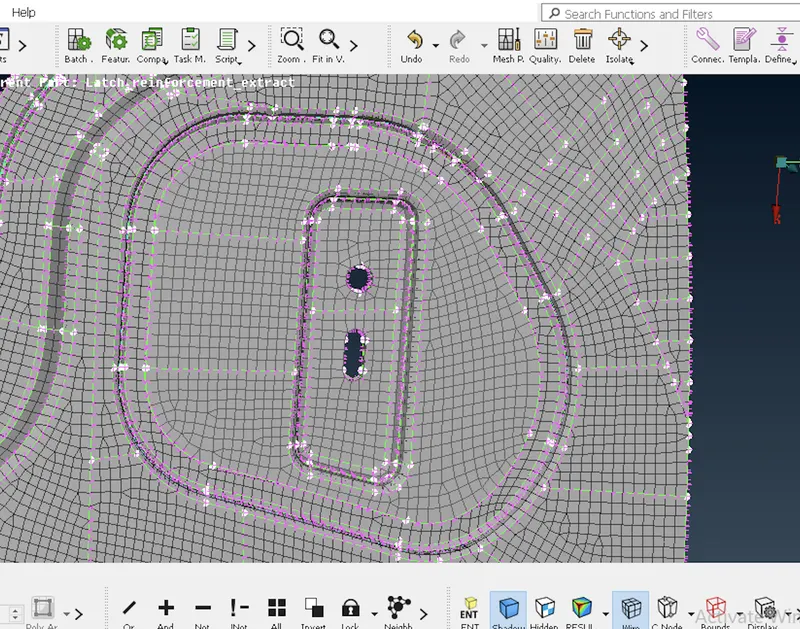
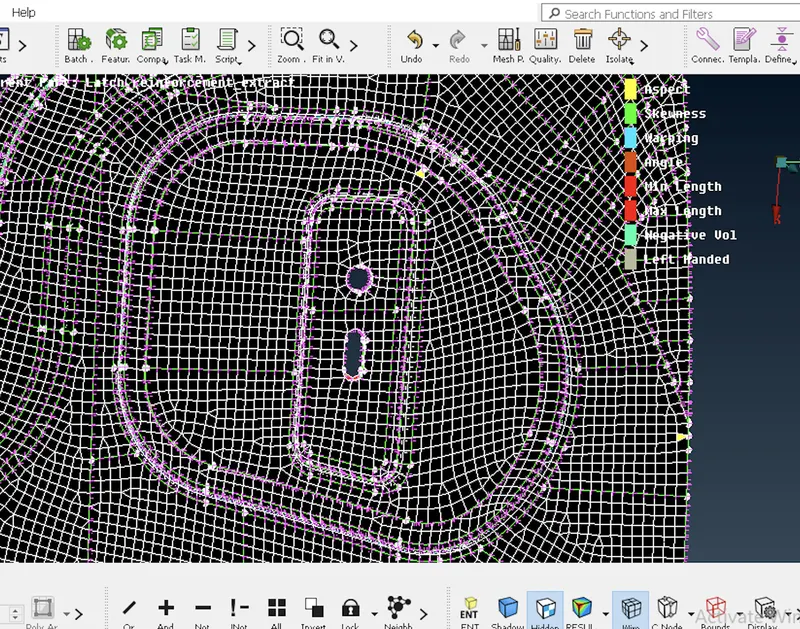
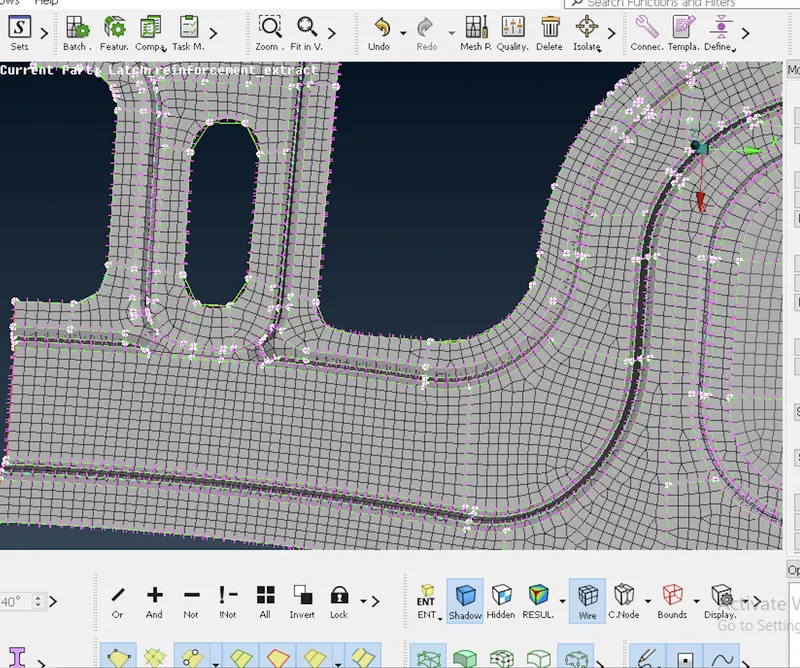
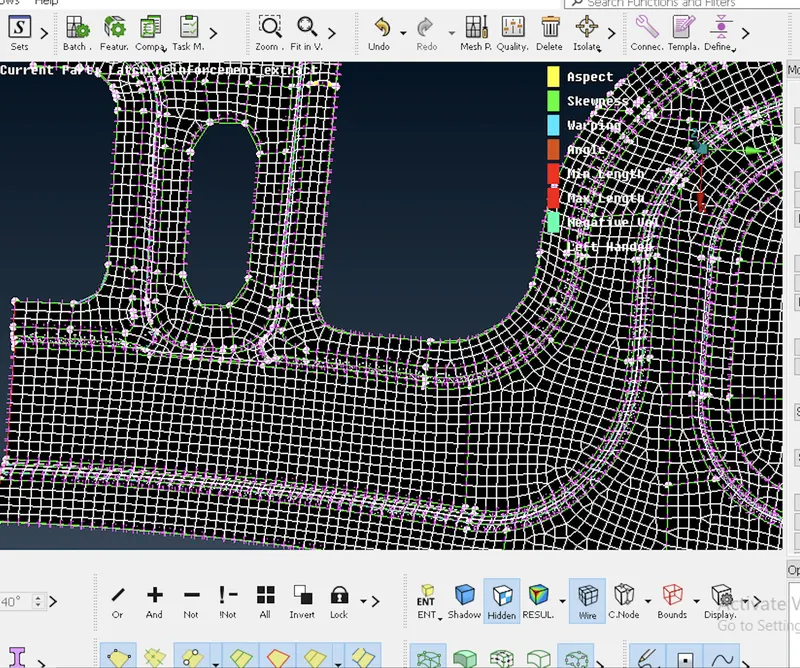
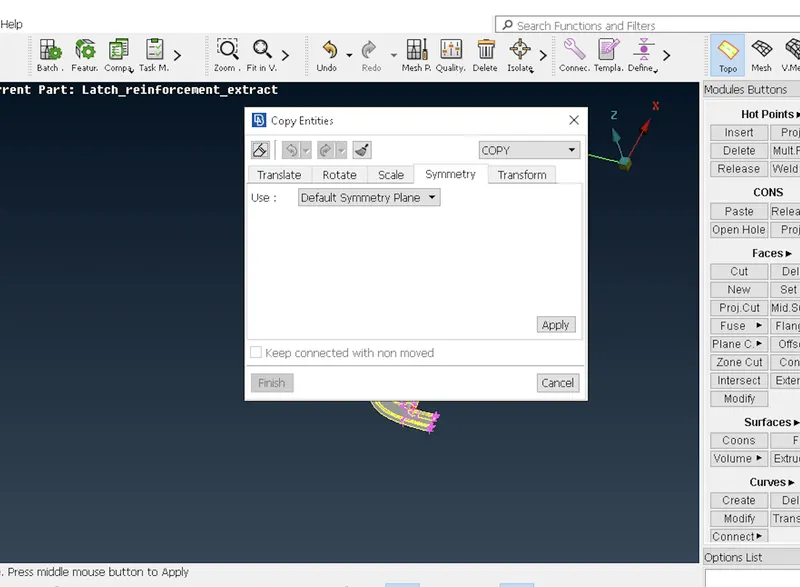
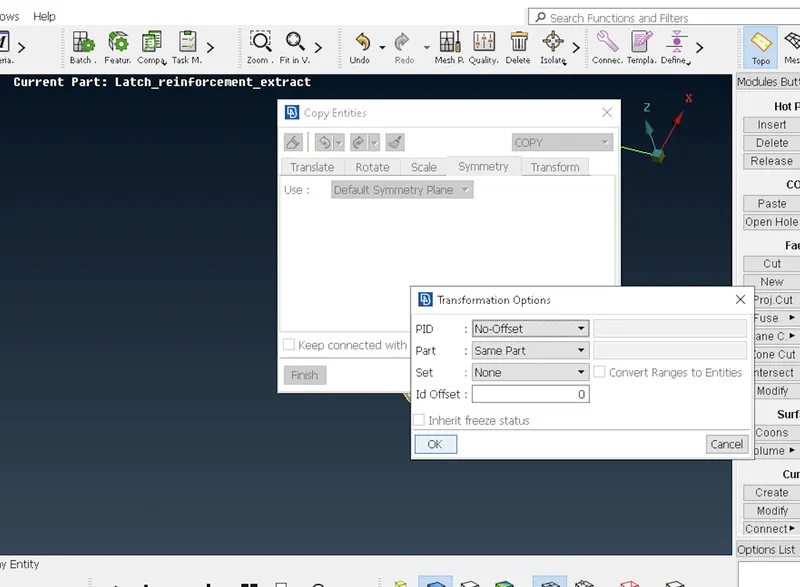
10. Once half side of the mesh completed we have to perform symmetry
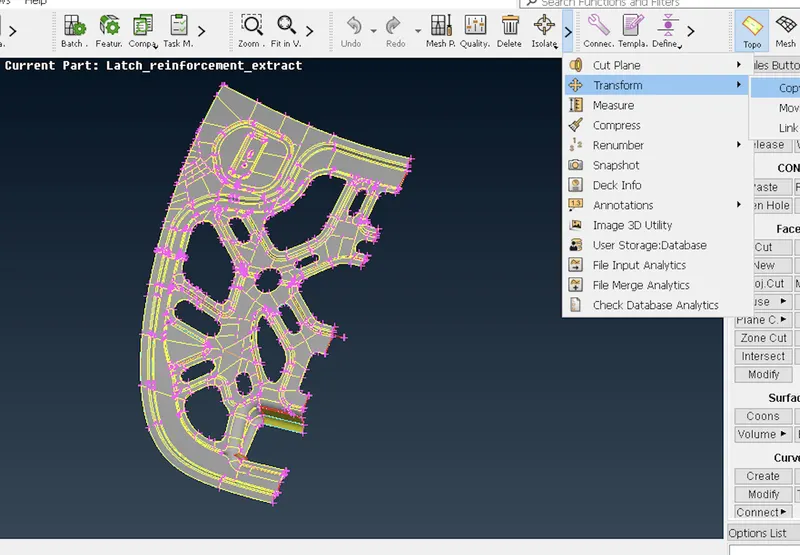
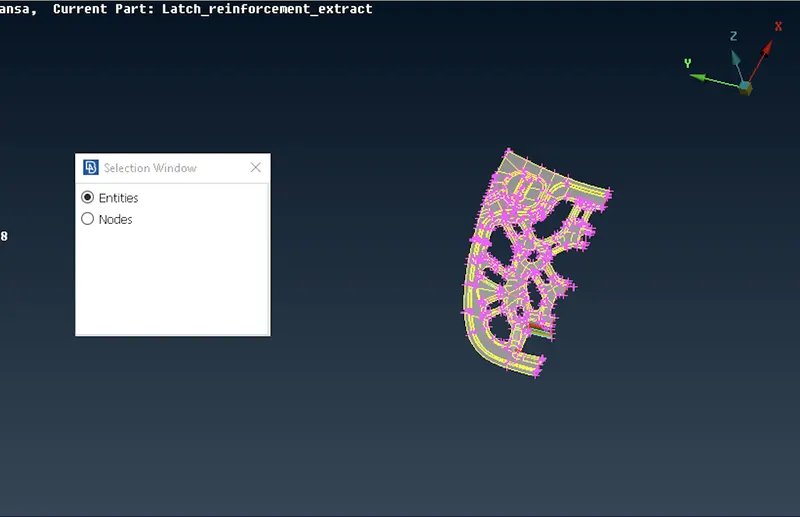
for that go to utilities>click on tranform>then click on copy>entity>select the half component>then click middle mouse>go to symmetry option>set the default symmetry>then click ok.
Conclusion:
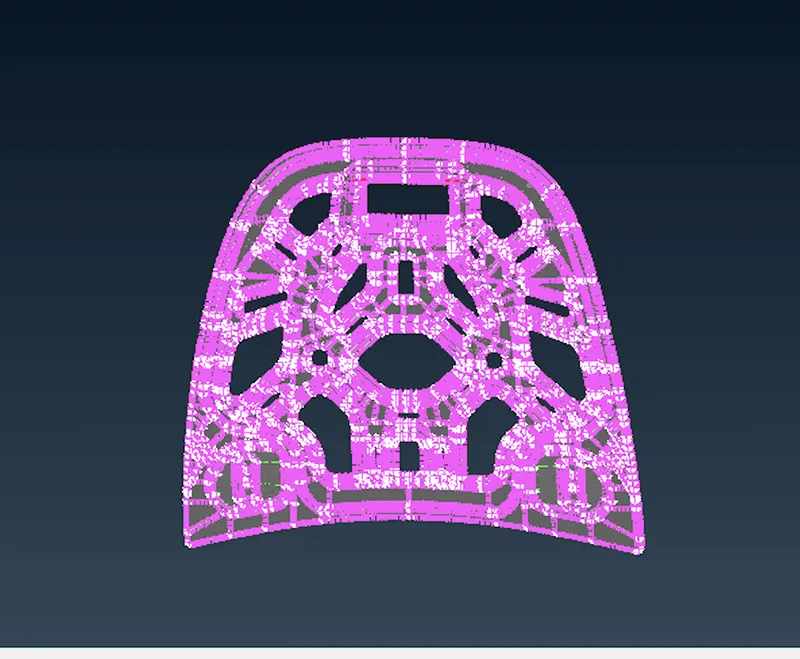
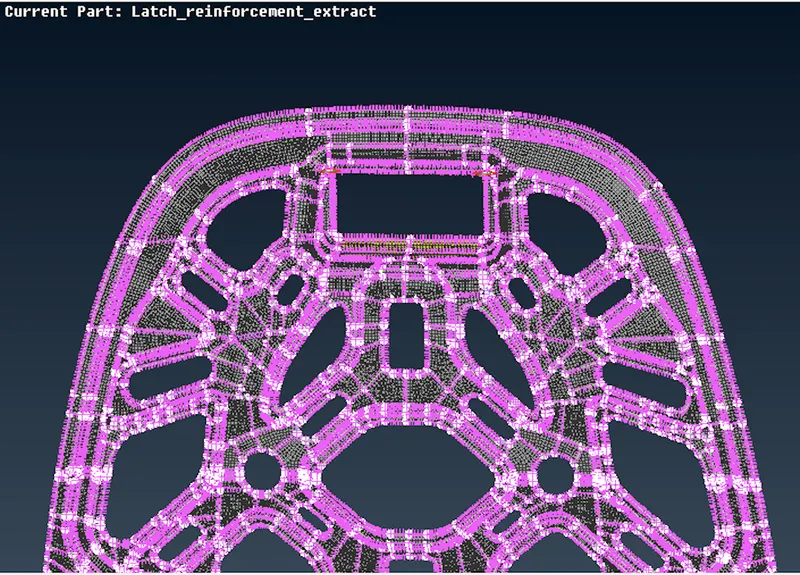
1. We successfully generate the 2D mesh of an component.
2. We successfully avoids trias using commands like Split,Swap,Num+/-,Recontruction and Smooth respectively.