Week 3 - 2D meshing for sheet metal
Aim:
To check the geometrical errors, Mid surface extraction, and mesh the component with the given element Quality criteria and after meshing the component has to be assigned with the thickness
Theory:
Hood
- It is hinged thin sheet which covers and protects the main parts of car ie, engine or electric machine in case of HEV/EV
- Its main function is to direct access to the engine, battery, and other crucial parts of the cars for repair and maintenance and to protect these parts from direct sunlight and dust.
- It also gives good looks, helps to design car aerodynamically stable, and is also provided with vents for supply inlet air to cool the engine.
- When the car comes across any accident from the front portion most of the time the hood/ bonnet part gets damaged and absorbs some part of the impact energy resulting from the crash.
Procedure:
Component Study:
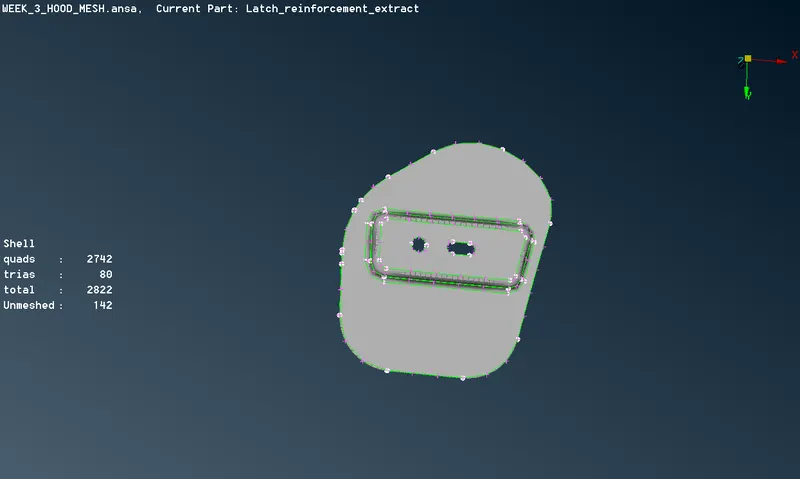
Here the provided component has four separate parts namely Outer hood panel, Inner hood panel, and in between we have a Latch reinforcement in which striker will be placed for locking and Hinge reinforcement is for opening and closing of Hood.
Fig 1: Outer Hood
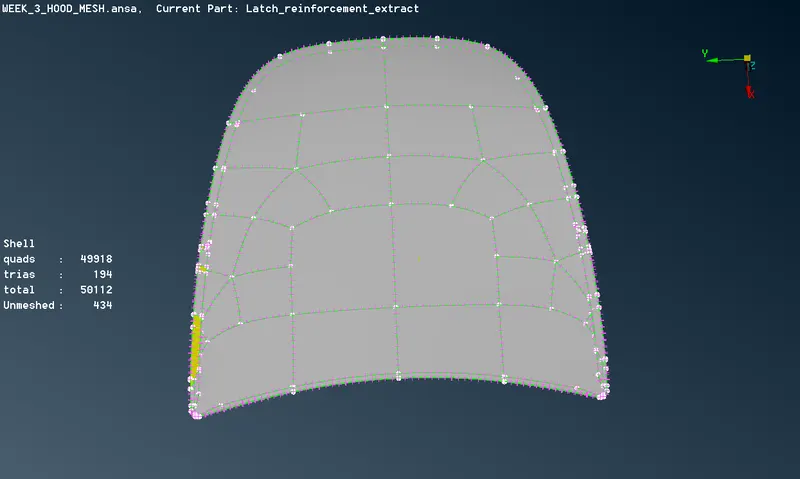
Fig 2: Inner Hood
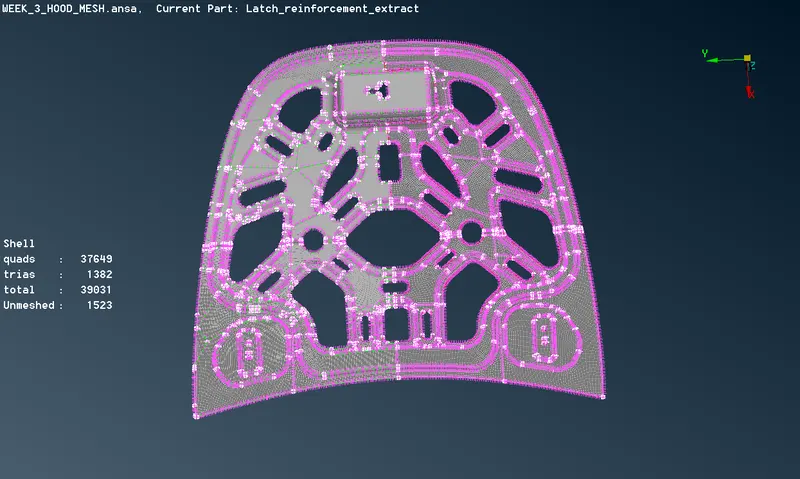
Fig 3: Latch reinforcement
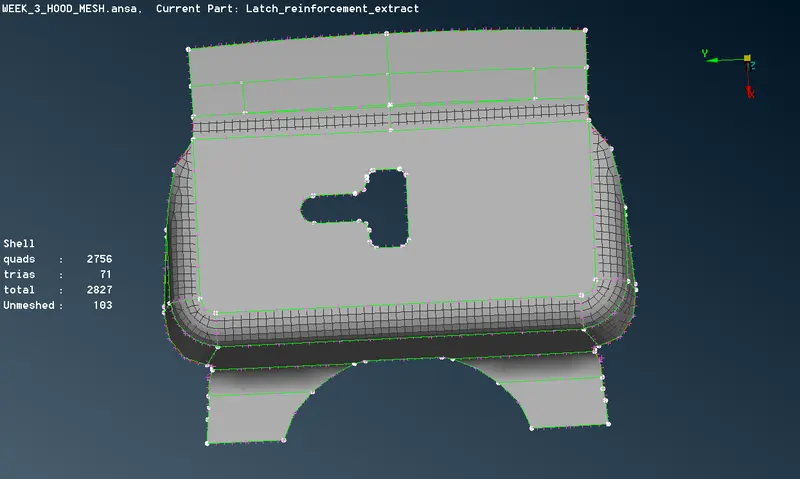
Fig 4: Hinge reinforcement
Since the provided component is a sheet metal and has a thickness below 6mm range, so we are going for a 2-D meshing rather than 3-D meshing
Outer Panel Thickness = 0.75mm
Inner Panel Thickness = 0.75mm
Reinforcement Thickness = 1.2mm
Steps involved in this challenge:
- Geometry clean up
- Mid Surface extraction, Shell property, and Quality assigning
- Meshing and assigning thickness to it
1.Geometry clean up:
Before opening the file we have to set the Tolerances and resolution from the settings options, these options ensure that the topology is performed for the specified range during file opening.
There are gaps present between the two cons and unwanted needle faces are present in between two faces. By using Topo module buttons the actions are performed to fix the errors in the geometry.
From Faces module used - Delete, New, Topo
From Cons module used - Release, Paste
More options supported to clean up geometry error are Focus, Drawing styles, and Faces draw.
So with the above tool, we have done the geometry clean up
- Mid Surface Extraction:
The Mid surface of the inner hood is taken by a manual method using the offset from the face module. For the mid surface extraction, we selected one side of the geometry and given an offset value of half the thickness value of the inner hood which is 0.375. (0.75/2)
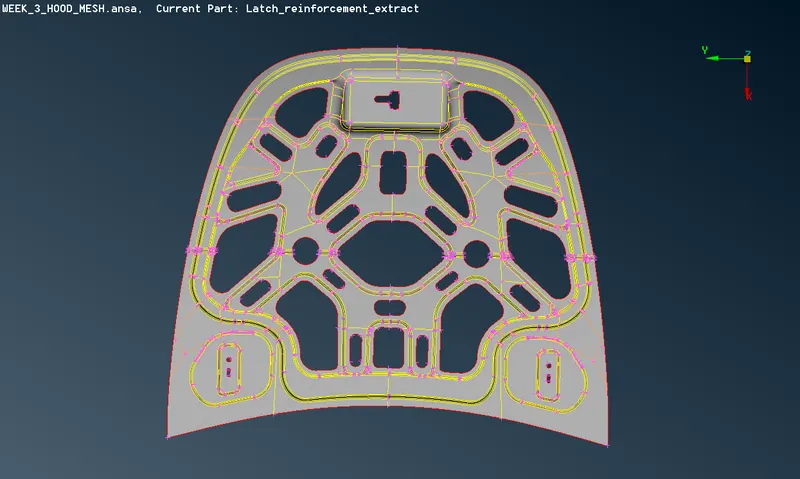
Fig 7: Mid surface extraction from the inner hood
Property ID assigning :
Here as we are having a separate property ID for all parts of Hood and similarly we should create a new property ID for the mid surface and the details like thickness and other material properties to be mentioned.
Similarly, we can be able to extract the mid surface of the other parts of the hood and with proper thickness to get the mid surface.
Skin Mid surface option:
Here we are having more options for the mid surface extraction that is Skin mid surface option from the face module. Here all the faces are selected in one shot and ANSA will automatically give you the thickness and ask for the offset and we can able to extract the mid surface faster. The skin mid surface option will show a green and red color for the opposite faces and dark blue color for the thickness part.
Quality criteria :
Before starting with meshing the model, the Mesh Parameters have to be set.
There are two types of two-dimensional cell shapes that are commonly used. These are the triangle(tria) and quadrilateral (quad).
Aspect Ratio:
The aspect ratio is the ratio of maximum edge length to the minimum edge length of an element. The ideal value of the aspect ratio is 1. That means all the sides of an element are of equal length. If the aspect ratio is greater than 5, it means that the max length is 5 times greater than min. length of the element and the element is said to be failed in aspect ratio criteria. However an aspect ratio of less than 5 is generally accepted.
Skewness:
Skew in trias is calculated by finding the minimum angle between the vector from each node to the opposing mid-side and the vector between the two adjacent mid-sides at each node of the element. Ninety degrees minus the minimum angle found is reported.
Skew in quads is calculated by finding the minimum angle between two lines joining opposite mid-sides of the element. Ninety degrees minus the minimum angle found is reported.
Warping:
It is defined as the angle between the normals to two planes formed by splitting the quad element along the diagonals. The maximum angle of the two possible angles is reported as the warp angle.
Jacobian:
The Jacobian is a scale factor arising because of the transformation of the coordinate system. Elements are transformed from the global coordinates to local coordinates (defined at the centroid of every element).
Minimum and Maximum length:
Here the average element length is taken as 5mm and minimum length has 3mm and maximum length as 7mm
Minimum and Maximum angle of quad and trias:
Similarly to the length of the element angle between the edge of the quad and tria is also taken under the quality criteria
Triangles %:
Since it is mixed elements considered for the meshing so we taking a percentage of trias to be present in the meshing.
- Meshing and assigning thickness to it
Here the quality condition provided in the challenge is entered into the Quality criteria and it is saved for the checking while meshing. Here the Best meshing algorithm is used and the element type is taken as a mixed type and used the 1st order equation for solving.
Best mesh generation is a well-organized algorithm if the macro area is properly defined say in the rectangular shape, it also reduces the human efforts, features are also most perfectly captured.
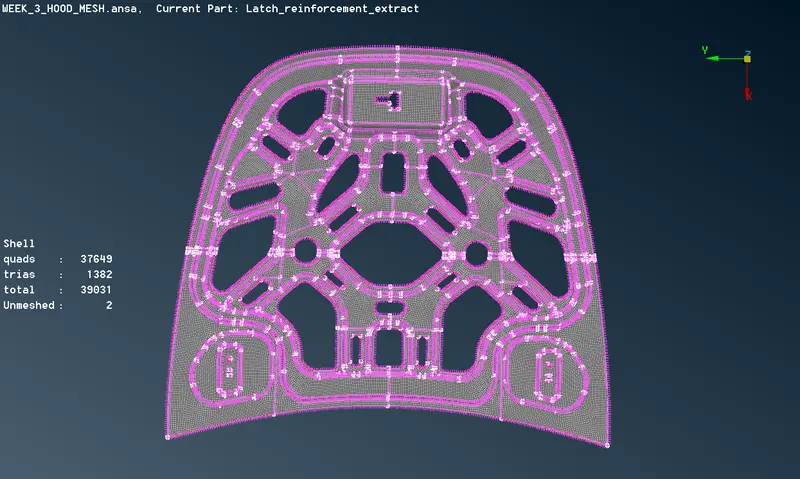
Fig: 13: Meshing is done in Inner Hood
To eliminate the Quality criteria errors :
- When the meshing is done on the complex area like features, we need to do some reconstruction and smooth function to properly align the element and to best quality meshing which should be rid of the quality issues.
- In the Grids module, we can find the MV Free which helps in the moving the nodes in order to overcome the quality issues
- If the area is too big we can be able to divide it into small areas lets say the macro area and can be able to do the best meshing out of it.
- Moreover, the options from the module like paste, split, swap, cut, join are used in order to do the meshing properly
Now we need to check whether we defined the thickness properly into the property so in the Quality criteria when the shell to solid to selected and we can see the thickness got for the mid surface.
Problem Faced:
While doing the transform option at the time of meshing since we are doing it for the symmetrical component so we can be able to do for the one part and can be copied to the other symmetrical part.
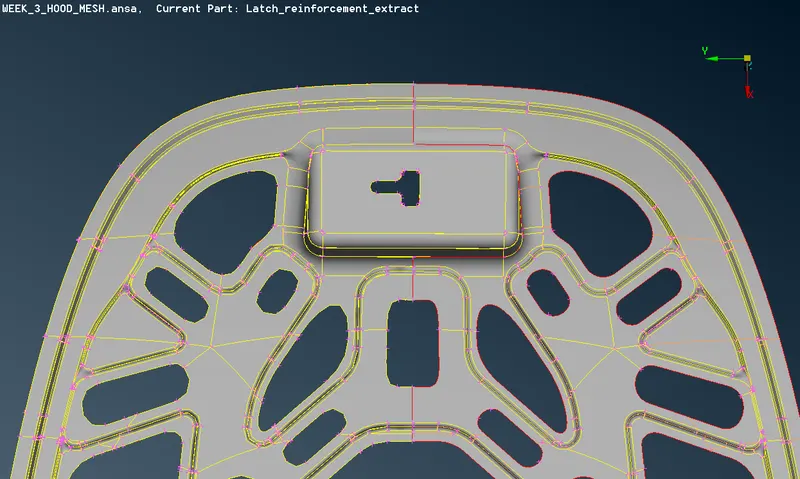
Fig 16: Here when we did the copy option with the default symmetrical plan by ansa (Inner hood)
So this problem was overcome with the paste of cons since the cons have deviated more than the tolerance value so we did manually to paste the cons and corrected.
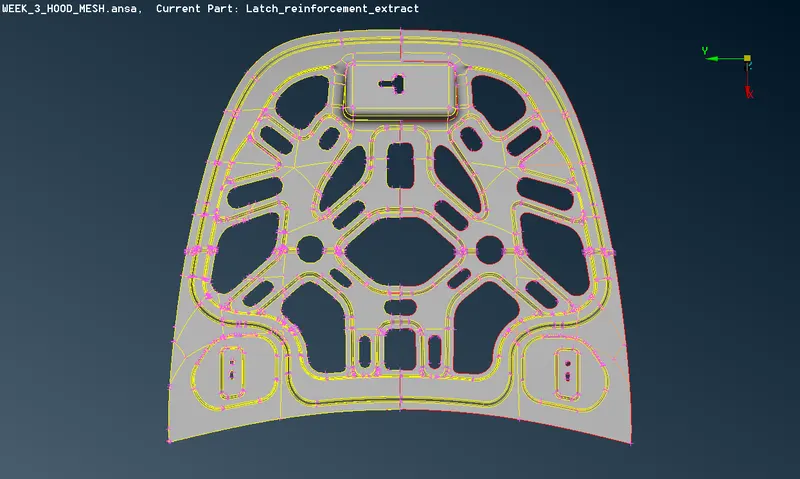
Fig 17: The problem solved successfully (Inner hood)
Learning outcomes:
- Fixed the geometrical errors in Ansa by manually.
- Learned to extract the mid surface for the component.
- Got the idea to assign the property and material specification to the component.
- Studied to do meshing according to the quality criteria.
- Used the transform option to do meshing effectively and saved much time.
Conclusion:
The hood component has meshed successfully and the elements are visualized in solid representation using the shell as a solid option in the Quality -Presentation part and covered the Quality criteria using ANSA.
Meshed Hood model link provided below