Week 3.2 - 2R Robotic Arm Challenge
Please find the attached video file for forward kinematics
https://drive.google.com/drive/folders/1Bd_eLJ_lNHGRFNffCQtQQPREqfkeSG-m?usp=drive_link
Code with report
clear all
close all
clc
% Programming 2d arm effector forward kinematics
%inputs
% say we know the lengths of the link 1 and link 2 of the robot
l1=2;
l2=1;
% now that we have lengths of the arms we need the angles between them
% say theta1 and theta2
theta1 = linspace(0,90,20);
theta2 = linspace(0,90,20);
%these values of the variable say that the theta varies from 0 to 90
%degrees for both the arms with 20 interations each
% now to code the movement of the robot arm we will be using for loops
%this is the counter variable which we code to start from value 1
ct=1;
% here the value of theta1 varies from 1 to length(theta1) which is defined
% as 20 in the theta 1 variable
for i=1:length(theta1)
THETA1=theta1(i);% here we feed the string theta1 into a variable THETA1
%so that it loops using only 1 value from the array of theta 1 each time loop iterates
% we use nested for loop as we have 2 varying linkages so the first 'for'
% loop moves the link 1 and the second 'for' loop moves end effector arm
%here we define the variance of 2nd arm wrt 1st arm
for j=1:length(theta2)
THETA2=theta2(j); %here we feed the string theta2 into a variable THETA2
% say we know the lengths of the link 1 and link 2 of the robot
l1;
l2;
%now we define the initial conditions of x and y(starting points)
x0=0;
y0=0;
% here we define the final conditions for the linkages l1,l1
%also we use cosd instead of cos function as default in matlab is in radians
x1=l1*cosd(THETA1);
y1=l1*sind(THETA1);
x2=x1+l2*cosd(THETA2);
y2=y1+l2*sind(THETA2);
% We plot these on x,y axis and give a linewidth of 3
plot([x0,x1],[y0,y1],[x1,x2],[y1,y2],'linewidth',3);
% we label our x and y axis using xlabel command
xlabel('x axis')
ylabel('y axis')
% We define the axis with inputs x(-0.1,3) and y(0,3)
axis([-0.1 3 0 3])
pause(0.03)
%here we make plot more legible with adding legend explaining link
%1 and link 2
legend('link 1','link 2')
%the getframe command getframe captures the current axes as it
% appears on the screen as a movie frame.
F(ct)=getframe(gcf);
ct=ct+1;
end
%here this 'for' loop determines position of link 2 wrt link 1
%for every change in position of link 1 we get 20 positions of link 2
end
%at the end of this for loop we get ct counter of 401 as we have 20*20
%loops for link 1 and 2 and our counter starts from 1.
% now to save the captured frames as a movie we use the following code
%movie where F is the frame captured and 2 is the number of times movie
%will be played
movie(F)
% here we save the file as videofile(name) using videoWriter command with
% inputs asking for filename to be saves and format to be save in
videofile=VideoWriter('forward_kinematics_with_forloops_test.avi','Uncompressed AVI');
%we open the videofile using open command which ask the name of file as
%inputs (this is a blank videofile as we have just created it)
open(videofile)
%we write to the videofile giving input variable F which contains our frames from the plot
%we got using getframe command
writeVideo(videofile,F)
%we close the file using close command
close(videofile)
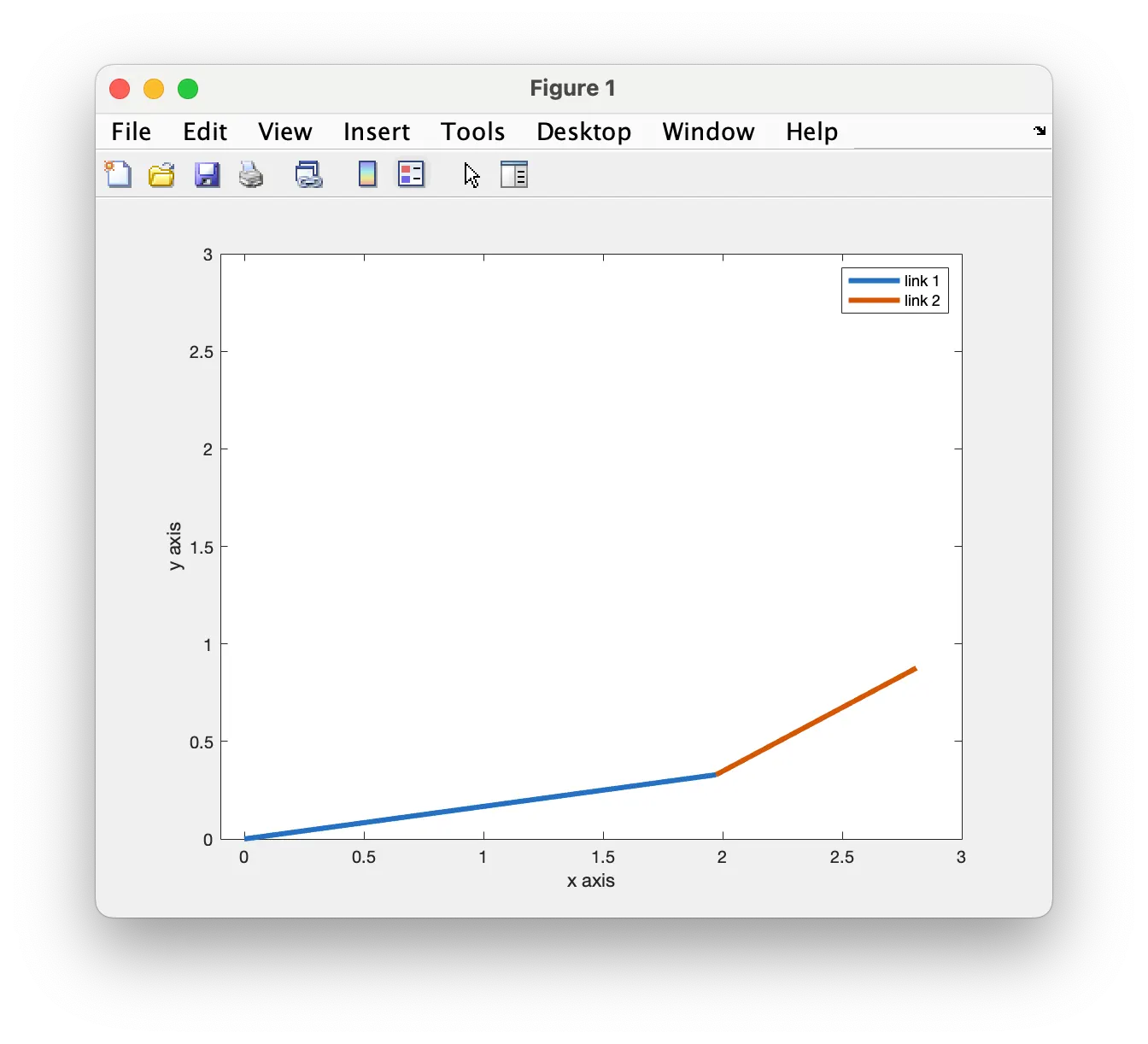
Here the output is plotted against the x and y axis.
Mistakes made
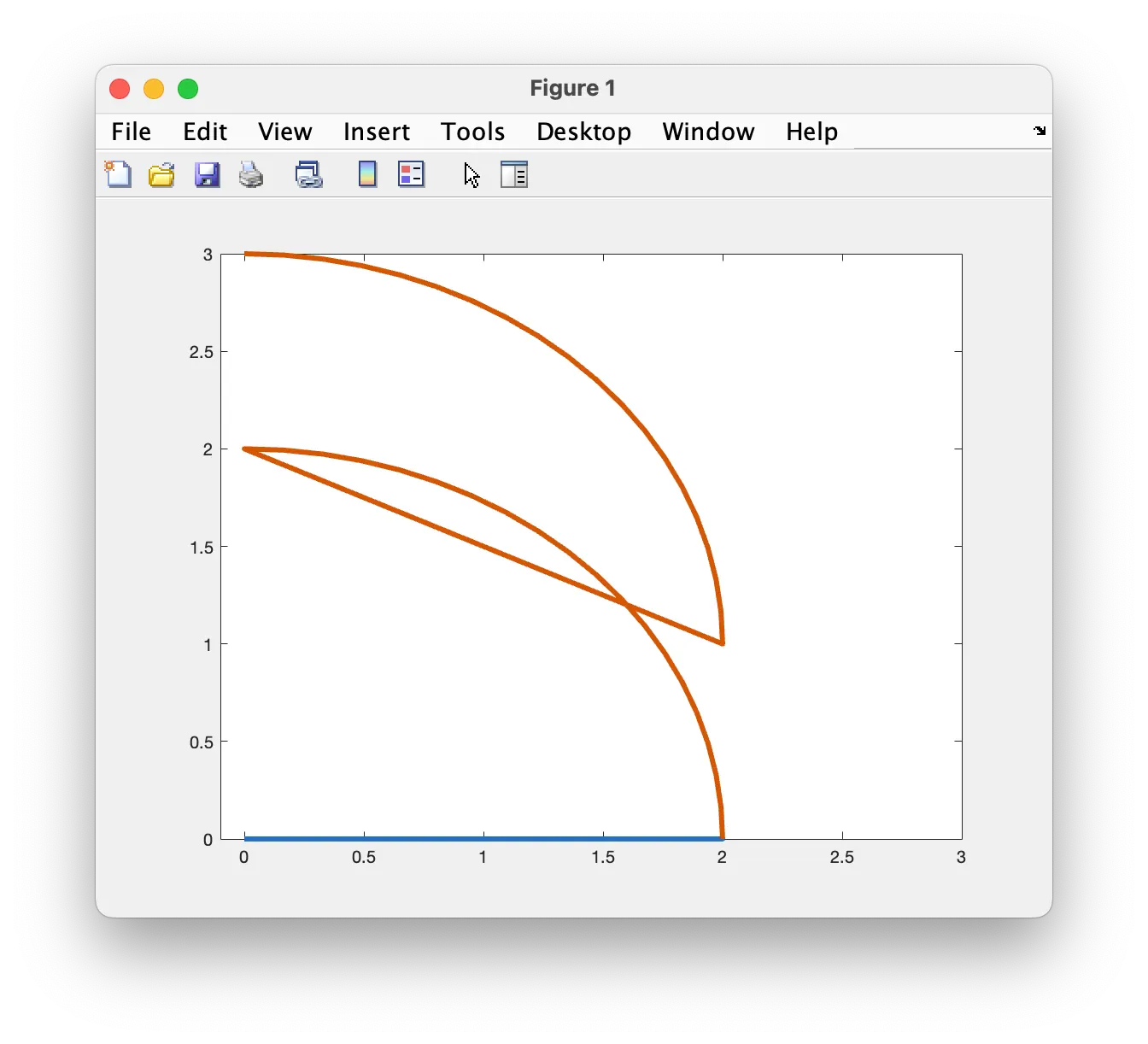
Here the end effector for loop had a error with initial values
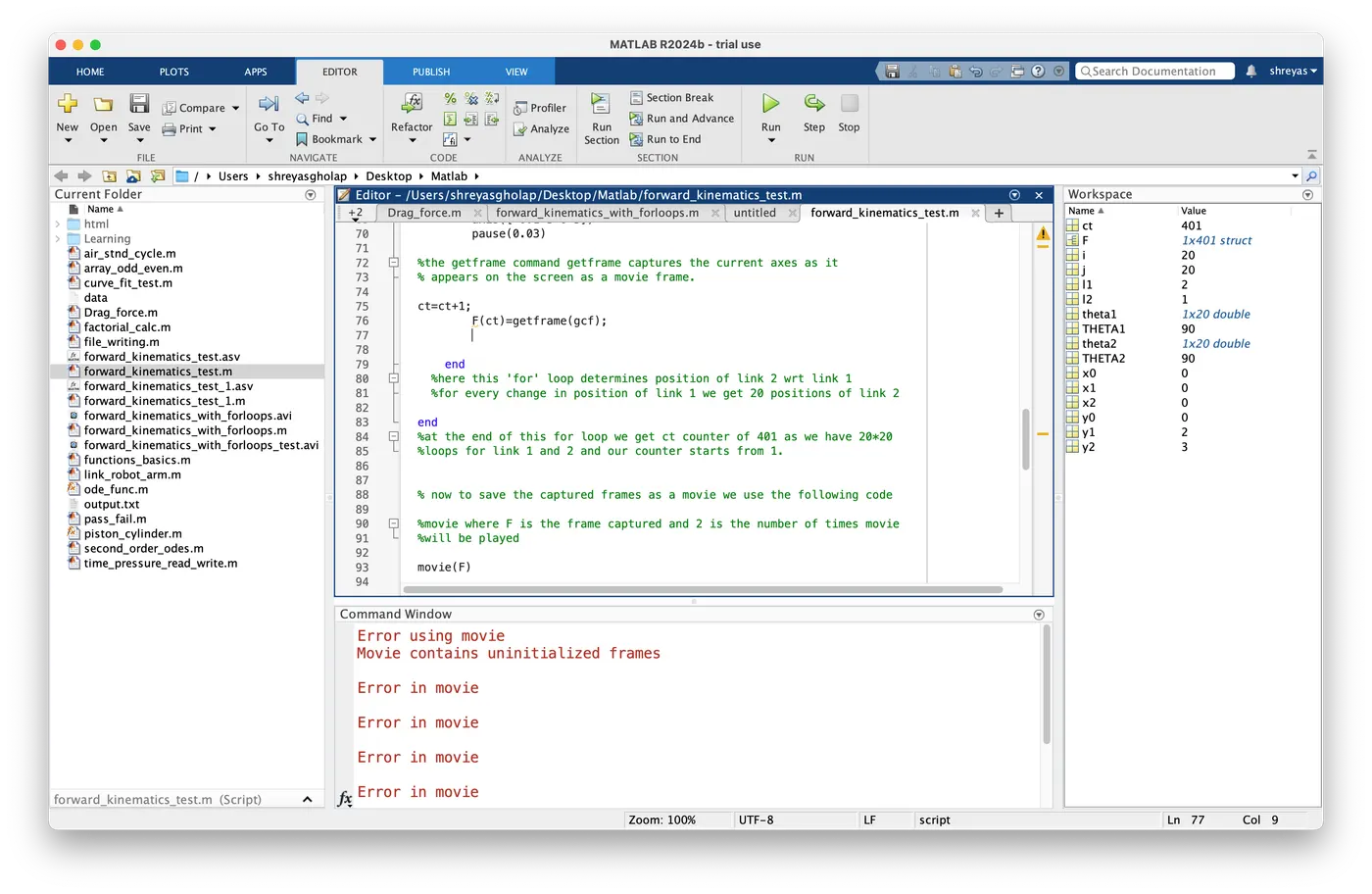
here we rectify error putting the counter (ct) after the f(ct) variable