Week 3.2 - 2R Robotic Arm Challenge
Week 3.2 - 2R Robotic Arm Challenge
Question
Write a program in Matlab to simulate the forward kinematics of a 2R Robotic Arm, as shown in the video Week 3 - Forward Kinematics of a Robotic Arm.
- Create an animation file of the plot.
- Upload an animation on YouTube and provide the YouTube link for an animation in your report.
- You can also provide the Google Drive link. Note: Make sure you provide access to the video while pasting the Google Drive link.
Answers
We aim to write a programme for the Forward Kinematics of a Robotic Arm. We need to find out the manipulator's position for every angle made by both links corresponding to the base. The robotic arm is a two-link mechanism that contains the following parts.
- Base
- Link1 and Link2
- Manipulator
From the figure,
- L1= Length of Link 1
- L2= Length of Link 2
- (X0, Y0)= Position of the start point of Link 1.
- (X1, Y1)= Position of the endpoint of Link 1 or the start point of Link 2.
- (X2, Y2)= Position of the endpoint of Link 2 or the position of the manipulator.
- `theta`1= Angle made by the Link 1 to the base, measured on (X0, Y0)
- `theta`2= Angle made by the Link 2 to the base, measured on (X1, Y1)
Procedure For The Matlab Code
- The code starts with creating two variables 'L1', and 'L2' for assigning the length of links 1 and 2 respectively. For this scenario, both variable takes the value from the user as input.
- Creating two arrays 'A1' and 'A2', for storing the values for the 'THETA1' and 'THETA2' respectively. Both contain 1x20 values.
- Defining the values for (X0, Y0). Because it is rigidly connected to the base, the position of (X0, Y0) remains unchanged. We assume it is a base point and gives a value of (0,0).
- Create variable 'F', to represent the total number of frames and initially set the value of 'F' =1. In this case, there are a total of 400 frames or plots.
- Initiate a primary FOR loop for the value of 'i'= 1 to the length of array 'A1'. For every value of 'i', update the variable 'THETA1=i'. Where 'THETA1' is the angle made by link 1 to the X-axis, measured at (X0, Y0).
- Inside the primary loop, for every value of 'i', initiate a secondary FOR loop for the value 'j'= 1 to the length of array 'A2'. For every value of 'j', update the variable 'THETA2=j'. Where 'THETA2' is the angle made by link 2 to the X-axis, measured at (X1, Y1).
- For every value 'j', find the values for the (X1, Y1) by using the following equation.
X1= L1*cosd(THETA1)
Y1= L1*sind(THETA1) - For every value 'j', find the values for the (X2, Y2) by using the following equation.
X2= L1+L2*cosd(THETA2)
Y2= L1+L2*sind(THETA2) - For every value of 'j', plot the graphs by using the coordinates (X0, Y0), (X1, Y1) and (X2, Y2) with a line width of 5.
- Setting the X-axis of plots to -10 to 10 and Y axis to 0 to 20.
- Turn on the grids of the plots.
- Naming X-axis and Y-axis. Title the plots with suitable titles.
- Pause each plot for 0.01 sec before showing the next plot.
- Using the 'getframe(gcf)' command, for every value of variable 'F', create a structure 'M', to store every frame/plot.
- Ending the secondary loop.
- Ending the primary loop.
- Using the 'movie' command, play the sequence of frames stored in the structure 'M'.
- Using the 'videowriter' command, create a video with the sequence of frames, name the file 'Forward_Kinematics_Of_Robotic_Arm_Challenge.avi' and store it in an animation file named 'Animation'.
- Using the 'open' command, open the animation file.
- Using the 'writevideo' command, write a video by combining both the animation file 'Animation' and the structure 'M'.
- Using the 'close' command, close the animation 'Animation'.
By opening the newly created video, we can observe the position of each link and manipulator for every angle made by both links 1 and 2.
The Matlab code for the forward kinematics of the 2R robotic arm is given below.
clear
close
clc

% MatLab Code For The Forward Kinematics Of 2R Robotic Arm


% Defining The Length Of Links Of Robotic Arm
L1= input('Enter The Length Of Link 1, L1 = ');
L2= input('Enter The Length Of Link 2, L2 = ');


% Assigning An Array For The Angle Made By The Links To X-Axis
A1= linspace(0,120,20);
A2= linspace(0,120,20);


% Defining The Starting Point Of Link 1, (X0, Y0)
% The Starting Point OF Link 1 Is Fixed. And It Is Set As (0,0)
X0=0;
Y0=0;


% Create A Variable For Representing The Number Of Frames/Plots. There Are a Total Of 400 Frames/Plots.
F=1;


% Defining The For Loop For The Angle Made By The Link 1
for i=1:length(A1)

    % THETA1=The Angle Made By The Link 1 To The X-Axis, Measured At (X0, Y0)
    THETA1=A1(i);


    % For Every Value Of i, Define The For Loop For The Angle Made By The Link 2
    for j=1:length(A2)

        % THETA2=The Angle Made By The Link 2 To The X-Axis, Measured At (X1, Y1)
        THETA2=A2(j);


        % For Every Value Of j, The Coordinates Of the End Point Of Link 1 Or the Starting Point Of Link 2 are given By (X1, Y1)
        X1= L1*cosd(THETA1);
        Y1= L1*sind(THETA1);


        % For Every Value Of j, The Coordinates Of End Point Of Link 2 Is Given By (X2, Y2), By The Given Equation,
        X2= X1+L2*cosd(THETA2);
        Y2= Y1+L2*sind(THETA2);


        % Plotting Every Coordinate With A Linewidth Of 5
        plot([X0,X1],[Y0,Y1], [X1,X2],[Y1,Y2],LineWidth=5)

        % Setting Axis
        axis([-120 120 0 240])
        xticks(-120:30:120)
        yticks(0:30:240)

        % Setting Grids
        grid on

        % Naming X-Axis
        xlabel('X-Axis (mm)');

        % Naming Y-Axis
        ylabel('Y-Axis (mm)');

        % Titiling
        title('Forward Kinematics Of 2R Robotic Arm');

        % Pausing Plots With A Time Interval Of 0.01 Sec
        pause(0.01)

        % Creating A Structure To Store Every Frame Corresponding To The Value Of F
        M(F)=getframe(gcf);
        F=F+1;


    % Ending Secondary FOR Loop
    end

% Ending Primary FOR Loop
end


% Playing The Sequence Of Frames Stored In The Structure M
movie(M)

% Creating A Video With The Sequence Of Frames And Naming The File. Stored The Video File It In An Animation File
Animation=VideoWriter('Forward_Kinematics_Of_Robotic_Arm_Challenge.avi','Uncompressed AVI');

% Opening The Animation Variable
open(Animation)

% Writing Video By Animation And The Frames Stored In Structure M
writeVideo(Animation,M)

% Closing The Animation
close(Animation)
The output for the Matlab code for the following problem is given below.
Length of Link 1, L1= 60mm
Length of Link 2, L2= 30mm
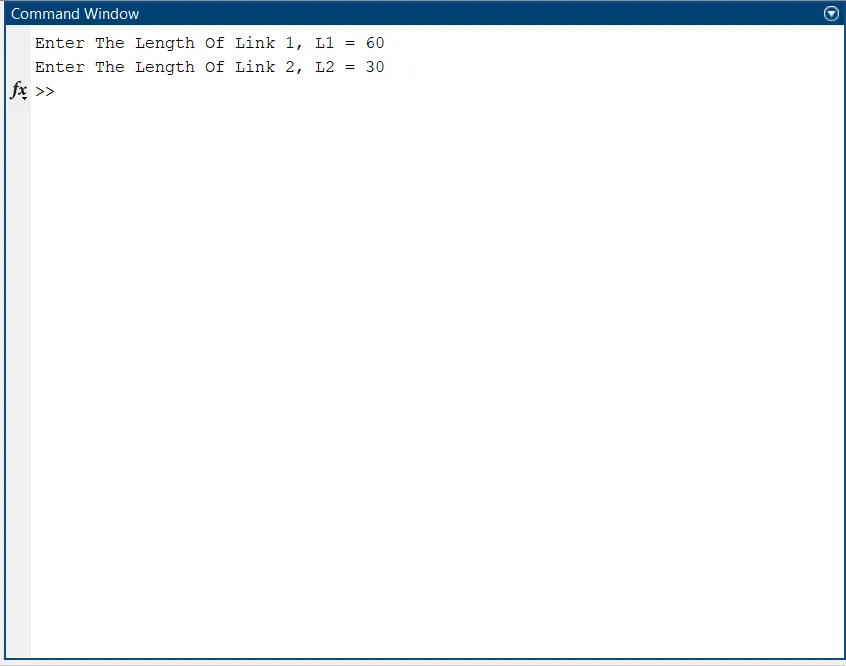
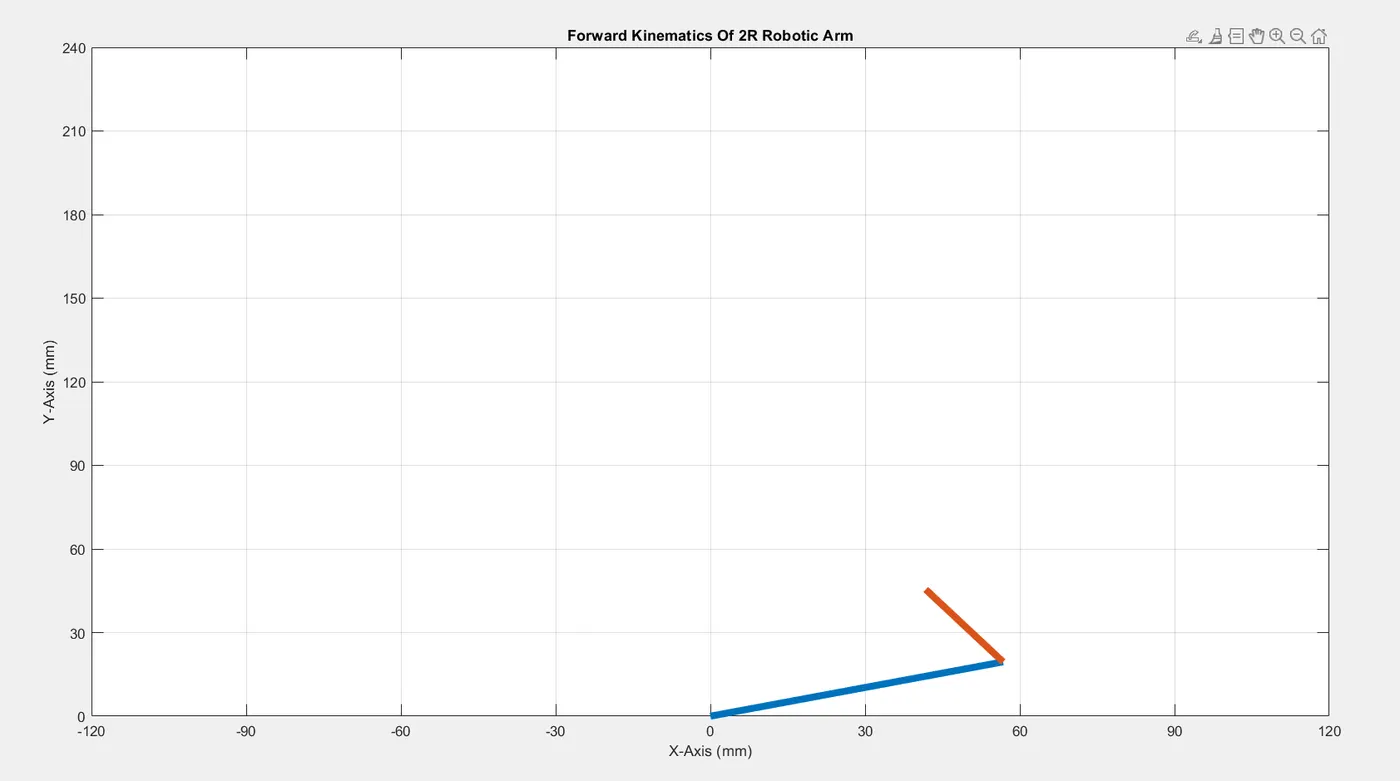
The drive link for the video is attached at the bottom of this report,
Error Faced During The Matlab Code Development
- Hopefully, there are no major errors present during the code development. Some errors occurred due to the mistakes in code language, misplacement of certain steps and missing of certain symbols. Besides that, there are no major issues that occur during the assignment.
G-Drive link for the video clip: https://drive.google.com/file/d/1IJf22yXmYmZi34vRa-g_KwUYAuzxXV7U/view?usp=sharing