Week 2 Challenge : Surface meshing on a Pressure valve
AIM:-
Generate the mesh a pressure valve model using three different mesh sizes and find out the optimal mesh size.
OBJECTIVE:-
- Check for the geometrical error and perform Topology cleanup.
- Generate mesh using three different cases. Target length= 1mm, 3mm and 5mm.
- Element type is Triangular.
PROCEDURE:-
- Import pressure valve model from the files.
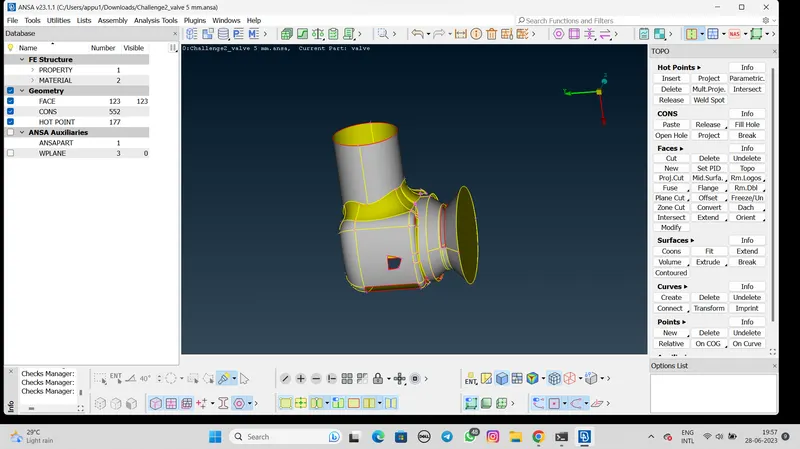
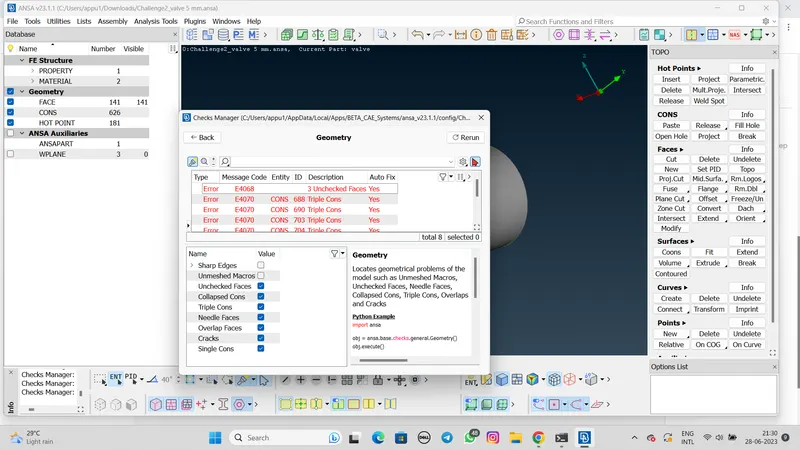
- Now click on the arrow>select checks>select Geometry>Geometry>Enable single cons>Execute.
- After execute shown as below,
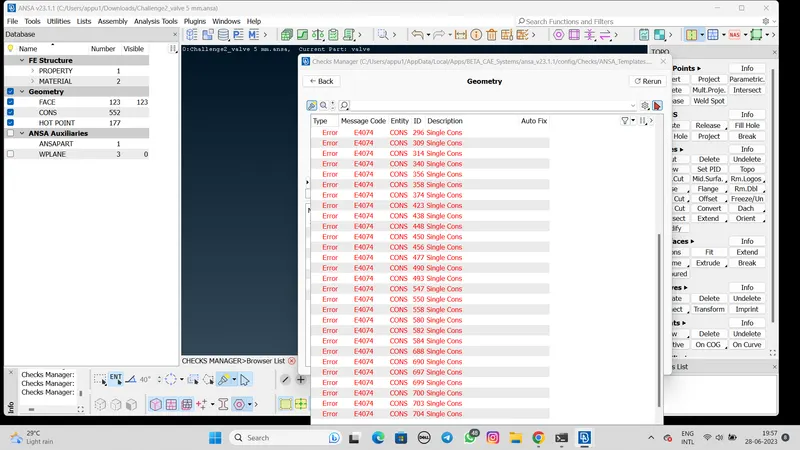
- After the check the error we can clean or adjust the surface
- Click the face>new>select the different faces.
- Select the different types of face using the different applicition like coons,Existing surface,Planar,Fitted also using the fill hole option.
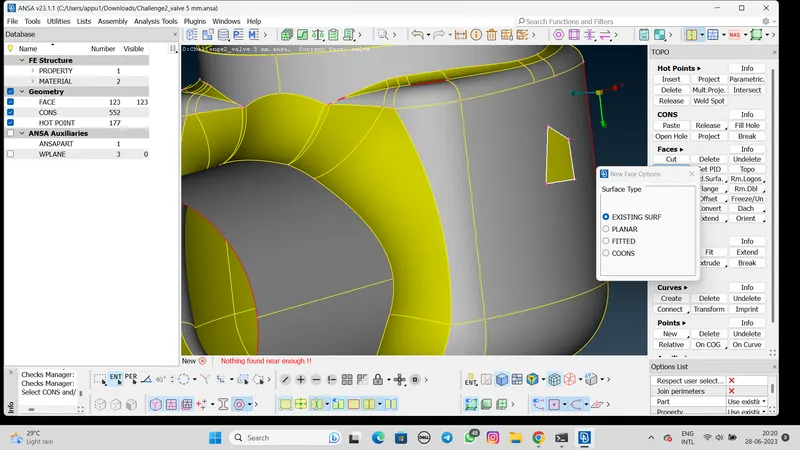
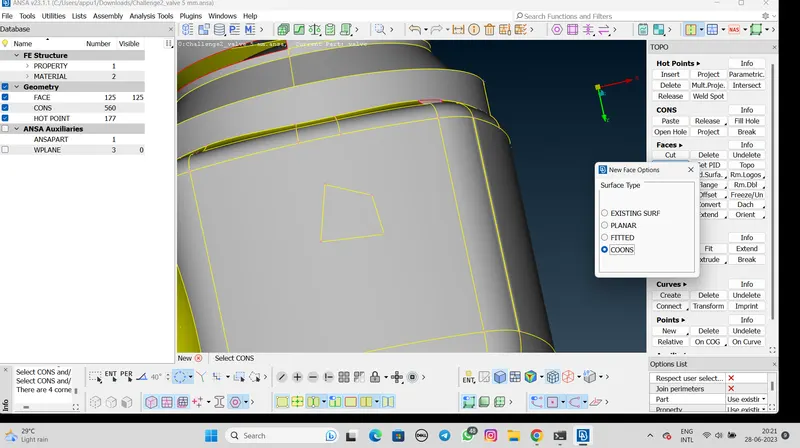
- After close all the open surface check the error for further operation.
- There are triple cone error show
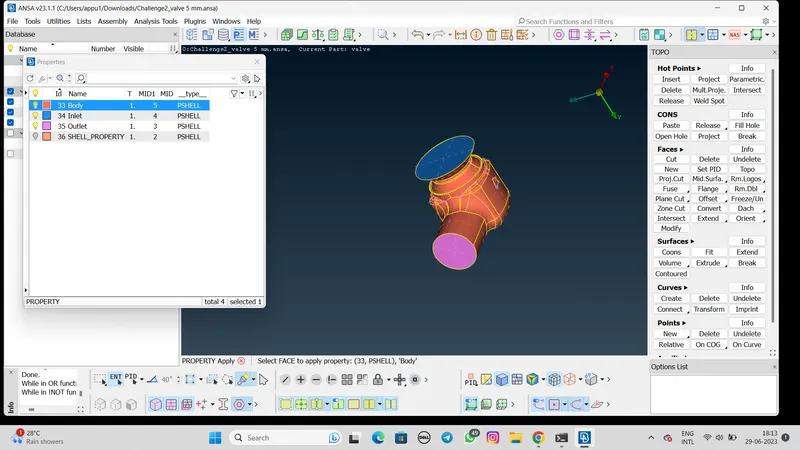
- Using PID command generate properties like Body,Outlet,Inlet,Spring,Valve head,Base surface,Column with the different color
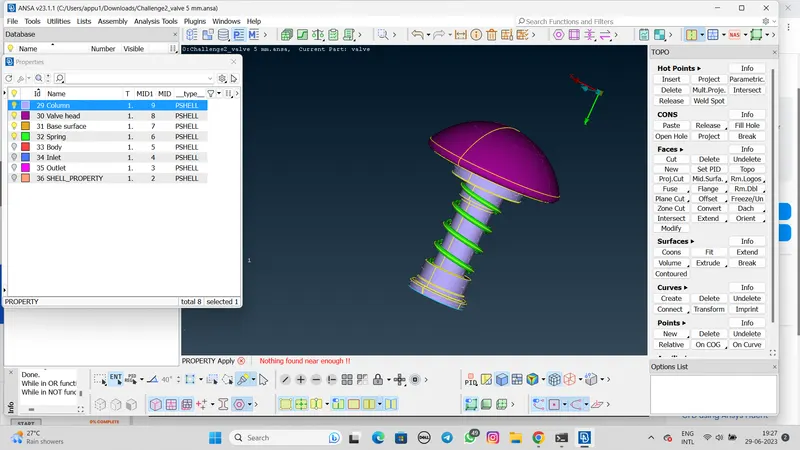
- We create the all properties of the model and after that move to the meshing.
CASE 1:- 5mm Length
- To mesh select mesh>length>perimeters>5mm>Marcros>5mm.
- After that mesh perameter given the value is maximum length is 7mm,Minumum is 3mm and the mesh type is Tria.
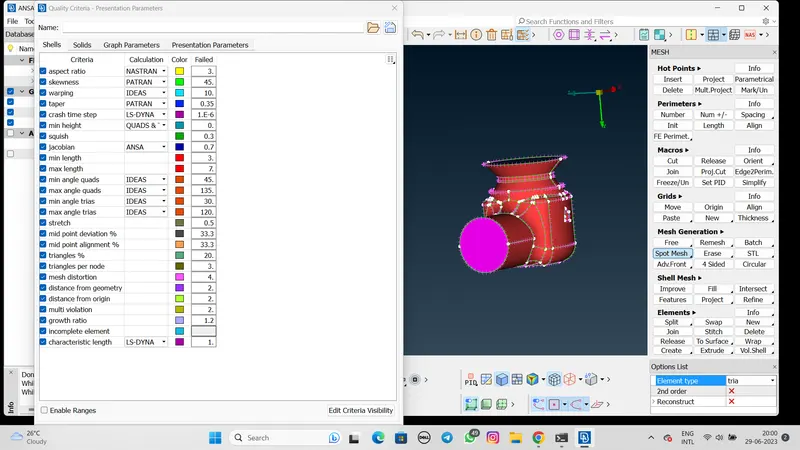
- Also given the value in the quality criteria command as maximum length is 7mm and ,minimum length is 3mm.
- After the set the length select the spot mesh option and generate the different part of geometry.
Mesh of Surface
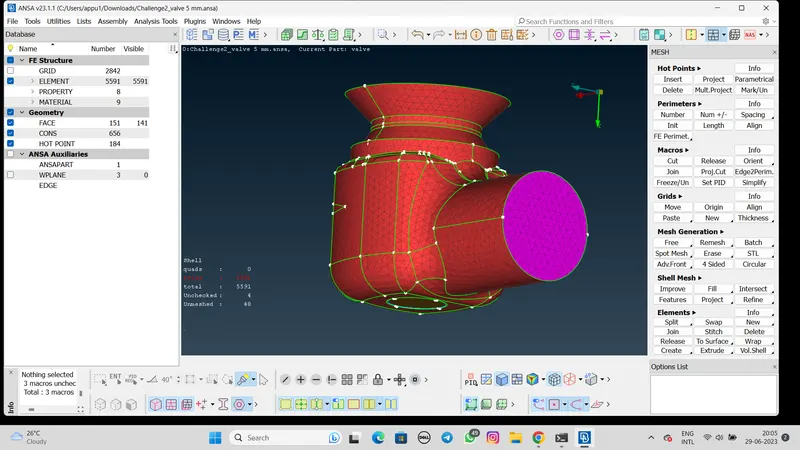
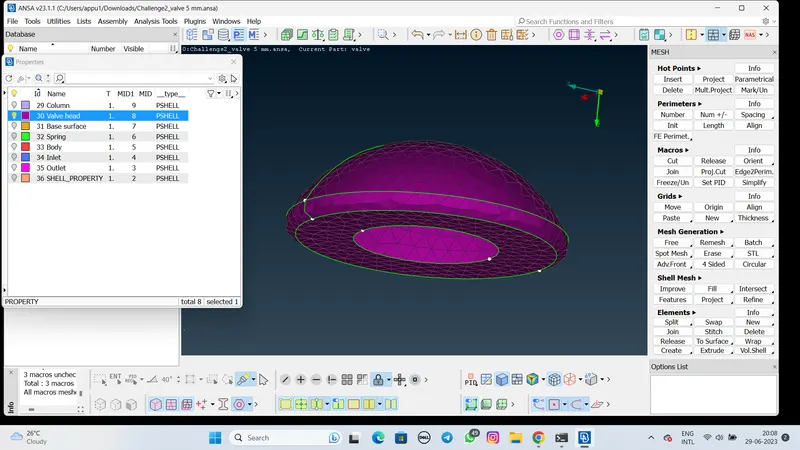
Mesh of Valve head
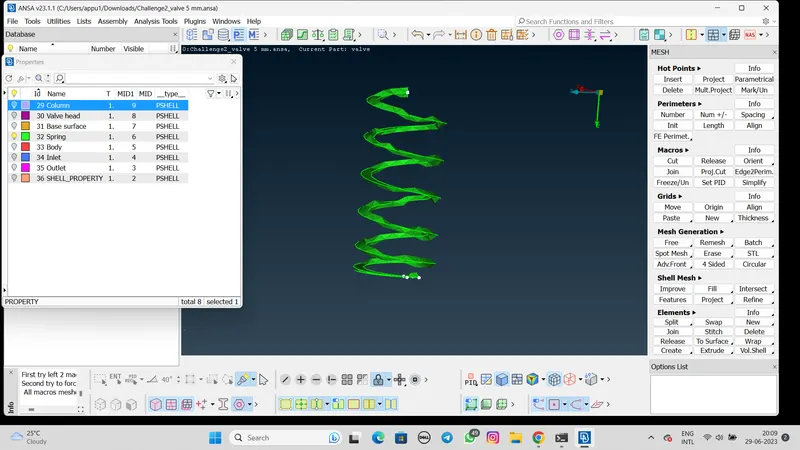
Mesh of Spring
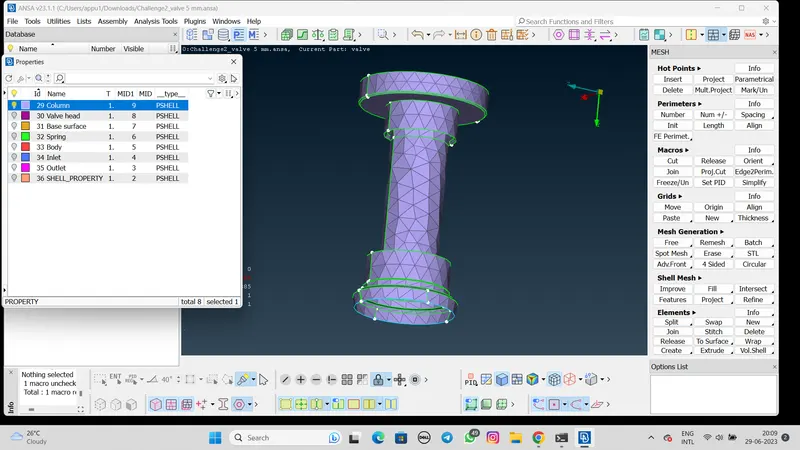
Mesh of column
Result:-
The total number of element are 8210.
CASE 2:- 3mm Length
- To mesh select mesh>length>perimeters>3mm>Marcros>3mm.
- After that mesh perameter given the value is maximum length is 5mm,Minumum is 1mm and the mesh type is Tria.
- Also given the value in the quality criteria command as maximum length is 5mm and ,minimum length is 1mm.
- After the set the length select the spot mesh option and generate the different part of geometry.
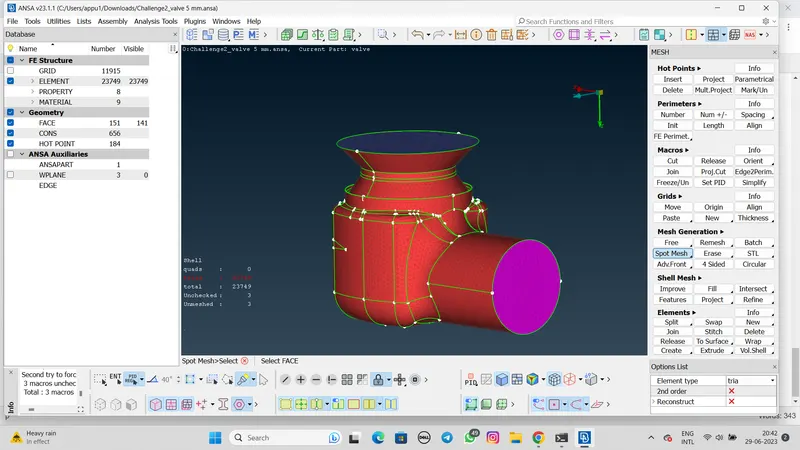
Mesh of Surface
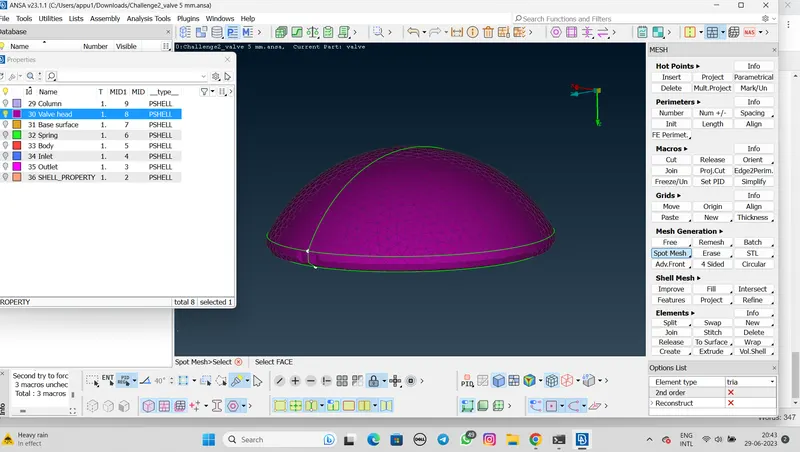
Mesh of valve head
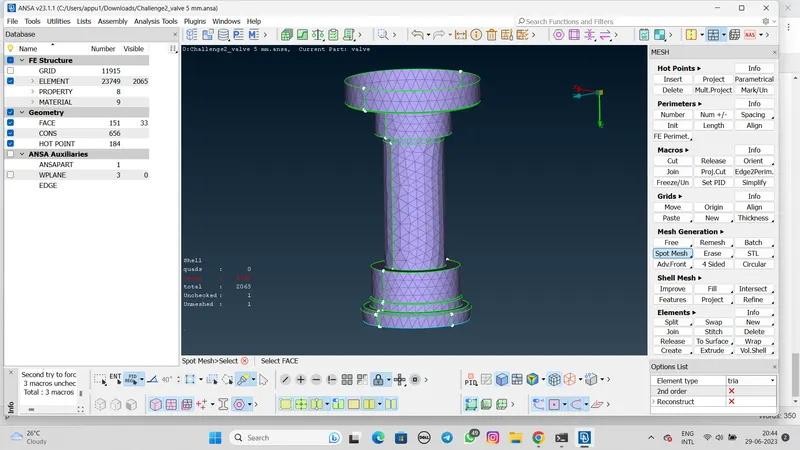
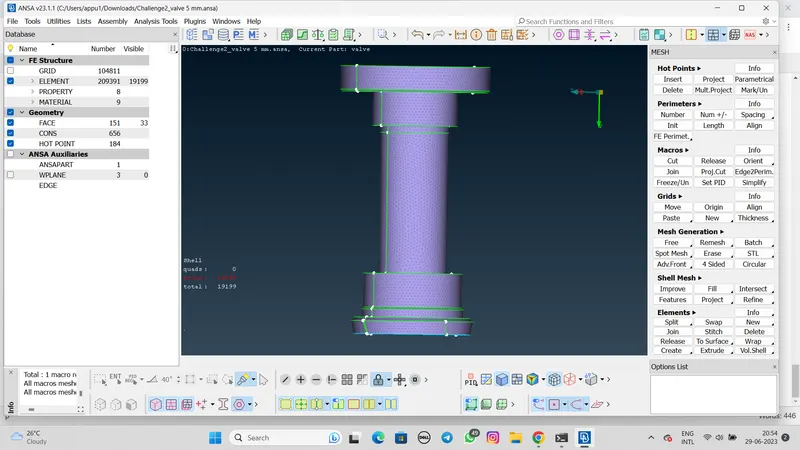
Mesh of column
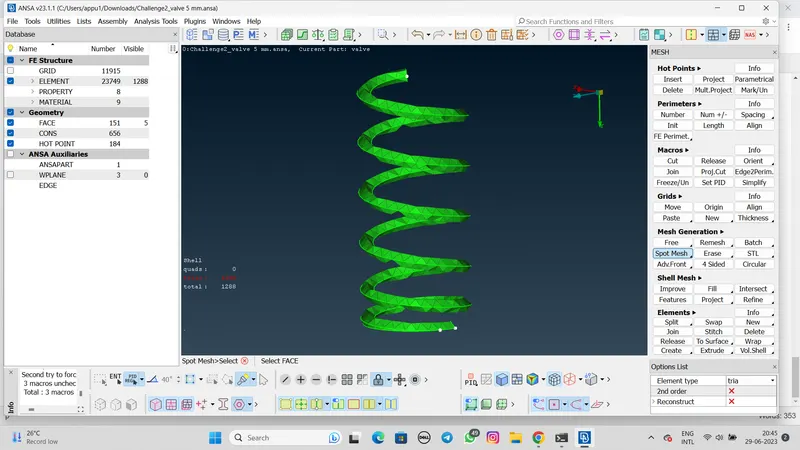
Mesh of spring
Result:-
The total number of element are 23749.
CASE 3:- 1mm Length
- To mesh select mesh>length>perimeters>1mm>Marcros>1mm.
- After that mesh perameter given the value is maximum length is 2mm,Minumum is 0.5mm and the mesh type is Tria.
- Also given the value in the quality criteria command as maximum length is 2mm and ,minimum length is 0.5mm.
- After the set the length select the spot mesh option and generate the different part of geometry.
Mesh of Surface
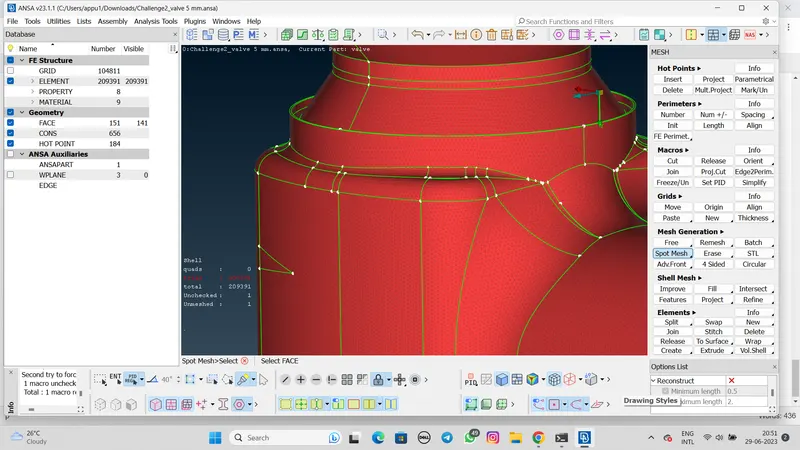
Mesh of Valve head
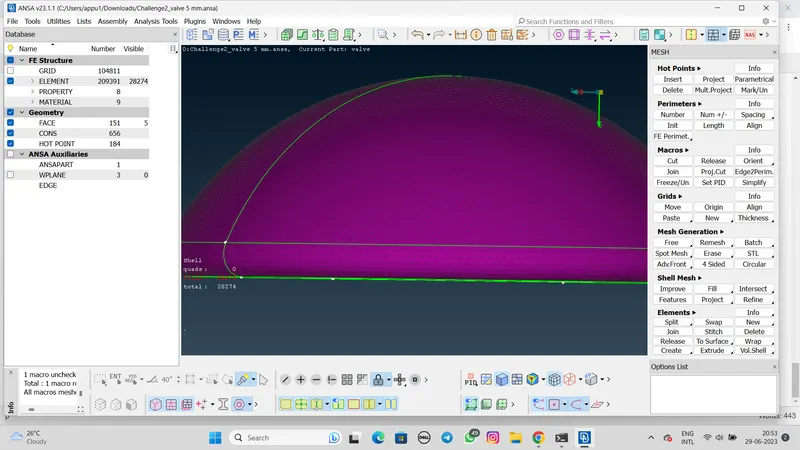
Mesh of column
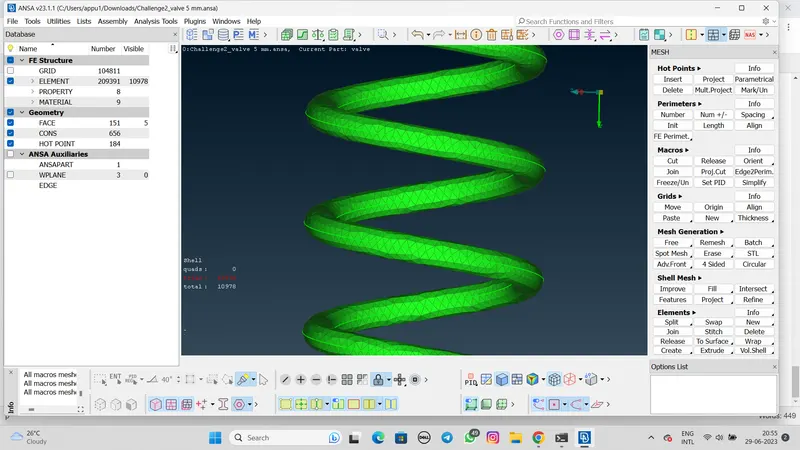
Mesh of spring
The total number of element are 209391.
CONCLUSION:-
- From the all cases it's concluded that the case of 1mm length has little to no defeaturing and retained the geometry of all components.
- 1mm case give us a best result and we can see that it is more refine.
- We can say that for better results we can decrease the length of mesh so we can get better results and more number of elements.
- Also we can see the individual part mesh for different mesh size.