Week 2 Challenge : Surface meshing on a Pressure valve
AIM:
- To check for the geometrical errors and Topology cleanup accordingly. Set two different target lengths for different cases and mesh the presure valve model using Ansa.
OBJECTIVE:
- For the given pressure valve model, check for the geometrical errors and perform Topology cleanup accordingly. Set two different min. & max target lengths as three different cases and mesh the model.
- Target length = 1mm, 3 mm and 5 mm (i.e. 3 cases)
- Element type = Tria
- Apply any one target length from the above at a time for the entire model as One case. Submit 3 different models for 3 cases.
INTRODUCTION:
- ANSA is a computer-aided engineering tool for Finite Element Analysis and CFD analysis widely used in the automotive industry. It is developed by BETA CAE Systems. ANSA maintains the association between CAD geometry and the FE mesh.
PROCEDURE:
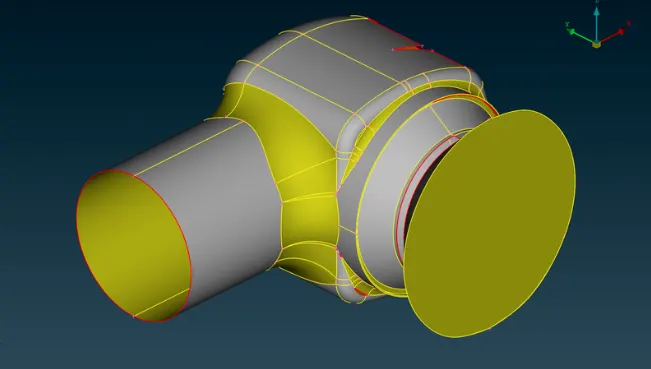
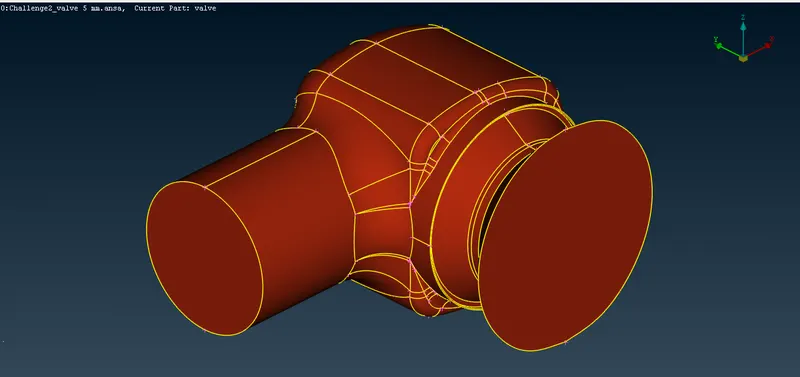
- OPEN THE MODEL: Open the pressure valve model in ANSA as you see in the below image
Step 1:
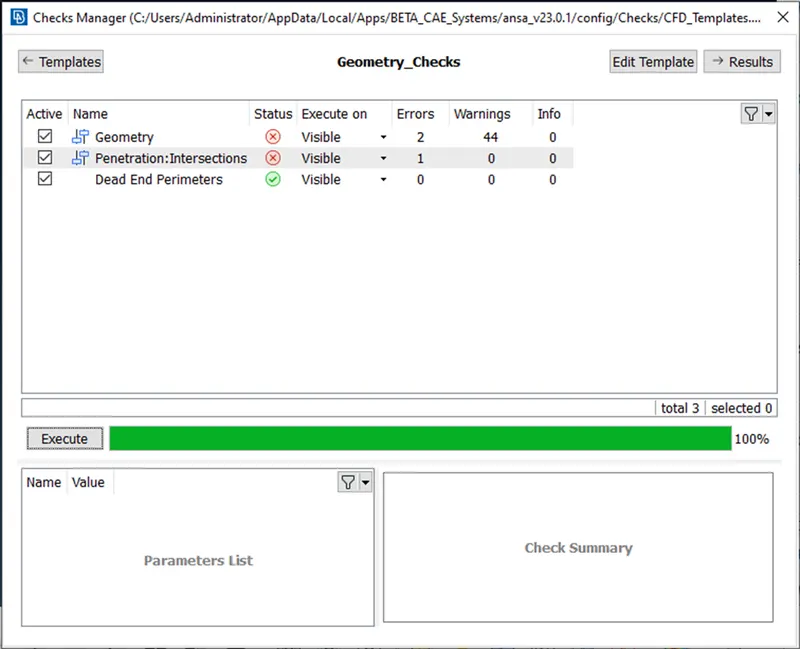
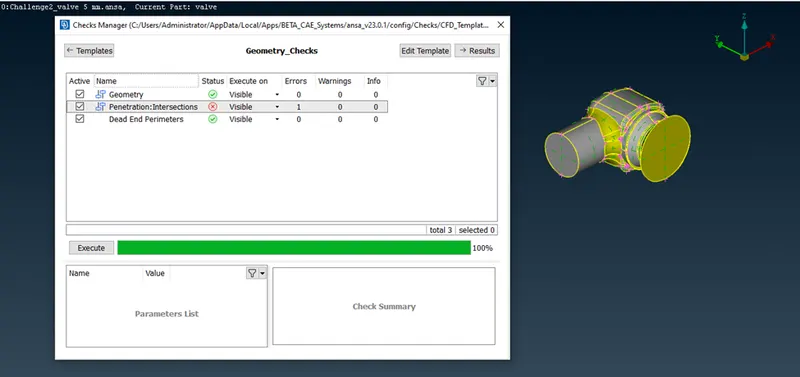
Check for the errors to gemotry clean up using the option Check--> Check manager--> view for the options geomtry_checks--> geomtry errors & intersection errors --> execute
In the given model from checks manager we got 44 geomtry warning and 2 mandaotry errors to solve and 1 intersection error
Step 2:
It is observed lot off single COONS in the given model
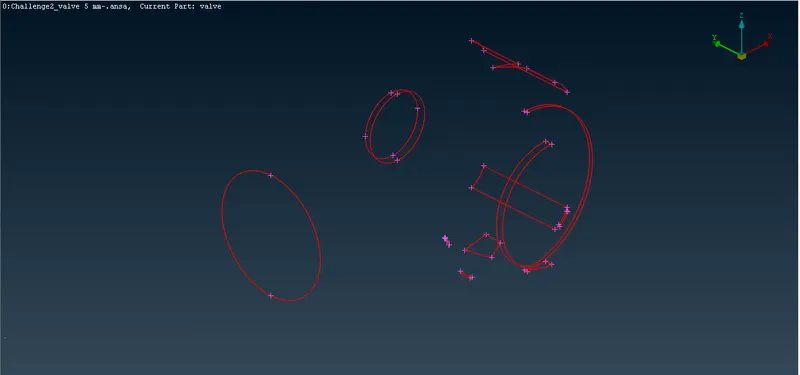
Step 3
Errors are cleaned up by using different options like
for the below single COON --> using the PLANAR option
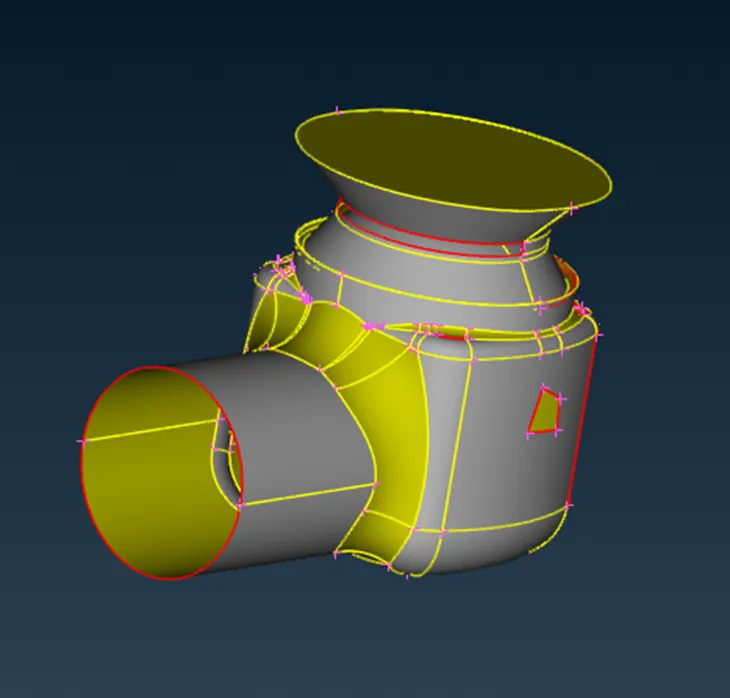
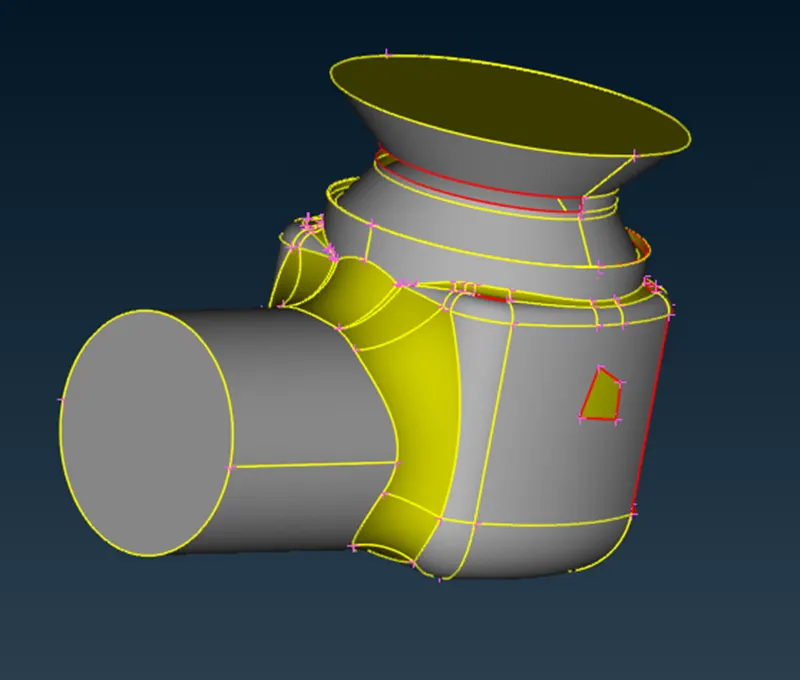
based on the choice and previewing the generated surface by using different options like
Faces--> New--> COONS with LOOP or entity (or)
Faces --> New--> Existing surface (or)
CONS--> Fil hole
it is solved for all the single COONS in the given model and only one intersection error highlighting at the spring column
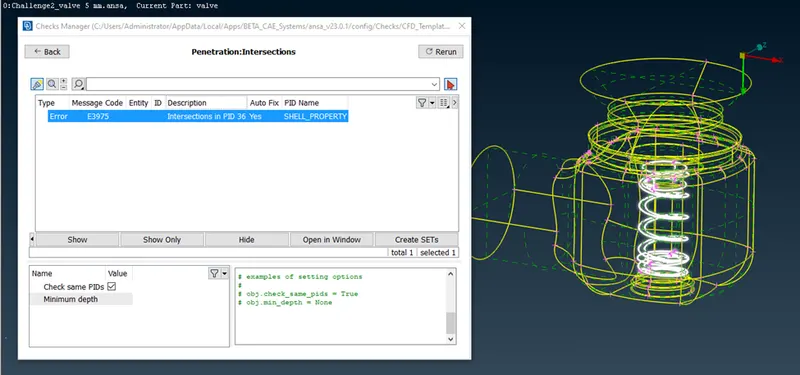
STEP 4
to solve Intersection errors initially define PIDs for different parts
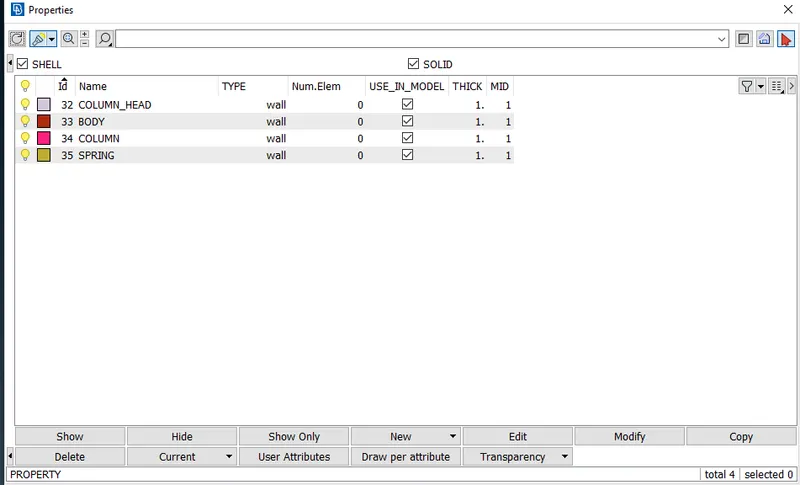
after defining the individual shell properties solve the intersection error between the spring & column using the option in Faces--> Intersect
Step 5:
MESHING:
- Now going for the mesh option here we are considering the following terms,
CASE-1:
- Target length = 5 mm
- Element type = Tria
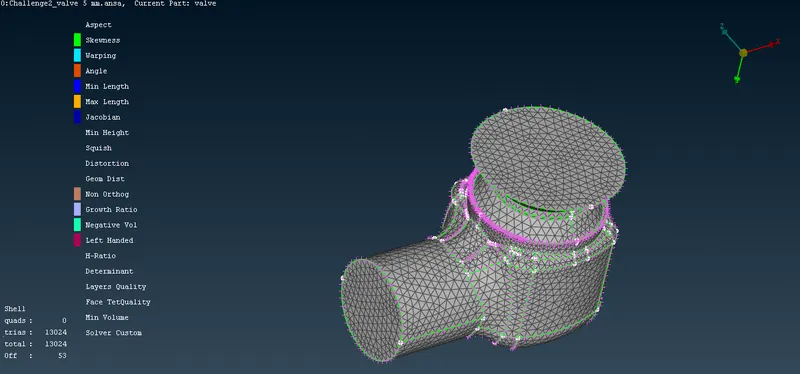
- Now in the mesh parameters given the max. target length =5.6 & Min. target length = 4.5
- for auto mesh select perimeters--> spacing--> auto CFD
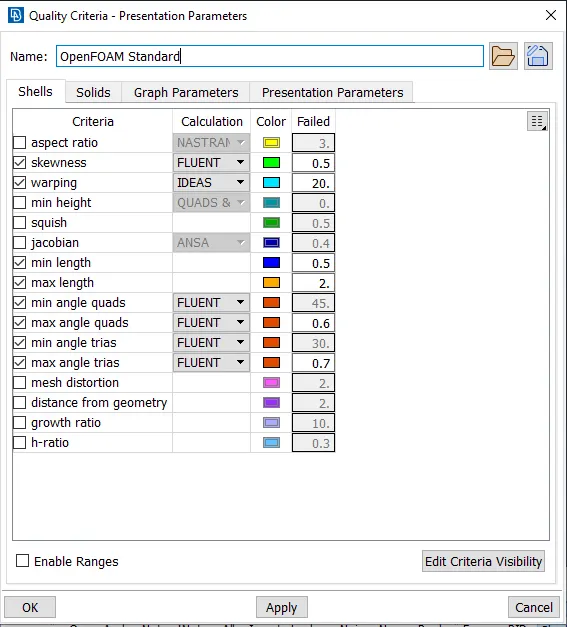
- to compare the element from the mesh for equal volume to measure the deviation, so for Giving quality minimum size of 4 mm and a maximum size of an element of 6 mm.
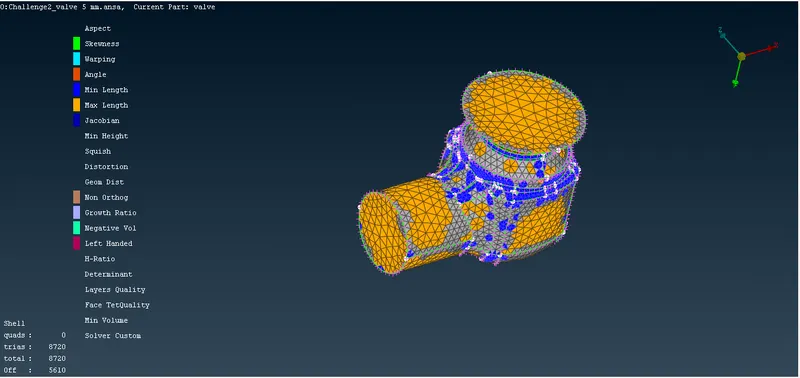
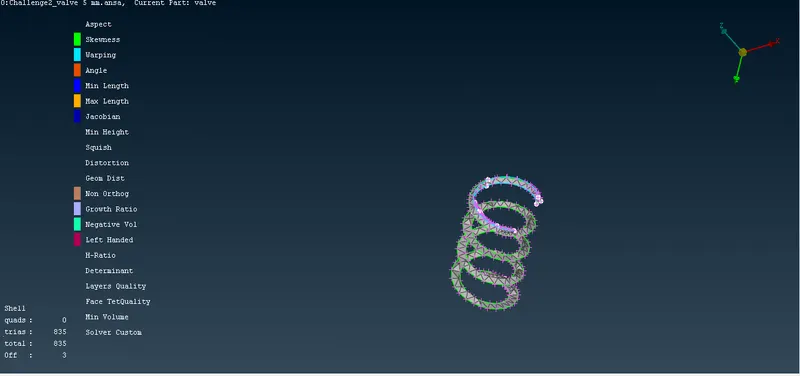
with the above values, the spring gets distorted as per the below picture.
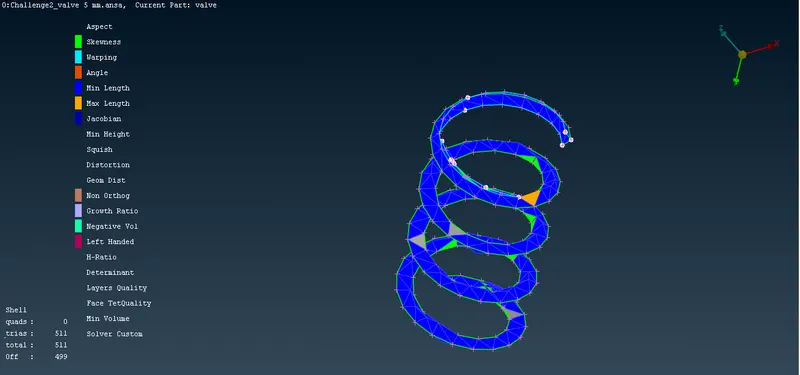
Hence given the minimum target length as .5mm and maximum target length as 7mm
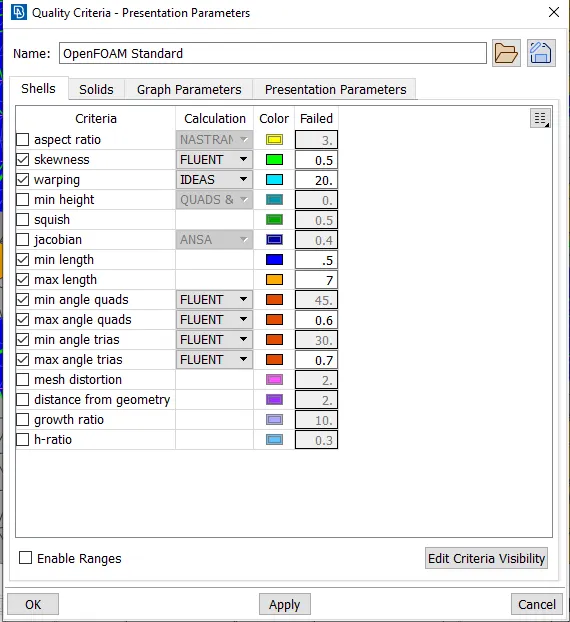
From shell mesh --> improve
CASE-2:
- Target length = 3 mm
- Element type = Tria
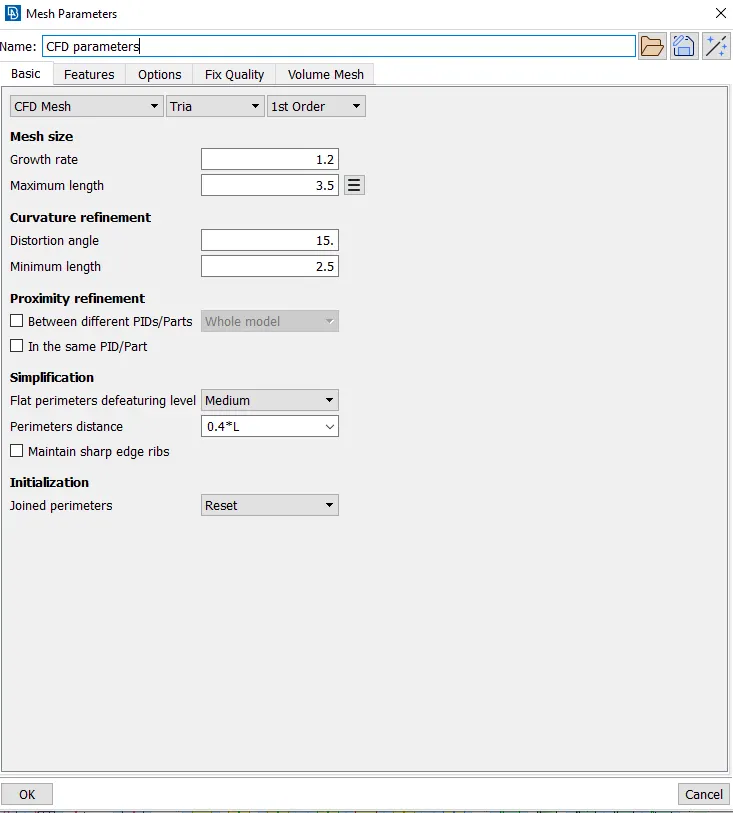
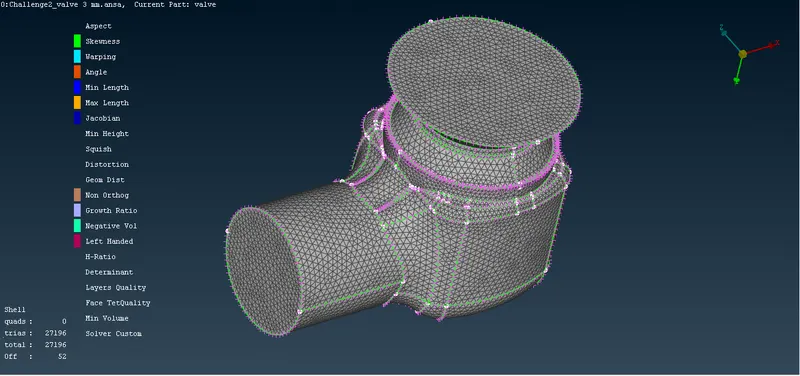
- Now in the mesh parameters given the max. target length =3.5 & Min. target length = 2.5
- for auto mesh select perimeters--> spacing--> auto CFD
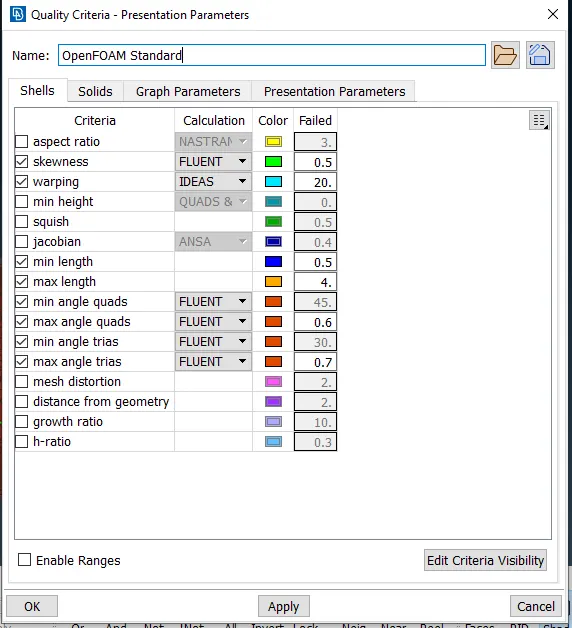
- to compare the element from the mesh for equal volume to measure the deviation, so for Giving quality minimum size of 2.5 mm and a maximum size of an element of 3.5 mm.
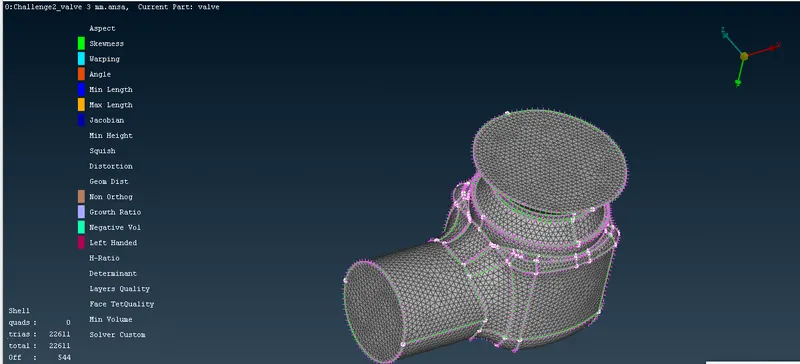
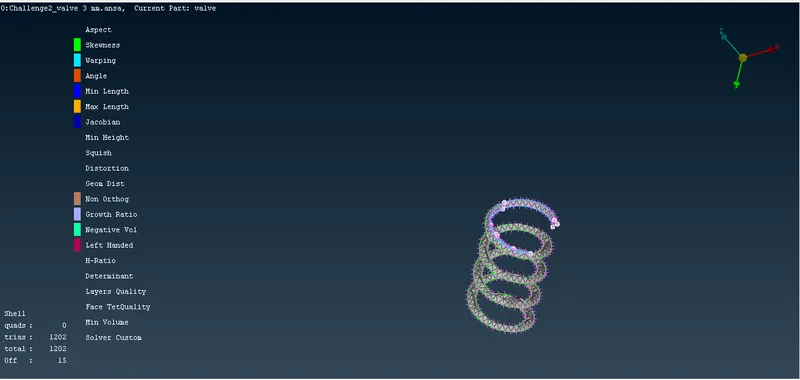
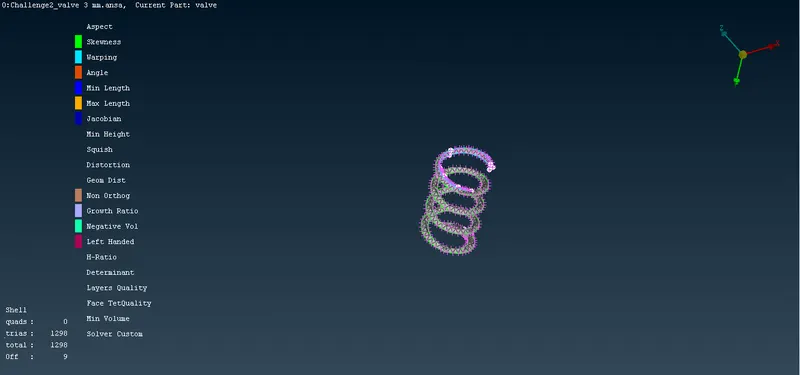
Hence to improve the quality of mesh given the minimum target length of .5mm and maximum target length of 4mm
CASE-3:
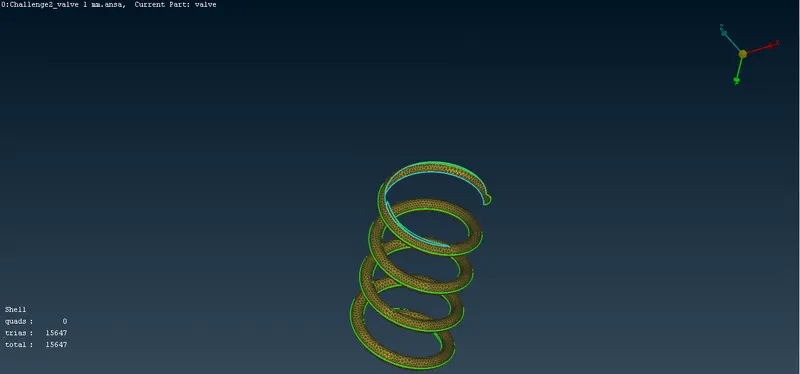
- Target length = 1 mm
- Element type = Tria
- Now in the mesh parameters given the max. target length =1.5 & Min. target length = 0.5
- for auto mesh select perimeters--> spacing--> auto CFD
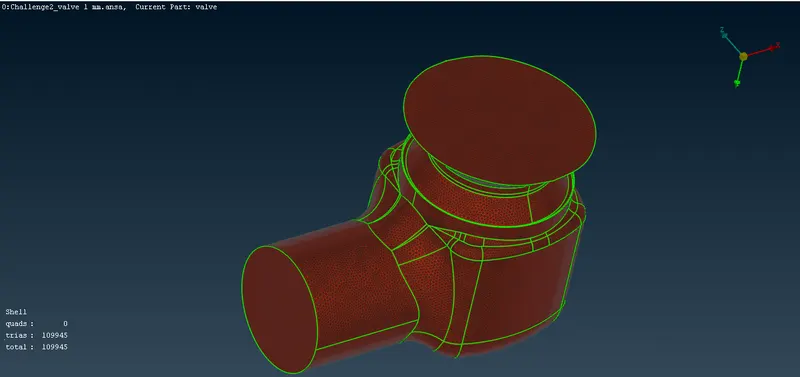
- to compare the element from the mesh for equal volume to measure the deviation, so for Giving quality minimum size of 0.5 mm and a maximum size of an element of 1.5 mm.
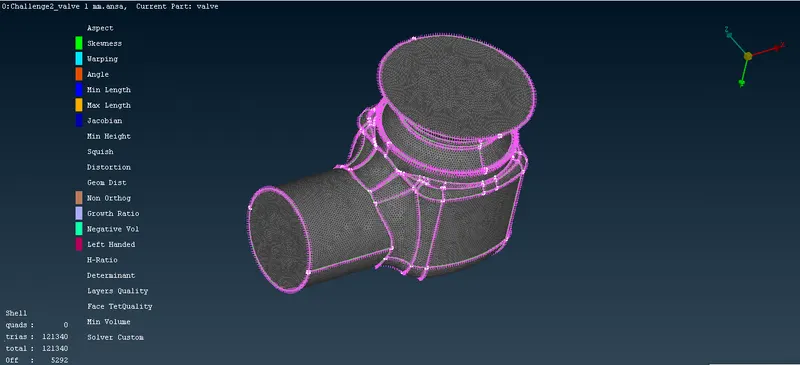
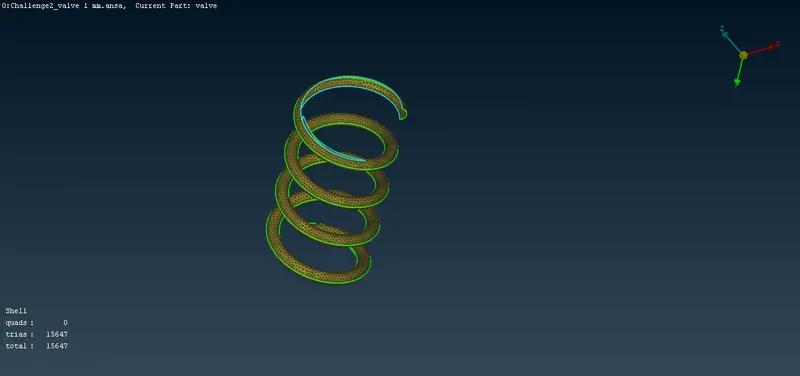
Hence to improve the quality of mesh given the minimum target length of .5mm and maximum target length of 2mm
CONCLUSION:
- With fine mesh size, the accuracy increases but the time for meshing also increases
- We can make two different target lengths according to the size of the parts and the required accuracy
Please find the below google drive link for the .ansa files for 1mm, 3mm & 5mm
https://drive.google.com/file/d/1qe93qkVpn_d-__ewKPKGhegGVhAzn9b6/view?usp=share_link