Week 2 Challenge
1. 1. How will you assign Circular section to column?
- Go to the properties panel
- Click on the option define
- Then there will be another dialogue box called property in that dialogue box select the circular option
- Then give the desired diameter of the section
- Then click add option
- and tyen done Then the circular section of the diameter is created,then select the option assign then it will be assignedto tye selected view
- then click the apply option
2. How will you assign Unit system to a .std model file?
- At the initial stage
- in the middle of the project
- We can choose metric and english and then create a model
3. What are the parameters to be specified while using “Bay Frame” option?
- Length of the frame
width of the frame
- Height of the frame
- Number of bays along Length
- Number of bays along Width
- Number of bats along Height
4. Name few codal standards incorporated in STAAD Pro software.
- Euro codes
- American codes
- ACI codes
- IS codes
- BS codes
- ASCE codes
5. How will you specify the design compressive strength for a RCC section?
- Go to the design panel
- Click the design option then the dialogue box named Steel design- Whole structure is appeared
- Then there will be another dialogue box called define parameters
- To that left corner Select the Fc compressive strength
- Then specufy the Fc value
2. 1. State the “Input” steps involved in RCC design.
- GEOMETRY
- PROPERTIES
- MATERIALS
- SPECIFICATIONS
- ANALYSIS
- DESIGN
2. Explain the difference between Fixed and Enforced support condition in STAADPro.
FIXED SUPPORT CONDITION
They are restrained in all six degrees of freedom and it does not contains its spring constant
ENFORCED SUPPORT CONDITION
It is also restrained in six degrees of freedon but it contains spring constant
3. 1. Explain the steps involved in analysis of a model using STAAD Pro sequentially.
- Once the modelling have been compleated all the loads and load combinations have been assigned then analysis is carried out
- In order to analyse go to the analysis panel,then there will be the define commands option click on that
- Then there will be another dialogue box that contains various options
- Click on the load lidt making sure that all the loads and load combinations habe beem selected
- Then click on the add option
- Then run the analysis
2. Explain the two ways in which a structural framework/model can be created in STAAD Pro software
NODE BY NODE METHOD
STRUCTURE WIZARD METHOD
3. Elaborate the different support conditions in STAAD Pro.
- Fixed support condition
- Pinned support condition
- Enforced support condition
- Enforced but support condition
- Multiliniar support condition
- Tension/Compression only springs
- Foundation support condition
4. How will you extract the stress distribution for a staircase slab?
- Create The nodes of stair case using geometry panel
- Then assign the plate element as the slab property and then define load cases
- Apply the loads and load combinations to the plate element as area load
- Then create a mess on the plate
- Then analyse the model and then go to thr post processing mode
- Click on the plate result option then there will be the drop down list then click stress distribution option
- choose stress type accordingly
- Then click ok now the software will show the result
5. Explain the different ways to view SFD & BMD in STAAD Pro.
- First create model and then assign the properties to the model
- assign support conditions and materials loads and load combinations then analye
- Go to the post processing mode
- go to the results option in the ribbon
- Then select the view value option
- Go to the beam results
- now select either SFD or BMD and select the ends.maximum then click annotate
Practical
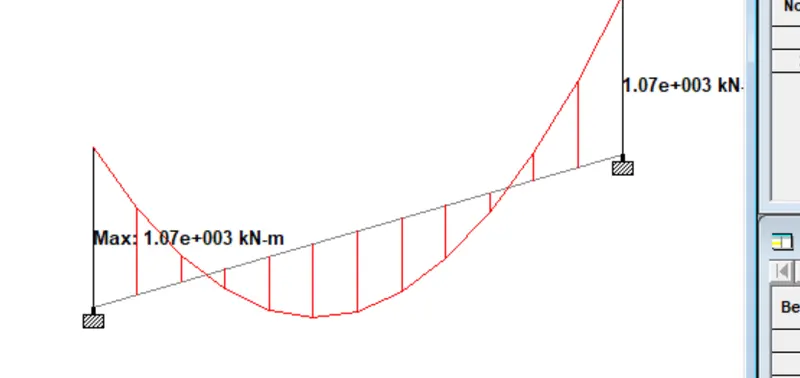
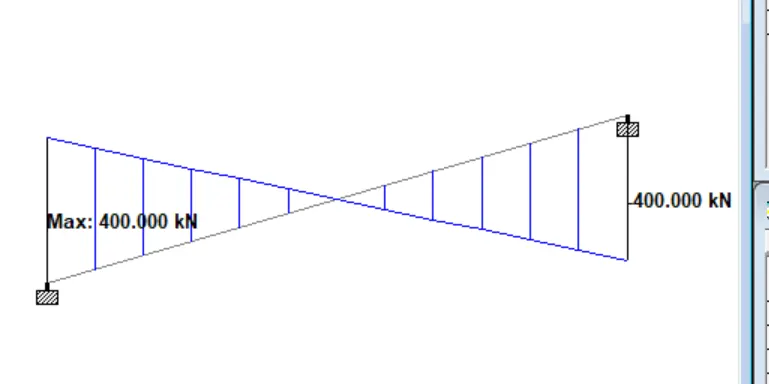
1. Analyze the following structural elements and validate the results
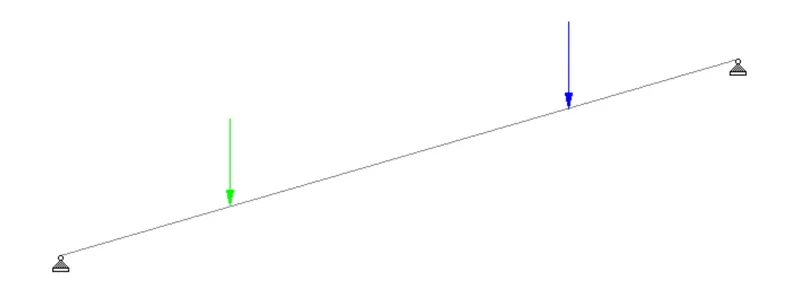
A. Simply Supported Beam
a. A Simply supported beam with two point loads symmetrically placed
b. Span L = 20m
c. Load P = 50kN each
d. Both P located at 5m from each support
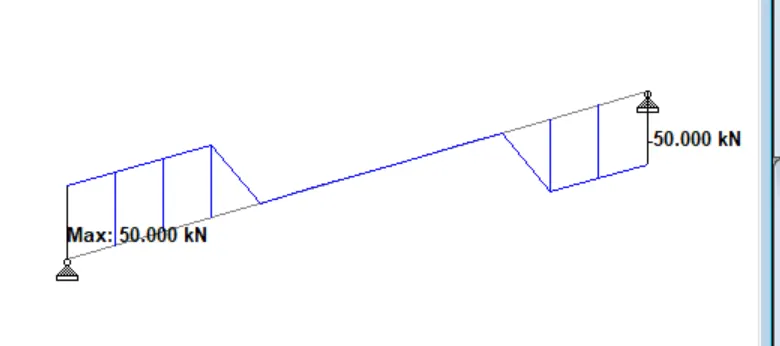
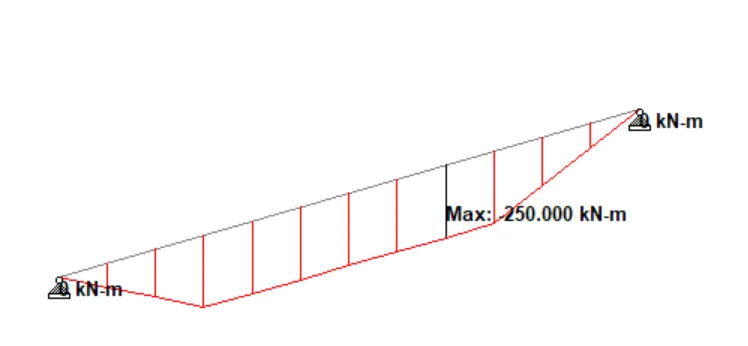
B.Fixed Beam
a. Span L = 16m
b. Uniformly Distributed Load w=9kN/m