Week 2 Challenge
AIM:To create the simply supported and fixed beam by using the given load condition and spans.
INTRODUCTION:STAAD pro is used for structure analysis of structure by using the shear force diagrama and bending moment diagram.
PROCEDURE:
1.1ANS:
- Open the STAAD
- In analyatical model,properties then define the shape (circular) and assign.
1.2ANS:
- Open the STAAD
- In model information select the units(metric) then create the model.
1.3ANS:
- Model name
- Length
- height
- Width
- No of bays along length
- No of bays along height
- No of bays along width
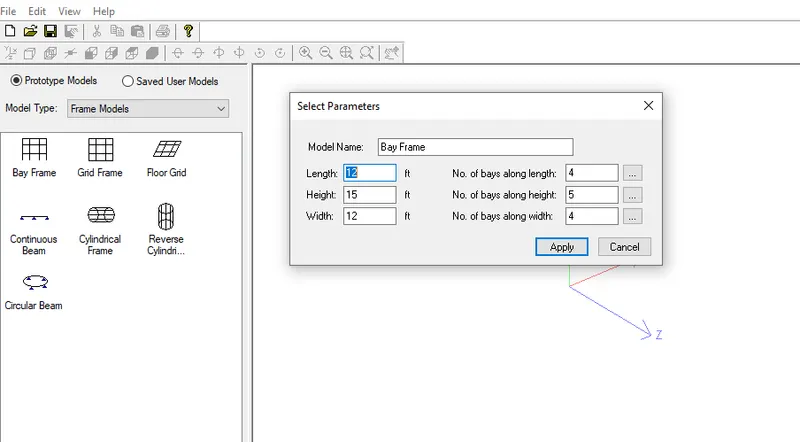
1.4ANS:
- STEEL-AISC360-16,AS4100
- CONCRETE-ACI318-2014,AS3600
- ALUMINIUM-Aluminiun US
- TIMBER-AITC-1984,AITC-1994
2.1ANS:
The following are the inputs units in STAAD pro
- Geometery
- Properties
- Specificstions
- constants
- supports
- loads
- load combination
- Design standards
2.2ANS:
- Fixed-Degrees of freedom are consider as fully restarained,when displacement is zero degree of freedom is not consider for stiffness.
- Enforced-Degrees of freedom are consider as fully restarained,STAAD assigns sprigs for stiffness.
3.1ANS:
- Creating the file
- Select the units
- Use the geometry by nodes
- Assign properties,material.
- Then perform analyisis
- Then assign the design code.
- Then perform the post processing for out put view.
3.2ANS:
- Node by node
- By structural wizard in geometry tab.
3.3ANS:
- Fixed
- Fixed but
- Multi spring
- Only spring
- Inclined
- pinned
- enforced
- enforced but
3.4ANS:
- By node dispacement design the slab.
- By using generate mesh create the plate to the design.
- Stress distrubution is done by colouring the slab
3.5ANS:
- After the analyisis,post processig in result tab cooridinatinates are there like,Fx,Fy,Fz,Mx,My,Mz.
- After the analyisis,post processig in result tab graphs are there in layout options
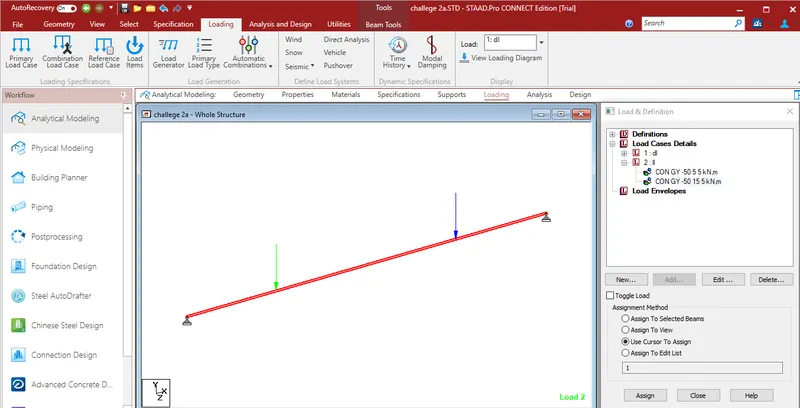
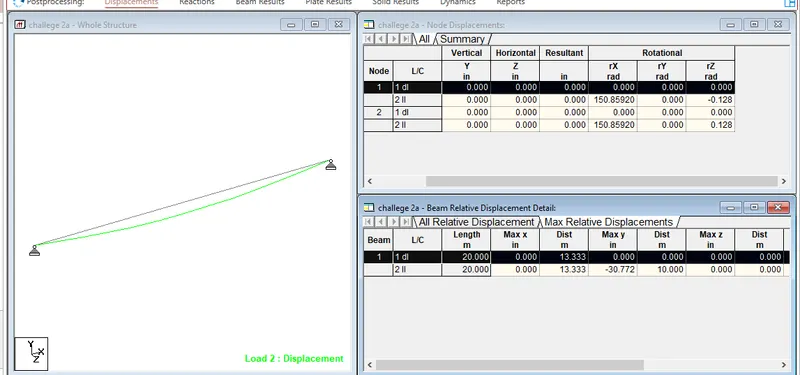
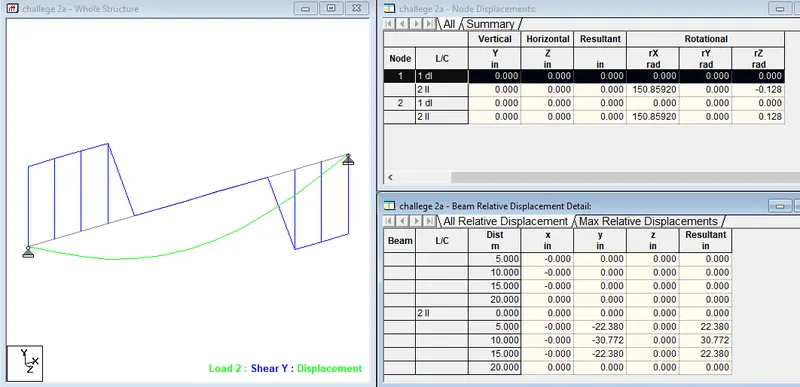
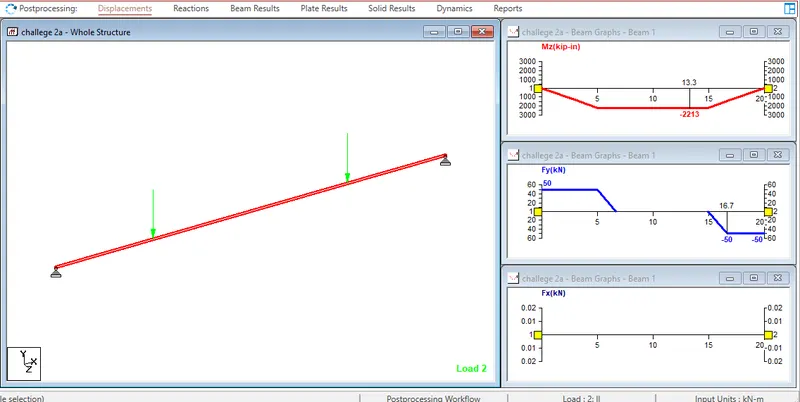
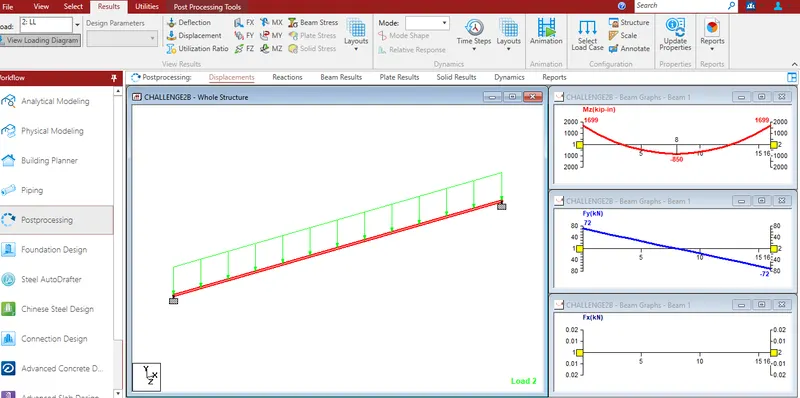
RESULT:To Complete the simply supported and fixed beam by using the given load condition and spans.