Week -2
Aim:
To Make a Simulink model of Doorbell using solenoid block.
Introduction:
A Simulink model is a block diagram. Model elements are added by selecting the appropriate elements from the Library Browser and dragging them into the Model window. Alternately, you can copy the model elements and paste them into the model window. Drag and drop items from the Simulink library to make your project
In the above arrangement, when the switch is closed the electromagnet receives electrical power from the battery and pulls the metal arm to hit the bell producing sound.
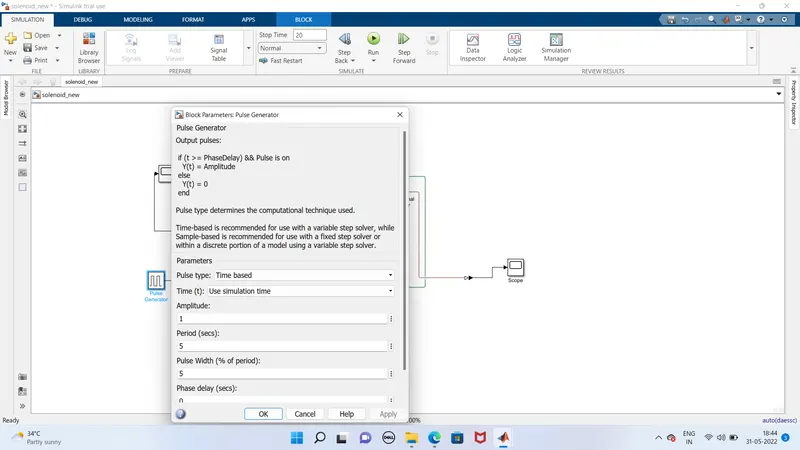
Create a situation where the switch is closed for 2 seconds and then released. Observe the physical movement of the plunger.
Blocks Used:
1.Switch
2.Battery
3.Electrical Reference
4.Mechanical Translational Reference
5.Ideal Translational Motion Sensor
6.Scope
7.Solver Configuration
8.Pulse Generator
Block
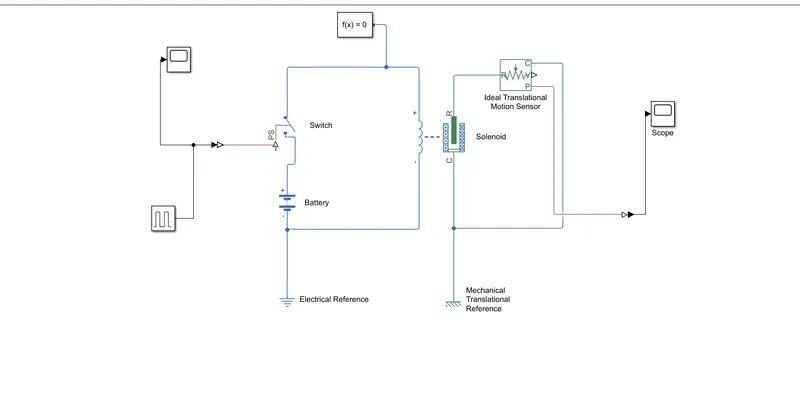
Results:
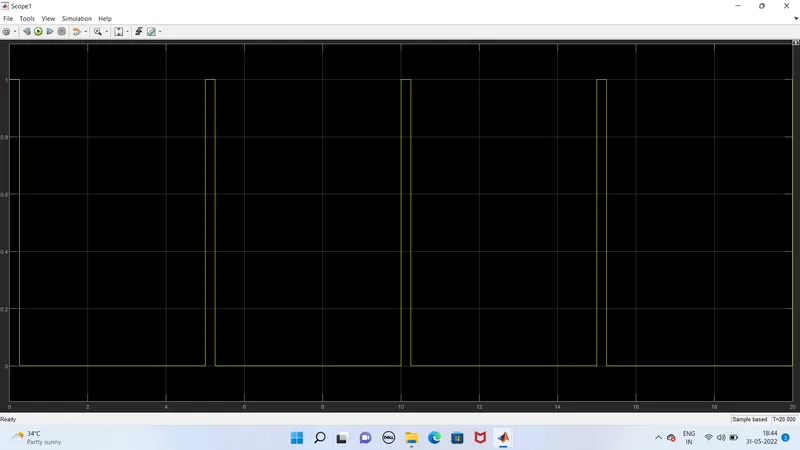
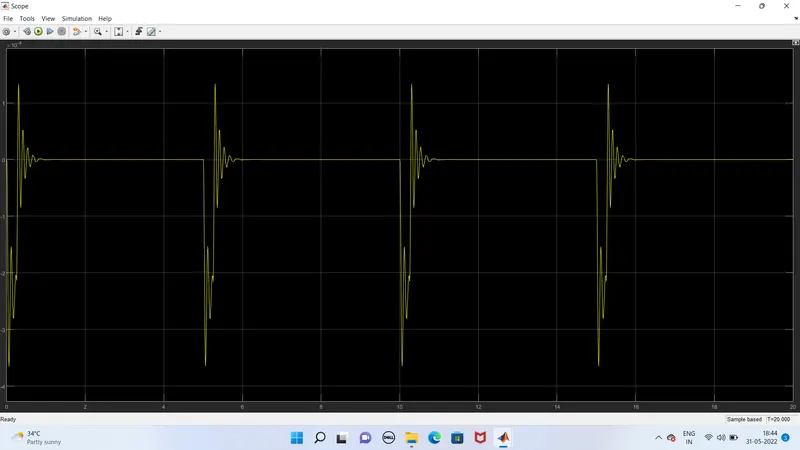
Conclusion
Hence a Simulink model of Doorbell using solenoid block has done and result has attached