Week 2- 2R Robotic Arm Challenge
- Program in Matlab to simulate the forward kinematics of a 2R Robotic Arm
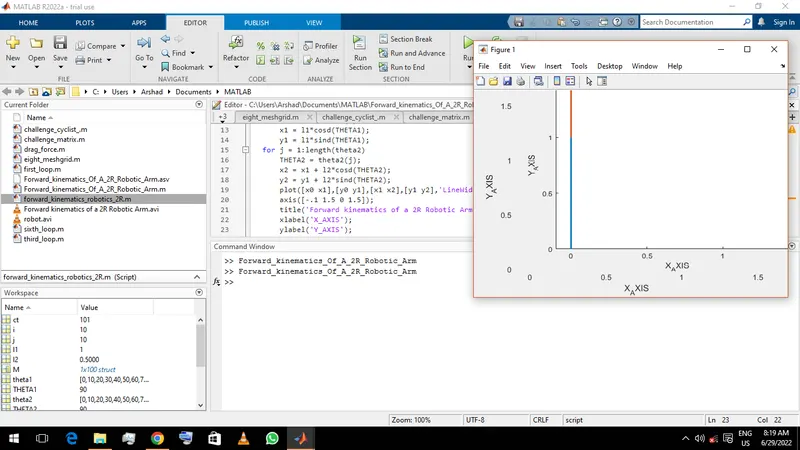
clear all close all clc % Forward kinematics of a 2R Robotic Arm x0 = 0; y0 = 0; l1 = 1; l2 = .5; theta1 = linspace(0,90,10); theta2 = linspace(0,90,10); ct = 1; for i = 1:length(theta1) THETA1 = theta1(i); x1 = l1*cosd(THETA1); y1 = l1*sind(THETA1); for j = 1:length(theta2) THETA2 = theta2(j); x2 = x1 + l2*cosd(THETA2); y2 = y1 + l2*sind(THETA2); plot([x0 x1],[y0 y1],[x1 x2],[y1 y2],'LineWidth',2); axis([-.1 1.5 0 1.5]); title('Forward kinematics of a 2R Robotic Arm'); xlabel('X_.AXIS'); ylabel('Y_.AXIS'); M(ct) = getframe(gcf); ct = ct + 1; end end movie(M) videofile = VideoWriter('Forward kinematics of a 2R Robotic Arm.avi'); open(videofile) writeVideo(videofile,M) close(videofile)- Step-wise explanation of codes used.
- clear all - To clear all the variables from work space
- close all - To close all opened figures in the screen
- clc - To clear all commands and texts from the command window
- Let a robotic arm; in which link l1 and manipulator l2 moves from an angles of 0 - 90 degrees in x-y axis
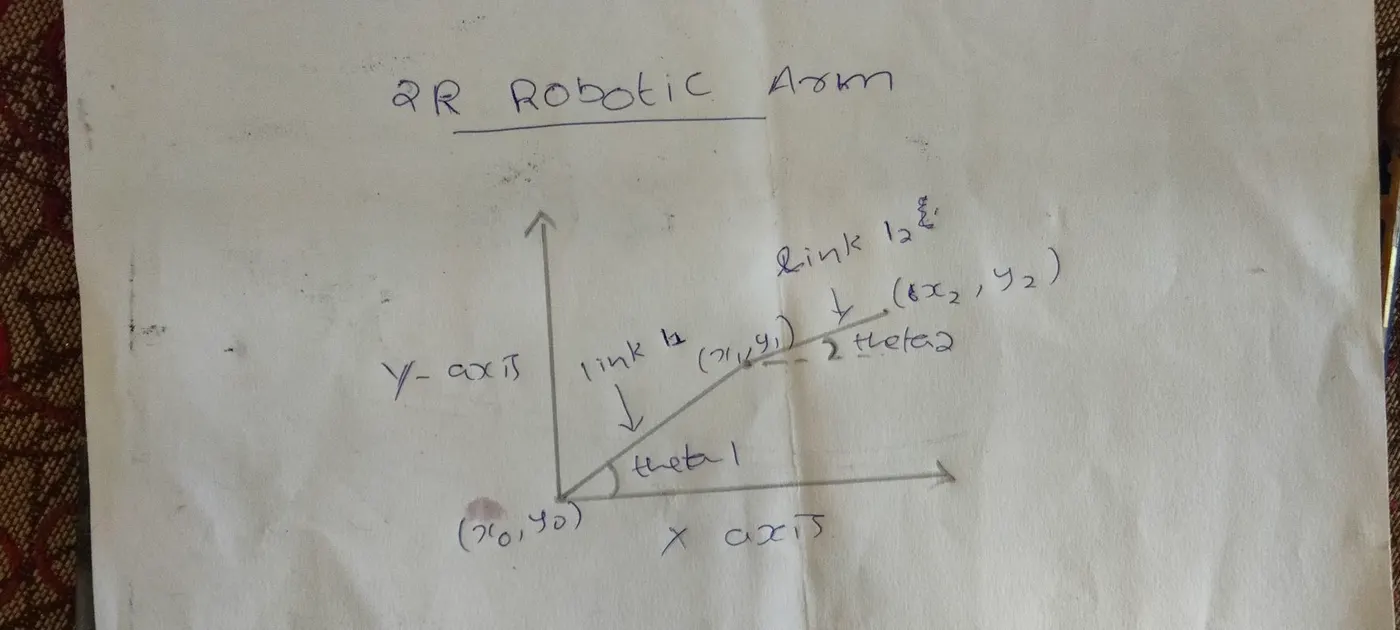
- x0 = 0,y0 = 0 - the starting co-ordinates of robotic arm link l1
- l1 =1,l2 = .5 - The lengths of 2 links of robotic arm
- -These are the angles of link l1 and l2 with respect to x-axis respectively .'linspace' command generates linear arrays with 10 equally intervaled points between 0 - 90theta1 = linspace(0,90,10),theta2 = linspace(0,90,10)
- ct = 1 - count of frame
- for i = 1:length(theta1)for j = 1:length(theta2) - Its a command used to start a loop in which the values of 'i' and 'j' takes the values from '1' to(:) length of 'theta1' and 'theta2' respectively,that is '10'.Second loop(for j = 1:length(theta2)) is inside the first loop(for i = 1:length(theta1)) in which '10' loops are being made in each 10 frames of first loop.
- THETA1 = theta1(i)THETA2 = theta2(j) - These are the angles used instead of 'theta1' and 'theta2' respectively for loops and the values varies from 1 - 100 (since theta1 and theta1 is 10; & i and j are 10)
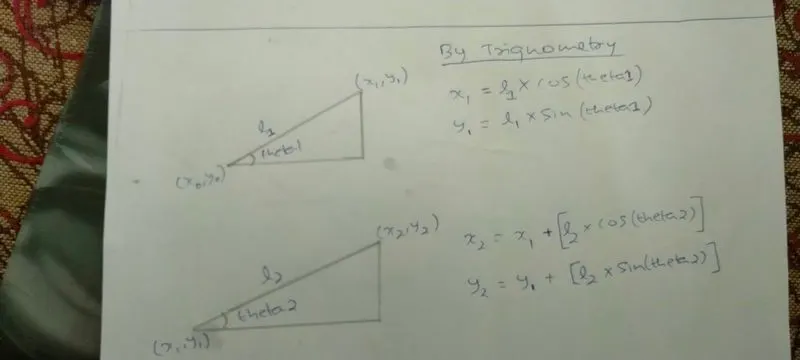 x1 = l1*cosd(THETA1),y1 = l1*sind(THETA1) - These are the ending co-ordinates of link 'l1' and starting co-ordinates of link 'l2' (co-ordinates equations are formed in the above figure)
- x2 = x1 + l2*cosd(THETA2),y2 = y1 + l2*sind(THETA2) - These are the ending co-ordinates of link 'l2' (co-ordinates equations are formed in the above figure)
- plot([x0 x1],[y0 y1],[x1 x2],[y1 y2],'LineWidth',2) - It plots the links of robotic arm in X-Y axis as 2D with the help of co-ordinates of the links ,'linewidth'-it helps to create the desired width for the plot
- axis([-.1 1.5 0 1.5]) - Command used to set the x-axis limits and y-axis limits
- title('Forward kinematics of a 2R Robotic Arm') - Command used to put the title for the plot
- xlabel('X_.AXIS') - Command used to label the x axis
- ylabel('Y_.AXIS') - Command used to label the y axis
- M(ct) = getframe(gcf) - Command used to get seperate frames for each round of loops and saved in M(ct)
- ct = ct + 1 - Command used to create succeeding frames in each frames 1 loop is saved
- end - command used to close the loop ,2 ends are used since there are 2 loops
- movie(M) - Command used to create a movie with frames saved in 'M'
- videofile = VideoWriter('Forward kinematics of a 2R Robotic Arm.avi') - Command used to create video ,in which the 'video name-Forward kinematics of a 2R Robotic Arm' and 'video format -avi' is edited in paranthesis ,it can also be made into uncompressed video by editing the videowriter as -'Forward kinematics of a 2R Robotic Arm.avi','uncompressed AVI'- where the video will have the size of 64 plus mega bytes ,since i got it in 1.30 mega bytes without much quality difference in the animation video
- open(videofile) - Command used to open the videofile
- writeVideo(videofile,M) - Command used to write down all the frames which had been created using programming into the videofile
- close(videofile) - Command used to close the videofile
- semicolons are used to close the function in order to not show the output in the command window
- Outputs
- youtube link - https://youtu.be/DMVtki_kRG0
- google drive - https://drive.google.com/file/d/1aVcLczUOJ-oLD2_cNEX8kxxI-c-OFQ_U/view?usp=drivesdk
- Errors
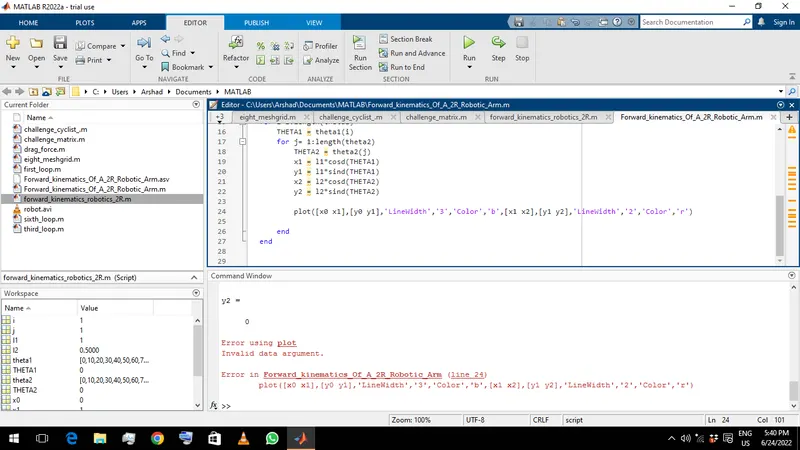
- 1st error - I tried to plot 2 lines in a single command and tried to give them seperate 'linewidth' & 'color' and got error.So i gave them both single command for linewidth , for the color it automatically had seperate color so i didnt give any commands for that.The error -
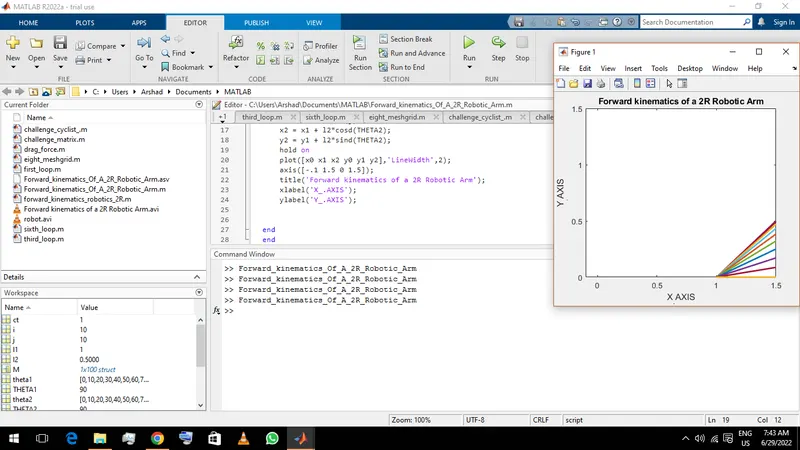
2. 2nd error - When i was plotting, i tried to group together three x co-ordinates and three y co-ordinates in one 'square bracket'; so i got undesired plot. Then i gave them seperate sqaure brackets (since i was plotting a line so i should have given accordingly) and got desired result. The error -
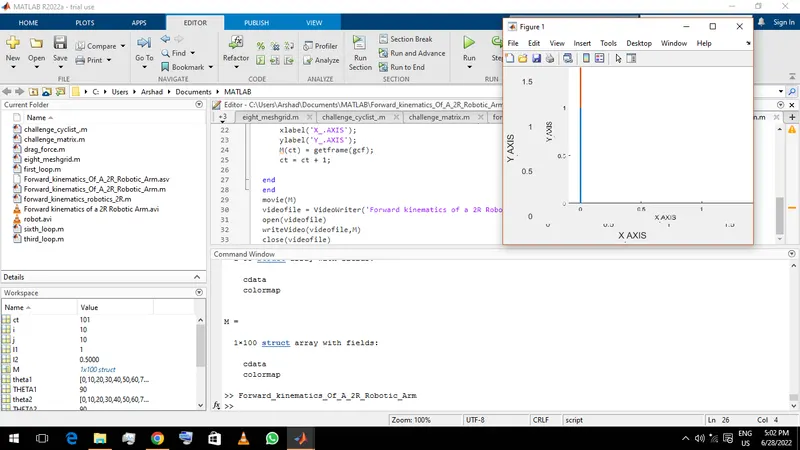
3. 3rd error - When i was labeling the x-axis and y-axis for the plot ,after the underscore(_)the first alphabet was getting subscripted so i added a dot after the underscore. The error -