Week 2- 2R Robotic Arm Challenge
TITLE: 2R Robotic Arm.
OBJECTIVES:
- To Write a program in Matlab to simulate the forward kinematics of a 2R Robotic Arm.
INTRODUCTION:
1) Robotic Arm:
A robotic arm is a type of mechanical arm, usually programmable, with similar functions to a human arm; the arm may be the sum total of the mechanism or may be part of a more complex robot.
Robotic arms can be used to automate the process of placing goods or products onto pallets. By automating the process, palletizing becomes more accurate, cost-effective, and predictable. The use of robotic arms also frees human workers from performing tasks that present a risk of bodily injury.
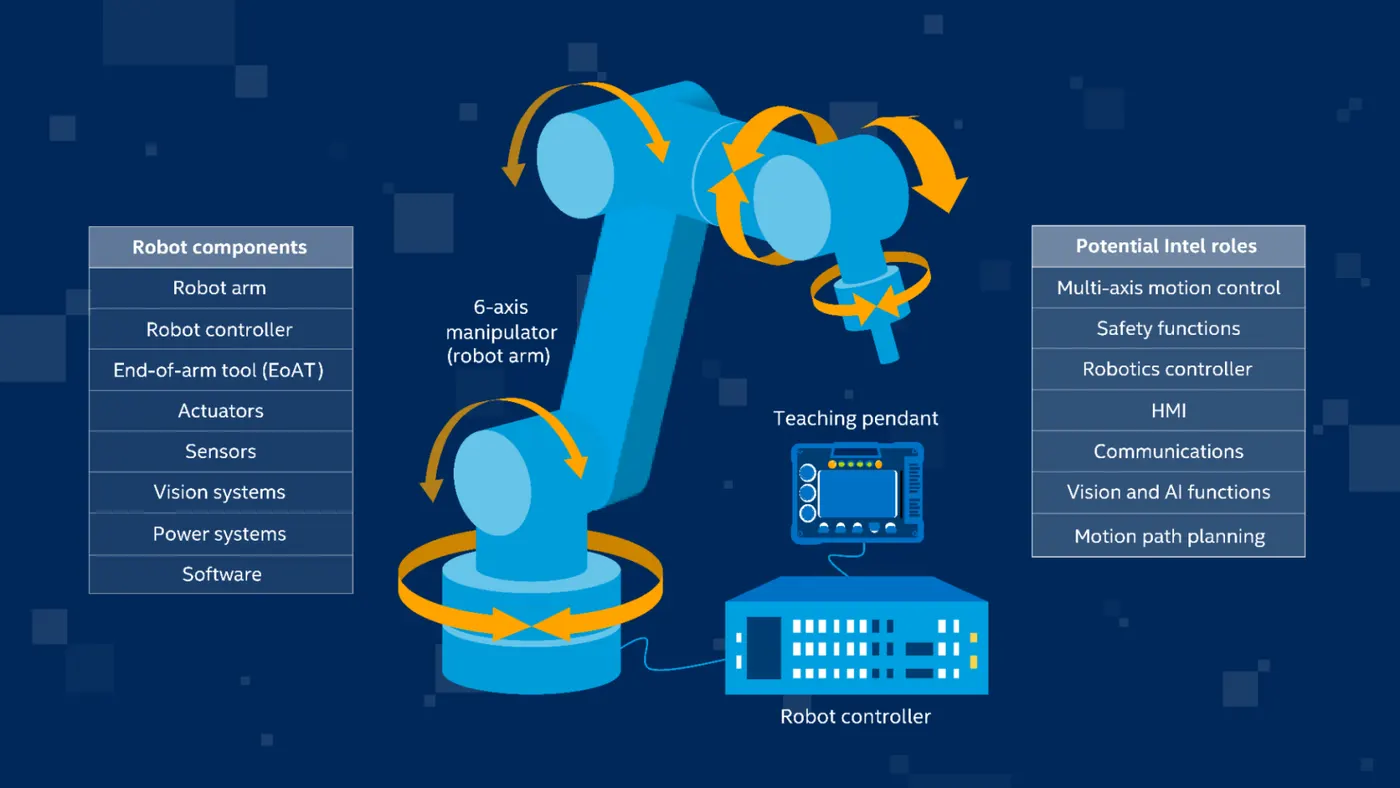
The computer controls the robot by rotating individual stepper motors connected to each joint (some larger arms use hydraulics or pneumatics). Unlike ordinary motors, step motors move in exact increments. This allows the computer to move the arm very precisely, performing the same movement over and over.
From manufacturing to automotive to agriculture, industrial robotic arms are one of the most common types of robots in use today.
Robotic arms, also known as articulated robotic arms, are fast, reliable, and accurate and can be programmed to do an infinite number of tasks in a variety of environments. They are used in factories to automate execution of repetitive tasks, such as applying paint to equipment or parts; in warehouses to pick, select, or sort goods from distribution conveyors to fulfill consumer orders; or in a farm field to pick and place ripe fruits onto storage trays. And as robotic technologies develop and industrial environments become more connected, the capabilities of robotic arms expand to enable new use cases and business operation models.
In the past, a robotic arm required teaching to perform narrowly defined tasks, such as picking a single type of object from a precise location with a specific orientation. Robots were not able to identify a particular type of object among many, determine an object location with some tolerance (area rather than exact position), or adjust the grasp based on object orientation.
2) The Benefits of Industrial Robotic Arms:
- Improved safety. Robotic arms help keep workers safe by operating in environments that are hazardous and executing tasks that present high risk of injury to humans.
- Improved efficiency and productivity. Robotic arms can operate 24 hours a day, seven days a week without fatiguing, allowing businesses to keep production, inspections, or other tasks going continuously to increase output.
- Enhanced precision. By their very nature, robotic arms perform more consistently and accurately than humans for tasks that require extreme precision or consistency.
- Greater flexibility. As business priorities change, robotic arms can easily be repurposed for new activities or mounted onto different platforms, such as autonomous mobile robots (AMRs), a stationary assembly line platform, or wall or shelf, as needed.
program in Matlab to simulate the forward kinematics of a 2R Robotic Arm:
first started with basic movement of an robotic arm, code is as follows,
%FORWARD KINEMATICS OF A ROBOTIC ARM
close all
clear all
clc

%inputs
l1=1;
l2=0.5;

theta1=linspace(0,90,15);
theta2=linspace(0,90,15);

%coordinates
x0=0;
y0=0;

x1=l1*cosd(THETA1);
y1=l1*sind(THETA1);

x2= x1+l2*cosd(THETA2);
y2= y1+l2*sind(THETA2);

%plotting
plot([x0 x1],[y0 y1],[x1 x2],[y1 y2],'linewidth',2)
axis([0 1.5 0 1.5])
grid on
but this code shows simple two vertical lines, we need to find out all possible rotation of arm
so we program it like,
%FORWARD KINEMATICS OF A ROBOTIC ARM
close all
clear all
clc

%inputs
l1=1;
l2=0.5;

theta1=linspace(0,90,15);
theta2=linspace(0,90,15);

ct=1
for i=1:length(theta1)
    THETA1=theta1(i);

    for j=1:length(theta2)
        THETA2=theta2(j);

%coordinates
x0=0;
y0=0;

x1=l1*cosd(THETA1);
y1=l1*sind(THETA1);

x2= x1+l2*cosd(THETA2);
y2= y1+l2*sind(THETA2);

%plotting
line([x0 x1],[y0 y1],'linewidth',2)
line([x1 x2],[y1 y2],'linewidth',2)
grid on
    end
end
plot looks like given below,
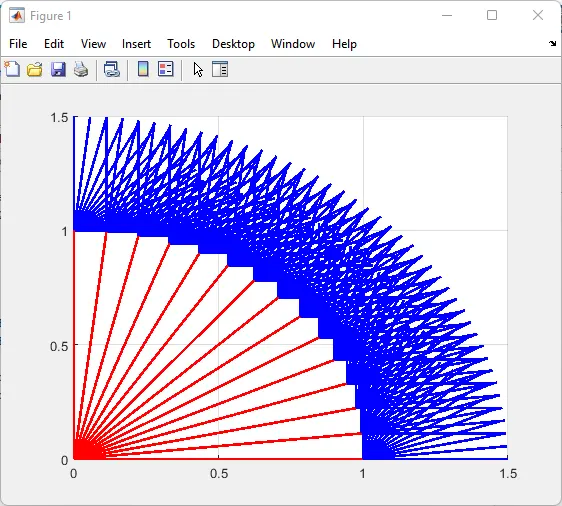
from we are ready to step forward to make an full program for an 2R Robotic Arm
%FORWARD KINEMATICS OF A ROBOTIC ARM
close all
clear all
clc

%inputs
l1=1;
l2=0.5;

theta1=linspace(0,90,15);
theta2=linspace(0,90,15);

ct=1
for i=1:length(theta1)
    THETA1=theta1(i);

    for j=1:length(theta2)
        THETA2=theta2(j);

%coordinates
x0=0;
y0=0;

x1=l1*cosd(THETA1);
y1=l1*sind(THETA1);

x2= x1+l2*cosd(THETA2);
y2= y1+l2*sind(THETA2);

%plotting
plot([x0 x1],[y0 y1],[x1 x2],[y1 y2],'linewidth',2)
axis([0 1.5 0 1.5])
grid on
    end
end

pause(0.01)
M(ct)=getframe(gcf);
ct=ct+1;
    end

end

movie(M)
videofile=VideoWriter('week2.avi','uncompressed AVI');

open(videofile)
writeVideo(videofile,M)
close(videofile)
we have used some extra commands like getframe, used a pause of o.o1 sec, we maked a video file using videofile.
and we have taken an output (follow the links):
https://drive.google.com/file/d/15tmuShZcKJ1MJrHDBOZK8h2lQ9oCAn33/view?usp=sharing