Week 2- 2R Robotic Arm Challenge
Aim- Matlab to simulate the forward kinematics of a 2R Robotic Arm, as shown in the video
Introduction-
The robotic arm is driven by gravitational and inertia forces of the counterweight mounted on links.
The joints of the robotic arms are able to rotate freely though this robot does not have any actuators on joints.
Thereby, the robot has high joint flexibility.
What is FORWARD KINEMATICS.
kinematic chain composed of links and joints with multiple degree of freedom, finding the position and
orientation of the end-effector in the operational workspace when all the joint parameters are known. This is
called FORWARD KINEMATICS.
Degree of Freedom (DOF):
Degree of freedom in robotic is simply the total number of independent joints which can change the
pose of the robot. If you take a human arm from shoulder to palm , arm has 7 DOF. Try to identify the joints yourself
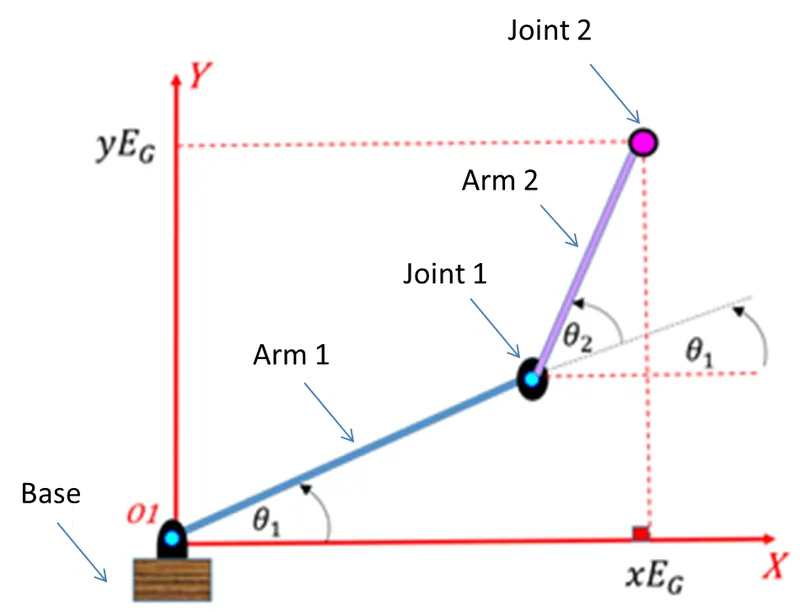
Explaination of code
Here we are taking multiple angles and multiple values of (X, Y).
function createfigure(X1, Y1, X2, Y2)
%CREATEFIGURE(X1, Y1, X2, Y2)
% X1: vector of x data
% Y1: vector of y data
% X2: vector of x data
% Y2: vector of y data
% Auto-generated by MATLAB
% Create figure
figure1 = figure;
% Create axes
axes1 = axes('Parent',figure1);
hold(axes1,'on');
Initially, we are providing the inputs for the angle with the help of linspace command as follows
% Create plot
plot(X1,Y1,'LineWidth',2.5);
% Create plot
plot(X2,Y2,'LineWidth',2.5);
Where:-
In linsapce command the first value represents the starting point of angle, similarly, the second point represents the ending point of the angle and at last, the third point represents the number of values between them
% Uncomment the following line to preserve the X-limits of the axes
% xlim(axes1,[-0.1 2.8]);
% Uncomment the following line to preserve the Y-limits of the axes
% ylim(axes1,[0 2.8]);
box(axes1,'on');
hold(axes1,'off');
Also we use For Loop command
A for loop is a repetition control structure that allows you to efficiently write a loop that needs to
execute a specific number of times.
EX =
for i= 1:length(theta1) %represents the no of value in angle1
A1=theta1(i);
for j= 1 : length(theta2)
A2=theta2(j);
Errors :
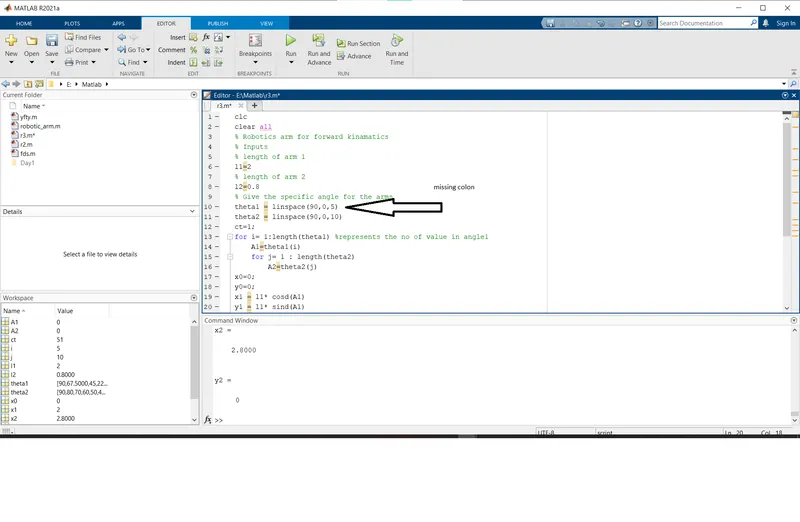
Errors 1
I found missing colon
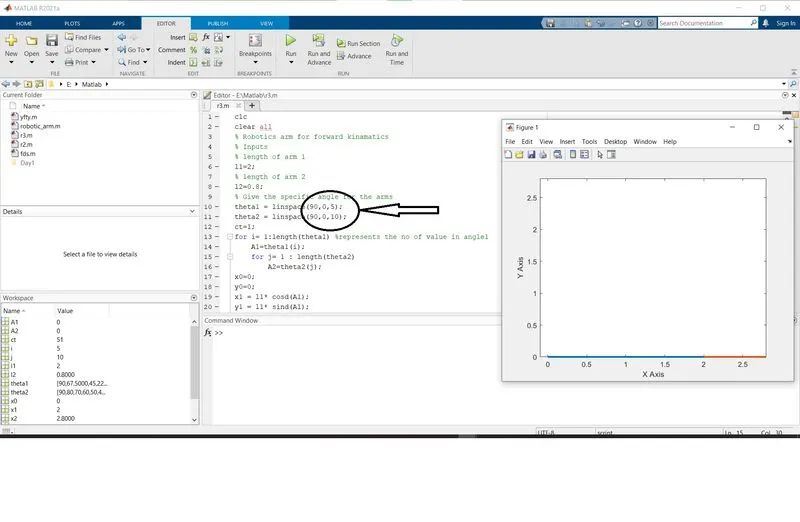
Error 2:
I Found these value is to small becouse of this my graph is to fast
Final code:
clc
clear all
% Robotics arm for forward kinamatics
% Inputs
% length of arm 1
l1=2;
% length of arm 2
l2=0.8;
% Give the specific angle for the arms
theta1 = linspace(90,0,40);
theta2 = linspace(90,0,60);
ct=1;
for i= 1:length(theta1) %represents the no of value in angle1
    A1=theta1(i);
    for j= 1 : length(theta2)
        A2=theta2(j);
x0=0;
y0=0;
x1 = l1* cosd(A1);
y1 = l1* sind(A1);
x2 = x1+l2* cosd(A2);
y2 = y1+l2* sind(A2);
%plotting
plot([x0 x1],[y0 y1],[x1 x2],[y1 y2],'linewidth', 2.5);
axis([-0.1 2.8 0 2.8])
pause(0.08);
ct=ct+1;
xlabel('X Axis');
ylabel('Y Axis');
    end
end
movie(M)
videofile = VideoWriter('forward_kinematics.avi');
open(videofile)
writeVideo(videofile, M)
close(videofile)
final output plot video
youtub video Link