Week 2- 2R Robotic Arm Challenge
MAIN AIM : To compose a program to reproduce the forward kinematics of a 2R Robotic Arm in Matlab.
OBJECTIVE :
To settle and recreate the forward kinematics of a 2R Robotic Arm and grasp the development of controller.
To make the movement of working of a 2R Robotic Arm.
EXPLANATION : An automated arm is a robot controller, typically programmable, with comparative capacities to a human arm. The connections of such a controller are associated by joints permitting either rotational movement (like in an explained robot) or translational (straight) dislodging. The connections of the controller can be considered to frame a kinematic chain. The utilization of modern robots is expanding in regions like food, customer products, wood, plastics and hardware, however is still for the most part packed in the auto business.
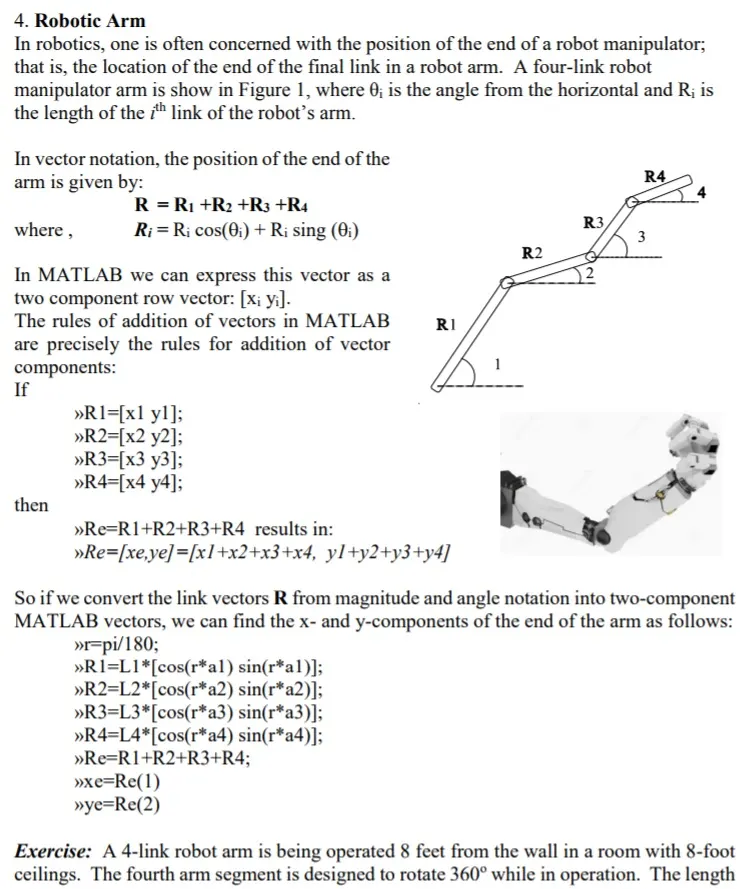
The robotic arm consists of 4 components,
- The Base, which is clamped to the surface and all other links are joined through hinge joint.
- Link 1 (L1) making θ1">θ1θ1 with horizontal.
- Link 2 (L2) making θ2">θ2θ2 with horizontal.
- The device attached to the manipulator which interacts with its environment to perform tasks is called the end-effector.
- Let , L1 & L2 be the lengths of the link-1 & link-2 Respectively.
- Let , θ1">θ1be the angle formed by link-1 with horizontal.
- Let , θ2">θ2 be the angle formed by link-2 with horizontal.
- Let , the starting and end co-ordinates of link-1 to be (x0, y0) and (x1, y1)
- Let , the starting and end co-ordinates of link-2 to be (x1, y1) and (x2, y2)
Matlab Code :-
clear all
close all
clc
%Inputs
l1=1;
l2=0.5;
theta1=linspace(0,90,12);
theta2=linspace(0,90,12);
ct=1;
for i=1:length(theta1)
THETA1=theta1(i);
for j=1:length(theta2)
THETA2=theta2(j);
x0=0;
y0=0;
x1=l1*cosd(THETA1);
y1=l1*sind(THETA1);
x2=x1+l2*cosd(THETA2);
y2=y1+l2*sind(THETA2);
%Plotting
plot([x0,x1],[y0,y1] , [x1,x2],[y1,y2],'Linewidth',2)
axis([-0.1 2 0 1.5])
pause(0.01)
M(ct)=getframe(gcf);
ct=ct+1;
end
end
movie(M)
Videofile=VideoWriter('Robotic_arm.avi','Uncompressed AVI');
open(Videofile)
writeVideo(Videofile,M)
close(Videofile)
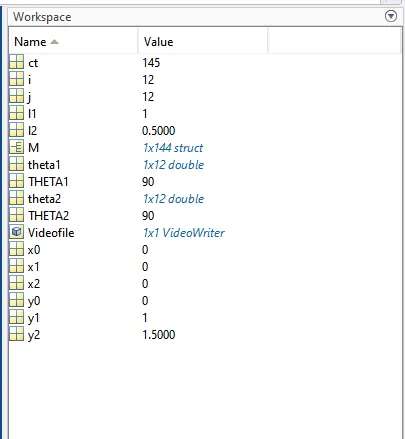
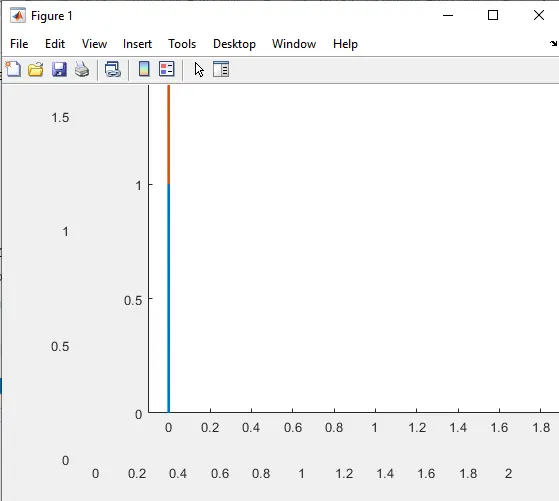
Result/Conclusion :- Thus we have simulated 2R robotic arm by using the matlab programming and also created a Movie/Animation from the plots obtained from the program