Week 2- 2R Robotic Arm Challenge
AIM:To determine the forward kinematics of a 2-R robotic arm
Governing equations:
`x1=lcostheta1`
`y1=lsintheta1`
`x2=x1+l2costheta2`
`y2=y1+l2sintheta2`
Objective:
By the end of this experiment, we will be learning the following;
1. Determining the workspace of a 2-R robotic arm
2. Plotting a graph to show the location of the arm at different angles.
3. Create an animation video to show the action of the arm.
Description:
The robotic arm comprises of two arms and are rotating links (hence the name 2-R) with a manipulator
it has wide range of applications in manufacturing sectors with different functionality based on the degrees of freedom which include
1.Holding
2.Replacing
3.Assembling
4.Welding
we will be using MATLAB for the above mentioned objective
% to learn and determine the forward kinematics of a 2-R robotic arm
clear all
close all
clc
%inputs
L1=2;
L2=1.5;

%angle subtended
theta1 = linspace(0,120,10);
theta2 = linspace(0,120,25);
% iterations using for loop
ct=1;
for i=1:length(theta1)
    T1=theta1(i);
    for j=1:length(theta2);
        T2=theta2(j);
      x0=0;
      y0=0;
      x1=x0+L1*cosd(T1);
      y1=y0+L1*sind(T1);
      x2=x1+L2*cosd(T2);
      y2=y1+L2*sind(T2);

     %plotting of motion
     plot([x0 x1],[y0 y1],[x1 x2],[y1 y2],'linewidth',3);
     xlabel('along x-axis');
     ylabel('along y-axis');
     axis([-2 4 0 4]);
     pause(0.3)
     M(ct)= getframe(gcf);
     ct=ct+1;
    end
end
% converting plot to movie
movie(M)
videofile = VideoWriter('Kinematics.avi','uncompressed AVI');
open(videofile)
writeVideo(videofile,M)
close(videofile)
'linspace' command has been used here to divide a give range to equally spaced intervals for angles.
counter or 'ct 'has been used to run iterations from starting number i.e. 1 and then various combinations of positions for link1 and link2 using the 'for-end' loop.
plot command has been used to plot graphs for various positions of links
axis has been used to determine the co-ordinates to be displayed on the graph.
the 'getframe' command has been used for capture of frames.'pause' has been used to determine time interval before continuing.
to convert the plot to movie VideoWriter is used here there are potential errors for syntax and one has to make sure that the case sensitivity is checked, even for writeVideo
proper execution results in saving of video in c-drive and video has been uploaded with the link below.
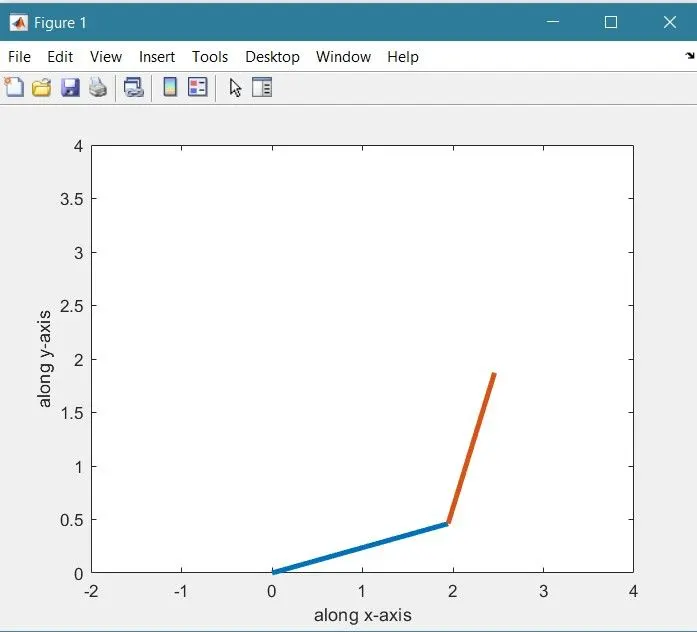
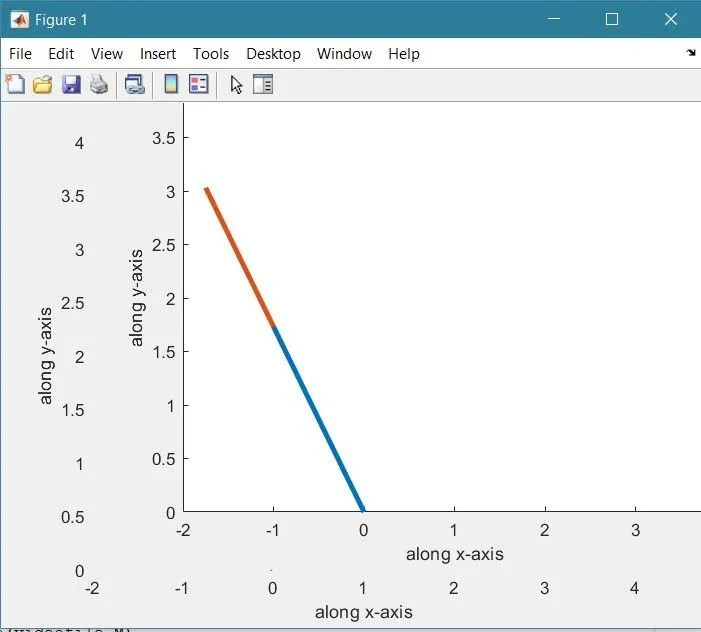
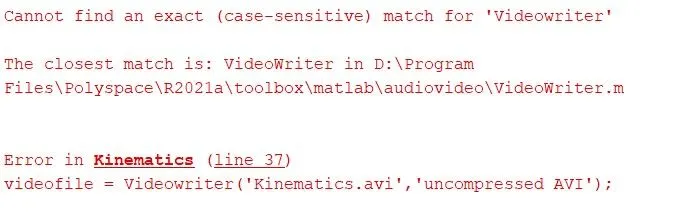
THE code pasted above is the one after rectification of such errors.