Week 2- 2R Robotic Arm Challenge
OBJECTIVE :
To create a simulation to find the forward kinematics of a 2R Robotic Arm.
THEORY :
- Here we try to understand the forward kinematics of a Two Armed Robot .
- We see that L1 Arm is said to have one fixed end where we consider the coordinates as (X0 ,Y0).
- The other end of the arm is said to be the movable end. Let us consider the other end's coordinates as (X1 ,Y1)
- Similarly, the L2 Arm is said to creates its movement trajectory based on L1 Arm's Output which is (X1,Y1)
- Hence , (X1, Y1) is the input of L2 Arm
- To the other end of the L2 Arm is connected the manipulator which is responsible to perform key functional tasks.
- Let us consider the other end of L2 Arm as (X2,Y2).
Trying to understand the position and orientation of a robotic arm can be calculated using the formula for respective coordinates since they are dependent,
X = L1 cos `theta`; Y = L2 sin `theta`
L - This represents the length of the link
`theta` - This represents the orientation angle of the arm.
Hence we find the Values of (X1 X2) , (Y1 Y2) by solving the kinematics of the robotic manipulator which is ( L Cos `theta`, L Sin `theta`);
MATLAB CODE
l1 = 2;
l2 = 1.5;
theta1 = linspace(30,90,6);
theta2 = linspace(20,90,6);
x0 = 0;
y0 = 0;
ct = 1;

for i = 1 : length(theta1)
    Theta1 = theta1(i);
    for j = 1 : length(theta2)
        Theta2 = theta2(j);

        x1 = l1*cosd(Theta1);
        y1 = l1*sind(Theta1);
        x2 = x1 + l2*cosd(Theta2);
        y2 = y1 + l2*sind(Theta2);

        plot([x0 x1],[y0 y1],[x1 x2],[y1 y2],'linewidth',3)
        axis([0 5 0 5]) % Specify coordinates based on the length specified for the links
        pause(1)
        M(ct) = getframe(gcf);
        ct = ct + 1;
    end
end
movie(M)
Snippet = VideoWriter("2R_Forward_Kinematics.avi","Uncompressed AVI");
open(Snippet);
writeVideo(Snippet,M)
close(Snippet)- Here the robot i'm trying to calculate the forward kinematics for is said to have two links. Link 1 is said to be 2 Meters and Link 2 is said to be 1.5 Meters
- Later, we also have to fix the orientation and position parameters of the robot. Hence we fix the `theta`1 & `theta`2 by setting a fixed length of 6 Values using the linspace command. For X1 - My range of operability is 30 to 90 Degree . & For Y1 - My range of operability is 20 to 90 Degree.
- We go about primarily fixing the coordinates, since one end of the robot is a fixed end, we see intialize the variables X0 & Y0 as (0,0)
- I'm using the for loop because i want the theta value to be tweaked using loop counter instead of manually tweaking.Hence i set the loop counter (i) and i make it loop starting with 1 (30 degree) as starting value throughout till the end of the length of Theta1 length which is 6 (90 degree). And the loop counter,is said to end with the final value of Theta1. While if it holds true until this code, i call another loop counter because my link 2 is said to move based on it's input which is link 1's output here. So, once Theta 1 is tweaked , Theta 2 is also given a loop counter to create it's operability trajectory.
- Thereby, We have the value of respective theta values now, and we set the values of X1 ,X2 & Y1 ,Y2.
- Thereby we plot the coordinates using the plot command by initialising the X Values and Y Values and also with a line width.
- We are setting the coordinate limits of the graph from 0 to 5 Meters for X & Y. Also pause each trajectory movement made for 1 second using pause command.
- Now we are going to get the every frame on the figure window. So we call a counter function, counter here simply refers to frames and to help us and the matlab understand the current frame. So we store all the frames to an array called "M".
- gcf = fig is to get the current figure window.
- Now, we are about to create a movie so call the Movie command.
- Now, inorder to create a file and store all the frames in it, we call a snippet variable name and i call video writer function to create an avi file with a file name "2R Forward Kinematics" as an uncompressed file and store in snippet.
- Thereby we open the snippet and i write the all the frames stored in snippet into M.
- And i close the file to get my animation video.
ERRORS :
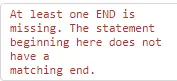
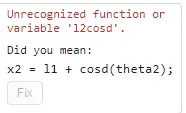


These were some of the errors i had to rectify part of coding exercise. I simply had to rectify some minor issues like fixing the length of theta values to same. When plotting, we should first call the X Values and then the Y Values, so it has to consistent in this manner. When trying to find the value of X2, i forgot to multiply L2 to it's corresponding theta value to get the desired value.
I've attached the output below using the drive link,
https://drive.google.com/file/d/1JoP0r6nDvrP3hv197LDPLD-oBn14ikom/view?usp=sharing