Week 2- 2R Robotic Arm Challenge
A program in Matlab to simulate the forward kinematics of a 2R Robotic Arm.
MATLAB Codes
clear all
close all
clc

%kinematics of a robotic arm
%inputs

l1=1;
l2=0.5;
a=1;
theta1=linspace(0,90,10);   %angle of link 1 from x axis
theta2=linspace(0,90,10);    %angle of link 2 from x axis
for i=1:length(theta1)
    THETA1=theta1(i);
    for j=1:length(theta2)
        THETA2=theta2(j);
        %starting point of link 1
        x0=0;
        y0=0;
        %ending point of link 1
        x1=l1*cosd(THETA1);
        y1=l1*sind(THETA1);
        %ending point of link 2
        x2=x1+l2*cosd(THETA2);
        y2=y1+l2*sind(THETA2);
        %plotting

        plot([x0 x1],[y0 y1],[x1 x2],[y1 y2],'linewidth',3)
        axis([-0.5 1.5 0 1.5])   %shifting of origin
       %labelling
        xlabel('x axis')
        ylabel('y axis')
        pause (0.1)
     M(a)=getframe(gcf);  %create a frame of all the plotes
     a=a+1;
    end
end
%create a movie of all the frames
movie(M)
%create a avi file
videofile=VideoWriter('forward_kinematics_avi','uncompressed AVI');
%open the video file
open(videofile)
writeVideo(videofile,M)
close(videofile)
Error Faced While programming -
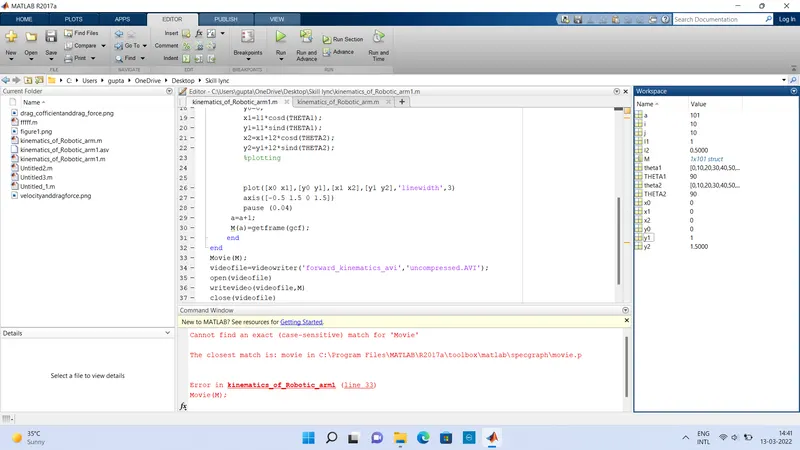
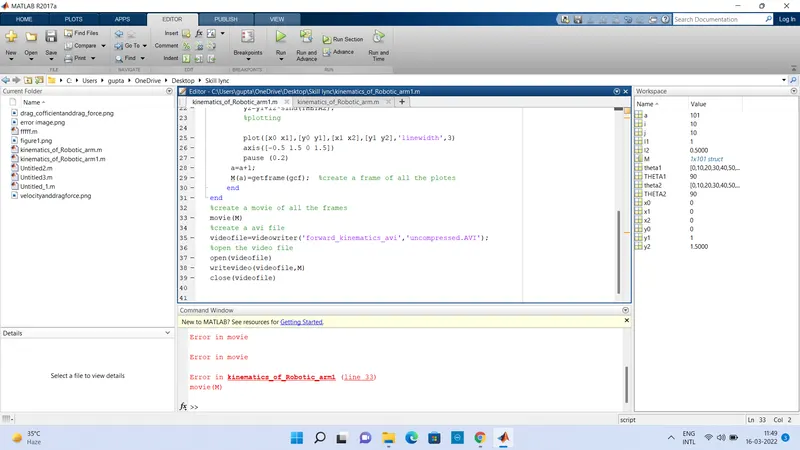
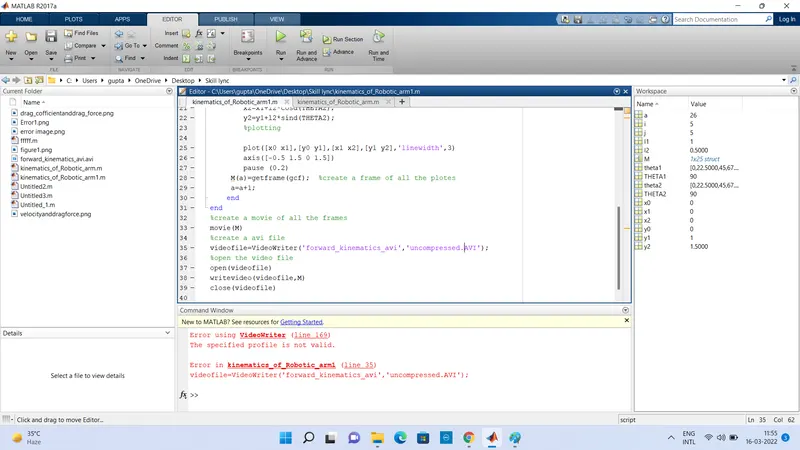
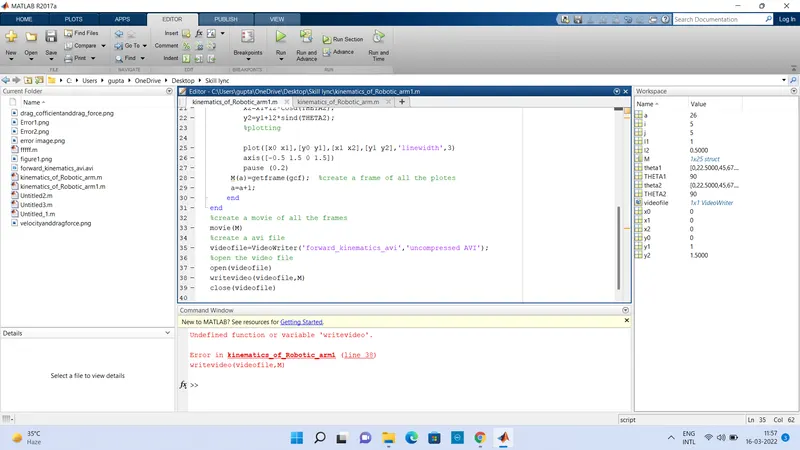
steps taken to resolve the error -
1. Movie replaced by movie.
2. change the position of a=a+1 command and write the command after creating the frame.
3.profile name is changed from uncompressed.avi to uncompressed avi .
4.writevideo is changed to writeVideo.
Outputs
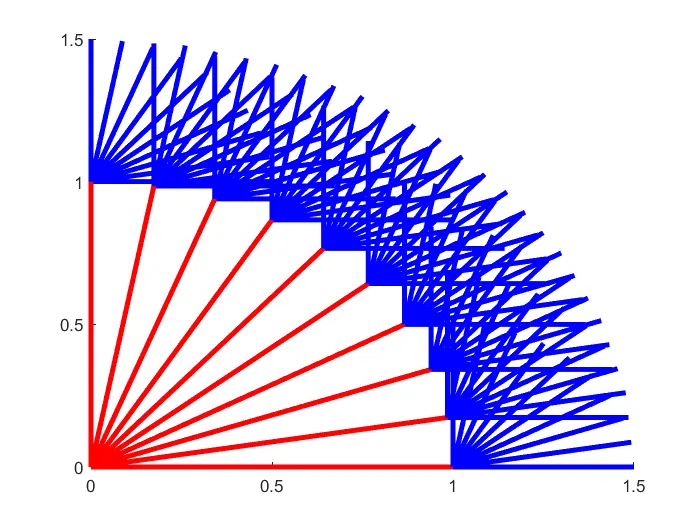
The final output movie
The link of output movie file is givn below.
https://drive.google.com/file/d/1Z_4TZWfPzXKbwHKlo1tn8EDk3idmQJox/view?usp=sharing