Week 2- 2R Robotic Arm Challenge
Aim: To simulate forward kinematics of 2R robotic arm using MATLAB program.
Theory:
Robotic arm is a Mechanical arm which is used to perform functions of human arm to replace manual work by automation. Kinematics is a branch of science which deals with the study of motion without considering the forces. Applications of robots includes welding, material handling, painting, assembly work etc. By having geometric parameters of robotic arm like lengths of arm and its inclination with respect to horizontal direction, workspace of a robotic arm can be determined. Workspace is nothing but location where robotic arm can reach.
In the current MATLAB program, forward kinematics of 2R robotic arm is simulated for specified arm lengths and different orientations or inclination angles of arms of a robot.
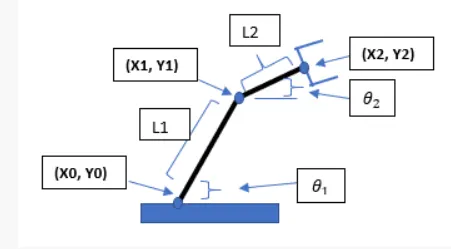
Figure: 2R robotic arm
% Matlab code to simumate forward kinematic of 2R robotic arm

clear all
close all
clc

% Inputs for lengths of robotic arm
l1= 1;
l2= 0.5;

theta1=linspace(0,90,20)
theta2=linspace(0,90,20)

% Input for starting coordinate of fisrt arm
x0=0;
y0=0;

ct=1;
for i=1:length(theta1)
    THETA1=theta1(i)
    for j=1:length(theta2)
        THETA2=theta2(j)

% To calculate end coordinates of first arm or starting coordinates of 2nd arm
x1 = l1*cosd(THETA1)
y1 = l1*sind(THETA1)

% To calculate end coordinates of second arm
x2 = x1+l2*cosd(THETA2)
y2 = y1+l2*sind(THETA2)

% Plotting of robotic arm
 plot([x0 x1],[y0 y1], [x1 x2],[y1 y2], 'linewidth',3)
 axis([-0.1 1.5 0 1.5])
 pause(0.03)
 M(ct)=getframe(gcf)
 ct=ct+1;

    end
end

% To create animation of forward kinematics
movie(M)
videofile = VideoWriter('kinematics.avi', 'Uncompressed AVI');
open(videofile)
writeVideo(videofile,M)
close(videofile)
Errors ocuured while programing and step taken to solve it.
a) Instead of l1, i1 was written. i1 was replaced by l1.
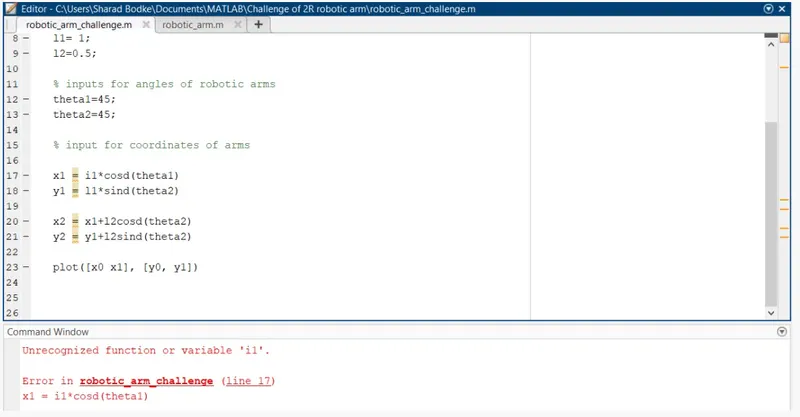
b) Multiplication sign was missing in line 20. It is added latter on
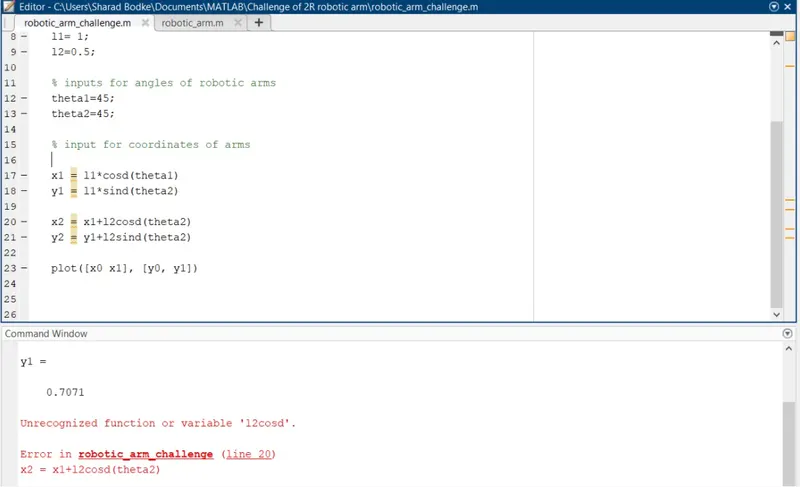
c) x0 was not defined.
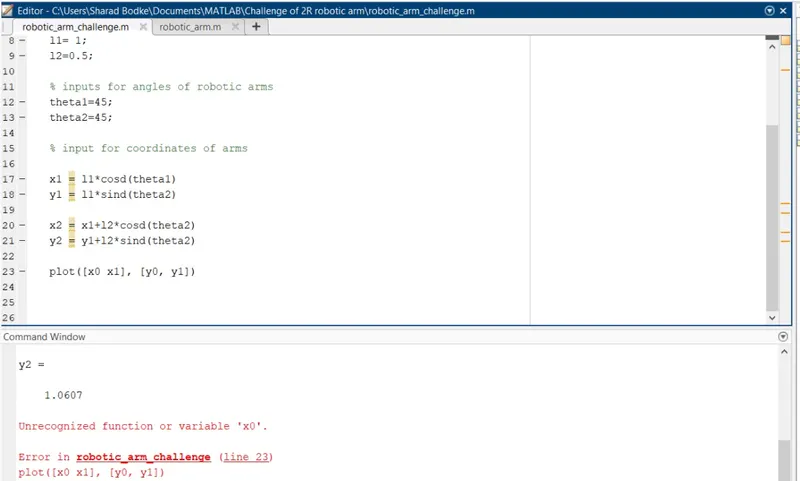
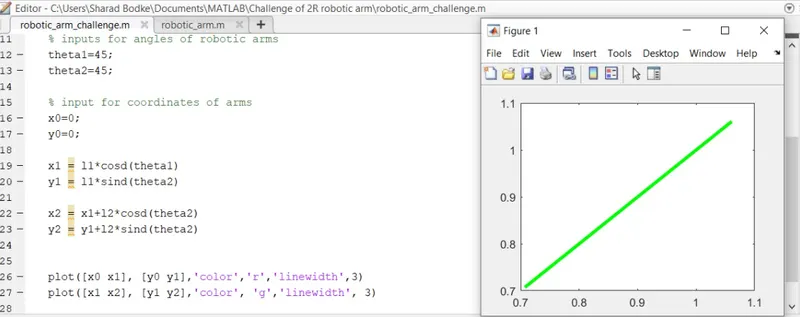
d) Only second arm was plotted. 'Hold on' command is added to get both arms plot.
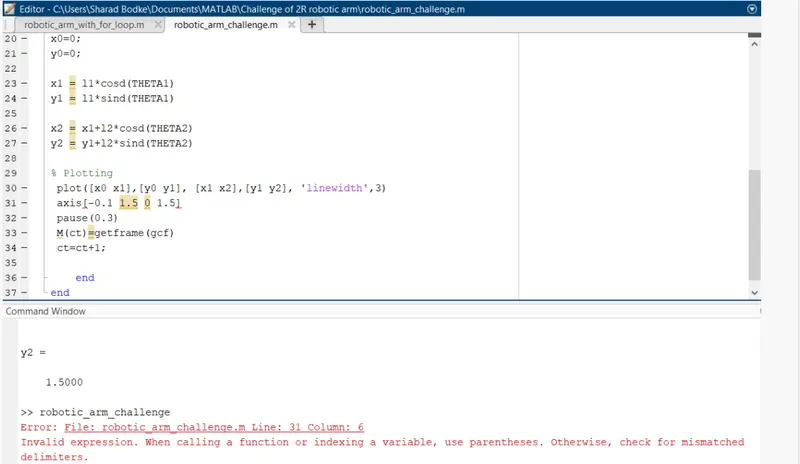
e) Paranthesis was misssing in line 31
Results
Animation is created for forward kinematics a 2R robotic arm and uploaded on youtube and google drive
Youtube link: https://youtu.be/KBEts92EGZA
google drive link: https://drive.google.com/file/d/1KmRJhncuCXUSxH77JAnGp7jXO9EzI_sA/view?usp=sharing
Conslusion:
1. No of values taken for θ1 and θ2 affects the length of animation video. Higher the no of vaules taken, higher will be the length of a video.
2. in the 'pause' command, value of a time should be such that animation should look smooth.