Week 2- 2R Robotic Arm Challenge
1.Program to simulate the forward kinematics of a 2R robotic arm
Animation video link : https://youtu.be/OgYeKF771-4
% FORWARD KINEMATICS OF A 2R ROBATIC ARM MANUPULATOR

% BASIC COMMANDS
clear all
close all
clc

% INPUTS

l1 = 1 ;   % l1- length of first link in meter
l2 = 0.5;  % l2- length of second link in meter

% theta1 , theta2 are the angles in degrees with respect to the Xaxis

theta1 = linspace(0,90,10) ; % linspace will create 10 values between 0&90
theta2 = linspace(0,90,10) ;

ct = 1;  % ct -variable to do counter up process
for i = 1 : length(theta1) % here i is the loop counter that determines how many times the process gonna repeat
    THETA1 = theta1(i);    % Store the values of theta1 in this variable
     for j = 1:length(theta2)% for each value of theta1 i need 10 values of theta2 to be executed, so j is used
         THETA2 = theta2(j);% here j is another loop counter


        x0 = 0; % Initially (x0,y0)co-ordinates will be zero in all cases
        y0 = 0;

        x1 = l1*cosd(THETA1); % To find the X coordinate of first link with the values of THETA1
        y1 = l1*sind(THETA1); % To find the Y coordinate of first link with the values of THETA1

        x2 = x1 + l2*cosd(THETA2);% To find the X coordinate of second link with the values of THETA2
        y2 = y1 + l2*sind(THETA2);% To find the Y coordinate of second link with the values of THETA2

        % PLOTTING

        plot([x0 x1],[y0 y1],[x1 x2],[y1 y2],'linewidth',4) % Plotting all x0,y0 & x1,y1 & x2,y2 along with the linewidth of 4
        axis([0 1.5 0 1.5]) % First 2 values are assigned for Xaxis & last 2 values assigned for Yaxis
        pause(0.3) % Pausing the commands for 0.3secs
        M(ct) = getframe(gcf); % get current figure window and ct represent each and every frames
        ct = ct+1;             % increamenting the count
    end
end
% Program to create animation video
movie(M) % Playing M, where M is an array to get all the figures while executing
videofile = VideoWriter('forward_kinematics.avi','Uncompressed AVI'); %Videofile is the variable to save the movie
open(videofile)
writeVideo(videofile,M) % Writing the videofile, which contains all the figures
close(videofile) % after writing 'videofile',close it
2. Errors faced while programming:
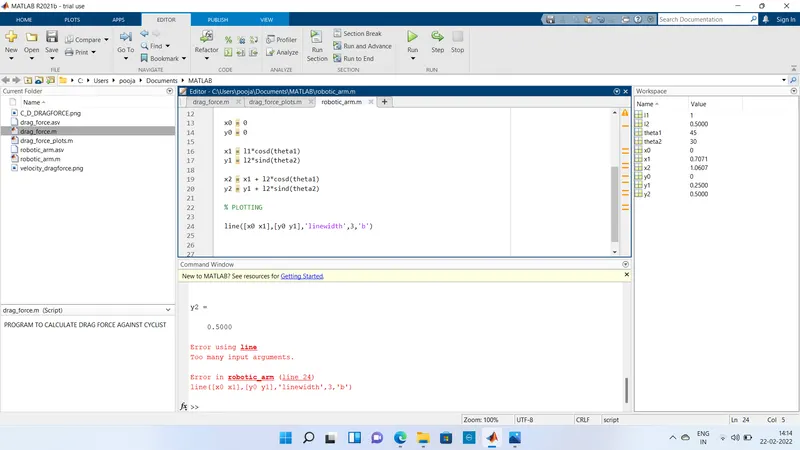
- In this error, too many input arguments are shown. Initially i couldnt find that i missed 'color'
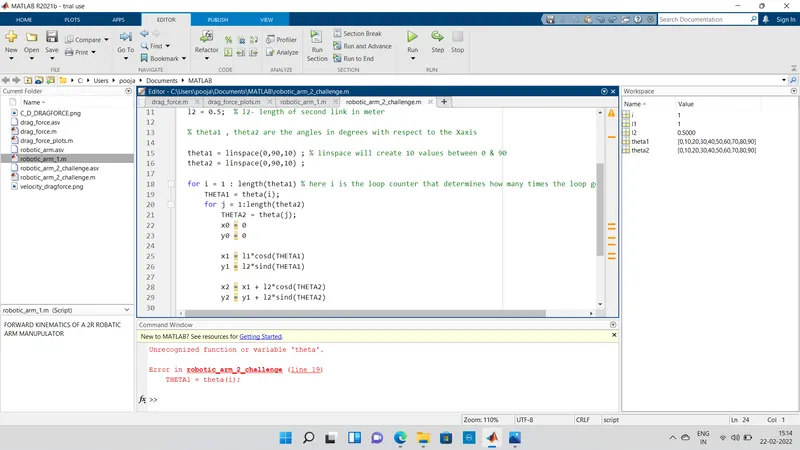
- In this line 19, i assumed that theta is enough to mention
- And then i identified "theta" variable is not initialized
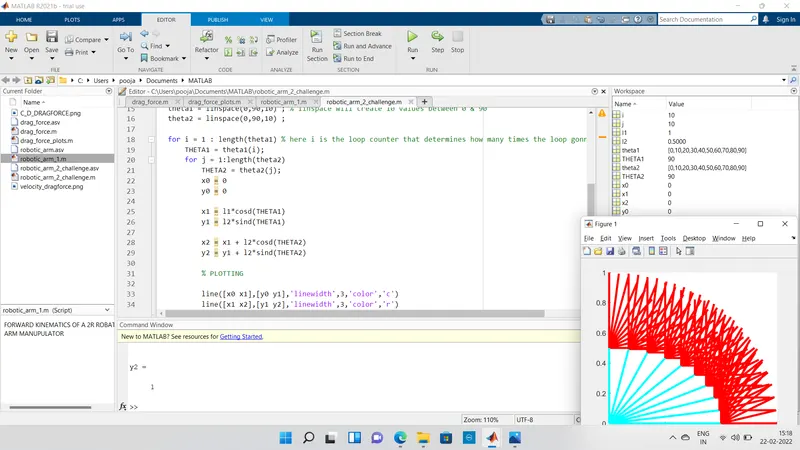
3. Output i got before the animation process
4.