Week 2- 2R Robotic Arm Challenge
Google drive link for animation of forward kinematics of 2R Robotic Arm:
https://drive.google.com/file/d/1OYF9WouFiU2pAVj9edWQI8z8ZyJF_ylr/view?usp=sharing
Errors faced while programing :
1. Same loop controller of THETA1(i) was used in THETA2 instead of (j). Because of that the link-2 was not able to rotate w.r.t link-1.
Steps take to covercome the error :
- changing the loop controller of THETA2 to (j).
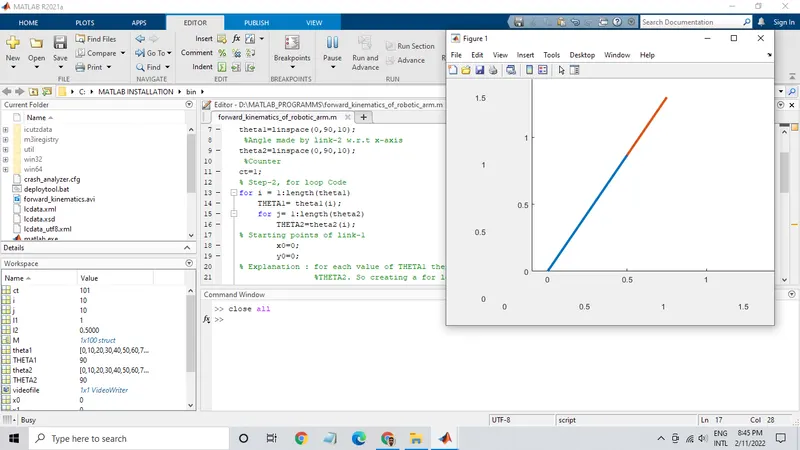
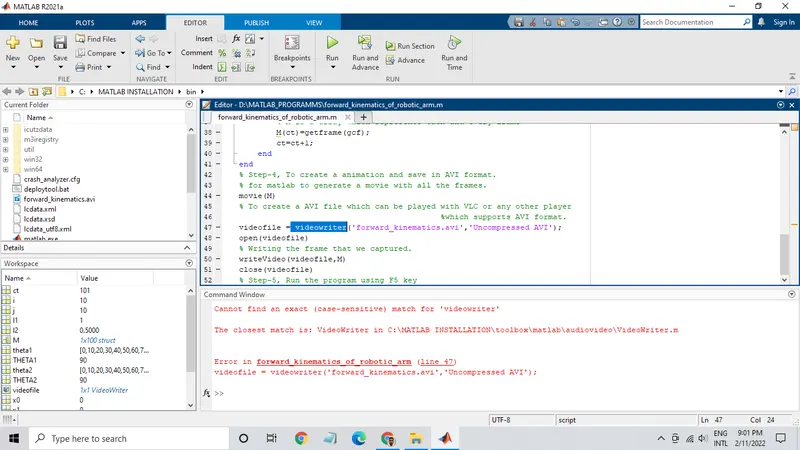
2. Small case letters were used in 'videowriter'.
Steps take to covercome the error :
- capitalization of letter 'v' and 'w'.
Program for forward kinematics of 2R Robotic Arm:
% Step-1, Inputs
 %Length of link-1
l1=1;
 %Length of link-2
l2=0.5;
 %Angle made by link-1 w.r.t x-axis
theta1=linspace(0,90,10);
 %Angle made by link-2 w.r.t x-axis
theta2=linspace(0,90,10);
 %Counter
ct=1;
% Step-2, for loop Code
for i = 1:length(theta1)
    THETA1= theta1(i);
    for j= 1:length(theta2)
        THETA2=theta2(j);
% Starting points of link-1
        x0=0;
        y0=0;
% Explanation : for each value of THETA1 there are multiple values of
                %THETA2. So creating a for loop for THETA2 within the for
                %loop of THETA1.
% Ending points of link-1 or Staring points of link-2
        x1 = l1*cosd(THETA1);
        y1= l1*sind(THETA1);
% Ending points of link-2
        x2= x1+l2*cosd(THETA2);
        y2= y1+l2*sind(THETA2);

% Step-3, Plottig

        plot([x0 x1],[y0 y1], [x1 x2], [y1 y2],'linewidth',3)
        % Applying limits to x and y co-ordinates.
        axis([-0.1 1.5 0 1.5])
        % After every 0.001 sec the link will move.
        pause(0.001)
        % M is a array which represents each and every frame
        M(ct)=getframe(gcf);
        ct=ct+1;
    end
end
% Step-4, To create a animation and save in AVI format.
% for matlab to generate a movie with all the frames.
movie(M)
% To create a AVI file which can be played with VLC or any other player
                                           %which supports AVI format.
videofile = VideoWriter('forward_kinematics.avi','Uncompressed AVI');
open(videofile)
% Writing the frame that we captured.
writeVideo(videofile,M)
close(videofile)
% Step-5, Run the program using F5 key